
POUT E3 Angle - Adjustable Angled Ergonomic Laptop Stand Riser - Notebook Computer Holder Compatible w/MacBook Air Pro Dell HP & More 11"-17" Laptops - Foldable & Portable w/ 5 Angles (Silver) POUT E3 Angle – Adjustable Angled Ergonomic Laptop Stand Riser – Notebook Computer Holder Compatible w/MacBook Air Pro Dell HP & More 11″-17″ Laptops – Foldable & Portable w/ 5 Angles (Silver)

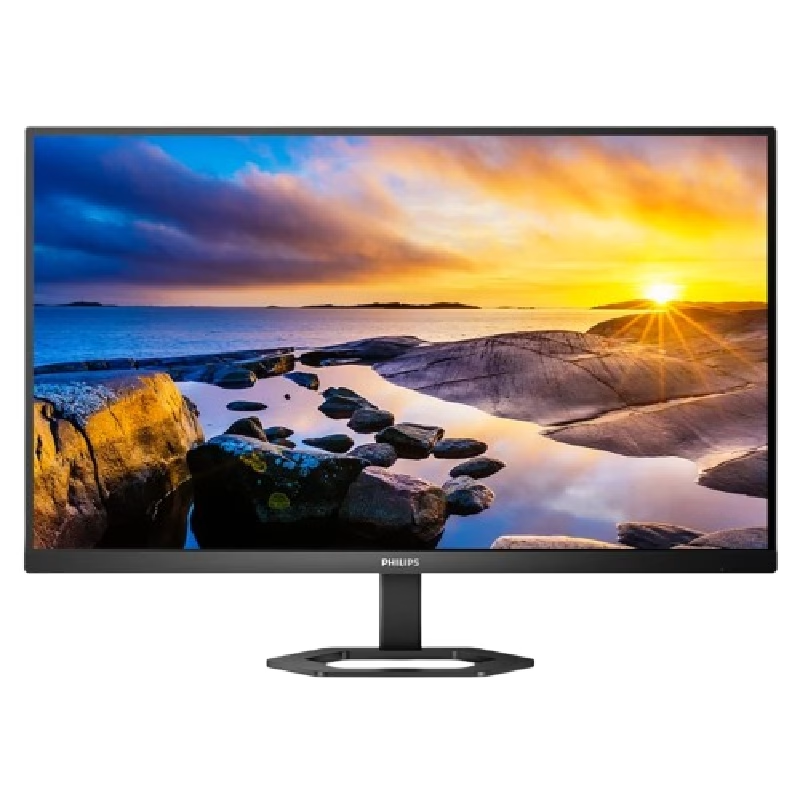
Size 34″ Display Type IPS Color Gamut (Typ.) sRGB 99% (CIE1931) Color Depth (Number of Colors) 16.7M Pixel Pitch (mm) 0.312 x 0.310 mm Response Time (GTG) 5ms (GtG at Faster), 1ms MBR Refresh Rate 75Hz Aspect Ratio 21:9 Display Resolution UW-FHD Resolution 2560 x 1080 Brightness 400cd/m² Contrast Ratio 1000:1 Viewing Angle 178º (R/L), 178º (U/D) Surface Treatment Anti-Glare INPUT/OUTPUT HDMI Yes x 1 DisplayPort Yes x 1 USB Type-C Yes (DP Alternate Mode) Headphone Out Yes POWER Type Adapter Input 100-240 Vac, 50/60Hz Power Save/Sleep Mode (Max.) Less than 0.5W DC Off (Max.) Less than 0.3W Power Consumption (Typ.) 30W Power Consumption (Max.) 40W SPECIAL FEATURES Color Weakness Mode Yes Adaptive Sync AMD FreeSync™ Black Stabilizer® Yes Dynamic Action Sync® Yes Crosshair® Yes Flicker Safe Yes Smart Energy Saving Yes Reader Mode Yes Super Resolution+ Yes Color Calibrated Yes Dual Controller Yes OnScreen Control (OSC) Yes HDR (High Dynamic Range) HDR10 VESA DisplayHDR™ DisplayHDR™ 400 HDR Effect Yes Auto Input Switch Yes Motion Blur Reduction Technology Yes FreeSync (Low Frame Compensation) Yes 1ms Motion Blur Reduction Yes SOUND Speaker No Built-in Speaker DIMENSIONS/WEIGHTS With Stand (WxHxD) 32.2″ x 22.4″ x 9.4″ (Up), 32.2″ x 18.0″ x 9.4″ (Down) Without Stand (WxHxD) 32.2” x 14.4” x 1.8” Shipping Dimensions (WxHxD) 37.0″ x 20.3″ x 8.6″ With Stand Weight 17.4 lbs Without Stand Weight 13.2 lbs Shipping Weight 24.0 lbs STAND Display Position Adjustments Tilt/Height CABINET/ACCESSORIES Wall Mount Size (mm) 100 x 100 mm HDMI Yes 3 Years Warranty manufacturer link

This 5-meter VGA to VGA cable provides a stable analog video connection between PCs, laptops, monitors, and projectors. With a male-to-male design and durable build, it’s ideal for offices, classrooms, and home setups needing a longer VGA extension. The VGA to VGA 5-meter cable is designed to connect computers, laptops, DVRs, or other VGA-enabled devices to monitors, TVs, or projectors. Its extended length makes it perfect for conference rooms, classrooms, and setups where the display is far from the source device. Built with reliable connectors and shielding, it ensures stable signal transmission for clear video output. 5-Meter Length for flexible long-distance connection VGA Male to VGA Male standard 15-pin connector Stable Video Signal for consistent display output Compatible with Monitors & Projectors ideal for presentations Durable Cable Build for long-term use Easy Plug & Play no drivers required Suitable for any device with a VGA port, including desktops, laptops, monitors, projectors, and older display systems. Perfect for presentations, office setups, classrooms, and extended-distance connections.

Genuine-spec keyboard replacement for MacBook Pro 13″ (Model A2251, 2020) — choose US QWERTY or UK QWERTY (with £ symbol). Features Apple’s reliable Magic Keyboard with scissor-switch mechanism, backlighting, and precise OEM fit. Compatible With: MacBook Pro 13-inch (2020, Two Thunderbolt Ports, Model A2251, Model Identifier MacBookPro16,1) with Intel Core i5/i7 processors. Layout Options (select at purchase): US Layout: Standard QWERTY with wide Enter key, @ above 2, # above 3, and full function row. UK Layout: QWERTY with £ symbol, tall vertical Enter key, @ accessed via right Alt, and UK-specific punctuation. US Layout: Standard QWERTY with wide Enter key, @ above 2, # above 3, and full function row. UK Layout: QWERTY with £ symbol, tall vertical Enter key, @ accessed via right Alt, and UK-specific punctuation. Keyboard Type: Apple’s Magic Keyboard with scissor-switch mechanism—offering improved durability, quieter typing, and 1mm key travel compared to Butterfly keyboards. Integrated Features: Full backlit keys for low-light environments Ambient light sensor support OEM-style flex cable pre-attached for direct connection to the logic board Full backlit keys for low-light environments Ambient light sensor support OEM-style flex cable pre-attached for direct connection to the logic board Precision Build: Engineered to match Apple’s exact dimensions, key spacing, and top-case curvature—ensures seamless visual and functional integration. Installation Note: The keyboard is factory-glued into the top case. Replacement requires full disassembly, careful adhesive removal, and professional re-adhesion. Recommended for experienced or certified repair technicians only.

Apple MacBook Pro 16” (2019) — professional-grade power and stunning Retina display.• Intel Core i9 • 32 GB RAM • 500 GB SSD • 4 GB Dedicated GraphicsRetina Display | macOS |

The AOC 24″ 180Hz Gaming Monitor is a top choice for gamers who want smooth, responsive gameplay. With its impressive 180Hz refresh rate, this monitor ensures that every action on screen is fluid and lag-free. Whether you’re playing fast-paced shooters or racing games, the high refresh rate provides an edge over competitors. Firstly this 24-inch monitor offers Full HD resolution, delivering sharp and clear images. The vibrant colors and crisp details make every game come to life. With its slim bezels, the screen offers an immersive experience, allowing you to focus fully on the action. Furthermore the AOC 24″ Gaming Monitor is equipped with AMD FreeSync technology. This reduces screen tearing and stuttering, resulting in smoother gameplay. It also features a fast response time, ensuring that every movement you make is reflected instantly on screen. Setting up the AOC 24″ 180Hz Gaming Monitor is simple. It supports both HDMI and DisplayPort connections, giving you flexibility in how you connect your gaming PC or console. The ergonomic stand allows you to adjust the height, tilt, and swivel to find the perfect viewing angle. This gaming monitor is built with durability in mind. It is designed to withstand long gaming sessions, offering comfort and stability throughout. The sleek design also complements any gaming setup, adding a modern touch to your desk. Upgrade your gaming experience with the AOC 24″ 180Hz Gaming Monitor. Its high refresh rate, fast response time, and vivid display make it an ideal choice for serious gamers. Specifications: Display : 23.8″ VA Resolution : 1920×1080 Refresh Rate : 180Hz Response Rate : 1ms

View Sonic VA2215-H 22” Full HD Monitor Eyecare technology for comfortable viewing Eco-mode for low energy consumption ViewMode color rendering options 75Hz FreeSync to eliminate screen tearing and reduce stuttering HDMI and VGA inputs for connectivity

The Cudy WR3000 AX3000 WiFi 6 Router delivers ultra-fast wireless speeds and improved network efficiency with the latest WiFi 6 technology. Designed for modern homes and offices, it offers high-speed Gigabit connectivity, wider coverage, and stable performance for multiple devices. AX3000 WiFi 6 Speed – Combined speeds of up to 3000Mbps for ultra-smooth streaming, gaming, and downloads. Next-Gen WiFi 6 Technology – Improved efficiency, lower latency, and better performance for multiple connected devices. Gigabit Ethernet Ports – High-speed WAN and LAN ports for maximum wired performance. Enhanced Coverage – High-performance antennas provide strong and stable WiFi signal across your space. OFDMA & MU-MIMO – Efficient data transmission to multiple devices simultaneously without slowing down the network. Multiple Operating Modes – Supports Router, Access Point, and Repeater modes for flexible setup. Advanced Security – WPA3/WPA2 encryption ensures a secure and protected network. 1 × Gigabit WAN Port 4 × Gigabit LAN Ports Dual Band WiFi (2.4GHz & 5GHz) WiFi 6 (802.11ax) Ethernet (RJ45) Wireless Security (WPA2/WPA3)

BenQ MOBIUZ EX2710 27″ Display Screen Size 27 inch Panel Type IPS Backlight Technology LED backlight Resolution (max.) 1920×1080 Brightness (typ.) 350 nits Brightness (peak)(HDR) 400 nits HDR HDR10 Native Contrast 1000:1 Viewing Angle (L/R) (CR>=10) 178°/178° Response Times (GtG) 2 ms Response Times (MPRT) 1 ms Refresh Rate (Hz) 144 Color Gamut 99% sRGB Color Mode Cinema HDRi, ePaper, FPS, Game HDRi, HDR, M-Book, Racing game, RPG, sRGB, Standard Aspect Ratio 16:9 Display Colors 16.7 million color PPI 82 Display Screen Coating Anti-Glare Color Temperature Bluish, Normal, Reddish, User Define Gamma 1.8 – 2.6 HDCP 2.2 OSD Language Arabic, Chinese (simplified), Chinese (traditional), Czech, Deutsch, English, French, Hungarian, Italian, Japanese, Korean, Netherlands, Polish, Portuguese, Romanian, Russian, Spanish, Swedish AMA Yes Audio Built-in Speaker 2.5Wx2 Headphone Jack Yes Power Voltage Rating 100 – 240V Power Supply Built-in Power Consumption (normal) 22 W Power Consumption (max) 58 W Power Consumption (sleep mode) <0.5 W Dimension and Weight Tilt (down/up) -5˚ – 20˚ Swivel (left/right) 20˚/ 20˚ Height Adjustment Stand 130 mm Dimensions (HxWxD) (mm) 409.6 – 539.6×614.1×216.7 Dimensions (HxWxD) (inch) 16.1 – 21.2×24.2×8.5 Dimensions (HxWxD) (w/o Base) (mm) 382.2×614.1×64.1 Dimensions (HxWxD) (w/o Base) (inch) 15.1×24.2×2.5 Net Weight (kg) 6.2 Net Weight (lb) 13.7 Net Weight (w/o Base) (kg) 4 Net Weight (w/o Base) (lb) 8.8 VESA Wall Mount 100×100 mm Accessories Other Accessories QSG, Warranty Card Connectivity HDMI (v2.0) 2 DisplayPort (v1.2) 1 Eye Care Flicker-free Technology Yes Low Blue Light Yes Brightness Intelligence Plus (B.I.+) Yes Color Weakness Yes ePaper Yes Certification TUV Certificate Flicker-free, Low Blue Light Video Enjoyment HDRi Yes Professional Video Format Support Yes Specifications: BenQ MOBIUZ EX2710 27″ Screen Size 27 inch Panel Type IPS Backlight Technology LED backlight Resolution (max.) 1920×1080 Brightness (typ.) 350 nits 1 Year Warranty

Panel Size (inch) : 23.8 Aspect Ratio : 16:9 Display Viewing Area (H x V) : 527.04 x 296.46 mm Display Surface : Non-Glare Backlight Type : LED Panel Type : IPS Viewing Angle (CR≧10, H/V) : 178°/ 178° Pixel Pitch : 0.2745mm Resolution : 1920×1080 Color Space (sRGB) : 99% Brightness (Typ.) : 250cd/㎡ Contrast Ratio (Typ.) : 1000:1 ASUS Smart Contrast Ratio (ASCR) : 100000000:1 Display Colors : 16.7M Response Time : 5ms(GTG) Refresh Rate (Max) : 75Hz Flicker-free : Yes Video Feature Trace Free Technology : Yes SPLENDID Technology : Yes Color Temp. Selection : Yes(4 modes) GamePlus : Yes QuickFit : Yes HDCP : Yes VRR Technology : FreeSync™ Low Blue Light : Yes I/O Ports HDMI(v1.4) x 1 DVI x 1 VGA x 1 Signal Frequency Digital Signal Frequency : 24~84 KHz (H) / 48~75 Hz (V) Analog Signal Frequency : 24~84 KHz (H) / 48~60 Hz (V) Power Consumption Power Consumption : 13.2W Power Saving Mode : <0.5W Power Off Mode : <0.5W Voltage : 100-240V, 50/60Hz Mechanical Design Tilt : Yes (+23° ~ -5°) VESA Wall Mounting : 100x100mm Kensington Lock : Yes Dimensions (Esti.) Phys. Dimension with Stand (W x H x D) : 540.45 x 403.67 x 203.94 mm Phys. Dimension without Stand (W x H x D) : 540.45 x 324.67 x 44.4 mm Box Dimension (W x H x D) : 559 x 415 x 127 mm Weight (Esti.) Net Weight with Stand : 3.57 Kg Net Weight without Stand : 3.18 Kg Gross Weight : 5.50 Kg 3 Years Warranty manufacturer link

A1989 Battery Replacement, A1964 Battery for MacBook Pro 13″ A1989 (Mid 2018 2019) A2251(2020 Release) EMC 3214 3358 3348 MR9Q2LL/A MR9R2LL/A MR9T2LL/A MR9U2LL/A MR9V2LL/A MV962LL/A MV9A2LL/A 【Specification】Voltage: 11.41V. Capacity: 58Wh/ 5086mAh. Battery Type: Li-ion. Condition: Brand new, from high quality materials, top circuit boards and smart chip. 【Compatible Part Number】A1964 A1989 A1989(EMC 3214) A1989(EMC 3358) A2251(EMC 3348) 020-02497 616-00419. 【Compatible Laptop Models】MacBook Pro 13-Inch model A1989 (Mid 2018, Mid 2019) , A2251(2020 Release), Order No MR9Q2LL/A MR9R2LL/A MR9T2LL/A MR9U2LL/A MR9V2LL/A MV962LL/A MV972LL/A MV982LL/A MV992LL/A MV9A2LL/A MWP72LL/A MWP82LL/A MWP42LL/A MWP52LL/A MWP62LL/A MR9Q2 MR9R2 MR9T2 MR9U2 MR9V2 MV962 MV972 MV982 MV992 MV9A2 MWP62. 【Note】The tools are included. Double-sided tape is attached to the back of the battery, but NO battery installation instruction. The MBP battery is difficult to disassemble, we suggest you search for related installation videos or find a technician for help.

CI03 CI03XL Battery for HP ProBook 640 G2 645 G2 650 G2 655 G2, ProBook 640 G3 645 G3 650 G3 655 G3 Laptop, P/N: HSTNN-UB6Q HSTNN-LB6T HSTNN-PB6K 801554-001 About this item 【BATTERY SPECIFICATIONS】 Type: Li-ion ‖ Capacity: 48Wh ‖ Voltage: 11.4V ‖ Model: CI03XL 【COMPATIBLE LAPTOP MODEL】For ProBook 640 G2, ProBook 640 G3, ProBook 645 G2, ProBook 645 G3, ProBook 650 G2, ProBook 650 G3, ProBook 655 G2, ProBook 655 G3 Notebook. 【PART NUMBER】CI03, CI03XL, C103XL, CIO3XL, CI03048XL, CIO3, HSTNN-UB6Q, HSTNN-LB6T, HSTNN-PB6K, HSTNN-UB6Q, HSTNN-DB7N, HSTNN-I66C-4, HSTNN-I66C-5U, HSTNN-I66C-5H, HSTNN-I67C-4, HSTNN-I67C-5, 801517-221, 801517-222, 801517-231, 801517-232, 801517-241, 801517-242, 801517-421, 801517-422,801517-541, 801517-831, 801554-001. 【MULTIPLE PRETCTION】 Don’t fall into buying cheap and unsafe batteries. All our batteries are certified by CE, and FCC for safety. Bulit-in circuit protection ensures both safety and stability.

Razer DeathAdder Essential – Ergonomic wired gaming mouse with 6,400 DPI sensor and 5 programmable buttons.Trusted for its comfort, precision, and durable build—perfect for casual and competitive gaming. Model: Razer DeathAdder Essential (Black) Sensor Type: Optical DPI: Up to 6,400 DPI (adjustable) Buttons: 5 independently programmable Hyperesponse buttons Switches: Razer Mechanical Switches rated for up to 10 million clicks Tracking Speed: Up to 220 inches per second (IPS) Acceleration: 30G Design: Ergonomic right-handed design Grip Style: Palm grip (with textured side grips) Lighting: Single-color green backlight (Razer logo) Polling Rate: 1000 Hz Cable: Standard USB wired, 1.8 meters (rubber cable) Compatibility: Windows 7, 8, 10, 11 (Razer Synapse support) Weight: Approx. 96g (excluding cable) Software Support: Razer Synapse (for customization & macros)

The Lenovo ThinkVision T32h-30 31.5″ 60Hz 2K Business Monitor is built for productivity and comfort. It offers a large and clear display that helps you work more efficiently. This monitor is perfect for offices, creators, and home workspaces. With its 31.5-inch 2K resolution, the Lenovo ThinkVision T32h-30 31.5″ 60Hz 2K Business Monitor delivers sharp details and bright colors. Text looks clean and images appear crisp. Therefore, you can enjoy better clarity during long work sessions. The 60Hz refresh rate ensures smooth motion for daily tasks. It is ideal for spreadsheets, browsing, and video meetings. As a result, your workflow feels more stable and comfortable. The Lenovo ThinkVision T32h-30 31.5″ 60Hz 2K Business Monitor features ultra-thin bezels for a modern design. This also makes multi-monitor setups more seamless and visually appealing. Its ergonomic stand allows tilt, swivel, and height adjustments. You can set the perfect viewing angle and reduce strain. Moreover, it uses low blue light technology to protect your eyes during long hours. The monitor includes USB-C, HDMI, and DisplayPort connections. With USB-C, you can charge your laptop and transfer data with one cable. This helps keep your workspace clean and organized. In summary, the Lenovo ThinkVision T32h-30 31.5″ 60Hz 2K Business Monitor offers clarity, comfort, and strong connectivity. It is an excellent choice for professionals who need space, precision, and modern features. Specifications: Display : 31.5″ IPS Resolution : 2K (2560×1440) Refresh Rate : 60Hz Response Time : 4ms GtG

✅ Full Specifications: Model: A4Tech Bloody GR370 Interface / Connection: Triple-Connection Mode: 2.4GHz Wireless (via USB-A Nano Receiver for ultra-low latency) Bluetooth v5.0 (For mobile devices and tablets) 3.5mm Wired Mode (Includes 4-pin 3.5mm audio cable for zero-power use) Audio Technology: 50mm M.O.C.I. Hybrid Diaphragm Drivers (Reduces high-frequency distortion and delivers clear, punchy bass) Performance / Speed: 2.4GHz “Sync-to-Life” low-latency technology (comparable to wired performance) Frequency Response: 20Hz – 20kHz Microphone: Detachable Unidirectional Noise-Canceling Microphone with LED mute indicator Material & Build: Lightweight headband design with soft, protein leather ear pads for extended gaming sessions Design & Form Factor: Over-ear, ergonomic closed-back design with integrated volume and mute controls on the earcup Battery Life: Built-in 1050mAh lithium battery providing up to 45 hours of playback time (depending on volume levels) Compatibility: PC, Mac, PlayStation (PS4/PS5), Nintendo Switch, Android, and iOS Dimensions: Approx. 195 x 100 x 205 mm Weight: Approx. 290 grams

Genuine-spec touchpad flex cable compatible with both MacBook Air A2179 (Intel, 2020) and A2337 (M1, 2020)—restores full Force Touch functionality, haptic feedback, and precise multi-touch gesture control during trackpad repair or replacement. Compatible With: MacBook Air 13″ (2020, Intel) – Model A2179 (Model Identifier: MacBookAir9,1) MacBook Air 13″ (2020, Apple M1) – Model A2337 (Model Identifier: MacBookAir10,1) MacBook Air 13″ (2020, Intel) – Model A2179 (Model Identifier: MacBookAir9,1) MacBook Air 13″ (2020, Apple M1) – Model A2337 (Model Identifier: MacBookAir10,1) ✅ Important Note: Despite different processors (Intel vs. M1), Apple used the same trackpad assembly and flex cable in both A2179 and A2337. This makes the flex cable fully interchangeable between the two models. Part Type: Touchpad flex cable only — does not include the trackpad housing, Taptic Engine, or mounting hardware. This is the OEM-style ribbon cable that connects the trackpad to the logic board. Function: Transmits: Touch input coordinates Force Touch pressure data Haptic feedback signals to the Taptic Engine Enables full macOS gesture support: Force Click, three-finger lookup, swipe navigation, pinch-to-zoom, and smooth cursor tracking. Touch input coordinates Force Touch pressure data Haptic feedback signals to the Taptic Engine Enables full macOS gesture support: Force Click, three-finger lookup, swipe navigation, pinch-to-zoom, and smooth cursor tracking. OEM-Quality Build: Matches Apple’s original specifications in: Cable length and routing path Connector pitch and ZIF latch design EMI shielding and flex durability Cable length and routing path Connector pitch and ZIF latch design EMI shielding and flex durability Common Use Cases: Replacing a torn, creased, or liquid-damaged original flex cable Completing a trackpad replacement when the original cable is compromised Fixing intermittent trackpad behavior, loss of Force Touch, or complete unresponsiveness Replacing a torn, creased, or liquid-damaged original flex cable Completing a trackpad replacement when the original cable is compromised Fixing intermittent trackpad behavior, loss of Force Touch, or complete unresponsiveness Installation Note: Requires full bottom case removal and battery disconnection. Cable routes under the right side of the battery and logic board. Connects via a ZIF (Zero Insertion Force) socket—align carefully and latch gently. Recommended for experienced or certified technicians only. Requires full bottom case removal and battery disconnection. Cable routes under the right side of the battery and logic board. Connects via a ZIF (Zero Insertion Force) socket—align carefully and latch gently. Recommended for experienced or certified technicians only.

Philips Evnia 34M2C5500 34-inch ultrawide gaming monitor delivers immersive and ultra-smooth performance for gaming and multitasking. It focuses on high refresh rate, curved design, and wide QHD clarity for an engaging experience. Additionally, it features a 34-inch Fast VA panel with UltraWide QHD resolution (3440 × 1440). This resolution provides a wider field of view, so it improves both gaming immersion and productivity workflows. Moreover, it supports up to a 180Hz refresh rate with 0.5ms Smart MBR response time. As a result, it delivers very smooth motion and reduces blur in fast-paced gameplay. The monitor uses a 1500R curved design. Therefore, it enhances immersion by wrapping visuals around your natural field of view. In addition, it supports VESA DisplayHDR 400. This improves brightness, contrast, and color depth, so visuals appear more vivid and lifelike. Furthermore, it includes Adaptive Sync and low input lag. These features reduce tearing and improve responsiveness for competitive gaming. It also offers gaming tools such as Smart Crosshair and SmartImage modes. So it helps improve aiming accuracy and visual tuning during gameplay. Philips Evnia 34M2C5500 34-inch ultrawide gaming monitor provides immersive visuals, high-speed performance, and advanced gaming features for serious players. Specifications: 34-inch Fast VA panel with 3440 × 1440 UltraWide QHD resolution 180Hz refresh rate for ultra-smooth gaming 0.5ms Smart MBR response time for reduced motion blur 1500R curved design for immersive viewing DisplayHDR 400 with Adaptive Sync support

Genuine-spec touchpad flex cable for MacBook Air 13.6″ (Model A2681, 2022, M2)—essential for restoring full Force Touch functionality, haptic feedback, and multi-touch gesture support when replacing or repairing the trackpad assembly. Compatible With: MacBook Air 13.6-inch (2022, Model A2681) with Apple M2 chip (all colors: Silver, Space Gray, Starlight, Midnight). Part Type: Touchpad flex cable only—does not include the trackpad, Taptic Engine, or mounting hardware. This is the ribbon cable assembly that connects the trackpad to the logic board. Function: Transmits touch input, Force Touch pressure data, and haptic feedback signals between the trackpad and logic board—critical for macOS gesture recognition and Taptic Engine operation. OEM-Quality Construction: Matches Apple’s original flex circuit in length, connector type, shielding, and bend radius—ensures reliable signal integrity and long-term durability. Common Use Cases: Replacing a torn, frayed, or damaged original flex cable Completing a trackpad replacement when the original cable was compromised Repairing unresponsive or erratic trackpad behavior caused by cable failure Replacing a torn, frayed, or damaged original flex cable Completing a trackpad replacement when the original cable was compromised Repairing unresponsive or erratic trackpad behavior caused by cable failure Installation Note: Requires full bottom case disassembly and careful routing under the battery and logic board. Connectors use ZIF (Zero Insertion Force) sockets—do not force. Recommended for experienced or certified technicians only.


