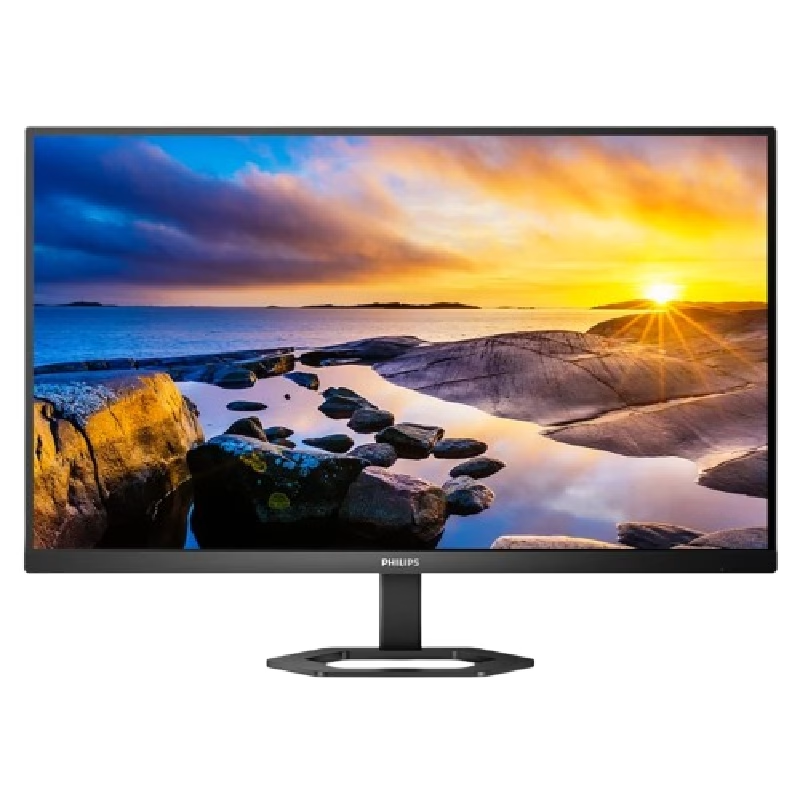
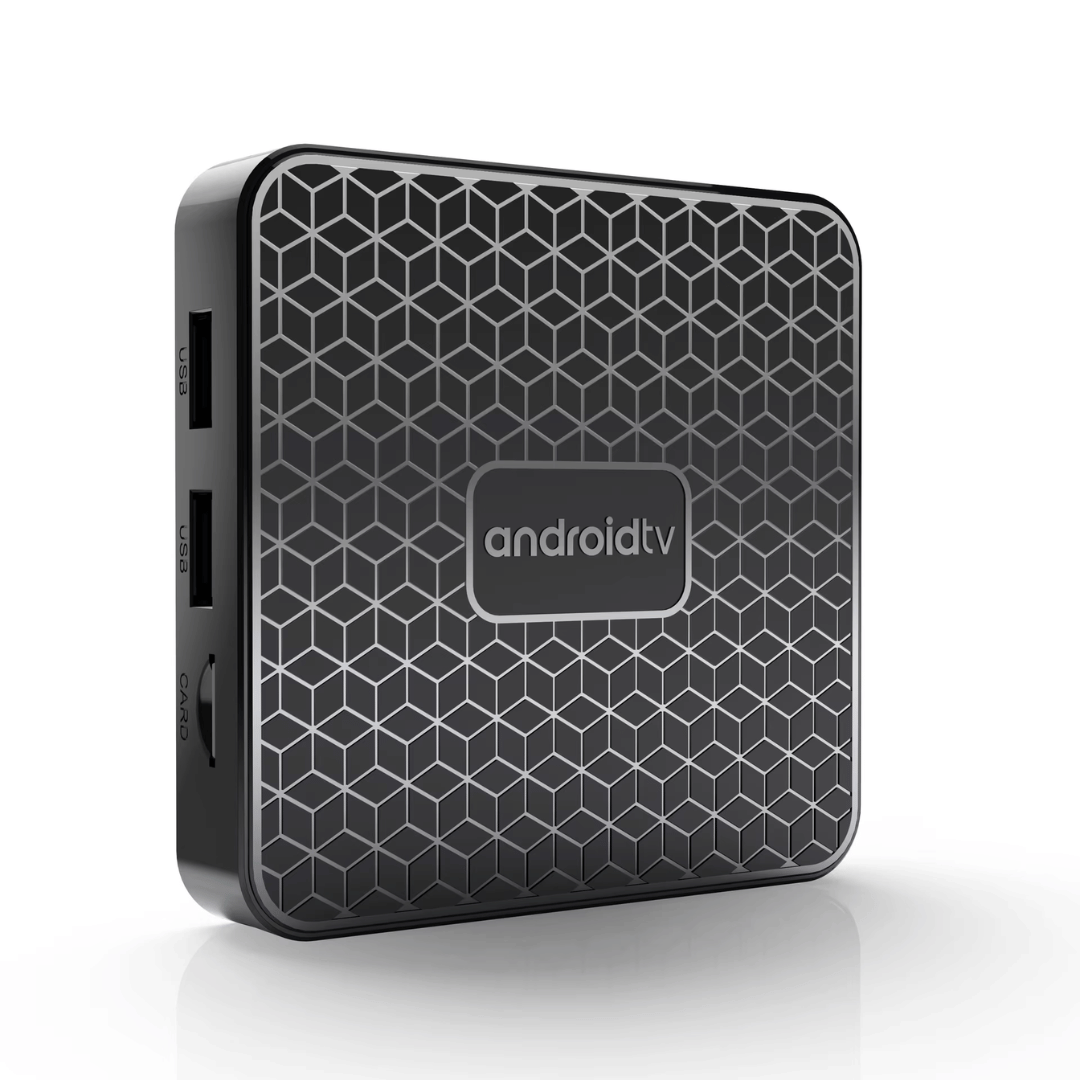
The Mortal T1 Mini is an ultra-compact, budget-friendly Android TV box designed to turn any standard HDMI television into a smart entertainment platform. It features 4K hardware decoding, dual-band Wi-Fi, and a voice-controlled remote, providing a smooth and responsive experience for local IPTV, YouTube, and mainstream streaming applications. ✅ Full Specifications: Model: Mortal T1 Mini 4K Smart Media Player Interface / Connection: Wi-Fi: Dual-Band (2.4GHz / 5GHz) 802.11n Bluetooth: BT 5.0 (Supports wireless remotes, headphones, and controllers) Wired Network: 1 x 10/100Mbps Ethernet LAN Port (Note: Available on standard mini casing configurations) Input/Output Ports: 1 x HDMI Out, USB Ports, 1 x TF/microSD Card Slot, 1 x DC 5V Power Interface / Connection: Wi-Fi: Dual-Band (2.4GHz / 5GHz) 802.11n Bluetooth: BT 5.0 (Supports wireless remotes, headphones, and controllers) Wired Network: 1 x 10/100Mbps Ethernet LAN Port (Note: Available on standard mini casing configurations) Input/Output Ports: 1 x HDMI Out, USB Ports, 1 x TF/microSD Card Slot, 1 x DC 5V Power Performance / Hardware: CPU: Allwinner H313 Quad-Core ARM Cortex-A53 (up to 1.5GHz) (Also distributed in select regional batches with Rockchip quad-core architectures) GPU: Mali-G31 MP2 / Mali-450MP Graphics Engine Resolution Output: Native HDMI 2.0 supporting up to 4K @ 60Hz Video Decode Formats: 4K Ultra HD hardware acceleration decoding including H.265 HEVC, H.264, VP9, and 3D video support High Dynamic Range (HDR): Supports HDR10+, HDR10, and HLG profiles Performance / Hardware: CPU: Allwinner H313 Quad-Core ARM Cortex-A53 (up to 1.5GHz) (Also distributed in select regional batches with Rockchip quad-core architectures) GPU: Mali-G31 MP2 / Mali-450MP Graphics Engine Resolution Output: Native HDMI 2.0 supporting up to 4K @ 60Hz Video Decode Formats: 4K Ultra HD hardware acceleration decoding including H.265 HEVC, H.264, VP9, and 3D video support High Dynamic Range (HDR): Supports HDR10+, HDR10, and HLG profiles Capacity / Memory Options: 2GB RAM + 16GB eMMC Internal Flash Storage (Storage expandable up to 256GB via TF card slot or external USB drive) Material & Build: Durable, matte plastic compact shell engineered with passive thermal management to maintain low operational temperatures Design & Form Factor: Pocket-sized, ultra-light mini layout designed to easily fit behind wall-mounted or desktop televisions Security & Software: Operating System variants run customized, stable Android TV distributions (Android 13 / Android 14) optimized for app longevity, security patch support, and easy layout control Voice Assistant: Includes an ergonomic voice remote control featuring an integrated microphone button for hands-free Google Assistant commands and quick navigation Compatibility: Fully compatible with major applications like YouTube, Netflix, Disney+, Prime Video, various IPTV clients, and Screen Mirroring Cast protocols Dimensions: Approx. 77 x 77 x 12 mm (May vary slightly up to 88 x 88 x 18 mm depending on exact regional shell style) Weight: Approx. 0.25 to 0.35 kg

Genuine-spec touchpad flex cable for MacBook Pro 16″ (Model A2141, 2019, Intel)—essential for restoring full Force Touch functionality, haptic feedback, and precise multi-touch gesture control during trackpad repair or replacement. Compatible With: MacBook Pro 16-inch (2019, Model A2141) with Intel Core i7/i9 processors (Model Identifier: MacBookPro16,1) (Note: A2141 is the non-base configuration of the 2019 16″ MacBook Pro—typically higher-end Intel models.) Part Type: Touchpad flex cable only—does not include the trackpad housing, Taptic Engine, or mounting hardware. This is the OEM-style ribbon cable that connects the trackpad to the logic board. Function: Transmits touch coordinates, Force Touch pressure data, and haptic feedback signals—critical for macOS gestures (e.g., Force Click, three-finger lookup, pinch-to-zoom) and Taptic Engine responsiveness. OEM-Quality Construction: Replicated to Apple’s exact specifications—including cable length, connector pitch, EMI shielding, and bend radius—ensuring reliable signal integrity and long-term durability. Common Use Cases: Replacing a torn, creased, or liquid-damaged original flex cable Completing a trackpad replacement when the original cable is compromised Fixing intermittent trackpad behavior, loss of Force Touch, or complete unresponsiveness Replacing a torn, creased, or liquid-damaged original flex cable Completing a trackpad replacement when the original cable is compromised Fixing intermittent trackpad behavior, loss of Force Touch, or complete unresponsiveness Installation Note: Requires full disassembly of the bottom case, speaker removal, and careful routing beneath the battery and logic board. Connectors use ZIF (Zero Insertion Force) sockets—must be aligned and latched gently. Recommended for certified or professional repair technicians only. Important: This is flex cable only—not a complete trackpad assembly. Must be used with the original or compatible A2141 trackpad and Taptic Engine. Not compatible with M1 MacBook Pro 16″ (A2485), 14″ models (A2442), or any MacBook Air. This is flex cable only—not a complete trackpad assembly. Must be used with the original or compatible A2141 trackpad and Taptic Engine. Not compatible with M1 MacBook Pro 16″ (A2485), 14″ models (A2442), or any MacBook Air. Model Verification: Confirm your device is MacBook Pro A2141 (16″, 2019, Intel) via > About This Mac > Model Identifier (should read MacBookPro16,1).

The MSI Pro MP272 E14C is a 27‑inch FHD monitor built for business and productivity. It delivers clear Full HD visuals with a fast 144 Hz refresh rate. Furthermore, its IPS panel provides wide viewing angles and accurate colors, making work and multimedia more enjoyable. It supports a 1 ms (MPRT) response time, which reduces motion blur in videos and fast‑moving content. In addition, Adaptive‑Sync technology helps smooth gameplay and reduce screen tearing. The monitor also includes HDR Ready support for improved contrast and detail. Moreover, the design features a four‑side slim bezel for a clean look and immersive viewing experience. It offers anti‑glare treatment and built‑in speakers for convenient multimedia use. As a result, the MSI Pro MP272 E14C enhances productivity and comfort whether you work, create, or play. . Specifications: 27‑inch FHD (1920 × 1080) IPS panel with wide viewing angles 144 Hz refresh rate with 1 ms (MPRT) response time Adaptive‑Sync support and HDR Ready for smooth visuals HDMI 2.0 and USB‑C (DP Alt Mode with 15 W PD) connectivity Built‑in speakers, anti‑glare surface, and slim bezel design

The LG UltraWide 34″ 60Hz Curved Monitor offers an expansive 21:9 aspect ratio, providing ample screen space for multitasking and immersive viewing. Its 3440 x 1440 resolution delivers sharp and detailed visuals, enhancing both productivity and entertainment experiences. Featuring a curved IPS display, this monitor ensures consistent color accuracy and wide viewing angles, making it ideal for creative professionals and gamers alike. The 60Hz refresh rate provides smooth motion, suitable for everyday tasks and casual gaming. Equipped with HDR10 support, the monitor enhances contrast and color range, bringing visuals to life with greater depth and realism. The sRGB 99% color gamut ensures vibrant and accurate colors, essential for photo and video editing. Connectivity options include USB Type-C, HDMI, and DisplayPort, allowing seamless integration with various devices. The USB Type-C port supports data transfer and power delivery, simplifying your workspace setup. The ergonomic stand offers height and tilt adjustments, enabling you to customize the monitor’s position for optimal comfort. Its sleek, virtually borderless design adds a modern touch to any workspace. In summary, the LG UltraWide 34″ 60Hz Curved Monitor combines high-resolution visuals, color accuracy, and ergonomic design, making it a versatile choice for professionals and enthusiasts. Specifications: Display : 34″ IPS Resolution : 3440 x 1440 QHD Refresh Rate : 60Hz Response Rate : 5ms GTG Curvature : 3800R

Genuine-spec touchpad flex cable compatible with both MacBook Air A2179 (Intel, 2020) and A2337 (M1, 2020)—restores full Force Touch functionality, haptic feedback, and precise multi-touch gesture control during trackpad repair or replacement. Compatible With: MacBook Air 13″ (2020, Intel) – Model A2179 (Model Identifier: MacBookAir9,1) MacBook Air 13″ (2020, Apple M1) – Model A2337 (Model Identifier: MacBookAir10,1) MacBook Air 13″ (2020, Intel) – Model A2179 (Model Identifier: MacBookAir9,1) MacBook Air 13″ (2020, Apple M1) – Model A2337 (Model Identifier: MacBookAir10,1) ✅ Important Note: Despite different processors (Intel vs. M1), Apple used the same trackpad assembly and flex cable in both A2179 and A2337. This makes the flex cable fully interchangeable between the two models. Part Type: Touchpad flex cable only — does not include the trackpad housing, Taptic Engine, or mounting hardware. This is the OEM-style ribbon cable that connects the trackpad to the logic board. Function: Transmits: Touch input coordinates Force Touch pressure data Haptic feedback signals to the Taptic Engine Enables full macOS gesture support: Force Click, three-finger lookup, swipe navigation, pinch-to-zoom, and smooth cursor tracking. Touch input coordinates Force Touch pressure data Haptic feedback signals to the Taptic Engine Enables full macOS gesture support: Force Click, three-finger lookup, swipe navigation, pinch-to-zoom, and smooth cursor tracking. OEM-Quality Build: Matches Apple’s original specifications in: Cable length and routing path Connector pitch and ZIF latch design EMI shielding and flex durability Cable length and routing path Connector pitch and ZIF latch design EMI shielding and flex durability Common Use Cases: Replacing a torn, creased, or liquid-damaged original flex cable Completing a trackpad replacement when the original cable is compromised Fixing intermittent trackpad behavior, loss of Force Touch, or complete unresponsiveness Replacing a torn, creased, or liquid-damaged original flex cable Completing a trackpad replacement when the original cable is compromised Fixing intermittent trackpad behavior, loss of Force Touch, or complete unresponsiveness Installation Note: Requires full bottom case removal and battery disconnection. Cable routes under the right side of the battery and logic board. Connects via a ZIF (Zero Insertion Force) socket—align carefully and latch gently. Recommended for experienced or certified technicians only. Requires full bottom case removal and battery disconnection. Cable routes under the right side of the battery and logic board. Connects via a ZIF (Zero Insertion Force) socket—align carefully and latch gently. Recommended for experienced or certified technicians only.

The MSI MAG 321UPX QD‑OLED 32″ 240Hz Gaming Monitor delivers stunning visuals and ultra‑fast performance for gamers and creators. It features a 32‑inch QD‑OLED panel for vibrant colors and deep blacks. Moreover, the 240Hz refresh rate makes gameplay ultra‑smooth and responsive. Also, its 0.03ms response time cuts motion blur to near zero. Because of HDMI 2.1 and DisplayPort 1.4, it supports high refresh on both PC and console. Furthermore, it offers 1440p resolution for sharp visuals without taxing your GPU. Additionally, the monitor covers 99% DCI‑P3 for rich and accurate color reproduction. Besides that, the HDR True Black 400 enhances contrast in bright and dark scenes. Also, the MSI MAG 321UPX QD‑OLED 32″ 240Hz Gaming Monitor includes HDMI VRR support for tear‑free gameplay. In addition, it features Adaptive‑Sync for smooth performance under varying frame rates. Moreover, the embeddable game mode presets help you optimize visuals with one button. Because it offers crosshair overlays and timers, it helps improve your competitive play. Also, the low‑blue light and flicker‑free technology protect your eyes during long sessions. Furthermore, the stand allows height, tilt, swivel, and pivot adjustments for ergonomic comfort. Also, the sleek design with ultra‑thin bezels gives a modern look to your setup. Moreover, built‑in 2 W speakers provide basic audio without extra clutter. Besides, the monitor includes a KVM feature for easy switching between two systems. Furthermore, connectivity covers USB‑C with 90 W power delivery for laptops. As a result, you can charge devices while transmitting video and data. Because of its USB hub, peripherals remain connected without cable swapping. Also, the 240Hz overclock mode boosts responsiveness in fast‑paced games. In addition, factory calibration ensures color accuracy out of the box. Therefore, creators benefit from both gaming performance and content work quality. Also, this monitor supports console gamers with up to 240Hz via HDMI 2.1. Furthermore, thanks to OLED’s fast refresh, motion clarity is unmatched. Moreover, HDR content truly pops with deep blacks and vibrant highlights. As a result, the MSI MAG 321UPX QD‑OLED 32″ 240Hz Gaming Monitor excels in both competitive gaming and creative work. Finally, upgrade your experience with this powerful, immersive, and feature‑rich gaming monitor. Specifications: Display : 31.5″ QD-OLED Resolution : 3840×2160 (UHD) Refresh Rate : 240Hz Response Rate : 0.03ms (GTG)

Are you in the market for a gaming monitor that delivers top-notch performance without breaking the bank? Look no further than the MSI Optix MAG272CQR. In this comprehensive review, we’ll explore the features that make this monitor stand out. To start with, the MSI Optix MAG272CQR boasts a stunning 27-inch curved display, providing an immersive gaming experience. The curvature enhances your field of view, pulling you deeper into the game. Equipped with a 2560 x 1440 Quad HD resolution, this monitor delivers crisp and detailed visuals. Dive into your favorite games with clarity and precision, experiencing every detail as the developers intended. The 165Hz refresh rate ensures buttery-smooth gameplay, reducing motion blur for a competitive edge. Combined with a 1ms response time, the MSI Optix MAG272CQR is a stellar choice for fast-paced gaming scenarios. Adaptive Sync technology minimizes screen tearing and stuttering, creating a seamless and enjoyable gaming experience. Whether you’re into FPS, RPG, or MOBA games, this monitor adapts to your playstyle. Connectivity is a breeze with multiple ports, including HDMI and DisplayPort, providing versatility for various devices. The adjustable stand allows you to find the perfect viewing angle, ensuring comfort during those marathon gaming sessions. In summary, the MSI Optix MAG272CQR is a gaming monitor that ticks all the boxes – immersive display, high resolution, fast refresh rate, and adaptive sync technology. Elevate your gaming experience without breaking the bank. Make the smart choice with the MSI Optix MAG272CQR. Specifications: Size : 27″ Curve : 1500R Refresh Rate : 165Hz Response Time : 1ms

The ViewSonic XG2431 24″ 240 Hz gaming monitor delivers ultra‑smooth motion for fast‑paced games and everyday use. Its Full HD panel shows sharp images and crisp text, making work, media, and gameplay easy to see. In addition, the 240 Hz refresh rate significantly reduces motion blur, helping you react faster in competitive games. Furthermore, the monitor includes adaptive sync support to reduce screen tearing and keep visuals smooth during intense scenes. It also offers a quick response time to cut down on ghosting and keep action sharp. In addition, the ergonomic stand lets you adjust tilt and height for comfortable viewing during long sessions. Therefore, this monitor fits both gaming setups and work desks with ease. Overall, the ViewSonic XG2431 combines fast motion, clear visuals, and solid connectivity in a reliable 24″ design. Specifications: 24″ Full HD display with clear, crisp visuals 240 Hz refresh rate for ultra‑smooth motion Adaptive sync to reduce screen tearing Fast response time for sharp action Adjustable ergonomic stand and solid connectivity

This replacement touchpad for MacBook Air A2179 comes in Rose Gold and is sold without the flex cable. Perfect for restoring smooth trackpad performance, it’s ideal for repair technicians and users replacing a damaged or non-working touchpad. The MacBook Air A2179 Touchpad (Rose Gold) is a high-quality replacement part designed to restore full trackpad functionality to your laptop. Whether your original touchpad is unresponsive, physically damaged, or experiencing tracking issues, this replacement provides a reliable solution. Please note that this unit is without the flex cable, meaning it requires the original flex or a separate replacement flex for installation. Ideal for repair shops and technicians, it ensures smooth navigation and precise control. Compatible with MacBook Air A2179 Rose Gold Color Match for original look and finish Replacement Touchpad Only (without flex cable) Restores Smooth Trackpad Functionality Precision Tracking & Gesture Support (when installed correctly) Ideal for Repairs & Replacements High-Quality Build designed for durability and long use Designed specifically for Apple MacBook Air A2179 models. Recommended for technicians and repair shops or users replacing a faulty touchpad. Ensure compatibility before purchase and note that a flex cable is required for installation.

BenQ Board Essential RE7504N 75” 4K UHD Interactive Flat Panel is a large interactive display designed for education and business collaboration. It supports touch input, built-in Android system, and 4K resolution for presentations and group work. It features a 75-inch IPS panel with 3840 × 2160 4K UHD resolution. Therefore, it delivers sharp visuals and wide viewing angles. In addition, it supports up to 40-point multi-touch for group interaction. Moreover, it runs Android (EDLA-supported system depending on region). As a result, users can run apps, whiteboard tools, and content directly on the display without a PC. The screen includes anti-glare coating. Therefore, it stays readable in bright rooms. In addition, it supports 4K 60Hz output for smooth visuals. Furthermore, it includes HDMI, USB, LAN, and OPS slot connectivity. As a result, it works with laptops, external PCs, and modular systems. It also includes built-in speakers for basic audio output. Therefore, it supports lessons and meetings without external speakers. Finally, the BenQ RE7504N provides a large interactive 4K workspace for classrooms and business collaboration. Specifications: Display: 75-inch IPS panel with 3840×2160 4K UHD resolution Touch: Up to 40-point multi-touch support System: Android-based interactive platform (EDLA support depending on region) Connectivity: HDMI, USB, LAN, and OPS slot support Display: Anti-glare screen with 4K 60Hz output for smooth visuals

The Samsung 85″ The Frame QLED 4K Smart TV QA85LS03FAUXTW uses an 85-inch 4K UHD LCD panel with 3840 × 2160 resolution. It is designed for both standard TV viewing and wall-mounted display use. The display uses a QLED layer with Quantum Dot technology to improve color reproduction. As a result, it produces wider color output and more consistent brightness across different content types. In addition, it supports 4K upscaling for lower-resolution video. The TV supports HDR formats for compatible content. This increases contrast between bright and dark areas and improves detail visibility. Also, motion processing reduces blur during fast-moving scenes such as sports and action content. Samsung runs this model on Tizen OS. Therefore, users access streaming apps, SmartThings integration, and smart features through a unified interface. It also supports Wi-Fi and Bluetooth for wireless device connections. Connectivity includes HDMI ports, USB ports, Ethernet LAN, and optical audio output. It supports external devices such as gaming consoles and sound systems. This model uses The Frame design concept, which allows the TV to function as both a display and a digital art screen when not in use. Specifications: 85-inch 4K UHD LCD panel (3840 × 2160 resolution) Quantum Dot (QLED layer) color enhancement 4K upscaling for lower-resolution content HDR support for compatible content Tizen OS with HDMI, USB, Wi-Fi, Bluetooth, Ethernet connectivity

The Samsung Neo QLED QN80F 4K Samsung Vision AI Smart TV 100″ delivers massive screen immersion with advanced visuals. First, it features 4K resolution for sharp detail on a large display. In addition, the Vision AI optimizes picture quality in real time for better clarity. Moreover, the Neo QLED technology enhances brightness and contrast for lifelike images. Finally, the smart TV system provides easy access to streaming apps and content. The 100-inch screen creates a cinema-like experience for movies, sports, and gaming. Specifications: 100-inch 4K display for massive and immersive viewing experience Vision AI optimizes picture quality in real time Neo QLED technology enhances brightness and contrast Smart TV system for apps and streaming access Ideal for movies, sports, and gaming on a large screen

AOC 24G2SPe IPS 165Hz The AOC 24G2SPe monitor elevates your gaming experience, offering immersive gameplay and superior visual performance. Equipped with advanced technology, it’s designed to meet the needs of gamers. Featuring a high refresh rate and quick response time, the 24G2SPe ensures smooth and tear-free gaming sessions, allowing you to stay ahead in the competition. The Full HD display with vivid colors and sharp details enhances your gaming visuals, making it the ideal choice for gamers seeking a competitive edge. The sleek and modern design of the AOC 24G2SPe blends seamlessly with your gaming setup, reflecting your commitment to excellence. Gamers and esports enthusiasts rely on this monitor to elevate their gaming performance, making it an essential component of their gaming rig. In summary, the monitor elevates your gaming with immersive experiences and superior visual performance. Don’t miss out on this gaming monitor that can enhance your gaming performance. Choose AOC 24G2SPe! IPS AdaptiveSync 165Hz 1ms 1920 × 1080 (FHD) HDMI

The LG 34WQ650-W UltraWide 34-inch 100Hz Full HD IPS Monitor delivers immersive visuals and smooth performance for work, entertainment, and gaming. Its large 34-inch ultra-wide screen gives you extra space to multitask, watch movies, and play games with a broader field of view. Moreover, the Full HD resolution ensures clear and detailed images so your content looks sharp and vibrant. This monitor features an IPS panel that provides wide viewing angles and consistent color accuracy from nearly every angle. Additionally, the 100Hz refresh rate offers smoother motion compared to standard monitors, making gameplay and video playback feel more fluid. The sleek white design fits modern setups, whether in home offices, workstations, or gaming desks. The LG 34WQ650-W includes multiple connectivity options, making it easy to connect laptops, PCs, and consoles. Furthermore, the ergonomic tilt adjustment helps maintain comfortable viewing positions during long sessions. Therefore, it is ideal for students, professionals, and casual gamers seeking a versatile and immersive display. Finally, it combines wide visuals, smooth performance, and practical design for everyday use. Specifications: 34″ UltraWide Full HD IPS monitor 100Hz refresh rate for smooth motion Wide viewing angles with accurate colors Sleek white design with versatile connectivity Ideal for work, entertainment, and gaming

Experience the perfect balance of performance and value with the Lenovo ThinkPad E14 Gen 1. Powered by a reliable 10th Gen Intel Core i5 processor, 16GB RAM, and a spacious 512GB NVMe SSD, this 14-inch laptop is built to handle professional multitasking with the signature durability of the ThinkPad line.

90W Adapter Laptop Charger for Toshiba Satellite L305 L305D L455 L505 L505D L635 L645 L655 L655D L745 L755 L775 L855 L875 A105 A135 C655 C675 C850 C855; PA3714U-1ACA PA5035U-1ACA Power Cord

HP 32f Display Firstly, if you seek a larger and more immersive visual experience without breaking the bank, the HP 32f Display is here to meet your needs. This spacious monitor offers impressive features that cater to a wide range of users. Secondly, the HP 32f Display boasts a generous 32-inch screen size, providing ample space for all your computing and entertainment needs. This larger canvas enhances your multitasking capabilities and immerses you in content. This monitor ensures that you’ll enjoy crisp and clear visuals, whether you’re working on documents or indulging in multimedia content, as it comes equipped with a Full High Definition (FHD) display. Setting up the HP 32f is a breeze. Moreover, it’s designed for user-friendliness, allowing you to quickly connect it to your PC or laptop through standard ports. Therefore, you don’t need to go through complex installation procedures. The monitor’s design is modern and sleek, making it a stylish addition to any workspace. Its compact footprint efficiently fits into your setup, enhancing the overall aesthetics. Whether you’re a professional, gamer, or content consumer, the HP 32f Display offers an affordable solution for a larger and better visual experience. It’s a cost-effective choice that doesn’t compromise on quality. Specifications: Display size (diagonal) : 31.5″ Aspect ratio : 16:9 Resolution (native) : FHD (1920 x 1080) Brightness (typical) : 300 cd/m²

The HP M27ha monitor is an affordable option offering optimal screen performance. Firstly the hp M27HA lets you see crisp images and built-in audio to enjoy clear sound. Designed so you can navigate comfortably with HP Blue Light mode, adjustable tilt settings and 3-sided micro edge bezel. Get clear crisp picture quality on the FHD resolution monitor with IPS panel and ultra-wide viewing angles. therefore With the added benefit of Low Blue Light software for increased eye comfort. HP M27ha monitor is Designed to let you see your content comfortably. secondly Find your best view with full function adjustability, a 3-sided micro-edge bezels for unlimited sightlines and virtually seamless multi-display setups[1] plus VESA mounting capability[2]. Fully integrated audio experience. Work and play on one device. Enjoy all your multimedia with a monitor that has convenient stereo audio right on the display for a fully integrated audio experience. Share the panoramic view Crisp picture quality and eye comfort with IPS panel, ultra-wide angles and Low Blue Light. Work comfortably with height adjustable stand and micro edge bezels. Convenient stereo audio for a fully integrated listening experience. you can always check here and if you like to see more options you can always check here! Specifications: Specs Screen size. 68.58 cm (27) Resolution (native) FHD (1920 x 1080) Display type. IPS. Response time. 5ms GtG (with overdrive) Display Input Type. 1 VGA; 1 DisplayPort™ 1.4; 1 HDMI 1.4. Display features. On-screen controls; Pivot rotation; Low blue light mode; Dual speakers (2W per channel); Anti-glare. 1 year warranty

Apple 96W USB Type-C Power Adapter | MX0J2

Apple 60W MagSafe Power Adapter (for MacBook and 13-inch MacBook Pro) The 60 Watt MagSafe Power Adapter features a magnetic DC connector that ensures your power cable will disconnect if it experiences undue strain and helps prevent fraying or weakening of the cables over time. In addition, the magnetic DC helps guide the plug into the system for a quick and secure connection. When the connection is secure, an LED located at the head of the DC connector will light up; an amber light lets you know that your portable is charging, while a green light tells you that you have a full charge. An AC lead is provided with the adapter for maximum lead length, while the AC wall adapter (also provided) gives users an even easier and more compact way to travel. Designed to be the perfect travelling companion, the adapter has a clever design that allows the DC cable to be wound neatly around itself for easy cable storage. This power adapter recharges the lithium polymer battery while the system is off, on, or in sleep mode. It also powers the system if you choose to operate without a battery. Compatible with MacBook and 13-inch MacBook Pro. See this article for more details about choosing the right one. Knowing which specific Mac model you have is important. If you are running OS X Lion (10.7) or later, go to the “” menu at the top left of your screen, choose “About this Mac” then click the “More Info…” button. Your Mac model and generation will be displayed. If you are running an earlier version of OS X, you can enter your serial number here to find out which model you have.
