
Model: Cozy Classic Case Material: Waterproof 900D polyester+ Micro Fiber+ Faux fur lining Waterproof material Anti-scratch fur lining Durabl& Smooth YKK zipper Patent anti-drop strip inside Net weight: 14inch/560g, 16inch/650g 14 inch: 35.5*25*4.5cm 16 inch: 39.5*27*4.5 WiWU Cozy Classic Laptop Sleeve Protect your investment with the WiWU Cozy Classic, a premium laptop sleeve that balances elegant aesthetics with rugged, everyday protection. Shockproof Security: Engineered with a specialized 360° anti-drop border and reinforced corners to safeguard your device against accidental falls and impacts. Weatherproof Shield: Made from high-density waterproof polyester, ensuring your laptop remains completely dry and safe from spills or rain. Scratch-Free Interior: Features a luxurious, soft faux-fur lining that cushions your device and prevents surface scratches during transport. Travel-Ready Design: Ultra-slim and lightweight with a sturdy, retractable handle, making it easy to carry alone or slip into a larger bag. Extra Storage: Includes a spacious front zippered pocket to neatly organize your charger, mouse, and cables alongside your laptop. Available for: 14″ | 16″ Models

OEM-quality trackpad replacement (without flex cable) for MacBook Pro 14″ (Model A2442, 2021, M1 Pro/Max) in Space Gray finish—engineered for precise Force Touch response, smooth multi-touch gestures, and seamless integration with the original chassis. Compatible With: MacBook Pro 14-inch (2021, Model A2442) with Apple M1 Pro or M1 Max chip. Part Type: Trackpad only—does not include the flex cable, Taptic Engine, or mounting brackets. Designed for professional technicians who will reuse or transfer the original internal components. Finish: Space Gray—matches the Space Gray MacBook Pro 14″ for flawless aesthetic continuity. (Note: Apple uses color-matched trackpads, and Space Gray units require this specific finish.) Force Touch Support: Fully compatible with pressure-sensitive input and haptic feedback when paired with the original Taptic Engine and logic board—ensuring full macOS gesture functionality. Precision Engineering: Features the same glass surface texture, curvature, and micro-click mechanism as Apple’s original—delivering consistent tracking accuracy and tactile feel. Installation Requirements: Requires complete bottom case disassembly and careful transfer of the original flex cable and Taptic Engine. Proper adhesive application is critical to maintain structural integrity and sensor alignment. Recommended for certified or experienced repair technicians only.

Genuine-spec touchpad flex cable for MacBook Pro 15″ (Model A1706 – 2017 and A1989 – 2018/2019)—restores full Force Touch functionality, haptic feedback, and precise multi-touch gesture control during trackpad repair or replacement. Compatible With: MacBook Pro 15″ (2017) – Model A1706 (Model Identifier: MacBookPro14,3) MacBook Pro 15″ (2018–2019) – Model A1989 (Model Identifier: MacBookPro15,2) ✅ Note: Apple used the same trackpad assembly and flex cable across both A1706 and A1989 15″ models—making this part interchangeable between them. MacBook Pro 15″ (2017) – Model A1706 (Model Identifier: MacBookPro14,3) MacBook Pro 15″ (2018–2019) – Model A1989 (Model Identifier: MacBookPro15,2) ✅ Note: Apple used the same trackpad assembly and flex cable across both A1706 and A1989 15″ models—making this part interchangeable between them. ✅ Note: Apple used the same trackpad assembly and flex cable across both A1706 and A1989 15″ models—making this part interchangeable between them. Part Type: Touchpad flex cable only — does not include the trackpad housing, Taptic Engine, or mounting hardware. This is the OEM-style ribbon cable connecting the trackpad to the logic board. Function: Transmits: Touch input coordinates Force Touch pressure data Haptic feedback signals to the Taptic Engine Enables full macOS gesture support: Force Click, three-finger lookup, swipe navigation, pinch-to-zoom, and smooth cursor tracking. Touch input coordinates Force Touch pressure data Haptic feedback signals to the Taptic Engine Enables full macOS gesture support: Force Click, three-finger lookup, swipe navigation, pinch-to-zoom, and smooth cursor tracking. OEM-Quality Build: Matches Apple’s original in: Cable length and routing Connector pitch and ZIF latch design EMI shielding and flex durability Cable length and routing Connector pitch and ZIF latch design EMI shielding and flex durability Common Use Cases: Replacing a torn, creased, or liquid-damaged original flex cable Completing a trackpad replacement when the original cable is compromised Fixing intermittent trackpad behavior, loss of Force Touch, or complete unresponsiveness Replacing a torn, creased, or liquid-damaged original flex cable Completing a trackpad replacement when the original cable is compromised Fixing intermittent trackpad behavior, loss of Force Touch, or complete unresponsiveness Installation Note: Requires full bottom case removal and battery disconnection. Cable routes under internal components near the right speaker and logic board. Connects via a ZIF (Zero Insertion Force) socket—must be aligned carefully and latched gently. Recommended for experienced or certified technicians only. Requires full bottom case removal and battery disconnection. Cable routes under internal components near the right speaker and logic board. Connects via a ZIF (Zero Insertion Force) socket—must be aligned carefully and latched gently. Recommended for experienced or certified technicians only.

Genuine-spec touchpad flex cable for MacBook Pro 13″ with Touch Bar (Model A1708, 2016–2017)—restores full Force Touch functionality, haptic feedback, and precise multi-touch gesture control during trackpad repair or replacement. Compatible With: MacBook Pro 13″ (2016) – Model A1708 (Model Identifier: MacBookPro13,1) MacBook Pro 13″ (2017) – Model A1708 (Model Identifier: MacBookPro14,1) (Both years share the same internal trackpad assembly and flex cable.) MacBook Pro 13″ (2016) – Model A1708 (Model Identifier: MacBookPro13,1) MacBook Pro 13″ (2017) – Model A1708 (Model Identifier: MacBookPro14,1) (Both years share the same internal trackpad assembly and flex cable.) Part Type: Touchpad flex cable only — does not include the trackpad housing, Taptic Engine, or mounting hardware. This is the OEM-style ribbon cable that connects the trackpad to the logic board. Function: Transmits: Touch input coordinates Force Touch pressure data Haptic feedback signals to the Taptic Engine Enables full macOS gesture support: Force Click, three-finger lookup, swipe navigation, pinch-to-zoom, and smooth cursor tracking. Touch input coordinates Force Touch pressure data Haptic feedback signals to the Taptic Engine Enables full macOS gesture support: Force Click, three-finger lookup, swipe navigation, pinch-to-zoom, and smooth cursor tracking. OEM-Quality Build: Matches Apple’s original specifications in: Cable length and routing path Connector pitch and ZIF latch design EMI shielding and flex durability Cable length and routing path Connector pitch and ZIF latch design EMI shielding and flex durability Common Use Cases: Replacing a torn, creased, or liquid-damaged original flex cable Completing a trackpad replacement when the original cable is compromised Fixing intermittent trackpad behavior, loss of Force Touch, or complete unresponsiveness Replacing a torn, creased, or liquid-damaged original flex cable Completing a trackpad replacement when the original cable is compromised Fixing intermittent trackpad behavior, loss of Force Touch, or complete unresponsiveness Installation Note: Requires full bottom case removal and battery disconnection. Cable routes under internal components near the right speaker and logic board. Connects via a ZIF (Zero Insertion Force) socket—must be aligned carefully and latched gently. Recommended for experienced or certified technicians only. Requires full bottom case removal and battery disconnection. Cable routes under internal components near the right speaker and logic board. Connects via a ZIF (Zero Insertion Force) socket—must be aligned carefully and latched gently. Recommended for experienced or certified technicians only.

Apple Magic Mouse: Wireless, Bluetooth, Rechargeable. Works with Mac or iPad; Multi-Touch Surface - White (Pre-Owned) Apple Magic Mouse: Wireless, Bluetooth, Rechargeable. Works with Mac or iPad; Multi-Touch Surface – White (Pre-Owned) About this item WIRELESS, RECHARGEABLE CONVENIENCE — Magic Mouse connects wirelessly to your device via Bluetooth. And the rechargeable internal battery means no loose batteries to replace. WORKS WITH MAC OR IPAD — It’s ready to go right out of the box and pairs quickly with your Mac or iPad so you can get to work right away. SWIPE AND SCROLL ON THE MULTI-TOUCH SURFACE — The Multi-Touch surface allows you to perform simple gestures such as swiping and scrolling. And an optimized foot design lets Magic Mouse glide smoothly across your desk. GO WEEKS WITHOUT CHARGING — The incredibly long-lasting internal battery will power your Magic Mouse for about a month or more between charges. Comes with a woven USB-C to Lightning Cable that lets you pair and charge by connecting to a USB-C port on your Mac or iPad. SYSTEM REQUIREMENTS — Requires a Bluetooth-enabled Mac with OS X 10.11 or later or an iPad with iPadOS 13.4 or later.

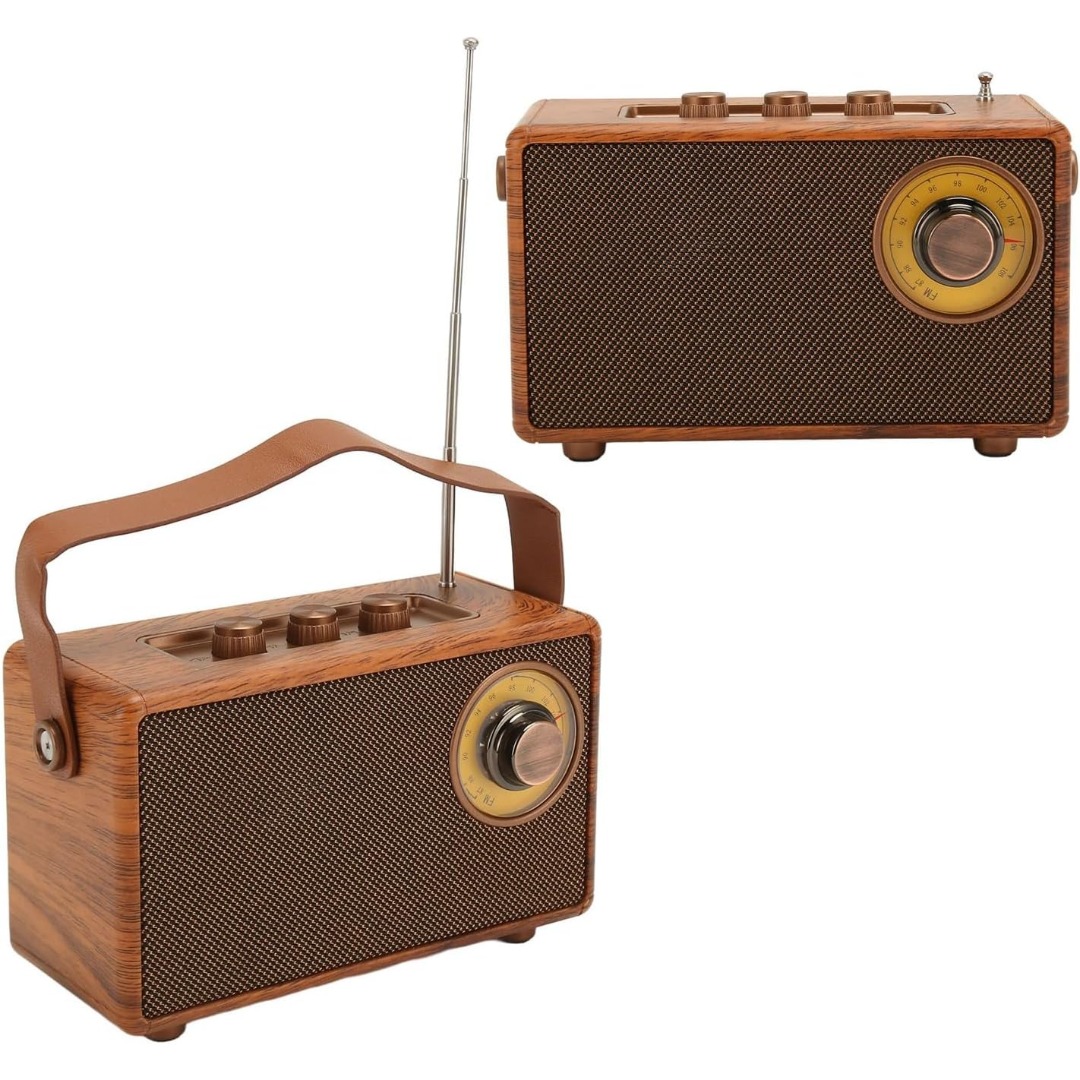
Specification Details Input/Output Other Battery Capacity (mAh) 5000 Number of Devices Connectable Simultaneously 1 Touch Screen No Sound Mode Stereo Sound Mode Category Speakers Use Camping Tweeter Material Other Bluetooth Version 5.0 Input Power (W) 25-49 W Voice Control Yes Frequency Range 80 Hz – 20 KHz Display Screen No Waterproof Yes Support APP Yes Support Memory Card Yes Material Plastic Playback Function MP3, FLAC, APE, WAV Remote Control No Intelligent Personal Assistant Built-in Microphone Yes Audio Crossover Full-Range Number of Loudspeaker Enclosures 2 Power Source Battery PMPO 40 W Channels 1.1 Communication Audio Line Speaker Type Portable Cabinet Material Plastic Brand Name YIBOLANG Origin Mainland China Certification CE

Remax F21 Ruiyal Series – Oscillating water‑cooling fan with 4,000 mAh battery, digital display, and 6 wind levels.Portable and stylish small-table fan with 3 oscillation modes and mist spray cooling. Model: Remax F21 Ruiyal Series Water‑Cooling Oscillating Fan (White) Battery & Power: Built‑in 4,000 mAh battery; USB‑C rechargeable (details unspecified) Cooling Method: Water‑cooling spray system with turbine-style fan blades Wind Speed: 6 adjustable speed levels Oscillation: 3 movement modes—approx. 45°, 90°, or 120° Display & Controls: Digital display showing mode, speed, and battery indicators Dimensions & Weight: Compact tabletop size, ~868 g Power Consumption: Around 8W rated power

Laptop Accessories US Version Keyboard for MacBook Retina 13 M1 A2338 2020 EMC 3578 Original Computer Replacement Keyboards Laptop Accessories US Version Keyboard for Macbook Retina 13 M1 A2338 2020 EMC 3578

Genuine-spec touchpad flex cable for MacBook Pro 15″ (Model A1707, 2016–2017)—restores full Force Touch functionality, haptic feedback, and precise multi-touch gesture control during trackpad repair or replacement. Compatible With: MacBook Pro 15″ (2016) – Model A1707 (Model Identifier: MacBookPro13,2) MacBook Pro 15″ (2017) – Model A1707 (Model Identifier: MacBookPro14,2) MacBook Pro 15″ (2016) – Model A1707 (Model Identifier: MacBookPro13,2) MacBook Pro 15″ (2017) – Model A1707 (Model Identifier: MacBookPro14,2) Part Type: Touchpad flex cable only — does not include the trackpad housing, Taptic Engine, or mounting hardware. This is the OEM-style ribbon cable that connects the trackpad to the logic board. Function: Transmits: Touch input coordinates Force Touch pressure data Haptic feedback signals to the Taptic Engine Enables full macOS gesture support: Force Click, three-finger lookup, swipe navigation, pinch-to-zoom, and smooth cursor tracking. Touch input coordinates Force Touch pressure data Haptic feedback signals to the Taptic Engine Enables full macOS gesture support: Force Click, three-finger lookup, swipe navigation, pinch-to-zoom, and smooth cursor tracking. OEM-Quality Build: Matches Apple’s original specifications in: Cable length and routing path Connector pitch and ZIF latch design EMI shielding and flex durability Cable length and routing path Connector pitch and ZIF latch design EMI shielding and flex durability Common Use Cases: Replacing a torn, creased, or liquid-damaged original flex cable Completing a trackpad replacement when the original cable is compromised Fixing intermittent trackpad behavior, loss of Force Touch, or complete unresponsiveness Replacing a torn, creased, or liquid-damaged original flex cable Completing a trackpad replacement when the original cable is compromised Fixing intermittent trackpad behavior, loss of Force Touch, or complete unresponsiveness Installation Note: Requires full bottom case removal and battery disconnection. Cable routes under internal components near the right speaker and logic board. Connects via a ZIF (Zero Insertion Force) socket—must be aligned carefully and latched gently. Recommended for experienced or certified technicians only. Requires full bottom case removal and battery disconnection. Cable routes under internal components near the right speaker and logic board. Connects via a ZIF (Zero Insertion Force) socket—must be aligned carefully and latched gently. Recommended for experienced or certified technicians only.

A sleek and secure pre-owned Dell Latitude 7490 with 14" display, 8th Gen Core i5, 8GB RAM, and 128GB SSD—designed for business professionals who need portability, durability, and enterprise-grade performance.

New A1989 A1990 Keyboard US Standard Replacement for MacBook Pro 13'' 15''A1990 A1989 Keyboard 2018/2019 Year New A1989 A1990 Keyboard US Standard Replacement for MacBook Pro 13” 15”A1990 A1989 Keyboard 2018/2019 Year New A1989 A1990 Keyboard US Standard Replacement for MacBook Pro 13” 15”A1990 A1989 Keyboard 2018/2019 Year We have Perfect after-sales services We share the latest information on laptop spare parts For all our customers. This is NOT an easy job for someone who has no technical skills with Disassembling or Assembling a laptop, So only purchase this item if you know how to install it. Each Keyboard is tested before shipping and working.

Original replacement touchpad for MacBook Air A2442, available in Silver and Space Gray. Perfect for fixing unresponsive or damaged trackpads and restoring smooth cursor control and gesture functionality. The Original MacBook Air A2442 Touchpad is a genuine replacement part designed to restore full trackpad performance and functionality. If your MacBook Air trackpad is not clicking, not responding, or physically damaged, this original touchpad provides a reliable solution with smooth tracking and accurate gesture support. Available in Silver and Space Gray, it matches the original laptop finish for a clean professional repair. Original / Genuine Touchpad for MacBook Air A2442 Available in Silver and Space Gray Restores smooth cursor control and multi-touch gestures Reliable clicking and accurate tracking performance Perfect for repair and replacement of damaged trackpads High-quality build for long-term use ✔ MacBook Air 13-inch (2021 / 2022) A2442 Compatible with MacBook Air A2442 models only. Please confirm the model number on the bottom cover before purchase to ensure a correct fit.

The MOXOM MX-PB168 is a true high-capacity 40000mAh external battery pack designed to provide reliable, multi-day charging for all your devices. Featuring an advanced multi-protocol fast setup with dual built-in cables, a clear LCD digital battery indicator, and a high-intensity integrated flashlight, it is the ultimate heavy-duty solution for outdoor adventures, travel, or emergency home backups. ✅ Full Specifications: Model: MOXOM Ultra-Large Capacity Power Bank (MX-PB168) Interface / Connection: Multi-Port Charging Setup: Input Ports: Type-C and Micro-USB ports (for recharging the power bank) Output Ports: 4 x USB-A Fast Charging ports Built-In Cables: 1 x Type-C Cable & 1 x Lightning (iPhone) Cable attached directly to the frame Interface / Connection: Multi-Port Charging Setup: Input Ports: Type-C and Micro-USB ports (for recharging the power bank) Output Ports: 4 x USB-A Fast Charging ports Built-In Cables: 1 x Type-C Cable & 1 x Lightning (iPhone) Cable attached directly to the frame Performance / Charging Speed: Max output up to 22.5W high-efficiency fast charging Supports Power Delivery (PD 20W) Supports Quick Charge 3.0 (QC3.0) Supports Huawei SuperCharge Protocol (SCP 22.5W) Performance / Charging Speed: Max output up to 22.5W high-efficiency fast charging Supports Power Delivery (PD 20W) Supports Quick Charge 3.0 (QC3.0) Supports Huawei SuperCharge Protocol (SCP 22.5W) Capacity / Battery Variant: 40000mAh (High-density Li-Polymer cells) Material & Build: Fire-retardant, heavy-duty ABS + Polycarbonate matte black casing built to resist everyday scuffs and impacts. Design & Form Factor: Ergonomic block form factor equipped with an integrated high-tensile hanging rope/strap for easier carrying. Security & Smart Features: * Smart MCU management chip protecting devices against over-current, overheating, short circuits, and overcharging Integrated bright LED spotlight/flashlight for nighttime or emergency blackouts Security & Smart Features: * Smart MCU management chip protecting devices against over-current, overheating, short circuits, and overcharging Integrated bright LED spotlight/flashlight for nighttime or emergency blackouts Display: Full front-facing premium LCD digital display showing real-time battery charge percentages and fast-charging status triggers. Compatibility: Universally compatible with Apple iPhones, iPads, Samsung Galaxy series, Huawei, Xiaomi, Oppo, tablets, smartwatches, and low-current wireless earphones. Color: Matte Black

This is a logic board (motherboard) for the MacBook Pro 15" model A1398 (year 2015) with an Intel Core i7 processor and 16 GB of RAM. It’s the central brain of the laptop—everything else plugs into it. If your MacBook won’t turn on, has hardware faults, or logic-board damage, replacing this can restore full functionality (just make sure you choose the right version). This is a logic board (motherboard) for the MacBook Pro 15″ model A1398 (year 2015) with an Intel Core i7 processor and 16 GB of RAM. It’s the central brain of the laptop—everything else plugs into it. If your MacBook won’t turn on, has hardware faults, or logic-board damage, replacing this can restore full functionality (just make sure you choose the right version). This logic board is a high-quality replacement for the 2015 MacBook Pro 15″ Retina (model A1398). It features: Processor: Intel Core i7 (various speed variants) Memory: 16 GB soldered RAM (non-upgradeable) Graphics: Depending on version, either integrated Intel Iris Pro or dual graphics (Intel + AMD Radeon R9 M370X) Chipset & Board Info: Part numbers like 820-00138-A, 820-00163-A are common for these boards Compatibility / Model IDs: Works with MacBookPro11,4 / MacBookPro11,5 (EMC numbers 2909 / 2910) for 2015 A1398 models Ports & I/O Integrated: USB 3.0, HDMI, Thunderbolt 2, SD card slot, audio jack, etc. (same as original MacBook Pro 2015) Storage Interface: PCIe SSD slot (Apple’s proprietary SSD interface) Power & Connectors: Logic board includes connections for battery, fans, display, keyboard, trackpad, I/O board flex cables, etc. Condition / Variants: These boards are often “used / tested” when sold as replacements. Always check that all ports and soldered chips are intact. Risks & Notes: You must match the correct board variant (integrated vs dual GPU) or you can face compatibility issues or missing graphics functions.

WiWU Factory Customize Eco-friendly Laptop Handbag Laptop bag for Macbook Air Pro

OEM-quality trackpad replacement (without flex cable) for MacBook Air 13.3″ M1 (Model A2337, EMC 3598)—available in Space Gray, Gold, and Silver finishes—engineered for precise Force Touch response, smooth multi-touch gestures, and perfect color-matched integration. Compatible With: MacBook Air 13.3-inch (2020, Model A2337, EMC 3598) with Apple M1 chip. Part Type: Trackpad only—does not include the flex cable, Taptic Engine, or mounting brackets. Intended for professional technicians who will reuse or transfer the original internal components. Color Options: Space Gray – matches Space Gray and Midnight finishes Gold – matches Gold MacBook Air Silver – matches Silver and Starlight finishes Each variant is finished to OEM specifications for seamless visual continuity with the lower case. Space Gray – matches Space Gray and Midnight finishes Gold – matches Gold MacBook Air Silver – matches Silver and Starlight finishes Each variant is finished to OEM specifications for seamless visual continuity with the lower case. Force Touch Support: Fully compatible with pressure-sensitive input and haptic feedback when used with the original Taptic Engine and logic board—ensuring full macOS gesture functionality (e.g., Force Click, Look Up, pressure-sensitive drawing). Precision Engineering: Features the same smooth glass surface, curvature, and micro-click mechanism as Apple’s original—delivering consistent tracking accuracy and tactile feel. Installation Requirements: Requires complete bottom case disassembly and careful transfer of the original flex cable and Taptic Engine. Adhesive must be applied precisely to maintain structural integrity and sensor alignment. Recommended for certified or experienced repair technicians only. Important: This is a bare trackpad assembly—not a plug-and-play module. Functionality depends on correct integration with original electronics.

Genuine-spec US layout keyboard replacement for MacBook Pro 15″ (2018–2019, Models A1989/A1990)—designed for reliable typing, full compatibility, and seamless integration with original top case assemblies. Compatible With: MacBook Pro 15-inch (2018 A1989 and 2019 A1990 models) with Touch Bar. Layout: Standard US English (QWERTY) with full-size keys, including inverted-T arrow keys and dedicated function row. Integrated Features: Includes built-in backlighting, scissor-switch mechanism (3rd-gen Butterfly or revised Butterfly mechanism, depending on original model year), and ribbon cable connector matching Apple’s OEM design. Functionality: Supports all native keyboard features, including brightness, volume, media controls, and Touch ID power button (note: Touch ID sensor is not included—this is the keyboard only). Build Quality: Precision-engineered to match Apple’s original fit, feel, and durability—ideal for professional repairs or top case refurbishment. Installation Note: Requires full top case disassembly. Keyboard is adhered to the top case and must be carefully removed and replaced using proper tools and techniques. Recommended for experienced technicians. Model Verification: Ensure your MacBook is A1989 (2018) or A1990 (2019) before purchase—keycaps and connectors differ from other MacBook generations.

SCREEN LG 24″ FHD Borderless IPS 100HZ 5MS with FreeSync™ LG-24MR400-B SCREEN LG 24″ FHD Borderless IPS 100HZ 5MS with FreeSync™ LG-24MR400-B Technical Details

COMPACT AND WIRELESS Enjoy the freedom of wireless with this versatile combo. The compact keyboard is equipped with a number pad ideal for data entry, calculations and navigation, so you can get more work done in less space. The ambidextrous mouse delivers smooth tracking and scrolling, for easy navigation -at home or at work. COMPACT AND WIRELESS Enjoy the freedom of wireless with this versatile combo. The compact keyboard is equipped with a number pad ideal for data entry, calculations and navigation, so you can get more work done in less space. The ambidextrous mouse delivers smooth tracking and scrolling, for easy navigation -at home or at work. Height: 112 mm Width: 381 mm Depth: 17.78 mm Weight: 320 g Height: 107 mm Width: 60 mm Depth: 40 mm Weight: 112 g 10-Key Number pad Music Controls Up to 5 million keystrokes (excludes number lock key) Key type: Deep-profile Spill-resistant 2Tested under limited conditions (maximum of 60 ml liquid spillage). Do not immerse the keyboard in liquid. 2 AAA batteries (Alkaline Batteries) Sensor Technology: Smooth Optical Tracking Number of Buttons: 3 (Left/Right-click, Middle click) Scrolling: line-by-line Scroll Wheel: Yes, optical 2 AA batteries (Alkaline batteries) Windows® 10,11 or later ChromeOS An available USB ports

FAVOURITE WIRELESS COMBO MK270 Wireless Combo brings together the convenience and comfort of a full-sized keyboard with a sculpted, compact mouse. With media keys, a number pad and precise cursor control to make your work a whole lot smoother. Plus, the lag-free wireless makes setup easy and saves space on your desk. No wonder this is the world best selling combo!7Based on independent sales data (in units) including all the models of the MK270 family for wireless combo aggregated from major global markets including Canada, China, France, Germany, Indonesia, Republic of Korea, Russian Federation, Sweden, Taiwan, Turkey, UK, US (Nov'19 - Nov'20 period). Retail channel only. FAVOURITE WIRELESS COMBO MK270 Wireless Combo brings together the convenience and comfort of a full-sized keyboard with a sculpted, compact mouse. With media keys, a number pad and precise cursor control to make your work a whole lot smoother. Plus, the lag-free wireless makes setup easy and saves space on your desk. No wonder this is the world best selling combo!7Based on independent sales data (in units) including all the models of the MK270 family for wireless combo aggregated from major global markets including Canada, China, France, Germany, Indonesia, Republic of Korea, Russian Federation, Sweden, Taiwan, Turkey, UK, US (Nov’19 – Nov’20 period). Retail channel only. Height: 5.87 in (149 mm) Width: 17.36 in (441 mm) Depth: 0.71 in (18 mm) Weight: 17.57 oz (498 g) Height: 3.90 in (99 mm) Width: 2.36 in (60 mm) Depth: 1.54 in (39 mm) Weight: 2.65 oz (75.2 g) Height: 0.74 in (18.7 mm) Width: 0.57 in (14.4 mm) Depth: 0.26 in (6.6 mm) Weight: 0.07 oz (2 g) Spill-resistant design 2Tested under limited conditions (maximum of 60 ml liquid spillage). Do not immerse the keyboard in liquid. Adjustable keyboard height 10-Key Number pad Key type: deep profile Caps lock indicator light On/Off power switch 2 AAA batteries(Alkaline Battery) Battery life: 36 months 3Keyboard battery life calculation based on an estimated two million keystrokes/year in an office environment. User experience may vary. Mouse battery life may vary based on user and computing conditions. Sensor technology: Smooth Optical tracking Number of buttons: 3 (Left/Right-click, Middle click) Scrolling: line-by-line Scroll Wheel: Yes, 2D, optical Connect/Power: On/Off power button 1 AA battery(Alkaline Battery) Battery life: 12 months 4Keyboard battery life calculation based on an estimated two million keystrokes/year in an office environment. User experience may vary. Mouse battery life may vary based on user and computing conditions. Mouse plastics: 49% post-consumer recycled material 5Excludes plastic in printed wiring assembly (PWA), receiver and packaging. Keyboard plastics: 54% post-consumer recycled material 6Excludes plastic in printed wiring assembly (PWA), receiver and packaging. An available USB port ChromeOS Windows 10,11 or later
