
Sleek, ultra-thin 24-inch Full HD display with micro-edge design, flicker-free technology, and versatile connectivity—ideal for productivity, home office, or multi-display setups. Model: HP V24v G5 Screen Size: 23.8 inches (viewable), 24-inch class Display Type: IPS (In-Plane Switching) panel Resolution: 1920 x 1080 (Full HD) at 60Hz Brightness: 250 cd/m² Contrast Ratio: 1,000:1 (static), 10,000,000:1 (dynamic) Response Time: 7 ms (gray-to-gray) Viewing Angles: 178° horizontal / 178° vertical (excellent color consistency from wide angles) Design Features: 3-sided micro-edge bezel – ideal for seamless multi-monitor setups Ultra-slim profile – modern, minimalist aesthetic Tilt-only stand: -5° to +25° VESA Mount Compatible: 100 x 100 mm (stand removable) 3-sided micro-edge bezel – ideal for seamless multi-monitor setups Ultra-slim profile – modern, minimalist aesthetic Tilt-only stand: -5° to +25° VESA Mount Compatible: 100 x 100 mm (stand removable) Connectivity: 1 x HDMI 1.4 1 x VGA (D-Sub) Audio Line-out (3.5mm) – for use with external speakers/headphones No built-in speakers 1 x HDMI 1.4 1 x VGA (D-Sub) Audio Line-out (3.5mm) – for use with external speakers/headphones No built-in speakers Eye Comfort & Sustainability: Flicker-free backlight HP Eye Ease (TÜV-certified low blue light mode—reduces eye strain without color distortion) ENERGY STAR® certified Made with post-consumer recycled plastics (up to 85% in enclosure) Flicker-free backlight HP Eye Ease (TÜV-certified low blue light mode—reduces eye strain without color distortion) ENERGY STAR® certified Made with post-consumer recycled plastics (up to 85% in enclosure) Ideal For: Home office & remote work Students and professionals Dual/triple monitor productivity setups Everyday computing, web browsing, and document editing Home office & remote work Students and professionals Dual/triple monitor productivity setups Everyday computing, web browsing, and document editing Dimensions (with stand): 21.26 x 7.76 x 15.83 in (540 x 197 x 402 mm) 21.26 x 7.76 x 15.83 in (540 x 197 x 402 mm) Weight: ~7.5 lbs (3.4 kg)

Original 13.3-inch Retina LCD display (Space Gray) for MacBook Air A2337 (2020), pulled from a working unit. OEM part, ready to replace cracked or faulty screens with perfect fit and optics. This is a genuine Apple Retina display assembly removed from a working MacBook Air (model A2337, 2020). It’s ideal for repairing a damaged or nonfunctional screen on a matching model, delivering original visuals without resorting to aftermarket knockoffs. Key Features & Functionality True OEM Retina panel with factory calibration Integrated display glass, backlight, and flex cable Designed for model A2337 (Late 2020, M1) iFixit+1 Space Gray finish to match original chassis Tested: Display, backlight, no dead pixels (unless noted) Drop-in replacement requiring alignment and cable reconnection Specifications Important Notes & Considerations Must use exact model A2337 — other models are incompatible Slight blemishes or dust might exist due to being a used part Handle with care: screen glass is fragile Professional installation recommended if you’re not experienced

OEM-quality trackpad replacement (without flex cable) for MacBook Pro 13″ (Models A2251 and A2289, 2020) in Silver finish—engineered for precise Force Touch response, smooth multi-touch gestures, and seamless integration with the original chassis. Compatible With: MacBook Pro 13″ (2020, Two Thunderbolt Ports) – Model A2251 (Intel Core i5/i7) MacBook Pro 13″ (2020, Four Thunderbolt Ports) – Model A2289 (Intel Core i5/i7) (Note: Both models share the same trackpad assembly despite port differences.) MacBook Pro 13″ (2020, Two Thunderbolt Ports) – Model A2251 (Intel Core i5/i7) MacBook Pro 13″ (2020, Four Thunderbolt Ports) – Model A2289 (Intel Core i5/i7) (Note: Both models share the same trackpad assembly despite port differences.) Part Type: Trackpad only—does not include the flex cable, Taptic Engine, or mounting hardware. Designed for technicians who will reuse the original internal components. Finish: Silver—matches the Silver MacBook Pro 13″ top and bottom case for perfect aesthetic continuity. Force Touch Support: Fully compatible with pressure-sensitive input and haptic feedback when paired with the original Taptic Engine and logic board—ensuring full macOS gesture functionality (e.g., Force Click, Lookup, Pressure-sensitive drawing). Precision Build: Features the same glass surface texture, curvature, and micro-click mechanism as Apple’s original—delivering consistent tracking accuracy and tactile feel. Installation Requirements: Requires full bottom case disassembly and careful transfer of the original flex cable and Taptic Engine. Adhesive must be applied precisely to maintain structural rigidity and sensor alignment. Recommended for certified or experienced repair technicians only.

The Lexar NM620 2TB NVMe SSD delivers exceptional read speeds up to 3,300 MB/s and write speeds up to 3,000 MB/s through its PCIe Gen3x4 NVMe 1.4 interface. Built with 3D NAND Flash and a compact M.2 2280 form factor, it offers fast, efficient, and reliable storage for gaming, video editing, and professional workloads. The Lexar NM620 2TB M.2 2280 NVMe SSD is engineered for users who need high-performance storage without compromise. Using PCIe Gen3x4 lanes and the NVMe 1.4 protocol, it provides up to six times faster transfer speeds than SATA SSDs. Its slim, cable-free design makes it an ideal upgrade for desktops, laptops, and ultrabooks that demand higher data throughput and improved responsiveness. ⚡ High-Speed NVMe Performance: Delivers sequential read/write speeds up to 3,300 MB/s / 3,000 MB/s for faster system boot-ups, game loading, and large-file transfers. 💾 Large 2 TB Capacity: Provides ample storage for 4K media, applications, and high-volume project files. 🔋 Power-Efficient Design: Optimized for lower power draw, helping extend laptop battery life and reduce operating temperatures. 🔒 Advanced Data Protection: Utilizes LDPC (Low-Density Parity-Check) and end-to-end data path protection for accurate, consistent data integrity. 🧊 Compact Form Factor: The M.2 2280 design supports easy installation in modern systems without cables. 🧠 3D NAND Architecture: Ensures improved endurance, sustained performance, and stability during intensive workloads. 🧰 Durability Tested: Resistant to shock and vibration for dependable performance across a range of operating environments.

WiWU Linker 721HD Hub – Compact USB-C hub with 7 ports including 100W PD, dual USB-A, USB-C data, HDMI 4K60, and dual SD/TF slots.Aluminum body, plug‑and‑play compatibility with MacBooks and modern USB‑C devices—ideal for laptop expansion. Model: Linker 721HD (WiWU) Material: Aluminum-alloy shell Ports: 2 × USB‑A 3.1 1 × USB‑C 3.1 (data) 1 × USB‑C PD power delivery (up to 100 W) 1 × HDMI (4K @ 60 Hz) SD card slot + micro‑SD (TF) slot (USB 3.0 speed) Ports: 2 × USB‑A 3.1 1 × USB‑C 3.1 (data) 1 × USB‑C PD power delivery (up to 100 W) 1 × HDMI (4K @ 60 Hz) SD card slot + micro‑SD (TF) slot (USB 3.0 speed) Cable: Fixed USB‑C male cable (approx. 15 cm) Compatibility: Plug-and-play with USB-C/Thunderbolt 3/4 devices (MacBook, XPS, Chromebooks, mobile devices with DP-Alt Mode) Design: Compact, space gray finish optimized for travel/work setups Weight: ~150 g

Genuine-spec touchpad flex cable for MacBook Pro 13″ (Model A2338, 2020, Apple M1)—essential for restoring full Force Touch functionality, haptic feedback, and precise multi-touch gesture control during trackpad repair or replacement. Compatible With: MacBook Pro 13-inch (2020, Model A2338, Model Identifier MacBookPro17,1) with Apple M1 chip (2 Thunderbolt ports). Part Type: Touchpad flex cable only — does not include the trackpad housing, Taptic Engine, or mounting hardware. This is the OEM-style ribbon cable that connects the trackpad to the logic board. Function: Transmits: Touch input coordinates Force Touch pressure data Haptic feedback signals to the Taptic Engine Enables full macOS gesture support: Force Click, three-finger lookup, swipe navigation, pinch-to-zoom, and smooth cursor tracking. Touch input coordinates Force Touch pressure data Haptic feedback signals to the Taptic Engine Enables full macOS gesture support: Force Click, three-finger lookup, swipe navigation, pinch-to-zoom, and smooth cursor tracking. OEM-Quality Build: Matches Apple’s original specifications in: Cable length and routing Connector pitch and ZIF latch design EMI shielding and flex durability Cable length and routing Connector pitch and ZIF latch design EMI shielding and flex durability Common Use Cases: Replacing a torn, creased, or liquid-damaged original flex cable Completing a trackpad replacement when the original cable is compromised Fixing intermittent trackpad behavior, loss of Force Touch, or complete unresponsiveness Replacing a torn, creased, or liquid-damaged original flex cable Completing a trackpad replacement when the original cable is compromised Fixing intermittent trackpad behavior, loss of Force Touch, or complete unresponsiveness Installation Note: Requires full bottom case removal and battery disconnection. Cable routes under internal components near the right speaker and logic board. Connects via a ZIF (Zero Insertion Force) socket—must be aligned carefully and latched gently. Recommended for experienced or certified technicians only. Requires full bottom case removal and battery disconnection. Cable routes under internal components near the right speaker and logic board. Connects via a ZIF (Zero Insertion Force) socket—must be aligned carefully and latched gently. Recommended for experienced or certified technicians only. Important Compatibility Notes: ✅ Only for A2338 (13″, M1, 2020) ❌ Not compatible with: Intel-based A2251 / A2289 (2020) MacBook Air M1 (A2337) Any MacBook Air or 14″/16″ MacBook Pro ✅ Only for A2338 (13″, M1, 2020) ❌ Not compatible with: Intel-based A2251 / A2289 (2020) MacBook Air M1 (A2337) Any MacBook Air or 14″/16″ MacBook Pro Intel-based A2251 / A2289 (2020) MacBook Air M1 (A2337) Any MacBook Air or 14″/16″ MacBook Pro

Logitech MK120 Wired USB Keyboard Mouse Desktop Combo Height: 6.10 in (155 mm) Width: 17.72 in (450 mm) Depth: 0.93 in (23.5 mm) Weight: 19.4 oz (550 g) Cable length: 4.9 ft (150 cm) Height: 4.45 in (113 mm) Width: 2.44 in (62 mm) Depth: 1.50 in (38 mm) Weight: 3.17 oz (90 g) Cable length: 70.87 in (180 cm) Spill-resistant design 1Tested under limited conditions (maximum of 60 ml liquid spillage). Do not immerse the keyboard in liquid. Adjustable keyboard height 10-Key Number pad Caps lock indicator light Num lock indicator light Up to 10 million keystrokes (excludes number lock key) Key type: Deep profile Sensor Technology: Optical tracking Number of Buttons: 3 (Left/Right-click, Middle click) Scrolling: line-by-line Scroll Wheel: Yes, optical Mouse plastics: 72% post-consumer recycled material 2Excludes plastic in cable assembly, printed wiring assembly (PWA) and packaging. Keyboard plastics: 54% post-consumer recycled material 3Excludes plastic in cable assembly, printed wiring assembly (PWA) and packaging. Windows® 10,11 or later Two available USB ports

A capable pre-owned Dell Latitude 5501 with 15.6" touchscreen, 9th Gen Core i5, 16GB RAM, 256GB SSD, and NVIDIA GeForce MX150 2GB—ideal for business users who need a balance of performance, portability, and light graphics power.

Genuine-spec touchpad flex cable for Apple’s 12-inch MacBook (Model A1534, Early 2015 / Early 2016 / Mid 2017)—essential for restoring full Force Touch trackpad functionality, haptic feedback, and multi-touch gesture support. Compatible With: MacBook 12″ (Early 2015) – 1.1GHz Core M MacBook 12″ (Early 2016) – 1.1GHz/1.3GHz Core M MacBook 12″ (Mid 2017) – 1.2GHz/1.3GHz Core m3/i5/i7 All share Model Number A1534 and Model Identifier MacBook8,1 / MacBook9,1 / MacBook10,1 respectively. MacBook 12″ (Early 2015) – 1.1GHz Core M MacBook 12″ (Early 2016) – 1.1GHz/1.3GHz Core M MacBook 12″ (Mid 2017) – 1.2GHz/1.3GHz Core m3/i5/i7 All share Model Number A1534 and Model Identifier MacBook8,1 / MacBook9,1 / MacBook10,1 respectively. Part Type: Touchpad flex cable only—does not include the trackpad housing, Taptic Engine, or mounting brackets. This is the ribbon cable that connects the Force Touch trackpad to the logic board. Function: Critical for Force Touch functionality—transmits pressure-sensitive input, multi-touch gestures (e.g., pinch, swipe, Force Click), and haptic feedback signals to the Taptic Engine. OEM-Quality Construction: Precisely matches Apple’s original in length, connector pitch, shielding, and routing—ensures reliable signal integrity and compatibility with macOS. Common Use Cases: Replacing a torn, creased, or liquid-damaged flex cable Restoring unresponsive or erratic trackpad behavior Completing a trackpad replacement when the original cable is unusable Replacing a torn, creased, or liquid-damaged flex cable Restoring unresponsive or erratic trackpad behavior Completing a trackpad replacement when the original cable is unusable Installation Note: Requires full bottom case removal and delicate disconnection of the ZIF connector. The cable routes tightly under the battery—extreme care is required. Recommended for experienced or certified technicians only.

PCE 900 M8 900VA 480W Output Power: 700VA (M8 700), 900VA (M8 900) Voltage Input Range: 220-240 VAC with 102 wires (M8 700), 140-300 VAC (M8 900) Output Protection: Overload, discharge, and overcharge protection (M8 700), Fault protection (M8 900) Waveform: Simulated Sine Wave LED Indicators: Green lighting (M8 700), Green flashing (M8 900) Frequency: 50 or 60 Hz +/- 10% (auto sensing) (M8 700), 50 or 60 Hz +/- 1% (M8 900) Voltage (backup mode): 12V/9AH x 1 (M8 700), 12V/7AH x 1 (M8 900) Frequency (backup mode): 50 or 60 Hz +/- 1% (M8 700 and M8 900) Transfer time (M8 700): Typical 2 to 6 ms Backup time (M8 900): 10-20min depending on load level Net Weight: 4.3 kg (9.46 lbs) (M8 700), 4.8 kg (10.56 lbs) (M8 900) Output Receptacles: Universal sockets x 2 or German x 2 (M8 700), Universal sockets x 4 (M8 900) Audible Noise: Sounding every 10 seconds (M8 700), Sounding every second (M8 900) Dimensions: 100x278x140 (3.9″x10.8″x5.5″) (M8 700), 130x320x182 (5.07″x12.48″x7.1″) (M8 900) Compatibility: Windows 2000/XP/2003/2008/Vista/7, NOVELL, LINUX, UNIX (M8 700), Optional Interface with power management software (M8 900) Certifications: EN 50091-1-1/EN 69050 (RD), IEC 60950, TUV GC-Mark, EN 50091-2, EN 50022/B, IEC 62040-2, IEC 61000-3-2, IEC 61000-3-3, ISO 9001, ISO 14001 (M8 700 and M8 900)

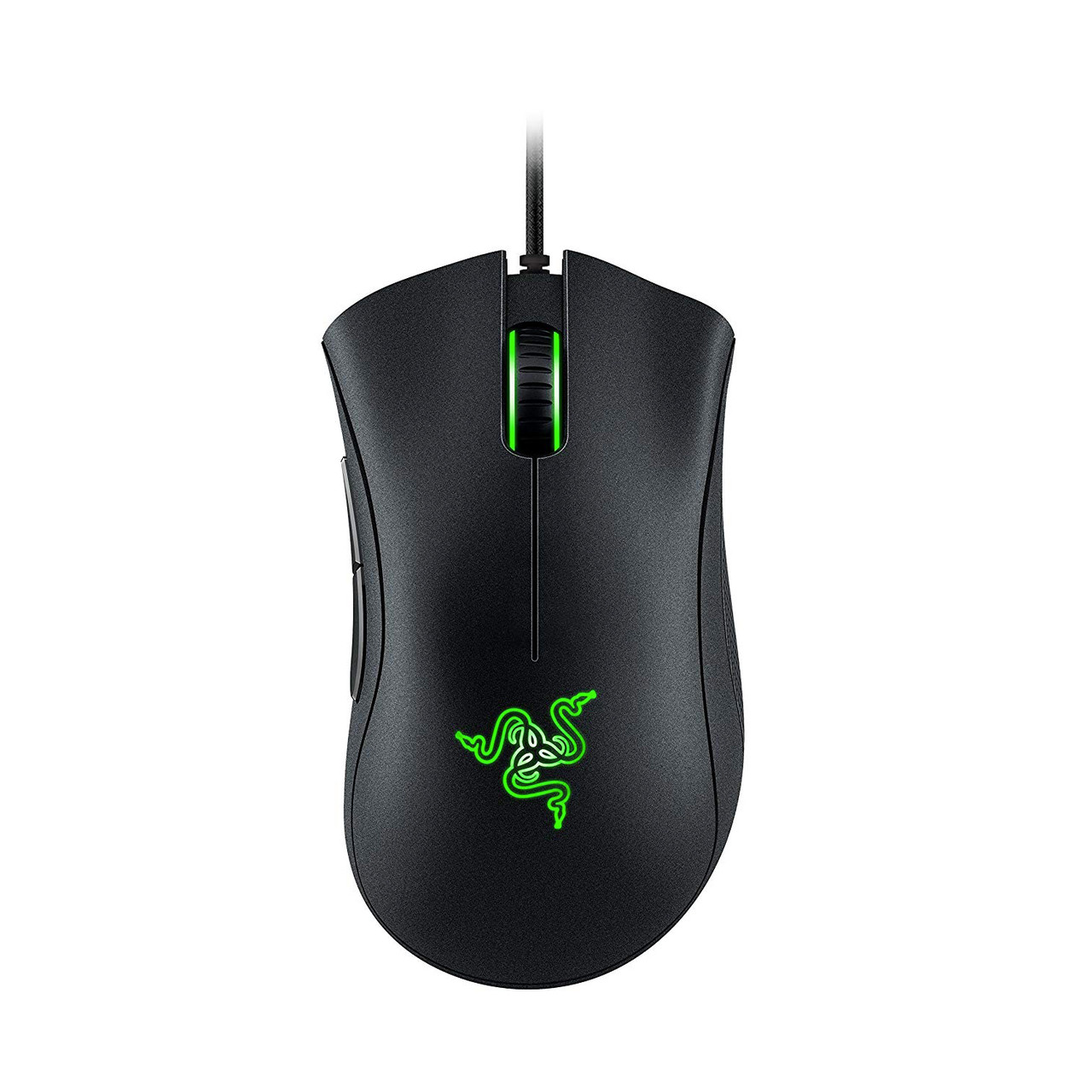
Elevate your game with the Logitech G102, featuring a high-precision 8,000 DPI sensor and vibrant Lightsync RGB lighting. Designed with a classic six-button layout and gaming-grade performance, it offers incredible accuracy and responsiveness for both competitive play and daily productivity. The Logitech G102 is engineered for speed, consistency, and comfort. At its core is a gaming-grade sensor that provides adjustable sensitivity, allowing you to tailor your control to your specific playstyle. Whether you are navigating complex spreadsheets or hitting precise headshots, the G102 delivers a seamless experience with a classic design trusted by gamers worldwide. Gaming-Grade 8,000 DPI Sensor: Experience ultra-precise tracking and consistent responsiveness. The sensitivity is fully adjustable from 200 to 8,000 DPI. Lightsync RGB Color Wave: Choose from vibrant animations or customize your own from approximately 16.8 million colors to match your setup’s aesthetic. Mechanical Spring Button Tensioning: The primary left and right buttons feature a metal spring tensioning system, providing crisp, reliable clicks and a premium feel. Classic 6-Button Design: A familiar, comfortable shape that allows you to play or work for hours without fatigue. Each button can be customized via software for specific in-game actions. On-the-Fly DPI Shifting: Cycle through up to five sensitivity settings with the press of a button, allowing you to switch from precision sniping to rapid movement instantly. Resolution: 200 – 8,000 DPI Connection Type: USB 2.0 (Wired) USB Data Format: 16 bits/axis USB Report Rate: 1000Hz (1ms) Microprocessor: 32-bit ARM Cable Length: 2.1 meters Compatibility: Windows 7 or later, macOS 10.13 or later, ChromeOS Logitech G102 Gaming Mouse User Documentation

BATTERY ACER AS16A5K AS16A8K Battery for Acer Aspire E5-523 E5-553 E5-576 E5-774G N16Q2 E5-576G E5-575G E5-475 F5-573 E5-575-52JF E5-575-33BM E5-575G-76YK E5-575-54SM E5-575G-57D4 E5-576-392H E5-575-54E8 4ICR19/66 About this item 【Battery type】 Voltage:14.8V; Capacity: 2200mAh /33Wh Color:black 【Note】It is not compatible with E5-575G-53VG, E5-575G-549D,E5-575G-5341,E5-575G-33BM, E5-575G-51VI. Before placing an order, please ensure your old battery’s model is AS16A5K, KAS16A7K, and AS16A8K (14.8V 4-cell). Please do not order this battery if your old battery’s model is s AS16B5J or AS16B8J (10.95V /11.1V 6-cell). They can not replace each other 【Compatible 】Laptop Models for Acer Aspire E15 E5-475 E5-475G E5-523 E5-523G E5-553 E5-553G E5-575 E5-575G E5-575T E5-575TG E5-576 E5-576G E5-774 E5-774G F5-573 F5-573G F5-573T F5-771 F5-771G Series E5-575-52IF E5-575-53EJ E5-575G-59EE E5-575G-53VG E5-575G-57KJ E5-575-74RC E5-575-72N3 E5-575G-52RJ E576G-5762 E5-575G-53VG E5-575G-549D E5-575G-5341 E5-575G-33BM E5-575G-51VI E5-575G-59EE E5-575G-59GV E5-575G-765N E5-575G-76YK 【Compatible Part Number】AS16A5K AS16A7K AS16A8K 4ICR19/66 N16Q1 N16Q2 KT.00605.002 KT.00405.001 KT.00407.004 KT.0040G.007 【Security】All our products are Certified by CE, and FCC for safety. Strict guidelines for compatibility, and standards compliance for environment safety.

Apple USB-C to Lightning Cable (1m) - With Apple Warranty Apple USB-C to Lightning Cable (1m) – With Apple Warranty Connect your iPhone, iPad or iPod with Lightning connector to your USB-C– or Thunderbolt 3 (USB-C)–enabled Mac for syncing and charging, or to your USB-C–enabled iPad for charging. You can also use this cable with your Apple 18W, 20W, 29W, 30W, 61W, 87W or 96W USB‑C Power Adapter to charge your iOS device and even take advantage of the fast-charging feature on selected iPhone and iPad models.

A reliable pre-owned Lenovo ThinkPad T460 with 14" display, 6th Gen Core i5, 8GB RAM, and 256GB SSD—built for durability, security, and everyday business productivity.

Specifications Input/Output USB Sound Mode Game Mode, Standard Mode, 3D Surround Sound Mode, Live Sound Mode, Extra Bass Mode Category Speakers Use HOME Input Power(W) <25 W Voice Control No Waterproof Yes Support APP No Intelligent Personal Assistant None Audio Crossover Full-Range Number of Loudspeaker Enclosure 2 Power Source Battery, USB Channels 2 (2.0) Battery Yes Communication Bluetooth, Wireless Speaker Type Portable Cabinet Material Plastic Brand Name AEVYVKV Origin Mainland China

GSAN GS-3021 POS All in One Touch 15.6" - Intel i5 - 8GB - 128GB SSD with Customer Display Main Board: POS motherboard CPU: I5-3RD GEN Memory: DDR3 8GB Hard Disk: 128GB Power: External power supply Input: 110V-240V 50/63Hz 2A Output: 12V DC 8A 96W MAX Interface: 6 USB port 1 LAN port

WiWU Ora Laptop Sleeve Size: 14" and 16" Color: Black/Grey/Ivory Extra Storage Space - Two pockets in front, enough space to keep mouse, cable, cellphone, memory cards, external hard drive, pens, etc. Ultra-slim & Lightweight - Slim, portable, and lightweight to take alone, or slide into your briefcase, backpack, or any other bag, perfect for business, school, or travel. Shockproof - Multiple Layers Protection, polyester foam padding layer, and nylon fabric lining for bump and shock absorption, protect your computer from accidental scratches. Excellent Detail: Use an Exquisite zipper and reinforced stitching on all stress points, ensuring the bag does not fall apart when carrying heavy goods. The first verticle-designed laptop bag, you will feel the beauty of simple and good texture. WiWU Ora Laptop Sleeve Size: 14″ and 16″ Color: Black/Grey/Ivory Extra Storage Space – Two pockets in front, enough space to keep mouse, cable, cellphone, memory cards, external hard drive, pens, etc. Ultra-slim & Lightweight – Slim, portable, and lightweight to take alone, or slide into your briefcase, backpack, or any other bag, perfect for business, school, or travel. Shockproof – Multiple Layers Protection, polyester foam padding layer, and nylon fabric lining for bump and shock absorption, protect your computer from accidental scratches. Excellent Detail: Use an Exquisite zipper and reinforced stitching on all stress points, ensuring the bag does not fall apart when carrying heavy goods. The first verticle-designed laptop bag, you will feel the beauty of simple and good texture.

Genuine-spec touchpad flex cable for MacBook Pro 15″ (Model A1990, 2018–2019, Intel)—essential for restoring full Force Touch functionality, haptic feedback, and precise multi-touch gesture control during trackpad repair or replacement. Compatible With: MacBook Pro 15-inch (2018 & 2019, Model A1990, Model Identifiers MacBookPro15,2) with Intel Core i7/i9 processors. Part Type: Touchpad flex cable only — does not include the trackpad housing, Taptic Engine, or mounting hardware. This is the OEM-style ribbon cable that connects the trackpad to the logic board. Function: Transmits: Touch input coordinates Force Touch pressure data Haptic feedback signals to the Taptic Engine Enables full macOS gesture support: Force Click, three-finger lookup, swipe navigation, pinch-to-zoom, and smooth cursor tracking. Touch input coordinates Force Touch pressure data Haptic feedback signals to the Taptic Engine Enables full macOS gesture support: Force Click, three-finger lookup, swipe navigation, pinch-to-zoom, and smooth cursor tracking. OEM-Quality Build: Matches Apple’s original specifications in: Cable length and routing path Connector pitch and ZIF latch design EMI shielding and flex durability Cable length and routing path Connector pitch and ZIF latch design EMI shielding and flex durability Common Use Cases: Replacing a torn, creased, or liquid-damaged original flex cable Completing a trackpad replacement when the original cable is unusable Fixing intermittent trackpad behavior, loss of Force Touch, or complete unresponsiveness Replacing a torn, creased, or liquid-damaged original flex cable Completing a trackpad replacement when the original cable is unusable Fixing intermittent trackpad behavior, loss of Force Touch, or complete unresponsiveness Installation Note: Requires full bottom case removal and battery disconnection. Cable routes under internal components near the right speaker and logic board. Connects via a ZIF (Zero Insertion Force) socket—must be aligned carefully and latched gently. Recommended for experienced or certified technicians only. Requires full bottom case removal and battery disconnection. Cable routes under internal components near the right speaker and logic board. Connects via a ZIF (Zero Insertion Force) socket—must be aligned carefully and latched gently. Recommended for experienced or certified technicians only.


