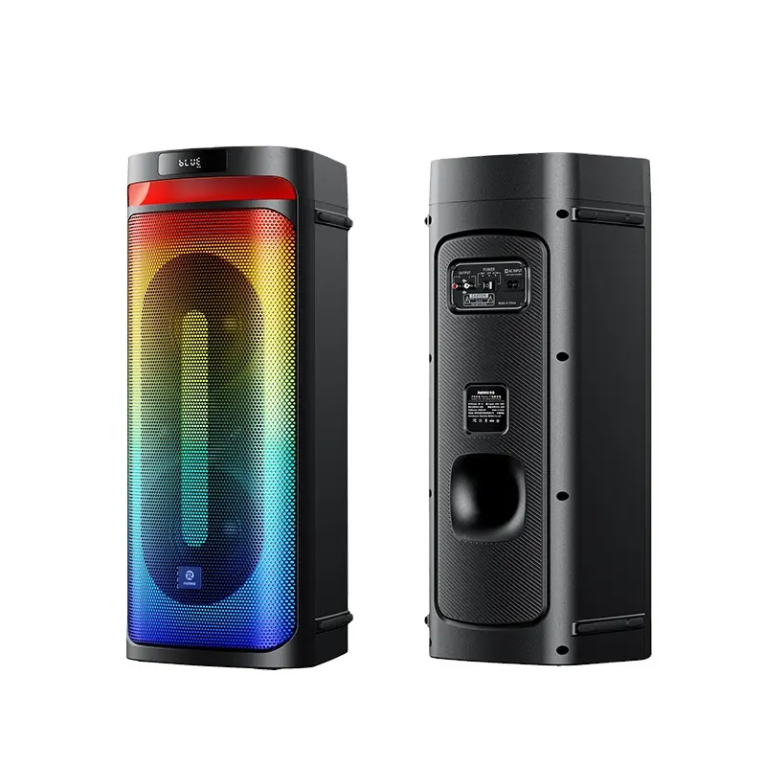

BATTERY DELL F3YGT 7.6V 60Wh Type F3YGT Battery for Dell Latitude 7480 7490 7280 7290 7380 7390 P73G001 P73G002 P28S001 P28S002 P29S002 DM3WC 2X39G DM6WC 451-BBYE 453-BBCF P28S P73G KG7VF 4-Cell About this item REPLACE BATTERY PART : 7.6V 60 WHr 4-Cell F3YGT battery replace part F3YGT DM3WC 2X39G 0DM3WC 0F3YGT 451-BBYE 453-BBCF KG7VF. (Only replace with type 60Wh battery, NOT fit DJ1J0 42WHr 3-Cell! Please check your original battery to make sure you get the correct replacement battery!) FIT LAPTOP MODELS: For Dell Latitude 12 7000 7280 7290 Latitude 13 7000 7380 7390 Latitude 14 7000 7480 7490 Latitude 7280 7290 7380 7390 7480 7490 E7280 E7290 E7380 E7390 E7480 E7490 P28S P73G P28S001 P28S002 P73G001 P73G002 Series laptop. (NOT fit for Dell Latitude 7390 2-in-1 Series) SPECIFICATION: Model Name: 60Wh Standard Rechargeable Li-ion Battery Type F3YGT; Battery Type: Li-Ion Polymer; Voltage: 7.6V; Capacity: 60Wh; Cells: 4-cell; Size: About 9.37×3.78×0.22inch; Weight: About 10OZ / 0.63lb; Condition: 100% New; Life span: About 300-500 discharge per charge cycles; Packages includes: 1PC F3YGT laptop battery(with two free screwdrivers and user manual for easy installation, battery cable NOT included)

The HP ProLiant DL360 Gen9 is a powerful 1U rack server equipped with 2x Intel Xeon E5-2660 v3 processors, 64GB DDR4 RAM, and 8x 300GB SAS 2.5-inch drives for fast and reliable storage. Ideal for virtualization, enterprise workloads, and data center deployments.

Ultra Thin Arabic Keyboard Cover Skin for MacBook Pro 13 Inch 2022 2021 2020 (Apple M2 Chip/Apple M1 Chip A2338/A2289/A2251) and 2019 MacBook Pro 16 Inch (Model A2141) Protector (Black) Ultra Thin Arabic Keyboard Cover Skin for MacBook Pro 13 Inch 2022 2021 2020 (Apple M2 Chip/Apple M1 Chip A2338/A2289/A2251) and 2019 MacBook Pro 16 Inch (Model A2141) Protector (Black) About this item [√] COMPATIBLE WITH: (1) 2022 MacBook Pro 13-Inch with Apple M2 processor, (2) MacBook Pro 13-Inch 2021 2020 with Apple M1 processor (model: A2338), (3) MacBook Pro 13-Inch Early 2020 released (model: A2289/A2251) and (4) 2019 MacBook Pro 16-Inch (model: A2141) [√] MORE PROTECTION for KEYBOARD: waterproof, dust-proof and dirt-proof design can prevent liquid, dust, cigarette ash, biscuit crumbs falling onto your keyboard to affect your keyboard’s life. [√] ACCURATE KEYS: every key is specially molded, manufactured to the quality available. Flexible, this cover is easy to apply and remove for cleaning or disinfecting. [√] 0.26 MM/0.1 IN THICKNESS: ultra thin silicone keyboard cover skin, made it easier for typing. Soft keyboard protector can weaken the sound in typing. [√] 100% CUSTOMER SERVICE and MONEY BACK GUARANTEE: if you are not fully satisfied with the products you received, please feel free to contact us. We will provide you with a 100% customer service and money back guarantee.

Remax F27 Fonzyr Desktop Fan – 5 W rechargeable fan with 360° adjustable airflow and multi-installation options.Compact (187×206 mm), lightweight, with fast Type-C charging (~2 h) and built-in 1,200 mAh battery. Model: Remax F27 Fonzyr Series Circulation Desktop Fan Power: 5 W, operates on 5 V/1 A power supply Rotation: 360° adjustable airflow for full-range ventilation Battery: Built-in 1,200 mAh rechargeable battery; Type-C charging, ~2 hours charging time Dimensions & Build: Approx. 187 × 206 mm, lightweight ABS plastic housing (~697 g) Installation: Designed for desktop use, wall mounting, or hanging—ideal for multi-location placement

Genuine-spec touchpad flex cable for MacBook Air 13″ (Model A1932, 2018–2019)—essential for restoring full Force Touch functionality, haptic feedback, and precise multi-touch gesture control during trackpad repair or replacement. Compatible With: MacBook Air 13-inch (2018 & 2019, Model A1932, Model Identifier MacBookAir8,1) with Intel Core i5/i7 processors. Part Type: Touchpad flex cable only—does not include the trackpad housing, Taptic Engine, or mounting hardware. This is the OEM-style ribbon cable that connects the trackpad to the logic board. Function: Transmits touch input, Force Touch pressure data, and haptic feedback signals—critical for macOS gestures like Force Click, three-finger lookup, pinch-to-zoom, and smooth cursor tracking. OEM-Quality Build: Matches Apple’s original in length, connector pitch, EMI shielding, and flexibility—ensures reliable signal integrity and long-term durability. Common Use Cases: Replacing a torn, creased, or liquid-damaged original flex cable Completing a trackpad replacement when the original cable is unusable Fixing intermittent trackpad behavior, loss of Force Touch, or complete unresponsiveness Replacing a torn, creased, or liquid-damaged original flex cable Completing a trackpad replacement when the original cable is unusable Fixing intermittent trackpad behavior, loss of Force Touch, or complete unresponsiveness Installation Note: Requires full bottom case removal and careful routing beneath the battery. The cable connects via a ZIF (Zero Insertion Force) socket on the logic board—must be properly aligned and latched without force. Recommended for experienced or certified technicians. Important: This is flex cable only—not a complete trackpad assembly. Must be used with the original or compatible A1932 trackpad and Taptic Engine. Not compatible with MacBook Air M1 (A2337/A2338), M2 (A2681/A2941), or any MacBook Pro model. This is flex cable only—not a complete trackpad assembly. Must be used with the original or compatible A1932 trackpad and Taptic Engine. Not compatible with MacBook Air M1 (A2337/A2338), M2 (A2681/A2941), or any MacBook Pro model.

Genuine-spec touchpad flex cable for MacBook Air 13″ (Model A1534, Early 2015)—essential for restoring full trackpad functionality, including precise cursor control and physical click response, during repair or replacement. Compatible With: MacBook Air 13-inch (Early 2015, Model A1534, Model Identifier MacBookAir7,2). Part Type: Touchpad flex cable only—does not include the trackpad housing, button mechanism, or mounting brackets. This is the ribbon cable that connects the trackpad to the logic board. Function: Carries input signals from the trackpad to the logic board—critical for cursor movement, tap-to-click, and primary/secondary physical click functionality. (Note: This model uses a physical click mechanism, not Force Touch—so no haptic feedback or pressure-sensing.) OEM-Quality Construction: Matches Apple’s original cable in length, connector type, and shielding—ensures reliable signal transmission and long-term durability. Common Use Cases: Replacing a torn, frayed, or damaged original flex cable Completing a trackpad replacement when the original cable is compromised Fixing erratic cursor movement, unresponsive trackpad, or loss of click function Replacing a torn, frayed, or damaged original flex cable Completing a trackpad replacement when the original cable is compromised Fixing erratic cursor movement, unresponsive trackpad, or loss of click function Installation Note: Requires bottom case removal and careful disconnect/reconnect of the ZIF (Zero Insertion Force) connector on the logic board. The cable routes under the battery—handle with care. Suitable for intermediate to advanced DIYers or technicians.

Xprinter XP-80T 80mm Thermal Receipt Printer Press to download driver: XPrinter Driver Setup V7.77

WiWU Skin Zero Sleeve – Ultra-thin Lycra laptop case with faux-fur lining and scratch-resistant protection, available in multiple sizes.Sleek, featherlight, and travel-ready for everyday carry without the bulk. Model: WiWU Skin Zero Sleeve Sizes: Available for 13″, 14″, and 16″ laptops Material: Eco-friendly water-resistant Lycra exterior Interior: Faux-fur lining to protect against scratches and minor bumps Design: Ultra-slim profile that fits easily into backpacks or briefcases Weight: Approximately 280–330 g, depending on size Colors: Black, Gray, Purple, Burgundy Closure: Secure magnetic or zipper closure (varies by version) Features: Lightweight, minimal branding, soft internal cushioning, stylish and durable build

Genuine-spec touchpad flex cable compatible with both MacBook Air A2179 (Intel, 2020) and A2337 (M1, 2020)—restores full Force Touch functionality, haptic feedback, and precise multi-touch gesture control during trackpad repair or replacement. Compatible With: MacBook Air 13″ (2020, Intel) – Model A2179 (Model Identifier: MacBookAir9,1) MacBook Air 13″ (2020, Apple M1) – Model A2337 (Model Identifier: MacBookAir10,1) MacBook Air 13″ (2020, Intel) – Model A2179 (Model Identifier: MacBookAir9,1) MacBook Air 13″ (2020, Apple M1) – Model A2337 (Model Identifier: MacBookAir10,1) ✅ Important Note: Despite different processors (Intel vs. M1), Apple used the same trackpad assembly and flex cable in both A2179 and A2337. This makes the flex cable fully interchangeable between the two models. Part Type: Touchpad flex cable only — does not include the trackpad housing, Taptic Engine, or mounting hardware. This is the OEM-style ribbon cable that connects the trackpad to the logic board. Function: Transmits: Touch input coordinates Force Touch pressure data Haptic feedback signals to the Taptic Engine Enables full macOS gesture support: Force Click, three-finger lookup, swipe navigation, pinch-to-zoom, and smooth cursor tracking. Touch input coordinates Force Touch pressure data Haptic feedback signals to the Taptic Engine Enables full macOS gesture support: Force Click, three-finger lookup, swipe navigation, pinch-to-zoom, and smooth cursor tracking. OEM-Quality Build: Matches Apple’s original specifications in: Cable length and routing path Connector pitch and ZIF latch design EMI shielding and flex durability Cable length and routing path Connector pitch and ZIF latch design EMI shielding and flex durability Common Use Cases: Replacing a torn, creased, or liquid-damaged original flex cable Completing a trackpad replacement when the original cable is compromised Fixing intermittent trackpad behavior, loss of Force Touch, or complete unresponsiveness Replacing a torn, creased, or liquid-damaged original flex cable Completing a trackpad replacement when the original cable is compromised Fixing intermittent trackpad behavior, loss of Force Touch, or complete unresponsiveness Installation Note: Requires full bottom case removal and battery disconnection. Cable routes under the right side of the battery and logic board. Connects via a ZIF (Zero Insertion Force) socket—align carefully and latch gently. Recommended for experienced or certified technicians only. Requires full bottom case removal and battery disconnection. Cable routes under the right side of the battery and logic board. Connects via a ZIF (Zero Insertion Force) socket—align carefully and latch gently. Recommended for experienced or certified technicians only.

Genuine-spec touchpad flex cable for MacBook Air 13.6″ (Model A2681, 2022, M2)—essential for restoring full Force Touch functionality, haptic feedback, and multi-touch gesture support when replacing or repairing the trackpad assembly. Compatible With: MacBook Air 13.6-inch (2022, Model A2681) with Apple M2 chip (all colors: Silver, Space Gray, Starlight, Midnight). Part Type: Touchpad flex cable only—does not include the trackpad, Taptic Engine, or mounting hardware. This is the ribbon cable assembly that connects the trackpad to the logic board. Function: Transmits touch input, Force Touch pressure data, and haptic feedback signals between the trackpad and logic board—critical for macOS gesture recognition and Taptic Engine operation. OEM-Quality Construction: Matches Apple’s original flex circuit in length, connector type, shielding, and bend radius—ensures reliable signal integrity and long-term durability. Common Use Cases: Replacing a torn, frayed, or damaged original flex cable Completing a trackpad replacement when the original cable was compromised Repairing unresponsive or erratic trackpad behavior caused by cable failure Replacing a torn, frayed, or damaged original flex cable Completing a trackpad replacement when the original cable was compromised Repairing unresponsive or erratic trackpad behavior caused by cable failure Installation Note: Requires full bottom case disassembly and careful routing under the battery and logic board. Connectors use ZIF (Zero Insertion Force) sockets—do not force. Recommended for experienced or certified technicians only.

Get premium ThinkPad reliability at an incredible value with this pre-owned E14 Gen 3. Powered by the efficient AMD Ryzen 5 5500U 6-core processor, 16GB RAM, and a 512GB SSD, it delivers the perfect balance of performance and portability for students and professionals alike.

Genuine-spec touchpad flex cable for Apple’s 12-inch MacBook (Model A1534, Early 2015 / Early 2016 / Mid 2017)—essential for restoring full Force Touch trackpad functionality, haptic feedback, and multi-touch gesture support. Compatible With: MacBook 12″ (Early 2015) – 1.1GHz Core M MacBook 12″ (Early 2016) – 1.1GHz/1.3GHz Core M MacBook 12″ (Mid 2017) – 1.2GHz/1.3GHz Core m3/i5/i7 All share Model Number A1534 and Model Identifier MacBook8,1 / MacBook9,1 / MacBook10,1 respectively. MacBook 12″ (Early 2015) – 1.1GHz Core M MacBook 12″ (Early 2016) – 1.1GHz/1.3GHz Core M MacBook 12″ (Mid 2017) – 1.2GHz/1.3GHz Core m3/i5/i7 All share Model Number A1534 and Model Identifier MacBook8,1 / MacBook9,1 / MacBook10,1 respectively. Part Type: Touchpad flex cable only—does not include the trackpad housing, Taptic Engine, or mounting brackets. This is the ribbon cable that connects the Force Touch trackpad to the logic board. Function: Critical for Force Touch functionality—transmits pressure-sensitive input, multi-touch gestures (e.g., pinch, swipe, Force Click), and haptic feedback signals to the Taptic Engine. OEM-Quality Construction: Precisely matches Apple’s original in length, connector pitch, shielding, and routing—ensures reliable signal integrity and compatibility with macOS. Common Use Cases: Replacing a torn, creased, or liquid-damaged flex cable Restoring unresponsive or erratic trackpad behavior Completing a trackpad replacement when the original cable is unusable Replacing a torn, creased, or liquid-damaged flex cable Restoring unresponsive or erratic trackpad behavior Completing a trackpad replacement when the original cable is unusable Installation Note: Requires full bottom case removal and delicate disconnection of the ZIF connector. The cable routes tightly under the battery—extreme care is required. Recommended for experienced or certified technicians only.

Verbatim Vi3000 512 GB NVMe SSD — high-speed PCIe 4.0 storage for desktops & laptops.• Read up to 5,000 MB/s • Write up to 3,200 MB/s • Compact M.2 2280 form factorInterface: PCIe Gen 4 × 4 NVMe 1.4 | Warranty: 3 Years | SKU: Vi3000-512G 🟣 Full Details : The Verbatim Vi3000 512 GB PCIe NVMe M.2 SSD delivers blazing-fast performance for everyday computing, gaming, and creative work. Using the latest PCIe Gen 4 × 4 NVMe 1.4 interface, it achieves read speeds up to 5,000 MB/s and write speeds up to 3,200 MB/s, making it a great upgrade for faster boot times and quicker app loading. PCIe Gen 4 × 4 NVMe 1.4 interface for ultra-fast transfer speeds Up to 5,000 MB/s read and 3,200 MB/s write performance Compact M.2 2280 design for desktops & laptops Low power consumption and quiet operation 3-year limited warranty with Verbatim reliability Works with most modern desktops and laptops that support M.2 NVMe (PCIe) drives. Fully backward compatible with PCIe 3.0 systems (at lower speeds). Verbatim Vi3000 512 GB M.2 NVMe SSD Quick installation & warranty guide

WiWU 20W fast Charger for Mobile Phone with USB C Quick Power Adapter in white Wall charger

Short Description HP LaserJet MFP M141w — compact wireless monochrome printer for home and office use.• Print | Scan | Copy • Wireless & USB Connectivity • Fast Printing SpeedCompact Design | Energy Efficient

The Arzopa A1 is an ultra-slim, lightweight 15.6-inch portable monitor engineered for seamless travel productivity and entertainment. Delivering crisp Full HD imagery on a premium IPS panel with integrated eye care features, it provides a hassle-free plug-and-play experience using dual full-function USB-C and Mini HDMI inputs. Complete with a built-in adjustable kickstand, it is the perfect dual-screen companion for laptops, smartphones, and gaming consoles. ✅ Full Specifications: Model: ARZOPA Type-C Portable Monitor (ARZOPA-A1) Interface / Connection: Multi-Port Input Panel: 2 x USB Type-C Full Function Ports (Supports concurrent video transmission, data, and power delivery) 1 x Mini HDMI Port (Video signal input only) 1 x 3.5mm Headphone / Audio Output Interface Interface / Connection: Multi-Port Input Panel: 2 x USB Type-C Full Function Ports (Supports concurrent video transmission, data, and power delivery) 1 x Mini HDMI Port (Video signal input only) 1 x 3.5mm Headphone / Audio Output Interface Performance / Screen Quality: Panel Type: IPS (In-Plane Switching) display with 178° wide viewing angles Resolution: Full HD 1920 x 1080p Refresh Rate: 60Hz Aspect Ratio: 16:9 Brightness: 300 cd/m² Contrast Ratio: 1200:1 Display Colors: 262K (8-bit) Color Gamut: 45% NTSC / 72% sRGB space coverage Performance / Screen Quality: Panel Type: IPS (In-Plane Switching) display with 178° wide viewing angles Resolution: Full HD 1920 x 1080p Refresh Rate: 60Hz Aspect Ratio: 16:9 Brightness: 300 cd/m² Contrast Ratio: 1200:1 Display Colors: 262K (8-bit) Color Gamut: 45% NTSC / 72% sRGB space coverage Display Technology: Features built-in HDR rendering technology to boost dynamic contrast alongside a Low Blue Light comfort filter to reduce eye fatigue. Audio: Dual built-in stereo speakers (1W x 2 configuration). Material & Build: Premium, durable metal housing constructed out of a sleek aluminum alloy framework. Design & Form Factor: Ultra-thin bezel layout boasting an integrated adjustable smart kickstand for multi-angle landscape deployment. Power Setup: Driverless plug-and-play architecture. Operates without an internal battery; runs on host device power distribution via USB-C or requires an external 5V/3A power input adapter. Compatibility: Fully compatible with MacBooks, Windows PCs/Laptops, Chromebooks, USB-C supported Android smartphones, and modern gaming consoles (Nintendo Switch, Xbox Series X/S, PS4, PS5). Dimensions: Approx. 355.6 x 220.9 x 9.14 mm (Ultra-slim 0.36-inch profile) Weight: Approx. 725 to 735 grams (1.6 lbs lightweight chassis)

Experience professional-grade power with this pre-owned ThinkPad E14 Gen 2. Featuring a robust AMD Ryzen 7 4700U 8-core processor, 16GB RAM, and a 256GB NVMe SSD, this 14-inch laptop is built for high-speed productivity, secure data management, and long-lasting durability.
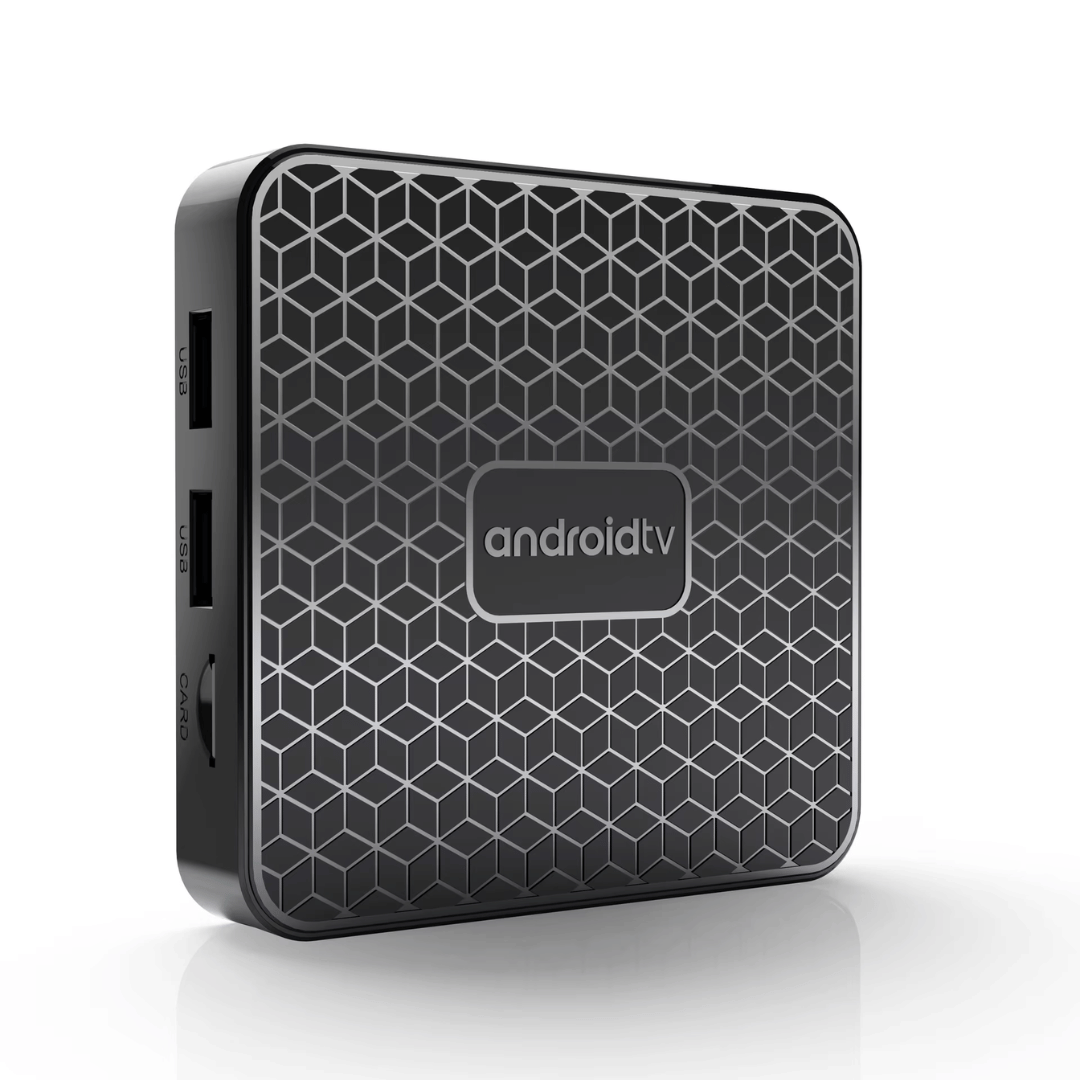
The Mortal T1 Mini is an ultra-compact, budget-friendly Android TV box designed to turn any standard HDMI television into a smart entertainment platform. It features 4K hardware decoding, dual-band Wi-Fi, and a voice-controlled remote, providing a smooth and responsive experience for local IPTV, YouTube, and mainstream streaming applications. ✅ Full Specifications: Model: Mortal T1 Mini 4K Smart Media Player Interface / Connection: Wi-Fi: Dual-Band (2.4GHz / 5GHz) 802.11n Bluetooth: BT 5.0 (Supports wireless remotes, headphones, and controllers) Wired Network: 1 x 10/100Mbps Ethernet LAN Port (Note: Available on standard mini casing configurations) Input/Output Ports: 1 x HDMI Out, USB Ports, 1 x TF/microSD Card Slot, 1 x DC 5V Power Interface / Connection: Wi-Fi: Dual-Band (2.4GHz / 5GHz) 802.11n Bluetooth: BT 5.0 (Supports wireless remotes, headphones, and controllers) Wired Network: 1 x 10/100Mbps Ethernet LAN Port (Note: Available on standard mini casing configurations) Input/Output Ports: 1 x HDMI Out, USB Ports, 1 x TF/microSD Card Slot, 1 x DC 5V Power Performance / Hardware: CPU: Allwinner H313 Quad-Core ARM Cortex-A53 (up to 1.5GHz) (Also distributed in select regional batches with Rockchip quad-core architectures) GPU: Mali-G31 MP2 / Mali-450MP Graphics Engine Resolution Output: Native HDMI 2.0 supporting up to 4K @ 60Hz Video Decode Formats: 4K Ultra HD hardware acceleration decoding including H.265 HEVC, H.264, VP9, and 3D video support High Dynamic Range (HDR): Supports HDR10+, HDR10, and HLG profiles Performance / Hardware: CPU: Allwinner H313 Quad-Core ARM Cortex-A53 (up to 1.5GHz) (Also distributed in select regional batches with Rockchip quad-core architectures) GPU: Mali-G31 MP2 / Mali-450MP Graphics Engine Resolution Output: Native HDMI 2.0 supporting up to 4K @ 60Hz Video Decode Formats: 4K Ultra HD hardware acceleration decoding including H.265 HEVC, H.264, VP9, and 3D video support High Dynamic Range (HDR): Supports HDR10+, HDR10, and HLG profiles Capacity / Memory Options: 2GB RAM + 16GB eMMC Internal Flash Storage (Storage expandable up to 256GB via TF card slot or external USB drive) Material & Build: Durable, matte plastic compact shell engineered with passive thermal management to maintain low operational temperatures Design & Form Factor: Pocket-sized, ultra-light mini layout designed to easily fit behind wall-mounted or desktop televisions Security & Software: Operating System variants run customized, stable Android TV distributions (Android 13 / Android 14) optimized for app longevity, security patch support, and easy layout control Voice Assistant: Includes an ergonomic voice remote control featuring an integrated microphone button for hands-free Google Assistant commands and quick navigation Compatibility: Fully compatible with major applications like YouTube, Netflix, Disney+, Prime Video, various IPTV clients, and Screen Mirroring Cast protocols Dimensions: Approx. 77 x 77 x 12 mm (May vary slightly up to 88 x 88 x 18 mm depending on exact regional shell style) Weight: Approx. 0.25 to 0.35 kg

Led Desk Lamp REMAX RT-E815 ReSee Series Smart Eye-Caring 1500mAh RT-E815 With Container · Eye-caring lightning · Large-area lighting · 1500mAh · Delayed light-off · Soft lighting · Stepless dimming · Pen/phone holder · With rechargeable battery · Plug and use · A soft hose of 360-degree adjustment.

Genuine-spec touchpad flex cable for MacBook Pro 13″ (Model A1502, Mid 2014)—restores full trackpad functionality, including precise cursor control and physical click response. Essential for repairing unresponsive or erratic trackpad behavior. Compatible With: MacBook Pro 13-inch (Mid 2014, Model A1502, Model Identifier MacBookPro11,1) with Intel Core i5/i7 processors and Retina display. Part Type: Touchpad flex cable only — does not include the trackpad housing, button mechanism, or mounting hardware. This is the ribbon cable that connects the trackpad to the logic board. Function: Transmits cursor movement and click signals (left/right physical clicks) Supports standard multi-touch gestures (two-finger scroll, tap-to-click, pinch-to-zoom) ⚠️ Note: This model uses a physical click mechanism—not Force Touch (no haptic feedback or pressure sensitivity). Transmits cursor movement and click signals (left/right physical clicks) Supports standard multi-touch gestures (two-finger scroll, tap-to-click, pinch-to-zoom) ⚠️ Note: This model uses a physical click mechanism—not Force Touch (no haptic feedback or pressure sensitivity). OEM-Quality Build: Matches Apple’s original in: Cable length and routing path Connector type and pin alignment Insulation and flexibility for long-term reliability Cable length and routing path Connector type and pin alignment Insulation and flexibility for long-term reliability Common Use Cases: Replacing a torn, frayed, or corroded original flex cable Fixing: Unresponsive or intermittent trackpad Cursor jumping or drifting Click function failure (left or right) Complete trackpad disconnect Replacing a torn, frayed, or corroded original flex cable Fixing: Unresponsive or intermittent trackpad Cursor jumping or drifting Click function failure (left or right) Complete trackpad disconnect Unresponsive or intermittent trackpad Cursor jumping or drifting Click function failure (left or right) Complete trackpad disconnect Installation Note: Requires bottom case removal and battery disconnect. Connects via a ZIF (Zero Insertion Force) socket on the logic board—do not force. Cable routes under the battery; handle with care to avoid strain. Suitable for intermediate to advanced DIYers or technicians. Requires bottom case removal and battery disconnect. Connects via a ZIF (Zero Insertion Force) socket on the logic board—do not force. Cable routes under the battery; handle with care to avoid strain. Suitable for intermediate to advanced DIYers or technicians.
