
WiWU Infinite USB‑C to HDMI Adapter (HB004) – Sleek aluminum dongle offering 4K@60Hz output over USB‑C (DP Alt‑Mode), plug-and-play with no drivers needed.Compact, portable, and reliable—a must-have for mobile productivity, gaming, and media streaming. Model: WiWU Infinite USB‑C to HDMI Adapter (HB004) Video Output: HDMI 2.0, supports up to 4K @ 60 Hz resolution Material & Weight: Robust aluminum alloy body, compact, weighs ~69 g Compatibility: Plug-and-play connector works with USB‑C devices supporting DP Alt‑Mode—compatible with laptops, smartphones, tablets, consoles Design & Build: Slim, portable, durable—no driver/software required Use Cases: Ideal for mirroring/extending screens for presentations, streaming, gaming

Genuine-spec Touch Bar assembly with integrated flex cable for 2020 MacBook Pro 13″ models (A2251, A2289, A2338)—restores full Touch ID and Touch Bar functionality with OEM-level fit and performance. Compatible With: MacBook Pro 13″ (2020): A2251 (Intel Core i5/i7, two Thunderbolt ports) A2289 (Intel Core i5/i7, four Thunderbolt ports) A2338 (Apple M1 chip, two Thunderbolt ports) MacBook Pro 13″ (2020): A2251 (Intel Core i5/i7, two Thunderbolt ports) A2289 (Intel Core i5/i7, four Thunderbolt ports) A2338 (Apple M1 chip, two Thunderbolt ports) A2251 (Intel Core i5/i7, two Thunderbolt ports) A2289 (Intel Core i5/i7, four Thunderbolt ports) A2338 (Apple M1 chip, two Thunderbolt ports) Includes: Complete Touch Bar module with integrated flex cable, Touch ID sensor, and ambient light sensor—ready for direct connection to the logic board. Functionality: Fully restores dynamic Touch Bar controls, system functions, app shortcuts, and Touch ID (fingerprint authentication and power button). OEM-Quality Build: Matches Apple’s original design in responsiveness, finish, and sensor alignment—ensures seamless integration with macOS. Color Options: Available in Space Gray and Silver to match your MacBook’s top case (confirm your model’s color before ordering). Installation Note: Requires full top case disassembly and careful handling of adhesive and connectors. The flex cable routes under the speakers and connects near the logic board—precision is essential. Recommended for experienced technicians.

A sleek and secure pre-owned Dell Latitude 7490 with 14" display, 8th Gen Core i5, 8GB RAM, and 128GB SSD—designed for business professionals who need portability, durability, and enterprise-grade performance.

Genuine-spec touchpad flex cable for MacBook Pro 15″ (Model A1706 – 2017 and A1989 – 2018/2019)—restores full Force Touch functionality, haptic feedback, and precise multi-touch gesture control during trackpad repair or replacement. Compatible With: MacBook Pro 15″ (2017) – Model A1706 (Model Identifier: MacBookPro14,3) MacBook Pro 15″ (2018–2019) – Model A1989 (Model Identifier: MacBookPro15,2) ✅ Note: Apple used the same trackpad assembly and flex cable across both A1706 and A1989 15″ models—making this part interchangeable between them. MacBook Pro 15″ (2017) – Model A1706 (Model Identifier: MacBookPro14,3) MacBook Pro 15″ (2018–2019) – Model A1989 (Model Identifier: MacBookPro15,2) ✅ Note: Apple used the same trackpad assembly and flex cable across both A1706 and A1989 15″ models—making this part interchangeable between them. ✅ Note: Apple used the same trackpad assembly and flex cable across both A1706 and A1989 15″ models—making this part interchangeable between them. Part Type: Touchpad flex cable only — does not include the trackpad housing, Taptic Engine, or mounting hardware. This is the OEM-style ribbon cable connecting the trackpad to the logic board. Function: Transmits: Touch input coordinates Force Touch pressure data Haptic feedback signals to the Taptic Engine Enables full macOS gesture support: Force Click, three-finger lookup, swipe navigation, pinch-to-zoom, and smooth cursor tracking. Touch input coordinates Force Touch pressure data Haptic feedback signals to the Taptic Engine Enables full macOS gesture support: Force Click, three-finger lookup, swipe navigation, pinch-to-zoom, and smooth cursor tracking. OEM-Quality Build: Matches Apple’s original in: Cable length and routing Connector pitch and ZIF latch design EMI shielding and flex durability Cable length and routing Connector pitch and ZIF latch design EMI shielding and flex durability Common Use Cases: Replacing a torn, creased, or liquid-damaged original flex cable Completing a trackpad replacement when the original cable is compromised Fixing intermittent trackpad behavior, loss of Force Touch, or complete unresponsiveness Replacing a torn, creased, or liquid-damaged original flex cable Completing a trackpad replacement when the original cable is compromised Fixing intermittent trackpad behavior, loss of Force Touch, or complete unresponsiveness Installation Note: Requires full bottom case removal and battery disconnection. Cable routes under internal components near the right speaker and logic board. Connects via a ZIF (Zero Insertion Force) socket—must be aligned carefully and latched gently. Recommended for experienced or certified technicians only. Requires full bottom case removal and battery disconnection. Cable routes under internal components near the right speaker and logic board. Connects via a ZIF (Zero Insertion Force) socket—must be aligned carefully and latched gently. Recommended for experienced or certified technicians only.

WiWU WI‑C052 Converter – Compact aluminum adapter enables OTG and fast PD-style charging (≈27 W) with USB‑C/Lightning on USB‑A ports.Supports high-speed 10 Gbps data transfer, is plug‑and‑play, and works across phones, tablets, and laptops. Functionality: OTG-capable USB-A to USB-C (A→C) Data Transfer: Supports USB 3.2 (up to 10 Gbps) and backward compatible with USB 3.0/2.0 Fast Charging: Supports PD profile fast charging (up to ~27W Apple PD equivalent) without triggering charge pop-ups Build: Durable aluminum-alloy shell with silicone lanyard design for portability and heat dissipation Compatibility: Works with smartphones, tablets, laptops—enabling USB-A peripherals, USB-C or Lightning cables Plug & Play: No drivers required; reversible connector design Portability: Lightweight, compact—easy to carry

The 45W MagSafe 2 Power Adapter features a magnetic DC connector so if someone should trip over it, the cord disconnects harmlessly and your MacBook Air stays put safely. It also helps prevent fraying or weakening of the cables over time. In addition, the magnetic DC helps guide the plug into the system for a quick and secure connection. The 45W MagSafe 2 Power Adapter features a magnetic DC connector so if someone should trip over it, the cord disconnects harmlessly and your MacBook Air stays put safely. It also helps prevent fraying or weakening of the cables over time. In addition, the magnetic DC helps guide the plug into the system for a quick and secure connection. When the connection is secure, an LED located at the head of the DC connector lights up; an amber light lets you know that your notebook is charging, while a green light tells you that you have a full charge. An AC cord is provided with the adapter for maximum cord length, while the AC wall adapter (also provided) gives you an even easier and more compact way to travel. Designed to be the perfect traveling companion, the adapter has a clever design which allows the DC cable to be wound neatly around itself for easy cable storage. This power adapter recharges the lithium polymer battery while the system is off, on, or in sleep mode. It also powers the system if you choose to operate without a battery. Compatible only with MacBook Air featuring MagSafe 2 power port. Knowing which specific Mac model you have is important. If you are running OS X Lion (10.7) or later go to the “” menu at the top left of your screen, choose “About this Mac” then click the “More Info…” button. Your Mac model and generation will be displayed. If you are running an earlier version of OS X, you can enter your serial number here to find out which model you have. Mac Models MacBook Air (13-inch, Early 2015 – 2017) MacBook Air (11-inch, Early 2015)

Genuine-spec touchpad flex cable for MacBook Pro 15″ (Model A2941, 2023, Apple M2)—restores full Force Touch functionality, haptic feedback, and precise multi-touch gesture control during trackpad repair or replacement. Compatible With: MacBook Pro 15-inch (2023, Model A2941) with Apple M2 chip (Model Identifier: MacBookPro19,1) Part Type: Touchpad flex cable only — does not include the trackpad housing, Taptic Engine, or mounting hardware. This is the OEM-style ribbon cable that connects the trackpad to the logic board. Function: Transmits: Touch input coordinates Force Touch pressure data Haptic feedback signals to the Taptic Engine Enables full macOS gesture support: Force Click, three-finger lookup, swipe navigation, pinch-to-zoom, and smooth cursor tracking. Touch input coordinates Force Touch pressure data Haptic feedback signals to the Taptic Engine Enables full macOS gesture support: Force Click, three-finger lookup, swipe navigation, pinch-to-zoom, and smooth cursor tracking. OEM-Quality Build: Matches Apple’s original specifications in: Cable length and routing path Connector pitch and ZIF latch design EMI shielding and flex durability Cable length and routing path Connector pitch and ZIF latch design EMI shielding and flex durability Common Use Cases: Replacing a torn, creased, or liquid-damaged original flex cable Completing a trackpad replacement when the original cable is compromised Fixing intermittent trackpad behavior, loss of Force Touch, or complete unresponsiveness Replacing a torn, creased, or liquid-damaged original flex cable Completing a trackpad replacement when the original cable is compromised Fixing intermittent trackpad behavior, loss of Force Touch, or complete unresponsiveness Installation Note: Requires full bottom case removal and battery disconnection. Cable routes under internal components near the right speaker and logic board. Connects via a ZIF (Zero Insertion Force) socket—must be aligned carefully and latched gently. Recommended for experienced or certified technicians only. Requires full bottom case removal and battery disconnection. Cable routes under internal components near the right speaker and logic board. Connects via a ZIF (Zero Insertion Force) socket—must be aligned carefully and latched gently. Recommended for experienced or certified technicians only.

Genuine-spec touchpad flex cable for MacBook Pro 16″ (Model A2141, 2019, Intel)—essential for restoring full Force Touch functionality, haptic feedback, and precise multi-touch gesture control during trackpad repair or replacement. Compatible With: MacBook Pro 16-inch (2019, Model A2141) with Intel Core i7/i9 processors (Model Identifier: MacBookPro16,1) (Note: A2141 is the non-base configuration of the 2019 16″ MacBook Pro—typically higher-end Intel models.) Part Type: Touchpad flex cable only—does not include the trackpad housing, Taptic Engine, or mounting hardware. This is the OEM-style ribbon cable that connects the trackpad to the logic board. Function: Transmits touch coordinates, Force Touch pressure data, and haptic feedback signals—critical for macOS gestures (e.g., Force Click, three-finger lookup, pinch-to-zoom) and Taptic Engine responsiveness. OEM-Quality Construction: Replicated to Apple’s exact specifications—including cable length, connector pitch, EMI shielding, and bend radius—ensuring reliable signal integrity and long-term durability. Common Use Cases: Replacing a torn, creased, or liquid-damaged original flex cable Completing a trackpad replacement when the original cable is compromised Fixing intermittent trackpad behavior, loss of Force Touch, or complete unresponsiveness Replacing a torn, creased, or liquid-damaged original flex cable Completing a trackpad replacement when the original cable is compromised Fixing intermittent trackpad behavior, loss of Force Touch, or complete unresponsiveness Installation Note: Requires full disassembly of the bottom case, speaker removal, and careful routing beneath the battery and logic board. Connectors use ZIF (Zero Insertion Force) sockets—must be aligned and latched gently. Recommended for certified or professional repair technicians only. Important: This is flex cable only—not a complete trackpad assembly. Must be used with the original or compatible A2141 trackpad and Taptic Engine. Not compatible with M1 MacBook Pro 16″ (A2485), 14″ models (A2442), or any MacBook Air. This is flex cable only—not a complete trackpad assembly. Must be used with the original or compatible A2141 trackpad and Taptic Engine. Not compatible with M1 MacBook Pro 16″ (A2485), 14″ models (A2442), or any MacBook Air. Model Verification: Confirm your device is MacBook Pro A2141 (16″, 2019, Intel) via > About This Mac > Model Identifier (should read MacBookPro16,1).

TP-Link TL-WR841N Router – 300Mbps Wi-Fi speed with 2 fixed antennas and 4 LAN ports.Ideal for home and small office use with support for multiple modes and secure encryption. Model: TP-Link TL-WR841N Wi-Fi Standard: IEEE 802.11b/g/n Frequency: 2.4GHz only Speed: Up to 300Mbps (Wireless N) Antennas: 2 Fixed 5dBi Omni-directional Antennas Ports: 1x WAN Port (10/100Mbps) 4x LAN Ports (10/100Mbps) Ports: 1x WAN Port (10/100Mbps) 4x LAN Ports (10/100Mbps) Security: WPA/WPA2, SPI Firewall, MAC address filtering Modes: Router, Range Extender, Access Point, WISP Wireless Features: SSID broadcast control, WDS bridging, bandwidth control Management: Web UI, TP-Link Tether App Dimensions: 192 × 134 × 33 mm

Genuine-spec touchpad flex cable for MacBook Pro 15″ (Model A1990, 2018–2019, Intel)—essential for restoring full Force Touch functionality, haptic feedback, and precise multi-touch gesture control during trackpad repair or replacement. Compatible With: MacBook Pro 15-inch (2018 & 2019, Model A1990, Model Identifiers MacBookPro15,2) with Intel Core i7/i9 processors. Part Type: Touchpad flex cable only — does not include the trackpad housing, Taptic Engine, or mounting hardware. This is the OEM-style ribbon cable that connects the trackpad to the logic board. Function: Transmits: Touch input coordinates Force Touch pressure data Haptic feedback signals to the Taptic Engine Enables full macOS gesture support: Force Click, three-finger lookup, swipe navigation, pinch-to-zoom, and smooth cursor tracking. Touch input coordinates Force Touch pressure data Haptic feedback signals to the Taptic Engine Enables full macOS gesture support: Force Click, three-finger lookup, swipe navigation, pinch-to-zoom, and smooth cursor tracking. OEM-Quality Build: Matches Apple’s original specifications in: Cable length and routing path Connector pitch and ZIF latch design EMI shielding and flex durability Cable length and routing path Connector pitch and ZIF latch design EMI shielding and flex durability Common Use Cases: Replacing a torn, creased, or liquid-damaged original flex cable Completing a trackpad replacement when the original cable is unusable Fixing intermittent trackpad behavior, loss of Force Touch, or complete unresponsiveness Replacing a torn, creased, or liquid-damaged original flex cable Completing a trackpad replacement when the original cable is unusable Fixing intermittent trackpad behavior, loss of Force Touch, or complete unresponsiveness Installation Note: Requires full bottom case removal and battery disconnection. Cable routes under internal components near the right speaker and logic board. Connects via a ZIF (Zero Insertion Force) socket—must be aligned carefully and latched gently. Recommended for experienced or certified technicians only. Requires full bottom case removal and battery disconnection. Cable routes under internal components near the right speaker and logic board. Connects via a ZIF (Zero Insertion Force) socket—must be aligned carefully and latched gently. Recommended for experienced or certified technicians only.

Premium non-slip rubber feet designed to fit MacBook Pro models A1398, A1425, and A1502—restoring grip, stability, and base protection with a perfect OEM-style fit. Keep your MacBook Pro firmly in place with these high-quality skid-proof rubber feet, precision-made for MacBook Pro 13″ and 15″ Retina models: A1398 (15″ Retina, 2012–2015) A1425 (13″ Retina, 2012–2013) A1502 (13″ Retina, 2014–2015) These replacement feet replicate Apple’s original design, offering excellent traction on smooth surfaces like glass, wood, or metal desks—preventing slips during typing or transport. Crafted from soft yet durable silicone-rubber, they also cushion your laptop’s base, reducing scratches and minimizing vibration noise. Each set includes all necessary feet (typically 5 per unit) with strong pre-applied adhesive for quick, secure installation. The matte black finish matches your MacBook Pro’s sleek bottom case for a seamless look. Perfect for replacing worn, missing, or damaged feet due to age, cleaning, or accidental removal. A simple, cost-effective way to restore both function and finish to your MacBook Pro. Installation Tip: Clean the foot areas thoroughly with isopropyl alcohol and let dry before applying. Lightly warming the adhesive (with a hairdryer or fingers) can improve bonding.

A dependable pre-owned Dell Latitude 5490 with 14" display, 8th Gen Core i5, 16GB RAM, and 512GB SSD—offering strong performance, enterprise security, and durability for business and professional use.

Battery Replacement for A1819 MacBook Pro 13" A1706 Late 2016 Mid 2017 MLH12LL MLH12LL/A MLH12LL/A MPXV2LL MPXV2LL/A MPXV2LL/A Battery Replacement for A1819 MacBook Pro 13″ A1706 Late 2016 Mid 2017 MLH12LL MLH12LL/A MLH12LL/A MPXV2LL MPXV2LL/A MPXV2LL/A 【Technical Details:】 Model Number: A1819; Battery type: Li-ion; Voltage: 11.1V; Capacity: 4300mAh 49.02Wh,Condition: brand new 【Compatible with:】 Mid 2017 MacBook Pro 13-inch Series: MacBook Pro 13 inch Touch A1706(Mid 2017); MacBook Pro 13 inch A1706(EMC 3163) (Mid 2017); MacBook Pro 13-inch MPXV2LL/A or MPXW2LL/A or MPXX2LL/A or MPXY2LL/A 【Compatible with:】MacBook Pro 13 inch Touch A1706(Late 2016); MacBook Pro 13 inch A1706(EMC 3071) (Late 2016); MacBook Pro 13-inch MLH12LL/A or MLVP2LL/A or MNQF2LL/A or MNQG2LL/A 【Compatible with:】2016 2017 MacBook Pro 13″ Four Thunderbolt 3 Ports A1706 model: MacBook Pro 13″ Touch i5 2.9GHz A1706(Late 2016); MacBook Pro 13″ Touch i5 3.1GHz A1706(Late 2016); MacBook Pro 13″ Touch i5 3.1GHz A1706(Mid 2017); MacBook Pro 13″ Touch i5 3.3GHz A1706(Mid 2017); MacBook Pro 13″ Touch i7 3.3GHz A1706(Late 2016); MacBook Pro 13″ Touch i7 3.5GHz A1706(Mid 2017)

13" Mid-2017 Apple MacBook Pro A1708 Logic Board 16Gb 2.3Ghz i5 13″ Mid-2017 Apple MacBook Pro A1708 Logic Board 16Gb 2.3Ghz i5

This is a logic board (motherboard) for the MacBook Pro 15" model A1398 (year 2015) with an Intel Core i7 processor and 16 GB of RAM. It’s the central brain of the laptop—everything else plugs into it. If your MacBook won’t turn on, has hardware faults, or logic-board damage, replacing this can restore full functionality (just make sure you choose the right version). This is a logic board (motherboard) for the MacBook Pro 15″ model A1398 (year 2015) with an Intel Core i7 processor and 16 GB of RAM. It’s the central brain of the laptop—everything else plugs into it. If your MacBook won’t turn on, has hardware faults, or logic-board damage, replacing this can restore full functionality (just make sure you choose the right version). This logic board is a high-quality replacement for the 2015 MacBook Pro 15″ Retina (model A1398). It features: Processor: Intel Core i7 (various speed variants) Memory: 16 GB soldered RAM (non-upgradeable) Graphics: Depending on version, either integrated Intel Iris Pro or dual graphics (Intel + AMD Radeon R9 M370X) Chipset & Board Info: Part numbers like 820-00138-A, 820-00163-A are common for these boards Compatibility / Model IDs: Works with MacBookPro11,4 / MacBookPro11,5 (EMC numbers 2909 / 2910) for 2015 A1398 models Ports & I/O Integrated: USB 3.0, HDMI, Thunderbolt 2, SD card slot, audio jack, etc. (same as original MacBook Pro 2015) Storage Interface: PCIe SSD slot (Apple’s proprietary SSD interface) Power & Connectors: Logic board includes connections for battery, fans, display, keyboard, trackpad, I/O board flex cables, etc. Condition / Variants: These boards are often “used / tested” when sold as replacements. Always check that all ports and soldered chips are intact. Risks & Notes: You must match the correct board variant (integrated vs dual GPU) or you can face compatibility issues or missing graphics functions.

Logitech MK120 Wired USB Keyboard Mouse Desktop Combo Height: 6.10 in (155 mm) Width: 17.72 in (450 mm) Depth: 0.93 in (23.5 mm) Weight: 19.4 oz (550 g) Cable length: 4.9 ft (150 cm) Height: 4.45 in (113 mm) Width: 2.44 in (62 mm) Depth: 1.50 in (38 mm) Weight: 3.17 oz (90 g) Cable length: 70.87 in (180 cm) Spill-resistant design 1Tested under limited conditions (maximum of 60 ml liquid spillage). Do not immerse the keyboard in liquid. Adjustable keyboard height 10-Key Number pad Caps lock indicator light Num lock indicator light Up to 10 million keystrokes (excludes number lock key) Key type: Deep profile Sensor Technology: Optical tracking Number of Buttons: 3 (Left/Right-click, Middle click) Scrolling: line-by-line Scroll Wheel: Yes, optical Mouse plastics: 72% post-consumer recycled material 2Excludes plastic in cable assembly, printed wiring assembly (PWA) and packaging. Keyboard plastics: 54% post-consumer recycled material 3Excludes plastic in cable assembly, printed wiring assembly (PWA) and packaging. Windows® 10,11 or later Two available USB ports

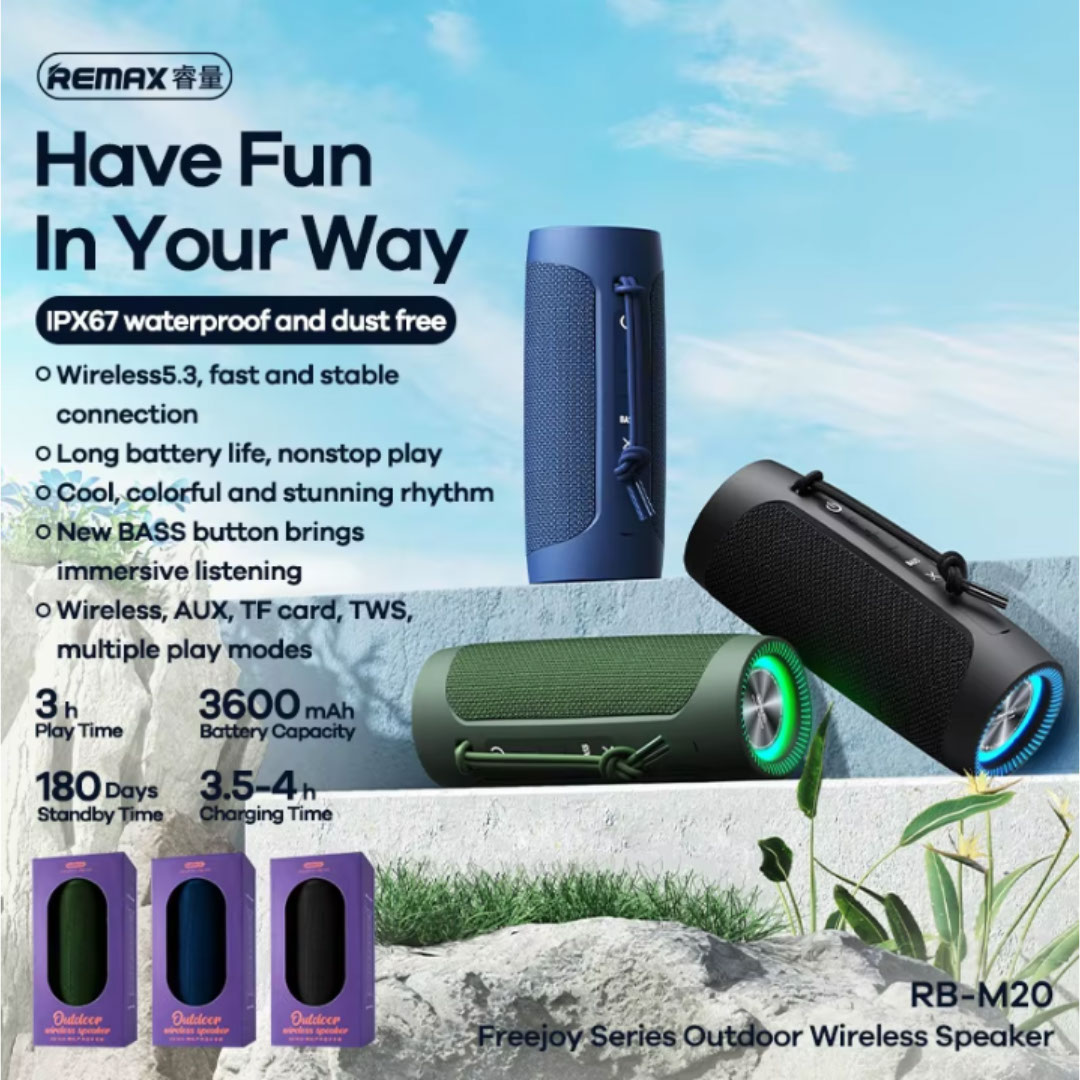
About this item Multifunctional: retro portable speaker, supports Bluetooth transmission, U disk, memory card, AUX (connect to MP3, MP4 player, smartphone, PC) to play music. It is easy to enjoy stereo sound for music lovers. Long battery life: the Bluetooth speaker has a built-in 1500 mAh battery, is rechargeable and environmentally friendly, and offers a battery life of 8 hours so that you can enjoy your favorite music and radio stations for a long time. CLEAR SOUND The radio speaker with a built-in powerful DSP chip and antenna ensures excellent reception, allowing you to experience clear sound. The transmitters can be easily selected to find your favorite FM channels. POWERFUL: This wireless speaker is compact, but with high power, the 5W speaker delivers powerful sound quality. Allows you to enjoy the rich and impressive sound and transform your room into an enchanting listening environment. RETRO DESIGN The small wireless FM radio speaker with charming and versatile design combines classic aesthetics and is a delightful addition to your sound collection. Perfect for living room, bedroom, party, etc.

The Genius KM-100SE is a reliable wired keyboard and mouse combo featuring a full-size 104-key layout and USB plug-and-play connection. Ideal for office, business, and everyday home use, it delivers comfortable typing and smooth mouse control with stable performance. The Genius KM-100SE Keyboard & Mouse Combo is a practical and durable solution for users who need dependable performance for daily work. The full-size keyboard offers a comfortable typing experience with a standard layout that’s perfect for productivity, while the wired optical mouse ensures smooth and accurate cursor control. With USB plug-and-play setup, it works instantly with laptops and desktop PCs—no drivers needed. Full-Size 104-Key Keyboard for efficient and comfortable typing Wired USB Connection for stable, lag-free performance Plug & Play Setup – no software or drivers required Comfortable Key Spacing ideal for long office sessions Wired Optical Mouse Included for smooth and accurate tracking Durable Design suitable for daily professional use Ideal for Office & Home – work, study, and general computing Perfect for business offices, schools, home users, and laptop/desktop setups needing a simple, reliable wired keyboard and mouse set. Compatible with most computers supporting USB.

LENOVO 20V/3.25A USB PIN Laptop Charger for Lenovo Thinkpad Compatible Part NO.: 45N0236, 45N0237, 45N0238, 45N0239 0B46994, 0B46995, 0B46996, 0B46997, 0B46997, 0B46998, 0B469990B47000, 0B47001, 0B47002, 0B47003, 0B47004, 0B47005, 0B47006

Laptop Battery Compatible for A31N1519 Battery for ASUS X540S X540L X540SA X540S X540LA-SI302 A540 F540 R540LA About this item Compatible model no. :- a31n1519, asus x540s x540l x540sa x540s x540la-si302 a540 f540 r540la Warranty not covered if defects due to external causes, accidental, physical or liquid damage, cut, burnt, misuse and missing warranty stickers or labels Battery capacity/power capability (mah/wattage) may be different from the reference picture but a backup of the battery will be the same as the original Please match your product with the image provided before placing the order for any help please get in touch with us.
