
Genuine-spec US layout keyboard replacement for MacBook Pro 13″ (Model A1466, Late 2015–Early 2016)—featuring traditional scissor-switch mechanism, backlighting, and full OEM compatibility for reliable, comfortable typing. Compatible With: MacBook Pro 13-inch non-Touch Bar models: Late 2015 (Intel Core i5/i7, Retina, A1466, Model Identifier MacBookPro12,1) Early 2016 (Intel Core i5/i7, Retina, A1466, MacBookPro13,1) Late 2015 (Intel Core i5/i7, Retina, A1466, Model Identifier MacBookPro12,1) Early 2016 (Intel Core i5/i7, Retina, A1466, MacBookPro13,1) Layout: Standard US English (QWERTY) with full-size keys, inverted-T arrow keys, and dedicated function row (F1–F12). Keyboard Type: Traditional scissor-switch mechanism—not Butterfly or Magic Keyboard—known for durability, deeper key travel, and tactile feedback. Integrated Features: Backlit keys for low-light use, ambient light sensor support, and OEM-style ribbon cable for direct logic board connection. Build & Fit: Precision-engineered to match Apple’s original dimensions and mounting points—ensures flush alignment within the top case and consistent key height. Installation Note: Keyboard is secured with screws and minimal adhesive (unlike later glued models), making replacement more accessible. Still requires full top case disassembly and battery disconnect. Suitable for intermediate to advanced technicians.

Searching for a monitor that enhances your productivity and comfort? Look no further than the ViewSonic 24” 60Hz Monitor VG2448. This monitor is your gateway to a superior visual experience. First and foremost, let’s discuss clarity. With its 24-inch screen size, the VG2448 delivers crisp and clear images, ensuring every detail is sharp and vibrant. Say goodbye to eye strain and hello to comfortable viewing. Transitioning to performance, this monitor boasts a refresh rate of 60Hz, providing smooth and fluid visuals for an enhanced viewing experience. Whether you’re working on spreadsheets or watching videos, motion blur will be a thing of the past. Moreover, its ergonomic design offers customizable tilt, swivel, and height adjustments, allowing you to find the perfect viewing angle for maximum comfort. Say goodbye to neck and back strain with this user-friendly monitor. In addition, the VG2448 features a variety of connectivity options, including HDMI, DisplayPort, and VGA, ensuring compatibility with a wide range of devices. Seamlessly connect your PC, laptop, or gaming console with ease. Furthermore, this monitor is equipped with ViewSonic’s exclusive Eye Care technology, which helps reduce eye fatigue during prolonged use. Protect your vision while enjoying extended viewing sessions. In conclusion, the ViewSonic 24” 60Hz Monitor VG2448 is a versatile and reliable choice for both work and entertainment. With its superior clarity, performance, and ergonomic design, it’s sure to enhance your productivity and comfort. Upgrade your viewing experience today and see the difference for yourself. Specifications: Display : 24″ IPS Resolution : FHD (1920×1080) Refresh Rate : 60Hz Response Rate : 5ms GTG

The Samsung 65″ The Frame LS03F 4K QLED Art Mode Smart TV QA65LS03FAUXTW uses a 65-inch LCD panel with 3840 × 2160 4K resolution. It is designed for both regular TV viewing and wall-mounted display use with an art display mode. The panel uses Quantum Dot (QLED layer) technology to improve color output. As a result, it produces more accurate and wider color reproduction compared to standard LCD panels. In addition, it supports 4K upscaling for lower-resolution content. The TV supports HDR formats for compatible content. This increases contrast between bright and dark areas and improves visible detail. Also, motion processing reduces blur during fast-moving scenes such as sports and action content. Samsung equips this model with Tizen OS. Therefore, users access streaming apps, SmartThings integration, and smart features through a unified interface. It also supports Wi-Fi and Bluetooth for wireless device connections. Connectivity includes HDMI ports, USB ports, Ethernet LAN, and optical audio output. It supports external devices such as gaming consoles and sound systems. This model includes Art Mode, which displays images or artwork when the TV is not in active use. Specifications: 65-inch 4K UHD LCD panel (3840 × 2160 resolution) Quantum Dot (QLED layer) color enhancement 4K upscaling for lower-resolution content HDR support for compatible content Tizen OS with HDMI, USB, Wi-Fi, Bluetooth, Ethernet connectivity

Genuine-spec touchpad flex cable for MacBook Pro 13″ (Model A2338, 2020, Apple M1)—essential for restoring full Force Touch functionality, haptic feedback, and precise multi-touch gesture control during trackpad repair or replacement. Compatible With: MacBook Pro 13-inch (2020, Model A2338, Model Identifier MacBookPro17,1) with Apple M1 chip (2 Thunderbolt ports). Part Type: Touchpad flex cable only — does not include the trackpad housing, Taptic Engine, or mounting hardware. This is the OEM-style ribbon cable that connects the trackpad to the logic board. Function: Transmits: Touch input coordinates Force Touch pressure data Haptic feedback signals to the Taptic Engine Enables full macOS gesture support: Force Click, three-finger lookup, swipe navigation, pinch-to-zoom, and smooth cursor tracking. Touch input coordinates Force Touch pressure data Haptic feedback signals to the Taptic Engine Enables full macOS gesture support: Force Click, three-finger lookup, swipe navigation, pinch-to-zoom, and smooth cursor tracking. OEM-Quality Build: Matches Apple’s original specifications in: Cable length and routing Connector pitch and ZIF latch design EMI shielding and flex durability Cable length and routing Connector pitch and ZIF latch design EMI shielding and flex durability Common Use Cases: Replacing a torn, creased, or liquid-damaged original flex cable Completing a trackpad replacement when the original cable is compromised Fixing intermittent trackpad behavior, loss of Force Touch, or complete unresponsiveness Replacing a torn, creased, or liquid-damaged original flex cable Completing a trackpad replacement when the original cable is compromised Fixing intermittent trackpad behavior, loss of Force Touch, or complete unresponsiveness Installation Note: Requires full bottom case removal and battery disconnection. Cable routes under internal components near the right speaker and logic board. Connects via a ZIF (Zero Insertion Force) socket—must be aligned carefully and latched gently. Recommended for experienced or certified technicians only. Requires full bottom case removal and battery disconnection. Cable routes under internal components near the right speaker and logic board. Connects via a ZIF (Zero Insertion Force) socket—must be aligned carefully and latched gently. Recommended for experienced or certified technicians only. Important Compatibility Notes: ✅ Only for A2338 (13″, M1, 2020) ❌ Not compatible with: Intel-based A2251 / A2289 (2020) MacBook Air M1 (A2337) Any MacBook Air or 14″/16″ MacBook Pro ✅ Only for A2338 (13″, M1, 2020) ❌ Not compatible with: Intel-based A2251 / A2289 (2020) MacBook Air M1 (A2337) Any MacBook Air or 14″/16″ MacBook Pro Intel-based A2251 / A2289 (2020) MacBook Air M1 (A2337) Any MacBook Air or 14″/16″ MacBook Pro

The MSI Pro MP161 E2 15.6″ 60Hz Portable Monitor is a lightweight and versatile display for professionals and gamers. It offers a compact design, making it easy to carry anywhere. This portable monitor features a 15.6-inch Full HD display with a resolution of 1920 x 1080. The 60Hz refresh rate ensures smooth visuals for work, entertainment, and gaming. The IPS panel delivers vibrant colors and wide viewing angles. With ultra-slim bezels, the MSI Pro MP161 E2 provides a sleek and modern look. It enhances your workspace without taking up too much space. The anti-glare screen ensures comfortable viewing in different lighting conditions. The portable monitor supports multiple connectivity options, including USB-C and Mini HDMI. This allows easy connection to laptops, tablets, and gaming consoles. Plug-and-play functionality makes setup quick and hassle-free. Weighing only 0.75 kg, the MSI Pro MP161 E2 15.6″ 60Hz Portable Monitor is perfect for travel. Its ultra-slim profile fits easily into bags, making it ideal for remote work or presentations. The built-in stand allows flexible positioning for better comfort. You can adjust the screen angle for the best viewing experience. The durable design ensures long-term reliability. With low blue light technology, this portable monitor reduces eye strain during extended use. It is perfect for professionals who spend hours in front of a screen. In conclusion, the MSI Pro MP161 E2 15.6″ 60Hz Portable Monitor is a great choice for those needing a secondary display. Its lightweight design, excellent visuals, and versatile connectivity make it ideal for work and entertainment. Specifications: Display : 15.6″ IPS Resolution : 1920×1080 FHD Refresh Rate : 60Hz Response Rate : 4ms Speaker : 1.5W x2

7CJRC Laptop Battery for Dell Latitude 7470 7270 E7270 E7470 Series 21X15 021X15 KNM09 0KNM09 TX283 0TX283 451-BBSW 451-BBWR 11.4V 42Wh 3-Cell About this item Battery type: Li-ion; Voltage: 11.4V; Capacity: 42Wh; Cells: 3-cell Compatible Models: Fit for Dell Latitude 7470 7270 E7470 E7270 Series Replace Part Numbers: 7CJRC KNM09 0KNM09 21X15 021X15 TX283 0TX283 451-BBSW 451-BBWR V6VMN 100% New from Manufacturer. Up to 500 recharge cycles over the life of the battery. The actual operation time will depend on how much electricity is required by the device and how you use it

HP Monitor 27er 27-inch Display Technical specifications LED feature Specification Display size 68.6 cm (27 in) diagonal Display type IPS with LED Backlight Panel active area 59.8 x 33.6 cm (23.5 x 13.2 in) Brightness 250 nits Color gamut 72% Color support Up to 16.7 million colors with the use of FRC technology Pixel pitch 0.3114 x 0.3114 mm 82 PPI Inputs 1 VGA 2 HDMi Viewing angle Horizontal viewing angle (typical): 178 degrees Vertical viewing angle (typical): 178 degrees Recommended resolution (H x V) 1920 x 1080 (Full HD) Aspect ratio 16:9 Static contrast ratio Up to 1000:1 Dynamic contrast ratio Up to 5,000,000:1 Response time 7 ms gray to gray with overdrive Power consumption 28 Watts max Tilt -5 to +25 degrees Power Supply External Dimensions W x D x H (unpacked): 53.1 x 18.3 x 40.4 cm (24.5 x 7.7 x 17.9 in) Weight Unpacked: 3.8 Kg (8.4 lbs) Specifications: HP Monitor 27er 27-inch Display Display size 68.6 cm (27 in) diagonal Display type IPS with LED Backlight Panel active area 59.8 x 33.6 cm (23.5 x 13.2 in) Brightness 250 nits Color gamut 72%

The AOC 24″ 180Hz Gaming Monitor is a top choice for gamers who want smooth, responsive gameplay. With its impressive 180Hz refresh rate, this monitor ensures that every action on screen is fluid and lag-free. Whether you’re playing fast-paced shooters or racing games, the high refresh rate provides an edge over competitors. Firstly this 24-inch monitor offers Full HD resolution, delivering sharp and clear images. The vibrant colors and crisp details make every game come to life. With its slim bezels, the screen offers an immersive experience, allowing you to focus fully on the action. Furthermore the AOC 24″ Gaming Monitor is equipped with AMD FreeSync technology. This reduces screen tearing and stuttering, resulting in smoother gameplay. It also features a fast response time, ensuring that every movement you make is reflected instantly on screen. Setting up the AOC 24″ 180Hz Gaming Monitor is simple. It supports both HDMI and DisplayPort connections, giving you flexibility in how you connect your gaming PC or console. The ergonomic stand allows you to adjust the height, tilt, and swivel to find the perfect viewing angle. This gaming monitor is built with durability in mind. It is designed to withstand long gaming sessions, offering comfort and stability throughout. The sleek design also complements any gaming setup, adding a modern touch to your desk. Upgrade your gaming experience with the AOC 24″ 180Hz Gaming Monitor. Its high refresh rate, fast response time, and vivid display make it an ideal choice for serious gamers. Specifications: Display : 23.8″ VA Resolution : 1920×1080 Refresh Rate : 180Hz Response Rate : 1ms

OEM-quality trackpad replacement (without flex cable) for MacBook Air 13.3″ M1 (Model A2337, EMC 3598)—available in Space Gray, Gold, and Silver finishes—engineered for precise Force Touch response, smooth multi-touch gestures, and perfect color-matched integration. Compatible With: MacBook Air 13.3-inch (2020, Model A2337, EMC 3598) with Apple M1 chip. Part Type: Trackpad only—does not include the flex cable, Taptic Engine, or mounting brackets. Intended for professional technicians who will reuse or transfer the original internal components. Color Options: Space Gray – matches Space Gray and Midnight finishes Gold – matches Gold MacBook Air Silver – matches Silver and Starlight finishes Each variant is finished to OEM specifications for seamless visual continuity with the lower case. Space Gray – matches Space Gray and Midnight finishes Gold – matches Gold MacBook Air Silver – matches Silver and Starlight finishes Each variant is finished to OEM specifications for seamless visual continuity with the lower case. Force Touch Support: Fully compatible with pressure-sensitive input and haptic feedback when used with the original Taptic Engine and logic board—ensuring full macOS gesture functionality (e.g., Force Click, Look Up, pressure-sensitive drawing). Precision Engineering: Features the same smooth glass surface, curvature, and micro-click mechanism as Apple’s original—delivering consistent tracking accuracy and tactile feel. Installation Requirements: Requires complete bottom case disassembly and careful transfer of the original flex cable and Taptic Engine. Adhesive must be applied precisely to maintain structural integrity and sensor alignment. Recommended for certified or experienced repair technicians only. Important: This is a bare trackpad assembly—not a plug-and-play module. Functionality depends on correct integration with original electronics.

Firstly the Alienware 25″ 360Hz Gaming Monitor AW2523HF is built for gamers who demand fast and smooth performance. It features a 24.5-inch Fast IPS panel with Full HD resolution for sharp visuals and vivid colors. Furthermore this gaming monitor offers a blazing 360Hz refresh rate via DisplayPort and up to 255Hz via HDMI, making motion incredibly smooth. With a 0.5ms response time, fast-paced games feel crisp and responsive with minimal blur. The display supports 99% sRGB color gamut, ensuring rich and accurate colors. It also has an anti-glare coating and 178° wide viewing angles, so your game looks great from every position. It’s compatible with AMD FreeSync Premium and G-SYNC, giving you a tear-free and fluid gameplay experience on both major GPU brands. Gaming features like Dark Stabilizer, AlienVision modes, and a built-in FPS counter give players extra control and awareness in-game. The monitor’s stand is fully adjustable with options to tilt, swivel, pivot, and adjust height for comfort during long gaming sessions. It also supports VESA mounting for flexible desk setups. For connectivity, the AW2523HF includes two HDMI 2.0 ports, one DisplayPort 1.4, four USB 3.2 Gen 1 downstream ports, a USB upstream port, headphone jack, and audio line-out. These ports make it easy to connect accessories and manage your setup neatly. In short, the Alienware 25″ 360Hz Gaming Monitor AW2523HF is a top-tier gaming monitor with extreme refresh rate, color accuracy, and gamer-friendly features. Specifications: Display : 24.5″ Fast IPS Resolution : 1920×1080 FHD Refresh Rate : 360Hz Response Time : 0.5ms

256GB SSD Apple Macbook Pro Air 2013 2014 2015 A1502 A1398 A1466 A1465 | Samsung MZ-JPU512T/A06 | 655-1805D ORIGINAL APPLE PART (Apple sources their SSD’s for MacBooks from Samsung) A1502 – A1398 – A1465 – A1466 100% TESTED WORKING Please check compatibility below before you make your purchase: COMPATIBILITY: MacBook Pro Retina Late 2013 – Mid-2015 MacBookPro11,1 (A1502) – ME864LL/A, ME866LL/A, ME867LL/A, MGX72LL/A, MGX92LL/A, & MGXD2LL/A MacBookPro11,2 (A1398) – ME293LL/A & MGXA2LL/A MacBookPro11,3 (A1398) – ME294LL/A, ME874LL/A, MGXC2LL/A, & MGXG2LL/A MacBookPro11,4 (A1398) – MJLQ2LL/A MacBookPro11,5 (A1398) – MJLT2LL/A & MJLU2LL/A MacBookPro12,1 (A1502) – MF839LL/A, MF841LL/A, & MF843LL/A MacBook Air Mid-2013 – Late 2015 MacBookAir6,1 (A1465) – MD711LL/A, MD760LL/A, MD711LL/B, & MF067LL/A MacBookAir6,2 (A1466) – MD760LL/A, MD760LL/B, & MF068LL/A MacBookAir7,1 (A1465) – MJMVM2LL/A MacBookAir7,2 (A1466) – MJVE2LL/A Model Identifier: Samsung Manufacturer Part# MZ-JPU512T/A06

The MSI G32CQ5P 32″ 1ms 170Hz Curved Gaming Monitor delivers immersive visuals and fast performance for gamers and entertainment users. Its large 32‑inch curved screen wraps slightly around your view, making games, movies, and work more engaging. Moreover, the high 170Hz refresh rate ensures smooth motion and responsive gameplay so action looks fluid and natural. This gaming monitor features a quick 1ms response time that reduces motion blur and ghosting, giving you clearer visuals during intense gaming sessions. Additionally, the vivid colors and rich contrast make visuals more vibrant and detailed, enhancing your overall viewing experience. The sleek design fits gaming setups and home offices with ease, adding a modern touch to your space. The MSI G32CQ5P includes multiple connectivity options, allowing you to connect gaming PCs, consoles, and multimedia devices quickly and easily. Furthermore, ergonomic tilt adjustments help maintain comfortable viewing during long play or work sessions. Therefore, it is ideal for gamers, students, and professionals seeking both performance and style. Finally, it combines immersive curved visuals, smooth performance, and practical design for everyday use. Specifications: 32″ curved gaming monitor 1ms response time for reduced motion blur 170Hz refresh rate for smooth gameplay Vivid colors and immersive visuals Multiple connectivity options

TP-Link AC1200 Archer C50 Wireless Dual Band Router Support smooth 4K streaming with AC1200 Wi-Fi 4 external antennas provide stable wireless connections and optimal coverage Easy network management at your fingertips with TP-Link Tether Supports IGMP Proxy/Snooping, Bridge, and Tag VLAN to optimize IPTV streaming Supports Access Point mode to create a new Wi-Fi access point TP-Link AC1200 Archer C50 Wireless Dual Band Router Support smooth 4K streaming with AC1200 Wi-Fi 4 external antennas provide stable wireless connections and optimal coverage Easy network management at your fingertips with TP-Link Tether Supports IGMP Proxy/Snooping, Bridge, and Tag VLAN to optimize IPTV streaming Supports Access Point mode to create a new Wi-Fi access point TP-Link Archer C50 – AC1200 Wireless Dual Band Router Wireless Speed: Up to 1200 Mbps (300 Mbps on 2.4GHz + 867 Mbps on 5GHz) Wi-Fi Standard: 802.11ac – 3x faster than wireless N speeds Bands: Dual Band (2.4GHz & 5GHz) for reduced interference and better performance Antenna: 4 External Antennas for strong and stable wireless coverage Ports: 4× LAN, 1× WAN (10/100 Mbps) Advanced Features: Parental Controls, Guest Network, IPv6 Support, Access Control Security: WPA/WPA2 encryption for secure wireless connections Ease of Use: Easy setup with TP-Link Tether App Ideal For: HD streaming, online gaming, and high-speed downloads in homes and small offices

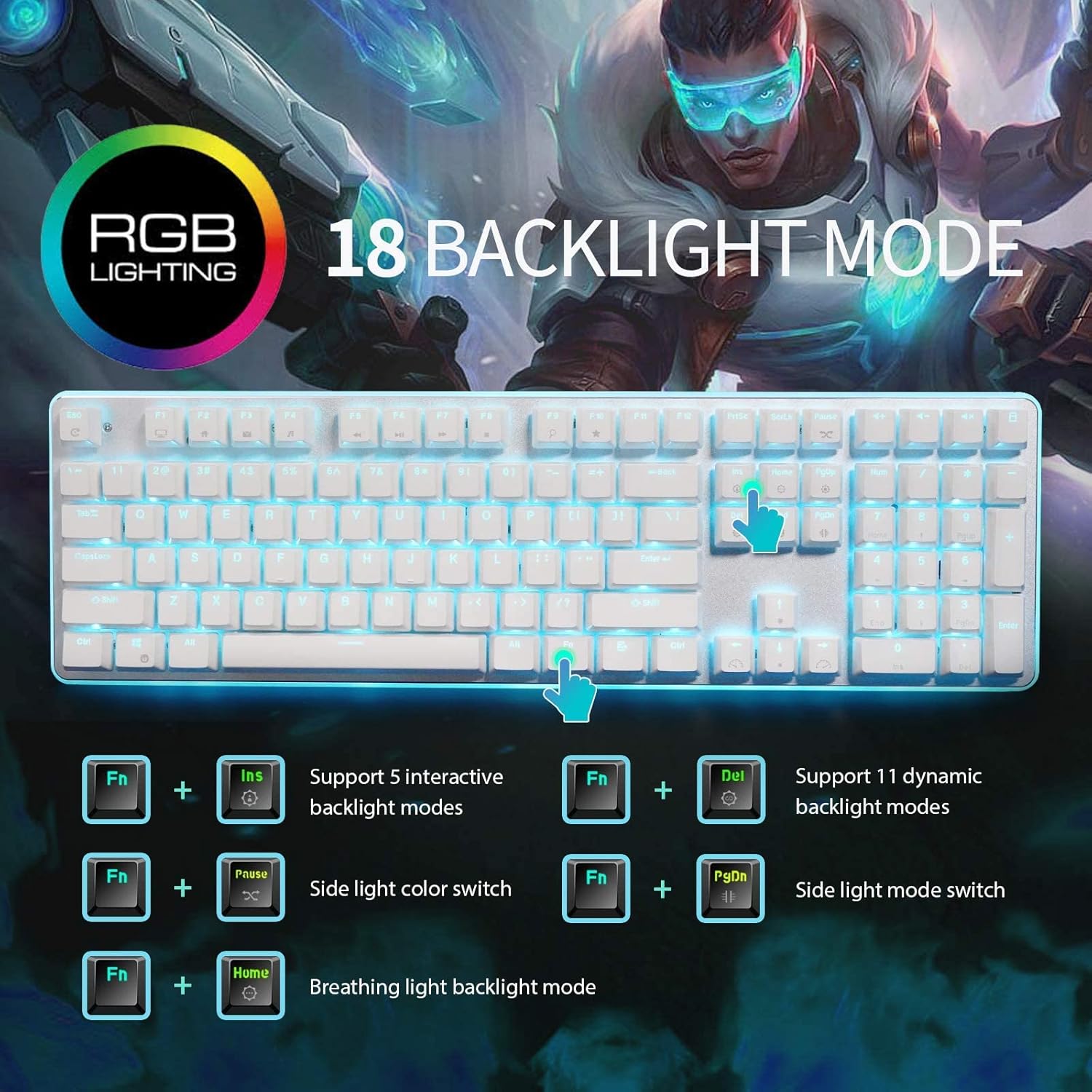
RK61 RGB Mechanical Keyboard – Compact 60% keyboard with Blue switches, tri-mode (Bluetooth/2.4GHz/Wired), and vibrant RGB.Perfect for minimal desk setups and wireless performance with a unique W-W-B color design. Model: Royal Kludge RK61 Layout: 60% compact (61 keys, no numpad or F-row) Switch Type: Blue Mechanical Switches (clicky + tactile feedback) Backlight: RGB with multiple lighting modes & effects Connection Modes (3C): Bluetooth 5.0 – Pair with up to 3 devices Wired USB-C – For gaming and charging 2.4GHz Wireless (on 3-mode models) Connection Modes (3C): Bluetooth 5.0 – Pair with up to 3 devices Wired USB-C – For gaming and charging 2.4GHz Wireless (on 3-mode models) Battery: 1450mAh rechargeable battery Keycaps: ABS double-shot (W-W-B colorway: White-White-Black) Hot-Swappable: No (unless stated on specific variant) Compatibility: Windows, macOS, Android, iOS Anti-Ghosting: Full N-Key rollover Software Support: RK software for key remapping and RGB control (Windows only) Build Material: ABS plastic case, plastic plate Cable: Detachable USB-C cable included Dimensions: Approx. 290 x 100 x 40 mm Weight: ~500g

Model: A4Tech Bloody G521S Type: Over-Ear Wired Gaming Headset Connection: USB (Digital Audio Interface) Drivers: 50mm Neodymium speakers Sound Technology: 7.1 Virtual Surround Sound Built-in Sound Card Frequency Response: Speaker: 20Hz – 20kHz Microphone: 100Hz – 10kHz Impedance: 16 Ohms Sensitivity: Speaker: 105 dB ± 3 dB Microphone: -45 dB ± 3 dB Microphone: Noise-canceling Flexible boom design Lighting: RGB backlight on earcups Design: Soft memory foam ear cushions Adjustable headband with durable metal frame Cable Length: 2.2 meters Weight: ~280g Compatibility: Windows PC (supports software features), basic plug-and-play on other platforms Extras: Bloody software for audio customization

Apple 60W MagSafe Power Adapter (for MacBook and 13-inch MacBook Pro) The 60 Watt MagSafe Power Adapter features a magnetic DC connector that ensures your power cable will disconnect if it experiences undue strain and helps prevent fraying or weakening of the cables over time. In addition, the magnetic DC helps guide the plug into the system for a quick and secure connection. When the connection is secure, an LED located at the head of the DC connector will light up; an amber light lets you know that your portable is charging, while a green light tells you that you have a full charge. An AC lead is provided with the adapter for maximum lead length, while the AC wall adapter (also provided) gives users an even easier and more compact way to travel. Designed to be the perfect travelling companion, the adapter has a clever design that allows the DC cable to be wound neatly around itself for easy cable storage. This power adapter recharges the lithium polymer battery while the system is off, on, or in sleep mode. It also powers the system if you choose to operate without a battery. Compatible with MacBook and 13-inch MacBook Pro. See this article for more details about choosing the right one. Knowing which specific Mac model you have is important. If you are running OS X Lion (10.7) or later, go to the “” menu at the top left of your screen, choose “About this Mac” then click the “More Info…” button. Your Mac model and generation will be displayed. If you are running an earlier version of OS X, you can enter your serial number here to find out which model you have.

The AOC 24″ 75Hz Monitor is designed to enhance your viewing experience, making it ideal for both work and entertainment. Whether you’re editing documents or watching movies, this monitor delivers vibrant and sharp visuals. With a 24-inch Full HD display, the AOC monitor provides clear and detailed images. The 75Hz refresh rate ensures smooth motion, reducing screen tearing and providing a more enjoyable viewing experience. The AOC 24″ Monitor features an ergonomic design, allowing you to adjust the height, tilt, and swivel for maximum comfort. This ensures you can work or play for extended periods without discomfort. Equipped with multiple connectivity options, including HDMI and VGA ports, the AOC 24″ 75Hz Monitor offers flexibility in connecting to various devices. This makes it easy to set up and use with your computer, gaming console, or other gadgets. The AOC 24″ 75Hz Monitor includes flicker-free technology and a Low Blue Light mode. These features help reduce eye strain during prolonged use, making it a great choice for both work and leisure. With its sleek and modern design, the AOC 24″ Monitor adds a touch of elegance to any workspace or gaming setup. Its slim bezels provide a larger viewing area, enhancing your overall visual experience. In conclusion, the AOC 24″ 75Hz Monitor combines excellent performance, ergonomic design, and modern aesthetics for a superior viewing experience. Upgrade to the AOC 24″ Monitor today and enjoy clear, smooth, and comfortable visuals. Specifications: Display : 23.8″ VA Resolution : 1920×1080 FHD Refresh Rate : 75Hz Response Rate : 4ms

A sleek and responsive pre-owned MacBook Pro 15" (2015) with a brilliant Retina display, upgraded 16GB RAM, fast 128GB SSD, and efficient Intel Iris Pro graphics—ideal for students, developers, and everyday productivity.

MLT-D111S MLT-D111L Toner Cartridge Replacement for Samsung 111S MLTD111L for Xpress SL-M2020W SL-M2070FW SL-M2070W M2020 M2024W M2026W M2070 Laser Printer (Black, 1-Pack)

Professional battery testing flex cable for MacBook Pro 15″ (Model A1990, 2018–2019)—used by technicians to bypass a faulty battery or diagnose power-on issues without permanent battery removal. Enables safe logic board testing and troubleshooting. This is not a replacement battery cable—it’s a diagnostic tool used in repair workflows. It mimics the battery’s presence by providing the necessary SMBus signal and power-enable lines to the logic board, allowing the MacBook to: Power on without a battery installed Test logic board functionality independently Diagnose whether a no-power issue is caused by the battery or logic board MacBook Pro 15″ (2018–2019) Model: A1990 Model Identifiers: MacBookPro15,2 Chip: Intel Core i7/i9 Model: A1990 Model Identifiers: MacBookPro15,2 Chip: Intel Core i7/i9 ⚠️ Not compatible with A1707 (2016–2017), A2159 (16″), or any M1/M2 models. Simulates battery presence via correct SMBus resistance and ID signals Includes power-enable circuitry matching Apple’s safety protocol Pre-terminated with OEM-style connector for A1990 logic board Allows safe bench testing of logic boards during repair Diagnosing “no power, no fan spin, no display” issues Verifying if a logic board powers on without risking a shorted battery Testing after liquid damage or DC-in board replacement Avoiding unnecessary battery replacements during diagnostics Not for permanent installation—intended for temporary diagnostic use only Does not charge or store power—requires connected USB-C power adapter to operate Must be used with a known-good power adapter (87W recommended) Not a consumer part—designed for professional repair shops and technicians
