
Genuine-spec touchpad flex cable for MacBook Pro 15″ (Model A2941, 2023, Apple M2)—restores full Force Touch functionality, haptic feedback, and precise multi-touch gesture control during trackpad repair or replacement. Compatible With: MacBook Pro 15-inch (2023, Model A2941) with Apple M2 chip (Model Identifier: MacBookPro19,1) Part Type: Touchpad flex cable only — does not include the trackpad housing, Taptic Engine, or mounting hardware. This is the OEM-style ribbon cable that connects the trackpad to the logic board. Function: Transmits: Touch input coordinates Force Touch pressure data Haptic feedback signals to the Taptic Engine Enables full macOS gesture support: Force Click, three-finger lookup, swipe navigation, pinch-to-zoom, and smooth cursor tracking. Touch input coordinates Force Touch pressure data Haptic feedback signals to the Taptic Engine Enables full macOS gesture support: Force Click, three-finger lookup, swipe navigation, pinch-to-zoom, and smooth cursor tracking. OEM-Quality Build: Matches Apple’s original specifications in: Cable length and routing path Connector pitch and ZIF latch design EMI shielding and flex durability Cable length and routing path Connector pitch and ZIF latch design EMI shielding and flex durability Common Use Cases: Replacing a torn, creased, or liquid-damaged original flex cable Completing a trackpad replacement when the original cable is compromised Fixing intermittent trackpad behavior, loss of Force Touch, or complete unresponsiveness Replacing a torn, creased, or liquid-damaged original flex cable Completing a trackpad replacement when the original cable is compromised Fixing intermittent trackpad behavior, loss of Force Touch, or complete unresponsiveness Installation Note: Requires full bottom case removal and battery disconnection. Cable routes under internal components near the right speaker and logic board. Connects via a ZIF (Zero Insertion Force) socket—must be aligned carefully and latched gently. Recommended for experienced or certified technicians only. Requires full bottom case removal and battery disconnection. Cable routes under internal components near the right speaker and logic board. Connects via a ZIF (Zero Insertion Force) socket—must be aligned carefully and latched gently. Recommended for experienced or certified technicians only.

MacBook Pro A1708 Battery A1713 for MacBook Pro 13 Inch A1708 Late 2016 Mid 2017 (EMC 2978 3164), A2171 Laptop Replacement Battery for MacBook Pro 13 Inch A2159 (2019) A2289 (2020) A2338 (2020) 【Macbook pro 13 Inch battery A1713 & A2171 Battery Specification】– Voltage: 11.4V. Capacity: 54.5Wh / 4781mAh, Battery Type: Li-ion 【Newest 4.0 upgraded OEM Battery for Apple macbook pro】– Japan High Performance Electric Core. Cobalt Proportion: >98%. Upgrade chip. Up to 1500+ recharge cycles over the life of the battery. Overcharger and Discharger Circuit Protection, Ensure fast charges and low power consumption, UL-/CE-/FCC-/RoHS-Certified for safety 【Replacement Battery A1713 for A1708 Macbook pro 13 inch】– A1708 Macbook pro 13” Late 2016: MacBook Pro 13-Inch “Core i5” 2.0 & MacBook Pro 13-Inch “Core i7” 2.4 (MacBookPro13,1, EMC2978, MLL42xx/A, MLUQ2xx/A). — A1708 Macbook pro 13” Mid 2017: MacBook Pro 13-Inch “Core i5” 2.3 & MacBook Pro 13-Inch “Core i7” 2.5 (MacBookPro14,1, EMC3164, MPXQ2xx/A, MPXR2xx/A, MPXT2xx/A, MPXU2xx/A) 【Replacement Battery A2171 for A2159 & A2289 & A2338 Macbook pro 13 inch】– A2159 Macbook pro 13” 2019: MacBook Pro 13-Inch “Core i5” 1.4 Touch & “Core i7” 1.7 Touch (MacBookPro15,4, EMC3301, MUHN2xx/A, MUHP2xx/A, MUHQ2xx/A, MUHR2xx/A, MUHR2xx/B). — A2289 Year 2020: MacBook Pro 13-Inch “Core i5” 1.4 & “Core i7” 1.7 (MacBookPro16,3, EMC 3456, MXK32xx/A, MXK52xx/A, MXK62xx/A, MXK72xx/A). — A2338 Year 2020: MacBook Pro 13-Inch “M1” 8-Core 3.2 (MacBookPro17,1, EMC3578, MYDA2LL/A*)

Genuine-spec touchpad flex cable for MacBook Pro 14″ (Model A2442, 2021, M1 Pro/Max)—essential for restoring full Force Touch functionality, haptic feedback, and precise multi-touch gesture control. Compatible With: MacBook Pro 14-inch (2021, Model A2442) with Apple M1 Pro or M1 Max chip (Model Identifiers: MacBookPro18,3 / MacBookPro18,4). Part Type: Touchpad flex cable only—does not include the trackpad, Taptic Engine, or mounting brackets. This is the OEM-style ribbon cable that connects the trackpad to the logic board. Function: Carries touch input, Force Touch pressure data, and haptic feedback signals—critical for macOS trackpad gestures, Force Click, and Taptic Engine responsiveness. OEM-Quality Build: Matches Apple’s original flex circuit in length, connector pitch, shielding, and bend geometry—ensures reliable signal transmission and durability under repeated use. Common Use Cases: Replacing a damaged, torn, or corroded original flex cable Completing a trackpad replacement when the original cable is unusable Fixing intermittent trackpad issues, unresponsiveness, or loss of Force Touch Replacing a damaged, torn, or corroded original flex cable Completing a trackpad replacement when the original cable is unusable Fixing intermittent trackpad issues, unresponsiveness, or loss of Force Touch Installation Note: Requires full bottom case removal and careful routing beneath internal components. Connectors use ZIF (Zero Insertion Force) sockets—must be seated properly without force. Recommended for certified or highly experienced technicians only.

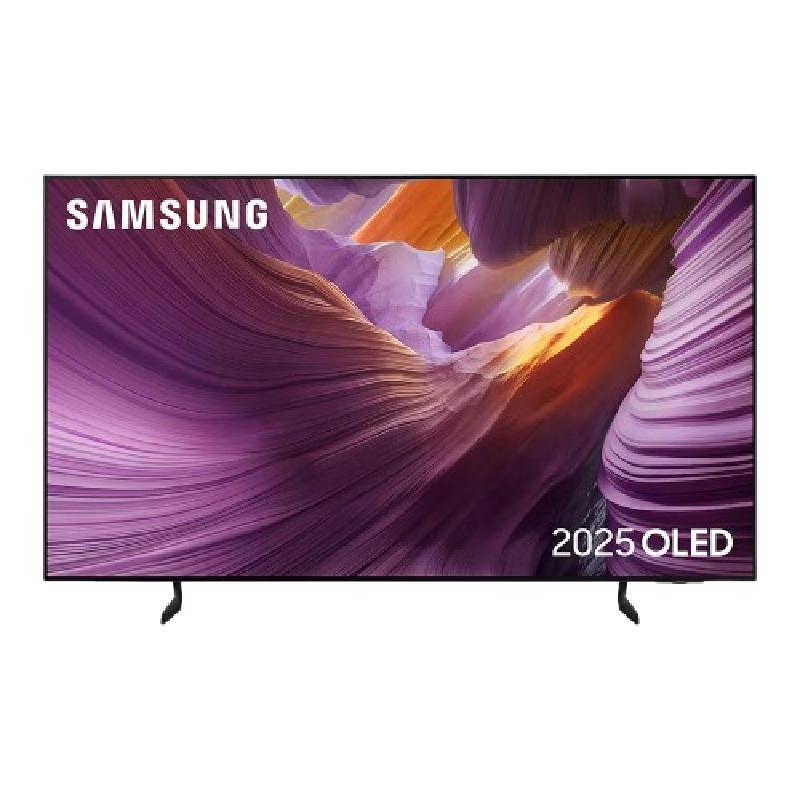
The Samsung Crystal UHD U8000F 50″ 4K Smart TV UA50U8000FUXTW uses a 50-inch LCD panel with 3840 × 2160 resolution. It delivers standard 4K output for everyday viewing, streaming, and console use. Samsung uses the Crystal Processor 4K for image processing and upscaling. As a result, lower-resolution content converts closer to 4K quality on the display. In addition, the TV supports HDR10 and HDR10+, which improve contrast between bright and dark areas for compatible content. The display runs at a 60 Hz refresh rate. Also, Motion Xcelerator reduces blur during fast motion scenes such as sports and action content. Samsung equips the TV with Tizen OS. Therefore, users access streaming apps, SmartThings integration, and smart features through a responsive interface. Connectivity includes HDMI ports, USB ports, Wi-Fi, Bluetooth, Ethernet LAN, and optical audio output. In addition, the TV supports ALLM for basic console gaming responsiveness. This model focuses on 4K resolution, standard HDR performance, and essential smart TV features without advanced gaming or local dimming technology. Specifications: 50-inch LCD panel with 3840 × 2160 4K UHD resolution Crystal Processor 4K with upscaling support HDR10 and HDR10+ compatibility 60 Hz refresh rate with Motion Xcelerator Tizen OS with HDMI, USB, Wi-Fi, Bluetooth, Ethernet connectivity

Genuine-spec touchpad flex cable for MacBook Pro 13″ (Model A2251, 2020, Intel)—essential for restoring full Force Touch functionality, haptic feedback, and precise multi-touch gesture control during trackpad repair or replacement. Compatible With: MacBook Pro 13-inch (2020, Two Thunderbolt Ports, Model A2251, Model Identifier MacBookPro16,1) with Intel Core i5/i7 processors. Part Type: Touchpad flex cable only—does not include the trackpad housing, Taptic Engine, or mounting hardware. This is the OEM-style ribbon cable that connects the trackpad to the logic board. Function: Transmits: Precise touch coordinates Force Touch pressure data Haptic feedback signals to the Taptic Engine Enables full macOS gesture support including Force Click, three-finger lookup, swipe navigation, and inertial scrolling. Precise touch coordinates Force Touch pressure data Haptic feedback signals to the Taptic Engine Enables full macOS gesture support including Force Click, three-finger lookup, swipe navigation, and inertial scrolling. OEM-Quality Build: Matches Apple’s original specifications in: Cable length and routing Connector pitch and ZIF latch design EMI shielding and flex durability Cable length and routing Connector pitch and ZIF latch design EMI shielding and flex durability Common Use Cases: Replacing a torn, creased, or liquid-damaged original flex Completing a trackpad replacement when the original cable is compromised Fixing intermittent trackpad behavior, loss of Force Touch, or complete unresponsiveness Replacing a torn, creased, or liquid-damaged original flex Completing a trackpad replacement when the original cable is compromised Fixing intermittent trackpad behavior, loss of Force Touch, or complete unresponsiveness Installation Note: Requires full bottom case removal and partial disassembly (including battery disconnect). Cable routes under the right speaker and logic board—must be seated in original retention channels. Connects via ZIF (Zero Insertion Force) socket—align carefully and latch gently. Recommended for experienced or certified technicians only. Requires full bottom case removal and partial disassembly (including battery disconnect). Cable routes under the right speaker and logic board—must be seated in original retention channels. Connects via ZIF (Zero Insertion Force) socket—align carefully and latch gently. Recommended for experienced or certified technicians only.

Genuine Apple sleep/wake sensor flex cable (Hall effect sensor) for MacBook Air 13.6″ (Model A2681, 2022, M2)—ensures automatic display sleep when the lid is closed and wake-on-open functionality. OEM part number 821-04129-02. Compatible With: MacBook Air 13.6-inch (2022, Model A2681) with Apple M2 chip (all colors: Silver, Space Gray, Starlight, Midnight). Apple Part Number: 821-04129-02 (exact OEM service part). Function: Contains the Hall effect sensor that detects the magnet in the MacBook Air’s display lid. This allows macOS to: Sleep the system when the lid is closed Wake instantly when opened Prevent false sleep/wake events during use Sleep the system when the lid is closed Wake instantly when opened Prevent false sleep/wake events during use Location: Mounted near the right side of the keyboard, adjacent to the battery and logic board. Common Failure Symptoms: MacBook doesn’t sleep when lid is closed MacBook wakes randomly in a bag “Lid closed” not recognized in macOS Requires manual sleep or power button use MacBook doesn’t sleep when lid is closed MacBook wakes randomly in a bag “Lid closed” not recognized in macOS Requires manual sleep or power button use Part Type: Flex cable with integrated Hall sensor—not just a cable, but a calibrated magnetic sensor module. Installation Note: Requires full bottom case removal and careful disconnection of the battery. The sensor is adhered near the I/O area—do not bend or puncture. Recommended for experienced technicians.

The Samsung 32″ Essential S3 Curved Monitor LS32D392GAMXUE features a 32-inch VA panel with Full HD resolution (1920 × 1080). It uses a 1500R curved screen design that follows the natural field of view for a more immersive viewing experience. The monitor supports a refresh rate of up to 100Hz. As a result, motion appears smoother during everyday work, video playback, and casual gaming. In addition, the 4ms GTG response time helps reduce motion blur during fast-moving content. Samsung uses a VA panel with a typical 3000:1 contrast ratio and 250 cd/m² brightness. Therefore, the display delivers deeper blacks and improved contrast compared to many standard IPS and TN panels. The monitor also covers up to 95% of the sRGB color space. Eye Saver Mode and Flicker Free technology help reduce eye strain during extended use. Also, Game Mode adjusts image settings to improve visibility in darker scenes. Connectivity includes one HDMI 1.4 port, one D-Sub (VGA) port, and a headphone output. The monitor supports VESA 75 × 75 mm wall mounting and tilt adjustment from -2° to 22°. This model focuses on everyday productivity, media consumption, and general home use while providing a large curved display and higher-than-standard refresh rate. Specifications: 32-inch VA panel with Full HD (1920 × 1080) resolution 1500R curved screen design Up to 100Hz refresh rate 4ms GTG response time HDMI 1.4, D-Sub (VGA), and headphone connectivity

OEM-quality left and right loudspeaker replacement pair for MacBook Pro 15″ (Models A1707 – 2016/2017 and A1990 – 2018/2019)—restores rich, balanced stereo sound with precision acoustic tuning and seamless fit. Compatible With: MacBook Pro 15″ (2016) – Model A1707 (MacBookPro13,2) MacBook Pro 15″ (2017) – Model A1707 (MacBookPro14,2) MacBook Pro 15″ (2018) – Model A1990 (MacBookPro15,2) MacBook Pro 15″ (2019) – Model A1990 (MacBookPro15,2) (Note: Apple used the same speaker assembly across all four years of the 15″ Touch Bar MacBook Pro.) MacBook Pro 15″ (2016) – Model A1707 (MacBookPro13,2) MacBook Pro 15″ (2017) – Model A1707 (MacBookPro14,2) MacBook Pro 15″ (2018) – Model A1990 (MacBookPro15,2) MacBook Pro 15″ (2019) – Model A1990 (MacBookPro15,2) (Note: Apple used the same speaker assembly across all four years of the 15″ Touch Bar MacBook Pro.) Includes: Complete left and right speaker units with pre-attached flex cables and mounting brackets—ready for direct installation. Audio Performance: Engineered to match Apple’s original high-fidelity stereo system—delivers deep bass, clear mids, and crisp highs with wide soundstage and distortion-free playback. OEM Build Quality: Precision-molded housings, correct grille patterns, and exact cable routing ensure secure fit, no rattling, and full compatibility with macOS audio calibration. Common Use Cases: Replaces speakers damaged by liquid spills, physical impact, or wear (e.g., muffled sound, no audio from one side, crackling, or complete failure). Installation Note: Requires full display and logic board access. Speakers are secured with adhesive and screws in tight compartments. Recommended for certified or experienced technicians only. Important: This speaker pair is exclusive to 15″ Touch Bar MacBook Pro models (A1707/A1990). Not compatible with 13″ models (A1708/A1989), 16″ MacBook Pro (A2141), or non-Touch Bar MacBooks. This speaker pair is exclusive to 15″ Touch Bar MacBook Pro models (A1707/A1990). Not compatible with 13″ models (A1708/A1989), 16″ MacBook Pro (A2141), or non-Touch Bar MacBooks. Model Verification: Confirm your device via > About This Mac > Model Identifier (e.g., MacBookPro13,2 or MacBookPro15,2).

LG 49WL95C-WE UltraWide Dual QHD IPS Monitor is a 49-inch super ultrawide display designed for heavy multitasking and professional workflows. It features a 32:9 aspect ratio with Dual QHD resolution for a wide workspace. Additionally, it supports USB-C connectivity and HDR10. Therefore, it replaces a dual-monitor setup with a single continuous screen. The LG 49WL95C-WE UltraWide Dual QHD IPS Monitor delivers 5120 × 1440 resolution with IPS panel technology for wide viewing angles. Moreover, it includes 99% sRGB color coverage and HDR10 support for accurate visuals. It also provides USB-C with up to 85W power delivery, HDMI, and DisplayPort inputs. In addition, it features built-in 10W stereo speakers and an integrated USB hub for cleaner setups. Furthermore, the monitor supports Picture-by-Picture and Dual Controller functions for multi-device use. As a result, users can manage two systems on one screen efficiently. It also includes height, tilt, and swivel adjustment for ergonomic comfort. Specifications: 49-inch 32:9 UltraWide Dual QHD (5120 × 1440) IPS display USB Type-C with up to 85W power delivery HDR10 with 99% sRGB color coverage Built-in 10W stereo speakers and USB hub Picture-by-Picture and Dual Controller multitasking support

LG 32UN880-B 32 Inch UltraFine™ Display Ergo 4K HDR10 Monitor PICTURE QUALITY Screen Size 31.5″ Display Type IPS Response Time 5ms (GTG) Refresh Rate 60Hz Color Gamut (Typ.) DCI-P3 95% (CIE1976) Color Depth (Number of Colors) 1.07B Pixel Pitch (mm) 0.18159 x 0.18159 mm Aspect Ratio 16:9 Resolution 3840 x 2160 Brightness 350nits (typ) Contrast Ratio 1000:1 Viewing Angle 178º (R/L), 178º (U/D) Surface Treatment Anti-Glare INPUT/OUTPUT HDMI Yes x 2 DisplayPort Yes x 1 USB Type-C Yes Headphone Out Yes USB Down-stream Yes x 2 USB-C (DP Alternate Mode) Yes USB-C (Data Transmission) Yes POWER Type Adapter Input 100-240 Vac, 50/60 Hz Power Save/Sleep Mode (Max) 0.5W DC Off (Max) Less than 0.3W Power Consumption (Typ.) 160W Power Consumption (Max.) 55W Specifications: LG 32UN880-B 32 Inch UltraFine™ Display Ergo 4K HDR10 Monitor PICTURE QUALITY Screen Size 31.5″ Display Type IPS Response Time 5ms (GTG) Refresh Rate 60Hz Color Gamut (Typ.) DCI-P3 95% (CIE1976) Color Depth (Number of Colors) 1.07B Pixel Pitch (mm) 0.18159 x 0.18159 mm 1 Year Warranty

View Sonic Monitor ViewSonic LCD Display XG2405 XG2405 24″ 24-inch 3-side Borderless Display 144Hz Refresh Rate 1ms (GtG) Response Time AMD FreeSync Specifications: View Sonic Monitor ViewSonic LCD Display XG2405 XG2405 24″ 24-inch 3-side Borderless Display 144Hz Refresh Rate 1ms (GtG) Response Time AMD FreeSync 1 Year Warranty

The Lenovo Legion R25f-30 is a 24.5-inch FHD gaming monitor designed for competitive gameplay and fast response performance. It uses a VA panel with high refresh rate support and sharp Full HD resolution. Additionally, it targets gamers who need smooth motion clarity and low input delay. This monitor delivers a 1920 × 1080 resolution with a 240Hz refresh rate, which can be overclocked up to 280Hz in supported setups. Moreover, it features a 0.5ms MPRT response time for reduced motion blur during fast-paced gaming. The Lenovo Legion R25f-30 supports AMD FreeSync Premium to reduce screen tearing and stuttering. Additionally, it includes HDMI 2.1 and DisplayPort 1.4 for high refresh rate connectivity across PCs and consoles. It also provides 99% sRGB color coverage and 3000:1 contrast ratio for richer image depth. Therefore, it balances gaming performance with decent color accuracy for everyday use. The Lenovo Legion R25f-30 is built for esports-focused users who prioritize speed, responsiveness, and smooth visuals in competitive games. Specifications: 24.5-inch Full HD (1920 × 1080) VA gaming display 240Hz refresh rate with up to 280Hz overclock support 0.5ms MPRT response time for fast motion clarity AMD FreeSync Premium for tear-free gaming performance HDMI 2.1 and DisplayPort 1.4 connectivity support

The Asus VP228HE 22″ 60Hz Gaming Monitor is designed for gamers who want smooth visuals and fast response times. It offers a great balance of performance and affordability for casual and competitive players. This gaming monitor features a 22-inch Full HD display with a 1920 x 1080 resolution. The screen delivers sharp visuals with vibrant colors, enhancing your gaming experience. The 60Hz refresh rate ensures smooth motion in fast-paced games. With a 1ms response time, the Asus VP228HE reduces motion blur and ghosting. This makes gameplay more responsive, giving you an advantage in action-packed games. The monitor also includes ASUS GamePlus technology with crosshair and timer functions for better accuracy. The Asus VP228HE 22″ 60Hz Gaming Monitor features ASUS Eye Care technology. It includes a flicker-free display and a blue light filter to reduce eye strain. You can game for longer periods without discomfort. For connectivity, this monitor includes HDMI and VGA ports, making it compatible with gaming consoles, PCs, and laptops. It provides flexibility for different gaming setups. The built-in speakers deliver clear sound, eliminating the need for external speakers. The gaming monitor has a sleek and compact design that fits any setup. It is lightweight and easy to adjust, ensuring comfortable viewing angles. The durable build ensures long-lasting performance. If you need a reliable and affordable gaming monitor, the Asus VP228HE 22″ 60Hz Gaming Monitor is a great choice. It delivers smooth visuals, fast response times, and eye care features for comfortable gaming. Specifications: Display : 22″ TN Resolution : 1920×1080 Refresh Rate : 60Hz Response Rate : 1ms Speaker : 1.5W x2

AOC 24B30HM2 23.8-inch 100Hz monitor delivers smooth everyday performance for work, study, and casual gaming. It focuses on stable motion, clear Full HD visuals, and comfortable long-term use. Additionally, it features a 23.8-inch VA panel with Full HD resolution (1920 × 1080). This panel provides strong contrast and sharp image quality, so it improves readability and viewing comfort. Moreover, it supports a 100Hz refresh rate. As a result, it offers smoother motion than standard 60Hz displays, especially during scrolling and light gaming. The monitor includes a 4ms response time. Therefore, it helps reduce motion blur and keeps fast-moving visuals clearer during use. In addition, it uses Adaptive Sync technology. This reduces screen tearing and stuttering, so visuals stay stable across different frame rates. Furthermore, it includes eye comfort features like Flicker-Free technology and Low Blue Light mode. So it helps reduce eye strain during long sessions. AOC 24B30HM2 23.8-inch 100Hz monitor delivers reliable performance, smooth visuals, and essential comfort features for daily use. Specifications: 23.8-inch VA panel with Full HD 1920 × 1080 resolution 100Hz refresh rate for smoother visuals 4ms response time for reduced motion blur Adaptive Sync for tear-free performance Flicker-Free and Low Blue Light eye comfort features

The 85W MagSafe 2 Power Adapter features a magnetic DC connector so if someone should trip over it, the cord disconnects harmlessly and your MacBook Pro stays put safely. It also helps prevent fraying or weakening of the cables over time. In addition, the magnetic DC helps guide the plug into the system for a quick and secure connection. The 85W MagSafe 2 Power Adapter features a magnetic DC connector so if someone should trip over it, the cord disconnects harmlessly and your MacBook Pro stays put safely. It also helps prevent fraying or weakening of the cables over time. In addition, the magnetic DC helps guide the plug into the system for a quick and secure connection. When the connection is secure, an LED located at the head of the DC connector lights up; an amber light lets you know that your notebook is charging, while a green light tells you that you have a full charge. An AC cord is provided with the adapter for maximum cord length, while the AC wall adapter (also provided) gives you an even easier and more compact way to travel. Designed to be the perfect traveling companion, the adapter has a clever design which allows the DC cable to be wound neatly around itself for easy cable storage. Compatible with MacBook Pro with 13-inch Retina display. See this article for more details about choosing the right one. Knowing which specific Mac model you have is important. If you are running OS X Lion (10.7) or later go to the “” menu at the top left of your screen, choose “About this Mac” then click the “More Info…” button. Your Mac model and generation will be displayed. If you are running an earlier version of OS X, you can enter your serial number here to find out which model you have. COMPATIBILITY Mac Models: MacBook Pro (Retina, 13-inch, Late 2012 – 2015)

The Gigabyte 25″ 200Hz GS25F2 Gaming Monitor is built for gamers who want smooth and fast gameplay. It features a 25-inch display with Full HD resolution for clear and detailed visuals. This monitor gives you sharp images with excellent color quality. With its ultra-fast 200Hz refresh rate, the Gigabyte 25″ 200Hz GS25F2 Gaming Monitor reduces motion blur and screen tearing. Gamers will enjoy smooth and responsive action in every game they play. It also features a 1ms response time, which helps reduce lag and ghosting during fast movements. As a result, every action appears more accurate and real-time. The Gigabyte 25″ 200Hz GS25F2 Gaming Monitor supports AMD FreeSync for tear-free visuals. This ensures that the screen refresh rate matches the graphics card’s performance. Moreover, the monitor has built-in gaming features like crosshairs and timers to improve your gaming experience. These tools give players an edge during competitive gameplay. The sleek and modern design of this gaming monitor fits perfectly in any gaming setup. It includes a thin bezel for a more immersive viewing experience. Additionally, it has multiple input ports like HDMI and DisplayPort for easy connection to your devices. You can connect it to your PC, console, or laptop quickly. The Gigabyte 25″ 200Hz GS25F2 Gaming Monitor is also designed for long use. It includes low blue light and flicker-free technology to reduce eye strain. In conclusion, this gaming monitor is ideal for gamers who want speed, clarity, and comfort. It’s a great upgrade for serious and casual gamers alike. Specifications: Display : 24.5″ SS IPS Resolution : 1920 x 1080(FHD) Refresh Rate : 200 Hz Response Rate : 1ms (GTG) Speaker : 2x 2W

The Dell UltraSharp 34 Curved Thunderbolt Hub Monitor transforms your workspace with stunning visuals and seamless connectivity. Ideal for professionals and creatives, this monitor elevates your productivity and entertainment experiences. With its 34-inch curved screen, the Dell UltraSharp Monitor provides an immersive viewing experience. The WQHD resolution ensures sharp and vibrant visuals, making it perfect for detailed work and multimedia consumption. Connectivity is a breeze with the Dell UltraSharp 34 Curved Thunderbolt Hub Monitor. Featuring Thunderbolt 3, USB-C, HDMI, and DisplayPort options, it supports a wide range of devices for a clutter-free workspace. The integrated Thunderbolt hub enhances your workflow by providing power delivery, data transfer, and video output all through a single cable. This simplifies your setup and reduces cable clutter. Designed with comfort in mind, the Dell UltraSharp Monitor offers adjustable height, tilt, and swivel options. You can easily customize your viewing position for maximum comfort during long hours of use. The monitor’s advanced IPS technology ensures consistent color accuracy and wide viewing angles. This makes it ideal for tasks requiring precise color reproduction, such as graphic design and photo editing. Enjoy peace of mind with Dell’s ComfortView feature, which reduces harmful blue light emissions. This helps minimize eye strain, allowing you to work comfortably for extended periods. In conclusion, the Dell UltraSharp 34 Curved Thunderbolt Hub Monitor combines stunning visuals, versatile connectivity, and ergonomic design. Enhance your workspace with this exceptional monitor and boost your productivity and creativity. Specifications: Display : 34″ IPS Resolution : 3440 x 1440 Refresh Rate : 120Hz Response Rate : 5ms

The ViewSonic 22″ 75Hz Monitor offers a superb viewing experience with its high-quality display. Whether you’re working, gaming, or watching videos, this monitor delivers vibrant and crisp visuals. With Full HD 1080p resolution, the ViewSonic 22″ 75Hz Monitor provides sharp and clear images. Enjoy your favorite content with stunning detail and lifelike colors, making every viewing session a pleasure. The 75Hz refresh rate ensures smooth and fluid motion, reducing screen tearing and stuttering. This makes the ViewSonic 22″ 75Hz Monitor ideal for gaming and fast-paced videos, enhancing your overall experience. Designed for comfort and convenience, this monitor features an anti-glare screen to reduce eye strain. The ViewSonic 22″ 75Hz Monitor also has a flicker-free technology and blue light filter, ensuring a comfortable viewing experience even during extended use. Connectivity is a breeze with the ViewSonic 22″ 75Hz Monitor. It comes with HDMI and VGA ports, allowing you to connect a variety of devices with ease. Whether it’s your computer, gaming console, or media player, this monitor has you covered. The sleek and modern design of the ViewSonic 22″ 75Hz Monitor complements any workspace or gaming setup. Its slim profile and minimalistic stand make it a stylish addition to your desk, saving space without compromising on performance. In conclusion, the ViewSonic 22″ 75Hz Monitor combines high resolution, smooth refresh rate, and ergonomic design for an exceptional viewing experience. Upgrade to the ViewSonic 22″ 75Hz Monitor today and enjoy superior performance and style. Specifications: Display : 22″ IPS Resolution : FHD 1920 x 1080 Refresh Rate : 75Hz Response Rate : 5ms GTG

WiWU Factory Customize Eco-friendly Laptop Handbag Laptop bag for Macbook Air Pro

Smooth, precise, and completely wireless. The Apple Magic Trackpad brings the best laptop navigation to your desktop. Available in both White and Black, it features a large glass surface, Force Touch technology for deeper control, and a modern USB-C port for easy charging. It connects instantly to your Mac or iPad and keeps running for a month or more on a single charge. Make navigating your computer effortless with the Apple Magic Trackpad (A3120). Designed with a wide, smooth glass surface, it lets you swipe, scroll, and zoom using the same natural hand gestures you use on a laptop. It is the perfect tool to keep your desk clean and your workflow productive. Key Features: Force Touch: Built-in sensors know how hard you press, letting you click deeper to open previews, look up definitions, and reveal hidden menus. Large Glass Surface: The spacious edge-to-edge design gives you plenty of room to scroll through large documents or edit photos comfortably. Updated with USB-C: Now features a universal USB-C port for charging and pairing, matching all your modern cables. Long Battery Life: The built-in rechargeable battery lasts about a month or more before needing a quick recharge. Easy Setup: Pairs automatically with your Mac via Bluetooth right out of the box, with no complicated configuration needed. Sleek Colors: Choose between classic White or premium Black to perfectly match your desktop setup. Specifications at a Glance: Model: A3120 Colors: White / Black Connection: Wireless / Bluetooth / USB-C Surface: Premium Edge-to-Edge Glass Compatibility: Mac and iPad
