
The ViewSonic VA2760-H 27″ FHD 100Hz Monitor delivers sharp and clear visuals for work, study, and entertainment. Its Full HD resolution shows strong detail. The large 27-inch screen gives you more room to multitask. This helps you stay organized and productive. Moreover, the ViewSonic VA2760-H 27″ FHD 100Hz Monitor features a smooth 100Hz refresh rate. This refresh rate makes movement look clean and fluid. It reduces motion blur during fast scenes. This creates a more enjoyable viewing experience. In addition, the monitor uses an advanced panel that provides bright colors. The colors stay accurate from wide angles. This helps your content look consistent and natural. It is perfect for photos, videos, and daily tasks. Furthermore, the ViewSonic VA2760-H 27″ FHD 100Hz Monitor includes important eye-care features. Flicker-Free technology protects your eyes during long sessions. The blue light filter adds extra comfort. These features help reduce eye strain every day. Also, the monitor offers HDMI and VGA ports for easy connection. You can link desktops, laptops, and gaming consoles quickly. The setup process is simple for all users. This makes the monitor suitable for home or office use. The design of the ViewSonic VA2760-H 27″ FHD 100Hz Monitor is modern and clean. The slim frame gives your workspace a sleek look. It fits well in many setups and desk sizes. The build quality is strong and durable. Overall, the ViewSonic VA2760-H 27″ FHD 100Hz Monitor provides smooth performance, bright visuals, and eye comfort. It improves your workflow and entertainment experience. It is ideal for students, gamers, and professionals who want quality and simplicity. Specifications: Display : 27″ IPS Resolution : 1920×1080 Refresh Rate : 100Hz Response Time : 1ms

The MSI G27CQ4 E2 27″ 170Hz gaming monitor offers stunning visuals and smooth gameplay, ensuring you have the best gaming experience possible. Firstly, the MSI G27CQ4 E2 boasts a 27-inch curved display. This size and curvature provide an immersive viewing experience, allowing you to fully engage in your favorite games. The 2560×1440 resolution ensures crisp and clear visuals, making every detail come to life. Additionally, this monitor features a 170Hz refresh rate. With such a high refresh rate, you can enjoy fluid motion without any lag. This is crucial for fast-paced games where every millisecond counts. Paired with a 1ms response time, the MSI G27CQ4 E2 ensures quick and accurate responses to your inputs. Moreover, the monitor supports AMD FreeSync technology. This helps eliminate screen tearing and stuttering, providing a seamless gaming experience. You can game for hours without worrying about visual disruptions. The MSI G27CQ4 E2 also comes with multiple connectivity options. It includes HDMI and DisplayPort inputs, allowing you to connect to various devices. This versatility ensures that you can easily set up your gaming station. In terms of design, the MSI G27CQ4 is sleek and modern. Its slim bezels and stylish stand add a touch of elegance to your gaming setup. The adjustable stand also allows you to find the perfect viewing angle for maximum comfort. In conclusion, the MSI G27CQ4 E2 27″ 170Hz gaming monitor is the ideal choice for gamers seeking top-tier performance. Its combination of stunning visuals, smooth gameplay, and versatile features make it a must-have. Upgrade your gaming experience with the MSI G27CQ4 today! Specifications: Display : 27″ VA Resolution : 2560 x 1440 (WQHD) Refresh Rate : 170Hz Response Rate : 1ms Curvature : 1500R

product name : AOpen 24″ Curved LED Monitor Dive deep into the game and immerse yourself in super sharp colors with the FHD 1800R curved display. Get lag free entertainment with AMD® Radeon FreeSync™, 144Hz refresh rate, and a 4ms response time of the AOpen 24″ Curved LED Monitor. Experience more cinematic, immersive gameplay and reduced eye strain with a sleek-looking 1800R curved screen. With Radeon FreeSync™, the monitor’s framerate is synced with that of the graphics card, which eliminates screen tearing and delivers an ultra-smooth gaming experience. Enjoy clearer, more immersive gameplay without blurring thanks to a rapid response time of 4ms. Protect your eyes from unnecessary strain by utilizing BlueLightShield™ technology. Eliminate annoying screen flicker and reduce the risk of eye strain with Flickerless™ technology. AOpen 24″ Curved LED Monitor Color Black Display Size 23.6 Active Display Area(mm) 521.4×293.28 Panel type VA Max. Resolution and Refresh Rate DVI-D/DP: 1920×1080 @144Hz HDMI: 1920×1080 @120Hz Glare NA Response Time 4ms Contrast Ratio 100 million:1 max (ACM) Brightness 250(cd/m2) Viewing Angle 178°(H),178°(V) Colors 16.7M Color gamut 84% NTSC Bits 8Bit Input Signal DVI+HDMI+Displayport VESA Wall Mounting NA Speaker NA Power Supply (100 – 240 V) External Tilt -5°~ 20° Specifications: Experience more cinematic, immersive gameplay and reduced eye strain with a sleek-looking 1800R curved screen. 144Hz refresh rate, and a 4ms response time Experience ultra-smooth gameplay with faster frame rendering and lower input lag with a rapid refresh rate of 144Hz. manufacturer link 1 year warranty

The AOC 24″ 75Hz Monitor is designed to enhance your viewing experience, making it ideal for both work and entertainment. Whether you’re editing documents or watching movies, this monitor delivers vibrant and sharp visuals. With a 24-inch Full HD display, the AOC monitor provides clear and detailed images. The 75Hz refresh rate ensures smooth motion, reducing screen tearing and providing a more enjoyable viewing experience. The AOC 24″ Monitor features an ergonomic design, allowing you to adjust the height, tilt, and swivel for maximum comfort. This ensures you can work or play for extended periods without discomfort. Equipped with multiple connectivity options, including HDMI and VGA ports, the AOC 24″ 75Hz Monitor offers flexibility in connecting to various devices. This makes it easy to set up and use with your computer, gaming console, or other gadgets. The AOC 24″ 75Hz Monitor includes flicker-free technology and a Low Blue Light mode. These features help reduce eye strain during prolonged use, making it a great choice for both work and leisure. With its sleek and modern design, the AOC 24″ Monitor adds a touch of elegance to any workspace or gaming setup. Its slim bezels provide a larger viewing area, enhancing your overall visual experience. In conclusion, the AOC 24″ 75Hz Monitor combines excellent performance, ergonomic design, and modern aesthetics for a superior viewing experience. Upgrade to the AOC 24″ Monitor today and enjoy clear, smooth, and comfortable visuals. Specifications: Display : 23.8″ VA Resolution : 1920×1080 FHD Refresh Rate : 75Hz Response Rate : 4ms

Samsung Odyssey G7 G70F 180Hz Monitor delivers sharp visuals and flexible performance for competitive gaming. It features a 27-inch IPS display with 4K resolution. As a result, games look detailed and clear during every session. Moreover, the Dual Mode feature lets players switch between 4K at 180Hz and Full HD at 360Hz. This allows users to choose between high detail or ultra-fast speed. In addition, HDR10 and HDR10+ Gaming improve contrast and brightness for a more immersive view. Furthermore, the 1ms response time ensures fast and smooth motion during gameplay. NVIDIA G-Sync compatibility and AMD FreeSync Premium reduce tearing and stutter. Therefore, gameplay remains stable and responsive even in intense moments. Finally, Samsung Odyssey G7 G70F 180Hz Monitor includes gaming tools like Black Equalizer and Virtual Aim Point. The ergonomic stand supports tilt, swivel, and pivot adjustments. As a result, players can enjoy comfort and control in every setup. Specifications: 27-inch 4K (3840×2160) IPS display with sharp detail and wide viewing angles Dual Mode supports 4K 180Hz or Full HD 360Hz for flexible gaming 1ms response time for fast and smooth gameplay performance HDR10 and HDR10+ Gaming for improved brightness and contrast NVIDIA G-Sync Compatible and AMD FreeSync Premium for tear-free gaming

Genuine-spec touchpad flex cable for MacBook Pro 13″ (Model A2338, 2020, Apple M1)—essential for restoring full Force Touch functionality, haptic feedback, and precise multi-touch gesture control during trackpad repair or replacement. Compatible With: MacBook Pro 13-inch (2020, Model A2338, Model Identifier MacBookPro17,1) with Apple M1 chip (2 Thunderbolt ports). Part Type: Touchpad flex cable only — does not include the trackpad housing, Taptic Engine, or mounting hardware. This is the OEM-style ribbon cable that connects the trackpad to the logic board. Function: Transmits: Touch input coordinates Force Touch pressure data Haptic feedback signals to the Taptic Engine Enables full macOS gesture support: Force Click, three-finger lookup, swipe navigation, pinch-to-zoom, and smooth cursor tracking. Touch input coordinates Force Touch pressure data Haptic feedback signals to the Taptic Engine Enables full macOS gesture support: Force Click, three-finger lookup, swipe navigation, pinch-to-zoom, and smooth cursor tracking. OEM-Quality Build: Matches Apple’s original specifications in: Cable length and routing Connector pitch and ZIF latch design EMI shielding and flex durability Cable length and routing Connector pitch and ZIF latch design EMI shielding and flex durability Common Use Cases: Replacing a torn, creased, or liquid-damaged original flex cable Completing a trackpad replacement when the original cable is compromised Fixing intermittent trackpad behavior, loss of Force Touch, or complete unresponsiveness Replacing a torn, creased, or liquid-damaged original flex cable Completing a trackpad replacement when the original cable is compromised Fixing intermittent trackpad behavior, loss of Force Touch, or complete unresponsiveness Installation Note: Requires full bottom case removal and battery disconnection. Cable routes under internal components near the right speaker and logic board. Connects via a ZIF (Zero Insertion Force) socket—must be aligned carefully and latched gently. Recommended for experienced or certified technicians only. Requires full bottom case removal and battery disconnection. Cable routes under internal components near the right speaker and logic board. Connects via a ZIF (Zero Insertion Force) socket—must be aligned carefully and latched gently. Recommended for experienced or certified technicians only. Important Compatibility Notes: ✅ Only for A2338 (13″, M1, 2020) ❌ Not compatible with: Intel-based A2251 / A2289 (2020) MacBook Air M1 (A2337) Any MacBook Air or 14″/16″ MacBook Pro ✅ Only for A2338 (13″, M1, 2020) ❌ Not compatible with: Intel-based A2251 / A2289 (2020) MacBook Air M1 (A2337) Any MacBook Air or 14″/16″ MacBook Pro Intel-based A2251 / A2289 (2020) MacBook Air M1 (A2337) Any MacBook Air or 14″/16″ MacBook Pro

Genuine-spec touchpad flex cable for MacBook Pro 13″ with Touch Bar (Model A1708, 2016–2017)—restores full Force Touch functionality, haptic feedback, and precise multi-touch gesture control during trackpad repair or replacement. Compatible With: MacBook Pro 13″ (2016) – Model A1708 (Model Identifier: MacBookPro13,1) MacBook Pro 13″ (2017) – Model A1708 (Model Identifier: MacBookPro14,1) (Both years share the same internal trackpad assembly and flex cable.) MacBook Pro 13″ (2016) – Model A1708 (Model Identifier: MacBookPro13,1) MacBook Pro 13″ (2017) – Model A1708 (Model Identifier: MacBookPro14,1) (Both years share the same internal trackpad assembly and flex cable.) Part Type: Touchpad flex cable only — does not include the trackpad housing, Taptic Engine, or mounting hardware. This is the OEM-style ribbon cable that connects the trackpad to the logic board. Function: Transmits: Touch input coordinates Force Touch pressure data Haptic feedback signals to the Taptic Engine Enables full macOS gesture support: Force Click, three-finger lookup, swipe navigation, pinch-to-zoom, and smooth cursor tracking. Touch input coordinates Force Touch pressure data Haptic feedback signals to the Taptic Engine Enables full macOS gesture support: Force Click, three-finger lookup, swipe navigation, pinch-to-zoom, and smooth cursor tracking. OEM-Quality Build: Matches Apple’s original specifications in: Cable length and routing path Connector pitch and ZIF latch design EMI shielding and flex durability Cable length and routing path Connector pitch and ZIF latch design EMI shielding and flex durability Common Use Cases: Replacing a torn, creased, or liquid-damaged original flex cable Completing a trackpad replacement when the original cable is compromised Fixing intermittent trackpad behavior, loss of Force Touch, or complete unresponsiveness Replacing a torn, creased, or liquid-damaged original flex cable Completing a trackpad replacement when the original cable is compromised Fixing intermittent trackpad behavior, loss of Force Touch, or complete unresponsiveness Installation Note: Requires full bottom case removal and battery disconnection. Cable routes under internal components near the right speaker and logic board. Connects via a ZIF (Zero Insertion Force) socket—must be aligned carefully and latched gently. Recommended for experienced or certified technicians only. Requires full bottom case removal and battery disconnection. Cable routes under internal components near the right speaker and logic board. Connects via a ZIF (Zero Insertion Force) socket—must be aligned carefully and latched gently. Recommended for experienced or certified technicians only.

The Lenovo ThinkVision T24-4v 23.8″ FHD IPS Monitor 64B6MAT1EU is a professional-grade display designed for productivity, video conferencing, and office workflows. It delivers a Full HD resolution with an IPS panel for wide viewing angles and consistent image quality. Additionally, its ergonomic stand supports height, tilt, swivel, and pivot adjustments for comfortable long-term use. This monitor features a 1920 × 1080 resolution with a 23.8-inch screen size. Moreover, it supports up to 120Hz refresh rate and a fast response time for smooth visual performance in everyday tasks. It also provides 99% sRGB color coverage for accurate and consistent colors. The ThinkVision T24-4v includes a full connectivity set with HDMI 1.4, DisplayPort 1.2, VGA, and a USB hub. Therefore, it supports modern and legacy devices in office environments. It also integrates USB-C and USB-A ports for flexible peripheral connections depending on configuration. It is equipped with built-in conferencing features including an integrated webcam, microphone, and speakers in supported configurations. Additionally, it supports low blue light technology and TÜV-certified eye comfort features for reduced eye strain during long work sessions. The Lenovo ThinkVision T24-4v 23.8″ FHD IPS Monitor 64B6MAT1EU is designed for professional users who need reliability, ergonomic flexibility, and consistent visual performance in daily productivity environments. Specifications: 23.8-inch Full HD (1920 × 1080) IPS display Up to 120Hz refresh rate for smooth visuals 99% sRGB color gamut for accurate color reproduction HDMI, DisplayPort, VGA, and USB hub connectivity Fully ergonomic stand with height, tilt, swivel, and pivot adjustment

A premium ultralight pre-owned Lenovo ThinkPad T14s Gen 3 with 14" display, AMD Ryzen 7 6850U, 16GB RAM, and 512GB SSD—delivering exceptional performance, all-day battery life, and workstation-class integrated graphics in a featherlight business laptop.

Laptop Battery Compatible for A31N1519 Battery for ASUS X540S X540L X540SA X540S X540LA-SI302 A540 F540 R540LA About this item Compatible model no. :- a31n1519, asus x540s x540l x540sa x540s x540la-si302 a540 f540 r540la Warranty not covered if defects due to external causes, accidental, physical or liquid damage, cut, burnt, misuse and missing warranty stickers or labels Battery capacity/power capability (mah/wattage) may be different from the reference picture but a backup of the battery will be the same as the original Please match your product with the image provided before placing the order for any help please get in touch with us.

MacBook Pro Retina 13' Early 2015 A1502 i5 8GB Logic Board MacBook Pro Retina 13′ Early 2015 A1502 i5 8GB Logic Board

AOC 27G50Z 27-inch 260Hz gaming monitor delivers ultra-fast performance for competitive esports gaming. It focuses on extreme refresh rate, ultra-low response time, and precise motion clarity for high-level gameplay. Additionally, it features a 27-inch Fast IPS panel with Full HD resolution (1920 × 1080). This panel provides sharp visuals and accurate colors, so it ensures consistent performance during intense gaming sessions. Moreover, it supports up to a 260Hz refresh rate (overclocked, 240Hz native). As a result, it delivers extremely smooth motion and maximizes high FPS gameplay performance. The monitor includes 1ms GtG and 0.3ms MPRT response time. Therefore, it reduces motion blur and ghosting for clearer fast-action visuals. In addition, it supports Adaptive Sync technology and low input lag mode. This reduces screen tearing and ensures precise, responsive gameplay. Furthermore, it supports HDR10 and gaming features like Shadow Control and Game Mode presets. These features improve contrast, visibility, and in-game performance tuning. The monitor also includes HDMI 2.0 and DisplayPort 1.4 connectivity with a frameless esports design. It supports modern gaming setups with clean and simple installation. AOC 27G50Z 27-inch 260Hz gaming monitor provides top-tier speed, ultra-smooth visuals, and competitive features for serious gamers. Specifications: 27-inch Fast IPS panel with Full HD 1920 × 1080 resolution 260Hz refresh rate (240Hz native, overclocked) 0.3ms MPRT and 1ms GtG response time Adaptive Sync with low input lag mode HDR10 with gaming presets and image controls

Authentic UK layout keyboard replacement for MacBook Air 13″ (Model A2338, 2020)—featuring Apple’s Magic Keyboard with scissor-switch mechanism, backlighting, and precise OEM fit for reliable performance and typing comfort. Compatible With: MacBook Air 13-inch (2020, Model A2338) – includes both Intel (Core i3/i5/i7) and Apple M1 chip variants. Layout: UK English (QWERTY) with £ symbol, tall vertical Enter key, and standard UK key labeling—exactly matches Apple’s original UK regional keyboard. Keyboard Type: Apple’s Magic Keyboard with scissor-switch mechanism—delivering quiet, responsive keystrokes, 1mm key travel, and greater long-term reliability than Butterfly keyboards. Integrated Features: Backlit keys for dim environments, ambient light sensor compatibility, and factory-matched ribbon cable for seamless connection to the logic board. Precision Build: Engineered to OEM specifications for exact alignment, key spacing, and tactile feedback—ensures a flush, secure fit within the original top case. Installation Note: The keyboard is glued into the top case and requires complete disassembly for replacement. Professional tools and adhesive are needed for proper reinstallation. Recommended for skilled technicians only.

The Samsung Odyssey G3 24″ 165Hz Gaming Monitor is designed for gamers who demand high performance. This monitor offers stunning visuals and smooth gameplay, making it ideal for competitive gaming. With its 24-inch display, the Samsung Odyssey G3 delivers crisp and clear images. The 165Hz refresh rate ensures fluid motion, reducing blur and enhancing your gaming experience. You’ll notice the difference in fast-paced games. The 1ms response time of the Samsung Odyssey G3 Gaming Monitor provides quick and accurate control. This feature is crucial for competitive gaming, where every millisecond counts. React faster and gain the edge over your opponents. The Full HD resolution of the Samsung Odyssey G3 offers vibrant and sharp visuals. Combined with AMD FreeSync technology, you can enjoy tear-free and stutter-free gaming. This results in a more immersive and enjoyable experience. The sleek and ergonomic design of the Samsung Odyssey G3 24″ Gaming Monitor ensures comfort during long gaming sessions. Its adjustable stand allows you to find the perfect viewing angle, reducing neck and eye strain. Connectivity is made easy with multiple input options, including HDMI and DisplayPort. This ensures compatibility with a wide range of devices, making the Samsung Odyssey G3 a versatile choice for your gaming setup. In conclusion, the Samsung Odyssey G3 24″ 165Hz Gaming Monitor is the perfect addition to any gamer’s arsenal. Enjoy stunning visuals, smooth performance, and a sleek design. Elevate your gaming experience today with the Samsung Odyssey G3. Specifications: Display : 24″ VA Resolution : 1,920 x 1,080 Refresh Rate : 165Hz Response Rate : 1ms MPRT

WiWU Pilot Backpack 15.6 inch Travelling Polyester Laptop Business School Travelling Backpack WiWU Pilot Backpack 15.6 inch Travelling Polyester Laptop Business School Travelling Backpack

Aoc Agon 24-inch WQHD 165Hz Gaming Monitor Product Details Size: 23.8 inches. Panel Type: TN (16.7 Million Colours with 170/160 º viewing angles). Resolution: 2K / WQHD (2560x1440p). Refresh Rate: 165Hz. Respomse Time: 1 ms (GTG). Aspect Ratio: 16:9. Sync Technology: Nvidia G-Sync. Brightness: 350 cd/m2. Contrast Ratio: Static: 1000:1, Dynamic: 50M:1 Anti-Glare 3H hard coating with an Ultra Narrow bezel. Adjustable Height within a 13cm range. Tilt Adjustment: -3.5° ~ +21.5°. Swivel: -20° ~ +20°. Pivots up to 90°. VESA Wall Mounting : 100x100mm. (x2) 2W built-in speakers with microphone. Ports: (x1) HDMI 1.4 (x1) DisplayPort 1.2 (x4) USB-A 3.0 (x1) USB-B (x1) 3.5mm audio jack Dimensions (incl base): 55.5 x 21.3 x 49 cm. Lowblue Light mode: Protection from eye strain without sacrificing color composition. Specifications: Aoc Agon 24-inch WQHD 165Hz Gaming Monitor Size: 23.8 inches. Panel Type: TN (16.7 Million Colours with 170/160 º viewing angles). Resolution: 2K / WQHD (2560x1440p). Refresh Rate: 165Hz.

The Samsung LS27R750QEMXZN Space Monitor is a 27-inch WQHD display that combines clear picture quality with a space-saving design. Its 2560 × 1440 resolution shows crisp text and detailed images for work, play, and media. In addition, the VA panel delivers wide viewing angles so colors appear consistent from different positions. This monitor includes a 144 Hz refresh rate for smoother motion during games, video, and web browsing. Furthermore, its zero-level height adjustable stand allows you to slide the screen back toward the wall or pull it forward for comfortable viewing without taking up much desk space. The stand also keeps cables concealed, helping your workspace stay organized. Therefore, the Space Monitor blends performance and practical design, making it suitable for both home offices and workstations that need extra desk area. Specifications: 27″ WQHD (2560×1440) VA display for detailed visuals 144 Hz refresh rate for smooth motion Space-saving adjustable stand design Wide viewing angles for consistent color Practical connectivity and organized cable management

The Alienware AW2723DF 27″ 280Hz Gaming Monitor is made for gamers who want smooth performance and sharp visuals. It features a 27-inch Fast IPS screen with QHD resolution (2560 x 1440) for detailed and vibrant images. With a 240Hz native refresh rate, overclockable to 280Hz via DisplayPort, it delivers incredibly fluid motion. Its 1ms response time keeps gameplay sharp, reducing blur during intense action. It supports AMD FreeSync Premium Pro and is G-SYNC compatible, helping to eliminate screen tearing and stuttering. This ensures a smooth experience across all types of games. The display offers 100% sRGB and 95% DCI-P3 color coverage, making colors rich and lifelike. It also supports HDR with 600-nit brightness, which improves contrast and light detail. For connectivity, it includes two HDMI 2.0 ports, one DisplayPort 1.4, four USB 3.2 Gen 1 ports, and audio out, giving you flexible connection options. A built-in USB hub helps manage your accessories with ease. The stand supports height, tilt, swivel, and pivot adjustments for ergonomic comfort. You can also mount it using VESA compatibility, giving you more control over your setup. Extra features include AlienFX lighting, Picture-in-Picture (PiP) and Picture-by-Picture (PbP) modes. These tools enhance your multitasking and customization. In short, the Alienware AW2723DF is a powerful gaming monitor that combines speed, color accuracy, and versatility for both competitive play and creative work. Specifications: Display : 27″ Fast IPS Resolution : QHD 2560 x 1440 Refresh Rate : 280Hz Response Time : 1ms

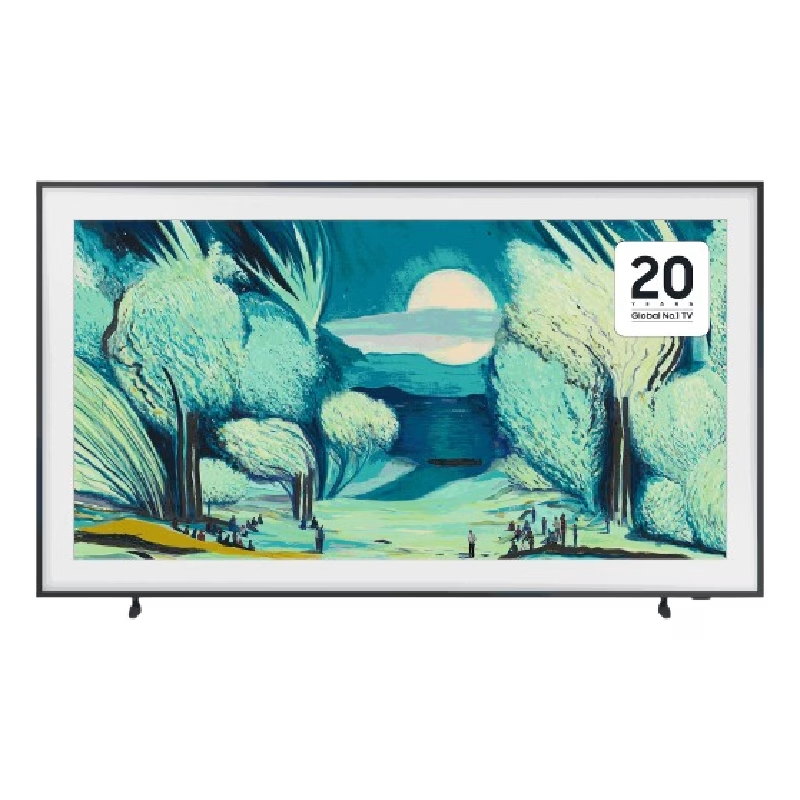
The Samsung 65″ Neo QLED QN70F 4K Vision AI Smart TV QA65QN70FAUXTW delivers a premium viewing experience with advanced Neo QLED technology. It produces bright, sharp, and highly detailed images with strong contrast, so movies, sports, and games look clear and immersive on the 65-inch screen. Neo QLED technology uses Quantum Mini LEDs to improve brightness control and contrast accuracy. As a result, dark scenes appear deeper while bright scenes stay vivid and balanced. This creates a more realistic picture across different types of content. Vision AI enhances picture and sound in real time. It analyzes each scene and automatically adjusts brightness, sharpness, and color. Therefore, the TV consistently delivers optimized visuals without manual settings. In addition, AI upscaling improves lower-resolution content closer to 4K quality for better clarity and detail. HDR support expands brightness range and color depth, making visuals more dynamic and lifelike. Fast motion handling also improves clarity, which enhances sports and action viewing. The Smart TV platform provides easy access to streaming apps, gaming features, and smart home controls. It runs smoothly and responds quickly when switching between apps. In addition, the slim design with thin bezels gives the Samsung 65 Neo QLED QN70F 4K Vision AI Smart TV QA65QN70FAUXTW a modern and premium appearance. Overall, this Samsung Neo QLED TV combines strong brightness performance, AI optimization, and smart connectivity for a powerful entertainment experience. Specifications: Neo QLED technology delivers bright, sharp, and detailed visuals 65-inch 4K display provides immersive viewing experience Vision AI enhances picture and sound automatically in real time HDR improves contrast, brightness, and color depth Smart TV platform supports apps, streaming, and smart features

Genuine-spec touchpad flex cable for MacBook Pro 15″ (Model A1707, 2016–2017)—restores full Force Touch functionality, haptic feedback, and precise multi-touch gesture control during trackpad repair or replacement. Compatible With: MacBook Pro 15″ (2016) – Model A1707 (Model Identifier: MacBookPro13,2) MacBook Pro 15″ (2017) – Model A1707 (Model Identifier: MacBookPro14,2) MacBook Pro 15″ (2016) – Model A1707 (Model Identifier: MacBookPro13,2) MacBook Pro 15″ (2017) – Model A1707 (Model Identifier: MacBookPro14,2) Part Type: Touchpad flex cable only — does not include the trackpad housing, Taptic Engine, or mounting hardware. This is the OEM-style ribbon cable that connects the trackpad to the logic board. Function: Transmits: Touch input coordinates Force Touch pressure data Haptic feedback signals to the Taptic Engine Enables full macOS gesture support: Force Click, three-finger lookup, swipe navigation, pinch-to-zoom, and smooth cursor tracking. Touch input coordinates Force Touch pressure data Haptic feedback signals to the Taptic Engine Enables full macOS gesture support: Force Click, three-finger lookup, swipe navigation, pinch-to-zoom, and smooth cursor tracking. OEM-Quality Build: Matches Apple’s original specifications in: Cable length and routing path Connector pitch and ZIF latch design EMI shielding and flex durability Cable length and routing path Connector pitch and ZIF latch design EMI shielding and flex durability Common Use Cases: Replacing a torn, creased, or liquid-damaged original flex cable Completing a trackpad replacement when the original cable is compromised Fixing intermittent trackpad behavior, loss of Force Touch, or complete unresponsiveness Replacing a torn, creased, or liquid-damaged original flex cable Completing a trackpad replacement when the original cable is compromised Fixing intermittent trackpad behavior, loss of Force Touch, or complete unresponsiveness Installation Note: Requires full bottom case removal and battery disconnection. Cable routes under internal components near the right speaker and logic board. Connects via a ZIF (Zero Insertion Force) socket—must be aligned carefully and latched gently. Recommended for experienced or certified technicians only. Requires full bottom case removal and battery disconnection. Cable routes under internal components near the right speaker and logic board. Connects via a ZIF (Zero Insertion Force) socket—must be aligned carefully and latched gently. Recommended for experienced or certified technicians only.
