
*Additional 8$ Delivery Fee Outside Beirut Due to The Packaging Size Are you searching for the perfect gaming chair? Look no further! The ThunderX3 EAZE Mesh Gaming Chair offers unmatched comfort and style for gamers. Its ergonomic design ensures you stay comfortable during long gaming sessions. Firstly, the ThunderX3 EAZE Mesh Gaming Chair features high-density foam. This provides excellent support and helps prevent discomfort. You can game for hours without feeling any strain on your body. Moreover, the chair’s breathable fabric keeps you cool. No more sweating during intense gaming moments. This feature is perfect for maintaining comfort, especially during long sessions. In addition to comfort, the ThunderX3 EAZE Mesh Gaming Chair boasts a stylish design. Its sleek lines and modern look make it a great addition to any gaming setup. Impress your friends with both your gaming skills and your taste in furniture. Furthermore, the chair is fully adjustable. You can customize the height, tilt, and armrests to fit your preferences. This ensures you find the perfect position for optimal gaming performance. Another key feature is its durability. Built with a strong frame, the ThunderX3 EAZE Gaming Chair is designed to last. You can trust this chair to withstand the demands of intense gaming. In conclusion, the ThunderX3 EAZE Mesh Gaming Chair combines comfort, style, and durability. It’s the ideal choice for gamers who value quality and performance. Upgrade your gaming setup today and experience the difference. Specifications: Armrest : 2D With Cushion Base : Steel, 350mm Recommended Weight : 125kg Product weight : 20.2kg

*Additional 8$ Delivery Fee Outside Beirut Due to The Packaging Size The Xigmatek Hairpin Blue Gaming Chair is designed to enhance your gaming experience with superior comfort and support. Whether you’re a casual gamer or a professional, this chair provides the perfect seating solution. With its ergonomic design, the Xigmatek Hairpin Gaming Chair supports your spine and reduces fatigue during extended gaming sessions. The adjustable lumbar support and headrest ensure personalized comfort for every gamer. The Xigmatek Hairpin Blue Gaming Chair features a high backrest and padded armrests, providing full-body support. The chair’s reclining function allows you to find the perfect angle for relaxation between games. Built with durable materials, this gaming chair is made to last. The sturdy metal frame and high-density foam padding ensure long-term use without compromising on comfort or style. The chair’s 360-degree swivel and smooth-rolling casters allow for easy movement and flexibility. Whether you need to reach for something or switch tasks, the Xigmatek Hairpin Gaming Chair makes it effortless. Experience the convenience of adjustable height and tilt mechanisms. Customize the chair’s settings to match your preferences and maintain a comfortable posture throughout your gaming sessions. The Xigmatek Hairpin Gaming Chair also boasts a sleek and stylish design. Its Blue color and modern aesthetics make it a perfect addition to any gaming setup or home office. In conclusion, the Xigmatek Hairpin Blue Gaming Chair offers a perfect blend of comfort, durability, and style. Upgrade your gaming setup with this chair and enjoy hours of gaming in ultimate comfort. Specifications: Adjustable Backrest : 90-180 Degree Base Type : 350mm Metal Base Armrest : 2D Adjustable PU Armrest Gas Lift : Class 4 Gas Lift (80mm) Weight Limit : 136Kg

The Samsung Odyssey G3 24″ 165Hz Gaming Monitor is designed for gamers who demand high performance. This monitor offers stunning visuals and smooth gameplay, making it ideal for competitive gaming. With its 24-inch display, the Samsung Odyssey G3 delivers crisp and clear images. The 165Hz refresh rate ensures fluid motion, reducing blur and enhancing your gaming experience. You’ll notice the difference in fast-paced games. The 1ms response time of the Samsung Odyssey G3 Gaming Monitor provides quick and accurate control. This feature is crucial for competitive gaming, where every millisecond counts. React faster and gain the edge over your opponents. The Full HD resolution of the Samsung Odyssey G3 offers vibrant and sharp visuals. Combined with AMD FreeSync technology, you can enjoy tear-free and stutter-free gaming. This results in a more immersive and enjoyable experience. The sleek and ergonomic design of the Samsung Odyssey G3 24″ Gaming Monitor ensures comfort during long gaming sessions. Its adjustable stand allows you to find the perfect viewing angle, reducing neck and eye strain. Connectivity is made easy with multiple input options, including HDMI and DisplayPort. This ensures compatibility with a wide range of devices, making the Samsung Odyssey G3 a versatile choice for your gaming setup. In conclusion, the Samsung Odyssey G3 24″ 165Hz Gaming Monitor is the perfect addition to any gamer’s arsenal. Enjoy stunning visuals, smooth performance, and a sleek design. Elevate your gaming experience today with the Samsung Odyssey G3. Specifications: Display : 24″ VA Resolution : 1,920 x 1,080 Refresh Rate : 165Hz Response Rate : 1ms MPRT

Genuine-spec touchpad flex cable for MacBook Pro 16″ (Model A2159, 2019, Intel)—essential for restoring full Force Touch functionality, haptic feedback, and precise trackpad responsiveness during repair or replacement. Compatible With: MacBook Pro 16-inch (2019, Model A2159) with Intel Core i7/i9 processors (Model Identifier: MacBookPro16,1). Part Type: Touchpad flex cable only—does not include the trackpad, Taptic Engine, or mounting hardware. This is the OEM-style ribbon cable that connects the trackpad to the logic board. Function: Transmits touch input, Force Touch pressure data, and haptic feedback signals—critical for macOS gestures (e.g., Force Click, three-finger swipe, pinch-to-zoom) and Taptic Engine operation. OEM-Quality Build: Matches Apple’s original flex circuit in length, connector pitch, shielding, and bend radius—ensures reliable signal integrity and durability under repeated use. Common Use Cases: Replacing a torn, frayed, or corroded original flex cable Completing a trackpad replacement when the original cable is damaged Fixing intermittent or unresponsive trackpad behavior caused by cable failure Replacing a torn, frayed, or corroded original flex cable Completing a trackpad replacement when the original cable is damaged Fixing intermittent or unresponsive trackpad behavior caused by cable failure Installation Note: Requires full bottom case removal and careful routing beneath the battery and logic board. Connectors use ZIF (Zero Insertion Force) sockets—must be properly aligned and latched without force. Recommended for certified or experienced technicians only.

Used, original 35 W USB-C charger for Mac — reliable Apple power adapter (dual USB-C) for charging your Mac and other devices. This is an authentic Apple 35 W USB-C power adapter (dual-port) — used but tested. It’s built to charge MacBooks, iPhones, iPads, and other USB-C devices. Though lower wattage than larger Mac adapters, it works well for light use or supplemental charging. Features & Behavior Dual USB-C ports: can charge two devices simultaneously Intelligent power distribution: if both ports are used, the output splits evenly (~17.5 W each) USB Power Delivery support across standard profiles (5V, 9V, 15V, 20V) Accepts input 100-240V AC, so usable worldwide (with correct plug) Compact form factor in one variant, or standard “duckhead” plug style in another Specifications Strengths & Limitations Pros Authentic Apple unit — safer and more reliable than generic chargers Dual ports give flexibility — charge phone + Mac concurrently Portable and suitable for travel (universal voltage) Cons 35 W is low for MacBook Pro under load — might not maintain charging during heavy use When both ports used, power is halved (~17.5 W each) Used condition may include wear, scuffs, or reduced efficiency

PCE M8-700 UPS (line-interactive) — 700 VA / 360 W backup unit for 220–240 V input. Protects PCs, routers, small electronics from outages and voltage swings. The PCE M8-700 is a line-interactive UPS designed for home or small office use. It provides backup power, voltage regulation (AVR), surge protection, and supports automatic switching during outages. Ideal for desktop PCs, network gear, monitors, or point-of-sale systems. Features & Capabilities Line-interactive topology: regulates input voltage without switching to battery when voltage fluctuates mildly. Automatic Voltage Regulation (AVR) to correct undervolt/overvolt conditions. Simulated (stepped) sine wave output in battery mode. Surge, overload, short circuit, discharge protections built in. Cold start capability (ability to power on from battery with no mains) LED + audible alarms for status (battery mode, overload, fault) USB / RS232 interface in some variants for power management (shutdown, monitoring) Technical Specifications What “Input 220–240 VAC, 50/60 Hz, 3.7 A” Means (and Caveats) If the specification you’re giving is “3.7 A” at input, that corresponds to a maximum input current draw when the UPS is handling a heavy load or during charging cycles. At 230 V × 3.7 A ≈ 850 W of input capacity. The unit’s 360 W output means there’s overhead for losses, inverter inefficiency, battery charging, etc. The UPS must operate within the stated voltage and frequency ranges — if input is too low or too high, it may switch to battery or go into protection mode.

Philips 221V8LB/67 22-inch Full HD monitor delivers clear and reliable performance for everyday computing. It focuses on sharp visuals, eye comfort, and simple connectivity for home and office use. Additionally, it features a 21.5-inch VA panel with Full HD resolution (1920 × 1080). This provides clear detail and strong contrast, so it improves readability and general viewing comfort. Moreover, it supports up to a 100Hz refresh rate (overclocked) with smooth visual output. As a result, it reduces flicker and makes scrolling and video playback more fluid. The monitor includes a 4ms response time (GtG). Therefore, it handles everyday motion smoothly for browsing, office work, and media use. In addition, it comes with Adaptive Sync support. This helps reduce screen tearing for more stable visuals during dynamic content. Furthermore, it includes LowBlue Mode and Flicker-Free technology. So it reduces eye strain during long hours of use. It also provides HDMI and VGA connectivity with a slim, tilt-adjustable design. This ensures compatibility with modern and older devices while keeping setup simple. Philips 221V8LB/67 22-inch Full HD monitor delivers reliable performance, comfortable viewing, and essential features for daily productivity. Specifications: 21.5-inch VA panel with Full HD 1920 × 1080 resolution Up to 100Hz refresh rate for smoother visuals 4ms GtG response time for stable motion Adaptive Sync support for reduced tearing LowBlue Mode and Flicker-Free eye comfort technology

Genuine-spec touchpad flex cable for MacBook Air 13″ (Model A1534, Early 2015)—essential for restoring full trackpad functionality, including precise cursor control and physical click response, during repair or replacement. Compatible With: MacBook Air 13-inch (Early 2015, Model A1534, Model Identifier MacBookAir7,2). Part Type: Touchpad flex cable only—does not include the trackpad housing, button mechanism, or mounting brackets. This is the ribbon cable that connects the trackpad to the logic board. Function: Carries input signals from the trackpad to the logic board—critical for cursor movement, tap-to-click, and primary/secondary physical click functionality. (Note: This model uses a physical click mechanism, not Force Touch—so no haptic feedback or pressure-sensing.) OEM-Quality Construction: Matches Apple’s original cable in length, connector type, and shielding—ensures reliable signal transmission and long-term durability. Common Use Cases: Replacing a torn, frayed, or damaged original flex cable Completing a trackpad replacement when the original cable is compromised Fixing erratic cursor movement, unresponsive trackpad, or loss of click function Replacing a torn, frayed, or damaged original flex cable Completing a trackpad replacement when the original cable is compromised Fixing erratic cursor movement, unresponsive trackpad, or loss of click function Installation Note: Requires bottom case removal and careful disconnect/reconnect of the ZIF (Zero Insertion Force) connector on the logic board. The cable routes under the battery—handle with care. Suitable for intermediate to advanced DIYers or technicians.

HUAWEI IdeaHub S3 IHS3-86SA is an 86-inch collaboration device designed for modern meeting spaces. It delivers 4K UHD visuals and a dual-lens camera with five-times zoom, ensuring every participant sees clearly. Furthermore, it supports interactive meetings with smart annotation and AI-powered tools. The display features infrared multi-touch with up to 32 touch points and 16ms latency. Therefore, handwriting and annotations respond naturally and smoothly. In addition, the D-LED 86-inch panel runs at 60Hz, offering vibrant and stable visuals for presentations and content sharing. Audio performance comes from a 24-microphone array and a 70W speaker system with 15-meter pickup. Consequently, everyone hears clearly even in large rooms. HarmonyOS runs natively, and you can integrate Windows via OPS for flexible usage. Moreover, the device provides smart whiteboard tools, AI Vision Engine, Smart Control 2.0, and 9-pane projection. These features make comparing materials effortless. In addition, connectivity options include Wi-Fi 6, Bluetooth, NFC, HDMI, USB, and Type-C ports, which allow seamless collaboration. As a result, HUAWEI IdeaHub S3 IHS3-86SA boosts productivity and engagement in professional environments. Specifications: 86-inch 4K UHD display with dual-lens 4K camera and 5x zoom Supports up to 32 touch points with 16ms latency 24-mic array and 70W speaker system with 15-meter pickup Smart whiteboard, AI Vision Engine, Smart Control 2.0, and 9-pane projection 8-core CPU, 12GB RAM, 128GB storage, Wi-Fi 6, Bluetooth, and NFC

The Lenovo V130 is powered by an Intel Core i5 7th Gen processor, paired with 8GB RAM and a fast 256GB SSD for smooth and reliable everyday performance. Designed for office work, study, and productivity, it features a simple, durable design and a clear 15.6-inch non-touch display for comfortable daily use.

The Lenovo Legion 24-10 23.8″ FHD Gaming Monitor 68C4GAC4EU is built for competitive gaming and smooth visual performance. It features a Full HD resolution with a fast refresh rate designed for esports titles and high-FPS gameplay. Additionally, its compact 23.8-inch size supports focused desk setups. This monitor delivers a 1920 × 1080 IPS display with a 240Hz refresh rate. Moreover, it includes a 0.5ms MPRT response time for reduced motion blur during fast scenes. The Lenovo Legion 24-10 supports 99% sRGB color coverage for consistent and accurate colors. Therefore, it works well for both gaming and general multimedia use. It also features wide 178° viewing angles for stable image quality from different positions. It includes AMD FreeSync Premium support to reduce screen tearing and stuttering. Additionally, it uses adaptive sync technology for smoother frame delivery in supported games. The Lenovo Legion 24-10 23.8″ FHD Gaming Monitor 68C4GAC4EU focuses on speed, responsiveness, and smooth gameplay for competitive users who need consistent high-refresh performance. Specifications: 23.8-inch Full HD (1920 × 1080) IPS display 240Hz refresh rate for smooth gaming performance 0.5ms MPRT response time for reduced motion blur 99% sRGB color gamut for accurate color reproduction AMD FreeSync Premium for tear-free gameplay

The HP Omen 24″ FHD 165Hz Gaming Monitor delivers clear, sharp visuals for gaming and everyday use. Its Full HD resolution shows crisp details in games, videos, and work. The 24-inch screen size offers a compact yet immersive view. This makes it easy to focus during intense gaming or tight spaces. Moreover, the HP Omen 24″ FHD 165Hz Gaming Monitor features a 165 Hz refresh rate. This higher refresh rate makes motion smoother and more fluid. Fast-paced games and action scenes look clean and sharp. This reduces blur and improves your reaction time. In addition, the monitor offers low response time for minimal input lag. This helps controls feel responsive and precise. It improves performance in competitive games and fast shooters. This makes every frame count when speed matters. Furthermore, the HP Omen 24″ FHD 165Hz Gaming Monitor uses a panel that provides good colors and contrast. Colors look vibrant and natural for gaming, movies, and everyday tasks. Also, the monitor comes with easy connectivity via HDMI and DisplayPort. You can connect consoles, PCs, or laptops easily. Setup is quick and simple without extra hassle. This makes it a versatile pick for different setups. The design of the HP Omen 24″ FHD 165Hz Gaming Monitor is clean and modern. The slim bezels give it a sleek look. The stand is sturdy and stable, fitting well on small desks. The form factor suits minimal and gaming-focused spaces. Overall, the HP Omen 24″ FHD 165Hz Gaming Monitor blends speed, clarity, and compactness in one strong gaming display. It enhances gameplay, offers sharp visuals, and stays responsive. This monitor is ideal for gamers who want performance and simplicity without a large footprint. Specifications: Display : 24″ IPS Resolution : 1920×1080 Refresh Rate : 165Hz Response Time : 1ms

The Lenovo Legion 27Q-10 27″ 2K 240Hz Gaming Monitor delivers crisp visuals with great detail for gaming and work. Its 2K resolution offers sharp images that make games, videos, and work look clear. The 27-inch display gives you enough space to enjoy immersive scenes and multitask comfortably. Moreover, the Lenovo Legion 27Q-10 27″ 2K 240Hz Gaming Monitor features a fast 240Hz refresh rate. This high refresh rate makes motion smooth and fluid. Fast scenes, competitive matches, and rapid movements look clean and responsive. This helps you react quicker and play better. In addition, the monitor uses a panel that shows bright, accurate colors across wide viewing angles. Colors stay consistent whether you view from the center or an angle. This makes games, media, and creative work feel vivid and natural. It improves both gameplay and content display. Furthermore, the Lenovo Legion 27Q-10 27″ 2K 240Hz Gaming Monitor has low input lag for quick response. Controls feel sharp and precise. This enhances gameplay performance, especially in competitive games. It also helps with editing or design tasks that need accuracy. Also, the monitor includes eye-care features to reduce strain during long use sessions. Flicker-free technology reduces flicker, and a blue light filter gives extra comfort. This protects your eyes during long gaming or work periods. This makes the monitor ideal for long sessions. The design of the Lenovo Legion 27Q-10 27″ 2K 240Hz Gaming Monitor is sleek and modern. The thin bezels give it a clean, minimalist look. The stand is strong and stable. It fits well in gaming rooms, workspaces, or creative desks. Overall, the Lenovo Legion 27Q-10 27″ 2K 240Hz Gaming Monitor combines clarity, speed, and comfort for gaming and productivity. It improves performance, visuals, and long-term comfort. This monitor is perfect for gamers, creators, and professionals seeking quality and speed. Specifications: Display : 27″ IPS Resolution : 2560x1440p Refresh Rate : 240Hz Response Time : 0.5ms

The ViewSonic TD1630-3 16″ Touch Screen Monitor offers smooth touch control in a compact and modern design. It provides clear HD visuals for work and entertainment. The screen shows bright colors and sharp details. This makes browsing, drawing, and viewing content more enjoyable. Moreover, the ViewSonic TD1630-3 16″ Touch Screen Monitor supports 10-point multi-touch. You can tap, pinch, and swipe with fast response. The touch experience feels natural and smooth. This helps you work faster and more comfortably. In addition, the monitor includes HDMI and VGA connections. These ports make setup quick and simple. You can connect laptops, desktops, and other devices with ease. This gives you strong flexibility for daily use. Furthermore, the ViewSonic TD1630-3 16″ Touch Screen Monitor features a durable stand. You can tilt the screen for better viewing angles. This helps reduce strain during long use. The strong design keeps the monitor stable on your desk. Also, the monitor includes built-in speakers for easy audio playback. You can watch videos, join meetings, or listen to music without extra devices. This makes the monitor more convenient and practical. The compact size of the ViewSonic TD1630-3 16″ Touch Screen Monitor fits small desks and workspaces. It works well in homes, offices, shops, and reception areas. The clean design blends nicely with modern setups. This makes it suitable for many environments. Overall, the ViewSonic TD1630-3 16″ Touch Screen Monitor offers responsive touch control, clear visuals, and simple connectivity. It improves productivity and enhances entertainment. It is ideal for students, professionals, and businesses that need a reliable touch display. Specifications: Display : 16″ TN Resolution : 1366×768 Refresh Rate : 60Hz Response Time : 12ms

The Deadskull PlaySeat Racing Simulator offers immersive, authentic racing seat quality for gaming enthusiasts. It is engineered with input from professional racing drivers for realistic driving posture. Moreover, it uses premium Alcantara upholstery, like actual racing car seats, for comfort and durability. Also, it supports all major platforms: PlayStation, Xbox, Nintendo Switch, PC, and Mac systems. In addition, the steel frame is fully adjustable to suit different heights and preferences. Besides that, Deadskull offers a patented foldable design that saves space when not in use. Furthermore, it is quick and easy to assemble with included tools and instructions. It accommodates drivers from 120 to 220 cm tall and weights between 20 to 122 kg. Also, seat dimensions are 130 × 50 × 98 cm, and it weighs around 19.8 kg. While wheel and pedals are sold separately, the rig supports popular brands like Logitech and Thrustmaster. Then, you can fold it away easily after a session and free up room. Also, it suits both kids and adults for shared use in a household. Furthermore, its black frame offers a sleek and professional aesthetic. Consequently, it enhances realism and immersion in sim racing setups. As a result, the Deadskull PlaySeat is an ideal entry-level rig for serious sim racers. In conclusion, it balances comfort, flexibility, and realism for its price category. Finally, it makes a solid stepping‑stone for gamers entering the world of sim racing.

WiWU Pilot Backpack 15.6 inch Travelling Polyester Laptop Business School Travelling Backpack WiWU Pilot Backpack 15.6 inch Travelling Polyester Laptop Business School Travelling Backpack

Are you in search of a gaming monitor that takes your gaming experience to the next level? Look no further than the Samsung 32″ 165Hz Gaming Monitor. This monitor is packed with features that deliver smooth gameplay and stunning visuals, making it the perfect choice for gamers. Transitioning to its core, the Samsung Gaming Monitor boasts a high refresh rate of 165Hz, ensuring fluid motion and reduced screen tearing for an ultra-smooth gaming experience. Whether you’re playing fast-paced action games or immersing yourself in the latest AAA titles, this monitor keeps up with the action without missing a beat. Its 32-inch display provides ample screen real estate for immersive gaming sessions. With vibrant colors and crisp details, every game comes to life on this monitor, pulling you into the heart of the action. Furthermore, the Samsung 32″ 165Hz Gaming Monitor features a sleek and modern design that complements any gaming setup. With slim bezels and a minimalist aesthetic, this monitor not only enhances your gaming experience but also adds a touch of style to your gaming rig. Connectivity is key, and this monitor offers a range of ports including HDMI and DisplayPort, allowing you to connect to your gaming PC, console, and other devices with ease. Whether you’re gaming solo or with friends, stay connected and ready to play at a moment’s notice. In summary, the Samsung 32″ 165Hz Gaming Monitor is the ultimate choice for gamers seeking high performance and immersive visuals. Upgrade your gaming setup today and experience gaming like never before with this top-of-the-line monitor. Specifications: Display : 32″ IPS Resolution : 2,560 x 1,440 Refresh Rate : 165Hz Response Rate : 1ms (GTG)

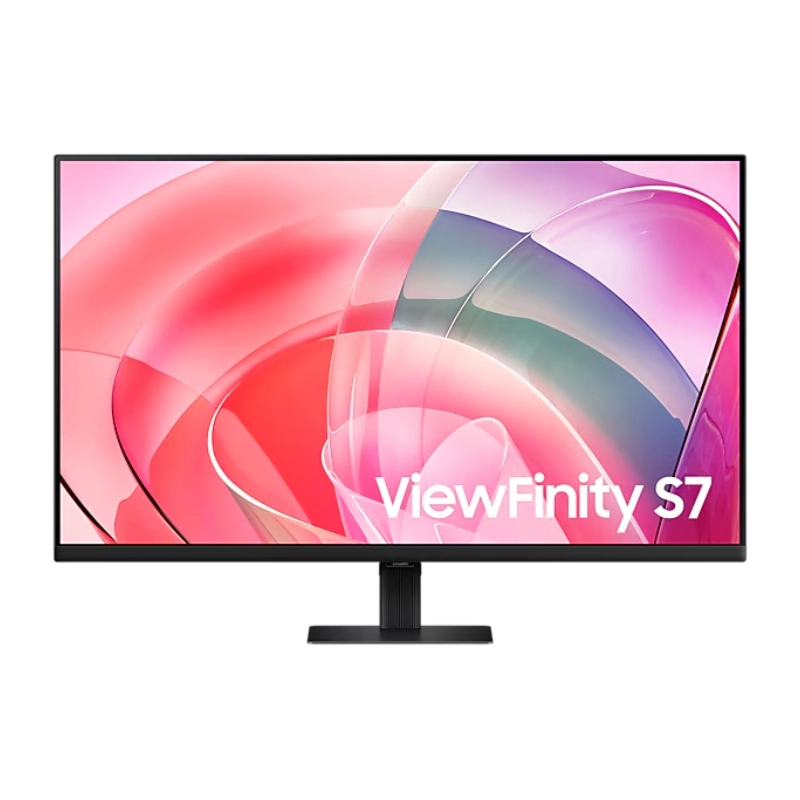
Samsung Monitor 27″ FHD monitor with IPS panel Screen Size (Class)27 Active Display Size (HxV) (mm)596.736 x 335.664 Aspect Ratio16:9 Panel TypeIPS Brightness (Typical)400 cd/㎡ Brightness (Min)320 cd/㎡ Contrast Ratio Static1,000:1(Typ.) Dynamic Contrast RatioMega ∞ DCR HDR(High Dynamic Range)HDR10 Resolution1,920 x 1,080 Response Time1ms (GTG) Viewing Angle (H/V)178°/178° Color SupportedMax 16.7M sRGB Coverage99% Refresh RateMax 240Hz General Feature Eco Saving PlusYes Eco Light SensorYes Eye Saver ModeYes Flicker FreeYes Windows CertificationWindows 10 FreeSyncFreeSync Premium G-SyncG-Sync Compatible Off Timer PlusYes Black EqualizerYes Low Input Lag ModeYes Virtual AIM PointYes Refresh Rate OptimizorYes Specifications: Samsung Monitor 27″ FHD monitor with IPS panel Screen Size (Class)27 Flat / CurvedFlat Active Display Size (HxV) (mm)596.736 x 335.664 Aspect Ratio16:9 Panel TypeIPS Brightness (Typical)400 cd/㎡ 3-Year Warranty

The Lenovo ThinkVision S27-4e 27″ 100Hz FHD Business Monitor is designed for work, study, and daily tasks. It offers a clean display with smooth motion for a comfortable viewing experience. This monitor is ideal for offices, home setups, and professional environments. With its 27-inch FHD panel, the Lenovo ThinkVision S27-4e 27″ 100Hz FHD Business Monitor delivers sharp and vibrant visuals. Text appears clear, and colors look natural. Therefore, it helps reduce eye strain during long hours of work. The 100Hz refresh rate makes movement on the screen smoother than standard 60Hz monitors. This is especially helpful for scrolling, video playback, and light gaming. As a result, your workflow feels more fluid and responsive. The Lenovo ThinkVision S27-4e 27″ 100Hz FHD Business Monitor also features slim bezels for a modern and clean look. This design allows for a more immersive view and makes it perfect for dual-monitor setups. Its adjustable tilt stand helps you find the right angle for better comfort. Additionally, the monitor uses energy-efficient technology to reduce power usage. This makes it a smart choice for businesses and home offices. Connectivity options include HDMI and VGA for easy pairing with laptops and desktops. You can connect it quickly without any extra adapters. This adds convenience and flexibility to your workspace. In conclusion, the Lenovo ThinkVision S27-4e 27″ 100Hz FHD Business Monitor offers smooth performance, clear visuals, and a professional design. It is a reliable display for productivity and everyday use. Specifications: Display : 27″ IPS Resolution : FHD Refresh Rate : 100Hz Response Time : 4ms GtG

Genuine Apple sleep/wake sensor flex cable (Hall effect sensor) for MacBook Air 13.6″ (Model A2681, 2022, M2)—ensures automatic display sleep when the lid is closed and wake-on-open functionality. OEM part number 821-04129-02. Compatible With: MacBook Air 13.6-inch (2022, Model A2681) with Apple M2 chip (all colors: Silver, Space Gray, Starlight, Midnight). Apple Part Number: 821-04129-02 (exact OEM service part). Function: Contains the Hall effect sensor that detects the magnet in the MacBook Air’s display lid. This allows macOS to: Sleep the system when the lid is closed Wake instantly when opened Prevent false sleep/wake events during use Sleep the system when the lid is closed Wake instantly when opened Prevent false sleep/wake events during use Location: Mounted near the right side of the keyboard, adjacent to the battery and logic board. Common Failure Symptoms: MacBook doesn’t sleep when lid is closed MacBook wakes randomly in a bag “Lid closed” not recognized in macOS Requires manual sleep or power button use MacBook doesn’t sleep when lid is closed MacBook wakes randomly in a bag “Lid closed” not recognized in macOS Requires manual sleep or power button use Part Type: Flex cable with integrated Hall sensor—not just a cable, but a calibrated magnetic sensor module. Installation Note: Requires full bottom case removal and careful disconnection of the battery. The sensor is adhered near the I/O area—do not bend or puncture. Recommended for experienced technicians.
