
A dependable pre-owned Dell Latitude 5490 with 14" display, 8th Gen Core i5, 16GB RAM, and 512GB SSD—offering strong performance, enterprise security, and durability for business and professional use.

Replacement Audio Board with IPD Cable for MacBook Air M1 2020 (A2337). Compatible with part numbers 820-01929-A, 821-03452-A, 923-03672, 923-03663, and more. Ideal for fixing audio issues, headphone jack problems, or sound board failures. The Audio Board with IPD Cable for MacBook Air (M1, 2020) is a high-quality replacement spare part designed to restore proper sound functionality on MacBook Air A2337 models. If your MacBook is experiencing no sound output, headphone jack issues, distorted audio, or audio board failure, this replacement board provides a reliable solution. It includes the required IPD cable for proper installation and connection, making it ideal for professional repairs and technician use. Replacement Audio Board + IPD Cable for MacBook Air M1 Fixes audio issues such as no sound, headphone jack failure, or audio distortion Includes IPD cable for correct connection and repair High-quality build for stable and long-term performance Ideal for technicians, repair shops, and spare part replacement Compatible with multiple Apple part numbers for easy matching ✔ MacBook Air (M1, 2020) A2337 Compatible only with MacBook Air A2337 (M1, 2020). Please match your device model and part number before ordering to ensure correct fit.

Gaming-optimized in-ear headphones in bold red, featuring a built-in microphone, tangle-free flat cable, and signature HyperX comfort—designed for mobile gaming, console use, and on-the-go communication. Model: HyperX Cloud Earbuds (Red Edition) Color: Vibrant Red earbuds with matching red cable accents Type: In-ear headphones with integrated microphone Designed For: Mobile gaming (iOS/Android), Nintendo Switch, PC, and everyday use Key Features: Built-in Microphone: Clear voice pickup for in-game chat, calls, and voice commands Tangle-Free Flat Cable: Durable, lightweight, and resistant to knots Ergonomic Fit: Includes 3 sizes of silicone ear tips (S/M/L) for secure, comfortable wear Universal 3.5mm Jack: Compatible with any device with a standard headphone/mic combo port Works with Nintendo Switch, PC, smartphones, tablets, and more Gaming-Grade Audio: Tuned for immersive sound with enhanced bass and vocal clarity In-Line Controls: Convenient mic mute and call answer/end button Built-in Microphone: Clear voice pickup for in-game chat, calls, and voice commands Tangle-Free Flat Cable: Durable, lightweight, and resistant to knots Ergonomic Fit: Includes 3 sizes of silicone ear tips (S/M/L) for secure, comfortable wear Universal 3.5mm Jack: Compatible with any device with a standard headphone/mic combo port Works with Nintendo Switch, PC, smartphones, tablets, and more Works with Nintendo Switch, PC, smartphones, tablets, and more Gaming-Grade Audio: Tuned for immersive sound with enhanced bass and vocal clarity In-Line Controls: Convenient mic mute and call answer/end button Technical Specifications: Driver Size: 14.2 mm Frequency Response: 20 Hz – 20 kHz Impedance: 60 Ω Sensitivity: 100 dB Cable Length: 1.2 m (3.9 ft) Connector: 3.5mm 4-pole (CTIA standard) Driver Size: 14.2 mm Frequency Response: 20 Hz – 20 kHz Impedance: 60 Ω Sensitivity: 100 dB Cable Length: 1.2 m (3.9 ft) Connector: 3.5mm 4-pole (CTIA standard) What’s in the Box: HyperX Cloud Earbuds (Red) 3 pairs of silicone ear tips (S/M/L) Carrying pouch Quick start guide HyperX Cloud Earbuds (Red) 3 pairs of silicone ear tips (S/M/L) Carrying pouch Quick start guide Ideal For: Mobile gamers (PUBG Mobile, Call of Duty, Fortnite, etc.) Nintendo Switch players Commuters and students needing compact, durable audio Gamers seeking console-compatible audio with mic support Mobile gamers (PUBG Mobile, Call of Duty, Fortnite, etc.) Nintendo Switch players Commuters and students needing compact, durable audio Gamers seeking console-compatible audio with mic support

WiWU Durable USB C to Type C PD 60W Fast Charging Cable for Mobile Phone Laptop Tablet

Experience flagship performance with this pre-owned ThinkPad E14 Gen 2. Driven by an 11th Gen Intel Core i7 processor, 16GB RAM, and a 512GB NVMe SSD, this 14-inch laptop delivers high-speed responsiveness and modern features like Thunderbolt 4 for the ultimate professional setup.

MacBook Pro 13″ Keyboard Replacement/Compatible for Apple MacBook Pro A1708 Color :- Black, Layout :- US Apple MacBook Pro A1708 Keyboard is a high quality replacement keyboard which is perfect for replacing your old and broken laptop keyboard. Before you order,Please firstly compare the picture with your keyboard, especially the ribbon cable (position, length and width). Make sure that the model of laptop and part number of keyboard is the right one you need as well as the layout version.

LB-LINK BL-WN510BT – Compact USB Bluetooth 5.1 adapter with up to 20m range and support for multiple device types.Ideal for connecting headsets, gamepads, and more to PCs with strong, stable wireless performance. Model: LB-LINK BL-WN510BT Bluetooth Version: Bluetooth 5.1 (backward compatible with 5.0/4.2/4.0/3.0/2.0) Interface: USB 2.0 (Plug-and-Play) Operating Range: Up to 20 meters (unobstructed) Data Transfer Rate: Up to 3 Mbps Supported Profiles: A2DP, HSP, HFP, AVRCP, HID, PAN, FTP, SPP, etc. OS Compatibility: Windows 7 / 8 / 8.1 / 10 / 11 (Driver may be required for Win 7) Not natively compatible with macOS or Linux OS Compatibility: Windows 7 / 8 / 8.1 / 10 / 11 (Driver may be required for Win 7) Not natively compatible with macOS or Linux Functions: Enables PC or laptop Bluetooth connection with headsets, keyboards, mice, speakers, gamepads, printers, etc. Supports dual-mode Bluetooth (BR/EDR and LE) Functions: Enables PC or laptop Bluetooth connection with headsets, keyboards, mice, speakers, gamepads, printers, etc. Supports dual-mode Bluetooth (BR/EDR and LE) Power Consumption: Low Energy (LE) support for improved efficiency Security: Enhanced encryption and pairing features for secure connections Size: Ultra-compact nano design Weight: Less than 5g Plug & Play: Driver-free on Windows 10 and 11

MLT-D111S MLT-D111L Toner Cartridge Replacement for Samsung 111S MLTD111L for Xpress SL-M2020W SL-M2070FW SL-M2070W M2020 M2024W M2026W M2070 Laser Printer (Black, 1-Pack)

Fast-charging feature available on select iPhone and iPad models.

Laptop Charger for HP 90W 19.5V 4.62A (Blue Tip) Pavilion 17 15-E 17-E 14-E 15-AK Series Touchsmart Sleekbook M6-K M7-J 17-J M6 M7 709986-004 709986-002 753560-001 710413-001 PPP012D-S AC Adapter

WiWU Pioneer Pro Handbag – Stylish, waterproof laptop bag with soft-lined padded interior and reinforced corners.Ideal for 14″ and 15.6″ laptops, offering excellent protection, comfort, and everyday utility. Model: WiWU Pioneer Pro Sizes: Designed for both 14″ and 15.6″ laptops Material: Durable, water-resistant polyester exterior Interior: Faux-fur lining with thick anti-shock padding Protection: 360° corner reinforcement for enhanced drop resistance Compartments: Main padded laptop section Zippered front organizer for cables, mouse, notebook, and accessories Compartments: Main padded laptop section Zippered front organizer for cables, mouse, notebook, and accessories Carry Options: Top retractable waterproof TPU handle Adjustable and removable shoulder strap Luggage trolley strap on the back Carry Options: Top retractable waterproof TPU handle Adjustable and removable shoulder strap Luggage trolley strap on the back Zippers: High-quality YKK zippers for smooth operation Design: Slim profile, minimalist look, available in Black and Gray Suitable for: Business, school, travel, and daily professional use

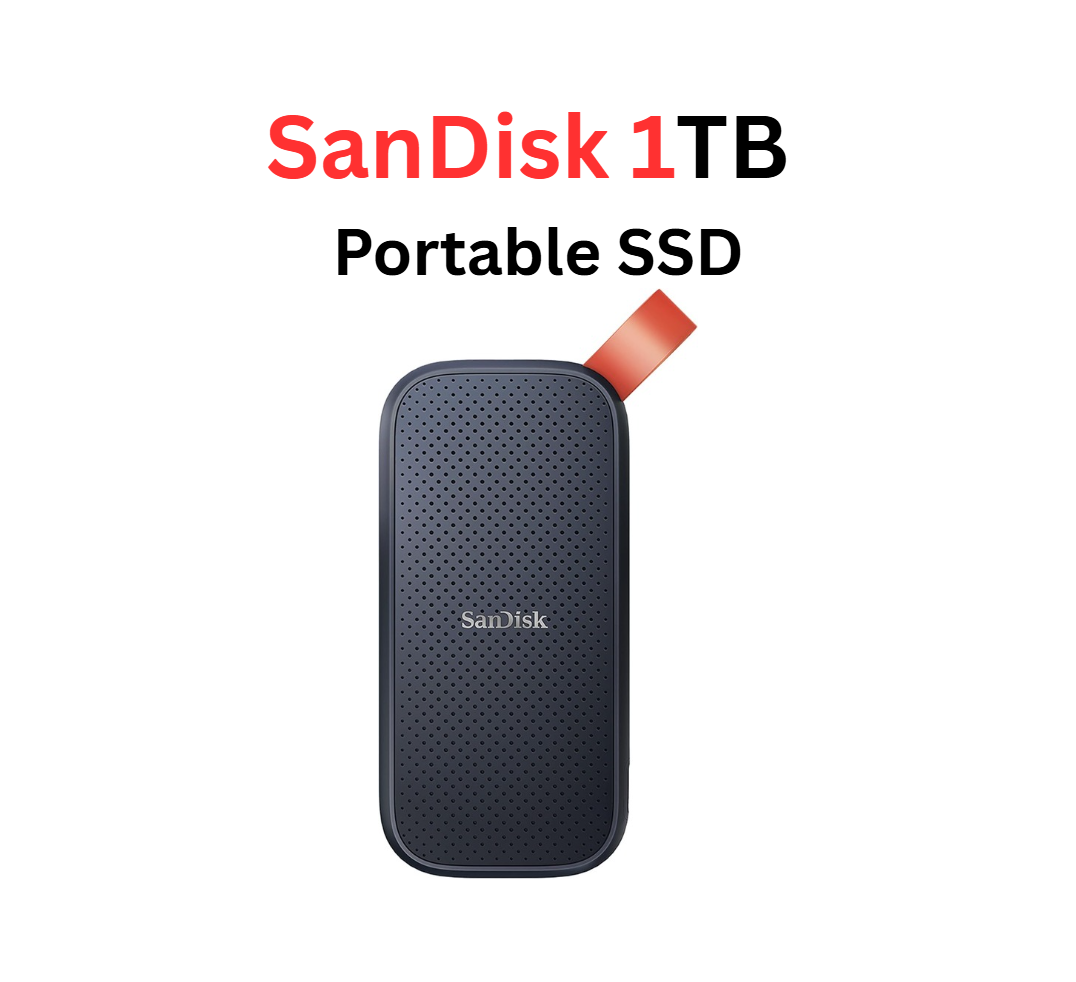
SanDisk 1TB Portable SSD - Up to 800MB/s, USB-C, USB 3.2 Gen 2, Updated Firmware - External Solid State Drive - SDSSDE30-1T00-326 SanDisk 1TB Portable SSD – Up to 800MB/s, USB-C, USB 3.2 Gen 2, Updated Firmware – External Solid State Drive – SDSSDE30-1T00-326 About this item Solid state performance with up to 800MB/s read speeds in a portable drive. (Based on internal testing; performance may be lower depending on host device, interface, usage conditions, and other factors. 1 MB = 1,000,000 bytes.) Back up your content and memories on a storage solution that fits seamlessly into your mobile lifestyle. Take it with you on your adventures—up to a two-meter drop, protection means this durable drive can take a beating. (Based on internal testing.) Secure it to your belt loop or backpack for extra peace of mind thanks to the tough rubber hook. From SanDisk, a brand professional photographers trust to take on assignments.

Genuine-spec touchpad flex cable for MacBook Pro 16″ (Model A2141, 2019, Intel)—essential for restoring full Force Touch functionality, haptic feedback, and precise multi-touch gesture control during trackpad repair or replacement. Compatible With: MacBook Pro 16-inch (2019, Model A2141) with Intel Core i7/i9 processors (Model Identifier: MacBookPro16,1) (Note: A2141 is the non-base configuration of the 2019 16″ MacBook Pro—typically higher-end Intel models.) Part Type: Touchpad flex cable only—does not include the trackpad housing, Taptic Engine, or mounting hardware. This is the OEM-style ribbon cable that connects the trackpad to the logic board. Function: Transmits touch coordinates, Force Touch pressure data, and haptic feedback signals—critical for macOS gestures (e.g., Force Click, three-finger lookup, pinch-to-zoom) and Taptic Engine responsiveness. OEM-Quality Construction: Replicated to Apple’s exact specifications—including cable length, connector pitch, EMI shielding, and bend radius—ensuring reliable signal integrity and long-term durability. Common Use Cases: Replacing a torn, creased, or liquid-damaged original flex cable Completing a trackpad replacement when the original cable is compromised Fixing intermittent trackpad behavior, loss of Force Touch, or complete unresponsiveness Replacing a torn, creased, or liquid-damaged original flex cable Completing a trackpad replacement when the original cable is compromised Fixing intermittent trackpad behavior, loss of Force Touch, or complete unresponsiveness Installation Note: Requires full disassembly of the bottom case, speaker removal, and careful routing beneath the battery and logic board. Connectors use ZIF (Zero Insertion Force) sockets—must be aligned and latched gently. Recommended for certified or professional repair technicians only. Important: This is flex cable only—not a complete trackpad assembly. Must be used with the original or compatible A2141 trackpad and Taptic Engine. Not compatible with M1 MacBook Pro 16″ (A2485), 14″ models (A2442), or any MacBook Air. This is flex cable only—not a complete trackpad assembly. Must be used with the original or compatible A2141 trackpad and Taptic Engine. Not compatible with M1 MacBook Pro 16″ (A2485), 14″ models (A2442), or any MacBook Air. Model Verification: Confirm your device is MacBook Pro A2141 (16″, 2019, Intel) via > About This Mac > Model Identifier (should read MacBookPro16,1).

HP 135W Multifunction Laser Print Speed: Fast and efficient printing with 20ppm. Printing Technology: Utilizes laser printing technology for precise and professional-quality documents. Multifunction Capability: All-in-one functionality for printing, scanning, and copying needs. Connectivity Options: Offers both wired and wireless connectivity options for versatile use. Compact Design: Space-saving design ideal for home offices and small workspaces. User-Friendly Interface: Easy-to-use interface for seamless operation. Energy Efficiency: Designed with energy-saving features to promote sustainability. Ideal for Home and Small Offices: Tailored for users seeking a compact and capable solution for their printing needs. Click for more info

Genuine-spec touchpad flex cable for MacBook Pro 15″ (Model A1706 – 2017 and A1989 – 2018/2019)—restores full Force Touch functionality, haptic feedback, and precise multi-touch gesture control during trackpad repair or replacement. Compatible With: MacBook Pro 15″ (2017) – Model A1706 (Model Identifier: MacBookPro14,3) MacBook Pro 15″ (2018–2019) – Model A1989 (Model Identifier: MacBookPro15,2) ✅ Note: Apple used the same trackpad assembly and flex cable across both A1706 and A1989 15″ models—making this part interchangeable between them. MacBook Pro 15″ (2017) – Model A1706 (Model Identifier: MacBookPro14,3) MacBook Pro 15″ (2018–2019) – Model A1989 (Model Identifier: MacBookPro15,2) ✅ Note: Apple used the same trackpad assembly and flex cable across both A1706 and A1989 15″ models—making this part interchangeable between them. ✅ Note: Apple used the same trackpad assembly and flex cable across both A1706 and A1989 15″ models—making this part interchangeable between them. Part Type: Touchpad flex cable only — does not include the trackpad housing, Taptic Engine, or mounting hardware. This is the OEM-style ribbon cable connecting the trackpad to the logic board. Function: Transmits: Touch input coordinates Force Touch pressure data Haptic feedback signals to the Taptic Engine Enables full macOS gesture support: Force Click, three-finger lookup, swipe navigation, pinch-to-zoom, and smooth cursor tracking. Touch input coordinates Force Touch pressure data Haptic feedback signals to the Taptic Engine Enables full macOS gesture support: Force Click, three-finger lookup, swipe navigation, pinch-to-zoom, and smooth cursor tracking. OEM-Quality Build: Matches Apple’s original in: Cable length and routing Connector pitch and ZIF latch design EMI shielding and flex durability Cable length and routing Connector pitch and ZIF latch design EMI shielding and flex durability Common Use Cases: Replacing a torn, creased, or liquid-damaged original flex cable Completing a trackpad replacement when the original cable is compromised Fixing intermittent trackpad behavior, loss of Force Touch, or complete unresponsiveness Replacing a torn, creased, or liquid-damaged original flex cable Completing a trackpad replacement when the original cable is compromised Fixing intermittent trackpad behavior, loss of Force Touch, or complete unresponsiveness Installation Note: Requires full bottom case removal and battery disconnection. Cable routes under internal components near the right speaker and logic board. Connects via a ZIF (Zero Insertion Force) socket—must be aligned carefully and latched gently. Recommended for experienced or certified technicians only. Requires full bottom case removal and battery disconnection. Cable routes under internal components near the right speaker and logic board. Connects via a ZIF (Zero Insertion Force) socket—must be aligned carefully and latched gently. Recommended for experienced or certified technicians only.

The 45W MagSafe 2 Power Adapter features a magnetic DC connector so if someone should trip over it, the cord disconnects harmlessly and your MacBook Air stays put safely. It also helps prevent fraying or weakening of the cables over time. In addition, the magnetic DC helps guide the plug into the system for a quick and secure connection. The 45W MagSafe 2 Power Adapter features a magnetic DC connector so if someone should trip over it, the cord disconnects harmlessly and your MacBook Air stays put safely. It also helps prevent fraying or weakening of the cables over time. In addition, the magnetic DC helps guide the plug into the system for a quick and secure connection. When the connection is secure, an LED located at the head of the DC connector lights up; an amber light lets you know that your notebook is charging, while a green light tells you that you have a full charge. An AC cord is provided with the adapter for maximum cord length, while the AC wall adapter (also provided) gives you an even easier and more compact way to travel. Designed to be the perfect traveling companion, the adapter has a clever design which allows the DC cable to be wound neatly around itself for easy cable storage. This power adapter recharges the lithium polymer battery while the system is off, on, or in sleep mode. It also powers the system if you choose to operate without a battery. Compatible only with MacBook Air featuring MagSafe 2 power port. Knowing which specific Mac model you have is important. If you are running OS X Lion (10.7) or later go to the “” menu at the top left of your screen, choose “About this Mac” then click the “More Info…” button. Your Mac model and generation will be displayed. If you are running an earlier version of OS X, you can enter your serial number here to find out which model you have. Mac Models MacBook Air (13-inch, Early 2015 – 2017) MacBook Air (11-inch, Early 2015)

Feature Specification Packaging and Delivery Details Power Source Battery Selling Units Single item Number of Loudspeaker Enclosure 1 Single package size 19X22X10 cm Cabinet Material Plastic Single gross weight 0.600 kg Display Screen NO Built-in Microphone NO Brand Name Remax Model Number RB-X1 Remax Worldwide Store 9300+ Remax Support Video to see the product and testing Product Name Outdoor Wireless Speaker Color Black Logo Accept Customized Logo Intelligent Personal Assistant None

Genuine-spec touchpad flex cable for MacBook Pro 15″ (Model A2941, 2023, Apple M2)—restores full Force Touch functionality, haptic feedback, and precise multi-touch gesture control during trackpad repair or replacement. Compatible With: MacBook Pro 15-inch (2023, Model A2941) with Apple M2 chip (Model Identifier: MacBookPro19,1) Part Type: Touchpad flex cable only — does not include the trackpad housing, Taptic Engine, or mounting hardware. This is the OEM-style ribbon cable that connects the trackpad to the logic board. Function: Transmits: Touch input coordinates Force Touch pressure data Haptic feedback signals to the Taptic Engine Enables full macOS gesture support: Force Click, three-finger lookup, swipe navigation, pinch-to-zoom, and smooth cursor tracking. Touch input coordinates Force Touch pressure data Haptic feedback signals to the Taptic Engine Enables full macOS gesture support: Force Click, three-finger lookup, swipe navigation, pinch-to-zoom, and smooth cursor tracking. OEM-Quality Build: Matches Apple’s original specifications in: Cable length and routing path Connector pitch and ZIF latch design EMI shielding and flex durability Cable length and routing path Connector pitch and ZIF latch design EMI shielding and flex durability Common Use Cases: Replacing a torn, creased, or liquid-damaged original flex cable Completing a trackpad replacement when the original cable is compromised Fixing intermittent trackpad behavior, loss of Force Touch, or complete unresponsiveness Replacing a torn, creased, or liquid-damaged original flex cable Completing a trackpad replacement when the original cable is compromised Fixing intermittent trackpad behavior, loss of Force Touch, or complete unresponsiveness Installation Note: Requires full bottom case removal and battery disconnection. Cable routes under internal components near the right speaker and logic board. Connects via a ZIF (Zero Insertion Force) socket—must be aligned carefully and latched gently. Recommended for experienced or certified technicians only. Requires full bottom case removal and battery disconnection. Cable routes under internal components near the right speaker and logic board. Connects via a ZIF (Zero Insertion Force) socket—must be aligned carefully and latched gently. Recommended for experienced or certified technicians only.

Genuine Apple sleep/wake sensor flex cable (Hall effect sensor) for MacBook Air 13.6″ (Model A2681, 2022, M2)—ensures automatic display sleep when the lid is closed and wake-on-open functionality. OEM part number 821-04129-02. Compatible With: MacBook Air 13.6-inch (2022, Model A2681) with Apple M2 chip (all colors: Silver, Space Gray, Starlight, Midnight). Apple Part Number: 821-04129-02 (exact OEM service part). Function: Contains the Hall effect sensor that detects the magnet in the MacBook Air’s display lid. This allows macOS to: Sleep the system when the lid is closed Wake instantly when opened Prevent false sleep/wake events during use Sleep the system when the lid is closed Wake instantly when opened Prevent false sleep/wake events during use Location: Mounted near the right side of the keyboard, adjacent to the battery and logic board. Common Failure Symptoms: MacBook doesn’t sleep when lid is closed MacBook wakes randomly in a bag “Lid closed” not recognized in macOS Requires manual sleep or power button use MacBook doesn’t sleep when lid is closed MacBook wakes randomly in a bag “Lid closed” not recognized in macOS Requires manual sleep or power button use Part Type: Flex cable with integrated Hall sensor—not just a cable, but a calibrated magnetic sensor module. Installation Note: Requires full bottom case removal and careful disconnection of the battery. The sensor is adhered near the I/O area—do not bend or puncture. Recommended for experienced technicians.

