
Genuine-spec touchpad flex cable for MacBook Pro 15″ (Model A1707, 2016–2017)—restores full Force Touch functionality, haptic feedback, and precise multi-touch gesture control during trackpad repair or replacement. Compatible With: MacBook Pro 15″ (2016) – Model A1707 (Model Identifier: MacBookPro13,2) MacBook Pro 15″ (2017) – Model A1707 (Model Identifier: MacBookPro14,2) MacBook Pro 15″ (2016) – Model A1707 (Model Identifier: MacBookPro13,2) MacBook Pro 15″ (2017) – Model A1707 (Model Identifier: MacBookPro14,2) Part Type: Touchpad flex cable only — does not include the trackpad housing, Taptic Engine, or mounting hardware. This is the OEM-style ribbon cable that connects the trackpad to the logic board. Function: Transmits: Touch input coordinates Force Touch pressure data Haptic feedback signals to the Taptic Engine Enables full macOS gesture support: Force Click, three-finger lookup, swipe navigation, pinch-to-zoom, and smooth cursor tracking. Touch input coordinates Force Touch pressure data Haptic feedback signals to the Taptic Engine Enables full macOS gesture support: Force Click, three-finger lookup, swipe navigation, pinch-to-zoom, and smooth cursor tracking. OEM-Quality Build: Matches Apple’s original specifications in: Cable length and routing path Connector pitch and ZIF latch design EMI shielding and flex durability Cable length and routing path Connector pitch and ZIF latch design EMI shielding and flex durability Common Use Cases: Replacing a torn, creased, or liquid-damaged original flex cable Completing a trackpad replacement when the original cable is compromised Fixing intermittent trackpad behavior, loss of Force Touch, or complete unresponsiveness Replacing a torn, creased, or liquid-damaged original flex cable Completing a trackpad replacement when the original cable is compromised Fixing intermittent trackpad behavior, loss of Force Touch, or complete unresponsiveness Installation Note: Requires full bottom case removal and battery disconnection. Cable routes under internal components near the right speaker and logic board. Connects via a ZIF (Zero Insertion Force) socket—must be aligned carefully and latched gently. Recommended for experienced or certified technicians only. Requires full bottom case removal and battery disconnection. Cable routes under internal components near the right speaker and logic board. Connects via a ZIF (Zero Insertion Force) socket—must be aligned carefully and latched gently. Recommended for experienced or certified technicians only.

WiWU WM108 Wimice Dual‑Mode Mouse – Bluetooth 5.0 and 2.4 GHz wireless mouse with 800/1200/1600 DPI, silent clicks, and ergonomic ABS housing.Long battery life (~6 months standby), USB dongle & silent design—ideal for travel, office, and quiet environments. Model: WiWU Wimice WM108 Connection Modes: Bluetooth 5.0 2.4 GHz wireless via USB dongle Connection Modes: Bluetooth 5.0 2.4 GHz wireless via USB dongle DPI Settings: 800 / 1,200 / 1,600 DPI (adjustable) Buttons: 3 standard buttons + clickable scroll wheel (4 keys total) Range: Up to 10 m wireless connectivity Material/Design: Lightweight (67–130 g, depending on source), ergonomic ABS plastic body, magnetic base or “super magnetic absorption” design Operating Range: ≈10 m Silent Clicks: Quiet operation—silent key action Dimensions: Approx. 108 × 64 × 36 mm Weight: 67 g cited by Star Tech and 130 g by others—likely lighter in official spec Compatibility: Windows, macOS, Linux, Android, etc. Plug-and-play, no driver needed

Original 13.3-inch Retina LCD display assembly for MacBook Pro A1502 (pulled from a working unit). OEM part, ready to replace cracked or malfunctioning screens with perfect visual quality. This is a genuine Retina display assembly removed from a fully functional MacBook Pro model A1502. It’s ideal as a replacement for a damaged or broken screen, offering original Apple quality without needing aftermarket components. Key Features & Functionality Factory Retina IPS panel with high color accuracy and brightness Integrated LCD, backlight, front glass, display cable and hinges Tested for proper display, backlight, no dead/stuck pixels (unless noted) Designed to match original tolerances, alignment, and thickness Compatible with MacBook Pro A1502 models (various years) Detailed Specifications Important Notes & Considerations Ensure model is A1502 — other MacBook Pro models have different connectors and frames. Even though tested, minor cosmetic marks or micro-scratches may exist. Handle with extreme care — glass is fragile, flex cables delicate. Professional reinstallation recommended for best alignment and function.

WIWU Alpha tech pouch 1.Designed for Mac book accessories 2.Exquisite internal storage space, neat and tidy, get rid of clutter 3.Durable YKK water resistance zipper

WIWU S400 Aluminum Laptop Stand Portable, Adjustable and Foldable - Silver WIWU S400 Aluminum Laptop Stand Portable, Adjustable and Foldable – Silver

This replacement touchpad for MacBook Air A2179 comes in Rose Gold and is sold without the flex cable. Perfect for restoring smooth trackpad performance, it’s ideal for repair technicians and users replacing a damaged or non-working touchpad. The MacBook Air A2179 Touchpad (Rose Gold) is a high-quality replacement part designed to restore full trackpad functionality to your laptop. Whether your original touchpad is unresponsive, physically damaged, or experiencing tracking issues, this replacement provides a reliable solution. Please note that this unit is without the flex cable, meaning it requires the original flex or a separate replacement flex for installation. Ideal for repair shops and technicians, it ensures smooth navigation and precise control. Compatible with MacBook Air A2179 Rose Gold Color Match for original look and finish Replacement Touchpad Only (without flex cable) Restores Smooth Trackpad Functionality Precision Tracking & Gesture Support (when installed correctly) Ideal for Repairs & Replacements High-Quality Build designed for durability and long use Designed specifically for Apple MacBook Air A2179 models. Recommended for technicians and repair shops or users replacing a faulty touchpad. Ensure compatibility before purchase and note that a flex cable is required for installation.

Features Stylish and compact Bluetooth speaker, easy to carry. Supports wireless connectivity via Bluetooth. True Wireless Stereo (TWS): Connect two speakers simultaneously. Durable ABS plastic material with a fabric-covered front panel. Built-in microphone for hands-free calls. LED indicator to display working status. Water-resistant with an IPX7 rating. Continuous playback for 8-12 hours (depending on volume). 5-watt speaker delivering Hi-Fi audio quality. On-speaker controls for music playback and volume adjustment. Built-in battery with Type-C charging port for easy recharging. Technical Specifications Bluetooth Version: V5.4 Transmission Distance: 10 meters Rated Power: 5W Driver Unit: 40mm Input: DC5V Battery Capacity: 1200mAh Charging Time: 2 hours Playback Time: 8-12 hours (depending on volume)

Genuine-spec touchpad flex cable for MacBook Pro 13″ (Model A1502, Mid 2014)—restores full trackpad functionality, including precise cursor control and physical click response. Essential for repairing unresponsive or erratic trackpad behavior. Compatible With: MacBook Pro 13-inch (Mid 2014, Model A1502, Model Identifier MacBookPro11,1) with Intel Core i5/i7 processors and Retina display. Part Type: Touchpad flex cable only — does not include the trackpad housing, button mechanism, or mounting hardware. This is the ribbon cable that connects the trackpad to the logic board. Function: Transmits cursor movement and click signals (left/right physical clicks) Supports standard multi-touch gestures (two-finger scroll, tap-to-click, pinch-to-zoom) ⚠️ Note: This model uses a physical click mechanism—not Force Touch (no haptic feedback or pressure sensitivity). Transmits cursor movement and click signals (left/right physical clicks) Supports standard multi-touch gestures (two-finger scroll, tap-to-click, pinch-to-zoom) ⚠️ Note: This model uses a physical click mechanism—not Force Touch (no haptic feedback or pressure sensitivity). OEM-Quality Build: Matches Apple’s original in: Cable length and routing path Connector type and pin alignment Insulation and flexibility for long-term reliability Cable length and routing path Connector type and pin alignment Insulation and flexibility for long-term reliability Common Use Cases: Replacing a torn, frayed, or corroded original flex cable Fixing: Unresponsive or intermittent trackpad Cursor jumping or drifting Click function failure (left or right) Complete trackpad disconnect Replacing a torn, frayed, or corroded original flex cable Fixing: Unresponsive or intermittent trackpad Cursor jumping or drifting Click function failure (left or right) Complete trackpad disconnect Unresponsive or intermittent trackpad Cursor jumping or drifting Click function failure (left or right) Complete trackpad disconnect Installation Note: Requires bottom case removal and battery disconnect. Connects via a ZIF (Zero Insertion Force) socket on the logic board—do not force. Cable routes under the battery; handle with care to avoid strain. Suitable for intermediate to advanced DIYers or technicians. Requires bottom case removal and battery disconnect. Connects via a ZIF (Zero Insertion Force) socket on the logic board—do not force. Cable routes under the battery; handle with care to avoid strain. Suitable for intermediate to advanced DIYers or technicians.

REMAX RB-950HB Binzchi Series ANC Bluetooth Wireless Headphone – Black Description Advanced Active Noise Cancellation (ANC). 8.0 CVC technology for enhanced audio clarity. Patented ergonomic design. Premium ADi noise reduction chip. Large 40mm diaphragm for rich audio. 6-microphone array for crystal-clear calls. Smart infrared wear detection. Specification Color: Black, Blue, White Rated Power: 10mW Driver Unit: 40mm Driver Impedance: 32 ohm Frequency Response: 20Hz~ 20kHz Wireless Connectivity: Bluetooth® 5.3 Bluetooth Range: 10M Compatible with: iOS / Android Integrated Controls: Volume Up/Down, Play/Pause Microphone: Yes Battery Capacity: 600mAh Playing Time: 30 hrs Charging Time: 2-2.5 hrs Standby time: 40 hrs

Genuine-spec touchpad flex cable for MacBook Pro 13″ (Model A2289, 2020, Intel)—restores full Force Touch functionality, haptic feedback, and preci multi-touch gesture control. OEM-quality replacement for damaged or faulty original cables. Compatible With: MacBook Pro 13-inch (2020, Four Thunderbolt Ports, Model A2289, Model Identifier MacBookPro16,2) with Intel Core i5/i7 processors. Part Type: Touchpad flex cable only — does not include the trackpad housing, Taptic Engine, or mounting hardware. This is the OEM-style ribbon cable that connects the trackpad to the logic board. Function: Transmits: Touch input coordinates Force Touch pressure data Haptic feedback signals to the Taptic Engine Enables full macOS gesture support: Force Click, three-finger lookup, swipe navigation, pinch-to-zoom, and smooth cursor tracking. Touch input coordinates Force Touch pressure data Haptic feedback signals to the Taptic Engine Enables full macOS gesture support: Force Click, three-finger lookup, swipe navigation, pinch-to-zoom, and smooth cursor tracking. OEM-Quality Build: Matches Apple’s original specifications in: Cable length and routing path Connector pitch and ZIF latch design EMI shielding and flex durability Cable length and routing path Connector pitch and ZIF latch design EMI shielding and flex durability Common Use Cases: Replacing a torn, creased, or liquid-damaged original flex cable Completing a trackpad replacement when the original cable is unusable Fixing: Intermittent or erratic trackpad behavior Loss of Force Touch or haptic feedback Complete trackpad unresponsiveness Replacing a torn, creased, or liquid-damaged original flex cable Completing a trackpad replacement when the original cable is unusable Fixing: Intermittent or erratic trackpad behavior Loss of Force Touch or haptic feedback Complete trackpad unresponsiveness Intermittent or erratic trackpad behavior Loss of Force Touch or haptic feedback Complete trackpad unresponsiveness Installation Note: Requires full bottom case removal and battery disconnection. Cable routes under internal components (speaker, logic board)—must follow original path. Connects via ZIF (Zero Insertion Force) socket—align carefully, never force. Recommended for experienced or certified technicians only. Requires full bottom case removal and battery disconnection. Cable routes under internal components (speaker, logic board)—must follow original path. Connects via ZIF (Zero Insertion Force) socket—align carefully, never force. Recommended for experienced or certified technicians only. Important Compatibility Notes: ✅ Only for A2289 (13″, 4 Thunderbolt ports, 2020, Intel) ❌ Not compatible with: A2251 (2 Thunderbolt ports, 2020) A2338 (M1 MacBook Pro, 2020) Any MacBook Air or 14″/16″ MacBook Pro ✅ Only for A2289 (13″, 4 Thunderbolt ports, 2020, Intel) ❌ Not compatible with: A2251 (2 Thunderbolt ports, 2020) A2338 (M1 MacBook Pro, 2020) Any MacBook Air or 14″/16″ MacBook Pro A2251 (2 Thunderbolt ports, 2020) A2338 (M1 MacBook Pro, 2020) Any MacBook Air or 14″/16″ MacBook Pro

A sleek and responsive pre-owned MacBook Pro 15" (2015) with a brilliant Retina display, upgraded 16GB RAM, fast 128GB SSD, and efficient Intel Iris Pro graphics—ideal for students, developers, and everyday productivity.

Short Description HP LaserJet MFP M141w — compact wireless monochrome printer for home and office use.• Print | Scan | Copy • Wireless & USB Connectivity • Fast Printing SpeedCompact Design | Energy Efficient

Gaming-optimized in-ear headphones in bold red, featuring a built-in microphone, tangle-free flat cable, and signature HyperX comfort—designed for mobile gaming, console use, and on-the-go communication. Model: HyperX Cloud Earbuds (Red Edition) Color: Vibrant Red earbuds with matching red cable accents Type: In-ear headphones with integrated microphone Designed For: Mobile gaming (iOS/Android), Nintendo Switch, PC, and everyday use Key Features: Built-in Microphone: Clear voice pickup for in-game chat, calls, and voice commands Tangle-Free Flat Cable: Durable, lightweight, and resistant to knots Ergonomic Fit: Includes 3 sizes of silicone ear tips (S/M/L) for secure, comfortable wear Universal 3.5mm Jack: Compatible with any device with a standard headphone/mic combo port Works with Nintendo Switch, PC, smartphones, tablets, and more Gaming-Grade Audio: Tuned for immersive sound with enhanced bass and vocal clarity In-Line Controls: Convenient mic mute and call answer/end button Built-in Microphone: Clear voice pickup for in-game chat, calls, and voice commands Tangle-Free Flat Cable: Durable, lightweight, and resistant to knots Ergonomic Fit: Includes 3 sizes of silicone ear tips (S/M/L) for secure, comfortable wear Universal 3.5mm Jack: Compatible with any device with a standard headphone/mic combo port Works with Nintendo Switch, PC, smartphones, tablets, and more Works with Nintendo Switch, PC, smartphones, tablets, and more Gaming-Grade Audio: Tuned for immersive sound with enhanced bass and vocal clarity In-Line Controls: Convenient mic mute and call answer/end button Technical Specifications: Driver Size: 14.2 mm Frequency Response: 20 Hz – 20 kHz Impedance: 60 Ω Sensitivity: 100 dB Cable Length: 1.2 m (3.9 ft) Connector: 3.5mm 4-pole (CTIA standard) Driver Size: 14.2 mm Frequency Response: 20 Hz – 20 kHz Impedance: 60 Ω Sensitivity: 100 dB Cable Length: 1.2 m (3.9 ft) Connector: 3.5mm 4-pole (CTIA standard) What’s in the Box: HyperX Cloud Earbuds (Red) 3 pairs of silicone ear tips (S/M/L) Carrying pouch Quick start guide HyperX Cloud Earbuds (Red) 3 pairs of silicone ear tips (S/M/L) Carrying pouch Quick start guide Ideal For: Mobile gamers (PUBG Mobile, Call of Duty, Fortnite, etc.) Nintendo Switch players Commuters and students needing compact, durable audio Gamers seeking console-compatible audio with mic support Mobile gamers (PUBG Mobile, Call of Duty, Fortnite, etc.) Nintendo Switch players Commuters and students needing compact, durable audio Gamers seeking console-compatible audio with mic support

Compact and stylish with a zinc alloy shell, the SatcOp 8‑in‑1 USB‑C Multiport Dock delivers essential ports—Ethernet, HDMI, USB, card readers, and charging—in one portable adapter. Ideal for powering your laptop while expanding connectivity on the go. 🖥️ HDMI Port – Connect to external displays in Full HD or 4K (depending on your host device). 🌐 RJ45 Ethernet Port – Provides stable wired internet access with gigabit-speed support. ⚡ USB-C PD Charging – Power your laptop while using other ports (up to 87W pass-through). 🔌 USB 3.0 & USB 2.0 Ports – Connect flash drives, external storage, keyboards, and mice. 💾 SD & TF Card Readers – Quick access to camera and device storage cards. 🧊 Material – Premium zinc alloy casing for durability and efficient heat dissipation. 💼 Design – Slim, lightweight, and perfect for travel, home, or office setups. 💻 Compatibility – Works with most USB-C laptops, including Windows, macOS, Chrome OS, and select Android tablets.

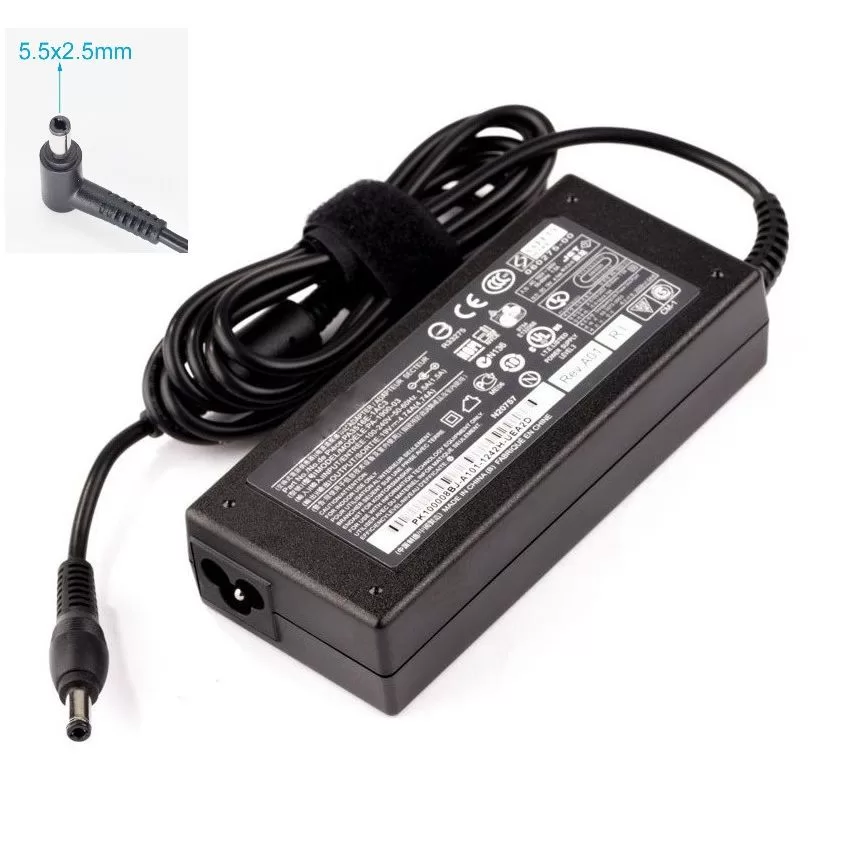
BATTERY DELL 6MT4T CYDZ 62W 7.6V Laptop Battery Compatible with Dell Latitude 5470 E5470 155570 E5570 3510 M3510 7V69Y, TXF9M, 79VRK, 07V69Y, 0HK6DV, 079VRK, 0TXF9M About this item 6MT4T Voltage: 7.6V, Capacity: 62Wh Compatible Part Number: 7V69Y, TXF9M, 79VRK, 07V69Y, 0HK6DV, 079VRK, 0TXF9M Compatible for Dell Latitude 14 Series 5470 E5470 155570 E5570 Series Compatible for Dell Latitude 15 Series Precision 15 3510 M3510.

WIWU Macbook Mate for Macbook Accessories Storage Bag *Two layers with Slim design with big capacity for cards, Coins, cash, passport, tickets, accessroies, mobile phone, etc. *Frond pocket slots are wide enough to accommodate large cell phones like iphone 7 plus making this one of the most important identity protector essentials for men and women *RFID blocking material helps prevent identity theft by blocking RFID signals of 13.56 MHz frequency, used by RFID chips in credit cards and passport

A powerful pre-owned Dell Precision 7550 mobile workstation with 15.6" display, 10th Gen Core i7, 16GB RAM, 256GB SSD, and NVIDIA Quadro T2000 4GB—built for engineers, designers, and professionals who need certified performance and reliability.

PCE M8-700 UPS (line-interactive) — 700 VA / 360 W backup unit for 220–240 V input. Protects PCs, routers, small electronics from outages and voltage swings. The PCE M8-700 is a line-interactive UPS designed for home or small office use. It provides backup power, voltage regulation (AVR), surge protection, and supports automatic switching during outages. Ideal for desktop PCs, network gear, monitors, or point-of-sale systems. Features & Capabilities Line-interactive topology: regulates input voltage without switching to battery when voltage fluctuates mildly. Automatic Voltage Regulation (AVR) to correct undervolt/overvolt conditions. Simulated (stepped) sine wave output in battery mode. Surge, overload, short circuit, discharge protections built in. Cold start capability (ability to power on from battery with no mains) LED + audible alarms for status (battery mode, overload, fault) USB / RS232 interface in some variants for power management (shutdown, monitoring) Technical Specifications What “Input 220–240 VAC, 50/60 Hz, 3.7 A” Means (and Caveats) If the specification you’re giving is “3.7 A” at input, that corresponds to a maximum input current draw when the UPS is handling a heavy load or during charging cycles. At 230 V × 3.7 A ≈ 850 W of input capacity. The unit’s 360 W output means there’s overhead for losses, inverter inefficiency, battery charging, etc. The UPS must operate within the stated voltage and frequency ranges — if input is too low or too high, it may switch to battery or go into protection mode.

Genuine-spec US layout keyboard replacement for MacBook Pro (Model A1398, Late 2011–Mid 2012)—featuring durable scissor-switch keys, backlighting, and OEM-fit design for reliable typing and straightforward installation. Compatible With: MacBook Pro 13″: Late 2011 (Model A1278, but labeled A1398 in some regions) – Model Identifier MacBookPro8,1 MacBook Pro 15″: Early 2011, Late 2011, and Mid 2012 – Model Identifiers MacBookPro8,2 (15″ early/late 2011) and MacBookPro9,1 (15″ mid 2012) *(Note: “A1398” is primarily associated with the 15″ unibody MacBook Pro with Retina display (Mid 2012), which was the first Retina MacBook Pro.)* This keyboard fits the non-Retina 15″ A1398 (Mid 2012) and compatible Late 2011 models. MacBook Pro 13″: Late 2011 (Model A1278, but labeled A1398 in some regions) – Model Identifier MacBookPro8,1 MacBook Pro 15″: Early 2011, Late 2011, and Mid 2012 – Model Identifiers MacBookPro8,2 (15″ early/late 2011) and MacBookPro9,1 (15″ mid 2012) *(Note: “A1398” is primarily associated with the 15″ unibody MacBook Pro with Retina display (Mid 2012), which was the first Retina MacBook Pro.)* This keyboard fits the non-Retina 15″ A1398 (Mid 2012) and compatible Late 2011 models. Layout: Standard US English (QWERTY) with full-size keys, inverted-T arrow keys, and dedicated function row (F1–F12). Keyboard Type: Traditional scissor-switch mechanism—robust, tactile, and serviceable (pre-Butterfly era). Integrated Features: Backlit keys (adjustable brightness via F5/F6) OEM ribbon cable with ZIF connector Matches original key spacing and actuation force Backlit keys (adjustable brightness via F5/F6) OEM ribbon cable with ZIF connector Matches original key spacing and actuation force Build & Fit: Precision-molded plastic frame with exact screw mounts and alignment pegs—ensures secure, rattle-free installation in the top case. Installation Note: Keyboard is secured with screws and minimal adhesive. Requires full top case access and battery disconnect. Recommended for intermediate to advanced users or technicians.

