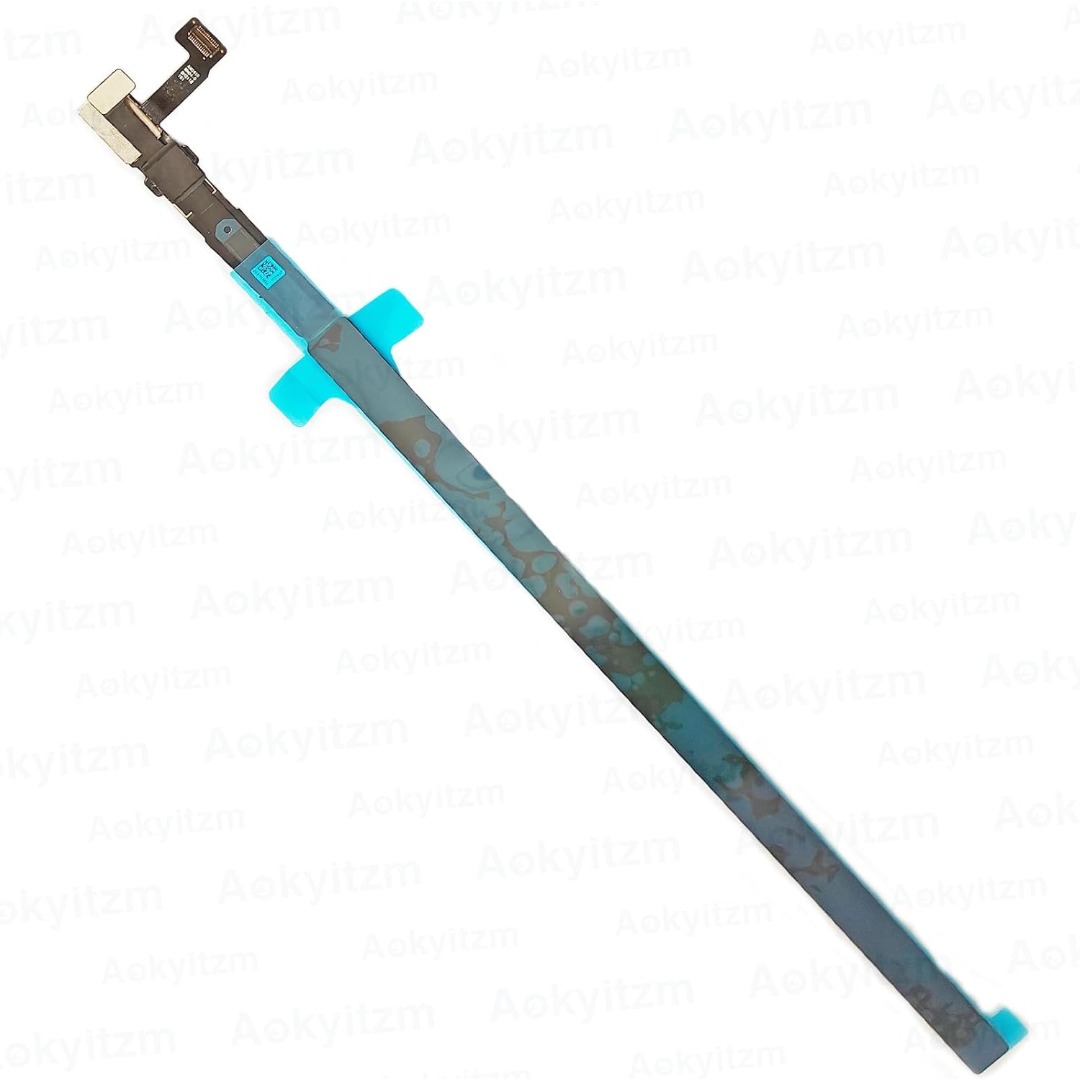

Genuine-spec touchpad flex cable for MacBook Pro 15″ (Model A1706 – 2017 and A1989 – 2018/2019)—restores full Force Touch functionality, haptic feedback, and precise multi-touch gesture control during trackpad repair or replacement. Compatible With: MacBook Pro 15″ (2017) – Model A1706 (Model Identifier: MacBookPro14,3) MacBook Pro 15″ (2018–2019) – Model A1989 (Model Identifier: MacBookPro15,2) ✅ Note: Apple used the same trackpad assembly and flex cable across both A1706 and A1989 15″ models—making this part interchangeable between them. MacBook Pro 15″ (2017) – Model A1706 (Model Identifier: MacBookPro14,3) MacBook Pro 15″ (2018–2019) – Model A1989 (Model Identifier: MacBookPro15,2) ✅ Note: Apple used the same trackpad assembly and flex cable across both A1706 and A1989 15″ models—making this part interchangeable between them. ✅ Note: Apple used the same trackpad assembly and flex cable across both A1706 and A1989 15″ models—making this part interchangeable between them. Part Type: Touchpad flex cable only — does not include the trackpad housing, Taptic Engine, or mounting hardware. This is the OEM-style ribbon cable connecting the trackpad to the logic board. Function: Transmits: Touch input coordinates Force Touch pressure data Haptic feedback signals to the Taptic Engine Enables full macOS gesture support: Force Click, three-finger lookup, swipe navigation, pinch-to-zoom, and smooth cursor tracking. Touch input coordinates Force Touch pressure data Haptic feedback signals to the Taptic Engine Enables full macOS gesture support: Force Click, three-finger lookup, swipe navigation, pinch-to-zoom, and smooth cursor tracking. OEM-Quality Build: Matches Apple’s original in: Cable length and routing Connector pitch and ZIF latch design EMI shielding and flex durability Cable length and routing Connector pitch and ZIF latch design EMI shielding and flex durability Common Use Cases: Replacing a torn, creased, or liquid-damaged original flex cable Completing a trackpad replacement when the original cable is compromised Fixing intermittent trackpad behavior, loss of Force Touch, or complete unresponsiveness Replacing a torn, creased, or liquid-damaged original flex cable Completing a trackpad replacement when the original cable is compromised Fixing intermittent trackpad behavior, loss of Force Touch, or complete unresponsiveness Installation Note: Requires full bottom case removal and battery disconnection. Cable routes under internal components near the right speaker and logic board. Connects via a ZIF (Zero Insertion Force) socket—must be aligned carefully and latched gently. Recommended for experienced or certified technicians only. Requires full bottom case removal and battery disconnection. Cable routes under internal components near the right speaker and logic board. Connects via a ZIF (Zero Insertion Force) socket—must be aligned carefully and latched gently. Recommended for experienced or certified technicians only.

The Samsung Essential 24″ 75Hz Curved Monitor offers an immersive viewing experience for work, entertainment, or gaming. Its sleek design fits perfectly in any setup, adding style and functionality. This 24-inch curved monitor enhances your focus by wrapping the screen around your field of view. The curvature minimizes distractions, creating a more immersive and comfortable viewing experience. Whether you’re watching movies or multitasking, the curved design makes a difference. With a 75Hz refresh rate, this monitor ensures smooth visuals and reduced screen tearing. This feature is perfect for casual gamers and those who enjoy seamless video playback. The monitor’s Full HD resolution delivers crisp and vivid details, making everything look sharp and vibrant. The Samsung Essential 24″ 75Hz Curved Monitor comes equipped with Eye Saver Mode and Flicker-Free technology. These features reduce eye strain during extended use, helping you stay productive for longer. Whether you’re working or binge-watching, your eyes will thank you. Connectivity is simple with HDMI and VGA ports, allowing easy setup with various devices. Its compact stand provides stability and saves desk space, keeping your workstation tidy and organized. This monitor’s modern design and slim bezels make it a stylish addition to any desk. It’s lightweight and easy to adjust, offering flexibility for home or office use. Upgrade your visual experience today with the Samsung Essential 24″ 75Hz Curved Monitor. It’s an affordable and reliable choice for everyday use. Specifications: Display : 24″ VA Resolution : FHD (1920×1080) Curvature : 1800R Refresh Rate : 75Hz Response Rate : 4ms GTG

Material: Plastic + Mesh fabric Bluetooth version/chipset: 5.4/ATS2853 Transmission Distance: 12M Working voltage: 18.5V Impedance: 4Ω Speaker power: Tweeter: 50W * 2 Subwoofer: 200W Battery (mAh):30000mAH/18.5V*6000;18650/2000mA*15; 3 in series and 5 in parallel Charging time: about 3 hours Calling: 20 hours Music playback: 12 hours Standby time: 6 months 1.5.4 wireless, fast, stable, and efficient connection, excellent sound quality 2 . Sound Card/Karaoke/wireless speaker, all in one, built-in DSP, multiple EQ settings, support internal monitoring/recording/live streaming function, 433/360° omnidirectional remote control (can work through walls) 3. Efficient speakers and power amplifier for loud sound and high-fidelity music playback 4,30000mAh power bank (18.5V*6000mAh; 18650/2000mA*15; 3 in series and 5 in parallel), colorful lights available in various modes, controllable flashing lights CTN GW: 18.5kg ± 0.2kg Carton size: 50.5 * 44.2 * 39cm

The Samsung Odyssey G5 32″ 180Hz Gaming Monitor takes your gaming experience to a whole new level. Designed for gamers, it delivers stunning visuals and exceptional performance to keep you ahead of the competition. The ultra-fast 180Hz refresh rate ensures buttery-smooth gameplay. Whether you’re playing fast-paced shooters or exploring open-world adventures, the Samsung Odyssey G5 eliminates lag and motion blur for seamless action. Featuring a 1ms response time, the Samsung Odyssey G5 provides ultra-fast reactions, giving you the edge you need in competitive gaming. Every movement and input is captured instantly, making the difference between victory and defeat. The QHD resolution of the Samsung Odyssey G5 delivers stunning clarity and sharpness. With 1.7 times the pixel density of Full HD, you’ll enjoy incredibly detailed graphics and vibrant colors that make your games look their best. AMD FreeSync Premium technology ensures tear-free gaming, synchronizing the refresh rate of your monitor with your GPU for smooth performance. It reduces screen tearing and stuttering for a more fluid gameplay experience. In conclusion, the Samsung Odyssey G5 32″ 180Hz Gaming Monitor offers the perfect combination of speed, clarity, and immersion. Elevate your gaming setup with this high-performance monitor and enjoy an unbeatable experience in every game. Specifications: Display : 32″ IPS Resolution : QHD (2,560 x 1,440) Refresh Rate : 180Hz Response Time : 1ms GTG

The MSI MAG 255XF 24.5″ 300Hz Gaming Monitor is built for speed and precision. It is designed for competitive gamers who need lightning-fast response times. This gaming monitor features a 24.5-inch Full HD IPS panel. It delivers vibrant colors and sharp visuals for an immersive gaming experience. The wide viewing angles ensure consistent picture quality from any position. With a 300Hz refresh rate, this monitor provides ultra-smooth gameplay. Fast-moving scenes appear clear, reducing motion blur and screen tearing. This is perfect for FPS, racing, and esports titles. The 1ms GTG response time minimizes input lag. Every action you make is reflected instantly on the screen. This gives gamers a competitive edge in high-speed games. The MSI MAG 255XF 24.5″ 300Hz Gaming Monitor supports Adaptive Sync technology. It eliminates screen tearing and stuttering, ensuring fluid visuals. This makes every game feel smoother and more responsive. It also features Night Vision technology to enhance dark scenes. You can spot enemies and details clearly, even in low-light gaming environments. The ergonomic design allows tilt, swivel, height, and pivot adjustments. You can set up your monitor for maximum comfort during long gaming sessions. The slim bezels create a modern and sleek look. Connectivity options include DisplayPort and HDMI for seamless device compatibility. The monitor also features USB ports for added convenience. For eye comfort, the anti-flicker and low blue light technology reduce strain. You can enjoy long hours of gaming without discomfort. In conclusion, the MSI MAG 255XF 24.5″ 300Hz Gaming Monitor is the perfect choice for serious gamers. Its high refresh rate, fast response time, and vibrant display make it a top-tier gaming monitor. Specifications: Display : 24.5″ Rapid IPS Resolution : 1920×1080 FHD Refresh Rate : 300Hz Response Rate : 0.5ms

90W Adapter Laptop Charger for Toshiba Satellite L305 L305D L455 L505 L505D L635 L645 L655 L655D L745 L755 L775 L855 L875 A105 A135 C655 C675 C850 C855; PA3714U-1ACA PA5035U-1ACA Power Cord

External Seagate 2TB/4TB HDD Expansion Portable Drive Easily store and access 2TB/4TB of content on the go with Seagate Expansion Portable hard drive This external hard drive for Windows computers makes backup a snap just drag and drop To get set up, connect the portable hard drive to your Windows computer for automatic recognition no software required This USB drive provides plug and play simplicity with the included 18 inch USB 3.0 cable Enjoy long term peace of mind with the included one year limited warranty

The ASUS VA249HG 24″ FHD Eye Care Monitor offers clear and sharp Full HD visuals. It provides bright colors and strong contrast. This makes movies, work, and daily tasks look clean and detailed. The 24-inch screen size is perfect for desks and small spaces. Moreover, the ASUS VA249HG 24″ FHD Eye Care Monitor includes a fast 75Hz refresh rate. This improves motion and reduces blur. It gives smoother movement during games and videos. This helps you enjoy a better viewing experience. In addition, the monitor features Adaptive Sync support. This reduces tearing and stuttering during fast action. Your screen stays smooth and steady. This makes it ideal for gamers and casual users. Furthermore, the ASUS VA249HG 24″ FHD Eye Care Monitor includes ASUS Eye Care technology. It reduces blue light and screen flicker. This helps protect your eyes during long hours of use. You can work, watch, or study more comfortably. Also, the monitor uses a VA panel for deep colors. It shows richer blacks and strong contrast levels. This improves the quality of movies and photos. It also works well for everyday design tasks. The clean and modern design of the ASUS VA249HG 24″ FHD Eye Care Monitor fits any workspace. The stand is stable and simple to adjust. You can tilt the screen for better comfort. This helps you find your ideal viewing angle. Overall, the ASUS VA249HG 24″ FHD Eye Care Monitor offers smooth performance, eye protection, and strong image quality. It is a great choice for home, office, and gaming use. It provides comfort, clarity, and value in one dependable display. Specifications: Display : 24″ IPS Resolution : FHD Refresh Rate : 120Hz Response Time : 1ms Model : 90LM02W0-B01171

Specifications : Display Diagonal Viewing Size 86.27 cm 34.14 inches Preset Display Area (H x V) 799.80 mm x 344.80 mm 31.49″ x 13.18″ 267773.04 sq-mm (415.01 sq-inches) Panel Type In-Plane switching Technology Display Screen Coating Antiglare with hard-coating 3H Maximum Preset Resolution 3440 x 1440 at 60Hz Viewing Angles 178° vertical / 178° horizontal Pixel Pitch 0.233 mm x 0.233 mm Pixel Per Inch (PPI) 109 Contrast Ratio 1,000 to 1 (typical) Aspect Ratio 21:9 Backlight Technology LED edgelight system Brightness 300 cd/m² (typical) Response time 8 ms for NORMAL mode 5 ms for FAST mode Adjustability Height adjustable (115 mm), Tilt (-5° to 21°) Swivel (-30° to 30°) Pivot (N/A) PbP / PiP PbP (Yes) PiP (Yes) Daisy Chain Availability No Dell Display Manager Compatibility Yes, Easy Arrange and other key features Remote Asset Management Yes, via Dell Command Monitor Specifications – Service / Support Details 3-Year Advanced Exchange Service and Limited Hardware Warranty Color Support Color Gamut (typical): 99.9% sRGB, CIE1976 (90%), CIE1931 (75%) Color Depth: 1.074 Billion colors Color Calibration Accurancy Delta E < 3 (average) Color Calibration with X-rite colorimeter No Built-in Devices USB 3.0 super-speed hub (with 2 x USB 3.0 upstream port) 4 x USB 3.0 downstream ports Security Security lock slot (cable lock sold separately) Anti-theft stand lock slot (to panel) Compliant Standards BFR/PVC-free (Halogen-free) excluding external cables Meets NFPA 99 leakage current requirements Arsenic-Free glass and Mercury-Free for the panel only Product Safety, EMC and Environmental Datasheets Dell Regulatory Compliance Home Page Dell and the Environment Flat Panel Mount Interface VESA (100 mm) Audio Output 1 x Audio line-out Connectivity 2 x HDMI 2.0 (HDCP 2.2) 1 x DP 1.2 (HDCP 2.2) 2 x USB 3.0 Upstream port 2 x USB 3.0 Downstream port (side) 2 x USB 3.0 Downstream port (bottom) 1 x USB Type-C (DisplayPort DP1.2 Alternate Mode, Power Delivery up to 90W (Typical), and USB 2.0) Dimensions & Weight Height with stand (Compressed ~ Extended) 417.0 mm ~ 532.0 mm 16.42″ ~ 20.94″ Width 813.6 mm 32.03″ Depth 226.4 mm 8.91″ Height without stand 363.7 mm 14.32″ Width without stand 813.6 mm 32.03″ Depth without stand 58.4 mm 2.30″ Weight (panel only – for VESA mount) 8.2 kg 18.07 lb Weight (with packaging) 16.0 kg 35.27 lb Power Voltage Required 100 VAC to 240 VAC / 50 Hz or 60 Hz + 3 Hz / 3 A (typical) Power Consumption (Operational) 54 W (typical) 250 W (maximum)** Power Consumption Stand by / Sleep Less than 0.5W **Maximum power consumption with max luminance, and USB active. Environmental Operating Conditions Temperature Range Operating: 0°C to 40°C (32°F to 104°F) Non-operating: –20°C to 60°C (–4°F to 140°F) Humidity Range Operating: 10% to 80% (non-condensing) Non-Operating: 5% to 90% (non-condensing) Altitude Operating: 5,000 m (16,404 ft) max Non-Operating: 12,192 m (40,000 ft) max In The Box Monitor, Stand Riser, Stand Base 1 x Power cable 1 X DP Cable (DP to DP) 1 X USB Type-C Cable (C to C) 1 x HDMI Cable 1 x USB 3.0 upstream cable Quick setup guide Safety, Environmental, and Regulatory Information Factory Calibration Report 1 Year Warranty manufacturer link

The Lenovo Legion 24″ 320Hz FHD Gaming Monitor is designed for competitive gamers seeking ultra-smooth visuals. First, its 1920 × 1080 Full HD resolution delivers sharp and clear images for fast-paced games. The 320Hz refresh rate ensures fluid motion and reduced screen tearing. In addition, the 0.5ms response time minimizes ghosting and motion blur. Moreover, adaptive sync technology enhances smooth gameplay across various titles. The sleek slim-bezel design fits seamlessly into any gaming setup. Furthermore, its ergonomic stand allows height and tilt adjustments for comfortable long gaming sessions. Finally, the Lenovo Legion 24″ 320Hz FHD Gaming Monitor combines high refresh performance, fast response, and adaptive sync in one competitive display. Overall, it is ideal for esports players and serious gaming enthusiasts. Specifications: 24″ Full HD 1920 × 1080 resolution 320Hz ultra-fast refresh rate 0.5ms response time for minimal ghosting Adaptive sync for smooth gameplay Ergonomic stand with height and tilt adjustment

ZOWIE XL2540K TN 240Hz 24.5 Inch 240Hz Refresh Rate; TN Panel Black eQualizer; Color Vibrance Optional Accessory: S Switch & Shielding Hood

Original 13.3-inch Retina LCD display assembly for MacBook Pro A1502 (pulled from a working unit). OEM part, ready to replace cracked or malfunctioning screens with perfect visual quality. This is a genuine Retina display assembly removed from a fully functional MacBook Pro model A1502. It’s ideal as a replacement for a damaged or broken screen, offering original Apple quality without needing aftermarket components. Key Features & Functionality Factory Retina IPS panel with high color accuracy and brightness Integrated LCD, backlight, front glass, display cable and hinges Tested for proper display, backlight, no dead/stuck pixels (unless noted) Designed to match original tolerances, alignment, and thickness Compatible with MacBook Pro A1502 models (various years) Detailed Specifications Important Notes & Considerations Ensure model is A1502 — other MacBook Pro models have different connectors and frames. Even though tested, minor cosmetic marks or micro-scratches may exist. Handle with extreme care — glass is fragile, flex cables delicate. Professional reinstallation recommended for best alignment and function.

Genuine-spec touchpad flex cable for MacBook Pro 13″ with Touch Bar (Model A1708, 2016–2017)—restores full Force Touch functionality, haptic feedback, and precise multi-touch gesture control during trackpad repair or replacement. Compatible With: MacBook Pro 13″ (2016) – Model A1708 (Model Identifier: MacBookPro13,1) MacBook Pro 13″ (2017) – Model A1708 (Model Identifier: MacBookPro14,1) (Both years share the same internal trackpad assembly and flex cable.) MacBook Pro 13″ (2016) – Model A1708 (Model Identifier: MacBookPro13,1) MacBook Pro 13″ (2017) – Model A1708 (Model Identifier: MacBookPro14,1) (Both years share the same internal trackpad assembly and flex cable.) Part Type: Touchpad flex cable only — does not include the trackpad housing, Taptic Engine, or mounting hardware. This is the OEM-style ribbon cable that connects the trackpad to the logic board. Function: Transmits: Touch input coordinates Force Touch pressure data Haptic feedback signals to the Taptic Engine Enables full macOS gesture support: Force Click, three-finger lookup, swipe navigation, pinch-to-zoom, and smooth cursor tracking. Touch input coordinates Force Touch pressure data Haptic feedback signals to the Taptic Engine Enables full macOS gesture support: Force Click, three-finger lookup, swipe navigation, pinch-to-zoom, and smooth cursor tracking. OEM-Quality Build: Matches Apple’s original specifications in: Cable length and routing path Connector pitch and ZIF latch design EMI shielding and flex durability Cable length and routing path Connector pitch and ZIF latch design EMI shielding and flex durability Common Use Cases: Replacing a torn, creased, or liquid-damaged original flex cable Completing a trackpad replacement when the original cable is compromised Fixing intermittent trackpad behavior, loss of Force Touch, or complete unresponsiveness Replacing a torn, creased, or liquid-damaged original flex cable Completing a trackpad replacement when the original cable is compromised Fixing intermittent trackpad behavior, loss of Force Touch, or complete unresponsiveness Installation Note: Requires full bottom case removal and battery disconnection. Cable routes under internal components near the right speaker and logic board. Connects via a ZIF (Zero Insertion Force) socket—must be aligned carefully and latched gently. Recommended for experienced or certified technicians only. Requires full bottom case removal and battery disconnection. Cable routes under internal components near the right speaker and logic board. Connects via a ZIF (Zero Insertion Force) socket—must be aligned carefully and latched gently. Recommended for experienced or certified technicians only.

Genuine-spec touchpad flex cable for MacBook Pro 15″ (Model A1990, 2018–2019, Intel)—essential for restoring full Force Touch functionality, haptic feedback, and precise multi-touch gesture control during trackpad repair or replacement. Compatible With: MacBook Pro 15-inch (2018 & 2019, Model A1990, Model Identifiers MacBookPro15,2) with Intel Core i7/i9 processors. Part Type: Touchpad flex cable only — does not include the trackpad housing, Taptic Engine, or mounting hardware. This is the OEM-style ribbon cable that connects the trackpad to the logic board. Function: Transmits: Touch input coordinates Force Touch pressure data Haptic feedback signals to the Taptic Engine Enables full macOS gesture support: Force Click, three-finger lookup, swipe navigation, pinch-to-zoom, and smooth cursor tracking. Touch input coordinates Force Touch pressure data Haptic feedback signals to the Taptic Engine Enables full macOS gesture support: Force Click, three-finger lookup, swipe navigation, pinch-to-zoom, and smooth cursor tracking. OEM-Quality Build: Matches Apple’s original specifications in: Cable length and routing path Connector pitch and ZIF latch design EMI shielding and flex durability Cable length and routing path Connector pitch and ZIF latch design EMI shielding and flex durability Common Use Cases: Replacing a torn, creased, or liquid-damaged original flex cable Completing a trackpad replacement when the original cable is unusable Fixing intermittent trackpad behavior, loss of Force Touch, or complete unresponsiveness Replacing a torn, creased, or liquid-damaged original flex cable Completing a trackpad replacement when the original cable is unusable Fixing intermittent trackpad behavior, loss of Force Touch, or complete unresponsiveness Installation Note: Requires full bottom case removal and battery disconnection. Cable routes under internal components near the right speaker and logic board. Connects via a ZIF (Zero Insertion Force) socket—must be aligned carefully and latched gently. Recommended for experienced or certified technicians only. Requires full bottom case removal and battery disconnection. Cable routes under internal components near the right speaker and logic board. Connects via a ZIF (Zero Insertion Force) socket—must be aligned carefully and latched gently. Recommended for experienced or certified technicians only.

Genuine Apple sleep/wake sensor flex cable (Hall effect sensor) for MacBook Air 13.6″ (Model A2681, 2022, M2)—ensures automatic display sleep when the lid is closed and wake-on-open functionality. OEM part number 821-04129-02. Compatible With: MacBook Air 13.6-inch (2022, Model A2681) with Apple M2 chip (all colors: Silver, Space Gray, Starlight, Midnight). Apple Part Number: 821-04129-02 (exact OEM service part). Function: Contains the Hall effect sensor that detects the magnet in the MacBook Air’s display lid. This allows macOS to: Sleep the system when the lid is closed Wake instantly when opened Prevent false sleep/wake events during use Sleep the system when the lid is closed Wake instantly when opened Prevent false sleep/wake events during use Location: Mounted near the right side of the keyboard, adjacent to the battery and logic board. Common Failure Symptoms: MacBook doesn’t sleep when lid is closed MacBook wakes randomly in a bag “Lid closed” not recognized in macOS Requires manual sleep or power button use MacBook doesn’t sleep when lid is closed MacBook wakes randomly in a bag “Lid closed” not recognized in macOS Requires manual sleep or power button use Part Type: Flex cable with integrated Hall sensor—not just a cable, but a calibrated magnetic sensor module. Installation Note: Requires full bottom case removal and careful disconnection of the battery. The sensor is adhered near the I/O area—do not bend or puncture. Recommended for experienced technicians.

HP LaserJet 179fnw is a compact color laser multifunction printer that offers printing, scanning, copying, and faxing in one device. With Wi-Fi wireless printing, fast performance, and high-quality color output, it is suitable for small offices, home offices, and business use.

Feature Specification Packaging and Delivery Details Power Source Battery Selling Units Single item Number of Loudspeaker Enclosure 1 Single package size 19X22X10 cm Cabinet Material Plastic Single gross weight 0.600 kg Display Screen NO Built-in Microphone NO Brand Name Remax Model Number RB-X1 Remax Worldwide Store 9300+ Remax Support Video to see the product and testing Product Name Outdoor Wireless Speaker Color Black Logo Accept Customized Logo Intelligent Personal Assistant None

The Samsung 65″ OLED S95F 4K Vision AI Smart TV | QA65S95FAUXTW is a premium television designed to deliver outstanding picture quality, intelligent processing, and immersive entertainment. It features advanced OLED technology that produces deep blacks, vibrant colors, and exceptional contrast. In addition, the 4K resolution ensures sharp detail and lifelike clarity across movies, sports, games, and streaming content. Samsung powers this TV with its advanced Vision AI processor, and it continuously optimizes picture and sound quality in real time. As a result, content appears sharper and more detailed while maintaining natural colors and balanced brightness. Furthermore, AI upscaling enhances lower-resolution content, bringing it closer to 4K quality for a better viewing experience. The OLED panel delivers precise lighting control at the pixel level, so bright highlights and dark scenes appear with impressive accuracy. Therefore, viewers can enjoy a cinematic experience with exceptional depth and realism. In addition, HDR support enhances dynamic range, making images appear more vibrant and true to life. Samsung’s Tizen Smart TV platform provides quick access to popular streaming services, gaming features, and smart home integration. Meanwhile, the ultra-slim design and minimal bezels create a modern appearance that complements any living space. Overall, the Samsung 65″ OLED S95F 4K Vision AI Smart TV | QA65S95FAUXTW combines premium OLED picture quality, advanced AI-powered enhancements, and smart connectivity. It is an excellent choice for users seeking a high-end home entertainment experience. Specifications: OLED technology delivers deep blacks, vibrant colors, and exceptional contrast Vision AI processor optimizes picture and sound quality in real time 4K resolution provides sharp detail and enhanced visual clarity HDR support improves brightness, contrast, and overall image realism Tizen Smart TV platform offers streaming apps and smart home connectivity

A high-performance pre-owned MacBook Pro 15" (2015) with a stunning Retina display, upgraded 16GB RAM, 128GB SSD, and powerful 2GB dedicated graphics—ideal for developers, creatives, and power users seeking reliable Apple performance.

The Samsung 65-Inch OLED Smart TV | QA65S90FAEXTW is a premium entertainment display designed to deliver exceptional picture quality and advanced smart features. Featuring OLED technology, this television produces deep blacks, vibrant colors, and impressive contrast for a truly immersive viewing experience. In addition, the 65-inch screen size provides an ideal balance between cinematic entertainment and everyday home use. The OLED panel uses self-illuminating pixels, and it allows precise control over brightness and contrast in every scene. As a result, movies, sports, and games appear more realistic and detailed. Furthermore, the 4K UHD resolution delivers sharp image quality, ensuring that content looks crisp and lifelike. Samsung enhances the viewing experience with intelligent AI-powered picture processing. Therefore, the TV automatically optimizes image quality, color accuracy, and motion performance based on the content being displayed. In addition, AI upscaling improves lower-resolution content, bringing it closer to 4K clarity. HDR support expands brightness and contrast levels, so viewers can enjoy more realistic highlights and deeper shadows. Meanwhile, Samsung’s Smart TV platform provides convenient access to streaming services, gaming features, and smart home integration from a single interface. The slim and modern design complements any living room setup while maximizing screen space. Overall, the Samsung 65-Inch OLED Smart TV | QA65S90FAEXTW combines premium OLED technology, intelligent processing, and smart connectivity to deliver a high-quality home entertainment experience. Specifications: OLED technology delivers deep blacks and exceptional contrast performance 65-inch 4K UHD display provides sharp and detailed visuals AI-powered processing enhances picture quality and content clarity HDR support improves brightness, contrast, and color accuracy Smart TV platform offers streaming apps and connected home features
