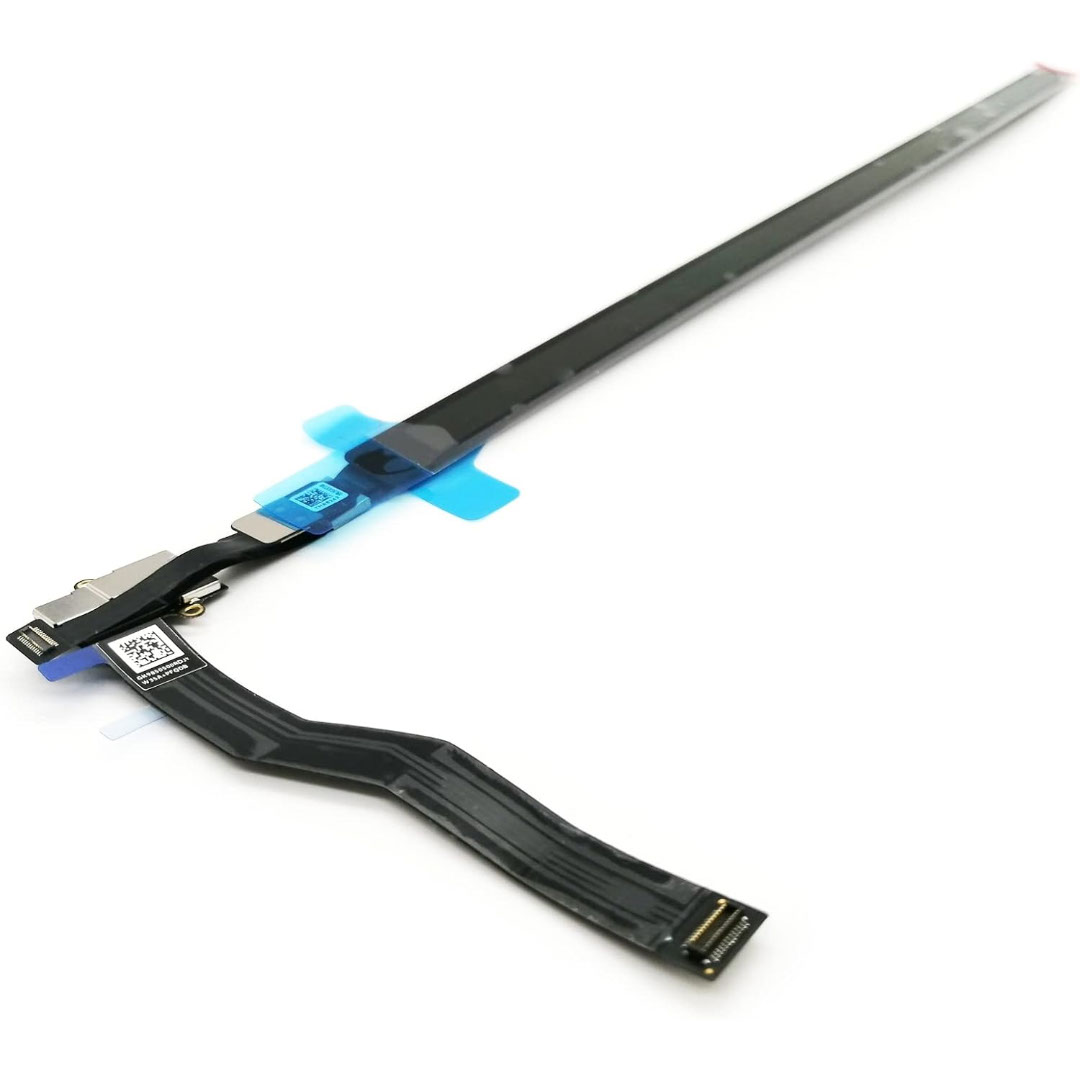

Keyboard for Macbook Pro A1502 ,A1582,A1493 13" Inch Retina Year 2013,2014,2015 Part no ME864 ME864LL/A ME866LL/A APN: 661-8154, 661-02361, 818-4278 Black US Layout Keyboard for Macbook Pro A1502 ,A1582,A1493 13″ Inch Retina Year 2013,2014,2015 Part no ME864 ME864LL/A ME866LL/A APN: 661-8154, 661-02361, 818-4278 Black US Layout Compatibility: FOR MB Pro Retina 13″ A1502 Late 2013: ME864LL/A (2.4 Core i5) Late 2013: ME866LL/A (2.6 Core i5) Late 2013: ME866LL/A (2.8 Core i7) Mid 2014: MGX72LL/A (2.6 Core i5) Mid 2014: MGX92LL/A (2.8 Core i5) Mid 2014: MGX92LL/A (3.0 Core i7) Early 2015: MF839LL/A (2.7 GHz Core i5) Early 2015: MF841LL/A (2.9 GHz Core i5) Early 2015: MF843LL/A (3.1 GHz Core i7) Identifying Numbers APN: 661-8154, 661-02361, 818-4278 Compatible part numbers: ME864 ME865 ME866 MF839 MF841 MF843 MGX72 MGX92 (Layout US) Related Part #: 661-8154, 661-02361, 818-4278 High Quality Laptop Keyboard. 100% Compatible with your brand.

The Dell OptiPlex 3040 Micro delivers dependable business performance in a compact, energy-efficient design. Featuring an Intel Core i5 6th Gen processor, 8GB DDR3L RAM, and SSD storage options, it is built for smooth multitasking, fast startups, and reliable operation in professional environments.

Apple Magic Keyboard - A1644 Wireless Bluetooth - UK English Layout Apple Magic Keyboard – A1644 Wireless Bluetooth – UK English Layout

The 512GB Apple MacBook SSD is a high-speed solid-state drive designed for select MacBook Pro and MacBook Air models from 2013 to 2015. It delivers fast boot times, quick file access, and reliable performance, making it an ideal replacement or upgrade for aging Apple laptops. Key Features 512GB Storage Capacity – Plenty of space for macOS, applications, and files High-Speed SSD Performance – Faster boot times and smoother system operation Apple Proprietary Interface – Designed specifically for compatible MacBooks Reliable & Durable – No moving parts for improved stability and longevity Perfect Upgrade or Replacement – Restore performance or increase storage Compatible Models MacBook Pro Retina 13-inch (2013–2015) MacBook Pro Retina 15-inch (2013–2015) MacBook Air 11-inch (2013–2015) MacBook Air 13-inch (2013–2015) Compatible Model Numbers MacBook Pro: A1398, A1502 MacBook Air: A1465, A1466

MacBook Air 13″ Retina A1932(2018-2019-2020) Display Assembly (Silver) MacBook Air 13″ Retina Display 2019 A1932 (EMC 3184 MacBookAir8,2) 1.6 GHz MacBook Air 13″ Retina Display 2020 A2179 (EMC 3302 MacBookAir9,1) 1.1 GHz Core i3 A2179 (EMC 3302 MacBookAir9,1) 1.1 GHz Core i5 A2179 (EMC 3302 MacBookAir9,1) 1.2 GHz Core i7 MacBook Air 13” Retina Display Late 2018 A1932 (EMC 3184 MacBookAir8,1) 1.6 GHz

The Lenovo ThinkPad P50s is a business-class 15.6-inch mobile workstation that pairs a 6th-generation Intel Core i7 dual-core processor with a dedicated NVIDIA Quadro M500M 2 GB graphics card, 16 GB of RAM and a 256 GB SSD. It’s designed for professionals who need workstation capability in a relatively slim and portable form-factor.

Genuine-spec US layout keyboard replacement for MacBook Pro 13″ (Model A1466, Late 2015–Early 2016)—featuring traditional scissor-switch mechanism, backlighting, and full OEM compatibility for reliable, comfortable typing. Compatible With: MacBook Pro 13-inch non-Touch Bar models: Late 2015 (Intel Core i5/i7, Retina, A1466, Model Identifier MacBookPro12,1) Early 2016 (Intel Core i5/i7, Retina, A1466, MacBookPro13,1) Late 2015 (Intel Core i5/i7, Retina, A1466, Model Identifier MacBookPro12,1) Early 2016 (Intel Core i5/i7, Retina, A1466, MacBookPro13,1) Layout: Standard US English (QWERTY) with full-size keys, inverted-T arrow keys, and dedicated function row (F1–F12). Keyboard Type: Traditional scissor-switch mechanism—not Butterfly or Magic Keyboard—known for durability, deeper key travel, and tactile feedback. Integrated Features: Backlit keys for low-light use, ambient light sensor support, and OEM-style ribbon cable for direct logic board connection. Build & Fit: Precision-engineered to match Apple’s original dimensions and mounting points—ensures flush alignment within the top case and consistent key height. Installation Note: Keyboard is secured with screws and minimal adhesive (unlike later glued models), making replacement more accessible. Still requires full top case disassembly and battery disconnect. Suitable for intermediate to advanced technicians.

Genuine-spec touchpad flex cable for MacBook Pro 13″ with Touch Bar (Model A1708, 2016–2017)—restores full Force Touch functionality, haptic feedback, and precise multi-touch gesture control during trackpad repair or replacement. Compatible With: MacBook Pro 13″ (2016) – Model A1708 (Model Identifier: MacBookPro13,1) MacBook Pro 13″ (2017) – Model A1708 (Model Identifier: MacBookPro14,1) (Both years share the same internal trackpad assembly and flex cable.) MacBook Pro 13″ (2016) – Model A1708 (Model Identifier: MacBookPro13,1) MacBook Pro 13″ (2017) – Model A1708 (Model Identifier: MacBookPro14,1) (Both years share the same internal trackpad assembly and flex cable.) Part Type: Touchpad flex cable only — does not include the trackpad housing, Taptic Engine, or mounting hardware. This is the OEM-style ribbon cable that connects the trackpad to the logic board. Function: Transmits: Touch input coordinates Force Touch pressure data Haptic feedback signals to the Taptic Engine Enables full macOS gesture support: Force Click, three-finger lookup, swipe navigation, pinch-to-zoom, and smooth cursor tracking. Touch input coordinates Force Touch pressure data Haptic feedback signals to the Taptic Engine Enables full macOS gesture support: Force Click, three-finger lookup, swipe navigation, pinch-to-zoom, and smooth cursor tracking. OEM-Quality Build: Matches Apple’s original specifications in: Cable length and routing path Connector pitch and ZIF latch design EMI shielding and flex durability Cable length and routing path Connector pitch and ZIF latch design EMI shielding and flex durability Common Use Cases: Replacing a torn, creased, or liquid-damaged original flex cable Completing a trackpad replacement when the original cable is compromised Fixing intermittent trackpad behavior, loss of Force Touch, or complete unresponsiveness Replacing a torn, creased, or liquid-damaged original flex cable Completing a trackpad replacement when the original cable is compromised Fixing intermittent trackpad behavior, loss of Force Touch, or complete unresponsiveness Installation Note: Requires full bottom case removal and battery disconnection. Cable routes under internal components near the right speaker and logic board. Connects via a ZIF (Zero Insertion Force) socket—must be aligned carefully and latched gently. Recommended for experienced or certified technicians only. Requires full bottom case removal and battery disconnection. Cable routes under internal components near the right speaker and logic board. Connects via a ZIF (Zero Insertion Force) socket—must be aligned carefully and latched gently. Recommended for experienced or certified technicians only.

A sleek and durable pre-owned Lenovo ThinkPad T460s with 14" touchscreen, 6th Gen Core i5, 8GB RAM, and 256GB SSD—ideal for professionals who need portability, touch functionality, and trusted ThinkPad reliability.

WiWU S500 Foldable Lightweight Plastic Laptop Stand Description WiWU S500 Foldable Lightweight Plastic Laptop Stand Brand: wiwu Material: ABS+Aluminum alloy Foldable Height Adjustment. Laptop stand with foldable technology, light weight, easy to carry Adjustable from 20 to 40 degrees and height adjustable from 3.15 to 5.12 inches. There are 6 corners Compatible with laptops (11 inch-15 inch) Macbook, iMac, ipad, Microsoft Surface PR, Thinkpad, Lenovo, Dell, HP and more. With anti-slip rubber pad

Genuine-spec touchpad flex cable for MacBook Pro 15″ (Model A1706 – 2017 and A1989 – 2018/2019)—restores full Force Touch functionality, haptic feedback, and precise multi-touch gesture control during trackpad repair or replacement. Compatible With: MacBook Pro 15″ (2017) – Model A1706 (Model Identifier: MacBookPro14,3) MacBook Pro 15″ (2018–2019) – Model A1989 (Model Identifier: MacBookPro15,2) ✅ Note: Apple used the same trackpad assembly and flex cable across both A1706 and A1989 15″ models—making this part interchangeable between them. MacBook Pro 15″ (2017) – Model A1706 (Model Identifier: MacBookPro14,3) MacBook Pro 15″ (2018–2019) – Model A1989 (Model Identifier: MacBookPro15,2) ✅ Note: Apple used the same trackpad assembly and flex cable across both A1706 and A1989 15″ models—making this part interchangeable between them. ✅ Note: Apple used the same trackpad assembly and flex cable across both A1706 and A1989 15″ models—making this part interchangeable between them. Part Type: Touchpad flex cable only — does not include the trackpad housing, Taptic Engine, or mounting hardware. This is the OEM-style ribbon cable connecting the trackpad to the logic board. Function: Transmits: Touch input coordinates Force Touch pressure data Haptic feedback signals to the Taptic Engine Enables full macOS gesture support: Force Click, three-finger lookup, swipe navigation, pinch-to-zoom, and smooth cursor tracking. Touch input coordinates Force Touch pressure data Haptic feedback signals to the Taptic Engine Enables full macOS gesture support: Force Click, three-finger lookup, swipe navigation, pinch-to-zoom, and smooth cursor tracking. OEM-Quality Build: Matches Apple’s original in: Cable length and routing Connector pitch and ZIF latch design EMI shielding and flex durability Cable length and routing Connector pitch and ZIF latch design EMI shielding and flex durability Common Use Cases: Replacing a torn, creased, or liquid-damaged original flex cable Completing a trackpad replacement when the original cable is compromised Fixing intermittent trackpad behavior, loss of Force Touch, or complete unresponsiveness Replacing a torn, creased, or liquid-damaged original flex cable Completing a trackpad replacement when the original cable is compromised Fixing intermittent trackpad behavior, loss of Force Touch, or complete unresponsiveness Installation Note: Requires full bottom case removal and battery disconnection. Cable routes under internal components near the right speaker and logic board. Connects via a ZIF (Zero Insertion Force) socket—must be aligned carefully and latched gently. Recommended for experienced or certified technicians only. Requires full bottom case removal and battery disconnection. Cable routes under internal components near the right speaker and logic board. Connects via a ZIF (Zero Insertion Force) socket—must be aligned carefully and latched gently. Recommended for experienced or certified technicians only.

Logitech C270 HD webcam — 720p USB camera with built-in mic and automatic light correction. Solid pick for video calls, remote work, or basic streaming. This is the Logitech C270 HD Webcam, a budget plug-and-play USB camera suited for everyday video calls. It doesn’t strive for professional streaming quality, but it reliably handles meeting needs, student calls, or backup cam duties. Key Features & Functionality Records video in HD 720p at 30 fps Fixed focus lens (no autofocus) Built-in mono microphone with noise reduction (captures voice clearly in standard environments) Automatic light correction (RightLight / similar tech) to adjust in low or uneven lighting Universal mounting clip: works on laptop lids, monitors, or can sit on a shelf USB 2.0 interface, 1.5 m (≈ 5 ft) cable length Technical Specifications Strengths & Limitations Pros: Reliable and easy to set up: plug and play Good for video calls in decent lighting Noise suppression in mic helps reduce background hiss Affordable alternative if your built-in camera fails Cons: Only 720p — not ideal for high quality streaming Fixed focus — manual adjusting can’t zoom/focus No privacy shutter (you may need stickers or external cover) Color and sharpness aren’t top tier under weak light

A sleek and responsive pre-owned MacBook Pro 15" (2015) with a brilliant Retina display, upgraded 16GB RAM, fast 128GB SSD, and efficient Intel Iris Pro graphics—ideal for students, developers, and everyday productivity.

RK ROYAL KLUDGE RK918 Wired Mechanical Keyboard, RGB Backlit Gaming Keyboard with Large LED Surrounding Side Lamp, Full Size 108 Keys Mechanical 100% Anti-Ghosting Computer Keyboard, Red Switch White About this item 【Full Size 108 Keys & Anti Ghosting Mechanical Keyboard】: 100% percent layout 108 key Mechanical keyboard. All keys do not conflict, ensure that every click is registered, and greatly improve the gaming and typing experience. Press FN and F1~F12 keys could quickly activate the multi-function keys, running for what you demand immediately. It is a great choice as a Christmas gift 【RGB Backlit & LED Surrounding Side Lamp】: The RGB backlight keyboard has more than 20 backlight modes, including interactive backlight, breathing backlight modes, dynamic RGB mode, etc. Besides, there are large LED surrounding side lamps. These all will give you more enjoyable when you gaming or typing at night 【Mechanical Red Switches & Double Shot Keycaps】: Offering linear and quiet typing feedback, smooth top-to-bottom actuation travel distance with shallow sound. If you prefer a quiet environment and a small operating force, red switches are the right choice. Double shot keycap type is produced when two layers of plastic are molded into each other. No printing is necessary. The result is a key legend that will never fade or chip off 【Wide Compatibility & Software Support】: Compatible with Windows, Mac, Linus, etc. The wired connection enables stable transmission without worrying about the impact of the signal. Through RK software, you can customize RGB mode and color, redefine key function, customize macros, and set gaming mode 【Professional and Reliable Service】: RK ROYAL KLUDGE has a professional service team. Over the years, we have kept bringing high-quality products and services to customers, so that we have gained the love and trust of many customers. If you have any questions, you can contact us anytime. RK ROYAL KLUDGE will spare no effort to provide every customer with the best service within 24 hours.

This 1.8-meter DisplayPort to HDMI cable lets you connect a DisplayPort-enabled PC or laptop to an HDMI monitor, TV, or projector. It delivers clear high-definition video and reliable signal transmission, making it perfect for office work, presentations, and home entertainment. The DisplayPort to HDMI cable (1.8M) is a simple and reliable solution for connecting modern computers and laptops with a DisplayPort output to HDMI displays. Ideal for upgrading your setup, it supports high-quality video output for monitors, HDTVs, and projectors. With plug-and-play functionality and a durable build, it ensures stable performance for both professional and home use. DisplayPort to HDMI Connection for easy compatibility with HDMI screens 1.8M Cable Length ideal for desk and office setups High-Definition Video Output for clear and sharp visuals Plug & Play no drivers required Durable Connectors & Cable Build for long-term reliability Perfect for Work & Entertainment supports monitors, TVs, and projectors Works with devices that have a DisplayPort output and displays with an HDMI input, including monitors, TVs, projectors, and display systems. Ideal for workstations, presentations, and dual-screen setups.

Genuine-spec touchpad flex cable for MacBook Pro 13″ (Model A2289, 2020, Intel)—restores full Force Touch functionality, haptic feedback, and preci multi-touch gesture control. OEM-quality replacement for damaged or faulty original cables. Compatible With: MacBook Pro 13-inch (2020, Four Thunderbolt Ports, Model A2289, Model Identifier MacBookPro16,2) with Intel Core i5/i7 processors. Part Type: Touchpad flex cable only — does not include the trackpad housing, Taptic Engine, or mounting hardware. This is the OEM-style ribbon cable that connects the trackpad to the logic board. Function: Transmits: Touch input coordinates Force Touch pressure data Haptic feedback signals to the Taptic Engine Enables full macOS gesture support: Force Click, three-finger lookup, swipe navigation, pinch-to-zoom, and smooth cursor tracking. Touch input coordinates Force Touch pressure data Haptic feedback signals to the Taptic Engine Enables full macOS gesture support: Force Click, three-finger lookup, swipe navigation, pinch-to-zoom, and smooth cursor tracking. OEM-Quality Build: Matches Apple’s original specifications in: Cable length and routing path Connector pitch and ZIF latch design EMI shielding and flex durability Cable length and routing path Connector pitch and ZIF latch design EMI shielding and flex durability Common Use Cases: Replacing a torn, creased, or liquid-damaged original flex cable Completing a trackpad replacement when the original cable is unusable Fixing: Intermittent or erratic trackpad behavior Loss of Force Touch or haptic feedback Complete trackpad unresponsiveness Replacing a torn, creased, or liquid-damaged original flex cable Completing a trackpad replacement when the original cable is unusable Fixing: Intermittent or erratic trackpad behavior Loss of Force Touch or haptic feedback Complete trackpad unresponsiveness Intermittent or erratic trackpad behavior Loss of Force Touch or haptic feedback Complete trackpad unresponsiveness Installation Note: Requires full bottom case removal and battery disconnection. Cable routes under internal components (speaker, logic board)—must follow original path. Connects via ZIF (Zero Insertion Force) socket—align carefully, never force. Recommended for experienced or certified technicians only. Requires full bottom case removal and battery disconnection. Cable routes under internal components (speaker, logic board)—must follow original path. Connects via ZIF (Zero Insertion Force) socket—align carefully, never force. Recommended for experienced or certified technicians only. Important Compatibility Notes: ✅ Only for A2289 (13″, 4 Thunderbolt ports, 2020, Intel) ❌ Not compatible with: A2251 (2 Thunderbolt ports, 2020) A2338 (M1 MacBook Pro, 2020) Any MacBook Air or 14″/16″ MacBook Pro ✅ Only for A2289 (13″, 4 Thunderbolt ports, 2020, Intel) ❌ Not compatible with: A2251 (2 Thunderbolt ports, 2020) A2338 (M1 MacBook Pro, 2020) Any MacBook Air or 14″/16″ MacBook Pro A2251 (2 Thunderbolt ports, 2020) A2338 (M1 MacBook Pro, 2020) Any MacBook Air or 14″/16″ MacBook Pro

Genuine-spec US layout keyboard replacement for MacBook Pro 15″ (Models A1706 and A1707, 2016–2017)—featuring Apple’s second-generation Butterfly mechanism, backlighting, and full OEM compatibility for professional-grade repairs. Compatible With: MacBook Pro 15″ (2016, Model A1707) MacBook Pro 15″ (2017, Model A1706) Both models include Touch Bar and are powered by Intel Core i7/i9 processors. MacBook Pro 15″ (2016, Model A1707) MacBook Pro 15″ (2017, Model A1706) Both models include Touch Bar and are powered by Intel Core i7/i9 processors. Layout: Standard US English (QWERTY) with full-size keys, inverted-T arrow keys, and dedicated function row (mapped to Touch Bar). Keyboard Type: Apple’s 2nd-generation Butterfly mechanism—thinner profile with reduced travel; known for sensitivity but requires careful handling. Integrated Features: Backlit keys, ambient light sensor support, and original ribbon cable connector matching Apple’s design for direct logic board attachment. Build & Fit: Precision-engineered to align flush with the top case—ensures consistent key height and tactile response when properly installed. Installation Note: The keyboard is glued into the top case and must be carefully removed and re-adhered. Requires full disassembly of display, battery, and internal components. Recommended for experienced technicians only.

OEM-quality touchpad replacement (without flex cable) for MacBook Air 15″ (Model A2941, 2023)—in Space Gray finish—designed for precise Force Touch performance and seamless integration with the original chassis. Compatible With: MacBook Air 15-inch (2023, Model A2941) with Apple M2 chip. Part Type: Touchpad only—does not include the flex cable, Taptic Engine, or mounting hardware. Intended for technicians who will reuse or transfer the original internal components. Color: Space Gray—matches the original lower case of Space Gray A2941 models. Force Touch Ready: Fully supports pressure-sensitive gestures and haptic feedback when paired with the original Taptic Engine and logic board. OEM Build Quality: Matches Apple’s original surface texture, curvature, and responsiveness for consistent tracking and click feel. Installation Note: Requires full bottom case disassembly and careful transfer of the original flex cable and Taptic Engine. Adhesive and alignment must be precise to avoid gaps or malfunction. Recommended for professional repair technicians.


