
Logic Board 2.2GHz i7 Integrated Graphics, 16GB Replacement for Apple MacBook Pro 15" Retina A1398 (Mid 2015) Logic Board 2.2GHz i7 Integrated Graphics, 16GB Replacement for Apple MacBook Pro 15″ Retina A1398 (Mid 2015)

Keyboard for Macbook Pro A1502 ,A1582,A1493 13" Inch Retina Year 2013,2014,2015 Part no ME864 ME864LL/A ME866LL/A APN: 661-8154, 661-02361, 818-4278 Black US Layout Keyboard for Macbook Pro A1502 ,A1582,A1493 13″ Inch Retina Year 2013,2014,2015 Part no ME864 ME864LL/A ME866LL/A APN: 661-8154, 661-02361, 818-4278 Black US Layout Compatibility: FOR MB Pro Retina 13″ A1502 Late 2013: ME864LL/A (2.4 Core i5) Late 2013: ME866LL/A (2.6 Core i5) Late 2013: ME866LL/A (2.8 Core i7) Mid 2014: MGX72LL/A (2.6 Core i5) Mid 2014: MGX92LL/A (2.8 Core i5) Mid 2014: MGX92LL/A (3.0 Core i7) Early 2015: MF839LL/A (2.7 GHz Core i5) Early 2015: MF841LL/A (2.9 GHz Core i5) Early 2015: MF843LL/A (3.1 GHz Core i7) Identifying Numbers APN: 661-8154, 661-02361, 818-4278 Compatible part numbers: ME864 ME865 ME866 MF839 MF841 MF843 MGX72 MGX92 (Layout US) Related Part #: 661-8154, 661-02361, 818-4278 High Quality Laptop Keyboard. 100% Compatible with your brand.

Original 13.3-inch Retina LCD display (Space Gray) for MacBook Air A2337 (2020), pulled from a working unit. OEM part, ready to replace cracked or faulty screens with perfect fit and optics. This is a genuine Apple Retina display assembly removed from a working MacBook Air (model A2337, 2020). It’s ideal for repairing a damaged or nonfunctional screen on a matching model, delivering original visuals without resorting to aftermarket knockoffs. Key Features & Functionality True OEM Retina panel with factory calibration Integrated display glass, backlight, and flex cable Designed for model A2337 (Late 2020, M1) iFixit+1 Space Gray finish to match original chassis Tested: Display, backlight, no dead pixels (unless noted) Drop-in replacement requiring alignment and cable reconnection Specifications Important Notes & Considerations Must use exact model A2337 — other models are incompatible Slight blemishes or dust might exist due to being a used part Handle with care: screen glass is fragile Professional installation recommended if you’re not experienced

WiWU Pilot Backpack 15.6 inch Travelling Polyester Laptop Business School Travelling Backpack WiWU Pilot Backpack 15.6 inch Travelling Polyester Laptop Business School Travelling Backpack

7CJRC Laptop Battery for Dell Latitude 7470 7270 E7270 E7470 Series 21X15 021X15 KNM09 0KNM09 TX283 0TX283 451-BBSW 451-BBWR 11.4V 42Wh 3-Cell About this item Battery type: Li-ion; Voltage: 11.4V; Capacity: 42Wh; Cells: 3-cell Compatible Models: Fit for Dell Latitude 7470 7270 E7470 E7270 Series Replace Part Numbers: 7CJRC KNM09 0KNM09 21X15 021X15 TX283 0TX283 451-BBSW 451-BBWR V6VMN 100% New from Manufacturer. Up to 500 recharge cycles over the life of the battery. The actual operation time will depend on how much electricity is required by the device and how you use it

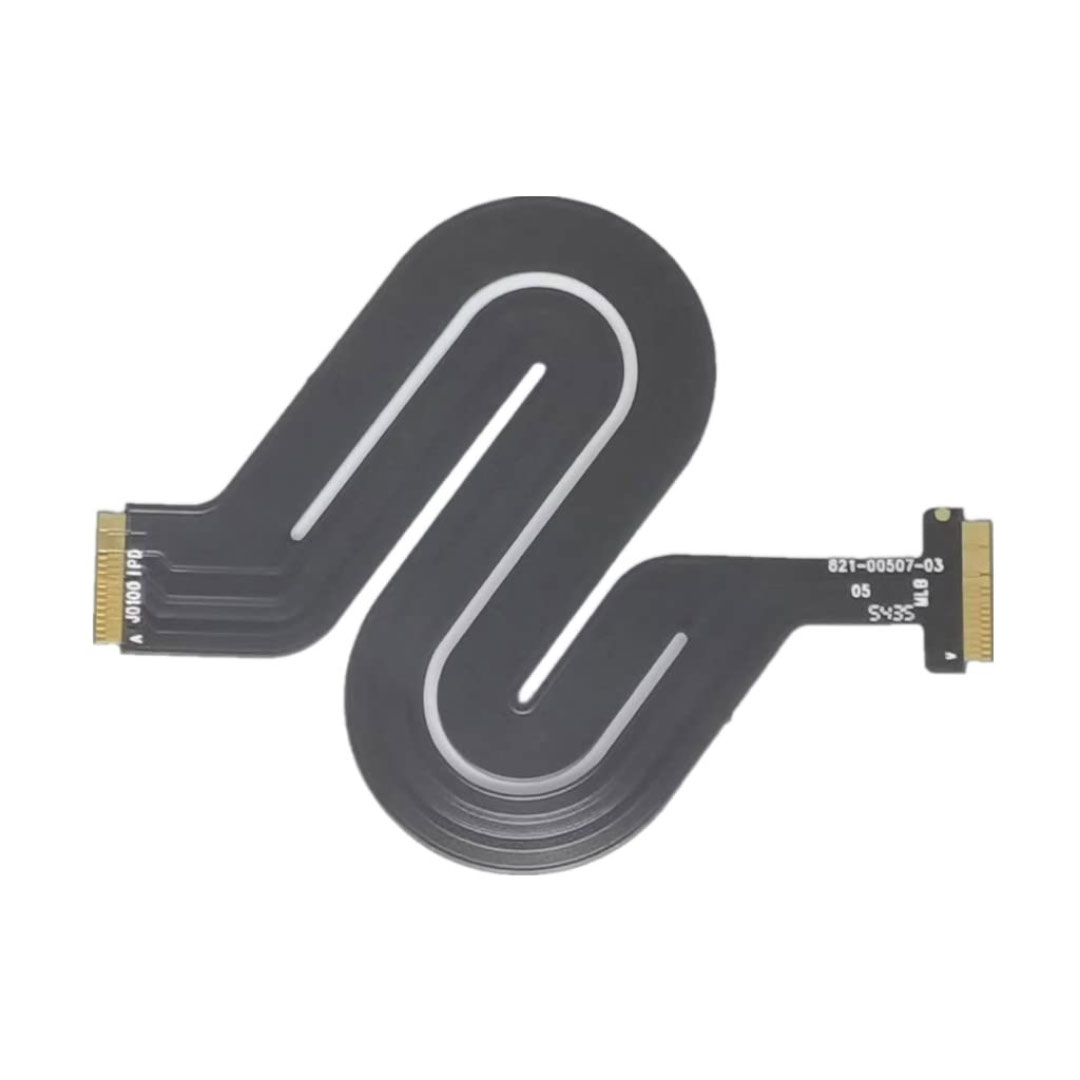
Genuine-spec touchpad flex cable for MacBook Pro 16″ (Model A2141, 2019, Intel)—essential for restoring full Force Touch functionality, haptic feedback, and precise multi-touch gesture control during trackpad repair or replacement. Compatible With: MacBook Pro 16-inch (2019, Model A2141) with Intel Core i7/i9 processors (Model Identifier: MacBookPro16,1) (Note: A2141 is the non-base configuration of the 2019 16″ MacBook Pro—typically higher-end Intel models.) Part Type: Touchpad flex cable only—does not include the trackpad housing, Taptic Engine, or mounting hardware. This is the OEM-style ribbon cable that connects the trackpad to the logic board. Function: Transmits touch coordinates, Force Touch pressure data, and haptic feedback signals—critical for macOS gestures (e.g., Force Click, three-finger lookup, pinch-to-zoom) and Taptic Engine responsiveness. OEM-Quality Construction: Replicated to Apple’s exact specifications—including cable length, connector pitch, EMI shielding, and bend radius—ensuring reliable signal integrity and long-term durability. Common Use Cases: Replacing a torn, creased, or liquid-damaged original flex cable Completing a trackpad replacement when the original cable is compromised Fixing intermittent trackpad behavior, loss of Force Touch, or complete unresponsiveness Replacing a torn, creased, or liquid-damaged original flex cable Completing a trackpad replacement when the original cable is compromised Fixing intermittent trackpad behavior, loss of Force Touch, or complete unresponsiveness Installation Note: Requires full disassembly of the bottom case, speaker removal, and careful routing beneath the battery and logic board. Connectors use ZIF (Zero Insertion Force) sockets—must be aligned and latched gently. Recommended for certified or professional repair technicians only. Important: This is flex cable only—not a complete trackpad assembly. Must be used with the original or compatible A2141 trackpad and Taptic Engine. Not compatible with M1 MacBook Pro 16″ (A2485), 14″ models (A2442), or any MacBook Air. This is flex cable only—not a complete trackpad assembly. Must be used with the original or compatible A2141 trackpad and Taptic Engine. Not compatible with M1 MacBook Pro 16″ (A2485), 14″ models (A2442), or any MacBook Air. Model Verification: Confirm your device is MacBook Pro A2141 (16″, 2019, Intel) via > About This Mac > Model Identifier (should read MacBookPro16,1).

Speaker Specifications Feature Value Feature Value Input/Output USB Battery Capacity (mAh) 2000 Maximum Wireless Range (m) 10m-20m Touch Screen No Sound Mode Immersive, Stereo, Live, Standard Category Speakers Use HOME Bluetooth Version 5.1 Input Power (W) 50-99W Voice Control No Frequency Range 100Hz-20KHz Display Screen No Waterproof Yes Support APP No Support Memory Card Yes Playback Function Radio, MP3 Remote Control No Intelligent Personal Assistant None Display Screen No Audio Crossover Full-Range Number of Loudspeaker Enclosures 2 Power Source Battery Channels 1 Speaker Type Portable Communication USB Cabinet Material Plastic Brand Name HONOURSACY Origin Mainland China Function HiFi Sound Quality Function2 IPX6 Waterproof Function3 Support TWS Interconnection Function4 Portable Design Function5 80W High Power Function6 Long Endurance

WiWU T22 Earbuds – Stylish TWS earbuds with TFT display case, Bluetooth 6.0, ANC (-23 dB), 4 hrs playback, and in-ear detection.Sleek, feature-rich, and comfortable — ideal for mobile users who want touch control and immersive sound. Model: WiWU T22 Display & Controls: Charging case includes vibrant TFT/LCD screen with touch controls for playback, ANC toggle, and battery levels Bluetooth: JL 7003D8 chipset, Bluetooth 6.0 (alias V6 or 5.4) for stable, low-latency connection up to 10 m Noise Reduction: Active Noise Cancellation at –23 dB Battery: Earbuds: 30 mAh each; Charging case: 300 mAh; ~4 hrs music, ~3 hrs talk (at ~80% volume); ~50 hrs standby Charging: USB‑C, ~1 hr to full charge Other Features: In-ear detection (auto play/pause), Hi-Fi audio, ergonomic fit, compact design

The 60W MagSafe 2 Power Adapter features a magnetic DC connector so if someone should trip over it, the cord disconnects harmlessly and your MacBook Pro stays put safely. It also helps prevent fraying or weakening of the cables over time. In addition, the magnetic DC helps guide the plug into the system for a quick and secure connection. The 60W MagSafe 2 Power Adapter features a magnetic DC connector so if someone should trip over it, the cord disconnects harmlessly and your MacBook Pro stays put safely. It also helps prevent fraying or weakening of the cables over time. In addition, the magnetic DC helps guide the plug into the system for a quick and secure connection. When the connection is secure, an LED located at the head of the DC connector lights up; an amber light lets you know that your notebook is charging, while a green light tells you that you have a full charge. An AC cord is provided with the adapter for maximum cord length, while the AC wall adapter (also provided) gives you an even easier and more compact way to travel. Designed to be the perfect traveling companion, the adapter has a clever design which allows the DC cable to be wound neatly around itself for easy cable storage. Compatible with MacBook Pro with 13-inch Retina display. See this article for more details about choosing the right one. Knowing which specific Mac model you have is important. If you are running OS X Lion (10.7) or later go to the “” menu at the top left of your screen, choose “About this Mac” then click the “More Info…” button. Your Mac model and generation will be displayed. If you are running an earlier version of OS X, you can enter your serial number here to find out which model you have. COMPATIBILITY Mac Models: MacBook Pro (Retina, 13-inch, Late 2012 – 2015)

The Apple 240W USB-C Charge Cable (2 m) is a durable, braided USB-C to USB-C cable that supports fast charging up to 240W and USB 2.0 data transfer—ideal for powering high-performance MacBooks and other USB-C devices. Length: 2 meters Connector: USB-C to USB-C Power Support: Up to 240W (48V/5A), compatible with the new USB-C PD 3.1 Extended Power Range standard Data Transfer: USB 2.0 speeds (up to 480 Mbps) — this cable prioritizes power delivery over high-speed data Ideal for charging MacBook Pro (2021 and later), MacBook Air (M2 and later), and other high-power laptops Backward-compatible with lower-wattage devices (iPad, iPhone 15 lineup, etc.) Works with any USB-C power adapter, but you’ll only get full 240W output when paired with a compatible high-wattage charger The standard USB-C Charge Cable (2 m, 60W/100W) only supports up to 100W. The Thunderbolt 4 Pro Cable (3 m) supports high-speed data (40 Gb/s) and video output, but maxes at 100W charging. This 240W version is the one to get if your priority is maximum charging power rather than data/video.

The Meetion Mini 4000 Black is a compact wireless keyboard and mouse combo designed for clean and convenient everyday use. With a mini-space-saving layout and stable wireless connection, it’s perfect for office work, home setups, and laptop users who want a neat, clutter-free desk. The Meetion Mini 4000 is a stylish and practical wireless keyboard and mouse set made for users who prefer a compact and modern workspace. Its mini keyboard design saves desk space while still offering comfortable typing for daily tasks. The wireless mouse provides smooth control and easy navigation, making this combo ideal for offices, students, and home users. With plug-and-play wireless connectivity, setup is simple—just connect the receiver and start using it instantly. Wireless Keyboard & Mouse Combo for a clean and clutter-free setup Compact Mini Keyboard Design saves space and fits small desks easily Stable Wireless Connection for smooth performance Plug & Play Receiver – quick setup without drivers Smooth Wireless Mouse for accurate control Comfortable Typing Layout for everyday productivity Modern Black Finish suitable for any workspace Ideal for Laptops & Desktops Perfect for office workers, students, and home users needing a compact wireless combo for laptops or desktops. Works with most devices that support USB.

Foloda Wireless Number Pads, Numeric Keypad Numpad 22 Keys Portable 2.4 GHz Financial Accounting Number Keyboard Extensions 10 Key for Laptop, PC, Desktop, Surface Pro, Notebook

Battery Replacement for A1819 MacBook Pro 13" A1706 Late 2016 Mid 2017 MLH12LL MLH12LL/A MLH12LL/A MPXV2LL MPXV2LL/A MPXV2LL/A Battery Replacement for A1819 MacBook Pro 13″ A1706 Late 2016 Mid 2017 MLH12LL MLH12LL/A MLH12LL/A MPXV2LL MPXV2LL/A MPXV2LL/A 【Technical Details:】 Model Number: A1819; Battery type: Li-ion; Voltage: 11.1V; Capacity: 4300mAh 49.02Wh,Condition: brand new 【Compatible with:】 Mid 2017 MacBook Pro 13-inch Series: MacBook Pro 13 inch Touch A1706(Mid 2017); MacBook Pro 13 inch A1706(EMC 3163) (Mid 2017); MacBook Pro 13-inch MPXV2LL/A or MPXW2LL/A or MPXX2LL/A or MPXY2LL/A 【Compatible with:】MacBook Pro 13 inch Touch A1706(Late 2016); MacBook Pro 13 inch A1706(EMC 3071) (Late 2016); MacBook Pro 13-inch MLH12LL/A or MLVP2LL/A or MNQF2LL/A or MNQG2LL/A 【Compatible with:】2016 2017 MacBook Pro 13″ Four Thunderbolt 3 Ports A1706 model: MacBook Pro 13″ Touch i5 2.9GHz A1706(Late 2016); MacBook Pro 13″ Touch i5 3.1GHz A1706(Late 2016); MacBook Pro 13″ Touch i5 3.1GHz A1706(Mid 2017); MacBook Pro 13″ Touch i5 3.3GHz A1706(Mid 2017); MacBook Pro 13″ Touch i7 3.3GHz A1706(Late 2016); MacBook Pro 13″ Touch i7 3.5GHz A1706(Mid 2017)

79A High Yield Toner Cartridge CF279A Compatible Replacement for HP 79A Toner Pro MFP M26nw M26a M12w M12a Printer 2-Pack Black

The Lenovo ThinkPad T470s features an Intel Core i5 7th Gen processor, 8GB RAM, and a fast 256GB SSD for smooth everyday performance. With a durable business-grade build and non-touch 14″ display, it’s ideal for professionals, students, and productivity tasks.

MacBook Pro 13″ Retina A1989 / A2159 (2018-2019) Display Assembly (Silver) MacBook Pro 13″ Touch Bar 2019z A1989 (EMC 3214 MacBookPro15,2) 2.3 GHz A1989 (EMC 3214 MacBookPro15,2) 2.7 GHz MacBook Pro 13″ Touch Bar 2019 A1989 (EMC 3358 MacBookPro15,2) 2.4 GHz A1989 (EMC 3358 MacBookPro15,2) 2.8 Ghz MacBook Pro 13″ Two Thunderbolt Ports 2019 A2159 (EMC 3301 MacBookPro15,4) 1.4 GHz A2159 (EMC 3301 MacBookPro15,4) 1.7 GHz

Professional Lavalier Microphone Candc DC-C6 Candc DC-C6 Lavalier Microphone for Smartphones, DSLR, Camcorders, Audio recorders, PC etc. Clip microphone to help you get music or sound.One-directional microphone with anti-noise function. type jack can be connected to PC / laptop / wireless microphone transmitter with 3.5mm line-in / mic in. Built-in clip can be easily attached to collar, tie or other clothes-no installation required. Features: Type: microphone Cable length: about 116 cm Sensitivity: -46 ± 2db : one way Operating voltage: DC1.0V-10 VAcurrent consumption

A reliable pre-owned Dell Latitude 5400 with 14" display, 8th Gen Core i5, 16GB RAM, and 512GB SSD—ideal for business users and students seeking solid performance, security, and durability in a compact form.

Genuine-spec touchpad flex cable for MacBook Pro 15″ (Model A1706 – 2017 and A1989 – 2018/2019)—restores full Force Touch functionality, haptic feedback, and precise multi-touch gesture control during trackpad repair or replacement. Compatible With: MacBook Pro 15″ (2017) – Model A1706 (Model Identifier: MacBookPro14,3) MacBook Pro 15″ (2018–2019) – Model A1989 (Model Identifier: MacBookPro15,2) ✅ Note: Apple used the same trackpad assembly and flex cable across both A1706 and A1989 15″ models—making this part interchangeable between them. MacBook Pro 15″ (2017) – Model A1706 (Model Identifier: MacBookPro14,3) MacBook Pro 15″ (2018–2019) – Model A1989 (Model Identifier: MacBookPro15,2) ✅ Note: Apple used the same trackpad assembly and flex cable across both A1706 and A1989 15″ models—making this part interchangeable between them. ✅ Note: Apple used the same trackpad assembly and flex cable across both A1706 and A1989 15″ models—making this part interchangeable between them. Part Type: Touchpad flex cable only — does not include the trackpad housing, Taptic Engine, or mounting hardware. This is the OEM-style ribbon cable connecting the trackpad to the logic board. Function: Transmits: Touch input coordinates Force Touch pressure data Haptic feedback signals to the Taptic Engine Enables full macOS gesture support: Force Click, three-finger lookup, swipe navigation, pinch-to-zoom, and smooth cursor tracking. Touch input coordinates Force Touch pressure data Haptic feedback signals to the Taptic Engine Enables full macOS gesture support: Force Click, three-finger lookup, swipe navigation, pinch-to-zoom, and smooth cursor tracking. OEM-Quality Build: Matches Apple’s original in: Cable length and routing Connector pitch and ZIF latch design EMI shielding and flex durability Cable length and routing Connector pitch and ZIF latch design EMI shielding and flex durability Common Use Cases: Replacing a torn, creased, or liquid-damaged original flex cable Completing a trackpad replacement when the original cable is compromised Fixing intermittent trackpad behavior, loss of Force Touch, or complete unresponsiveness Replacing a torn, creased, or liquid-damaged original flex cable Completing a trackpad replacement when the original cable is compromised Fixing intermittent trackpad behavior, loss of Force Touch, or complete unresponsiveness Installation Note: Requires full bottom case removal and battery disconnection. Cable routes under internal components near the right speaker and logic board. Connects via a ZIF (Zero Insertion Force) socket—must be aligned carefully and latched gently. Recommended for experienced or certified technicians only. Requires full bottom case removal and battery disconnection. Cable routes under internal components near the right speaker and logic board. Connects via a ZIF (Zero Insertion Force) socket—must be aligned carefully and latched gently. Recommended for experienced or certified technicians only.

