
Dominate the battlefield with the Genius Scorpion M705, featuring a high-precision 7200 DPI sensor and striking 7-color breathing RGB lighting. Built with a durable braided cable and 6 programmable buttons, it’s the ultimate entry-level weapon for gamers seeking speed, style, and reliability. The Genius Scorpion M705 is designed to provide gamers with a competitive edge without compromising on comfort. Equipped with an optical sensor that reaches up to 7200 DPI, it ensures smooth and accurate tracking across various surfaces. Its ergonomic right-handed shape and lightweight build reduce wrist strain during marathon sessions, while the integrated 32K memory allows you to take your custom macros and profiles wherever you go. Adjustable 7200 DPI Sensor: Seamlessly switch between six sensitivity levels (800/1600/2400/3200/4800/7200 DPI) to match your game’s pace, from high-speed movement to pixel-perfect sniping. Dynamic RGB Breathing Effects: Enhance your gaming atmosphere with 7 dazzling LED colors that pulse with a “breathing” effect. You can easily adjust the lighting mode using the DPI + Forward/Backward shortcuts. 6 Programmable Buttons: Fully customize your controls. Assign macros, shortcut keys, or specific in-game commands to the 6 buttons to execute complex actions with a single click. Built-in 32K Memory: Save your settings directly on the mouse. Your custom profiles and button assignments stay with you, even when switching to a different PC. Professional Durability: Features a 1.8-meter braided USB cable that prevents tangling and increases the lifespan of the device, ensuring a stable, low-latency connection. Sensor Type: Optical Resolution: 800 – 7,200 DPI Number of Buttons: 6 (Programmable) Illumination: 7-Color RGB Breathing LED Interface: USB Wired Cable: 1.8m Braided Cable Internal Memory: 32K Dimensions: 120.2 x 72.7 x 39.6 mm Weight: Approx. 120g (including cable) Compatibility: Windows 8, 10, 11 or later What’s in the Box Compatibility: Windows 8, 10, 11 or later What’s in the Box Genius Scorpion M705 Gaming Mouse Multi-language Quick Guide

256GB SSD Apple Macbook Pro Air 2013 2014 2015 A1502 A1398 A1466 A1465 | Samsung MZ-JPU512T/A06 | 655-1805D ORIGINAL APPLE PART (Apple sources their SSD’s for MacBooks from Samsung) A1502 – A1398 – A1465 – A1466 100% TESTED WORKING Please check compatibility below before you make your purchase: COMPATIBILITY: MacBook Pro Retina Late 2013 – Mid-2015 MacBookPro11,1 (A1502) – ME864LL/A, ME866LL/A, ME867LL/A, MGX72LL/A, MGX92LL/A, & MGXD2LL/A MacBookPro11,2 (A1398) – ME293LL/A & MGXA2LL/A MacBookPro11,3 (A1398) – ME294LL/A, ME874LL/A, MGXC2LL/A, & MGXG2LL/A MacBookPro11,4 (A1398) – MJLQ2LL/A MacBookPro11,5 (A1398) – MJLT2LL/A & MJLU2LL/A MacBookPro12,1 (A1502) – MF839LL/A, MF841LL/A, & MF843LL/A MacBook Air Mid-2013 – Late 2015 MacBookAir6,1 (A1465) – MD711LL/A, MD760LL/A, MD711LL/B, & MF067LL/A MacBookAir6,2 (A1466) – MD760LL/A, MD760LL/B, & MF068LL/A MacBookAir7,1 (A1465) – MJMVM2LL/A MacBookAir7,2 (A1466) – MJVE2LL/A Model Identifier: Samsung Manufacturer Part# MZ-JPU512T/A06

Are you seeking a versatile solution for your presentation and collaboration needs? Look no further than the BenQ RE03A 75″ Board Essential. This cutting-edge interactive whiteboard redefines productivity and engagement in meeting rooms and classrooms alike. With its expansive 75-inch display, the BenQ RE03A offers ample space for showcasing your ideas and content. Whether you’re delivering a presentation, brainstorming with colleagues, or teaching a class, this interactive board provides a captivating canvas for your creativity. Transitioning to functionality, the BenQ RE03A boasts intuitive touch controls that make navigation and interaction effortless. Its responsive touch technology ensures smooth and precise input, allowing you to annotate, draw, and manipulate content with ease. Furthermore, the board’s seamless connectivity options enable seamless integration with your existing devices and software. Whether you’re using a laptop, tablet, or smartphone, the BenQ RE03A ensures compatibility and flexibility for all your presentation needs. In addition, collaboration features such as screen sharing and real-time annotation foster teamwork and idea exchange among participants. Break down communication barriers and enhance productivity with the BenQ RE03A’s collaborative tools. Moreover, the board’s durable construction and anti-glare surface ensure reliability and visibility even in brightly lit environments. Say goodbye to distractions and glare, and hello to clear, crisp visuals every time. In conclusion, the BenQ RE03A 75″ Board Essential is a game-changer for presentations and collaboration. With its large display, intuitive controls, and collaborative features, it empowers users to deliver impactful presentations and foster teamwork like never before. Upgrade your meeting room or classroom with the BenQ RE03A and unlock new possibilities for productivity and engagement. Specifications: Screen Size : 75″ Panel Type : IPS Resolution : UHD 3840×2160 Response Time : 8ms

The Lenovo ThinkVision T24‑40 24‑inch monitor offers clear and sharp Full HD visuals that improve everyday work and multimedia tasks. As a result, text, spreadsheets, and videos appear crisp and easy to view. In addition, the IPS panel provides wide viewing angles, so colors remain consistent even when you shift your position. Furthermore, this monitor includes features that help reduce eye strain during long sessions, making it suitable for office work, study, or creative tasks. It also offers flexible connectivity options that allow you to connect laptops and desktops without extra adapters. Therefore, it fits well into both professional and home environments. Overall, the Lenovo ThinkVision T24‑40 delivers dependable display quality and practical features, making it a great choice for users seeking a reliable 24‑inch monitor. Specifications: 24″ Full HD IPS display for crisp visuals Wide viewing angles for consistent colors Eye comfort features for long sessions Flexible connectivity for multiple devices Reliable performance for work and home use

New CM03XL CM03 Laptop Battery for HP Elitebook 740 G2, 745 G2, 750 G2, 755 G2, 840 G1, 840 G2, 845 G2, 850 G1, 850 G2, 855 G2, Zbook 14 G2 About this item 6-cell, Li-ion battery, rated at 4000mAh / 44Wh and 11.1v Replacement HP 717376-001, CM03050XL-PL, E7U24UT, E7U24AA, CM03XL, CM03, 716724-421 Fits HP Elitebook 740 G2, 745 G2, 750 G2, 755 G2, 850 G2, 755 G2. HP EliteBook Folio 9480m. HP Zbook 14. HP Elitebook 850 G1, 1040 G1 Note: As this replacement battery can fit many models and part numbers, the factory can not mark all the compatible part numbers on it, please understand. If you have any problems, please contact us by message, and we will help you deal with them promptly.

WiWU Durable USB C to Type C PD 60W Fast Charging Cable for Mobile Phone Laptop Tablet

The ViewSonic VA2450-H-12 24″ FHD 100Hz Monitor offers smooth visuals for work, entertainment, and gaming. It delivers sharp Full HD clarity with bright colors. The screen shows clean images that make videos and documents look better. This helps you enjoy a more comfortable viewing experience. Moreover, the ViewSonic VA2450-H-12 24″ FHD 100Hz Monitor features a fast 100Hz refresh rate. This reduces motion blur during fast scenes. It makes gaming smoother and more responsive. It also improves scrolling and general use. In addition, the monitor includes HDMI and VGA ports. These connections make setup quick and simple. You can use the monitor with laptops, PCs, and media devices. This offers strong flexibility for daily tasks. Furthermore, the ViewSonic VA2450-H-12 24″ FHD 100Hz Monitor has an eye-care design. It includes flicker-free technology to reduce strain. The blue light filter helps protect your eyes during long sessions. This makes the monitor ideal for work and study. Also, the slim frame design gives the monitor a modern look. It saves space on your desk and improves your workspace. The clean edges make multi-monitor setups easy and seamless. This helps create a professional environment. The stand on the ViewSonic VA2450-H-12 24″ FHD 100Hz Monitor offers stable support. You can tilt the screen for better viewing comfort. This helps you find a position that suits your posture. It improves your daily productivity. Overall, the ViewSonic VA2450-H-12 24″ FHD 100Hz Monitor provides clear visuals, smooth motion, and strong comfort. It works well for gaming, work, streaming, and general use. It is a reliable choice for users who want performance and simplicity. Specifications: Display : 24″ IPS Resolution : 1920×1080 Refresh Rate : 100Hz Response Time : 5ms

A1990 Logic Board i7-16GB-512GB-4GB Intel 2.6 GHz Six Core i7 (I7-9750H) 16 GB RAM 512 GB SSD AMD Radeon Pro 555X 4GB Intel UHD Graphics 630 Intel 2.6 GHz Six Core i7 (I7-9750H) 16 GB RAM 512 GB SSD AMD Radeon Pro 555X 4GB Intel UHD Graphics 630

The ViewSonic 22″ 75Hz Monitor offers a superb viewing experience with its high-quality display. Whether you’re working, gaming, or watching videos, this monitor delivers vibrant and crisp visuals. With Full HD 1080p resolution, the ViewSonic 22″ 75Hz Monitor provides sharp and clear images. Enjoy your favorite content with stunning detail and lifelike colors, making every viewing session a pleasure. The 75Hz refresh rate ensures smooth and fluid motion, reducing screen tearing and stuttering. This makes the ViewSonic 22″ 75Hz Monitor ideal for gaming and fast-paced videos, enhancing your overall experience. Designed for comfort and convenience, this monitor features an anti-glare screen to reduce eye strain. The ViewSonic 22″ 75Hz Monitor also has a flicker-free technology and blue light filter, ensuring a comfortable viewing experience even during extended use. Connectivity is a breeze with the ViewSonic 22″ 75Hz Monitor. It comes with HDMI and VGA ports, allowing you to connect a variety of devices with ease. Whether it’s your computer, gaming console, or media player, this monitor has you covered. The sleek and modern design of the ViewSonic 22″ 75Hz Monitor complements any workspace or gaming setup. Its slim profile and minimalistic stand make it a stylish addition to your desk, saving space without compromising on performance. In conclusion, the ViewSonic 22″ 75Hz Monitor combines high resolution, smooth refresh rate, and ergonomic design for an exceptional viewing experience. Upgrade to the ViewSonic 22″ 75Hz Monitor today and enjoy superior performance and style. Specifications: Display : 22″ IPS Resolution : FHD 1920 x 1080 Refresh Rate : 75Hz Response Rate : 5ms GTG

Genuine Apple sleep/wake sensor flex cable (Hall effect sensor) for MacBook Air 13.6″ (Model A2681, 2022, M2)—ensures automatic display sleep when the lid is closed and wake-on-open functionality. OEM part number 821-04129-02. Compatible With: MacBook Air 13.6-inch (2022, Model A2681) with Apple M2 chip (all colors: Silver, Space Gray, Starlight, Midnight). Apple Part Number: 821-04129-02 (exact OEM service part). Function: Contains the Hall effect sensor that detects the magnet in the MacBook Air’s display lid. This allows macOS to: Sleep the system when the lid is closed Wake instantly when opened Prevent false sleep/wake events during use Sleep the system when the lid is closed Wake instantly when opened Prevent false sleep/wake events during use Location: Mounted near the right side of the keyboard, adjacent to the battery and logic board. Common Failure Symptoms: MacBook doesn’t sleep when lid is closed MacBook wakes randomly in a bag “Lid closed” not recognized in macOS Requires manual sleep or power button use MacBook doesn’t sleep when lid is closed MacBook wakes randomly in a bag “Lid closed” not recognized in macOS Requires manual sleep or power button use Part Type: Flex cable with integrated Hall sensor—not just a cable, but a calibrated magnetic sensor module. Installation Note: Requires full bottom case removal and careful disconnection of the battery. The sensor is adhered near the I/O area—do not bend or puncture. Recommended for experienced technicians.

LG UltraFine 27 inch 4K UHD IPS Monitor 27UN880 is designed for clear visuals and flexible workspace setup. It features a 27-inch IPS display with 4K UHD resolution and USB Type-C connectivity. Additionally, it supports VESA DisplayHDR 400 and sRGB 99% color coverage. Therefore, it works well for office tasks, creative work, and content viewing. The LG UltraFine 27 inch 4K UHD IPS Monitor 27UN880 delivers 3840 × 2160 resolution with a 60Hz refresh rate and 5ms response time. Moreover, it includes 350 nits brightness and a 1000:1 contrast ratio for balanced image quality. It provides USB Type-C with 60W power delivery, two HDMI ports, one DisplayPort, and headphone out. In addition, the Ergo Stand supports extend, retract, swivel, height, pivot, and tilt adjustment for better comfort. Furthermore, the monitor includes AMD FreeSync, Reader Mode, Flicker Safe, and built-in speakers for smoother daily use. As a result, users can improve comfort and workflow during long sessions. It also supports VESA 100 × 100 wall mounting for flexible desk arrangements. Specifications: 27-inch IPS display with 3840 × 2160 4K UHD resolution USB Type-C with 60W power delivery VESA DisplayHDR 400 with sRGB 99% color gamut Ergo Stand with full ergonomic adjustment HDMI, DisplayPort, USB hub, and built-in speakers

The Samsung 77-Inch OLED S90F 4K Vision AI Smart TV | QA77S90FAEXTW is a premium entertainment display that combines OLED picture quality with advanced AI-powered features. Designed for movie enthusiasts, gamers, and streaming fans, it delivers stunning visuals with exceptional color accuracy and contrast. In addition, the large 77-inch screen creates a more immersive viewing experience for any home theater setup. The OLED panel features self-illuminating pixels, and it produces deep blacks with remarkable contrast. As a result, dark scenes appear more detailed while bright highlights remain vivid and realistic. Furthermore, the 4K UHD resolution ensures sharp image quality, making every scene look clear and lifelike. Samsung integrates Vision AI technology into this model, and it intelligently enhances picture and sound performance in real time. Therefore, content appears more refined and optimized regardless of the source. In addition, AI upscaling improves lower-resolution content by bringing it closer to 4K quality. HDR support enhances brightness and expands color depth, so viewers can enjoy more realistic visuals with greater dynamic range. Meanwhile, Samsung’s Smart TV platform provides seamless access to popular streaming services, gaming features, and smart home controls. The slim OLED design adds a premium look to any living space, while the advanced processing technology ensures smooth performance across movies, sports, and games. Overall, the Samsung 77-Inch OLED S90F 4K Vision AI Smart TV offers premium picture quality, intelligent features, and an immersive entertainment experience. Specifications: OLED display technology delivers deep blacks and exceptional contrast 77-inch 4K UHD screen provides immersive large-format viewing Vision AI enhances picture and audio quality in real time HDR support improves brightness, contrast, and color accuracy Smart TV platform offers streaming apps and smart home connectivity

Original 13.3-inch Retina LCD display (Space Gray) for MacBook Air A2337 (2020), pulled from a working unit. OEM part, ready to replace cracked or faulty screens with perfect fit and optics. This is a genuine Apple Retina display assembly removed from a working MacBook Air (model A2337, 2020). It’s ideal for repairing a damaged or nonfunctional screen on a matching model, delivering original visuals without resorting to aftermarket knockoffs. Key Features & Functionality True OEM Retina panel with factory calibration Integrated display glass, backlight, and flex cable Designed for model A2337 (Late 2020, M1) iFixit+1 Space Gray finish to match original chassis Tested: Display, backlight, no dead pixels (unless noted) Drop-in replacement requiring alignment and cable reconnection Specifications Important Notes & Considerations Must use exact model A2337 — other models are incompatible Slight blemishes or dust might exist due to being a used part Handle with care: screen glass is fragile Professional installation recommended if you’re not experienced

Fast-charging feature available on select iPhone and iPad models.

A high-end pre-owned HP ZBook Fury G8 mobile workstation with 17.3" display, Intel Core i7-11850H, 64GB RAM, 512GB SSD+HDD 1TB, and NVIDIA RTX A2000 (T1200) 4GB—built for demanding engineering, design, and creative workflows.

The HP Series 7 Pro 27″ 2K 165Hz Gaming Monitor delivers crisp, sharp visuals for games, work, and media. Its 2K resolution shows more detail than FHD. The 27-inch size gives ample space for immersive scenes and multitasking. This helps you see more content and stay productive. Moreover, the HP Series 7 Pro 27″ 2K 165Hz Gaming Monitor features a high 165 Hz refresh rate. This refresh rate makes motion smoother and cleaner on screen. Fast-paced games and action scenes appear smoother and responsive. This reduces blur and improves reaction time. In addition, the monitor offers low response time for precise input. Quick response helps reduce ghosting and keeps fast visuals sharp. It makes your movements feel accurate during gameplay. This enhances gaming performance, especially in competitive titles. Furthermore, the HP Series 7 Pro 27″ 2K 165Hz Gaming Monitor uses a high-quality panel with bright colors and good contrast. Colors stay strong and true under different viewing angles. Also, the monitor supports multiple connection options like HDMI and DisplayPort. This allows easy setup with PCs, laptops, or consoles. The installation is simple, and connections are stable. This makes it ready quickly for gaming or work. The monitor’s design is modern and minimal. The slim bezels offer a sleek look that fits many setups. The stand is stable and supports adjustable viewing angles. The build feels solid, adding long-term durability. Overall, the HP Series 7 Pro 27″ 2K 165Hz Gaming Monitor provides strong performance, sharp visuals, and smooth motion. It improves gaming, creative work, and daily tasks. It fits gamers, designers, and professionals who want quality and speed in one display. Specifications: Display : 27″ IPS Resolution : QHD 2560×1440 Refresh Rate : 165Hz Response Time : 5ms

The Lenovo L24E-30 24″ 60Hz Monitor offers a perfect blend of style and performance for your computing needs. Whether you’re working, gaming, or streaming, this monitor delivers an exceptional visual experience. With its 24-inch Full HD display, the Lenovo L24E-30 provides crisp and clear visuals. Enjoy stunning detail and vibrant colors that bring your content to life, whether you’re editing photos or watching videos. The 60Hz refresh rate of the Lenovo L24E-30 ensures smooth and fluid motion, reducing screen tearing and ghosting. This makes it ideal for fast-paced games and dynamic videos, offering a more immersive experience. Designed with a slim and sleek profile, the Lenovo L24E-30 adds a modern touch to any workspace. Its narrow bezels create a seamless multi-monitor setup, allowing you to expand your view effortlessly. Featuring AMD FreeSync technology, the Lenovo L24E-30 synchronizes the monitor’s refresh rate with your graphics card. This reduces screen stuttering and provides a smoother gaming experience, even during intense action scenes. The Lenovo L24E-30 24″ 60Hz Monitor is equipped with multiple connectivity options, including HDMI and VGA ports. This ensures compatibility with a wide range of devices, making it a versatile addition to your setup. For comfortable viewing, the Lenovo L24E-30 includes eye-care features like low blue light and flicker-free technology. These features help reduce eye strain during long hours of use, enhancing your overall comfort. In conclusion, the Lenovo L24E-30 24″ 60Hz Monitor combines stylish design, smooth performance, and eye-care features for an outstanding viewing experience. Upgrade to the Lenovo L24E-30 today and enjoy enhanced productivity and entertainment. Specifications: Display : 24″ VA Resolution : FHD 1920 x 1080 Refresh Rate : 60Hz Response Rate : 4ms

Genuine-spec US layout keyboard replacement for MacBook Air 13″ (Model A2337, 2020)—featuring the Magic Keyboard design with scissor-switch mechanism, backlighting, and full OEM compatibility. Compatible With: MacBook Air 13-inch (2020, Model A2337) – includes both M1 and Intel Core i3/i5/i7 variants. Keyboard Type: Apple’s updated Magic Keyboard with scissor-switch mechanism—more reliable and comfortable than earlier Butterfly designs. Layout: Standard US English (QWERTY), including inverted-T arrow keys and full function row. Integrated Features: Backlit keys, ambient light sensor support, and original ribbon cable connector for seamless plug-and-play installation. Build & Fit: Precision-engineered to match Apple’s original dimensions, key spacing, and tactile response—ensures flush mounting within the top case. Installation Note: The keyboard is glued into the top case and requires careful removal and re-adhesion. Full top case disassembly is necessary. Recommended for experienced repair technicians

Genuine-spec US layout keyboard replacement for MacBook Pro 13″ (Model A1466, Late 2015–Early 2016)—featuring traditional scissor-switch mechanism, backlighting, and full OEM compatibility for reliable, comfortable typing. Compatible With: MacBook Pro 13-inch non-Touch Bar models: Late 2015 (Intel Core i5/i7, Retina, A1466, Model Identifier MacBookPro12,1) Early 2016 (Intel Core i5/i7, Retina, A1466, MacBookPro13,1) Late 2015 (Intel Core i5/i7, Retina, A1466, Model Identifier MacBookPro12,1) Early 2016 (Intel Core i5/i7, Retina, A1466, MacBookPro13,1) Layout: Standard US English (QWERTY) with full-size keys, inverted-T arrow keys, and dedicated function row (F1–F12). Keyboard Type: Traditional scissor-switch mechanism—not Butterfly or Magic Keyboard—known for durability, deeper key travel, and tactile feedback. Integrated Features: Backlit keys for low-light use, ambient light sensor support, and OEM-style ribbon cable for direct logic board connection. Build & Fit: Precision-engineered to match Apple’s original dimensions and mounting points—ensures flush alignment within the top case and consistent key height. Installation Note: Keyboard is secured with screws and minimal adhesive (unlike later glued models), making replacement more accessible. Still requires full top case disassembly and battery disconnect. Suitable for intermediate to advanced technicians.

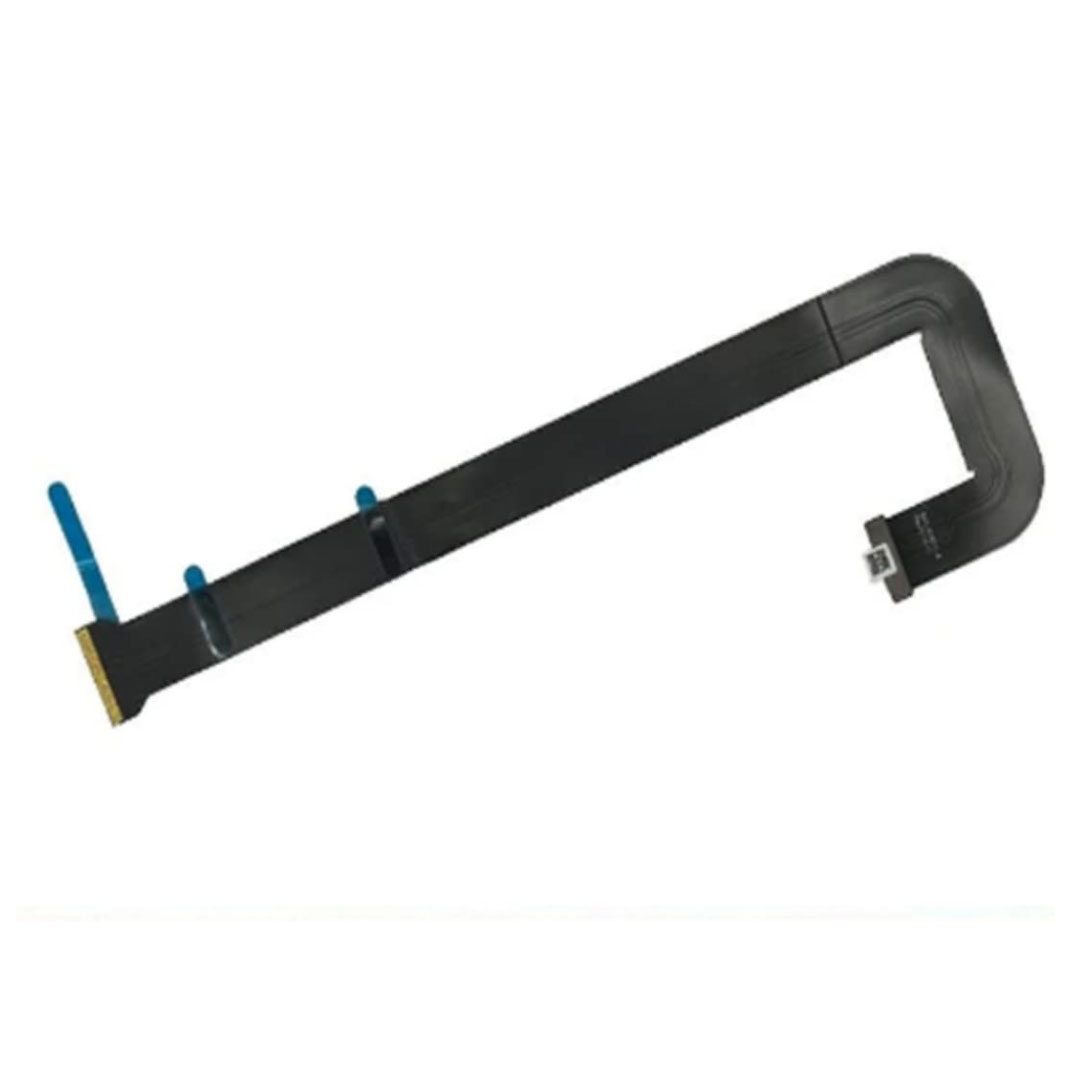
Genuine-spec touchpad flex cable compatible with both MacBook Air A2179 (Intel, 2020) and A2337 (M1, 2020)—restores full Force Touch functionality, haptic feedback, and precise multi-touch gesture control during trackpad repair or replacement. Compatible With: MacBook Air 13″ (2020, Intel) – Model A2179 (Model Identifier: MacBookAir9,1) MacBook Air 13″ (2020, Apple M1) – Model A2337 (Model Identifier: MacBookAir10,1) MacBook Air 13″ (2020, Intel) – Model A2179 (Model Identifier: MacBookAir9,1) MacBook Air 13″ (2020, Apple M1) – Model A2337 (Model Identifier: MacBookAir10,1) ✅ Important Note: Despite different processors (Intel vs. M1), Apple used the same trackpad assembly and flex cable in both A2179 and A2337. This makes the flex cable fully interchangeable between the two models. Part Type: Touchpad flex cable only — does not include the trackpad housing, Taptic Engine, or mounting hardware. This is the OEM-style ribbon cable that connects the trackpad to the logic board. Function: Transmits: Touch input coordinates Force Touch pressure data Haptic feedback signals to the Taptic Engine Enables full macOS gesture support: Force Click, three-finger lookup, swipe navigation, pinch-to-zoom, and smooth cursor tracking. Touch input coordinates Force Touch pressure data Haptic feedback signals to the Taptic Engine Enables full macOS gesture support: Force Click, three-finger lookup, swipe navigation, pinch-to-zoom, and smooth cursor tracking. OEM-Quality Build: Matches Apple’s original specifications in: Cable length and routing path Connector pitch and ZIF latch design EMI shielding and flex durability Cable length and routing path Connector pitch and ZIF latch design EMI shielding and flex durability Common Use Cases: Replacing a torn, creased, or liquid-damaged original flex cable Completing a trackpad replacement when the original cable is compromised Fixing intermittent trackpad behavior, loss of Force Touch, or complete unresponsiveness Replacing a torn, creased, or liquid-damaged original flex cable Completing a trackpad replacement when the original cable is compromised Fixing intermittent trackpad behavior, loss of Force Touch, or complete unresponsiveness Installation Note: Requires full bottom case removal and battery disconnection. Cable routes under the right side of the battery and logic board. Connects via a ZIF (Zero Insertion Force) socket—align carefully and latch gently. Recommended for experienced or certified technicians only. Requires full bottom case removal and battery disconnection. Cable routes under the right side of the battery and logic board. Connects via a ZIF (Zero Insertion Force) socket—align carefully and latch gently. Recommended for experienced or certified technicians only.
