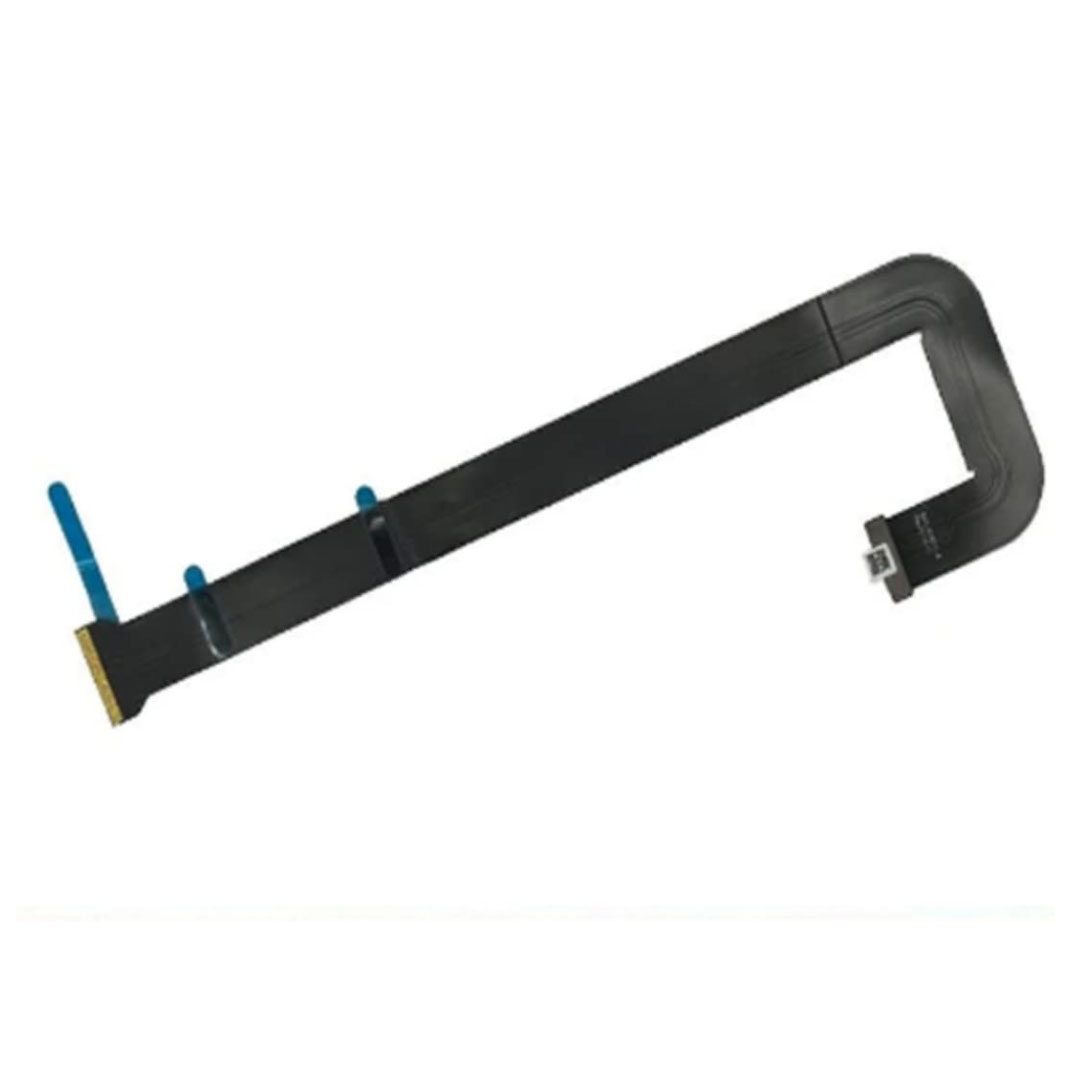

MacBook Pro Keyboard Replacement /Compatible for Apple MacBook - A1990 15" , A1989 13" MacBook Pro Keyboard Replacement /Compatible for Apple MacBook – A1990 15″ , A1989 13″ New A1989 A1990 Keyboard US Standard Replacement for MacBook Pro 13” 15”A1990 A1989 Keyboard 2018 Year

DELL Battery YRDD6 Laptop for replaceable Dell Inspiron 7586 5482 5485 5491 3310 2-in-1 3493 3582 3593 3793 5493 5593 5480 5590 5591 5594 5598 15 3583 3584 Vostro 3491 5481 5581 5490 5590 VM732 About this item Battery Type: 3cell Li-Polymer Voltage &Capacity : 11.4V 42WH Safeguard features against incorrect voltage, short circuit, internal overheating 100% Brand new ,Grade A cells battery; Quality assurance;every battery has passed factory testing; 500+ recharge cycles over

A reliable pre-owned Dell Latitude 5410 with 14" display, 10th Gen Core i5, 8GB RAM, and 256GB SSD—ideal for business users and students seeking solid performance, security, and portability.

Genuine-spec UK layout keyboard replacement for MacBook Air 13″ (Model A2337, 2020)—featuring Apple’s Magic Keyboard with scissor-switch mechanism, backlighting, and full OEM compatibility for reliable, authentic typing experience. Compatible With: MacBook Air 13-inch (2020, Model A2337) – includes both Intel (Core i3/i5/i7) and Apple M1 chip variants. Layout: UK English (QWERTY) with £ symbol, taller vertical Enter key, and standard UK key labeling—matches Apple’s original regional configuration. Keyboard Type: Apple’s Magic Keyboard with scissor-switch mechanism—offering improved durability, quieter keystrokes, and 1mm key travel compared to older Butterfly designs. Integrated Features: Backlit keys for low-light environments, ambient light sensor support, and original-style ribbon cable connector for direct logic board connection. Build & Fit: Precision-engineered to align perfectly within the MacBook Air’s top case—ensures flush mounting and consistent key feel. Installation Note: The keyboard is factory-glued into the top case and requires full disassembly for replacement. Re-adhesion must be done carefully with proper adhesive. Recommended for experienced repair technicians.

2022 Original New 13" A2681 LCD Screen for MacBook Air M2 EMC 4074 A2681 LCD Screen Replacement 2022 Original New 13″ A2681 LCD Screen for MacBook Air M2 EMC 4074 A2681 LCD Screen Replacement Compatible Model: For MacBook Air 13″ M2 A2681 Screen Display Replacement 2022 Year (Silver) Item Condition: New; Screen Size: 13.6″; Resolution: 2560×1664; Color: Silver.(This is the display replacement accessory is not a laptop) Note: Please be careful to take the screen out of the box. This product should be very careful when installed, we are not responsible for the damage in the process of installation. Please confirm the model and color before buying, do not buy the wrong product. If you have any questions, please get in touch with us.

A sleek and responsive pre-owned MacBook Pro 15" (2015) with a brilliant Retina display, upgraded 16GB RAM, fast 128GB SSD, and efficient Intel Iris Pro graphics—ideal for students, developers, and everyday productivity.

Logic Board 1.6GHz Core i5 (i5-5250U), 8GB RAM Replacement for (Early 2015-2017)

Brand Microsoft Connectivity Technology USB Connector Type USB Compatible Devices Laptops Compatible Phone Models Microsoft Special Feature Travel Mounting Type Wall Mount Total USB Ports 1 Wattage 65 watts Microsoft Surface Power Supply 65W and Power Adapter Non Retail Packaging

Apple USB-C to Lightning Cable (1m) - With Apple Warranty Apple USB-C to Lightning Cable (1m) – With Apple Warranty Connect your iPhone, iPad or iPod with Lightning connector to your USB-C– or Thunderbolt 3 (USB-C)–enabled Mac for syncing and charging, or to your USB-C–enabled iPad for charging. You can also use this cable with your Apple 18W, 20W, 29W, 30W, 61W, 87W or 96W USB‑C Power Adapter to charge your iOS device and even take advantage of the fast-charging feature on selected iPhone and iPad models.

This 1.8-meter DisplayPort to HDMI cable lets you connect a DisplayPort-enabled PC or laptop to an HDMI monitor, TV, or projector. It delivers clear high-definition video and reliable signal transmission, making it perfect for office work, presentations, and home entertainment. The DisplayPort to HDMI cable (1.8M) is a simple and reliable solution for connecting modern computers and laptops with a DisplayPort output to HDMI displays. Ideal for upgrading your setup, it supports high-quality video output for monitors, HDTVs, and projectors. With plug-and-play functionality and a durable build, it ensures stable performance for both professional and home use. DisplayPort to HDMI Connection for easy compatibility with HDMI screens 1.8M Cable Length ideal for desk and office setups High-Definition Video Output for clear and sharp visuals Plug & Play no drivers required Durable Connectors & Cable Build for long-term reliability Perfect for Work & Entertainment supports monitors, TVs, and projectors Works with devices that have a DisplayPort output and displays with an HDMI input, including monitors, TVs, projectors, and display systems. Ideal for workstations, presentations, and dual-screen setups.

Verbatim Vi3000 512 GB NVMe SSD — high-speed PCIe 4.0 storage for desktops & laptops.• Read up to 5,000 MB/s • Write up to 3,200 MB/s • Compact M.2 2280 form factorInterface: PCIe Gen 4 × 4 NVMe 1.4 | Warranty: 3 Years | SKU: Vi3000-512G 🟣 Full Details : The Verbatim Vi3000 512 GB PCIe NVMe M.2 SSD delivers blazing-fast performance for everyday computing, gaming, and creative work. Using the latest PCIe Gen 4 × 4 NVMe 1.4 interface, it achieves read speeds up to 5,000 MB/s and write speeds up to 3,200 MB/s, making it a great upgrade for faster boot times and quicker app loading. PCIe Gen 4 × 4 NVMe 1.4 interface for ultra-fast transfer speeds Up to 5,000 MB/s read and 3,200 MB/s write performance Compact M.2 2280 design for desktops & laptops Low power consumption and quiet operation 3-year limited warranty with Verbatim reliability Works with most modern desktops and laptops that support M.2 NVMe (PCIe) drives. Fully backward compatible with PCIe 3.0 systems (at lower speeds). Verbatim Vi3000 512 GB M.2 NVMe SSD Quick installation & warranty guide

OEM-spec trackpad replacement (without flex cable) for MacBook Air 15.3″ M2 (Model A2941, EMC 8301) in Silver finish—engineered for precise Force Touch response, smooth multi-touch gestures, and seamless integration with the original chassis. Compatible With: MacBook Air 15.3-inch (2023, Model A2941, EMC 8301) with Apple M2 chip. Part Type: Trackpad only—does not include the flex cable, Taptic Engine, or mounting brackets. Designed for technicians who will reuse or transfer the original internal components. Finish: Silver—matches the original Silver and Starlight lower case for perfect visual continuity. Force Touch Support: Fully compatible with pressure-sensitive input and haptic feedback when used with the original Taptic Engine and logic board—no loss of functionality. Precision Build: Mirror-smooth glass surface with exact curvature, texture, and micro-click mechanism matching Apple’s OEM standards for consistent tracking and tactile feel. Installation Requirements: Requires full bottom case disassembly and careful transfer of the original flex cable and Taptic Engine. Proper adhesive application is essential to maintain structural rigidity and sensor alignment. Recommended for professional or certified repair technicians only.

Genuine-spec touchpad flex cable for MacBook Pro 15″ (Model A1706 – 2017 and A1989 – 2018/2019)—restores full Force Touch functionality, haptic feedback, and precise multi-touch gesture control during trackpad repair or replacement. Compatible With: MacBook Pro 15″ (2017) – Model A1706 (Model Identifier: MacBookPro14,3) MacBook Pro 15″ (2018–2019) – Model A1989 (Model Identifier: MacBookPro15,2) ✅ Note: Apple used the same trackpad assembly and flex cable across both A1706 and A1989 15″ models—making this part interchangeable between them. MacBook Pro 15″ (2017) – Model A1706 (Model Identifier: MacBookPro14,3) MacBook Pro 15″ (2018–2019) – Model A1989 (Model Identifier: MacBookPro15,2) ✅ Note: Apple used the same trackpad assembly and flex cable across both A1706 and A1989 15″ models—making this part interchangeable between them. ✅ Note: Apple used the same trackpad assembly and flex cable across both A1706 and A1989 15″ models—making this part interchangeable between them. Part Type: Touchpad flex cable only — does not include the trackpad housing, Taptic Engine, or mounting hardware. This is the OEM-style ribbon cable connecting the trackpad to the logic board. Function: Transmits: Touch input coordinates Force Touch pressure data Haptic feedback signals to the Taptic Engine Enables full macOS gesture support: Force Click, three-finger lookup, swipe navigation, pinch-to-zoom, and smooth cursor tracking. Touch input coordinates Force Touch pressure data Haptic feedback signals to the Taptic Engine Enables full macOS gesture support: Force Click, three-finger lookup, swipe navigation, pinch-to-zoom, and smooth cursor tracking. OEM-Quality Build: Matches Apple’s original in: Cable length and routing Connector pitch and ZIF latch design EMI shielding and flex durability Cable length and routing Connector pitch and ZIF latch design EMI shielding and flex durability Common Use Cases: Replacing a torn, creased, or liquid-damaged original flex cable Completing a trackpad replacement when the original cable is compromised Fixing intermittent trackpad behavior, loss of Force Touch, or complete unresponsiveness Replacing a torn, creased, or liquid-damaged original flex cable Completing a trackpad replacement when the original cable is compromised Fixing intermittent trackpad behavior, loss of Force Touch, or complete unresponsiveness Installation Note: Requires full bottom case removal and battery disconnection. Cable routes under internal components near the right speaker and logic board. Connects via a ZIF (Zero Insertion Force) socket—must be aligned carefully and latched gently. Recommended for experienced or certified technicians only. Requires full bottom case removal and battery disconnection. Cable routes under internal components near the right speaker and logic board. Connects via a ZIF (Zero Insertion Force) socket—must be aligned carefully and latched gently. Recommended for experienced or certified technicians only.

LENOVO 11.1V or 11.4V 24Wh 68 Laptop Battery 0C52861 45N1124 45N1775 45N1126 45N1127 For Lenovo ThinkPad X240 X240S X250 X260 X270 T440 T440S T450 T450S T460 T460P T470P T550 T560 W550 L450 L460 About this item Battery Type: 3-Cell Lithium-Ion Voltage &Capacity :11.1V 24Wh 2.09AH or 11.4V 24Wh 2.06Ah , in fact , 11.1V is same as 11.4V , because one cell voltage is 3.7V or 3.8V . SANISI Concept: The customer is god, Product Quality and Service must be perfect! We will let every customer feel satisfied Package Contents: 1 pcs Brand New Battery

The Lenovo ThinkPad T470s features an Intel Core i5 7th Gen processor, 8GB RAM, and a fast 256GB SSD for smooth everyday performance. With a durable business-grade build and non-touch 14″ display, it’s ideal for professionals, students, and productivity tasks.

Genuine-spec touchpad flex cable for MacBook Pro 15″ (Model A1990, 2018–2019, Intel)—essential for restoring full Force Touch functionality, haptic feedback, and precise multi-touch gesture control during trackpad repair or replacement. Compatible With: MacBook Pro 15-inch (2018 & 2019, Model A1990, Model Identifiers MacBookPro15,2) with Intel Core i7/i9 processors. Part Type: Touchpad flex cable only — does not include the trackpad housing, Taptic Engine, or mounting hardware. This is the OEM-style ribbon cable that connects the trackpad to the logic board. Function: Transmits: Touch input coordinates Force Touch pressure data Haptic feedback signals to the Taptic Engine Enables full macOS gesture support: Force Click, three-finger lookup, swipe navigation, pinch-to-zoom, and smooth cursor tracking. Touch input coordinates Force Touch pressure data Haptic feedback signals to the Taptic Engine Enables full macOS gesture support: Force Click, three-finger lookup, swipe navigation, pinch-to-zoom, and smooth cursor tracking. OEM-Quality Build: Matches Apple’s original specifications in: Cable length and routing path Connector pitch and ZIF latch design EMI shielding and flex durability Cable length and routing path Connector pitch and ZIF latch design EMI shielding and flex durability Common Use Cases: Replacing a torn, creased, or liquid-damaged original flex cable Completing a trackpad replacement when the original cable is unusable Fixing intermittent trackpad behavior, loss of Force Touch, or complete unresponsiveness Replacing a torn, creased, or liquid-damaged original flex cable Completing a trackpad replacement when the original cable is unusable Fixing intermittent trackpad behavior, loss of Force Touch, or complete unresponsiveness Installation Note: Requires full bottom case removal and battery disconnection. Cable routes under internal components near the right speaker and logic board. Connects via a ZIF (Zero Insertion Force) socket—must be aligned carefully and latched gently. Recommended for experienced or certified technicians only. Requires full bottom case removal and battery disconnection. Cable routes under internal components near the right speaker and logic board. Connects via a ZIF (Zero Insertion Force) socket—must be aligned carefully and latched gently. Recommended for experienced or certified technicians only.

Authentic UK layout keyboard replacement for MacBook Air 13″ (Model A2338, 2020)—featuring Apple’s Magic Keyboard with scissor-switch mechanism, backlighting, and precise OEM fit for reliable performance and typing comfort. Compatible With: MacBook Air 13-inch (2020, Model A2338) – includes both Intel (Core i3/i5/i7) and Apple M1 chip variants. Layout: UK English (QWERTY) with £ symbol, tall vertical Enter key, and standard UK key labeling—exactly matches Apple’s original UK regional keyboard. Keyboard Type: Apple’s Magic Keyboard with scissor-switch mechanism—delivering quiet, responsive keystrokes, 1mm key travel, and greater long-term reliability than Butterfly keyboards. Integrated Features: Backlit keys for dim environments, ambient light sensor compatibility, and factory-matched ribbon cable for seamless connection to the logic board. Precision Build: Engineered to OEM specifications for exact alignment, key spacing, and tactile feedback—ensures a flush, secure fit within the original top case. Installation Note: The keyboard is glued into the top case and requires complete disassembly for replacement. Professional tools and adhesive are needed for proper reinstallation. Recommended for skilled technicians only.

Genuine-spec touchpad flex cable for MacBook Pro 16″ (Model A2485, 2021, M1 Pro/Max)—critical for restoring full Force Touch functionality, haptic feedback, and precise multi-touch gesture control during trackpad repairs. Compatible With: MacBook Pro 16-inch (2021, Model A2485) with Apple M1 Pro or M1 Max chip (Model Identifiers: MacBookPro18,1 / MacBookPro18,2). Part Type: Touchpad flex cable only—does not include the trackpad, Taptic Engine, or mounting hardware. This is the OEM-style ribbon cable that connects the trackpad to the logic board. Function: Transmits touch coordinates, Force Touch pressure data, and haptic feedback signals—essential for macOS gestures (e.g., pinch-to-zoom, Force Click, three-finger lookup) and Taptic Engine operation. OEM-Quality Construction: Precisely replicated to Apple’s original specifications—including cable length, connector type, EMI shielding, and flex routing—ensuring signal integrity and long-term reliability. Common Use Cases: Replacing a torn, frayed, or liquid-damaged original flex cable Completing a trackpad replacement when the original cable is compromised Fixing intermittent trackpad behavior, lost Force Touch, or complete unresponsiveness Replacing a torn, frayed, or liquid-damaged original flex cable Completing a trackpad replacement when the original cable is compromised Fixing intermittent trackpad behavior, lost Force Touch, or complete unresponsiveness Installation Note: Requires full disassembly of the bottom case and careful routing around the battery and logic board. Connectors use ZIF (Zero Insertion Force) sockets—must be aligned and latched gently. Recommended for certified or professional repair technicians only.

The Lenovo V130 is powered by an Intel Core i5 7th Gen processor, paired with 8GB RAM and a fast 256GB SSD for smooth and reliable everyday performance. Designed for office work, study, and productivity, it features a simple, durable design and a clear 15.6-inch non-touch display for comfortable daily use.

Genuine-spec touchpad flex cable for MacBook Pro 13″ with Touch Bar (Model A1708, 2016–2017)—restores full Force Touch functionality, haptic feedback, and precise multi-touch gesture control during trackpad repair or replacement. Compatible With: MacBook Pro 13″ (2016) – Model A1708 (Model Identifier: MacBookPro13,1) MacBook Pro 13″ (2017) – Model A1708 (Model Identifier: MacBookPro14,1) (Both years share the same internal trackpad assembly and flex cable.) MacBook Pro 13″ (2016) – Model A1708 (Model Identifier: MacBookPro13,1) MacBook Pro 13″ (2017) – Model A1708 (Model Identifier: MacBookPro14,1) (Both years share the same internal trackpad assembly and flex cable.) Part Type: Touchpad flex cable only — does not include the trackpad housing, Taptic Engine, or mounting hardware. This is the OEM-style ribbon cable that connects the trackpad to the logic board. Function: Transmits: Touch input coordinates Force Touch pressure data Haptic feedback signals to the Taptic Engine Enables full macOS gesture support: Force Click, three-finger lookup, swipe navigation, pinch-to-zoom, and smooth cursor tracking. Touch input coordinates Force Touch pressure data Haptic feedback signals to the Taptic Engine Enables full macOS gesture support: Force Click, three-finger lookup, swipe navigation, pinch-to-zoom, and smooth cursor tracking. OEM-Quality Build: Matches Apple’s original specifications in: Cable length and routing path Connector pitch and ZIF latch design EMI shielding and flex durability Cable length and routing path Connector pitch and ZIF latch design EMI shielding and flex durability Common Use Cases: Replacing a torn, creased, or liquid-damaged original flex cable Completing a trackpad replacement when the original cable is compromised Fixing intermittent trackpad behavior, loss of Force Touch, or complete unresponsiveness Replacing a torn, creased, or liquid-damaged original flex cable Completing a trackpad replacement when the original cable is compromised Fixing intermittent trackpad behavior, loss of Force Touch, or complete unresponsiveness Installation Note: Requires full bottom case removal and battery disconnection. Cable routes under internal components near the right speaker and logic board. Connects via a ZIF (Zero Insertion Force) socket—must be aligned carefully and latched gently. Recommended for experienced or certified technicians only. Requires full bottom case removal and battery disconnection. Cable routes under internal components near the right speaker and logic board. Connects via a ZIF (Zero Insertion Force) socket—must be aligned carefully and latched gently. Recommended for experienced or certified technicians only.
