
Introducing the ViewSonic VP2786-4K 27 4K ColorPro Monitor—a display that redefines visual excellence with its advanced features. To embark on a visual journey, this monitor boasts an impressive 4K resolution. Dive into crisp and detailed images, whether you’re editing high-resolution photos, creating content, or simply enjoying multimedia. Beneath its sleek exterior lies unparalleled color accuracy. The VP2786-4K ensures that every hue is reproduced with precision, making it an ideal choice for graphic designers, photographers, and content creators who demand perfection in color representation. Explore ergonomic design as the monitor offers customizable adjustments. Tilt, swivel, and pivot the display to your preferred viewing angle, ensuring comfort during extended work sessions. Connectivity is key, and this monitor provides a range of ports for seamless integration with various devices. Whether you’re using it as a primary display or expanding your workspace, the VP2786-4K adapts to your needs. In conclusion, immerse yourself in visual brilliance with the ViewSonic VP2786-4K 27 4K ColorPro Monitor. Experience 4K resolution, color accuracy, and ergonomic design. Choose the VP2786-4K for a display that elevates your visual experience to new heights. Specifications : Display : 27″ UHD, IPS ( 3840 x 2160) Refresh Rate : 60Hz Response Time : 5ms

Are you in search of a high-performance gaming monitor? Look no further! The MSI MPG 274URF QD 27″ 160Hz gaming monitor is here to elevate your gaming experience. This monitor combines cutting-edge technology with sleek design to provide an unbeatable gaming setup. Firstly, let’s talk about the impressive display. The 27-inch screen size offers ample viewing space, making every detail pop. The Quantum Dot technology ensures vibrant and accurate colors, enhancing the overall visual experience. In addition, the 160Hz refresh rate is a game-changer. It ensures smooth and fluid motion, reducing blur and lag. This is essential for fast-paced games where every millisecond counts. With the MSI MPG 274URF QD, you can stay ahead of the competition. Moreover, the 1ms response time minimizes input lag. This allows for quick reactions and precise movements, crucial for competitive gaming. Every action you take will be instantaneously reflected on the screen, providing a seamless gaming experience. Furthermore, this gaming monitor supports HDR, delivering stunning contrast and brightness. You will enjoy deeper blacks and brighter whites, bringing your games to life. The detailed shadows and highlights will immerse you in the game world like never before. Comfort is also a key feature of the MSI MPG 274URF QD. The ergonomic design allows you to adjust the height, tilt, and swivel to find the perfect viewing angle. This ensures you can game comfortably for hours without straining your neck or eyes. Additionally, the monitor comes with multiple connectivity options. Easily connect your PC, console, or other devices with the available HDMI, DisplayPort, and USB ports. This versatility makes it a great addition to any gaming setup. In conclusion, the MSI MPG 274URF QD 27″ 160Hz gaming monitor offers superior performance and stunning visuals. Whether you’re a casual gamer or a professional, this monitor will enhance your gaming experience. Upgrade your setup today and enjoy the best in gaming technology! Specifications: Display : 27″ Rapid IPS Resolution : 3840×2160 (UHD) Refresh Rate : 160Hz Response Rate : 0.5ms

WiWU Alpha Slim Sleeve Laptop Case 14/15.4/16 inch Inch Waterproof Bag With Handle For Macbook

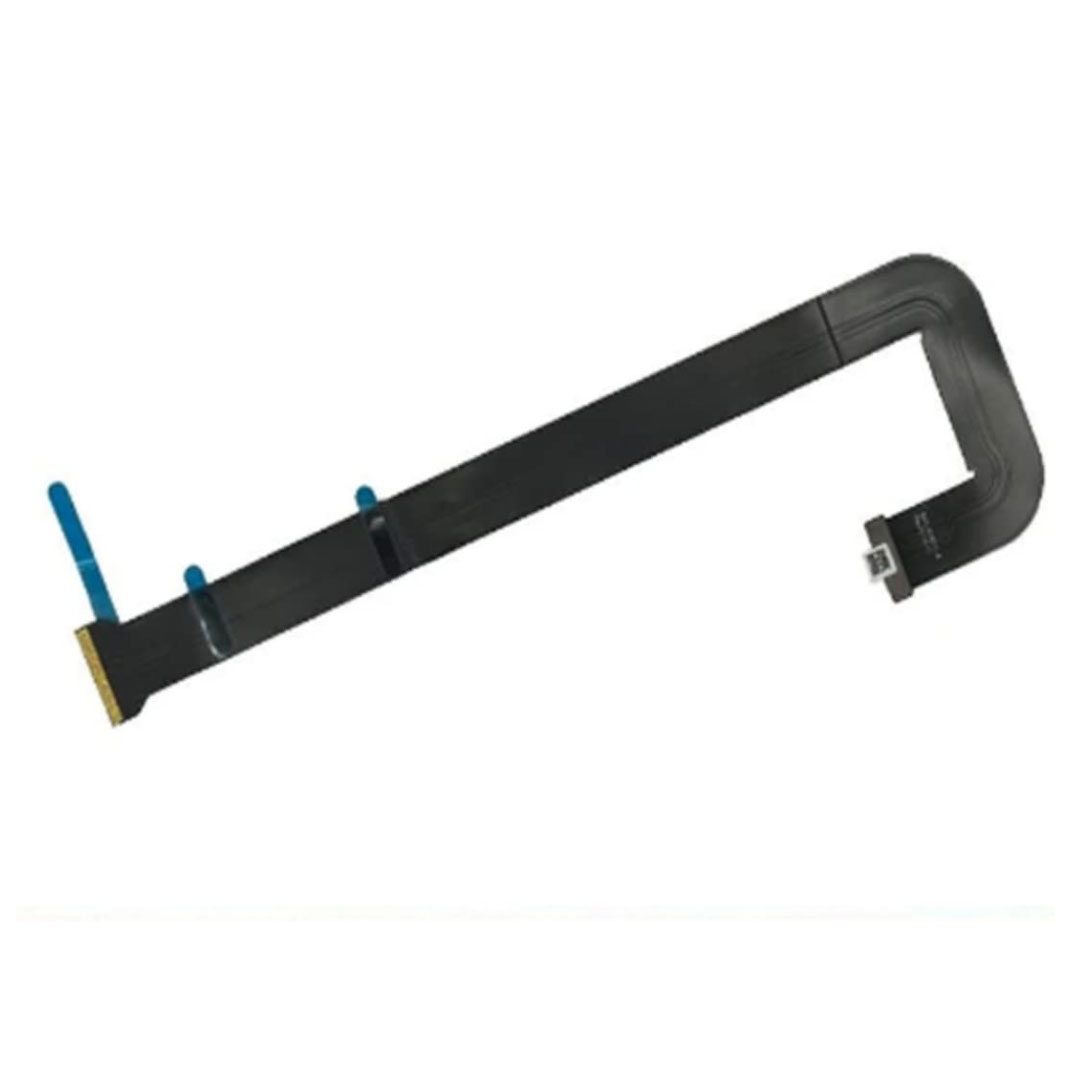
Genuine-spec touchpad flex cable for MacBook Pro 13″ (Model A2338, 2020, Apple M1)—essential for restoring full Force Touch functionality, haptic feedback, and precise multi-touch gesture control during trackpad repair or replacement. Compatible With: MacBook Pro 13-inch (2020, Model A2338, Model Identifier MacBookPro17,1) with Apple M1 chip (2 Thunderbolt ports). Part Type: Touchpad flex cable only — does not include the trackpad housing, Taptic Engine, or mounting hardware. This is the OEM-style ribbon cable that connects the trackpad to the logic board. Function: Transmits: Touch input coordinates Force Touch pressure data Haptic feedback signals to the Taptic Engine Enables full macOS gesture support: Force Click, three-finger lookup, swipe navigation, pinch-to-zoom, and smooth cursor tracking. Touch input coordinates Force Touch pressure data Haptic feedback signals to the Taptic Engine Enables full macOS gesture support: Force Click, three-finger lookup, swipe navigation, pinch-to-zoom, and smooth cursor tracking. OEM-Quality Build: Matches Apple’s original specifications in: Cable length and routing Connector pitch and ZIF latch design EMI shielding and flex durability Cable length and routing Connector pitch and ZIF latch design EMI shielding and flex durability Common Use Cases: Replacing a torn, creased, or liquid-damaged original flex cable Completing a trackpad replacement when the original cable is compromised Fixing intermittent trackpad behavior, loss of Force Touch, or complete unresponsiveness Replacing a torn, creased, or liquid-damaged original flex cable Completing a trackpad replacement when the original cable is compromised Fixing intermittent trackpad behavior, loss of Force Touch, or complete unresponsiveness Installation Note: Requires full bottom case removal and battery disconnection. Cable routes under internal components near the right speaker and logic board. Connects via a ZIF (Zero Insertion Force) socket—must be aligned carefully and latched gently. Recommended for experienced or certified technicians only. Requires full bottom case removal and battery disconnection. Cable routes under internal components near the right speaker and logic board. Connects via a ZIF (Zero Insertion Force) socket—must be aligned carefully and latched gently. Recommended for experienced or certified technicians only. Important Compatibility Notes: ✅ Only for A2338 (13″, M1, 2020) ❌ Not compatible with: Intel-based A2251 / A2289 (2020) MacBook Air M1 (A2337) Any MacBook Air or 14″/16″ MacBook Pro ✅ Only for A2338 (13″, M1, 2020) ❌ Not compatible with: Intel-based A2251 / A2289 (2020) MacBook Air M1 (A2337) Any MacBook Air or 14″/16″ MacBook Pro Intel-based A2251 / A2289 (2020) MacBook Air M1 (A2337) Any MacBook Air or 14″/16″ MacBook Pro

WiWU Infinite USB‑C to HDMI Adapter (HB004) – Sleek aluminum dongle offering 4K@60Hz output over USB‑C (DP Alt‑Mode), plug-and-play with no drivers needed.Compact, portable, and reliable—a must-have for mobile productivity, gaming, and media streaming. Model: WiWU Infinite USB‑C to HDMI Adapter (HB004) Video Output: HDMI 2.0, supports up to 4K @ 60 Hz resolution Material & Weight: Robust aluminum alloy body, compact, weighs ~69 g Compatibility: Plug-and-play connector works with USB‑C devices supporting DP Alt‑Mode—compatible with laptops, smartphones, tablets, consoles Design & Build: Slim, portable, durable—no driver/software required Use Cases: Ideal for mirroring/extending screens for presentations, streaming, gaming

LG 22 inch 100Hz FHD Monitor 22MR410-B is designed for smooth daily work, study, and casual gaming. It features a 21.45-inch Full HD VA display with a 3-side borderless design. Additionally, it supports a 100Hz refresh rate and AMD FreeSync for smoother motion. Therefore, it works well for office tasks and everyday entertainment. The LG 22 inch 100Hz FHD Monitor 22MR410-B delivers 1920 × 1080 resolution with a 5ms response time and 250 cd/m² brightness. Moreover, it includes a 3000:1 contrast ratio and sRGB 99% color coverage for balanced image quality. It supports one HDMI port, D-Sub input, and headphone out for flexible connectivity. Furthermore, the monitor includes Reader Mode, Flicker Safe, Black Stabilizer, and Dynamic Action Sync for better comfort and smoother viewing. In addition, the stand supports tilt adjustment and VESA 100 × 100 wall mounting. As a result, users get a practical setup for home or office use. Specifications: 21.45-inch Full HD 1920 × 1080 VA display 100Hz refresh rate with AMD FreeSync support 5ms response time with 3000:1 contrast ratio HDMI, D-Sub, and headphone out connectivity Tilt adjustment with VESA 100 × 100 mount support

The MSI MAG 274CXF 27″ FHD 280Hz Curved Gaming Monitor delivers ultra-smooth motion for competitive gamers and fast action. Its Full HD resolution shows clear images, sharp details, and clean visuals. The 27-inch curved screen gives you immersive viewing and a wide field of vision. This helps you see more game space and stay focused. Moreover, the MSI MAG 274CXF features a blazing 280 Hz refresh rate for lightning-fast visuals. Fast scenes and quick moves look fluid and responsive with minimal blur. The high refresh rate helps you react faster in shooters and action games. In addition, the monitor uses a high-performance panel with strong contrast and rich colors. Blacks are deep and dark scenes feel immersive. The curved 1500R design reduces eye strain and makes long gaming sessions easier. Furthermore, the MSI MAG 274CXF supports Adaptive-Sync technology to match refresh rate and GPU output. This avoids screen tearing and stutter. You get smooth and stable gameplay on PC or console. Also, the monitor offers useful connectivity options like DisplayPort and HDMI. You can connect gaming PCs, laptops, or consoles easily. The slim bezel design gives your setup a clean modern look. It fits well on gaming desks of all sizes. The monitor also includes eye-care features like Flicker-Free and reduced blue light settings. This helps reduce strain during long hours of use. It is ideal for gamers who spend many hours playing. Overall, the MSI MAG 274CXF 27″ FHD 280Hz Curved Gaming Monitor combines speed, smoothness, and immersive design. It boosts your gaming performance, keeps visuals sharp, and ensures comfort during long sessions. It is perfect for competitive gamers and anyone who wants top-tier fluid visuals. Specifications: Display : 27″ Rapid VA Resolution : FHD 1920×1080 Refresh Rate : 280Hz Response Time : 0.5ms Curvature : 1500R

Used, original 35 W USB-C charger for Mac — reliable Apple power adapter (dual USB-C) for charging your Mac and other devices. This is an authentic Apple 35 W USB-C power adapter (dual-port) — used but tested. It’s built to charge MacBooks, iPhones, iPads, and other USB-C devices. Though lower wattage than larger Mac adapters, it works well for light use or supplemental charging. Features & Behavior Dual USB-C ports: can charge two devices simultaneously Intelligent power distribution: if both ports are used, the output splits evenly (~17.5 W each) USB Power Delivery support across standard profiles (5V, 9V, 15V, 20V) Accepts input 100-240V AC, so usable worldwide (with correct plug) Compact form factor in one variant, or standard “duckhead” plug style in another Specifications Strengths & Limitations Pros Authentic Apple unit — safer and more reliable than generic chargers Dual ports give flexibility — charge phone + Mac concurrently Portable and suitable for travel (universal voltage) Cons 35 W is low for MacBook Pro under load — might not maintain charging during heavy use When both ports used, power is halved (~17.5 W each) Used condition may include wear, scuffs, or reduced efficiency

Original top case (upper case) assembly for MacBook model A2338 (2020/2022), pulled from a working unit. Includes keyboard, battery, and palm rest — ready for drop-in replacement of a damaged upper half. This is a genuine Apple top case (upper case) assembly removed from a functioning MacBook Pro A2338. Ideal to replace a worn, cracked, or non-functional upper chassis with a fully integrated solution. It carries all the components you need for the top half of the laptop — keyboard, battery, housing, etc. Key Features & Components OEM top case: Apple original part Includes backlit keyboard built into the upper case Integrated battery cells mounted to the housing Palm rest / palm area with matching finish Cutouts and mounts for trackpad, speakers, and internal cabling Compatible with A2338 MacBook Pro (2020 M1 / 2022 M2) models Requires transfer of the Touch ID sensor, as it’s paired to the logic board not included in the case May or may not include trackpad (depending on seller / condition) Tested for battery health, keyboard functionality, internal connections (unless otherwise stated) Detailed Specifications Important Notes & Caveats Must ensure exact model (A2338) — other top cases won’t match in ports, screw layout, and internal fit. Transfer the Touch ID / fingerprint sensor from your original case — it’s tied to the logic board. Check battery condition before listing / resale — internal cells may have wear. Minor cosmetic defects or marks may exist due to being a used part. Installation requires moderate repair skills — ribbon cables, screws, and internals must be aligned correctly.

TP-Link AC1200 Archer C50 Wireless Dual Band Router Support smooth 4K streaming with AC1200 Wi-Fi 4 external antennas provide stable wireless connections and optimal coverage Easy network management at your fingertips with TP-Link Tether Supports IGMP Proxy/Snooping, Bridge, and Tag VLAN to optimize IPTV streaming Supports Access Point mode to create a new Wi-Fi access point TP-Link AC1200 Archer C50 Wireless Dual Band Router Support smooth 4K streaming with AC1200 Wi-Fi 4 external antennas provide stable wireless connections and optimal coverage Easy network management at your fingertips with TP-Link Tether Supports IGMP Proxy/Snooping, Bridge, and Tag VLAN to optimize IPTV streaming Supports Access Point mode to create a new Wi-Fi access point TP-Link Archer C50 – AC1200 Wireless Dual Band Router Wireless Speed: Up to 1200 Mbps (300 Mbps on 2.4GHz + 867 Mbps on 5GHz) Wi-Fi Standard: 802.11ac – 3x faster than wireless N speeds Bands: Dual Band (2.4GHz & 5GHz) for reduced interference and better performance Antenna: 4 External Antennas for strong and stable wireless coverage Ports: 4× LAN, 1× WAN (10/100 Mbps) Advanced Features: Parental Controls, Guest Network, IPv6 Support, Access Control Security: WPA/WPA2 encryption for secure wireless connections Ease of Use: Easy setup with TP-Link Tether App Ideal For: HD streaming, online gaming, and high-speed downloads in homes and small offices

The ASUS VA279HG 27″ FHD Eye Care Monitor delivers clear Full HD visuals on a large 27-inch screen. It offers bright colors and a wide viewing area. This makes work, entertainment, and daily tasks look clean and comfortable. The larger display improves productivity and visual clarity. Moreover, the ASUS VA279HG 27″ FHD Eye Care Monitor features a 75Hz refresh rate. This creates smoother motion in games and videos. It reduces blur and keeps movement stable. You enjoy a more responsive and pleasant viewing experience. In addition, Adaptive Sync support minimizes screen tearing. It keeps visuals smooth during fast scenes. Gamers and casual users benefit from consistent performance. This adds comfort to longer sessions. Furthermore, the monitor includes ASUS Eye Care technology. It reduces blue light and eliminates screen flicker. This protects your eyes from strain and fatigue. You can work or watch content for longer with ease. Also the ASUS VA279HG 27″ FHD Eye Care Monitor uses a VA panel for strong contrast. It delivers deeper blacks and more vivid colors. Also, the design is simple and modern. The thin frame looks clean on any desk. The stand offers tilt adjustment for better comfort. This helps you find the ideal viewing angle easily. Finally connectivity is flexible and reliable. The monitor includes HDMI and VGA ports. This allows quick setup with many devices. It works well with laptops, desktops, and media players. Overall, the ASUS VA279HG 27″ FHD Eye Care Monitor combines smooth performance, eye protection, and a spacious display. It is ideal for home, office, and entertainment use. It delivers comfort, clarity, and strong everyday value. Specifications: Display : 27″ IPS Resolution : FHD Refresh Rate : 120Hz Response Time : 1ms Model : 90LM04J1-B02371

Genuine-spec touchpad flex cable for MacBook Pro 16″ (Model A2141, 2019, Intel)—essential for restoring full Force Touch functionality, haptic feedback, and precise multi-touch gesture control during trackpad repair or replacement. Compatible With: MacBook Pro 16-inch (2019, Model A2141) with Intel Core i7/i9 processors (Model Identifier: MacBookPro16,1) (Note: A2141 is the non-base configuration of the 2019 16″ MacBook Pro—typically higher-end Intel models.) Part Type: Touchpad flex cable only—does not include the trackpad housing, Taptic Engine, or mounting hardware. This is the OEM-style ribbon cable that connects the trackpad to the logic board. Function: Transmits touch coordinates, Force Touch pressure data, and haptic feedback signals—critical for macOS gestures (e.g., Force Click, three-finger lookup, pinch-to-zoom) and Taptic Engine responsiveness. OEM-Quality Construction: Replicated to Apple’s exact specifications—including cable length, connector pitch, EMI shielding, and bend radius—ensuring reliable signal integrity and long-term durability. Common Use Cases: Replacing a torn, creased, or liquid-damaged original flex cable Completing a trackpad replacement when the original cable is compromised Fixing intermittent trackpad behavior, loss of Force Touch, or complete unresponsiveness Replacing a torn, creased, or liquid-damaged original flex cable Completing a trackpad replacement when the original cable is compromised Fixing intermittent trackpad behavior, loss of Force Touch, or complete unresponsiveness Installation Note: Requires full disassembly of the bottom case, speaker removal, and careful routing beneath the battery and logic board. Connectors use ZIF (Zero Insertion Force) sockets—must be aligned and latched gently. Recommended for certified or professional repair technicians only. Important: This is flex cable only—not a complete trackpad assembly. Must be used with the original or compatible A2141 trackpad and Taptic Engine. Not compatible with M1 MacBook Pro 16″ (A2485), 14″ models (A2442), or any MacBook Air. This is flex cable only—not a complete trackpad assembly. Must be used with the original or compatible A2141 trackpad and Taptic Engine. Not compatible with M1 MacBook Pro 16″ (A2485), 14″ models (A2442), or any MacBook Air. Model Verification: Confirm your device is MacBook Pro A2141 (16″, 2019, Intel) via > About This Mac > Model Identifier (should read MacBookPro16,1).

Genuine-spec touchpad flex cable for MacBook Pro 15″ (Model A1706 – 2017 and A1989 – 2018/2019)—restores full Force Touch functionality, haptic feedback, and precise multi-touch gesture control during trackpad repair or replacement. Compatible With: MacBook Pro 15″ (2017) – Model A1706 (Model Identifier: MacBookPro14,3) MacBook Pro 15″ (2018–2019) – Model A1989 (Model Identifier: MacBookPro15,2) ✅ Note: Apple used the same trackpad assembly and flex cable across both A1706 and A1989 15″ models—making this part interchangeable between them. MacBook Pro 15″ (2017) – Model A1706 (Model Identifier: MacBookPro14,3) MacBook Pro 15″ (2018–2019) – Model A1989 (Model Identifier: MacBookPro15,2) ✅ Note: Apple used the same trackpad assembly and flex cable across both A1706 and A1989 15″ models—making this part interchangeable between them. ✅ Note: Apple used the same trackpad assembly and flex cable across both A1706 and A1989 15″ models—making this part interchangeable between them. Part Type: Touchpad flex cable only — does not include the trackpad housing, Taptic Engine, or mounting hardware. This is the OEM-style ribbon cable connecting the trackpad to the logic board. Function: Transmits: Touch input coordinates Force Touch pressure data Haptic feedback signals to the Taptic Engine Enables full macOS gesture support: Force Click, three-finger lookup, swipe navigation, pinch-to-zoom, and smooth cursor tracking. Touch input coordinates Force Touch pressure data Haptic feedback signals to the Taptic Engine Enables full macOS gesture support: Force Click, three-finger lookup, swipe navigation, pinch-to-zoom, and smooth cursor tracking. OEM-Quality Build: Matches Apple’s original in: Cable length and routing Connector pitch and ZIF latch design EMI shielding and flex durability Cable length and routing Connector pitch and ZIF latch design EMI shielding and flex durability Common Use Cases: Replacing a torn, creased, or liquid-damaged original flex cable Completing a trackpad replacement when the original cable is compromised Fixing intermittent trackpad behavior, loss of Force Touch, or complete unresponsiveness Replacing a torn, creased, or liquid-damaged original flex cable Completing a trackpad replacement when the original cable is compromised Fixing intermittent trackpad behavior, loss of Force Touch, or complete unresponsiveness Installation Note: Requires full bottom case removal and battery disconnection. Cable routes under internal components near the right speaker and logic board. Connects via a ZIF (Zero Insertion Force) socket—must be aligned carefully and latched gently. Recommended for experienced or certified technicians only. Requires full bottom case removal and battery disconnection. Cable routes under internal components near the right speaker and logic board. Connects via a ZIF (Zero Insertion Force) socket—must be aligned carefully and latched gently. Recommended for experienced or certified technicians only.

The BenQ 32″ 4K UHD HDR Monitor delivers breathtaking clarity for all your computing needs. Whether you’re gaming, working, or streaming, this monitor provides stunning visuals. With its 4K UHD resolution, the BenQ 32″ Monitor offers four times the detail of Full HD. Enjoy crystal-clear images and sharp text for an immersive viewing experience. Featuring HDR technology, the BenQ 32″ 4K UHD Monitor enhances colors and contrast. This results in brighter whites, deeper blacks, and more vibrant colors for a realistic display. Designed for comfort, the BenQ 32″ Monitor includes a height-adjustable stand. Adjust the monitor to your preferred viewing angle and reduce strain during long hours of use. The BenQ 32″ 4K Monitor is perfect for multitasking. With ample screen space, you can easily view multiple windows and applications side by side without any clutter. Gamers will appreciate the BenQ 32″ Monitor’s fast response time and low input lag. Enjoy smooth gameplay and quick reactions, ensuring you stay ahead of the competition. Connectivity is a breeze with multiple ports, including HDMI, DisplayPort, and USB-C. Easily connect your devices and peripherals for a versatile and efficient setup. Eye-care technology is built into the BenQ 32″ 4K Monitor to reduce eye strain. Features like low blue light and flicker-free technology make long viewing sessions more comfortable. In conclusion, the BenQ 32″ 4K UHD HDR Monitor combines stunning visuals, ergonomic design, and advanced features. Upgrade your monitor today and enjoy an unparalleled viewing experience. Specifications: Display : 31.5″ VA Resolution : 4K UHD Refresh Rate : 60Hz Response Rate : 4ms GtG Built-in Speaker : 2W x2

In the realm of monitors, the ViewSonic VG2748 stands out as a powerhouse, offering exceptional visual clarity and a range of features to boost productivity for an enhanced viewing journey. Transitioning to its key features, the VG2748 excels in providing crisp and detailed visuals. This monitor is designed to deliver sharp images and vibrant colors, ensuring a visually engaging experience for work, presentations, or creative tasks. Moreover, this display impresses with its sleek and professional design. The ViewSonic VG2748 not only complements your workspace but also ensures a slim profile and ergonomic stand, allowing for customized and comfortable viewing. In addition to its functionality, the VG2748 offers user-friendly controls and versatile connectivity options, ensuring a seamless and adaptable experience. This monitor effortlessly adapts to various settings, providing flexibility for different work environments. Furthermore, ViewSonic’s commitment to user satisfaction is evident in the VG2748’s advanced ergonomic features and eye-care technology. It’s a reliable companion for extended work sessions, offering both visual excellence and comfort. In conclusion, the ViewSonic VG2748 redefines productivity, combining high-quality visuals, professional design, and user-friendly features. Elevate your work experience effortlessly with the VG2748 – your partner in a seamless and efficient viewing journey! Specification vDisplay Manager SuperClear IPS 178˚/ 178˚ Low Energy Consumption Dual Speakers Refresh Rate : 60Hz Flicker-Free Blue Light Filter ViewMode : Game/Movie/Web/Text/Mono/Mac Ports : 4 USB-A |1 VGA | 1 HDMI | 1 Display Port

Sleek & Portable Design: ASUS ZenScreen 15.6-inch Full HD portable monitor is ideal for life on the road. This sleek external display is lightweight and has a slim profile, so it fits easily in any travel bag..Aspect ratio:16:9.Viewing Angle:178.0 degrees.Response time:5.0 milliseconds Smart Connectivity: ZenScreen MB166C travel monitor uses a single USB Type-C connection for both power and video transmission from your host device. This means you have fewer cables to work with, so you get a neater work area. Work Efficiently In Portrait & Landscape Modes: This 15-inch portable monitor automatically senses its orientation and switches the monitor between landscape and portrait modes via DisplayWidget software. Work In Comfort: User-friendly design with an embedded tripod socket on the rear and foldable sleeve for versatility. Say Goodbye To Strained Eyes: The ASUS ZenScreen 15.6 inch monitor features TÜV Rheinland-certified Flicker-free and Low Blue Light technologies to ensure a comfortable viewing experience. Specifications: (MB166C) – Full HD IPS USB Type-C USB-Powered Eye Care Tripod Mountable Anti-Glare Surface Protective Sleeve 1 year warranty manufacturer link

A reliable pre-owned Dell Latitude 5400 with 14" display, 8th Gen Core i5, 16GB RAM, and 512GB SSD—ideal for business users and students seeking solid performance, security, and durability in a compact form.

Genuine-spec touchpad flex cable for MacBook Pro 15″ (Model A2941, 2023, Apple M2)—restores full Force Touch functionality, haptic feedback, and precise multi-touch gesture control during trackpad repair or replacement. Compatible With: MacBook Pro 15-inch (2023, Model A2941) with Apple M2 chip (Model Identifier: MacBookPro19,1) Part Type: Touchpad flex cable only — does not include the trackpad housing, Taptic Engine, or mounting hardware. This is the OEM-style ribbon cable that connects the trackpad to the logic board. Function: Transmits: Touch input coordinates Force Touch pressure data Haptic feedback signals to the Taptic Engine Enables full macOS gesture support: Force Click, three-finger lookup, swipe navigation, pinch-to-zoom, and smooth cursor tracking. Touch input coordinates Force Touch pressure data Haptic feedback signals to the Taptic Engine Enables full macOS gesture support: Force Click, three-finger lookup, swipe navigation, pinch-to-zoom, and smooth cursor tracking. OEM-Quality Build: Matches Apple’s original specifications in: Cable length and routing path Connector pitch and ZIF latch design EMI shielding and flex durability Cable length and routing path Connector pitch and ZIF latch design EMI shielding and flex durability Common Use Cases: Replacing a torn, creased, or liquid-damaged original flex cable Completing a trackpad replacement when the original cable is compromised Fixing intermittent trackpad behavior, loss of Force Touch, or complete unresponsiveness Replacing a torn, creased, or liquid-damaged original flex cable Completing a trackpad replacement when the original cable is compromised Fixing intermittent trackpad behavior, loss of Force Touch, or complete unresponsiveness Installation Note: Requires full bottom case removal and battery disconnection. Cable routes under internal components near the right speaker and logic board. Connects via a ZIF (Zero Insertion Force) socket—must be aligned carefully and latched gently. Recommended for experienced or certified technicians only. Requires full bottom case removal and battery disconnection. Cable routes under internal components near the right speaker and logic board. Connects via a ZIF (Zero Insertion Force) socket—must be aligned carefully and latched gently. Recommended for experienced or certified technicians only.

Specification Details Input/Output Other Battery Capacity (mAh) 5000 Number of Devices Connectable Simultaneously 1 Touch Screen No Sound Mode Stereo Sound Mode Category Speakers Use Camping Tweeter Material Other Bluetooth Version 5.0 Input Power (W) 25-49 W Voice Control Yes Frequency Range 80 Hz – 20 KHz Display Screen No Waterproof Yes Support APP Yes Support Memory Card Yes Material Plastic Playback Function MP3, FLAC, APE, WAV Remote Control No Intelligent Personal Assistant Built-in Microphone Yes Audio Crossover Full-Range Number of Loudspeaker Enclosures 2 Power Source Battery PMPO 40 W Channels 1.1 Communication Audio Line Speaker Type Portable Cabinet Material Plastic Brand Name YIBOLANG Origin Mainland China Certification CE

