
BenQ RE03A 86 inch Board Essential RE8603A is designed for classrooms, training rooms, and interactive presentations. It features an 86-inch 4K UHD IPS display with precision IR touch technology for smooth writing and collaboration. Additionally, it supports up to 40 touch points. Therefore, it helps teachers and teams work together more efficiently. The BenQ RE8603A delivers 3840 × 2160 resolution with 450 nits brightness and anti-glare coating for clear viewing in bright rooms. Moreover, it uses 9H tempered glass for better durability and safer daily use. It also includes low blue light and flicker-free technology to reduce eye strain. In addition, it runs on Android 11 with 4GB memory and 32GB storage for smooth system performance. Furthermore, it provides 3 HDMI 2.0 ports, DisplayPort, USB-A, USB-C, and USB-B for flexible connectivity. As a result, users can connect laptops, cameras, and classroom devices easily. It also includes front-facing 2 × 20W speakers and built-in management tools for daily educational use. Specifications: 86-inch 4K UHD (3840 × 2160) IPS display Precision IR touch with up to 40 touch points Android 11 with 4GB RAM and 32GB storage 450 nits brightness with anti-glare 9H tempered glass 3 HDMI 2.0, DisplayPort, USB-C, and dual 20W speakers

The LG 32UN880K-B 32″ UHD 4K ERGO Monitor is designed to provide outstanding image quality and maximum comfort for work and entertainment. Its large 32-inch 4K UHD display delivers sharp detail and vibrant colors, making it ideal for professional tasks, creative projects, and media consumption. Moreover, the high resolution allows users to multitask efficiently with clear visuals across multiple applications. This monitor features LG’s ERGO stand, which allows flexible adjustments to improve posture and desk organization. Additionally, users can easily adjust height, tilt, swivel, and pivot positions for a more comfortable viewing experience during long working hours. The modern and clean design also helps free up desk space while maintaining a professional setup. The LG 32UN880K-B offers versatile connectivity options, making it simple to connect laptops, PCs, and other devices. Furthermore, its ergonomic flexibility helps reduce strain during extended sessions. Therefore, it is ideal for professionals, designers, and home office users seeking comfort and performance. Finally, it combines stunning 4K visuals with ergonomic convenience for a productive workspace. Specifications: 32″ UHD 4K monitor with ERGO stand High-resolution display for sharp visuals Flexible ergonomic adjustment system Wide viewing angles and accurate colors Multiple connectivity options

The Xiaomi TV A Pro 55 2026 delivers sharp and vibrant visuals for movies, shows, and games. Its 55-inch QLED 4K display provides detailed, lifelike images with bright colors and deep contrast. High resolution ensures that every scene shows fine details clearly. The TV uses a quantum-dot QLED panel that enhances color accuracy and expands the color range. Colors appear vivid, realistic, and consistent from scene to scene. Dark areas stay deep, bright areas stay clear, and overall image quality feels more natural and immersive. The Xiaomi TV A Pro 55 2026 also supports advanced HDR formats like HDR10+ and HLG. These boost contrast and improve brightness and shadow detail, resulting in richer and more cinematic picture quality. An additional HDR enhancement mode further refines overall image depth and clarity. Sound quality is enhanced with built-in dual speakers supporting Dolby Audio and DTS:X. This provides clear, balanced, and immersive audio without requiring external speakers. Design-wise, the TV features a premium metal frame with ultra-slim bezels, giving it a sleek and modern appearance that fits well into any living room setup. Powered by Google TV, the Xiaomi TV A Pro 55 2026 offers easy access to streaming apps, voice control, content recommendations, smart-home integration, and seamless casting. It provides a smooth and user-friendly smart TV experience. Overall, this model combines excellent picture quality, smooth motion, strong audio, and smart functionality, making it an ideal 55″ 4K TV for movies, gaming, and everyday entertainment. Specifications: Display Type QLED Resolution 4K, 3840 × 2160 Speaker 2 x 10W Dimensions including base (L × W × H) 1226*312*770mm Dimensions not including base (L × W × H) 1226*76*711mm CPU Quad cortex A55 GPU Mali-G52 MC1 RAM 2GB ROM 8GB

The Samsung 27″ 120Hz Essential S3 Monitor LS27F320GAMXUE delivers clear and smooth visuals with a Full HD (1920 × 1080) resolution and 120 Hz refresh rate, which helps reduce motion blur and lag during fast‑moving scenes. Additionally, the IPS panel provides wide viewing angles and consistent color across the screen, making it suitable for work, entertainment, and casual gaming. The monitor includes Game Picture Mode to optimize contrast and color settings for different game genres. Moreover, Samsung equips this monitor with Eye Saver Mode and Flicker Free technology to help reduce eye strain during extended use. Therefore, users can stay comfortable during long work or play sessions. The design features a modern, slim bezel look that enhances any desk setup. Connectivity includes two HDMI 1.4 ports for flexible device connection. Specifications: Display : 27″ Resolution : 1920 x 1080 FHD Refresh Rate : 120Hz Response Rate : 5ms

The HUAWEI IdeaHub Board 2 IHB2-65SU is a 65-inch intelligent collaboration display designed for meetings, classrooms, and hybrid work environments. It combines a 4K UHD interactive touchscreen with built-in collaboration tools for writing, presenting, and video communication. Additionally, it supports smooth interaction for real-time teamwork. Moreover, it features a 65-inch 4K (3840 × 2160) infrared multi-touch screen with up to 20 touch points. Therefore, users can write and interact accurately during meetings and lessons. Furthermore, Huawei designs it with ultra-low writing latency of around 16–25 ms. So, writing feels natural and responsive like a real whiteboard. It also includes anti-glare and zero-gap bonding for clearer visuals. In addition, it integrates a 4K display system with built-in speakers and microphone support. Therefore, it improves audio-visual communication for hybrid meetings and presentations. It also supports dual Wi-Fi and wireless projection from multiple devices. Also, it runs on Android-based system support with optional Windows OPS integration. So, it fits different enterprise IT environments and meeting setups. Overall, the Huawei IdeaHub Board 2 IHB2-65SU delivers interactive 4K collaboration, smooth writing performance, and flexible connectivity for modern workplaces and education spaces. Specifications: 65-inch 4K UHD infrared touch display Up to 20-point multi-touch support Ultra-low writing latency (~16–25 ms) Built-in speakers and conferencing support Wireless projection with dual Wi-Fi connectivity

The Asus VA279HG22 27″ 120Hz Eye Care Gaming Monitor offers smooth visuals and great comfort for your eyes. Its 27-inch Full HD IPS screen displays rich colors and wide viewing angles for any setup. A 120Hz refresh rate delivers fluid motion, perfect for gaming or watching fast-paced videos. The 1ms MPRT response time reduces blur for clearer, sharper images. Adaptive-Sync technology helps remove screen tearing for a seamless gaming experience. You’ll enjoy smoother gameplay with less stuttering or lag. The monitor includes Flicker-Free and Low Blue Light features to reduce eye strain. Even after hours of use, your eyes stay more comfortable. An anti-glare screen improves visibility in bright or sunny environments. It’s ideal for work or play in any room. HDMI and VGA ports offer easy connection to your devices. You also get a headphone jack for private listening. The monitor has a slim, modern, and frameless design for a clean look. It fits into any gaming, work, or study space easily. Tilt adjustment allows you to set the perfect viewing angle. It’s also VESA mount compatible for flexible installation. You can customize settings using ASUS DisplayWidget Center software. Adjust brightness, color, and more with just a few clicks. GamePlus features like crosshair overlays and timers give an edge in competitive gaming. These tools help improve focus and reaction time. The Asus VA279HG22 27″ 120Hz Eye Care Gaming Monitor combines performance and comfort in one stylish display. It’s a great choice for gamers, students, and professionals. Specifications: Display : 27″ IPS Resolution : 1920×1080 Refresh Rate : 120Hz Response Rate : 1ms

AOC 24G11E 24-inch 180Hz gaming monitor delivers fast and responsive performance for competitive gaming. It focuses on high refresh rate, low response time, and smooth visuals for everyday gameplay. Additionally, it features a 23.8-inch Fast IPS panel with Full HD resolution (1920 × 1080). This panel provides clear visuals and wide viewing angles, so it improves both gaming and general use. Moreover, the monitor supports a 180Hz refresh rate with 0.5ms MPRT response time. As a result, it delivers smooth motion and reduces blur during fast-paced action. The display includes Adaptive Sync technology. Therefore, it reduces screen tearing and stuttering for a more stable gaming experience. In addition, it supports HDR10 and Low Input Lag mode. These features improve visual depth and responsiveness during gameplay. Furthermore, the monitor uses a 3-sided frameless design with HDMI 2.0 and DisplayPort 1.4 connectivity. This setup supports modern PCs and multi-monitor configurations. AOC 24G11E 24-inch 180Hz gaming monitor provides smooth performance, fast response, and essential gaming features for competitive and casual players. Specifications: 23.8-inch Fast IPS panel with Full HD 1920 × 1080 resolution 180Hz refresh rate for ultra-smooth gameplay 0.5ms MPRT response time for reduced motion blur Adaptive Sync support for tear-free performance HDMI 2.0 and DisplayPort 1.4 connectivity

The ASUS VG34VQL3A Curved Gaming Monitor, 34″ WQHD delivers immersive gaming and smooth visuals for modern PC players. It is designed for gamers, creators, and anyone who wants a wider view and fast performance. First, this monitor features a 34-inch Ultra-Wide QHD (3440 × 1440) curved display with a 1500R curvature that wraps around your vision and feels more natural. As a result, games, movies, and multitasking feel more engaging. In addition, the ASUS VG34VQL3A supports a high refresh rate up to 180 Hz (OC) and a 1 ms response time (GTG) for smooth motion and minimal blur. This helps you react faster in fast-paced games. This model also uses AMD FreeSync Premium Pro for adaptive sync technology that reduces screen tearing and stuttering in supported games. Therefore, visuals stay smooth and clear with compatible GPUs. The screen covers 125% of the sRGB color gamut and supports DisplayHDR™ 400 with HDR10, giving bright highlights and rich contrast for vivid colors in HDR content. Thus, games and movies look more dynamic. Because the panel uses VA technology, it delivers deep contrast and solid black levels that make details pop in dark scenes. Also, the anti-glare coating helps reduce reflections in bright rooms. The ASUS VG34VQL3A includes built-in features like Picture-in-Picture (PiP), Picture-by-Picture (PbP), ASUS GamePlus, and low blue light modes for added convenience and comfort. This makes it versatile for work and play. Connectivity options include DisplayPort 1.4, HDMI 2.0, and USB 3.2 Gen 2 hub ports to link to PCs, laptops, and peripherals easily. As a result, setup stays flexible for many systems. The ergonomic stand offers height, tilt, and swivel adjustments plus VESA mount support, so you can position the monitor comfortably. This helps reduce neck and eye strain during long sessions. In conclusion, the ASUS VG34VQL3A Curved Gaming Monitor, 34″ WQHD combines speed, clarity, and wide ultrawide visuals. Overall, it is a strong choice for immersive gaming and productivity. Specifications: Display :34″ VA Panel, 1500R Curved, Anti-Glare. Resolution :Ultrawide QHD (3440 x 1440). Refresh Rate : Up to 180Hz (OC) for smooth motion. Response Time : 1ms (GTG) for reduced ghosting. HDR: Display HDR 400 with HDR10 support for enhanced contrast.

Samsung Lebanon 32″ LS32C390EAMXUE The Samsung Lebanon 32″ Introducing the boldest curve ever This , born from years of and the future of monitor technology. Easy on the eyes In tol monitors that have less curve, 1000R fits the human field of view for less eye strain. A clinical study at Seoul National University Hospital shows that the closer to 1000R, the more it limits eye fatigue. Visionary Minimalism Next-generation design. The striking aesthetic is by a backside and premium-quality slim metal stand. The result is a monitor that won’t just catch eyes. but complements any interior, too. What Gamers Want Welcome to your new playground. AMD FreeSync delivers seamless gaming, while 75Hz makes scenes smooth. This flawless imagery comes together with Game Mode and the renowned 1000R curve for Focused Comfort Protect your eyes and do more. The T55’s advanced eye comfort technology reduces eye strain for more comfortable Flicker Free technology continuously removes tiring and irritating screen flicker, while Eye Saver Mode minimizes emitted blue light. Your eyes stay fresh longer. Ready to Entertain Connect to all your favorite devices with a convenient HDMI, DP, and D-Sub triple interface. The built-in 5 Watt speakers make it even easier lost in your favorite movies or TV shows, without plugging in a speaker. Easy on the eyes with 1000R curved screen Minimalist design with the borderless display, fabric-textured backside and slim metal stand Realistic immersion with the renowned 1000R curve and game-related features Running a monitor self-test is a simple and effective way to check the health and functionality of your computer monitor. The purpose of this test is to diagnose any potential issues with the monitor, such as dead pixels, color accuracy, contrast, or brightness problems. Power off both your computer and the monitor. 2Disconnect the signal cable from the back of the computer. 3Power on the monitor. Specifications: Specifications Screen Curvature1000R Active Display Size (HxV) (mm)698.4×392.85 Flat / CurvedCurved Screen Size (Class)32 3 year warranty Manufacturer Link

Replacement DC in Power Jack Connector I/O USB-C Board Charging Port Compatible with MacBook Pro 13" 15" 16" Model A1989 A1990 A2141 A2159 A2251 A2289 A2338 Mid 2018-2020 Replacement DC in Power Jack Connector I/O USB-C Board Charging Port Compatible with MacBook Pro 13″ 15″ 16″ Model A1989 A1990 A2141 A2159 A2251 A2289 A2338 Mid 2018-2020 About this item If your USB-C ports aren’t functioning properly, replacing this board is a good place to start. These are also referred to as Thunderbolt 3 ports. Please double-check the pictures and model numbers to see if they fit your laptop to avoid buying mistakes. Package: 1PCS Type-C/USB-C DC Power Jack I/O Board. We are committed to providing a better shopping experience for our customers, if you have any questions, you can always contact us.

Remax F41 6″ Wireless Clamp Fan – USB‑C rechargeable (4,000 mAh), 4 speeds, 720° rotation, up to 3 hrs runtime.Modular 3‑in‑1 design with detachable grille, washable parts, and night‑light feature. Model: Remax F41 6-inch Wireless Air Circulating Clamp Fan Power & Battery: Rechargeable 4,000 mAh battery; USB-C charging (~3 hours to full charge), offers ~3 hours continuous use at high speeds Operation Modes: 4 fan speeds, 3‑in‑1 usage (desktop, clamp, or hanging), 720° wide-angle rotation Design Features: Detachable, washable grille plus built-in warm night light Care Tips: Recharge every two months if unused; avoid inserting objects into blades

HP 5 Pro 524pf Monitor Overview The HP 5 Pro 524pf is a 24-inch Full HD monitor designed for daily productivity. It delivers clear visuals and a clean modern design. As a result, it fits offices, students, and home workspaces. 24-Inch Full HD Display This monitor features a 24-inch Full HD resolution. Therefore, text appears sharp and easy to read. Moreover, images look clear and balanced. Because of this, it supports long working sessions without fatigue. In addition, wide viewing angles improve visibility. As a result, content stays clear from different positions. Smooth Performance for Daily Tasks The HP 5 Pro 524pf provides smooth visuals for everyday use. As a result, scrolling and browsing feel natural. Furthermore, the display maintains consistent brightness. This improves overall viewing comfort. Eye Comfort and Anti-Glare Screen This monitor includes eye comfort features. Therefore, it helps reduce eye strain during extended use. In addition, the anti-glare coating limits reflections. As a result, the screen stays clear in bright environments. Connectivity and Easy Setup The HP 5 Pro 524pf includes HDMI connectivity. As a result, it connects easily to laptops and desktops. Moreover, setup is quick and simple. Therefore, users can start working immediately. Sleek Design and Mounting Options The monitor features a slim and modern design. In addition, it supports VESA mounting. As a result, users can customize their workspace layout. Ideal for Work and Home Use This monitor focuses on clarity and reliability. Moreover, it suits office work, studying, and media viewing. In conclusion, the HP 5 Pro 524pf is a practical Full HD monitor for everyday use. Specifications: Display: 23.8-inch diagonal, IPS panel, 16:9 aspect ratio, 93 PPI, anti-glare. Performance: 100Hz refresh rate (50-100Hz range), 5ms GtG response time, 350 nits brightness. Connectivity: HDMI 1.4, DisplayPort 1.2, and a USB hub.

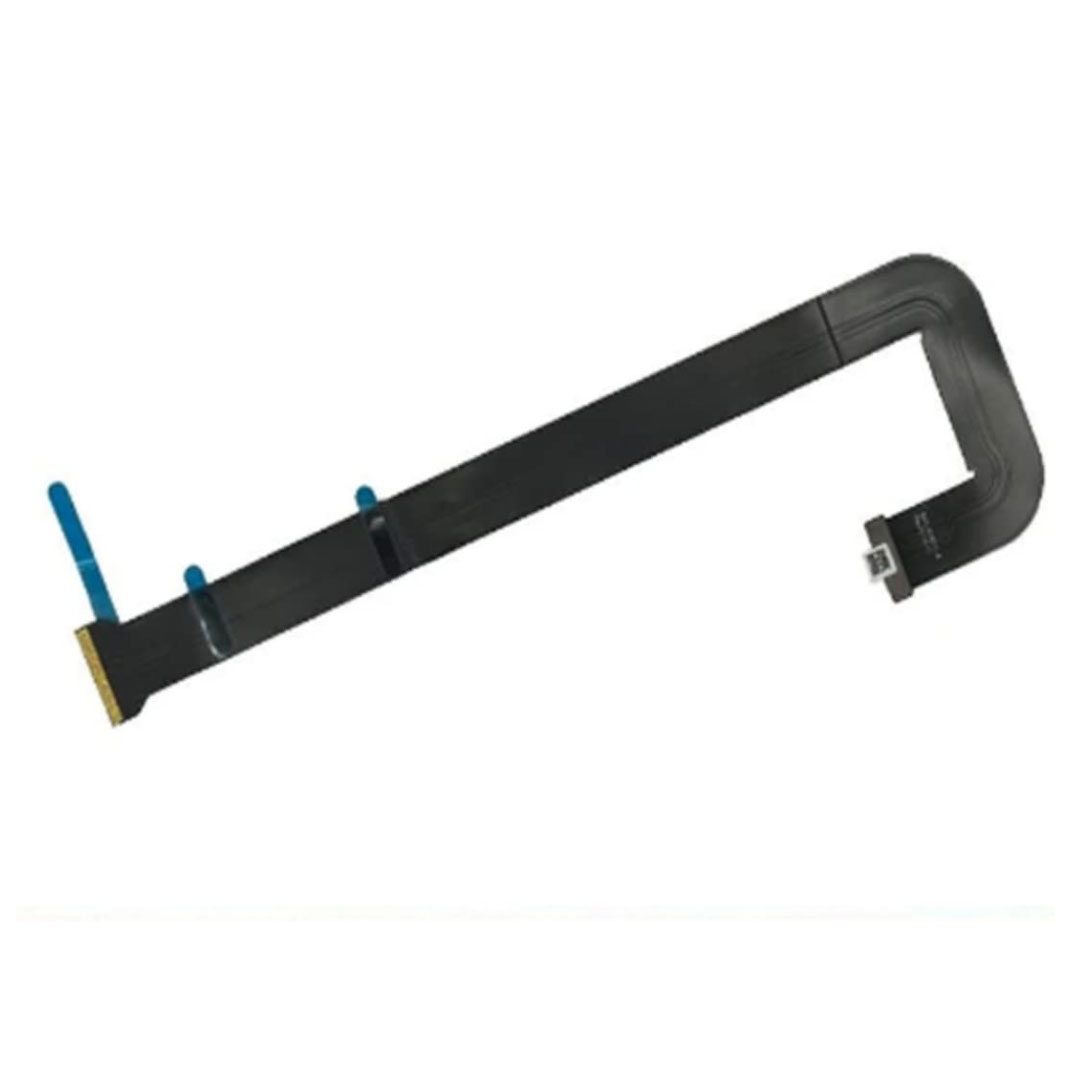
Genuine-spec touchpad flex cable for Apple’s 12-inch MacBook (Model A1534, Early 2015 / Early 2016 / Mid 2017)—essential for restoring full Force Touch trackpad functionality, haptic feedback, and multi-touch gesture support. Compatible With: MacBook 12″ (Early 2015) – 1.1GHz Core M MacBook 12″ (Early 2016) – 1.1GHz/1.3GHz Core M MacBook 12″ (Mid 2017) – 1.2GHz/1.3GHz Core m3/i5/i7 All share Model Number A1534 and Model Identifier MacBook8,1 / MacBook9,1 / MacBook10,1 respectively. MacBook 12″ (Early 2015) – 1.1GHz Core M MacBook 12″ (Early 2016) – 1.1GHz/1.3GHz Core M MacBook 12″ (Mid 2017) – 1.2GHz/1.3GHz Core m3/i5/i7 All share Model Number A1534 and Model Identifier MacBook8,1 / MacBook9,1 / MacBook10,1 respectively. Part Type: Touchpad flex cable only—does not include the trackpad housing, Taptic Engine, or mounting brackets. This is the ribbon cable that connects the Force Touch trackpad to the logic board. Function: Critical for Force Touch functionality—transmits pressure-sensitive input, multi-touch gestures (e.g., pinch, swipe, Force Click), and haptic feedback signals to the Taptic Engine. OEM-Quality Construction: Precisely matches Apple’s original in length, connector pitch, shielding, and routing—ensures reliable signal integrity and compatibility with macOS. Common Use Cases: Replacing a torn, creased, or liquid-damaged flex cable Restoring unresponsive or erratic trackpad behavior Completing a trackpad replacement when the original cable is unusable Replacing a torn, creased, or liquid-damaged flex cable Restoring unresponsive or erratic trackpad behavior Completing a trackpad replacement when the original cable is unusable Installation Note: Requires full bottom case removal and delicate disconnection of the ZIF connector. The cable routes tightly under the battery—extreme care is required. Recommended for experienced or certified technicians only.

WiWU S500 Foldable Lightweight Plastic Laptop Stand Description WiWU S500 Foldable Lightweight Plastic Laptop Stand Brand: wiwu Material: ABS+Aluminum alloy Foldable Height Adjustment. Laptop stand with foldable technology, light weight, easy to carry Adjustable from 20 to 40 degrees and height adjustable from 3.15 to 5.12 inches. There are 6 corners Compatible with laptops (11 inch-15 inch) Macbook, iMac, ipad, Microsoft Surface PR, Thinkpad, Lenovo, Dell, HP and more. With anti-slip rubber pad

This 1.8-meter DisplayPort to HDMI cable lets you connect a DisplayPort-enabled PC or laptop to an HDMI monitor, TV, or projector. It delivers clear high-definition video and reliable signal transmission, making it perfect for office work, presentations, and home entertainment. The DisplayPort to HDMI cable (1.8M) is a simple and reliable solution for connecting modern computers and laptops with a DisplayPort output to HDMI displays. Ideal for upgrading your setup, it supports high-quality video output for monitors, HDTVs, and projectors. With plug-and-play functionality and a durable build, it ensures stable performance for both professional and home use. DisplayPort to HDMI Connection for easy compatibility with HDMI screens 1.8M Cable Length ideal for desk and office setups High-Definition Video Output for clear and sharp visuals Plug & Play no drivers required Durable Connectors & Cable Build for long-term reliability Perfect for Work & Entertainment supports monitors, TVs, and projectors Works with devices that have a DisplayPort output and displays with an HDMI input, including monitors, TVs, projectors, and display systems. Ideal for workstations, presentations, and dual-screen setups.

OEM-quality trackpad replacement (without flex cable) for MacBook Pro 14″ (Model A2442, 2021, M1 Pro/Max) in Silver finish—designed for precise Force Touch performance, seamless gesture control, and perfect visual integration with the original chassis. Compatible With: MacBook Pro 14-inch (2021, Model A2442) with Apple M1 Pro or M1 Max chip. Part Type: Trackpad only—does not include the flex cable, Taptic Engine, or mounting hardware. Intended for professional technicians who will reuse the original internal components. Finish: Silver—matches the Silver and Space Gray top/bottom case (Apple uses the same trackpad finish across both color variants for this model). Force Touch Capable: Fully supports pressure-sensitive input and haptic feedback when paired with the original Taptic Engine and logic board—ensuring full macOS gesture and functionality support. OEM Precision: Features the same glass surface, curvature, and micro-click mechanism as Apple’s original—delivering consistent tracking accuracy and tactile response. Installation Requirements: Requires complete bottom case removal and careful transfer of the original flex cable and Taptic Engine. Adhesive must be applied precisely to maintain structural integrity and sensor alignment. Recommended for certified or experienced repair professionals only.

The ViewSonic VA2409-H 24″ FHD 750Hz Monitor delivers clear visuals for daily work and home use. Its Full HD resolution shows sharp text and detailed images. The 24-inch screen offers a perfect balance between size and comfort. This makes it ideal for desks with limited space. Moreover, the ViewSonic VA2409-H 24″ FHD 750Hz Monitor offers an ultra-smooth refresh experience for fast screen motion. Scrolling becomes very smooth and clean. Videos appear fluid with less blur. As a result, motion looks natural and easy on the eyes. In addition, the monitor uses IPS panel technology for wide viewing angles. Colors stay accurate from every direction. This helps during shared screen use and teamwork. The image remains bright and steady at all times. Furthermore, the ViewSonic VA2409-H 24″ FHD 750Hz Monitor includes eye comfort features for daily protection. The low blue light mode helps reduce eye strain. The flicker-free design supports long viewing hours without discomfort. These features improve comfort during long work sessions. Also, the monitor supports flexible connection options for easy setup. It includes HDMI and VGA for wide device compatibility. You can connect laptops, desktops, and media devices easily. Switching between devices becomes fast and simple. In addition, the slim bezel design gives a clean and modern look. It fits well in both home and office setups. The stand supports tilt adjustment for basic viewing comfort. Wall mounting is also supported for a clean desk setup. Moreover, the display works well for office tasks, browsing, and media viewing. Text appears sharp and easy to read. Daily tasks feel smoother and more organized. The monitor blends easily into any workspace style. Overall, the ViewSonic VA2409-H 24″ FHD 750Hz Monitor offers clarity, smooth motion, and daily comfort. It supports work, study, and entertainment with ease. This monitor is a strong choice for users seeking smooth and simple screen performance. Specifications: Display : 24″ IPS Resolution : FHD 1920 x 1080 Refresh Rate : 75Hz Response Time : 3ms

The MSI PRO MP273 27″ FHD Monitor delivers a clear viewing experience with a 27-inch Full HD display. It suits office work and daily tasks well. Moreover, the IPS panel provides consistent colors and wide viewing angles. This helps maintain image quality from different positions. The 75Hz refresh rate ensures smoother visuals during browsing and video playback. A 5ms response time keeps motion clear and stable. It includes HDMI and DisplayPort inputs for flexible connectivity. You can easily connect multiple devices when needed. Additionally, built-in speakers support basic audio use without external devices. The anti-glare screen improves comfort during long sessions. You can also mount it using VESA support to save desk space. The MSI PRO MP273 27″ FHD Monitor offers reliable performance for everyday use. Specifications: 27-inch Full HD (1920 × 1080) IPS display 75Hz refresh rate for smoother visuals 5ms response time (GTG) HDMI and DisplayPort connectivity Built-in speakers with anti-glare screen

A1989 Battery Replacement, A1964 Battery for MacBook Pro 13″ A1989 (Mid 2018 2019) A2251(2020 Release) EMC 3214 3358 3348 MR9Q2LL/A MR9R2LL/A MR9T2LL/A MR9U2LL/A MR9V2LL/A MV962LL/A MV9A2LL/A 【Specification】Voltage: 11.41V. Capacity: 58Wh/ 5086mAh. Battery Type: Li-ion. Condition: Brand new, from high quality materials, top circuit boards and smart chip. 【Compatible Part Number】A1964 A1989 A1989(EMC 3214) A1989(EMC 3358) A2251(EMC 3348) 020-02497 616-00419. 【Compatible Laptop Models】MacBook Pro 13-Inch model A1989 (Mid 2018, Mid 2019) , A2251(2020 Release), Order No MR9Q2LL/A MR9R2LL/A MR9T2LL/A MR9U2LL/A MR9V2LL/A MV962LL/A MV972LL/A MV982LL/A MV992LL/A MV9A2LL/A MWP72LL/A MWP82LL/A MWP42LL/A MWP52LL/A MWP62LL/A MR9Q2 MR9R2 MR9T2 MR9U2 MR9V2 MV962 MV972 MV982 MV992 MV9A2 MWP62. 【Note】The tools are included. Double-sided tape is attached to the back of the battery, but NO battery installation instruction. The MBP battery is difficult to disassemble, we suggest you search for related installation videos or find a technician for help.

