
Genuine-spec US layout keyboard replacement for MacBook Pro (Model A1398, Late 2011–Mid 2012)—featuring durable scissor-switch keys, backlighting, and OEM-fit design for reliable typing and straightforward installation. Compatible With: MacBook Pro 13″: Late 2011 (Model A1278, but labeled A1398 in some regions) – Model Identifier MacBookPro8,1 MacBook Pro 15″: Early 2011, Late 2011, and Mid 2012 – Model Identifiers MacBookPro8,2 (15″ early/late 2011) and MacBookPro9,1 (15″ mid 2012) *(Note: “A1398” is primarily associated with the 15″ unibody MacBook Pro with Retina display (Mid 2012), which was the first Retina MacBook Pro.)* This keyboard fits the non-Retina 15″ A1398 (Mid 2012) and compatible Late 2011 models. MacBook Pro 13″: Late 2011 (Model A1278, but labeled A1398 in some regions) – Model Identifier MacBookPro8,1 MacBook Pro 15″: Early 2011, Late 2011, and Mid 2012 – Model Identifiers MacBookPro8,2 (15″ early/late 2011) and MacBookPro9,1 (15″ mid 2012) *(Note: “A1398” is primarily associated with the 15″ unibody MacBook Pro with Retina display (Mid 2012), which was the first Retina MacBook Pro.)* This keyboard fits the non-Retina 15″ A1398 (Mid 2012) and compatible Late 2011 models. Layout: Standard US English (QWERTY) with full-size keys, inverted-T arrow keys, and dedicated function row (F1–F12). Keyboard Type: Traditional scissor-switch mechanism—robust, tactile, and serviceable (pre-Butterfly era). Integrated Features: Backlit keys (adjustable brightness via F5/F6) OEM ribbon cable with ZIF connector Matches original key spacing and actuation force Backlit keys (adjustable brightness via F5/F6) OEM ribbon cable with ZIF connector Matches original key spacing and actuation force Build & Fit: Precision-molded plastic frame with exact screw mounts and alignment pegs—ensures secure, rattle-free installation in the top case. Installation Note: Keyboard is secured with screws and minimal adhesive. Requires full top case access and battery disconnect. Recommended for intermediate to advanced users or technicians.

Dominate the battlefield with the Genius Scorpion M705, featuring a high-precision 7200 DPI sensor and striking 7-color breathing RGB lighting. Built with a durable braided cable and 6 programmable buttons, it’s the ultimate entry-level weapon for gamers seeking speed, style, and reliability. The Genius Scorpion M705 is designed to provide gamers with a competitive edge without compromising on comfort. Equipped with an optical sensor that reaches up to 7200 DPI, it ensures smooth and accurate tracking across various surfaces. Its ergonomic right-handed shape and lightweight build reduce wrist strain during marathon sessions, while the integrated 32K memory allows you to take your custom macros and profiles wherever you go. Adjustable 7200 DPI Sensor: Seamlessly switch between six sensitivity levels (800/1600/2400/3200/4800/7200 DPI) to match your game’s pace, from high-speed movement to pixel-perfect sniping. Dynamic RGB Breathing Effects: Enhance your gaming atmosphere with 7 dazzling LED colors that pulse with a “breathing” effect. You can easily adjust the lighting mode using the DPI + Forward/Backward shortcuts. 6 Programmable Buttons: Fully customize your controls. Assign macros, shortcut keys, or specific in-game commands to the 6 buttons to execute complex actions with a single click. Built-in 32K Memory: Save your settings directly on the mouse. Your custom profiles and button assignments stay with you, even when switching to a different PC. Professional Durability: Features a 1.8-meter braided USB cable that prevents tangling and increases the lifespan of the device, ensuring a stable, low-latency connection. Sensor Type: Optical Resolution: 800 – 7,200 DPI Number of Buttons: 6 (Programmable) Illumination: 7-Color RGB Breathing LED Interface: USB Wired Cable: 1.8m Braided Cable Internal Memory: 32K Dimensions: 120.2 x 72.7 x 39.6 mm Weight: Approx. 120g (including cable) Compatibility: Windows 8, 10, 11 or later What’s in the Box Compatibility: Windows 8, 10, 11 or later What’s in the Box Genius Scorpion M705 Gaming Mouse Multi-language Quick Guide

OEM-quality trackpad replacement (without flex cable) for MacBook Pro 14″ (Model A2442, 2021, M1 Pro/Max) in Silver finish—designed for precise Force Touch performance, seamless gesture control, and perfect visual integration with the original chassis. Compatible With: MacBook Pro 14-inch (2021, Model A2442) with Apple M1 Pro or M1 Max chip. Part Type: Trackpad only—does not include the flex cable, Taptic Engine, or mounting hardware. Intended for professional technicians who will reuse the original internal components. Finish: Silver—matches the Silver and Space Gray top/bottom case (Apple uses the same trackpad finish across both color variants for this model). Force Touch Capable: Fully supports pressure-sensitive input and haptic feedback when paired with the original Taptic Engine and logic board—ensuring full macOS gesture and functionality support. OEM Precision: Features the same glass surface, curvature, and micro-click mechanism as Apple’s original—delivering consistent tracking accuracy and tactile response. Installation Requirements: Requires complete bottom case removal and careful transfer of the original flex cable and Taptic Engine. Adhesive must be applied precisely to maintain structural integrity and sensor alignment. Recommended for certified or experienced repair professionals only.

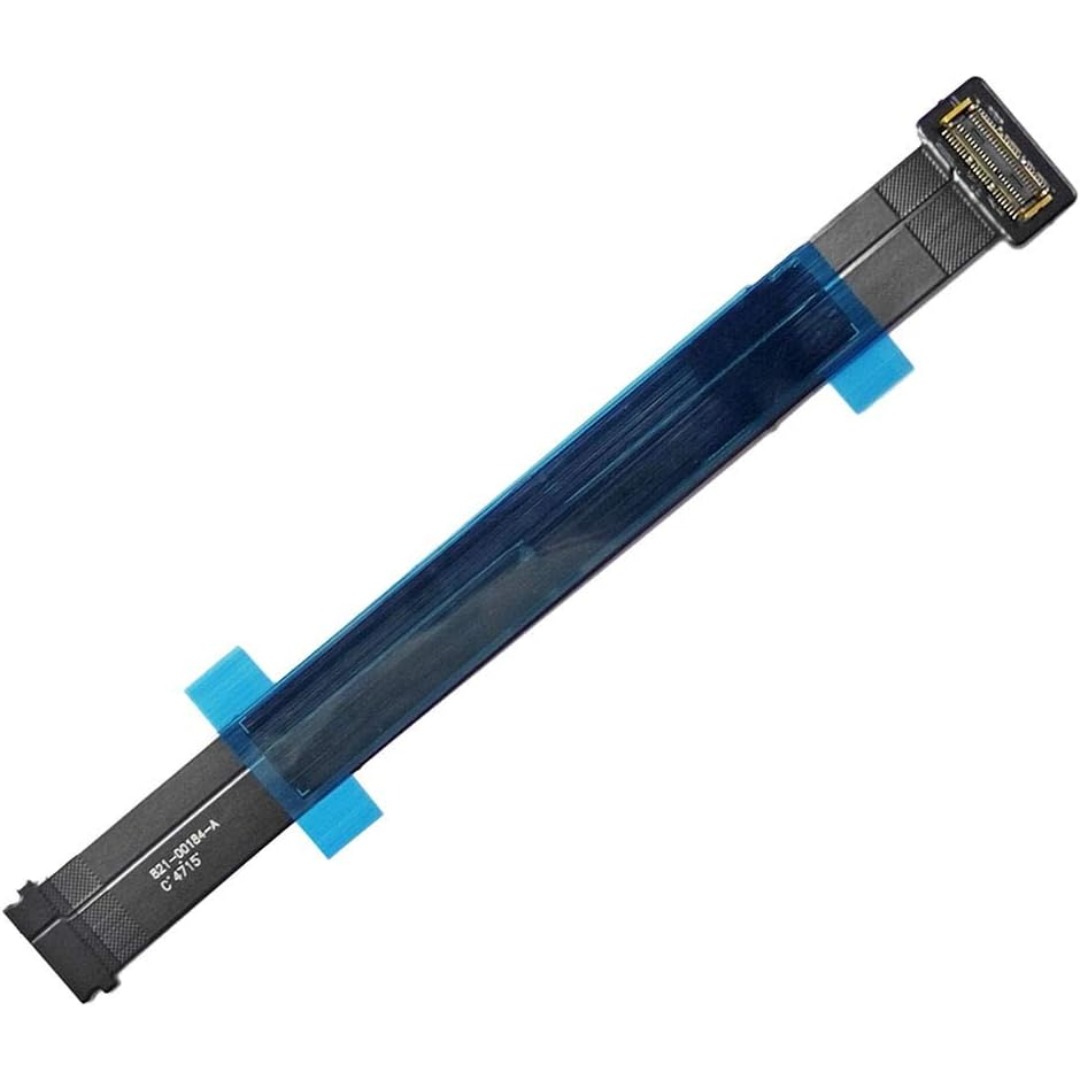
Genuine-spec touchpad flex cable for MacBook Pro 15″ (Model A1990, 2018–2019, Intel)—essential for restoring full Force Touch functionality, haptic feedback, and precise multi-touch gesture control during trackpad repair or replacement. Compatible With: MacBook Pro 15-inch (2018 & 2019, Model A1990, Model Identifiers MacBookPro15,2) with Intel Core i7/i9 processors. Part Type: Touchpad flex cable only — does not include the trackpad housing, Taptic Engine, or mounting hardware. This is the OEM-style ribbon cable that connects the trackpad to the logic board. Function: Transmits: Touch input coordinates Force Touch pressure data Haptic feedback signals to the Taptic Engine Enables full macOS gesture support: Force Click, three-finger lookup, swipe navigation, pinch-to-zoom, and smooth cursor tracking. Touch input coordinates Force Touch pressure data Haptic feedback signals to the Taptic Engine Enables full macOS gesture support: Force Click, three-finger lookup, swipe navigation, pinch-to-zoom, and smooth cursor tracking. OEM-Quality Build: Matches Apple’s original specifications in: Cable length and routing path Connector pitch and ZIF latch design EMI shielding and flex durability Cable length and routing path Connector pitch and ZIF latch design EMI shielding and flex durability Common Use Cases: Replacing a torn, creased, or liquid-damaged original flex cable Completing a trackpad replacement when the original cable is unusable Fixing intermittent trackpad behavior, loss of Force Touch, or complete unresponsiveness Replacing a torn, creased, or liquid-damaged original flex cable Completing a trackpad replacement when the original cable is unusable Fixing intermittent trackpad behavior, loss of Force Touch, or complete unresponsiveness Installation Note: Requires full bottom case removal and battery disconnection. Cable routes under internal components near the right speaker and logic board. Connects via a ZIF (Zero Insertion Force) socket—must be aligned carefully and latched gently. Recommended for experienced or certified technicians only. Requires full bottom case removal and battery disconnection. Cable routes under internal components near the right speaker and logic board. Connects via a ZIF (Zero Insertion Force) socket—must be aligned carefully and latched gently. Recommended for experienced or certified technicians only.

SanDisk 2TB Portable SSD - Up to 800MB/s, USB-C, USB 3.2 Gen 2, Updated Firmware - External Solid State Drive - SDSSDE30-2T00-G26 SanDisk 2TB Portable SSD – Up to 800MB/s, USB-C, USB 3.2 Gen 2, Updated Firmware – External Solid State Drive – SDSSDE30-2T00-G26 About this item Solid state performance with up to 800MB/s read speeds in a portable drive. (Based on internal testing; performance may be lower depending on host device, interface, usage conditions and other factors. 1MB=1,000,000 bytes.) Back up your content and memories on a storage solution that fits seamlessly into your mobile lifestyle. Take it with you on your adventures—up to two-meter drop protection means this durable drive can take a beating. (Based on internal testing.) Secure it to your belt loop or backpack for extra peace of mind thanks to the tough rubber hook. From SanDisk, a brand professional photographers trust to take on assignments.

REMAX RT-E601 1200MAH TIME II SERIES EYE-CARING LED LAMP Function— Use the power key to turn on/ off the lamp. Tap the power key to adjust the brightness of the lamp (brightest-normal-dimmest-off) four steps are easy to use. When folding the design lamp holder and arm can rotate the angle within a range of 180 degrees up-down adjustment. Press and hold “Mode” Set” Up” Donkey enter normal time mode, alarm clock and snooze mode, birthday reminder mode timer mode, and temperature mode. Time changes 12 hours/24 hours mode and adjusting the hours, minutes, year, month,t,h, and day. Temperature can change to Celsius or Fahrenheit. The red light will be on when it starts charging, and the red light will go out when it is fully charged. Material—ABS+PC Rated voltage—DC5V /0.5A lighting Mode—Direct glow Key Type—Touch key Luminous flux—250m Color rendering index—>80 Rated power—4W Battery Capacity—1200mAh Weight—346g Charging port—Micro SIZE—87*87*263mmCharging time—4-4:30hour Working time—3:30hour

Premium-grade trackpad replacement for MacBook Air 13″ M1 (Model A2338, 2020)—available in Silver and Space Gray—engineered to OEM specifications for flawless Force Touch response, smooth gesture control, and seamless aesthetic integration. Compatible With: MacBook Air 13-inch (2020, Model A2338) with Apple M1 chip. Part Type: Trackpad only—does not include the flex cable, Taptic Engine, or mounting brackets. Designed for professional technicians who will reuse original internal components. Finish Options: Silver: Matches Silver and Starlight MacBook Air finishes. Space Gray: Matches Space Gray and Midnight models for perfect color continuity. Silver: Matches Silver and Starlight MacBook Air finishes. Space Gray: Matches Space Gray and Midnight models for perfect color continuity. Force Touch Capable: Fully supports pressure-sensitive input and haptic feedback when paired with the original Taptic Engine and logic board—no loss of functionality. Precision Craftsmanship: Mirror-polished glass surface with exact curvature, texture, and click mechanism matching Apple’s original design for consistent performance and feel. Installation Requirements: Requires full bottom case disassembly and careful transfer of the original flex cable and Taptic Engine. Adhesive must be applied precisely to maintain structural integrity and sensor alignment. For professional use only.

The Meetion Mini 4000 Black is a compact wireless keyboard and mouse combo designed for clean and convenient everyday use. With a mini-space-saving layout and stable wireless connection, it’s perfect for office work, home setups, and laptop users who want a neat, clutter-free desk. The Meetion Mini 4000 is a stylish and practical wireless keyboard and mouse set made for users who prefer a compact and modern workspace. Its mini keyboard design saves desk space while still offering comfortable typing for daily tasks. The wireless mouse provides smooth control and easy navigation, making this combo ideal for offices, students, and home users. With plug-and-play wireless connectivity, setup is simple—just connect the receiver and start using it instantly. Wireless Keyboard & Mouse Combo for a clean and clutter-free setup Compact Mini Keyboard Design saves space and fits small desks easily Stable Wireless Connection for smooth performance Plug & Play Receiver – quick setup without drivers Smooth Wireless Mouse for accurate control Comfortable Typing Layout for everyday productivity Modern Black Finish suitable for any workspace Ideal for Laptops & Desktops Perfect for office workers, students, and home users needing a compact wireless combo for laptops or desktops. Works with most devices that support USB.

Genuine-spec US layout keyboard replacement for MacBook Pro 15″ (2018–2019, Models A1989/A1990)—designed for reliable typing, full compatibility, and seamless integration with original top case assemblies. Compatible With: MacBook Pro 15-inch (2018 A1989 and 2019 A1990 models) with Touch Bar. Layout: Standard US English (QWERTY) with full-size keys, including inverted-T arrow keys and dedicated function row. Integrated Features: Includes built-in backlighting, scissor-switch mechanism (3rd-gen Butterfly or revised Butterfly mechanism, depending on original model year), and ribbon cable connector matching Apple’s OEM design. Functionality: Supports all native keyboard features, including brightness, volume, media controls, and Touch ID power button (note: Touch ID sensor is not included—this is the keyboard only). Build Quality: Precision-engineered to match Apple’s original fit, feel, and durability—ideal for professional repairs or top case refurbishment. Installation Note: Requires full top case disassembly. Keyboard is adhered to the top case and must be carefully removed and replaced using proper tools and techniques. Recommended for experienced technicians. Model Verification: Ensure your MacBook is A1989 (2018) or A1990 (2019) before purchase—keycaps and connectors differ from other MacBook generations.

Feature Specification Packaging and Delivery Details Power Source Battery Selling Units Single item Number of Loudspeaker Enclosure 1 Single package size 19X22X10 cm Cabinet Material Plastic Single gross weight 0.600 kg Display Screen NO Built-in Microphone NO Brand Name Remax Model Number RB-X1 Remax Worldwide Store 9300+ Remax Support Video to see the product and testing Product Name Outdoor Wireless Speaker Color Black Logo Accept Customized Logo Intelligent Personal Assistant None

Cooler Master MasterGel Regular Thermal Paste PRODUCT NUMBERMGX-ZOSG-N15M-R2COLORGrayTHERMAL CONDUCTIVITY5 (W/m-K) SPECIFIC GRAVITY2.5 (g/cm3) (25°C) VOLUME1.5m lGREASE CLEANERYes EAN CODE 4719512077757UPC CODE884102050244SERIES Thermal Grease, MasterGel Series COOLER TYPEThermal Grease

Genuine-spec touchpad flex cable for MacBook Pro 15″ (Model A1707, 2016–2017)—restores full Force Touch functionality, haptic feedback, and precise multi-touch gesture control during trackpad repair or replacement. Compatible With: MacBook Pro 15″ (2016) – Model A1707 (Model Identifier: MacBookPro13,2) MacBook Pro 15″ (2017) – Model A1707 (Model Identifier: MacBookPro14,2) MacBook Pro 15″ (2016) – Model A1707 (Model Identifier: MacBookPro13,2) MacBook Pro 15″ (2017) – Model A1707 (Model Identifier: MacBookPro14,2) Part Type: Touchpad flex cable only — does not include the trackpad housing, Taptic Engine, or mounting hardware. This is the OEM-style ribbon cable that connects the trackpad to the logic board. Function: Transmits: Touch input coordinates Force Touch pressure data Haptic feedback signals to the Taptic Engine Enables full macOS gesture support: Force Click, three-finger lookup, swipe navigation, pinch-to-zoom, and smooth cursor tracking. Touch input coordinates Force Touch pressure data Haptic feedback signals to the Taptic Engine Enables full macOS gesture support: Force Click, three-finger lookup, swipe navigation, pinch-to-zoom, and smooth cursor tracking. OEM-Quality Build: Matches Apple’s original specifications in: Cable length and routing path Connector pitch and ZIF latch design EMI shielding and flex durability Cable length and routing path Connector pitch and ZIF latch design EMI shielding and flex durability Common Use Cases: Replacing a torn, creased, or liquid-damaged original flex cable Completing a trackpad replacement when the original cable is compromised Fixing intermittent trackpad behavior, loss of Force Touch, or complete unresponsiveness Replacing a torn, creased, or liquid-damaged original flex cable Completing a trackpad replacement when the original cable is compromised Fixing intermittent trackpad behavior, loss of Force Touch, or complete unresponsiveness Installation Note: Requires full bottom case removal and battery disconnection. Cable routes under internal components near the right speaker and logic board. Connects via a ZIF (Zero Insertion Force) socket—must be aligned carefully and latched gently. Recommended for experienced or certified technicians only. Requires full bottom case removal and battery disconnection. Cable routes under internal components near the right speaker and logic board. Connects via a ZIF (Zero Insertion Force) socket—must be aligned carefully and latched gently. Recommended for experienced or certified technicians only.

OEM-quality trackpad replacement (without flex cable) for MacBook Air 13″ (Model A1932, 2018–2019) in Gold finish—engineered for precise Force Touch response, smooth multi-touch gestures, and perfect color-matched integration with the original chassis. Compatible With: MacBook Air 13-inch (2018 & 2019, Model A1932, Model Identifiers MacBookAir8,1) with Intel Core i5/i7 processors. Part Type: Trackpad only—does not include the flex cable, Taptic Engine, or mounting hardware. Designed for technicians who will reuse the original internal components. Finish: Gold—specifically matched to the Gold variant of the A1932 MacBook Air for seamless aesthetic continuity. Force Touch Support: Fully compatible with pressure-sensitive input and haptic feedback when paired with the original Taptic Engine and logic board—ensuring full macOS gesture functionality (e.g., Force Click, Look Up, pressure-sensitive navigation). Precision Build: Smooth glass surface with exact curvature, texture, and micro-click mechanism matching Apple’s original design for consistent tracking accuracy and tactile feel. Installation Requirements: Requires full bottom case disassembly and careful transfer of the original flex cable and Taptic Engine. Adhesive must be applied precisely to maintain structural integrity and sensor alignment. Recommended for professional or experienced repair technicians only.

Genuine-spec touchpad flex cable for MacBook Pro 13″ with Touch Bar (Model A1708, 2016–2017)—restores full Force Touch functionality, haptic feedback, and precise multi-touch gesture control during trackpad repair or replacement. Compatible With: MacBook Pro 13″ (2016) – Model A1708 (Model Identifier: MacBookPro13,1) MacBook Pro 13″ (2017) – Model A1708 (Model Identifier: MacBookPro14,1) (Both years share the same internal trackpad assembly and flex cable.) MacBook Pro 13″ (2016) – Model A1708 (Model Identifier: MacBookPro13,1) MacBook Pro 13″ (2017) – Model A1708 (Model Identifier: MacBookPro14,1) (Both years share the same internal trackpad assembly and flex cable.) Part Type: Touchpad flex cable only — does not include the trackpad housing, Taptic Engine, or mounting hardware. This is the OEM-style ribbon cable that connects the trackpad to the logic board. Function: Transmits: Touch input coordinates Force Touch pressure data Haptic feedback signals to the Taptic Engine Enables full macOS gesture support: Force Click, three-finger lookup, swipe navigation, pinch-to-zoom, and smooth cursor tracking. Touch input coordinates Force Touch pressure data Haptic feedback signals to the Taptic Engine Enables full macOS gesture support: Force Click, three-finger lookup, swipe navigation, pinch-to-zoom, and smooth cursor tracking. OEM-Quality Build: Matches Apple’s original specifications in: Cable length and routing path Connector pitch and ZIF latch design EMI shielding and flex durability Cable length and routing path Connector pitch and ZIF latch design EMI shielding and flex durability Common Use Cases: Replacing a torn, creased, or liquid-damaged original flex cable Completing a trackpad replacement when the original cable is compromised Fixing intermittent trackpad behavior, loss of Force Touch, or complete unresponsiveness Replacing a torn, creased, or liquid-damaged original flex cable Completing a trackpad replacement when the original cable is compromised Fixing intermittent trackpad behavior, loss of Force Touch, or complete unresponsiveness Installation Note: Requires full bottom case removal and battery disconnection. Cable routes under internal components near the right speaker and logic board. Connects via a ZIF (Zero Insertion Force) socket—must be aligned carefully and latched gently. Recommended for experienced or certified technicians only. Requires full bottom case removal and battery disconnection. Cable routes under internal components near the right speaker and logic board. Connects via a ZIF (Zero Insertion Force) socket—must be aligned carefully and latched gently. Recommended for experienced or certified technicians only.

A rugged and versatile pre-owned Lenovo ThinkPad T480 with 14" touchscreen, 8th Gen Core i5, 8GB RAM, and 256GB SSD—ideal for professionals who need durability, security, and touch-enabled productivity.

The NCTS HDMI 2.0 cable (3 meters) delivers high-speed and reliable audio/video transmission with support for 4K UHD resolution. Perfect for TVs, monitors, gaming consoles, and home theater systems, it provides a stable connection and clear visuals for everyday and entertainment use. The NCTS HDMI 2.0 Cable 3M is a dependable solution for connecting devices such as laptops, PCs, gaming consoles, and media players to TVs, monitors, and projectors. Supporting 4K UHD video, this cable ensures sharp image quality and smooth performance for movies, gaming, and presentations. Its 3-meter length offers flexible setup options, making it ideal for home, office, and entertainment environments. HDMI 2.0 Standard for high-quality video and audio Supports 4K UHD Resolution for sharp and detailed visuals High-Speed Performance for smooth playback and stable signal 3M Length perfect for flexible positioning and setups Compatible with TVs, Monitors, and Projectors Ideal for PS4 / Xbox / TV Boxes / PCs Durable Build Quality designed for long-term use Plug & Play no setup required Works with all HDMI-enabled devices, including TVs, monitors, projectors, PlayStation, Xbox, laptops, PCs, receivers, and streaming devices. Ideal for users who need a longer cable for home theater setups, gaming stations, or office installations.

Genuine-spec Touch Bar assembly with integrated flex cable for MacBook Pro 15″ (Models A1706 – 2017 and A1989 – 2018)—fully restores dynamic Touch ID, system controls, and app-specific functions with OEM-level fit and reliability. Compatible With: MacBook Pro 15″ (2017) – Model A1706 (Intel Core i7/i9, 4 Thunderbolt 3 ports) MacBook Pro 15″ (2018) – Model A1989 (Intel Core i7/i9, 4 Thunderbolt 3 ports) MacBook Pro 15″ (2017) – Model A1706 (Intel Core i7/i9, 4 Thunderbolt 3 ports) MacBook Pro 15″ (2018) – Model A1989 (Intel Core i7/i9, 4 Thunderbolt 3 ports) Includes: Complete Touch Bar module with pre-attached flex cable, integrated Touch ID sensor (doubles as power button), and ambient light sensor—ready for direct connection to the logic board. Full Functionality: Restores all Touch Bar features including dynamic app controls, system brightness/volume sliders, Siri, and fingerprint authentication via Touch ID. Color Match: Available in Space Gray and Silver—select the finish that matches your MacBook’s top case. OEM-Quality Build: Matches Apple’s original dimensions, sensor alignment, and surface texture—ensures seamless integration with macOS and consistent responsiveness. Installation Note: Requires full top case disassembly. The flex cable routes under the left speaker and connects near the logic board—precision is critical to avoid damage. Recommended for experienced technicians.

VSTAR UA80 800VA UPS | Compact Power Backup | 230V Output | Battery Included | For PCs, Routers, POS & More | Universal Outlet Design | Available in Black | Model UPS-U80 Reliable 800VA Power CapacityThe VSTAR UA80 delivers dependable 800VA of backup power—ideal for protecting home or office equipment from sudden power loss and voltage fluctuations. Compact & Efficient DesignSleek and space-saving, this unit fits easily into tight workspaces or under desks without sacrificing performance. Universal Output SocketEquipped with universal-style outlets, allowing compatibility with a wide variety of plugs and devices including PCs, routers, POS systems, and more. Steady 230V OutputProvides consistent 230V output, helping to keep electronics safe during sags, surges, and outages. Easy OperationPlug-and-play functionality with intuitive indicators for power status and battery mode—no complicated setup required. Backup Battery IncludedShips ready to use with internal battery installed. Offers enough runtime to safely power down or continue short-term tasks during outages. Ideal for Light LoadsPerfect for use with routers, modems, home surveillance systems, basic desktops, and point-of-sale devices. Durable Plastic EnclosureBuilt with sturdy, insulated plastic to ensure safety, lightweight portability, and long-term durability. Trusted VSTAR QualityBacked by VSTAR’s reputation for reliability in affordable UPS power protection.

Genuine-spec touchpad flex cable for MacBook Pro 14″ (Model A2442, 2021, M1 Pro/Max)—essential for restoring full Force Touch functionality, haptic feedback, and precise multi-touch gesture control. Compatible With: MacBook Pro 14-inch (2021, Model A2442) with Apple M1 Pro or M1 Max chip (Model Identifiers: MacBookPro18,3 / MacBookPro18,4). Part Type: Touchpad flex cable only—does not include the trackpad, Taptic Engine, or mounting brackets. This is the OEM-style ribbon cable that connects the trackpad to the logic board. Function: Carries touch input, Force Touch pressure data, and haptic feedback signals—critical for macOS trackpad gestures, Force Click, and Taptic Engine responsiveness. OEM-Quality Build: Matches Apple’s original flex circuit in length, connector pitch, shielding, and bend geometry—ensures reliable signal transmission and durability under repeated use. Common Use Cases: Replacing a damaged, torn, or corroded original flex cable Completing a trackpad replacement when the original cable is unusable Fixing intermittent trackpad issues, unresponsiveness, or loss of Force Touch Replacing a damaged, torn, or corroded original flex cable Completing a trackpad replacement when the original cable is unusable Fixing intermittent trackpad issues, unresponsiveness, or loss of Force Touch Installation Note: Requires full bottom case removal and careful routing beneath internal components. Connectors use ZIF (Zero Insertion Force) sockets—must be seated properly without force. Recommended for certified or highly experienced technicians only.

Laptop Accessories US Version Keyboard for MacBook Retina 13 M1 A2338 2020 EMC 3578 Original Computer Replacement Keyboards Laptop Accessories US Version Keyboard for Macbook Retina 13 M1 A2338 2020 EMC 3578
