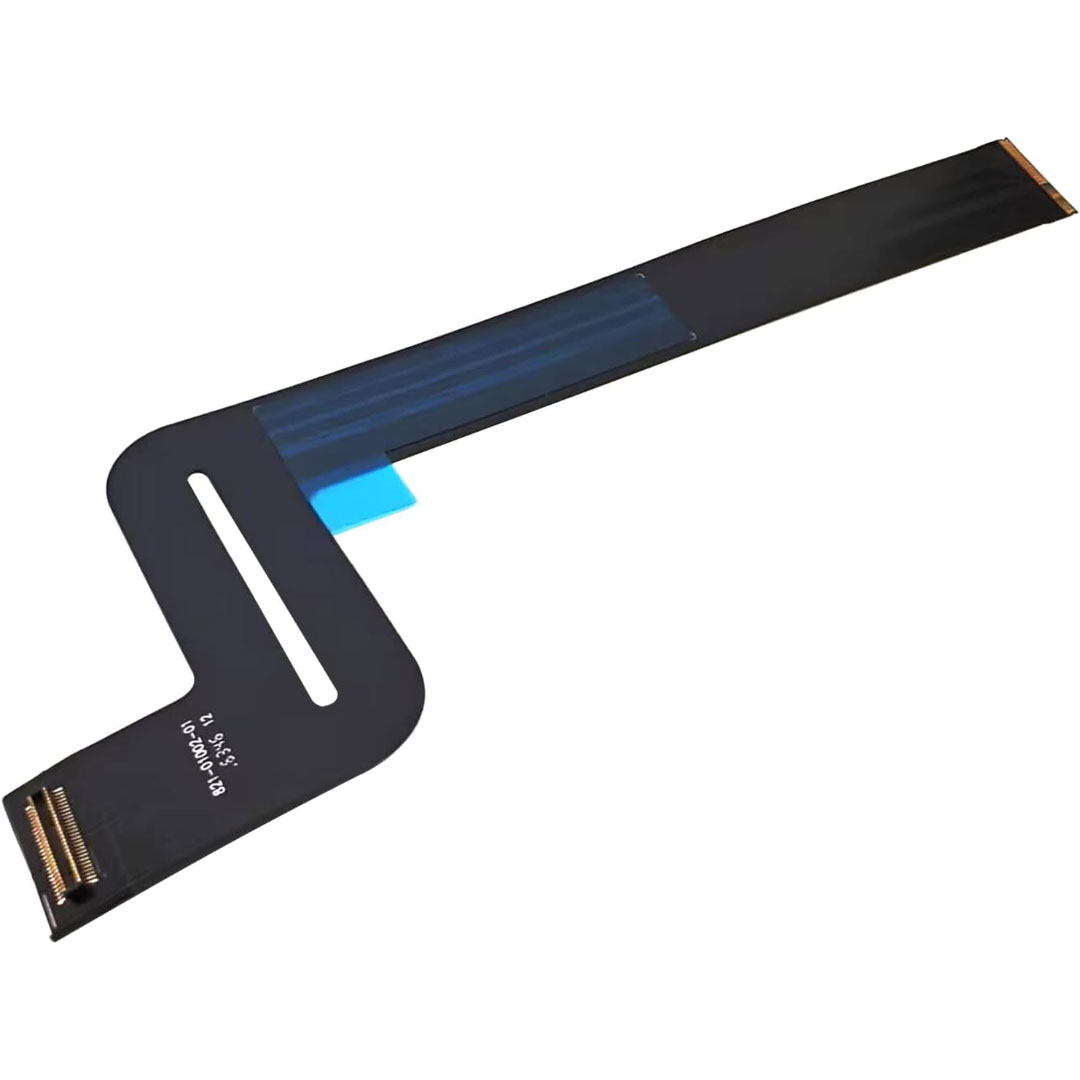

Original replacement touchpad for MacBook Air A2442, available in Silver and Space Gray. Perfect for fixing unresponsive or damaged trackpads and restoring smooth cursor control and gesture functionality. The Original MacBook Air A2442 Touchpad is a genuine replacement part designed to restore full trackpad performance and functionality. If your MacBook Air trackpad is not clicking, not responding, or physically damaged, this original touchpad provides a reliable solution with smooth tracking and accurate gesture support. Available in Silver and Space Gray, it matches the original laptop finish for a clean professional repair. Original / Genuine Touchpad for MacBook Air A2442 Available in Silver and Space Gray Restores smooth cursor control and multi-touch gestures Reliable clicking and accurate tracking performance Perfect for repair and replacement of damaged trackpads High-quality build for long-term use ✔ MacBook Air 13-inch (2021 / 2022) A2442 Compatible with MacBook Air A2442 models only. Please confirm the model number on the bottom cover before purchase to ensure a correct fit.

A reliable pre-owned Dell Latitude 5480 with 14" display, 7th Gen Core i5, 8GB RAM, and 256GB SSD—offering solid business performance, security, and durability for everyday professional use.

A dependable pre-owned Lenovo ThinkPad E560 with a spacious 15.6" display, 6th Gen Core i5 processor, 8GB RAM, and a roomy 1TB hard drive—ideal for office work, school, and everyday computing at great value.

Genuine-spec US layout keyboard replacement for MacBook Air 13″ (Model A2337, 2020)—featuring the Magic Keyboard design with scissor-switch mechanism, backlighting, and full OEM compatibility. Compatible With: MacBook Air 13-inch (2020, Model A2337) – includes both M1 and Intel Core i3/i5/i7 variants. Keyboard Type: Apple’s updated Magic Keyboard with scissor-switch mechanism—more reliable and comfortable than earlier Butterfly designs. Layout: Standard US English (QWERTY), including inverted-T arrow keys and full function row. Integrated Features: Backlit keys, ambient light sensor support, and original ribbon cable connector for seamless plug-and-play installation. Build & Fit: Precision-engineered to match Apple’s original dimensions, key spacing, and tactile response—ensures flush mounting within the top case. Installation Note: The keyboard is glued into the top case and requires careful removal and re-adhesion. Full top case disassembly is necessary. Recommended for experienced repair technicians

256GB SSD Apple Macbook Pro Air 2013 2014 2015 A1502 A1398 A1466 A1465 | Samsung MZ-JPU512T/A06 | 655-1805D ORIGINAL APPLE PART (Apple sources their SSD’s for MacBooks from Samsung) A1502 – A1398 – A1465 – A1466 100% TESTED WORKING Please check compatibility below before you make your purchase: COMPATIBILITY: MacBook Pro Retina Late 2013 – Mid-2015 MacBookPro11,1 (A1502) – ME864LL/A, ME866LL/A, ME867LL/A, MGX72LL/A, MGX92LL/A, & MGXD2LL/A MacBookPro11,2 (A1398) – ME293LL/A & MGXA2LL/A MacBookPro11,3 (A1398) – ME294LL/A, ME874LL/A, MGXC2LL/A, & MGXG2LL/A MacBookPro11,4 (A1398) – MJLQ2LL/A MacBookPro11,5 (A1398) – MJLT2LL/A & MJLU2LL/A MacBookPro12,1 (A1502) – MF839LL/A, MF841LL/A, & MF843LL/A MacBook Air Mid-2013 – Late 2015 MacBookAir6,1 (A1465) – MD711LL/A, MD760LL/A, MD711LL/B, & MF067LL/A MacBookAir6,2 (A1466) – MD760LL/A, MD760LL/B, & MF068LL/A MacBookAir7,1 (A1465) – MJMVM2LL/A MacBookAir7,2 (A1466) – MJVE2LL/A Model Identifier: Samsung Manufacturer Part# MZ-JPU512T/A06

The Meetion Mini 4000 Black is a compact wireless keyboard and mouse combo designed for clean and convenient everyday use. With a mini-space-saving layout and stable wireless connection, it’s perfect for office work, home setups, and laptop users who want a neat, clutter-free desk. The Meetion Mini 4000 is a stylish and practical wireless keyboard and mouse set made for users who prefer a compact and modern workspace. Its mini keyboard design saves desk space while still offering comfortable typing for daily tasks. The wireless mouse provides smooth control and easy navigation, making this combo ideal for offices, students, and home users. With plug-and-play wireless connectivity, setup is simple—just connect the receiver and start using it instantly. Wireless Keyboard & Mouse Combo for a clean and clutter-free setup Compact Mini Keyboard Design saves space and fits small desks easily Stable Wireless Connection for smooth performance Plug & Play Receiver – quick setup without drivers Smooth Wireless Mouse for accurate control Comfortable Typing Layout for everyday productivity Modern Black Finish suitable for any workspace Ideal for Laptops & Desktops Perfect for office workers, students, and home users needing a compact wireless combo for laptops or desktops. Works with most devices that support USB.

Fast-charging feature available on select iPhone and iPad models.

OEM-quality trackpad replacement (without flex cable) for MacBook Air 13″ (Model A1932, 2018–2019) in Gold finish—engineered for precise Force Touch response, smooth multi-touch gestures, and perfect color-matched integration with the original chassis. Compatible With: MacBook Air 13-inch (2018 & 2019, Model A1932, Model Identifiers MacBookAir8,1) with Intel Core i5/i7 processors. Part Type: Trackpad only—does not include the flex cable, Taptic Engine, or mounting hardware. Designed for technicians who will reuse the original internal components. Finish: Gold—specifically matched to the Gold variant of the A1932 MacBook Air for seamless aesthetic continuity. Force Touch Support: Fully compatible with pressure-sensitive input and haptic feedback when paired with the original Taptic Engine and logic board—ensuring full macOS gesture functionality (e.g., Force Click, Look Up, pressure-sensitive navigation). Precision Build: Smooth glass surface with exact curvature, texture, and micro-click mechanism matching Apple’s original design for consistent tracking accuracy and tactile feel. Installation Requirements: Requires full bottom case disassembly and careful transfer of the original flex cable and Taptic Engine. Adhesive must be applied precisely to maintain structural integrity and sensor alignment. Recommended for professional or experienced repair technicians only.

OEM-quality trackpad replacement (without flex cable) for MacBook Air 13″ (Model A2179, 2020)—available in Space Gray and Silver finishes—engineered for precise Force Touch performance, smooth multi-touch gestures, and seamless visual integration. Compatible With: MacBook Air 13-inch (2020, Model A2179) with Intel Core i3/i5/i7 processors (non-M1). Part Type: Trackpad only—does not include the flex cable, Taptic Engine, or mounting hardware. Designed for technicians who will reuse the original internal components. Color Options: Space Gray: Matches Space Gray and Midnight finishes Silver: Matches Silver and Starlight finishes (Note: “Z1” typically refers to Apple’s internal regional/part code—this listing covers standard OEM trackpads for A2179.) Space Gray: Matches Space Gray and Midnight finishes Silver: Matches Silver and Starlight finishes (Note: “Z1” typically refers to Apple’s internal regional/part code—this listing covers standard OEM trackpads for A2179.) Force Touch Capable: Fully supports pressure-sensitive input and haptic feedback when paired with the original Taptic Engine and logic board—ensuring full macOS gesture functionality. Precision Build: Mirror-smooth glass surface with exact curvature, texture, and micro-click mechanism matching Apple’s original design for consistent tracking and tactile response. Installation Requirements: Requires full bottom case disassembly and careful transfer of the original flex cable and Taptic Engine. Proper adhesive application is critical for structural integrity and sensor alignment. Recommended for professional or experienced repair technicians only. Important: This is a bare trackpad assembly—not a plug-and-play module. Functionality depends on correct integration with original electronics.

Apple Magic Keyboard - A1644 Wireless Bluetooth - UK English Layout Apple Magic Keyboard – A1644 Wireless Bluetooth – UK English Layout

A compact and durable pre-owned Dell Latitude 7480 with 14" display, 6th Gen Core i5, 8GB RAM, and 128GB SSD—ideal for light office tasks, students, or as a secure secondary business device.

Model: Cozy Classic Case Material: Waterproof 900D polyester+ Micro Fiber+ Faux fur lining Waterproof material Anti-scratch fur lining Durabl& Smooth YKK zipper Patent anti-drop strip inside Net weight: 14inch/560g, 16inch/650g 14 inch: 35.5*25*4.5cm 16 inch: 39.5*27*4.5 WiWU Cozy Classic Laptop Sleeve Protect your investment with the WiWU Cozy Classic, a premium laptop sleeve that balances elegant aesthetics with rugged, everyday protection. Shockproof Security: Engineered with a specialized 360° anti-drop border and reinforced corners to safeguard your device against accidental falls and impacts. Weatherproof Shield: Made from high-density waterproof polyester, ensuring your laptop remains completely dry and safe from spills or rain. Scratch-Free Interior: Features a luxurious, soft faux-fur lining that cushions your device and prevents surface scratches during transport. Travel-Ready Design: Ultra-slim and lightweight with a sturdy, retractable handle, making it easy to carry alone or slip into a larger bag. Extra Storage: Includes a spacious front zippered pocket to neatly organize your charger, mouse, and cables alongside your laptop. Available for: 14″ | 16″ Models

A versatile wireless 2D barcode scanner with desk stand—Beurotika BS104WS supports auto-scan, continuous, and manual modes, with up to 200 scans per second and a 2000mAh rechargeable battery for all-day use. The Beurotika BS104WS is a high-performance wireless 2.4GHz 2D barcode scanner designed for retail, warehouse, logistics, and office environments. It comes with a convenient desktop stand for hands-free operation and features a 32-bit high-speed processor for fast, accurate decoding of 1D and 2D barcodes—including QR Code, Data Matrix, PDF417, and more Three scanning modes: Auto-scan, continuous scan, and manual trigger—ideal for different workflow needs Scanning speed: Up to 200 scans per second for rapid data capture Wireless range: Reliable 2.4GHz connection (via USB dongle) for cord-free mobility Built-in battery: 3.7V 2000mAh lithium-ion battery offering up to 16 hours of continuous use Ergonomic handheld design with desk stand for flexible countertop or portable use Plug-and-play setup via USB receiver—no drivers required for most systems

Apple 140W USB-C Power Adapter | MLYU3AM/A

Features: Advanced bluetooth Chip (V5.4): Enjoy seamless and robust connectivity with the latest bluetooth 5.4 technology, providing stable and efficient wireless performance. Superior Sound Quality: Experience immersive HiFi audio with powerful bass and clarity, courtesy of dual 52mm drivers paired with a bass diaphragm designed to deliver exceptional sound. Vibrant RGB Light Display: Half of the speaker surface displays dynamic and colorful RGB lights, creating a visually captivating experience that enhances your music enjoyment. Extended Battery Life: Benefits from extensive playtime powered by a 3000mAh battery, with up to 4 hours of continuous playback and an impressive 180 days of standby time. TWS Pairing: Effortlessly pair two speakers to achieve a rich, enveloping stereo sound that transforms any space into a lively audio environment. Multiple Playback Modes: Versatility at its best with multiple playback options, including FM radio, AUX input, TF card, and USB playback, ensuring you have endless ways to enjoy your favorite tunes.

Original Apple - 87W USB-C Power Adapter - White | MNF82LL/A | A1719 Original Apple – 87W USB-C Power Adapter – White | MNF82LL/A | A1719 The Apple 87W USB-C Power Adapter (Model A1719) is designed to provide fast and efficient charging for a variety of Apple devices. Key Features: High Power Output: Delivers up to 87 watts of power, suitable for charging larger devices like the 15-inch MacBook Pro. Versatile Charging: Supports multiple output voltages—20.2V at 4.3A, 9V at 3A, and 5.2V at 2.4A—allowing it to charge a range of USB-C–enabled devices. chargerlab.com Versatile Charging: Supports multiple output voltages—20.2V at 4.3A, 9V at 3A, and 5.2V at 2.4A—allowing it to charge a range of USB-C–enabled devices. Compact Design: Its sleek and portable build makes it convenient for use at home, in the office, or while traveling. Compatibility: While this adapter is compatible with any USB-C–enabled device, Apple recommends pairing it with the 15-inch MacBook Pro with Thunderbolt 3 (USB-C) ports for optimal charging performance.

The 60W MagSafe 2 Power Adapter features a magnetic DC connector so if someone should trip over it, the cord disconnects harmlessly and your MacBook Pro stays put safely. It also helps prevent fraying or weakening of the cables over time. In addition, the magnetic DC helps guide the plug into the system for a quick and secure connection. The 60W MagSafe 2 Power Adapter features a magnetic DC connector so if someone should trip over it, the cord disconnects harmlessly and your MacBook Pro stays put safely. It also helps prevent fraying or weakening of the cables over time. In addition, the magnetic DC helps guide the plug into the system for a quick and secure connection. When the connection is secure, an LED located at the head of the DC connector lights up; an amber light lets you know that your notebook is charging, while a green light tells you that you have a full charge. An AC cord is provided with the adapter for maximum cord length, while the AC wall adapter (also provided) gives you an even easier and more compact way to travel. Designed to be the perfect traveling companion, the adapter has a clever design which allows the DC cable to be wound neatly around itself for easy cable storage. Compatible with MacBook Pro with 13-inch Retina display. See this article for more details about choosing the right one. Knowing which specific Mac model you have is important. If you are running OS X Lion (10.7) or later go to the “” menu at the top left of your screen, choose “About this Mac” then click the “More Info…” button. Your Mac model and generation will be displayed. If you are running an earlier version of OS X, you can enter your serial number here to find out which model you have. COMPATIBILITY Mac Models: MacBook Pro (Retina, 13-inch, Late 2012 – 2015)

Razer DeathAdder Essential – Ergonomic wired gaming mouse with 6,400 DPI sensor and 5 programmable buttons.Trusted for its comfort, precision, and durable build—perfect for casual and competitive gaming. Model: Razer DeathAdder Essential (Black) Sensor Type: Optical DPI: Up to 6,400 DPI (adjustable) Buttons: 5 independently programmable Hyperesponse buttons Switches: Razer Mechanical Switches rated for up to 10 million clicks Tracking Speed: Up to 220 inches per second (IPS) Acceleration: 30G Design: Ergonomic right-handed design Grip Style: Palm grip (with textured side grips) Lighting: Single-color green backlight (Razer logo) Polling Rate: 1000 Hz Cable: Standard USB wired, 1.8 meters (rubber cable) Compatibility: Windows 7, 8, 10, 11 (Razer Synapse support) Weight: Approx. 96g (excluding cable) Software Support: Razer Synapse (for customization & macros)

0G74G Laptop Battery Replacement for Dell Latitude 5300 2-in-1 5310 7300 7400 Series Notebook OG74G 02PFPW 2PFPW 3KF82 8JYHH 11.4V 42Wh 3-Cell About this item Specification: Battery type: Li-ion. Color: Black. Voltage: 11.4V. Capacity: 42Wh/3Cell. New from Manufacturer Replace Part Number: For MXV9V 0G74G 00G74G 2PFPW 3KF82 8JYHH Compatible Models: Replacement for Dell Latitude 5300 E5300 / 5300 2-in-1 / 5310 E5310 / 5310 2-in-1 / 7300 E7300 / 7400 E7400 Series (Important Note: NOT fit for latitude 7400 2-in-1 Series) Note: The Dell laptop models on this product page are compatible with 2 battery models: 0G74G (42Wh 3-Cell 11.4V) , MXV9V(60Wh 4-Cell 7.6V). Please open the back cover of your laptop to check the original battery size and capacity before placing an order. Make sure that the battery model you need is 0G74G (42Wh 3-Cell 11.4V). Note: If the new battery is not recognized during the initial installation, please reinstall and check if the interface is fully connected. Discharge the new battery to 10-20% (not 0%), then charge and cycle 3-4 times to wake up the new battery

