
OEM-quality trackpad replacement (without flex cable) for MacBook Air 13.3″ M1 (Model A2337, EMC 3598)—available in Space Gray, Gold, and Silver finishes—engineered for precise Force Touch response, smooth multi-touch gestures, and perfect color-matched integration. Compatible With: MacBook Air 13.3-inch (2020, Model A2337, EMC 3598) with Apple M1 chip. Part Type: Trackpad only—does not include the flex cable, Taptic Engine, or mounting brackets. Intended for professional technicians who will reuse or transfer the original internal components. Color Options: Space Gray – matches Space Gray and Midnight finishes Gold – matches Gold MacBook Air Silver – matches Silver and Starlight finishes Each variant is finished to OEM specifications for seamless visual continuity with the lower case. Space Gray – matches Space Gray and Midnight finishes Gold – matches Gold MacBook Air Silver – matches Silver and Starlight finishes Each variant is finished to OEM specifications for seamless visual continuity with the lower case. Force Touch Support: Fully compatible with pressure-sensitive input and haptic feedback when used with the original Taptic Engine and logic board—ensuring full macOS gesture functionality (e.g., Force Click, Look Up, pressure-sensitive drawing). Precision Engineering: Features the same smooth glass surface, curvature, and micro-click mechanism as Apple’s original—delivering consistent tracking accuracy and tactile feel. Installation Requirements: Requires complete bottom case disassembly and careful transfer of the original flex cable and Taptic Engine. Adhesive must be applied precisely to maintain structural integrity and sensor alignment. Recommended for certified or experienced repair technicians only. Important: This is a bare trackpad assembly—not a plug-and-play module. Functionality depends on correct integration with original electronics.

Kingston DataTraveler Exodia (DTX) – Reliable, high-speed flash drive featuring a practical, protective cap design. Delivers USB 3.2 Gen 1 performance for quick and effortless file transfers, ideal for everyday use at work, home, or school. ✅ Full Specifications: Model: Kingston DataTraveler Exodia (DTX/64GB) Interface: USB 3.2 Gen 1 (Backward compatible with USB 3.0 and USB 2.0) Read Speed: Standard USB 3.2 Gen 1 transfer speeds Capacity Options: 64GB / 128GB / 256GB. Material: Durable matte plastic casing Design: Lightweight with a protective cap and a large, color-coded keyring loop (Teal for 64GB) Security/Software: Plug-and-play functionality (No software installation required) Compatibility: Windows 11, 10, macOS (v.10.15.x+), Linux (v. 4.4+), Chrome OS Dimensions: Approx. 67.3 x 21.04 x 10.14 mm Weight: Approx. 11 grams

Apple Magic Mouse: Wireless, Bluetooth, Rechargeable. Works with Mac or iPad; Multi-Touch Surface - White (Pre-Owned) Apple Magic Mouse: Wireless, Bluetooth, Rechargeable. Works with Mac or iPad; Multi-Touch Surface – White (Pre-Owned) About this item WIRELESS, RECHARGEABLE CONVENIENCE — Magic Mouse connects wirelessly to your device via Bluetooth. And the rechargeable internal battery means no loose batteries to replace. WORKS WITH MAC OR IPAD — It’s ready to go right out of the box and pairs quickly with your Mac or iPad so you can get to work right away. SWIPE AND SCROLL ON THE MULTI-TOUCH SURFACE — The Multi-Touch surface allows you to perform simple gestures such as swiping and scrolling. And an optimized foot design lets Magic Mouse glide smoothly across your desk. GO WEEKS WITHOUT CHARGING — The incredibly long-lasting internal battery will power your Magic Mouse for about a month or more between charges. Comes with a woven USB-C to Lightning Cable that lets you pair and charge by connecting to a USB-C port on your Mac or iPad. SYSTEM REQUIREMENTS — Requires a Bluetooth-enabled Mac with OS X 10.11 or later or an iPad with iPadOS 13.4 or later.

Genuine-spec touchpad flex cable for MacBook Pro 13″ (Model A1502, Mid 2014)—restores full trackpad functionality, including precise cursor control and physical click response. Essential for repairing unresponsive or erratic trackpad behavior. Compatible With: MacBook Pro 13-inch (Mid 2014, Model A1502, Model Identifier MacBookPro11,1) with Intel Core i5/i7 processors and Retina display. Part Type: Touchpad flex cable only — does not include the trackpad housing, button mechanism, or mounting hardware. This is the ribbon cable that connects the trackpad to the logic board. Function: Transmits cursor movement and click signals (left/right physical clicks) Supports standard multi-touch gestures (two-finger scroll, tap-to-click, pinch-to-zoom) ⚠️ Note: This model uses a physical click mechanism—not Force Touch (no haptic feedback or pressure sensitivity). Transmits cursor movement and click signals (left/right physical clicks) Supports standard multi-touch gestures (two-finger scroll, tap-to-click, pinch-to-zoom) ⚠️ Note: This model uses a physical click mechanism—not Force Touch (no haptic feedback or pressure sensitivity). OEM-Quality Build: Matches Apple’s original in: Cable length and routing path Connector type and pin alignment Insulation and flexibility for long-term reliability Cable length and routing path Connector type and pin alignment Insulation and flexibility for long-term reliability Common Use Cases: Replacing a torn, frayed, or corroded original flex cable Fixing: Unresponsive or intermittent trackpad Cursor jumping or drifting Click function failure (left or right) Complete trackpad disconnect Replacing a torn, frayed, or corroded original flex cable Fixing: Unresponsive or intermittent trackpad Cursor jumping or drifting Click function failure (left or right) Complete trackpad disconnect Unresponsive or intermittent trackpad Cursor jumping or drifting Click function failure (left or right) Complete trackpad disconnect Installation Note: Requires bottom case removal and battery disconnect. Connects via a ZIF (Zero Insertion Force) socket on the logic board—do not force. Cable routes under the battery; handle with care to avoid strain. Suitable for intermediate to advanced DIYers or technicians. Requires bottom case removal and battery disconnect. Connects via a ZIF (Zero Insertion Force) socket on the logic board—do not force. Cable routes under the battery; handle with care to avoid strain. Suitable for intermediate to advanced DIYers or technicians.

OEM-quality trackpad replacement (without flex cable) for MacBook Air 13″ (Model A2179, 2020)—available in Space Gray and Silver finishes—engineered for precise Force Touch performance, smooth multi-touch gestures, and seamless visual integration. Compatible With: MacBook Air 13-inch (2020, Model A2179) with Intel Core i3/i5/i7 processors (non-M1). Part Type: Trackpad only—does not include the flex cable, Taptic Engine, or mounting hardware. Designed for technicians who will reuse the original internal components. Color Options: Space Gray: Matches Space Gray and Midnight finishes Silver: Matches Silver and Starlight finishes (Note: “Z1” typically refers to Apple’s internal regional/part code—this listing covers standard OEM trackpads for A2179.) Space Gray: Matches Space Gray and Midnight finishes Silver: Matches Silver and Starlight finishes (Note: “Z1” typically refers to Apple’s internal regional/part code—this listing covers standard OEM trackpads for A2179.) Force Touch Capable: Fully supports pressure-sensitive input and haptic feedback when paired with the original Taptic Engine and logic board—ensuring full macOS gesture functionality. Precision Build: Mirror-smooth glass surface with exact curvature, texture, and micro-click mechanism matching Apple’s original design for consistent tracking and tactile response. Installation Requirements: Requires full bottom case disassembly and careful transfer of the original flex cable and Taptic Engine. Proper adhesive application is critical for structural integrity and sensor alignment. Recommended for professional or experienced repair technicians only. Important: This is a bare trackpad assembly—not a plug-and-play module. Functionality depends on correct integration with original electronics.

SanDisk 1TB Portable SSD - Up to 800MB/s, USB-C, USB 3.2 Gen 2, Updated Firmware - External Solid State Drive - SDSSDE30-1T00-326 SanDisk 1TB Portable SSD – Up to 800MB/s, USB-C, USB 3.2 Gen 2, Updated Firmware – External Solid State Drive – SDSSDE30-1T00-326 About this item Solid state performance with up to 800MB/s read speeds in a portable drive. (Based on internal testing; performance may be lower depending on host device, interface, usage conditions, and other factors. 1 MB = 1,000,000 bytes.) Back up your content and memories on a storage solution that fits seamlessly into your mobile lifestyle. Take it with you on your adventures—up to a two-meter drop, protection means this durable drive can take a beating. (Based on internal testing.) Secure it to your belt loop or backpack for extra peace of mind thanks to the tough rubber hook. From SanDisk, a brand professional photographers trust to take on assignments.

90W AC Charger Replacement for HP EliteDesk 705 G1 G2 G4 705 800 G5 Desktop Mini ProOne 400 G4 G5 23.8-inch All-in-One ProOne 400 G2 G3 G4 G5 460 G2 G3 480 G2 G3 20-inch All-in-One

A lightweight and efficient pre-owned Lenovo ThinkPad T14s Gen 2 with 14" display, AMD Ryzen 5 5650U, 16GB RAM, and 256GB SSD—delivering strong performance, all-day battery life, and premium portability for professionals and students.

COMPACT AND WIRELESS Enjoy the freedom of wireless with this versatile combo. The compact keyboard is equipped with a number pad ideal for data entry, calculations and navigation, so you can get more work done in less space. The ambidextrous mouse delivers smooth tracking and scrolling, for easy navigation -at home or at work. COMPACT AND WIRELESS Enjoy the freedom of wireless with this versatile combo. The compact keyboard is equipped with a number pad ideal for data entry, calculations and navigation, so you can get more work done in less space. The ambidextrous mouse delivers smooth tracking and scrolling, for easy navigation -at home or at work. Height: 112 mm Width: 381 mm Depth: 17.78 mm Weight: 320 g Height: 107 mm Width: 60 mm Depth: 40 mm Weight: 112 g 10-Key Number pad Music Controls Up to 5 million keystrokes (excludes number lock key) Key type: Deep-profile Spill-resistant 2Tested under limited conditions (maximum of 60 ml liquid spillage). Do not immerse the keyboard in liquid. 2 AAA batteries (Alkaline Batteries) Sensor Technology: Smooth Optical Tracking Number of Buttons: 3 (Left/Right-click, Middle click) Scrolling: line-by-line Scroll Wheel: Yes, optical 2 AA batteries (Alkaline batteries) Windows® 10,11 or later ChromeOS An available USB ports

The Arzopa A1 is an ultra-slim, lightweight 15.6-inch portable monitor engineered for seamless travel productivity and entertainment. Delivering crisp Full HD imagery on a premium IPS panel with integrated eye care features, it provides a hassle-free plug-and-play experience using dual full-function USB-C and Mini HDMI inputs. Complete with a built-in adjustable kickstand, it is the perfect dual-screen companion for laptops, smartphones, and gaming consoles. ✅ Full Specifications: Model: ARZOPA Type-C Portable Monitor (ARZOPA-A1) Interface / Connection: Multi-Port Input Panel: 2 x USB Type-C Full Function Ports (Supports concurrent video transmission, data, and power delivery) 1 x Mini HDMI Port (Video signal input only) 1 x 3.5mm Headphone / Audio Output Interface Interface / Connection: Multi-Port Input Panel: 2 x USB Type-C Full Function Ports (Supports concurrent video transmission, data, and power delivery) 1 x Mini HDMI Port (Video signal input only) 1 x 3.5mm Headphone / Audio Output Interface Performance / Screen Quality: Panel Type: IPS (In-Plane Switching) display with 178° wide viewing angles Resolution: Full HD 1920 x 1080p Refresh Rate: 60Hz Aspect Ratio: 16:9 Brightness: 300 cd/m² Contrast Ratio: 1200:1 Display Colors: 262K (8-bit) Color Gamut: 45% NTSC / 72% sRGB space coverage Performance / Screen Quality: Panel Type: IPS (In-Plane Switching) display with 178° wide viewing angles Resolution: Full HD 1920 x 1080p Refresh Rate: 60Hz Aspect Ratio: 16:9 Brightness: 300 cd/m² Contrast Ratio: 1200:1 Display Colors: 262K (8-bit) Color Gamut: 45% NTSC / 72% sRGB space coverage Display Technology: Features built-in HDR rendering technology to boost dynamic contrast alongside a Low Blue Light comfort filter to reduce eye fatigue. Audio: Dual built-in stereo speakers (1W x 2 configuration). Material & Build: Premium, durable metal housing constructed out of a sleek aluminum alloy framework. Design & Form Factor: Ultra-thin bezel layout boasting an integrated adjustable smart kickstand for multi-angle landscape deployment. Power Setup: Driverless plug-and-play architecture. Operates without an internal battery; runs on host device power distribution via USB-C or requires an external 5V/3A power input adapter. Compatibility: Fully compatible with MacBooks, Windows PCs/Laptops, Chromebooks, USB-C supported Android smartphones, and modern gaming consoles (Nintendo Switch, Xbox Series X/S, PS4, PS5). Dimensions: Approx. 355.6 x 220.9 x 9.14 mm (Ultra-slim 0.36-inch profile) Weight: Approx. 725 to 735 grams (1.6 lbs lightweight chassis)

Apple 96W USB Type-C Power Adapter | MX0J2

Experience fluid motion and edge-to-edge clarity with this ultra-smooth 100Hz Full HD display. Featuring a frameless IPS panel and a modern minimalist design, it’s the perfect upgrade for smooth office workflows and casual gaming. Model: Buerotika B24M1 Primary Specs: 23.8-inch (24″ class) Display/Performance: IPS (In-Plane Switching) for superior color accuracy Visual/Build Quality: 1920 x 1080 (Full HD) Resolution Aesthetic: Frameless “Zero-Bezel” design for immersive viewing and seamless multi-monitor setups Build: Ultra-slim profile with a sturdy, modern base Adjustability: Tilt-adjustable stand for ergonomic positioning Input/Output: HDMI and VGA ports for universal compatibility with PCs and laptops Compatibility: Plug-and-play support for Windows and macOS Smooth Motion: 100Hz Refresh Rate (provides significantly smoother scrolling and video compared to standard 60Hz) Eye Care: Low Blue Light technology and Flicker-Free backlight to reduce eye fatigue during long sessions Response Time: 14ms (typical) – optimized for stable, everyday professional use Home & Office: Enhancing productivity with smooth window transitions. Content Consumption: Watching movies and streaming with vibrant IPS colors. Multi-Monitor Arrays: The frameless edges make it ideal for side-by-side configurations. Casual Gaming: A budget-friendly entry into high-refresh-rate smoothness.

Genuine-spec keyboard replacement for MacBook Pro 13″ (Model A2289, 2020) — available in US QWERTY or UK QWERTY (with £ symbol). Features Apple’s scissor-switch Magic Keyboard, backlighting, and OEM-fit design for reliable performance and seamless installation. Compatible With: MacBook Pro 13-inch (2020, Four Thunderbolt Ports, Model A2289, Model Identifier MacBookPro16,2) with Intel Core i5/i7 processors. Layout Options (select at purchase): US Layout: Standard QWERTY with wide Enter key, @ above 2, and # above 3. UK Layout: QWERTY with £ symbol, tall vertical Enter key, @ on right Alt, and UK-specific punctuation. US Layout: Standard QWERTY with wide Enter key, @ above 2, and # above 3. UK Layout: QWERTY with £ symbol, tall vertical Enter key, @ on right Alt, and UK-specific punctuation. Keyboard Type: Apple’s Magic Keyboard with scissor-switch mechanism—quieter, more stable, and more durable than earlier Butterfly designs. Integrated Features: Full backlighting for low-light use Ambient light sensor compatibility OEM-style flex cable pre-attached for direct logic board connection Full backlighting for low-light use Ambient light sensor compatibility OEM-style flex cable pre-attached for direct logic board connection Build & Fit: Engineered to exact Apple specifications—ensures perfect alignment, consistent key height, and flush integration into the original top case. Installation Note: Keyboard is glued into the top case and requires full disassembly, careful adhesive removal, and professional re-adhesion. Recommended for experienced or certified technicians only.

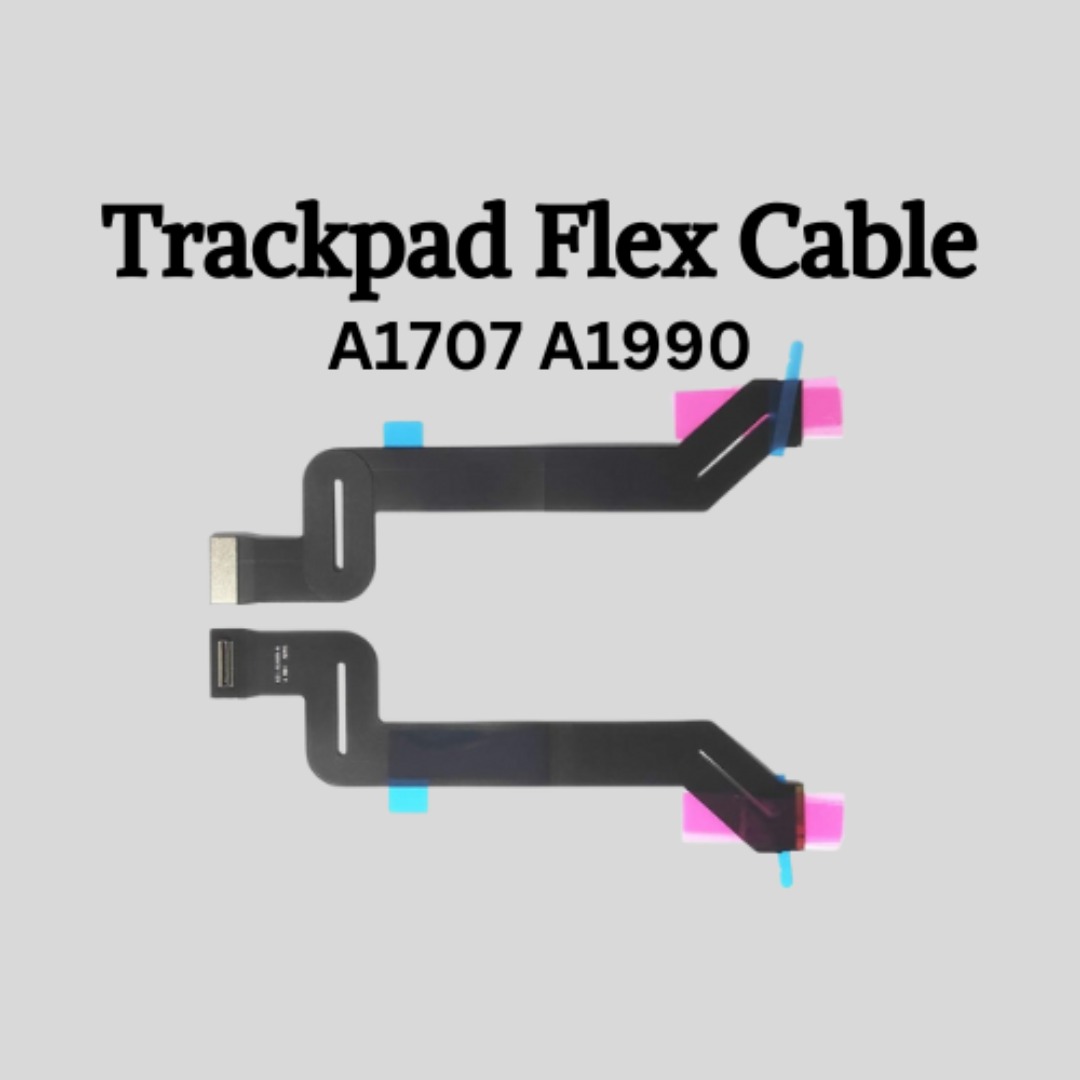
Genuine-spec touchpad flex cable for MacBook Pro 13″ (Model A2338, 2020, Apple M1)—essential for restoring full Force Touch functionality, haptic feedback, and precise multi-touch gesture control during trackpad repair or replacement. Compatible With: MacBook Pro 13-inch (2020, Model A2338, Model Identifier MacBookPro17,1) with Apple M1 chip (2 Thunderbolt ports). Part Type: Touchpad flex cable only — does not include the trackpad housing, Taptic Engine, or mounting hardware. This is the OEM-style ribbon cable that connects the trackpad to the logic board. Function: Transmits: Touch input coordinates Force Touch pressure data Haptic feedback signals to the Taptic Engine Enables full macOS gesture support: Force Click, three-finger lookup, swipe navigation, pinch-to-zoom, and smooth cursor tracking. Touch input coordinates Force Touch pressure data Haptic feedback signals to the Taptic Engine Enables full macOS gesture support: Force Click, three-finger lookup, swipe navigation, pinch-to-zoom, and smooth cursor tracking. OEM-Quality Build: Matches Apple’s original specifications in: Cable length and routing Connector pitch and ZIF latch design EMI shielding and flex durability Cable length and routing Connector pitch and ZIF latch design EMI shielding and flex durability Common Use Cases: Replacing a torn, creased, or liquid-damaged original flex cable Completing a trackpad replacement when the original cable is compromised Fixing intermittent trackpad behavior, loss of Force Touch, or complete unresponsiveness Replacing a torn, creased, or liquid-damaged original flex cable Completing a trackpad replacement when the original cable is compromised Fixing intermittent trackpad behavior, loss of Force Touch, or complete unresponsiveness Installation Note: Requires full bottom case removal and battery disconnection. Cable routes under internal components near the right speaker and logic board. Connects via a ZIF (Zero Insertion Force) socket—must be aligned carefully and latched gently. Recommended for experienced or certified technicians only. Requires full bottom case removal and battery disconnection. Cable routes under internal components near the right speaker and logic board. Connects via a ZIF (Zero Insertion Force) socket—must be aligned carefully and latched gently. Recommended for experienced or certified technicians only. Important Compatibility Notes: ✅ Only for A2338 (13″, M1, 2020) ❌ Not compatible with: Intel-based A2251 / A2289 (2020) MacBook Air M1 (A2337) Any MacBook Air or 14″/16″ MacBook Pro ✅ Only for A2338 (13″, M1, 2020) ❌ Not compatible with: Intel-based A2251 / A2289 (2020) MacBook Air M1 (A2337) Any MacBook Air or 14″/16″ MacBook Pro Intel-based A2251 / A2289 (2020) MacBook Air M1 (A2337) Any MacBook Air or 14″/16″ MacBook Pro

MLT-D111S MLT-D111L Toner Cartridge Replacement for Samsung 111S MLTD111L for Xpress SL-M2020W SL-M2070FW SL-M2070W M2020 M2024W M2026W M2070 Laser Printer (Black, 1-Pack)

Replacement cable for MacBook Pro A2794, designed to restore proper connection and functionality for damaged or faulty internal cables. Ideal for technicians and repair shops, ensuring reliable performance and correct fit for A2794 models. Type: USB-C to USB-C charging/data cable Model: A2794 Length: 2 meters (≈ 6.6 ft) Color: White Design: Woven braided cable for durability Connectors: USB-C (Male) on both ends Power Delivery: Supports up to 240 W high-power charging when used with a compatible USB-C PD adapter Data Transfer: USB 2.0 transfer speeds Designed for fast charging and syncing between USB-C devices

Short Description HP LaserJet MFP M141w — compact wireless monochrome printer for home and office use.• Print | Scan | Copy • Wireless & USB Connectivity • Fast Printing SpeedCompact Design | Energy Efficient

The Apple Magic Mouse (USB-C version) is a sleek, minimalist multi-touch wireless mouse built for Mac users. It offers smooth gesture support, Bluetooth connectivity and a built-in rechargeable battery — a great choice if you prefer a clean desk setup and full compatibility with macOS and iPadOS. General Name: Magic Mouse (USB-C) — part of Apple’s pointing-device lineup. Wireless connectivity: Bluetooth. Rechargeable battery: built-in, no disposable AA cells. Charging / port: USB-C port (bottom of mouse) for pairing and charging. Compatibility: Requires a Mac with macOS 15.1 or later, or an iPad with iPadOS 18.1 or later. Size & Weight Height: ~0.85 inch (2.16 cm) Width: ~2.25 inch (5.71 cm) Depth: ~4.47 inch (11.35 cm) Weight: ~0.22 pound (0.099 kg) (varies slightly by manufacturing) Features Multi-Touch surface: supports gestures such as swiping between pages, scrolling through documents, zooming. Glide / foot design: optimized for smooth movement across desktop surfaces. Rechargeable battery life: about a month or more between charges (typical use) per Apple spec. Used Condition ConsiderationsSince you’re specifying a used unit: Check for wear on the bottom feet / skates — these degrade and affect glide. Verify battery capacity / health (rechargeable batteries age). Confirm the port is functioning (USB-C) and Bluetooth connectivity is stable. Look for signs of excessive surface scratches on the multi-touch top — may impair gestures. Ensure the firmware / Mac recognizes it fully (gestures working). Upgradability / Limitations Not user-upgradable: You cannot replace the internal battery or change internals easily. Design limitation: The USB-C port remains on the bottom of the mouse, meaning you cannot use it while charging unless you flip it. This design is still criticized. Ergonomics: The flat, low-profile design is stylish but may not suit extended-use comfort for some users.

A robust Beurotika cash drawer featuring a 450mm metal body, secure 3-position lock, and compatibility with most POS systems—ideal for retail, restaurants, and small businesses. Secure 3-position key lock: Open, locked, and release-to-print modes for controlled access 6 coin slots + 4 bill compartments: Organized layout for efficient cash handling Heavy-duty steel construction: Reinforced frame and smooth slide rails for daily reliability Standard RJ12 interface: Compatible with most POS systems (e.g., Epson, HP, Bixolon, and Beurotika receipt printers) Auto-open trigger: Automatically opens when connected to a compatible receipt printer during transactions Bottom cable entry: Keeps wiring neat and protected

Genuine Apple sleep/wake sensor flex cable (Hall effect sensor) for MacBook Air 13.6″ (Model A2681, 2022, M2)—ensures automatic display sleep when the lid is closed and wake-on-open functionality. OEM part number 821-04129-02. Compatible With: MacBook Air 13.6-inch (2022, Model A2681) with Apple M2 chip (all colors: Silver, Space Gray, Starlight, Midnight). Apple Part Number: 821-04129-02 (exact OEM service part). Function: Contains the Hall effect sensor that detects the magnet in the MacBook Air’s display lid. This allows macOS to: Sleep the system when the lid is closed Wake instantly when opened Prevent false sleep/wake events during use Sleep the system when the lid is closed Wake instantly when opened Prevent false sleep/wake events during use Location: Mounted near the right side of the keyboard, adjacent to the battery and logic board. Common Failure Symptoms: MacBook doesn’t sleep when lid is closed MacBook wakes randomly in a bag “Lid closed” not recognized in macOS Requires manual sleep or power button use MacBook doesn’t sleep when lid is closed MacBook wakes randomly in a bag “Lid closed” not recognized in macOS Requires manual sleep or power button use Part Type: Flex cable with integrated Hall sensor—not just a cable, but a calibrated magnetic sensor module. Installation Note: Requires full bottom case removal and careful disconnection of the battery. The sensor is adhered near the I/O area—do not bend or puncture. Recommended for experienced technicians.
