
128GB SSD Apple Macbook Pro Air 2013 2014 2015 A1502 A1398 A1466 A1465 | Samsung MZ-JPU512T/A06 | 655-1805D ORIGINAL APPLE PART (Apple sources their SSD’s for MacBooks from Samsung) A1502 – A1398 – A1465 – A1466 100% TESTED WORKING Please check compatibility below before you make your purchase: COMPATIBILITY: MacBook Pro Retina Late 2013 – Mid-2015 MacBookPro11,1 (A1502) – ME864LL/A, ME866LL/A, ME867LL/A, MGX72LL/A, MGX92LL/A, & MGXD2LL/A MacBookPro11,2 (A1398) – ME293LL/A & MGXA2LL/A MacBookPro11,3 (A1398) – ME294LL/A, ME874LL/A, MGXC2LL/A, & MGXG2LL/A MacBookPro11,4 (A1398) – MJLQ2LL/A MacBookPro11,5 (A1398) – MJLT2LL/A & MJLU2LL/A MacBookPro12,1 (A1502) – MF839LL/A, MF841LL/A, & MF843LL/A MacBook Air Mid-2013 – Late 2015 MacBookAir6,1 (A1465) – MD711LL/A, MD760LL/A, MD711LL/B, & MF067LL/A MacBookAir6,2 (A1466) – MD760LL/A, MD760LL/B, & MF068LL/A MacBookAir7,1 (A1465) – MJMVM2LL/A MacBookAir7,2 (A1466) – MJVE2LL/A Model Identifier: Samsung Manufacturer Part# MZ-JPU512T/A06

LG B2B Monitor 19 inch 19MB15T is designed for business workspaces, POS systems, and daily office use. It features a 19-inch IPS display with touch screen support for simple and responsive operation. Additionally, it uses a compact design that fits small desks and retail counters. Therefore, it works well for offices, shops, and service environments. The LG B2B Monitor 19 inch 19MB15T delivers 1280 × 1024 resolution with a 5:4 aspect ratio and IPS panel technology. Moreover, it includes 250 cd/m² brightness, 14ms response time, and 178° viewing angles for clear display quality. It supports D-Sub input and USB connection for touch functionality. In addition, it includes Reader Mode and built-in power for easier daily use. Furthermore, the monitor supports tilt adjustment from 15° to 68° and VESA 75 × 75 wall mounting for flexible setup. As a result, users can improve comfort and workspace organization. It also helps reduce cable clutter with its built-in power design. Specifications: 19-inch IPS touch screen display 1280 × 1024 HD resolution with 5:4 aspect ratio 250 cd/m² brightness with 178° viewing angle D-Sub input with USB touch connection Tilt adjustment and VESA 75 × 75 mount support

The MSI Optix G32C4W 32″ Monitor delivers immersive visuals and smooth performance for gaming and everyday use.It features a 32-inch Full HD curved display that provides a wide field of view and enhanced immersion. Moreover, its high refresh rate ensures fluid motion during fast-paced games and videos. This monitor uses a VA panel for strong contrast and deep colors. Additionally, the fast response time reduces blur and ghosting during competitive gaming. The anti-glare screen helps minimize reflections in bright environments. HDMI and DisplayPort inputs allow easy connection to PCs, laptops, and gaming consoles. Furthermore, the curved design and tilt adjustment help you find a comfortable viewing angle during long sessions. Low blue light and flicker-free technologies reduce eye strain over extended use. This display is ideal for gamers, esports enthusiasts, and home users alike. Therefore, it supports competitive gaming, media streaming, and productivity tasks. Finally, it combines sharp visuals, smooth performance, and comfort features for daily use. Specifications: Screen Size: 32″ Full HD curved VA panel Resolution: 1920 × 1080 Refresh Rate: High for smooth motion Ports: HDMI + DisplayPort Features: Anti-glare, low blue light, flicker-free eye care
256GB SSD Apple Macbook Pro Air 2013 2014 2015 A1502 A1398 A1466 A1465 | Samsung MZ-JPU512T/A06 | 655-1805D ORIGINAL APPLE PART (Apple sources their SSD’s for MacBooks from Samsung) A1502 – A1398 – A1465 – A1466 100% TESTED WORKING Please check compatibility below before you make your purchase: COMPATIBILITY: MacBook Pro Retina Late 2013 – Mid-2015 MacBookPro11,1 (A1502) – ME864LL/A, ME866LL/A, ME867LL/A, MGX72LL/A, MGX92LL/A, & MGXD2LL/A MacBookPro11,2 (A1398) – ME293LL/A & MGXA2LL/A MacBookPro11,3 (A1398) – ME294LL/A, ME874LL/A, MGXC2LL/A, & MGXG2LL/A MacBookPro11,4 (A1398) – MJLQ2LL/A MacBookPro11,5 (A1398) – MJLT2LL/A & MJLU2LL/A MacBookPro12,1 (A1502) – MF839LL/A, MF841LL/A, & MF843LL/A MacBook Air Mid-2013 – Late 2015 MacBookAir6,1 (A1465) – MD711LL/A, MD760LL/A, MD711LL/B, & MF067LL/A MacBookAir6,2 (A1466) – MD760LL/A, MD760LL/B, & MF068LL/A MacBookAir7,1 (A1465) – MJMVM2LL/A MacBookAir7,2 (A1466) – MJVE2LL/A Model Identifier: Samsung Manufacturer Part# MZ-JPU512T/A06

The Samsung 65″ OLED 4K S85F Vision AI Smart TV QA65S85FAEXTW delivers a premium viewing experience built on advanced OLED technology. It produces deep blacks, rich colors, and strong contrast, so movies, sports, and games look more realistic and immersive on the 65-inch screen. OLED technology controls each pixel individually, so every detail appears with high precision. This improves dark scenes by keeping blacks deep and detailed, while bright areas stay clean and accurate. As a result, the picture remains balanced in both bright and dark environments. Samsung Vision AI improves picture and sound in real time. It analyzes each scene and adjusts brightness, color, and sharpness automatically. Therefore, the Samsung 65 OLED S85F Vision AI Smart TV QA65S85FAEXTW always delivers optimized visuals without manual settings. In addition, AI upscaling improves lower-resolution content closer to 4K quality for better clarity. HDR expands contrast and color depth, making visuals more lifelike and dynamic. Fast motion also appears smoother and clearer, which improves sports and action viewing. The Smart TV system gives access to streaming apps, games, and smart home features. It runs smoothly and is easy to navigate. In addition, the slim design with thin bezels gives the Samsung 65 OLED S85F Vision AI Smart TV QA65S85FAEXTW a modern and premium look. Overall, this Samsung OLED TV combines strong picture quality, AI optimization, and smart connectivity for a high-end viewing experience. Specifications: OLED display delivers deep blacks and strong contrast 65-inch 4K screen provides immersive viewing experience Vision AI optimizes picture and sound automatically HDR improves brightness, contrast, and color depth Smart TV system supports apps, streaming, and smart features

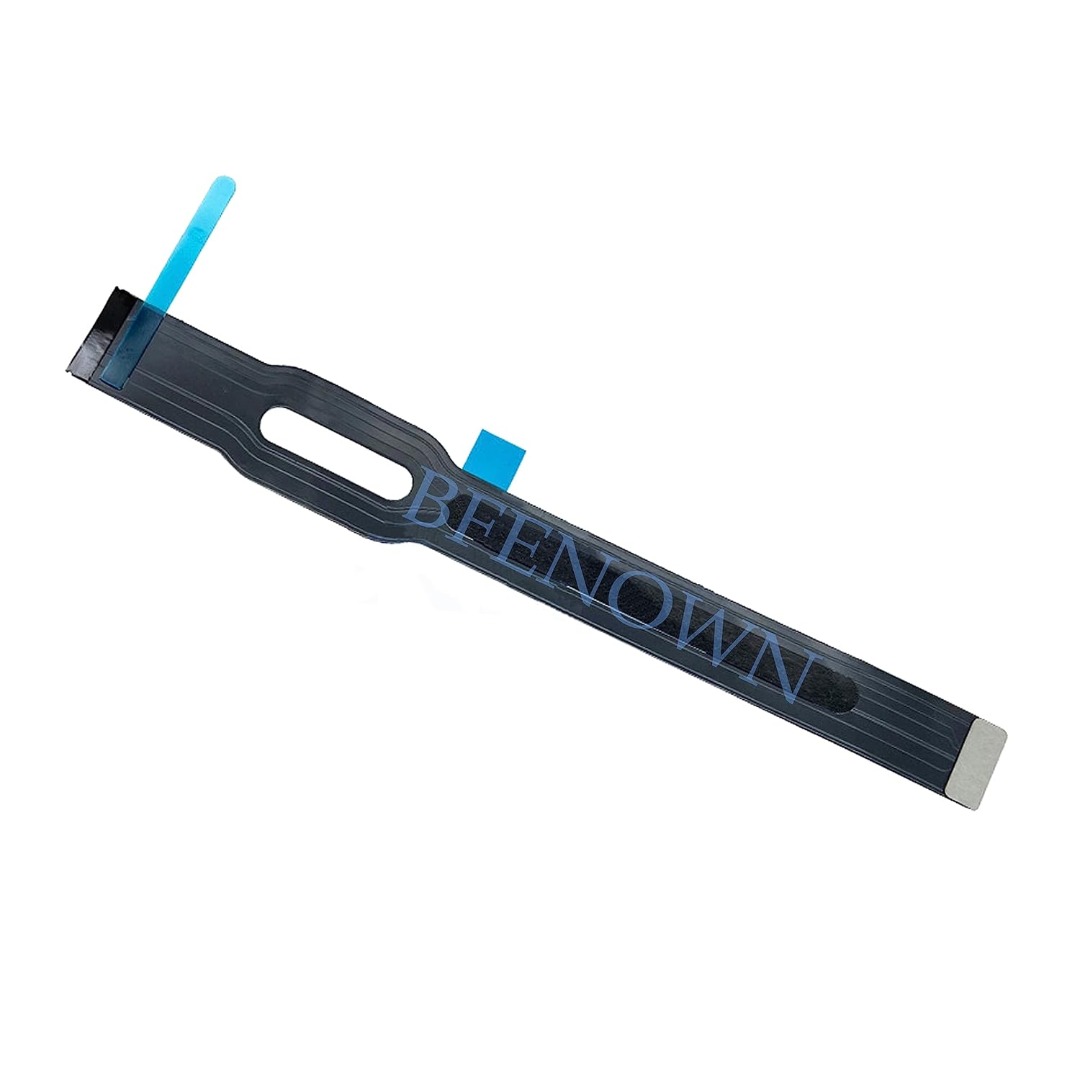
Genuine-quality keyboard and touchpad connection board (also known as the keyboard flex cable or I/O board) for the 2022 MacBook Pro 14″ (Model A2681)—essential for restoring full keyboard and Touch ID functionality during repairs. Compatible With: MacBook Pro 14-inch (2022, M2 Pro/M2 Max models, Apple Model A2681). Function: This internal connection board links the keyboard, Touch ID sensor, and touchpad to the logic board—critical for proper operation of input devices. Includes: Keyboard flex cable assembly with integrated Touch ID sensor and touchpad connector (exact configuration matches Apple’s original design). Common Use Cases: Replacing after liquid damage, physical impact, or keyboard/touchpad failure; often required when the built-in keyboard or power button (with Touch ID) stops responding. OEM-Spec Quality: Built to match Apple’s original specifications for fit, signal integrity, and durability—ensures seamless integration and reliable performance. Installation Note: Requires precision disassembly of the MacBook’s lower case and display. Recommended for experienced technicians or certified repair centers.

The ViewSonic 22″ 60Hz Monitor offers a perfect blend of style and performance for your daily computing needs. Whether you’re working, watching videos, or browsing the web, this monitor delivers stunning visuals. Featuring a Full HD resolution of 1920×1080 pixels, the ViewSonic 22″ 60Hz Monitor provides sharp and clear images. You’ll enjoy every detail, from vibrant colors to crisp text, making it ideal for both work and entertainment. With a refresh rate of 60Hz, this monitor ensures smooth and fluid motion. Whether you’re watching videos or playing games, you’ll experience less lag and more enjoyment. The ViewSonic 22″ 60Hz Monitor is designed with user comfort in mind. Its flicker-free technology and blue light filter reduce eye strain, allowing you to work or play for longer periods without discomfort. Connectivity is simple with the ViewSonic 22″ 60Hz Monitor. It features VGA and HDMI inputs, making it easy to connect to your computer, laptop, or gaming console. You’ll have a seamless setup for all your devices. This monitor’s sleek and modern design adds a touch of elegance to any workspace. Its slim bezels provide a larger viewing area, giving you an immersive visual experience. In conclusion, the ViewSonic 22″ 60Hz Monitor is a reliable and stylish choice for anyone seeking quality visuals and performance. Upgrade your viewing experience with this exceptional monitor and enjoy clear, vibrant, and comfortable viewing every day. Specifications: Display : 22″ TN Resolution : FHD 1920 x 1080 Refresh Rate : 60Hz Response Rate : 2ms GTG

Sklon Ski Boot Bag – Expandable 55–65 L backpack with waterproof fabric, separate boot space, and padded carry system.Ideal for skiing and snowboarding gear transport with hands-free comfort and smart compartment layout. Model: Sklon10 Ski Boot Bag Backpack Capacity: 55 L (expandable to 65 L via integrated zipper) Dimensions: Approx. 34.9 cm × 30.5 cm × 53.3 cm (13.75″ × 12″ × 21″) Weight: Around 1.9 kg Material: Water-resistant polyester and nylon soft-shell build Compartments: Dedicated boot section to isolate wet gear Helmet and goggle compartments Multiple internal and external zippered pockets Compartments: Dedicated boot section to isolate wet gear Helmet and goggle compartments Multiple internal and external zippered pockets External Features: Adjustable straps to carry skis or snowboard Compact foldable design for storage External Features: Adjustable straps to carry skis or snowboard Compact foldable design for storage Comfort: Ergonomic padded shoulder straps Cushioned back panel Top and side grab handles Comfort: Ergonomic padded shoulder straps Cushioned back panel Top and side grab handles Use Case: Designed for skiing, snowboarding, or as a multi-use travel pack

BenQ PD3205U 32” 4K UHD IPS Monitor | 3840×2160 | 3 Years Warranty is a professional 32-inch display designed for productivity, creative work, and Mac/PC users who need accurate colors and a large workspace. It uses a 31.5-inch IPS panel with 4K UHD resolution (3840×2160). Therefore, it delivers sharp text, clear images, and high pixel density for multitasking and design work. In addition, it supports 99% sRGB and 99% Rec.709 color coverage for consistent and accurate color output. Moreover, it includes HDR10 support with up to 350 nits peak brightness. As a result, it improves contrast in supported HDR content while maintaining stable SDR performance. In addition, the monitor uses a 1000:1 contrast ratio for balanced image depth. The PD3205U features a 60Hz refresh rate and 5ms response time. Therefore, it focuses on productivity rather than competitive gaming. In addition, the IPS panel provides wide 178° viewing angles for consistent visuals from different positions. Connectivity includes USB-C with up to 90W power delivery. As a result, it can charge a laptop while sending video, data, and audio through a single cable. In addition, it supports HDMI 2.0, DisplayPort 1.4, USB-A, USB-B, and a built-in KVM switch for multi-device control. Furthermore, it includes Eye-Care technologies such as Flicker-Free and Low Blue Light modes. Therefore, it helps reduce eye strain during long work sessions. In addition, the ergonomic stand supports height, tilt, swivel, and pivot adjustments for better comfort. Finally, the BenQ PD3205U delivers a large 4K workspace, accurate color performance, and full USB-C docking functionality for professional and Mac-based workflows. Specifications: Display: 32-inch IPS panel with 3840×2160 4K UHD resolution Color: 99% sRGB and 99% Rec.709 coverage Brightness: 250 nits typical, up to 350 nits HDR peak Connectivity: USB-C 90W, HDMI 2.0, DP 1.4, USB hub, KVM switch Ergonomics: Height, tilt, swivel, pivot adjustable stand with Eye-Care features

WiWU WM108 Wimice Dual‑Mode Mouse – Bluetooth 5.0 and 2.4 GHz wireless mouse with 800/1200/1600 DPI, silent clicks, and ergonomic ABS housing.Long battery life (~6 months standby), USB dongle & silent design—ideal for travel, office, and quiet environments. Model: WiWU Wimice WM108 Connection Modes: Bluetooth 5.0 2.4 GHz wireless via USB dongle Connection Modes: Bluetooth 5.0 2.4 GHz wireless via USB dongle DPI Settings: 800 / 1,200 / 1,600 DPI (adjustable) Buttons: 3 standard buttons + clickable scroll wheel (4 keys total) Range: Up to 10 m wireless connectivity Material/Design: Lightweight (67–130 g, depending on source), ergonomic ABS plastic body, magnetic base or “super magnetic absorption” design Operating Range: ≈10 m Silent Clicks: Quiet operation—silent key action Dimensions: Approx. 108 × 64 × 36 mm Weight: 67 g cited by Star Tech and 130 g by others—likely lighter in official spec Compatibility: Windows, macOS, Linux, Android, etc. Plug-and-play, no driver needed

HP Monitor 27er 27-inch Display Technical specifications LED feature Specification Display size 68.6 cm (27 in) diagonal Display type IPS with LED Backlight Panel active area 59.8 x 33.6 cm (23.5 x 13.2 in) Brightness 250 nits Color gamut 72% Color support Up to 16.7 million colors with the use of FRC technology Pixel pitch 0.3114 x 0.3114 mm 82 PPI Inputs 1 VGA 2 HDMi Viewing angle Horizontal viewing angle (typical): 178 degrees Vertical viewing angle (typical): 178 degrees Recommended resolution (H x V) 1920 x 1080 (Full HD) Aspect ratio 16:9 Static contrast ratio Up to 1000:1 Dynamic contrast ratio Up to 5,000,000:1 Response time 7 ms gray to gray with overdrive Power consumption 28 Watts max Tilt -5 to +25 degrees Power Supply External Dimensions W x D x H (unpacked): 53.1 x 18.3 x 40.4 cm (24.5 x 7.7 x 17.9 in) Weight Unpacked: 3.8 Kg (8.4 lbs) Specifications: HP Monitor 27er 27-inch Display Display size 68.6 cm (27 in) diagonal Display type IPS with LED Backlight Panel active area 59.8 x 33.6 cm (23.5 x 13.2 in) Brightness 250 nits Color gamut 72%

The Lenovo ThinkVision T24‑40 24‑inch monitor offers clear and sharp Full HD visuals that improve everyday work and multimedia tasks. As a result, text, spreadsheets, and videos appear crisp and easy to view. In addition, the IPS panel provides wide viewing angles, so colors remain consistent even when you shift your position. Furthermore, this monitor includes features that help reduce eye strain during long sessions, making it suitable for office work, study, or creative tasks. It also offers flexible connectivity options that allow you to connect laptops and desktops without extra adapters. Therefore, it fits well into both professional and home environments. Overall, the Lenovo ThinkVision T24‑40 delivers dependable display quality and practical features, making it a great choice for users seeking a reliable 24‑inch monitor. Specifications: 24″ Full HD IPS display for crisp visuals Wide viewing angles for consistent colors Eye comfort features for long sessions Flexible connectivity for multiple devices Reliable performance for work and home use

Acer V227Q BIV Monitor Aspect Ratio 16:9 MasterFormat® Number 11 28 00 Model Number *227Q Power Supply No Screen Size (in.) 21.5 3 Years Warranty

The LG 32G810SA-W 32″ UHD 4K IPS Smart 144Hz Monitor delivers premium performance for gaming, streaming, and productivity. Its large 32-inch IPS display provides sharp 4K UHD visuals and vibrant color accuracy for immersive viewing. Moreover, the fast 144Hz refresh rate ensures smooth motion during competitive gaming and high-action scenes. This monitor also includes smart features that allow access to streaming apps and entertainment without needing a PC. Additionally, the IPS panel offers wide viewing angles, making it suitable for shared viewing and creative work. The modern white design adds a clean and stylish look to gaming or professional setups. Connectivity options allow easy connection to consoles, PCs, and multimedia devices. Furthermore, ergonomic adjustments help maintain comfortable viewing positions during long sessions. Therefore, this monitor suits gamers, content creators, and home users seeking performance and flexibility. Finally, it combines smart functionality, high refresh rate, and stunning 4K clarity for versatile daily use. Specifications: 32-inch UHD 4K IPS smart gaming monitor 144Hz refresh rate for smooth gameplay Built-in smart features for streaming access Wide viewing angles and vivid colors Modern design with versatile connectivity

Genuine-spec keyboard replacement for MacBook Air 13″ (Model A2179, 2020, Intel) — choose US QWERTY or UK QWERTY (with £ symbol). Features Apple’s reliable scissor-switch mechanism, backlighting, and OEM-fit design for seamless performance and aesthetics. Compatible With: MacBook Air 13-inch (2020, Model A2179, EMC 3597) with Intel Core i3/i5/i7 processors (non-M1). Layout Options (select at purchase): US Layout: Standard QWERTY with wide Enter key, @ above 2, # above 3, and full inverted-T arrow keys. UK Layout: QWERTY with £ symbol, tall vertical Enter key, @ accessed via right Alt, and UK-specific punctuation—matches Apple’s official UK regional configuration. US Layout: Standard QWERTY with wide Enter key, @ above 2, # above 3, and full inverted-T arrow keys. UK Layout: QWERTY with £ symbol, tall vertical Enter key, @ accessed via right Alt, and UK-specific punctuation—matches Apple’s official UK regional configuration. Keyboard Type: Traditional scissor-switch mechanism (not Butterfly, not Magic Keyboard)—robust, tactile, and serviceable, with good key travel and proven durability. Integrated Features: Full backlit keys for low-light use Ambient light sensor compatibility OEM-style ribbon cable pre-attached for direct logic board connection Full backlit keys for low-light use Ambient light sensor compatibility OEM-style ribbon cable pre-attached for direct logic board connection Precision Build: Molded to exact Apple specifications—ensures flush mounting, consistent key alignment, and seamless integration into the original top case. Installation Note: Keyboard is screw-mounted with light adhesive—more accessible than glued Butterfly/Magic keyboards. Requires top case access and battery disconnect. Suitable for intermediate DIYers or professional technicians. Important: This is keyboard only—does not include the top case, battery, trackpad, or logic board. Not compatible with M1 MacBook Air (A2337/A2338) or M2 models (A2681/A2941). This is keyboard only—does not include the top case, battery, trackpad, or logic board. Not compatible with M1 MacBook Air (A2337/A2338) or M2 models (A2681/A2941). Model Verification: Confirm your device is MacBook Air A2179 (13″, Intel, 2020) via > About This Mac > Model Identifier (e.g., MacBookAir9,1).

Genuine-spec touchpad flex cable for MacBook Air 13″ (Model A1534, Early 2015)—essential for restoring full trackpad functionality, including precise cursor control and physical click response, during repair or replacement. Compatible With: MacBook Air 13-inch (Early 2015, Model A1534, Model Identifier MacBookAir7,2). Part Type: Touchpad flex cable only—does not include the trackpad housing, button mechanism, or mounting brackets. This is the ribbon cable that connects the trackpad to the logic board. Function: Carries input signals from the trackpad to the logic board—critical for cursor movement, tap-to-click, and primary/secondary physical click functionality. (Note: This model uses a physical click mechanism, not Force Touch—so no haptic feedback or pressure-sensing.) OEM-Quality Construction: Matches Apple’s original cable in length, connector type, and shielding—ensures reliable signal transmission and long-term durability. Common Use Cases: Replacing a torn, frayed, or damaged original flex cable Completing a trackpad replacement when the original cable is compromised Fixing erratic cursor movement, unresponsive trackpad, or loss of click function Replacing a torn, frayed, or damaged original flex cable Completing a trackpad replacement when the original cable is compromised Fixing erratic cursor movement, unresponsive trackpad, or loss of click function Installation Note: Requires bottom case removal and careful disconnect/reconnect of the ZIF (Zero Insertion Force) connector on the logic board. The cable routes under the battery—handle with care. Suitable for intermediate to advanced DIYers or technicians.

AOC 22B30HM2 22-inch 100Hz monitor delivers smooth everyday performance for work, study, and light gaming. It focuses on clear Full HD visuals, stable refresh rate, and eye comfort features for long use. Additionally, it features a 21.5-inch VA panel with Full HD resolution (1920 × 1080). This panel provides strong contrast and clear image quality, so it improves readability and general viewing comfort. Moreover, it supports a 100Hz refresh rate. As a result, it delivers smoother motion compared to standard 60Hz displays, especially during scrolling and casual gaming. The monitor includes a 4ms response time. Therefore, it helps reduce motion blur in fast-moving scenes and improves overall clarity. In addition, it supports Adaptive Sync technology. This reduces screen tearing and stuttering, so visuals remain stable during variable frame rates. Furthermore, it includes Flicker-Free and Low Blue Light technologies. So it helps reduce eye strain during long working or study sessions. AOC 22B30HM2 22-inch 100Hz monitor provides a balanced mix of smooth performance, comfort features, and reliable Full HD quality for everyday use. Specifications: 21.5-inch VA panel with Full HD 1920 × 1080 resolution 100Hz refresh rate for smoother visuals 4ms response time for reduced motion blur Adaptive Sync for tear-free performance Flicker-Free and Low Blue Light for eye comfort

The LG UltraWide 34″ 60Hz Curved Monitor offers an expansive 21:9 aspect ratio, providing ample screen space for multitasking and immersive viewing. Its 3440 x 1440 resolution delivers sharp and detailed visuals, enhancing both productivity and entertainment experiences. Featuring a curved IPS display, this monitor ensures consistent color accuracy and wide viewing angles, making it ideal for creative professionals and gamers alike. The 60Hz refresh rate provides smooth motion, suitable for everyday tasks and casual gaming. Equipped with HDR10 support, the monitor enhances contrast and color range, bringing visuals to life with greater depth and realism. The sRGB 99% color gamut ensures vibrant and accurate colors, essential for photo and video editing. Connectivity options include USB Type-C, HDMI, and DisplayPort, allowing seamless integration with various devices. The USB Type-C port supports data transfer and power delivery, simplifying your workspace setup. The ergonomic stand offers height and tilt adjustments, enabling you to customize the monitor’s position for optimal comfort. Its sleek, virtually borderless design adds a modern touch to any workspace. In summary, the LG UltraWide 34″ 60Hz Curved Monitor combines high-resolution visuals, color accuracy, and ergonomic design, making it a versatile choice for professionals and enthusiasts. Specifications: Display : 34″ IPS Resolution : 3440 x 1440 QHD Refresh Rate : 60Hz Response Rate : 5ms GTG Curvature : 3800R

The Transcend TS8XDVDS-K is an ultra-slim, lightweight external portable DVD writer designed for laptops, ultrabooks, and thin desktop computers lacking internal optical drives. Offering fast 8X DVD and 24X CD read/write speeds, it provides a seamless plug-and-play solution for burning media, backing up critical data, and playing movies on the go without requiring an external power adapter. ✅ Full Specifications: Model: Transcend Extra Slim Portable DVD Drive (TS8XDVDS-K) – Black Edition Interface / Connection: Mini-USB to USB Type-A interface (Includes a specialized USB double-headed power/data cable) Performance / Speed: * DVD±R Read/Write: Up to 8X DVD±R DL (Double Layer) Read/Write: Up to 6X DVD-RAM Read/Write: Up to 5X CD-R/RW Read/Write: Up to 24X Performance / Speed: * DVD±R Read/Write: Up to 8X DVD±R DL (Double Layer) Read/Write: Up to 6X DVD-RAM Read/Write: Up to 5X CD-R/RW Read/Write: Up to 24X Capacity / Media Compatibility: Supports standard CD-R/RW, DVD±R, DVD±RW, DVD±R DL, and M-DISC long-term archival media formats. Material & Build: Durable, premium hard plastic housing with a sleek, rounded-edge aesthetic. Design & Form Factor: Extra-slim layout measuring just 13.9mm in thickness. Top-loading tray mechanism with an emergency manual eject hole. Power Setup: Fully USB bus-powered (No external power wall adapter required; draws power directly from host computer USB ports). Security & Software: Includes a free download of CyberLink Media Suite 10 (Media Writer) data burning software via registration. Supports TV Connectivity (allows plugging into supported smart TVs to play media files directly). Compatibility: Windows 11 / 10 / 8 / 7, macOS (10.7 and above), and Linux Dimensions: Approx. 142.8 x 148.0 x 13.9 mm (5.62″ x 5.83″ x 0.55″) Weight: Approx. 264 grams (0.58 lbs)

Apple 60W MagSafe Power Adapter (for MacBook and 13-inch MacBook Pro) The 60 Watt MagSafe Power Adapter features a magnetic DC connector that ensures your power cable will disconnect if it experiences undue strain and helps prevent fraying or weakening of the cables over time. In addition, the magnetic DC helps guide the plug into the system for a quick and secure connection. When the connection is secure, an LED located at the head of the DC connector will light up; an amber light lets you know that your portable is charging, while a green light tells you that you have a full charge. An AC lead is provided with the adapter for maximum lead length, while the AC wall adapter (also provided) gives users an even easier and more compact way to travel. Designed to be the perfect travelling companion, the adapter has a clever design that allows the DC cable to be wound neatly around itself for easy cable storage. This power adapter recharges the lithium polymer battery while the system is off, on, or in sleep mode. It also powers the system if you choose to operate without a battery. Compatible with MacBook and 13-inch MacBook Pro. See this article for more details about choosing the right one. Knowing which specific Mac model you have is important. If you are running OS X Lion (10.7) or later, go to the “” menu at the top left of your screen, choose “About this Mac” then click the “More Info…” button. Your Mac model and generation will be displayed. If you are running an earlier version of OS X, you can enter your serial number here to find out which model you have.
