
The Samsung ViewFinity S7 32″ 4K Monitor is an outstanding choice for anyone seeking a clear, high-resolution display. This 4K monitor offers crisp visuals and vibrant colors, enhancing your viewing experience for work, gaming, and entertainment. With a 32-inch display, this monitor provides a large screen space to increase productivity. The 4K UHD resolution (3840 x 2160) offers four times the clarity of Full HD, so every detail is sharp and vivid. Whether you’re editing photos, creating designs, or just enjoying high-definition content, this monitor brings every image to life. The Samsung ViewFinity S7 4K Monitor is designed with a slim, minimalist look. It features ultra-thin bezels, allowing for a near borderless viewing experience. This makes it ideal for dual-monitor setups, as you can position screens side by side seamlessly. Setting up the monitor is simple, with multiple connectivity options like HDMI and DisplayPort. It also features USB-C compatibility, allowing for fast data transfer and device charging, reducing the need for multiple cables on your desk. This Samsung 4K monitor supports HDR10, providing higher contrast and accurate colors for a richer picture. Its wide viewing angles ensure that the image stays consistent, even when viewed from the side. This is perfect for shared workspaces or group settings. Additionally, the Samsung ViewFinity S7 has advanced eye-care technology. It includes features like Eye Saver Mode and Flicker-Free technology to reduce eye strain during long sessions. Upgrade your workspace or gaming setup with the Samsung ViewFinity S7 32″ 4K Monitor and enjoy stunning visuals. Specifications: Display : 32″ VA Resolution : 4K (3840×2160) HDR10 Refresh Rate : 60Hz Response Rate : 5ms

LG UHD 4K 27″ Standing screen display size 27 Inches Screen Resolution 3840 x 2160 Max Screen Resolution 3840 x 2160 Pixels Brand LG Series 27UL500-W Item model number 27UL500-W Item Weight 11.2 pounds Product Dimensions 8.2 x 24.5 x 18.1 inches Item Dimensions LxWxH 8.2 x 24.5 x 18.1 inches Color White Power Source AC Manufacturer LG Language English ASIN B07PGL2WVS Country of Origin China Date First Available March 1, 2019 MONITOR RESOLUTION: 3840×2160 SIZE: 27″ MONITOR REFRESH RATE: 60Hz SYNC: Free-Sync CONNECTOR TYPE: HDMI CONNECTOR TYPE: DisplayPort LG UHD 4K 27″ n-Plane Switching (IPS) Panel. HDMI | DisplayPort Inputs. 3840 x 2160 4K UHD Resolution. 1000:1 Static Contrast Ratio. 300 cd/m² Brightness. 178°/178° Viewing Angles. 5 ms Response Time (GtG) 1.07 Billion Colors. Brand LG Screen Size 27 inch Resolution 3840 x 2160 pixels Display Technology IPS Screen Surface Matte Refresh Rate 60 Hz Response Time 5 ms Viewing Angle 178° Brightness 300 cd/m2 Contrast Ratio 1000:1 Connectivity HDMIDisplay Port Device Dimensions (WxHxD) 24.5 x 18.1 x 8.2 inch Features FreesyncHeadphone OutVesa Mountable Weight 11.3 pounds This IPS computer monitor helps keep colors consistent at a wide viewing angle while reproducing 98 percent coverage of the sRGB color spectrum. Color Calibration helps maintain accurate color on the screen and prevents gradual changes. For More Information Click Here For More LG Monitors Click Here Specifications: LG UHD 4K 27″ Standing screen display size 27 Inches Screen Resolution 3840 x 2160 Max Screen Resolution 3840 x 2160 Pixels Brand LG Series 27UL500-W Item model number 27UL500-W 1 Year Warranty Manufacturer link

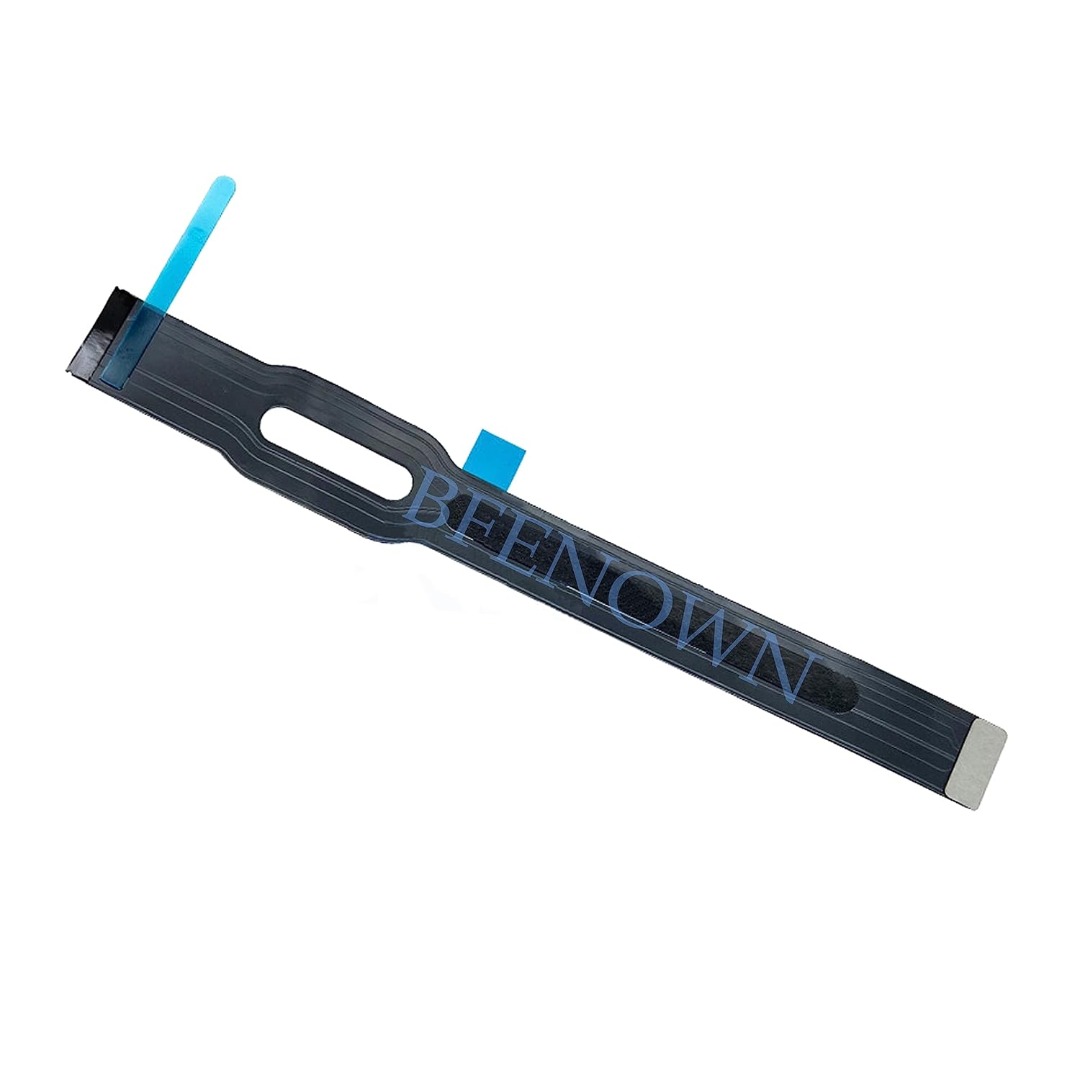
Genuine-spec touchpad flex cable for MacBook Pro 15″ (Model A1706 – 2017 and A1989 – 2018/2019)—restores full Force Touch functionality, haptic feedback, and precise multi-touch gesture control during trackpad repair or replacement. Compatible With: MacBook Pro 15″ (2017) – Model A1706 (Model Identifier: MacBookPro14,3) MacBook Pro 15″ (2018–2019) – Model A1989 (Model Identifier: MacBookPro15,2) ✅ Note: Apple used the same trackpad assembly and flex cable across both A1706 and A1989 15″ models—making this part interchangeable between them. MacBook Pro 15″ (2017) – Model A1706 (Model Identifier: MacBookPro14,3) MacBook Pro 15″ (2018–2019) – Model A1989 (Model Identifier: MacBookPro15,2) ✅ Note: Apple used the same trackpad assembly and flex cable across both A1706 and A1989 15″ models—making this part interchangeable between them. ✅ Note: Apple used the same trackpad assembly and flex cable across both A1706 and A1989 15″ models—making this part interchangeable between them. Part Type: Touchpad flex cable only — does not include the trackpad housing, Taptic Engine, or mounting hardware. This is the OEM-style ribbon cable connecting the trackpad to the logic board. Function: Transmits: Touch input coordinates Force Touch pressure data Haptic feedback signals to the Taptic Engine Enables full macOS gesture support: Force Click, three-finger lookup, swipe navigation, pinch-to-zoom, and smooth cursor tracking. Touch input coordinates Force Touch pressure data Haptic feedback signals to the Taptic Engine Enables full macOS gesture support: Force Click, three-finger lookup, swipe navigation, pinch-to-zoom, and smooth cursor tracking. OEM-Quality Build: Matches Apple’s original in: Cable length and routing Connector pitch and ZIF latch design EMI shielding and flex durability Cable length and routing Connector pitch and ZIF latch design EMI shielding and flex durability Common Use Cases: Replacing a torn, creased, or liquid-damaged original flex cable Completing a trackpad replacement when the original cable is compromised Fixing intermittent trackpad behavior, loss of Force Touch, or complete unresponsiveness Replacing a torn, creased, or liquid-damaged original flex cable Completing a trackpad replacement when the original cable is compromised Fixing intermittent trackpad behavior, loss of Force Touch, or complete unresponsiveness Installation Note: Requires full bottom case removal and battery disconnection. Cable routes under internal components near the right speaker and logic board. Connects via a ZIF (Zero Insertion Force) socket—must be aligned carefully and latched gently. Recommended for experienced or certified technicians only. Requires full bottom case removal and battery disconnection. Cable routes under internal components near the right speaker and logic board. Connects via a ZIF (Zero Insertion Force) socket—must be aligned carefully and latched gently. Recommended for experienced or certified technicians only.

Professional battery testing flex cable for MacBook Pro 15″ (Model A1990, 2018–2019)—used by technicians to bypass a faulty battery or diagnose power-on issues without permanent battery removal. Enables safe logic board testing and troubleshooting. This is not a replacement battery cable—it’s a diagnostic tool used in repair workflows. It mimics the battery’s presence by providing the necessary SMBus signal and power-enable lines to the logic board, allowing the MacBook to: Power on without a battery installed Test logic board functionality independently Diagnose whether a no-power issue is caused by the battery or logic board MacBook Pro 15″ (2018–2019) Model: A1990 Model Identifiers: MacBookPro15,2 Chip: Intel Core i7/i9 Model: A1990 Model Identifiers: MacBookPro15,2 Chip: Intel Core i7/i9 ⚠️ Not compatible with A1707 (2016–2017), A2159 (16″), or any M1/M2 models. Simulates battery presence via correct SMBus resistance and ID signals Includes power-enable circuitry matching Apple’s safety protocol Pre-terminated with OEM-style connector for A1990 logic board Allows safe bench testing of logic boards during repair Diagnosing “no power, no fan spin, no display” issues Verifying if a logic board powers on without risking a shorted battery Testing after liquid damage or DC-in board replacement Avoiding unnecessary battery replacements during diagnostics Not for permanent installation—intended for temporary diagnostic use only Does not charge or store power—requires connected USB-C power adapter to operate Must be used with a known-good power adapter (87W recommended) Not a consumer part—designed for professional repair shops and technicians

Genuine-spec touchpad flex cable for MacBook Pro 16″ (Model A2141, 2019, Intel)—essential for restoring full Force Touch functionality, haptic feedback, and precise multi-touch gesture control during trackpad repair or replacement. Compatible With: MacBook Pro 16-inch (2019, Model A2141) with Intel Core i7/i9 processors (Model Identifier: MacBookPro16,1) (Note: A2141 is the non-base configuration of the 2019 16″ MacBook Pro—typically higher-end Intel models.) Part Type: Touchpad flex cable only—does not include the trackpad housing, Taptic Engine, or mounting hardware. This is the OEM-style ribbon cable that connects the trackpad to the logic board. Function: Transmits touch coordinates, Force Touch pressure data, and haptic feedback signals—critical for macOS gestures (e.g., Force Click, three-finger lookup, pinch-to-zoom) and Taptic Engine responsiveness. OEM-Quality Construction: Replicated to Apple’s exact specifications—including cable length, connector pitch, EMI shielding, and bend radius—ensuring reliable signal integrity and long-term durability. Common Use Cases: Replacing a torn, creased, or liquid-damaged original flex cable Completing a trackpad replacement when the original cable is compromised Fixing intermittent trackpad behavior, loss of Force Touch, or complete unresponsiveness Replacing a torn, creased, or liquid-damaged original flex cable Completing a trackpad replacement when the original cable is compromised Fixing intermittent trackpad behavior, loss of Force Touch, or complete unresponsiveness Installation Note: Requires full disassembly of the bottom case, speaker removal, and careful routing beneath the battery and logic board. Connectors use ZIF (Zero Insertion Force) sockets—must be aligned and latched gently. Recommended for certified or professional repair technicians only. Important: This is flex cable only—not a complete trackpad assembly. Must be used with the original or compatible A2141 trackpad and Taptic Engine. Not compatible with M1 MacBook Pro 16″ (A2485), 14″ models (A2442), or any MacBook Air. This is flex cable only—not a complete trackpad assembly. Must be used with the original or compatible A2141 trackpad and Taptic Engine. Not compatible with M1 MacBook Pro 16″ (A2485), 14″ models (A2442), or any MacBook Air. Model Verification: Confirm your device is MacBook Pro A2141 (16″, 2019, Intel) via > About This Mac > Model Identifier (should read MacBookPro16,1).

The Samsung Customizable Frame 65″ uses a 65-inch 4K UHD LCD panel with 3840 × 2160 resolution. It is designed for both TV viewing and wall-mounted art display use. The display supports 4K upscaling for lower-resolution content. As a result, non-4K video appears closer to 4K detail on the screen. In addition, it supports HDR formats for compatible content, which improves contrast between bright and dark areas. The TV runs Samsung Tizen OS. Therefore, users access streaming apps, smart features, and connected services through a standard interface. It also supports Wi-Fi and Bluetooth for wireless devices. Connectivity includes HDMI ports, USB ports, Ethernet LAN, and optical audio output. It supports external devices such as gaming consoles, sound systems, and media players. This model uses a frame-style design with interchangeable bezels. It allows customization of the outer frame to match room décor. It also supports an Art Mode that displays images when the TV is not actively in use. Specifications: 65-inch 4K UHD LCD panel (3840 × 2160 resolution) 4K upscaling for lower-resolution content HDR support for compatible content Tizen OS smart platform with apps and streaming Interchangeable bezels with Art Mode display feature VG-SCFA65BWBRU , VG-SCFA65TKBRU

Genuine-spec touchpad flex cable for MacBook Pro 15″ (Model A2941, 2023, Apple M2)—restores full Force Touch functionality, haptic feedback, and precise multi-touch gesture control during trackpad repair or replacement. Compatible With: MacBook Pro 15-inch (2023, Model A2941) with Apple M2 chip (Model Identifier: MacBookPro19,1) Part Type: Touchpad flex cable only — does not include the trackpad housing, Taptic Engine, or mounting hardware. This is the OEM-style ribbon cable that connects the trackpad to the logic board. Function: Transmits: Touch input coordinates Force Touch pressure data Haptic feedback signals to the Taptic Engine Enables full macOS gesture support: Force Click, three-finger lookup, swipe navigation, pinch-to-zoom, and smooth cursor tracking. Touch input coordinates Force Touch pressure data Haptic feedback signals to the Taptic Engine Enables full macOS gesture support: Force Click, three-finger lookup, swipe navigation, pinch-to-zoom, and smooth cursor tracking. OEM-Quality Build: Matches Apple’s original specifications in: Cable length and routing path Connector pitch and ZIF latch design EMI shielding and flex durability Cable length and routing path Connector pitch and ZIF latch design EMI shielding and flex durability Common Use Cases: Replacing a torn, creased, or liquid-damaged original flex cable Completing a trackpad replacement when the original cable is compromised Fixing intermittent trackpad behavior, loss of Force Touch, or complete unresponsiveness Replacing a torn, creased, or liquid-damaged original flex cable Completing a trackpad replacement when the original cable is compromised Fixing intermittent trackpad behavior, loss of Force Touch, or complete unresponsiveness Installation Note: Requires full bottom case removal and battery disconnection. Cable routes under internal components near the right speaker and logic board. Connects via a ZIF (Zero Insertion Force) socket—must be aligned carefully and latched gently. Recommended for experienced or certified technicians only. Requires full bottom case removal and battery disconnection. Cable routes under internal components near the right speaker and logic board. Connects via a ZIF (Zero Insertion Force) socket—must be aligned carefully and latched gently. Recommended for experienced or certified technicians only.

Genuine-spec touchpad flex cable compatible with both MacBook Air A2179 (Intel, 2020) and A2337 (M1, 2020)—restores full Force Touch functionality, haptic feedback, and precise multi-touch gesture control during trackpad repair or replacement. Compatible With: MacBook Air 13″ (2020, Intel) – Model A2179 (Model Identifier: MacBookAir9,1) MacBook Air 13″ (2020, Apple M1) – Model A2337 (Model Identifier: MacBookAir10,1) MacBook Air 13″ (2020, Intel) – Model A2179 (Model Identifier: MacBookAir9,1) MacBook Air 13″ (2020, Apple M1) – Model A2337 (Model Identifier: MacBookAir10,1) ✅ Important Note: Despite different processors (Intel vs. M1), Apple used the same trackpad assembly and flex cable in both A2179 and A2337. This makes the flex cable fully interchangeable between the two models. Part Type: Touchpad flex cable only — does not include the trackpad housing, Taptic Engine, or mounting hardware. This is the OEM-style ribbon cable that connects the trackpad to the logic board. Function: Transmits: Touch input coordinates Force Touch pressure data Haptic feedback signals to the Taptic Engine Enables full macOS gesture support: Force Click, three-finger lookup, swipe navigation, pinch-to-zoom, and smooth cursor tracking. Touch input coordinates Force Touch pressure data Haptic feedback signals to the Taptic Engine Enables full macOS gesture support: Force Click, three-finger lookup, swipe navigation, pinch-to-zoom, and smooth cursor tracking. OEM-Quality Build: Matches Apple’s original specifications in: Cable length and routing path Connector pitch and ZIF latch design EMI shielding and flex durability Cable length and routing path Connector pitch and ZIF latch design EMI shielding and flex durability Common Use Cases: Replacing a torn, creased, or liquid-damaged original flex cable Completing a trackpad replacement when the original cable is compromised Fixing intermittent trackpad behavior, loss of Force Touch, or complete unresponsiveness Replacing a torn, creased, or liquid-damaged original flex cable Completing a trackpad replacement when the original cable is compromised Fixing intermittent trackpad behavior, loss of Force Touch, or complete unresponsiveness Installation Note: Requires full bottom case removal and battery disconnection. Cable routes under the right side of the battery and logic board. Connects via a ZIF (Zero Insertion Force) socket—align carefully and latch gently. Recommended for experienced or certified technicians only. Requires full bottom case removal and battery disconnection. Cable routes under the right side of the battery and logic board. Connects via a ZIF (Zero Insertion Force) socket—align carefully and latch gently. Recommended for experienced or certified technicians only.

The HUAWEI IdeaHub B2-65 is a 65-inch intelligent collaboration display designed for meetings, classrooms, and hybrid workspaces. It combines a 4K UHD interactive touchscreen with built-in conferencing tools to support smooth communication. Additionally, it enables writing, video meetings, and wireless sharing in one integrated device. Moreover, it features a 4K resolution screen with zero-gap bonding. Therefore, it delivers clear visuals and smooth touch interaction for presentations and collaboration. Furthermore, Huawei equips it with a 4K camera, 6-microphone array, and 30W speakers. So, it provides clear video, strong voice pickup, and balanced sound for meetings up to about 10 meters. In addition, it supports dual Wi-Fi connectivity and wireless projection. Therefore, users can share content easily from laptops, tablets, and phones without cables. It also includes an intelligent whiteboard for real-time writing and collaboration. Also, it supports both Android and optional Windows OPS system integration. So, it fits different office and enterprise IT setups. Overall, the Huawei IdeaHub B2-65 delivers a complete all-in-one collaboration solution with strong audio-visual performance, smart connectivity, and interactive meeting tools. Specifications: 65-inch 4K UHD interactive touchscreen 4K camera with intelligent conferencing support 6-microphone array with 10m pickup range Wireless projection and dual Wi-Fi support Integrated whiteboard for collaboration

Searching for a monitor that enhances your productivity and comfort? Look no further than the ViewSonic 24” 60Hz Monitor VG2448. This monitor is your gateway to a superior visual experience. First and foremost, let’s discuss clarity. With its 24-inch screen size, the VG2448 delivers crisp and clear images, ensuring every detail is sharp and vibrant. Say goodbye to eye strain and hello to comfortable viewing. Transitioning to performance, this monitor boasts a refresh rate of 60Hz, providing smooth and fluid visuals for an enhanced viewing experience. Whether you’re working on spreadsheets or watching videos, motion blur will be a thing of the past. Moreover, its ergonomic design offers customizable tilt, swivel, and height adjustments, allowing you to find the perfect viewing angle for maximum comfort. Say goodbye to neck and back strain with this user-friendly monitor. In addition, the VG2448 features a variety of connectivity options, including HDMI, DisplayPort, and VGA, ensuring compatibility with a wide range of devices. Seamlessly connect your PC, laptop, or gaming console with ease. Furthermore, this monitor is equipped with ViewSonic’s exclusive Eye Care technology, which helps reduce eye fatigue during prolonged use. Protect your vision while enjoying extended viewing sessions. In conclusion, the ViewSonic 24” 60Hz Monitor VG2448 is a versatile and reliable choice for both work and entertainment. With its superior clarity, performance, and ergonomic design, it’s sure to enhance your productivity and comfort. Upgrade your viewing experience today and see the difference for yourself. Specifications: Display : 24″ IPS Resolution : FHD (1920×1080) Refresh Rate : 60Hz Response Rate : 5ms GTG

Lenovo ThinkVision S24E-20 24″ The Monitor that’s the Right Tool for the Task Equip your staff with a monitor that will help power their productivity. ThinkVision S24e-20 is an excellent performer that delivers core functionality with a sleek new form factor. Its 1920 x 1080 FHD resolution VA panel display produces vivid images to every one of your colleagues standing around the desk up to angles as extreme as 178°. Lenovo screen head is twice as slim as its previous generations. With HDMI, VGA and Audio Out ports, with HDMI, VGA and Audio Out ports, S24e-20 can connect to a whole range of mission-critical devices such as PCs and even headphonescan connect to a whole range of mission-critical devices such as PCs and even headphones. Lenovo screen has TÜV Rheinland Eye Comfort Certified technology to protect them from eye fatigue. 23.8″ FHD VA 3-side NearEdgeless HDMI, VGA and Audio Out ports TÜV Rheinland Eye Comfort Certified Lenovo ThinkVision S24E-20 24″ 3-side NearEdgeless edge Make multitasking near-effortless with 3-side NearEdgeless display. Compare files side-by-side on two screens with an almost uninterrupted visual continuity. Share content with colleagues standing up, sitting down or far off to the side as much as 178°; everyone sees the same quality image thanks to a 23.8-inch, FHD 1920 x 1080 resolution . Its 7.1 mm slim head design has less than half the screen thickness of the model it replaces but will still hold a Lenovo Tiny or Nano PC tucked away on its back. Specifications: Specifications : Panel Size 23.8 inches Resolution 1920 x 1080 Panel Type 3-side NearEdgeless VA Backlight WLED Brightness(typical) 250 cd/m² Aspect Ratio 16:9 Refresh Rate 60 Hz Response Time 4ms (Extreme mode) Connectivity 1 x HDMI 1.4 1 x VGA 1 x Audio out (3.5mm) VESA Mount 100 x 100mm 1 Year Warranty manufacturer link

HP E24 G5 FHD Monitor If you’re in the market for an affordable yet high-quality monitor for your everyday computing needs, look no further than the HP E24 G5 FHD Monitor. This versatile monitor is designed to meet your requirements without breaking the bank. The HP E24 G5 features a Full High Definition (FHD) display, ensuring that you’ll enjoy sharp and vivid visuals whether you’re working on documents, streaming content, or engaging in light gaming. With its 24-inch screen size, this monitor strikes a balance between providing adequate screen real estate for multitasking and conserving desk space. It’s an ideal addition to compact workstations. Setting up the E24 G5 is a breeze, thanks to its user-friendly interface and easy connectivity options. You can swiftly connect it to your PC or laptop and start your computing tasks without any hassle. The monitor’s design is both sleek and functional, making it a practical addition to any workspace. Its compact and modern appearance easily complements your existing setup. Whether you’re a student, professional, or home user, the HP E24 G5 delivers reliable performance without straining your budget. It’s a cost-effective choice that doesn’t compromise on quality. Specifications: 23.8″ FHD (1920 x 1080 @ 75 Hz) Flat IPS with Edge-lit 1 HDMI 1.4, 1 DisplayPort™ 1.2 Tilt and Height Adjustable, Pivot, Swivel Stand, VESA Mountable On-screen controls, Anti-glare, HP Eye Ease

HP M24f Monitor Overview The HP M24f is a 24-inch Full HD monitor designed for work and everyday use. It offers a slim design and reliable performance. As a result, it suits offices, home setups, and students. 24-Inch Full HD Display This monitor features a 24-inch Full HD resolution. Therefore, text appears sharp and easy to read. Moreover, images look clear and well balanced. Because of this, it supports long working sessions comfortably. In addition, the wide viewing angles improve screen visibility. As a result, content stays clear from different positions. Smooth Visual Performance The HP M24f delivers smooth visuals for daily tasks. As a result, scrolling and browsing feel natural. Furthermore, the display maintains consistent brightness. This improves overall viewing comfort. Eye Comfort and Anti-Glare Screen This monitor includes eye comfort features. Therefore, it helps reduce eye strain. In addition, the anti-glare coating minimizes reflections. As a result, users can work comfortably in bright rooms. Connectivity and Compatibility The HP M24f includes HDMI and VGA ports. As a result, it connects easily to modern and older devices. Moreover, setup is quick and simple. Therefore, users can start working right away. Slim Design and Mounting Options The monitor features a sleek and modern design. In addition, it supports VESA mounting. As a result, users can save desk space and customize layouts. Ideal for Daily Use This monitor focuses on clarity and reliability. Moreover, it suits office work, browsing, and media viewing. In conclusion, the HP M24f offers a balanced and efficient display solution. Specifications: Display: 23.8-inch IPS panel with 178-degree ultra-wide viewing angles. Resolution: FHD (1920 X 1080) at 75Hz refresh rate. Visual Quality: 300 nits brightness, 1000:1 contrast ratio, and 99% sRGB color gamut for accurate, vibrant, and consistent colors. Gaming/Performance: AMD Free Sync technology reduces screen tearing and stuttering

Genuine-spec touchpad flex cable for MacBook Pro 16″ (Model A2159, 2019, Intel)—essential for restoring full Force Touch functionality, haptic feedback, and precise trackpad responsiveness during repair or replacement. Compatible With: MacBook Pro 16-inch (2019, Model A2159) with Intel Core i7/i9 processors (Model Identifier: MacBookPro16,1). Part Type: Touchpad flex cable only—does not include the trackpad, Taptic Engine, or mounting hardware. This is the OEM-style ribbon cable that connects the trackpad to the logic board. Function: Transmits touch input, Force Touch pressure data, and haptic feedback signals—critical for macOS gestures (e.g., Force Click, three-finger swipe, pinch-to-zoom) and Taptic Engine operation. OEM-Quality Build: Matches Apple’s original flex circuit in length, connector pitch, shielding, and bend radius—ensures reliable signal integrity and durability under repeated use. Common Use Cases: Replacing a torn, frayed, or corroded original flex cable Completing a trackpad replacement when the original cable is damaged Fixing intermittent or unresponsive trackpad behavior caused by cable failure Replacing a torn, frayed, or corroded original flex cable Completing a trackpad replacement when the original cable is damaged Fixing intermittent or unresponsive trackpad behavior caused by cable failure Installation Note: Requires full bottom case removal and careful routing beneath the battery and logic board. Connectors use ZIF (Zero Insertion Force) sockets—must be properly aligned and latched without force. Recommended for certified or experienced technicians only.

The LG 32UN880K-B 32″ UHD 4K ERGO Monitor is designed to provide outstanding image quality and maximum comfort for work and entertainment. Its large 32-inch 4K UHD display delivers sharp detail and vibrant colors, making it ideal for professional tasks, creative projects, and media consumption. Moreover, the high resolution allows users to multitask efficiently with clear visuals across multiple applications. This monitor features LG’s ERGO stand, which allows flexible adjustments to improve posture and desk organization. Additionally, users can easily adjust height, tilt, swivel, and pivot positions for a more comfortable viewing experience during long working hours. The modern and clean design also helps free up desk space while maintaining a professional setup. The LG 32UN880K-B offers versatile connectivity options, making it simple to connect laptops, PCs, and other devices. Furthermore, its ergonomic flexibility helps reduce strain during extended sessions. Therefore, it is ideal for professionals, designers, and home office users seeking comfort and performance. Finally, it combines stunning 4K visuals with ergonomic convenience for a productive workspace. Specifications: 32″ UHD 4K monitor with ERGO stand High-resolution display for sharp visuals Flexible ergonomic adjustment system Wide viewing angles and accurate colors Multiple connectivity options

The Samsung 75″ QLED 4K Smart TV QA75Q7FAAUXTW delivers a premium viewing experience with advanced QLED display technology. It produces bright, sharp, and colorful images, so movies, sports, and games look detailed and immersive on the large 75-inch screen. QLED technology uses Quantum Dot enhancement to improve brightness and color accuracy. As a result, visuals appear more vivid and balanced across both dark and bright scenes. This helps maintain consistent picture quality in different lighting conditions and content types. Samsung Vision AI enhances picture and sound in real time. It analyzes each scene and automatically adjusts brightness, sharpness, and color for optimal performance. Therefore, the TV consistently delivers improved visuals without manual tuning. In addition, AI upscaling improves lower-resolution content closer to 4K quality for better clarity and detail. HDR support expands contrast and color depth, making visuals more dynamic and lifelike. Fast motion handling also improves clarity, which enhances sports and action content by reducing blur and improving smoothness. The Smart TV platform provides easy access to streaming apps, gaming features, and smart home controls. It runs smoothly and allows quick switching between applications. In addition, the slim design with thin bezels gives the Samsung 75 QLED 4K Smart TV QA75Q7FAAUXTW a modern and premium appearance suitable for large living spaces. Overall, this Samsung QLED TV combines strong brightness performance, AI optimization, and smart connectivity for an immersive home entertainment experience. Specifications: QLED technology delivers bright and vivid picture quality 75-inch 4K display provides immersive viewing experience Vision AI optimizes picture and sound automatically in real time HDR improves contrast, brightness, and color depth Smart TV platform supports apps, streaming, and smart features

Are you looking for a high-performance monitor to boost your productivity? The MSI Pro MP251P 25″ 100Hz Monitor is the perfect choice. This monitor offers stunning visuals and smooth performance for both work and entertainment. Firstly, let’s talk about the display quality. The MSI Pro MP251P features a 25-inch screen with a 100Hz refresh rate. This ensures crisp, clear images and reduces motion blur. Whether you’re working on detailed design projects or enjoying your favorite movies, the visual experience is exceptional. Moreover, the 100Hz refresh rate provides a smooth and fluid viewing experience. This is especially beneficial for gaming and video playback. You won’t miss any details with this monitor’s high refresh rate. In addition, the MSI Pro MP251P is designed with productivity in mind. Its wide screen provides ample space for multitasking. You can easily open multiple windows and work on various tasks simultaneously. This helps in improving your efficiency and workflow. Furthermore, this monitor is equipped with anti-flicker technology and a blue light filter. These features reduce eye strain, allowing you to work for longer periods without discomfort. It’s a great choice for those who spend long hours in front of the screen. Connectivity options are also plentiful with the MSI Pro MP251P . It includes multiple ports such as HDMI and DisplayPort, making it easy to connect to different devices. This versatility enhances your overall user experience. In conclusion, the MSI Pro MP251P 25″ 100Hz Monitor is an excellent investment for anyone seeking to improve their productivity and enjoy stunning visuals. Whether for work or entertainment, this monitor delivers on all fronts. Elevate your workspace with the MSI MP251P today! Specifications: Display : 24.5″ IPS Resolution : 1920 x 1080 (FHD) Refresh Rate : 100Hz Response Rate : 1ms MRPT

MULTI-FUNCTIONAL: Portable retro speaker, support Bluetooth, U disk, Memory Card, AUX (connect to MP3, MP4 player, smartphone, PC) to play music. It is easy to enjoy stereo sound for music lovers. LONG BATTERY LIFE: Bluetooth speaker has a built-in 1800mAh battery, rechargeable and environmentally friendly, providing 8 hours of battery life, ensuring you can enjoy your favorite music and radio stations for a long time. CLEAR SOUND: The radio speaker’s built-in powerful DSP chip and antenna provide excellent reception, allowing you to experience clear sound. Stations can be easily selected, making it convenient to find your favorite FM channels. POWERFUL: This speaker is compact but with high power, the 5W speaker delivers powerful sound quality. Allows you to enjoy rich and immersive sound, transforming your room into a charming listening environment. RETRO DESIGN: The small FM radio speaker with charming and versatile design incorporates classic aesthetics, making it a delightful addition to your sound collection. For living rooms, bedrooms, parties, etc.

Ultra Thin Arabic Keyboard Cover Skin for MacBook Pro 13 Inch 2022 2021 2020 (Apple M2 Chip/Apple M1 Chip A2338/A2289/A2251) and 2019 MacBook Pro 16 Inch (Model A2141) Protector (Black) Ultra Thin Arabic Keyboard Cover Skin for MacBook Pro 13 Inch 2022 2021 2020 (Apple M2 Chip/Apple M1 Chip A2338/A2289/A2251) and 2019 MacBook Pro 16 Inch (Model A2141) Protector (Black) About this item [√] COMPATIBLE WITH: (1) 2022 MacBook Pro 13-Inch with Apple M2 processor, (2) MacBook Pro 13-Inch 2021 2020 with Apple M1 processor (model: A2338), (3) MacBook Pro 13-Inch Early 2020 released (model: A2289/A2251) and (4) 2019 MacBook Pro 16-Inch (model: A2141) [√] MORE PROTECTION for KEYBOARD: waterproof, dust-proof and dirt-proof design can prevent liquid, dust, cigarette ash, biscuit crumbs falling onto your keyboard to affect your keyboard’s life. [√] ACCURATE KEYS: every key is specially molded, manufactured to the quality available. Flexible, this cover is easy to apply and remove for cleaning or disinfecting. [√] 0.26 MM/0.1 IN THICKNESS: ultra thin silicone keyboard cover skin, made it easier for typing. Soft keyboard protector can weaken the sound in typing. [√] 100% CUSTOMER SERVICE and MONEY BACK GUARANTEE: if you are not fully satisfied with the products you received, please feel free to contact us. We will provide you with a 100% customer service and money back guarantee.

lenovo battery L18C3PF2 Laptop Battery Compatible with Lenovo Ideapad L3-15IML05 L340-15API L340-15IWL L340-17API L340-17IWL L340-15API/L340-15IWL Touch Series 5B10T03401 L18M3PF2 L18L3PF1 L18D3PF1 11.25V 36Wh About this item 【Battery type】Li-ion. Voltage: 11.25V. Capacity: 36Wh 3320mAh . 【Compatible Part Number】L18C3PF2 5B10T03401 5B10W67302 L18M3PF2 5B10T03402 5B10W67367 5B10T03404 L18D3PF1 5B10W67278 5B10T03400 L18L3PF1 5B10W67198 5B10T03403 . 【Replacement For Laptop】Lenovo V155-15API V340-17IWL, IdeaPad L3-15IML05, Ideapad L340-15API L340-15IWL L340-17API L340-17IWL L340-15IWL Touch L340-15API Touch Series Notebook. 【Connector】Before placing your order, Please refer to the picture and check it. Because the products produced by different factories will have differences in size, cable length, interface, etc.
