
Lenovo ThinkVision T32h-20 61F1GAT2EU The Lenovo ThinkVision T32h-20 .Do more than just optimize your productivity . with the ThinkVision T32h-20 monitor. An enhanced view of and easy navigation. through documents, spreadsheets, or designs on this sleek display that complements your modern workspace. Its vast 31.5-inch screen with QHD resolution delivers more screen real estate with higher clarity than FHD, making data-intensive work, number crunching, and content editing a breeze. The one-cable solution USB Type-C, HDMI, and DP ports provide multiple interface options. Integrated with Smart Power, the USB Type-C also doubles up. as a charger for dynamic consumption and intelligent power management. Top Features 31.5″QHD (2560 x 1440) 3-side Near-edgeless display USB Type-C one cable solution HDMI, DP ports with USB hub Ergonomic and space-saving design & UE Specifications Brightness 350 cd/m2 Contrast ratio 1000:1 Connection type 1 x USB Type-C Gen1 (DP1.2 Alt Mode)4 x USB 3.1 Gen1 ports (Downstream, incl. 1 x BC) Panel type In-Plane Switching Display stand Lift, Tilt, Pivot, Swivel EU energy class E Power requirement AC 100 to 240 V (50-60 Hz) Brand ThinkVision Anti-reflex Yes Color calibration accuracy Yes Color coverage 99% sRGB Color depth 10-bit Color support 1.07 Billion Measure without packaging 235.0 x 469.4 x 714.6 mm, 9.25 x 18.48 x 28.13 inches Gentle on the eyes Yes Screen dimensions (without foot) 714.6 x 426.0 x 51.0 mm, 28.13 x 16.77 x 2.01 inches Height adjustable Yes Kensington lock Yes Almost borderless Yes Sound bar support (optional) Yes Power consumption 28 W Typ. 138 W Max. TCO Edge 2.0 Display weight (without foot) 6.78 kg, 14.95 lbs. Weight with packaging 12.96 kg, 28.57 lbs. Weight without packaging 9.85 kg, 21.72 lbs. Description The Lenovo ThinkVision T32h-20’s large display can be used to open and work on several documents at once Its near bezel-less design fits into any modern workplace. Integrated USB Type-C dock with charging function up to 75 W (1 x USB 3.1 Type-C upstream. 4 x USB 3.1 Type-A downstream) – Smart Power for energy – TÜV Rheinland Eye Comfort Specifications: Specifications Product name Lenovo ThinkVision T32h-20 Monitor Product type Desktop monitor Display Display size 81.3 cm (32.0″) Physical resolution 2.560 x 1.440 WQHD Aspect ratio 16:9 Contrast 1000:1 Brightness 350 cd/m² Panel technology IPS Viewing angle (horizontal / vertical) 178° / 178° Response time 6 ms Display surface Matt Backlight White LED 1 year warranty

A compact and durable pre-owned Dell Latitude 7480 with 14" display, 6th Gen Core i5, 8GB RAM, and 128GB SSD—ideal for light office tasks, students, or as a secure secondary business device.

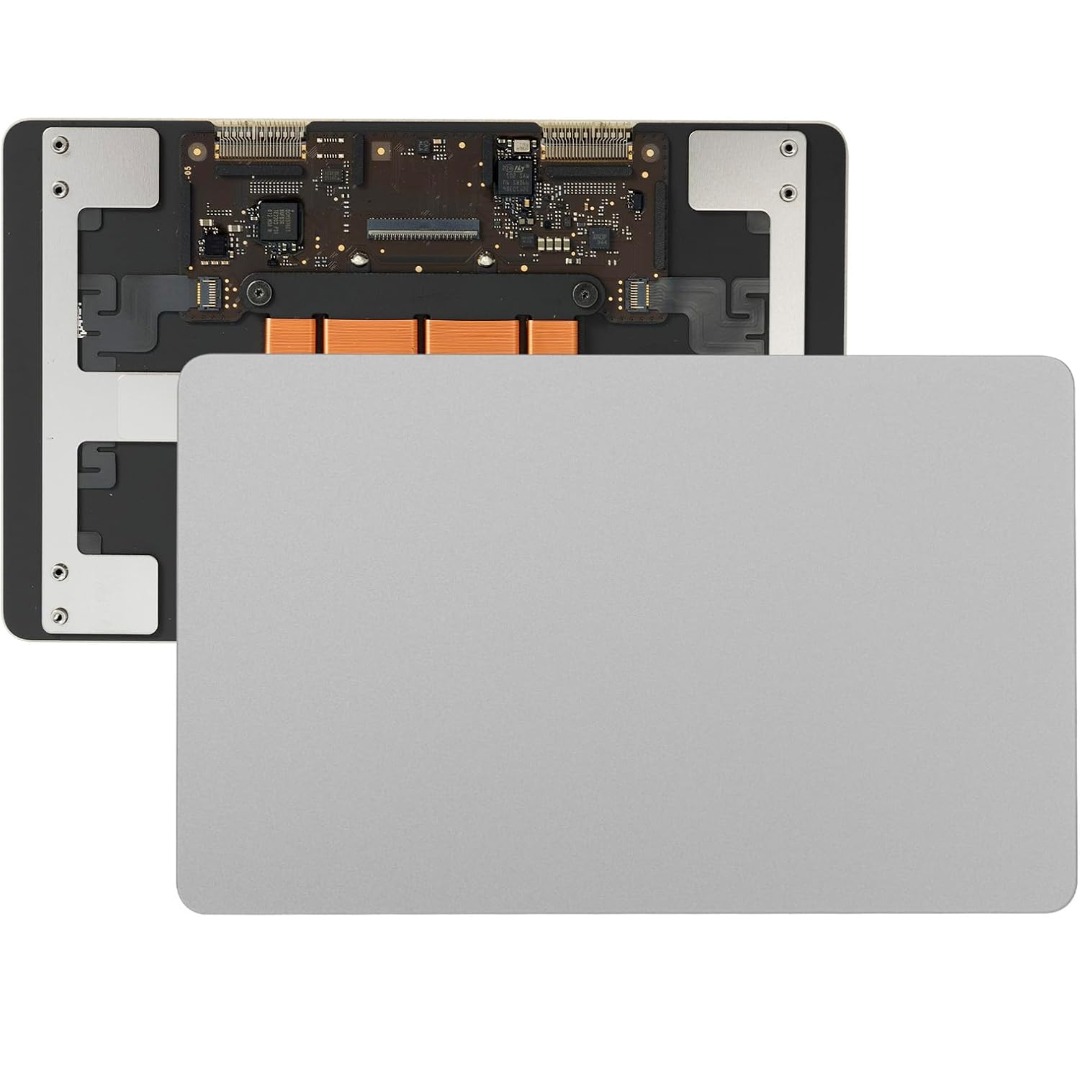
Genuine-spec touchpad flex cable for MacBook Pro 15″ (Model A1707, 2016–2017)—restores full Force Touch functionality, haptic feedback, and precise multi-touch gesture control during trackpad repair or replacement. Compatible With: MacBook Pro 15″ (2016) – Model A1707 (Model Identifier: MacBookPro13,2) MacBook Pro 15″ (2017) – Model A1707 (Model Identifier: MacBookPro14,2) MacBook Pro 15″ (2016) – Model A1707 (Model Identifier: MacBookPro13,2) MacBook Pro 15″ (2017) – Model A1707 (Model Identifier: MacBookPro14,2) Part Type: Touchpad flex cable only — does not include the trackpad housing, Taptic Engine, or mounting hardware. This is the OEM-style ribbon cable that connects the trackpad to the logic board. Function: Transmits: Touch input coordinates Force Touch pressure data Haptic feedback signals to the Taptic Engine Enables full macOS gesture support: Force Click, three-finger lookup, swipe navigation, pinch-to-zoom, and smooth cursor tracking. Touch input coordinates Force Touch pressure data Haptic feedback signals to the Taptic Engine Enables full macOS gesture support: Force Click, three-finger lookup, swipe navigation, pinch-to-zoom, and smooth cursor tracking. OEM-Quality Build: Matches Apple’s original specifications in: Cable length and routing path Connector pitch and ZIF latch design EMI shielding and flex durability Cable length and routing path Connector pitch and ZIF latch design EMI shielding and flex durability Common Use Cases: Replacing a torn, creased, or liquid-damaged original flex cable Completing a trackpad replacement when the original cable is compromised Fixing intermittent trackpad behavior, loss of Force Touch, or complete unresponsiveness Replacing a torn, creased, or liquid-damaged original flex cable Completing a trackpad replacement when the original cable is compromised Fixing intermittent trackpad behavior, loss of Force Touch, or complete unresponsiveness Installation Note: Requires full bottom case removal and battery disconnection. Cable routes under internal components near the right speaker and logic board. Connects via a ZIF (Zero Insertion Force) socket—must be aligned carefully and latched gently. Recommended for experienced or certified technicians only. Requires full bottom case removal and battery disconnection. Cable routes under internal components near the right speaker and logic board. Connects via a ZIF (Zero Insertion Force) socket—must be aligned carefully and latched gently. Recommended for experienced or certified technicians only.

The ViewSonic 27″ 75Hz Monitor delivers vibrant visuals and smooth performance for all your computing needs. Whether you’re working, gaming, or streaming, this monitor provides an immersive viewing experience. With a Full HD 1080p resolution, the ViewSonic 27″ 75Hz Monitor offers crisp and clear images. Every detail is sharp and vivid, making it perfect for tasks that require high visual clarity. The 75Hz refresh rate ensures smooth and fluid motion on the ViewSonic 27″ Monitor. This is especially beneficial for gaming and watching videos, as it reduces blur and enhances the overall viewing experience. Designed with versatility in mind, the ViewSonic 27″ 75Hz Monitor features multiple connectivity options. It includes HDMI, VGA, and DisplayPort inputs, allowing you to connect various devices effortlessly. The slim bezel design of the ViewSonic 27″ 75Hz Monitor maximizes screen space and provides a sleek, modern look. It fits seamlessly into any workspace or home setup, adding a touch of elegance to your environment. The ViewSonic 27″ 75Hz Monitor is also equipped with eye care technology to reduce eye strain during extended use. Features like Flicker-Free and Blue Light Filter make it comfortable for long hours of work or play. Setting up the ViewSonic 27″ 75Hz Monitor is easy and hassle-free. The adjustable stand allows you to find the perfect viewing angle, ensuring comfort and productivity throughout the day. In conclusion, the ViewSonic 27″ 75Hz Monitor combines stunning visuals, smooth performance, and versatile connectivity for an exceptional viewing experience. Upgrade to the ViewSonic 27″ 75Hz Monitor today and enjoy the best in display technology. Specifications: Display : 27″ TN Resolution : FHD 1920 x 1080 Refresh Rate : 75Hz Response Rate : 1.5ms GTG

The ViewSonic VG2456 24″ FHD 60Hz Monitor delivers clear visuals for office tasks and daily computer use. Its Full HD resolution shows sharp text and clean image details. The 24-inch screen offers enough space for multitasking and focused work. This makes it a strong choice for desks at home or work. Moreover, the ViewSonic VG2456 24″ FHD 60Hz Monitor features a stable 60 Hz refresh rate. This keeps everyday motion smooth and comfortable. Scrolling, typing, and video playback remain steady and easy on the eyes. As a result, long work hours feel more relaxed. In addition, the monitor uses an IPS panel for wide viewing angles. Colors stay accurate even when viewed from the side. This helps during meetings, teamwork, and shared screen moments. The image remains clear from different positions. Furthermore, the ViewSonic VG2456 24″ FHD 60Hz Monitor includes strong eye comfort features. The low blue light mode helps reduce eye strain during long sessions. The flicker-free design supports healthy viewing all day. These features add comfort for daily use. Also, the monitor offers modern connection options. It supports USB-C, HDMI, DisplayPort, and Ethernet connection through one display. This allows single-cable laptop charging and data transfer. Desk setup becomes clean and simple. In addition, the ergonomic stand allows full adjustment. You can change height, tilt, swivel, and rotation easily. Portrait mode is useful for reading and coding. This improves posture and workspace comfort. Moreover, the slim bezel design gives a clean and modern look. It fits smoothly into business and home offices. The professional style keeps your desk looking organized and neat. Overall, the ViewSonic VG2456 24″ FHD 60Hz Monitor delivers comfort, clarity, and stable daily performance. It supports smooth work hours and simple connectivity. This monitor is ideal for office users, students, and professionals who need reliability and ease of use. Specifications: Display : 24″ IPS Resolution : FHD 1920 x 1080 Refresh Rate : 60Hz Response Time : 5ms

The MSI MAG 274QRF QD E2 Gaming Monitor is designed to take your gaming to the next level. With its 27-inch QHD display, you’ll enjoy crystal-clear visuals and vibrant colors that bring your games to life. This monitor features Quantum Dot technology, which enhances color accuracy and brightness. The MSI MAG 274QRF QD E2 delivers a rich and immersive visual experience. Thanks to its 165Hz refresh rate and 1ms response time, the MSI MAG Gaming Monitor ensures smooth and lag-free gameplay. You’ll experience every movement with precision, giving you a competitive edge in any game. The monitor supports NVIDIA G-SYNC technology, which synchronizes the monitor’s refresh rate with your graphics card. This eliminates screen tearing and stuttering, providing a seamless and fluid gaming experience. Designed for comfort during long gaming sessions, the MSI MAG 274QRF QD E2 features an ergonomic stand with adjustable height, tilt, and swivel. You can easily customize the monitor’s position to suit your preferred viewing angle. Connectivity is made easy with multiple ports, including DisplayPort, HDMI, and USB. This ensures compatibility with a wide range of gaming systems and peripherals, so you can set up your gaming station just the way you like it. In conclusion, the MSI MAG 274QRF QD E2 Gaming Monitor combines stunning visuals, fast performance, and ergonomic design for an unparalleled gaming experience. Upgrade to this monitor and immerse yourself in the world of gaming like never before. Specifications: Display : 27″ Rapid IPS Screen : 2560 x 1440 (WQHD) Refresh Rate : 180Hz Response Time : 1ms

AOC 20E1H 20-inch LED monitor delivers basic and reliable performance for office tasks, study, and everyday computer use. It focuses on simple display quality, energy efficiency, and stable operation. Additionally, it features a 19.5-inch TN panel with HD+ resolution (1600 × 900). This resolution provides clear text and basic image detail, so it suits productivity and general use. Moreover, it supports a 60Hz refresh rate. As a result, it delivers standard smoothness for everyday tasks like browsing, documents, and video playback. The monitor includes a 5ms response time. Therefore, it handles basic motion cleanly with minimal blur for general usage. In addition, it offers HDMI and VGA connectivity. This allows easy connection to both modern and older PCs. Furthermore, it includes Flicker-Free technology and a VESA mount option. So it improves viewing comfort and gives flexible installation options. AOC 20E1H 20-inch LED monitor provides a compact, efficient, and practical display solution for everyday computing needs. Specifications: 19.5-inch TN panel with 1600 × 900 HD+ resolution 60Hz refresh rate for standard smooth performance 5ms response time for basic motion handling HDMI and VGA connectivity for wide compatibility Flicker-Free technology with VESA mount support


The Samsung QLED 50″ 4K UHD Smart TV Q7 Series QA50Q7FAUXTW delivers a premium viewing experience with advanced QLED display technology. It produces bright, sharp, and colorful images, so movies, sports, and games look clear and detailed on the 50-inch screen. QLED technology uses Quantum Dot enhancement to improve brightness and color accuracy. As a result, visuals appear more vibrant and balanced across both dark and bright scenes. This helps maintain consistent picture quality in different lighting conditions and content types. Vision AI enhances picture and sound in real time. It analyzes each scene and automatically adjusts brightness, sharpness, and color for optimal results. Therefore, the TV consistently delivers improved visuals without manual tuning. In addition, AI upscaling improves lower-resolution content closer to 4K quality for better clarity and detail. HDR support expands contrast and color depth, making visuals more dynamic and lifelike. Fast motion handling also improves clarity, which enhances sports and action content by reducing blur and improving smoothness. The Smart TV platform provides easy access to streaming apps, gaming features, and smart home controls. It runs smoothly and allows quick switching between applications. In addition, the slim design with thin bezels gives the Samsung QLED 50 4K UHD Smart TV Q7 Series QA50Q7FAUXTW a modern and premium appearance suitable for any living space. Overall, this Samsung QLED TV combines strong brightness performance, AI optimization, and smart connectivity for a powerful home entertainment experience. Specifications: QLED technology delivers bright and vivid picture quality 50-inch 4K UHD display provides immersive viewing experience Vision AI enhances picture and sound automatically in real time HDR improves contrast, brightness, and color depth Smart TV platform supports apps, streaming, and smart features

A sleek, versatile pre-owned Lenovo ThinkPad L13 Yoga Gen 1 with 13.3" touchscreen, 360° hinge, 10th Gen Core i7, 16GB RAM, and 256GB SSD—ideal for professionals and students who need flexibility, performance, and portability.

Philips 27E1N5900R 27-inch 4K monitor delivers ultra-clear visuals and modern connectivity for work and creative tasks. It focuses on high resolution, accurate colors, and USB-C convenience for clean setups. Additionally, it features a 27-inch IPS panel with 4K UHD resolution (3840 × 2160). This provides sharp detail and high pixel density, so it improves precision in design, editing, and multitasking. Moreover, it supports VESA DisplayHDR 400. As a result, it enhances brightness, contrast, and color depth for more lifelike visuals. The monitor includes USB-C connectivity with power delivery up to 65W. Therefore, it allows video, data, and charging through a single cable for a clean workspace. In addition, it uses IPS technology with wide 178° viewing angles. This ensures consistent colors and image quality from different positions. Furthermore, it supports MultiView with Picture-in-Picture and Picture-by-Picture. So it enables dual device viewing for efficient multitasking. It also includes LowBlue Mode and Flicker-Free technology. These features reduce eye strain during long working sessions. Philips 27E1N5900R 27-inch 4K monitor provides sharp visuals, flexible Specifications: 27-inch IPS panel with 3840 × 2160 4K UHD resolution DisplayHDR 400 for improved brightness and contrast USB-C with up to 65W power delivery 4ms GtG response time with wide 178° viewing angles MultiView support with PIP and PBP multitasking

LG 22U401A-B is a 22-inch Full HD monitor designed for daily work, entertainment, and casual gaming. Additionally, it features a Full HD resolution that delivers clear images and sharp text for everyday use. Moreover, the monitor supports a 100Hz refresh rate with AMD FreeSync compatibility. Therefore, it provides smoother motion and reduced screen tearing during gaming and video playback. In addition, the display supports HDR10 and sRGB 99% color coverage. As a result, users can enjoy more vivid colors and improved visual detail across multimedia content. Furthermore, LG includes gaming and comfort features such as Black Stabilizer, Dynamic Action Sync, Reader Mode, and Flicker Safe technology. Likewise, the ergonomic stand supports tilt adjustment for more comfortable viewing angles. The monitor also includes HDMI and D-Sub connectivity for flexible device support. Additionally, its slim design helps maintain a clean and organized desk setup. Finally, LG 22U401A-B combines smooth 100Hz performance, Full HD clarity, and practical gaming features in a compact 22-inch monitor for home and office use. Manufacturer link Specifications: 22-inch Full HD display 100Hz refresh rate support AMD FreeSync gaming technology HDR10 and sRGB 99% color support Tilt-adjustable ergonomic stand

Are you ready to take your gaming to the next level? Look no further than the Asus VG279Q3A 27″ 180Hz Gaming Monitor. With its advanced features and cutting-edge technology, this monitor is designed to deliver an immersive gaming experience like no other. Firstly, let’s talk about the impressive display. With a 27-inch Full HD panel, you’ll enjoy crisp, clear visuals with vibrant colors and sharp details. Whether you’re exploring vast open worlds or engaging in intense battles, every moment will come to life on this stunning screen. Moreover, the 180Hz refresh rate ensures smooth and fluid gameplay, allowing you to react quickly to every movement with precision and accuracy. Say goodbye to motion blur and screen tearing, and hello to seamless gaming sessions that keep you on the edge of your seat. In addition, the Asus VG279Q3A features Adaptive-Sync technology, which eliminates stuttering and tearing for a smoother gaming experience. Whether you’re playing fast-paced shooters or immersive RPGs, you’ll enjoy tear-free gameplay without any distractions. In conclusion, if you’re looking for a gaming monitor that delivers exceptional performance and immersion, the Asus VG279Q3A 27″ 180Hz Gaming Monitor is the perfect choice. Immerse yourself in stunning visuals, fluid gameplay, and unparalleled gaming excellence. Specifications: Display : 27″ IPS Resolution : 1920×1080 Refresh Rate : 180Hz Response Rate : 1ms

The AOPEN 32HC5QR 31.5″ FHD 165Hz Curved Gaming Monitor wraps your view with a wide curved screen. It gives immersive visuals for gaming, work, or movies. The Full HD resolution produces clear, sharp images. The 31.5‑inch size provides plenty of screen space for multitasking or play. Moreover, the AOPEN 32HC5QR offers a high 165 Hz refresh rate that delivers very smooth motion. Fast action scenes appear fluid and crisp. The VA panel gives deep contrast and rich blacks for vibrant visuals. This enhancement adds depth to games and movies. In addition, the monitor uses adaptive sync (AMD FreeSync Premium) to match frame rate and screen refresh. This avoids screen tearing and stutter during gameplay. You get stable and consistent frame delivery even in intense gaming. Also, the curved 1500R / 1800R screen design helps immerse you deeper into action. It reduces eye‑strain by keeping all parts of the display at a comfortable viewing distance. The AOPEN 32HC5QR includes useful eye‑care features. It has Flicker‑Free and BlueLightShield technologies to reduce screen flicker and filter blue light. This helps protect your eyes during extended use. It also supports HDMI and DisplayPort connectivity for easy setup with laptops, PCs, or consoles. The monitor includes a slim bezel design for a clean modern look. It has a tilt‑adjustable stand and works with VESA mounts for flexible placement. The build feels solid and reliable for everyday use. Overall, the AOPEN 32HC5QR 31.5″ FHD 165Hz Curved Gaming Monitor combines immersive curved display, smooth refresh rate, strong contrast, and eye‑friendly design. It improves gaming, work, and entertainment experiences. It is ideal for gamers, content viewers, and everyday users who want a large, smooth, and comfortable display. Specifications: Display : 31.5 VA Resolution : FHD 1920×1080 Refresh Rate : 165Hz Response Time : 1ms Curvature : 1800R

The MSI PRO MP272L E2 27-inch business monitor is designed for productivity, office workflows, and everyday multitasking. It offers a clean and modern design that fits well in professional setups. Therefore, it helps users stay focused while maintaining an organized workspace. Moreover, the IPS panel delivers consistent colors and wide viewing angles for comfortable collaboration. The Full HD resolution ensures clear text and sharp visuals for documents, spreadsheets, and web browsing. In addition, the 100Hz refresh rate provides smoother scrolling and a more responsive experience than standard office displays. The monitor also includes MSI Eye Care technologies such as anti-flicker and low blue light support. As a result, it reduces eye strain during long working sessions. Furthermore, adaptive sync support helps improve smoothness in general media playback. In addition, the MSI PRO MP272L E2 27-inch business monitor supports multiple connectivity options, making it easy to connect laptops, desktops, and other devices. It also includes tilt adjustment for better ergonomic positioning. Consequently, it is suitable for both home offices and corporate environments. The MSI PRO MP272L E2 27-inch business monitor delivers a balanced mix of comfort, clarity, and productivity-focused performance. Specifications: 27-inch Full HD (1920 × 1080) IPS display 100Hz refresh rate for smoother visuals Anti-flicker and low blue light eye-care technology Wide 178° viewing angles for consistent colors HDMI and DisplayPort connectivity with ergonomic tilt support

AOC 24B30HM2 23.8-inch 100Hz monitor delivers smooth everyday performance for work, study, and casual gaming. It focuses on stable motion, clear Full HD visuals, and comfortable long-term use. Additionally, it features a 23.8-inch VA panel with Full HD resolution (1920 × 1080). This panel provides strong contrast and sharp image quality, so it improves readability and viewing comfort. Moreover, it supports a 100Hz refresh rate. As a result, it offers smoother motion than standard 60Hz displays, especially during scrolling and light gaming. The monitor includes a 4ms response time. Therefore, it helps reduce motion blur and keeps fast-moving visuals clearer during use. In addition, it uses Adaptive Sync technology. This reduces screen tearing and stuttering, so visuals stay stable across different frame rates. Furthermore, it includes eye comfort features like Flicker-Free technology and Low Blue Light mode. So it helps reduce eye strain during long sessions. AOC 24B30HM2 23.8-inch 100Hz monitor delivers reliable performance, smooth visuals, and essential comfort features for daily use. Specifications: 23.8-inch VA panel with Full HD 1920 × 1080 resolution 100Hz refresh rate for smoother visuals 4ms response time for reduced motion blur Adaptive Sync for tear-free performance Flicker-Free and Low Blue Light eye comfort features

HP P22V G5 Monitor Overview The HP P22V G5 is a 22-inch Full HD monitor designed for daily work and home use. It offers reliable performance and a clean design. As a result, it suits offices, students, and remote workers. 22-Inch Full HD Display This monitor features a 22-inch Full HD resolution. Therefore, text appears sharp and easy to read. Moreover, images look clear and well-defined. Because of this, it supports long working sessions comfortably. In addition, the screen size fits well on most desks. As a result, it saves space without sacrificing clarity. 75Hz Refresh Rate for Smooth Viewing The monitor supports a 75Hz refresh rate. As a result, scrolling feels smoother than standard displays. Furthermore, everyday tasks look more fluid. This makes it suitable for office work and casual entertainment. Eye Comfort and Productivity The HP P22V G5 includes eye comfort features. Therefore, it helps reduce eye strain during long use. In addition, the anti-glare screen improves visibility. As a result, users stay focused throughout the day. Connectivity and Compatibility This monitor includes HDMI and VGA ports. As a result, it connects easily to modern and older devices. Moreover, it supports a wide range of PCs and laptops. Therefore, setup is quick and simple. Design and Mounting Options The monitor features a clean and professional design. In addition, it supports VESA mounting. As a result, users can create a flexible workspace. Everyday Use and Reliability This monitor delivers stable performance for daily tasks. Moreover, it focuses on durability and efficiency. In conclusion, it is a practical choice for work environments. Specifications: Display : 21.45″ VA Resolution : FHD (1920 X 1080) Refresh Rate : 75 Hz Response Rate : 5ms GtG

Used OEM Original Apple Logic Board Working, A1706 Late 2016 Mode 3.3 GHz i7 256gb 16gb RAM Tested using latest industry hardware diagnostic software, Fresh pull from full unit.

The Samsung 55″ OLED 4K S90F Vision AI Smart TV | QA55S90FAUXTW delivers strong picture quality with OLED technology. It produces deep blacks, bright colors, and high contrast. As a result, movies, sports, and games look more realistic and detailed. The 55-inch size also works well in most rooms while still giving an immersive view. Samsung Vision AI improves both picture and sound in real time. It analyzes what you are watching and adjusts settings automatically. Therefore, brightness, color, and sharpness stay balanced in every scene. In addition, AI upscaling improves lower-resolution content and brings it closer to 4K quality. The OLED panel uses self-lit pixels, so each part of the screen is controlled precisely. This improves dark scenes and keeps bright areas clear. HDR also increases contrast and color depth. As a result, images look more natural and dynamic. Fast motion in sports and action scenes also appears smoother and clearer. The TV runs on Samsung’s Smart TV system, which gives access to streaming apps, games, and smart home control. It is simple to use and responds quickly. In addition, the slim design and thin borders make the screen look modern and clean in any space. Overall, this Samsung OLED TV combines strong picture quality, smart AI features, and easy connectivity. It is designed for users who want a high-quality and smooth entertainment experience at home. Specifications: OLED technology delivers deep blacks, vivid colors, and exceptional contrast Vision AI optimizes picture and sound quality in real time 4K UHD resolution provides sharp and highly detailed visuals HDR support enhances brightness, contrast, and color performance Smart TV platform offers streaming apps and smart home connectivity

Genuine-spec touchpad flex cable for MacBook Pro 13″ (Model A1502, Mid 2014)—restores full trackpad functionality, including precise cursor control and physical click response. Essential for repairing unresponsive or erratic trackpad behavior. Compatible With: MacBook Pro 13-inch (Mid 2014, Model A1502, Model Identifier MacBookPro11,1) with Intel Core i5/i7 processors and Retina display. Part Type: Touchpad flex cable only — does not include the trackpad housing, button mechanism, or mounting hardware. This is the ribbon cable that connects the trackpad to the logic board. Function: Transmits cursor movement and click signals (left/right physical clicks) Supports standard multi-touch gestures (two-finger scroll, tap-to-click, pinch-to-zoom) ⚠️ Note: This model uses a physical click mechanism—not Force Touch (no haptic feedback or pressure sensitivity). Transmits cursor movement and click signals (left/right physical clicks) Supports standard multi-touch gestures (two-finger scroll, tap-to-click, pinch-to-zoom) ⚠️ Note: This model uses a physical click mechanism—not Force Touch (no haptic feedback or pressure sensitivity). OEM-Quality Build: Matches Apple’s original in: Cable length and routing path Connector type and pin alignment Insulation and flexibility for long-term reliability Cable length and routing path Connector type and pin alignment Insulation and flexibility for long-term reliability Common Use Cases: Replacing a torn, frayed, or corroded original flex cable Fixing: Unresponsive or intermittent trackpad Cursor jumping or drifting Click function failure (left or right) Complete trackpad disconnect Replacing a torn, frayed, or corroded original flex cable Fixing: Unresponsive or intermittent trackpad Cursor jumping or drifting Click function failure (left or right) Complete trackpad disconnect Unresponsive or intermittent trackpad Cursor jumping or drifting Click function failure (left or right) Complete trackpad disconnect Installation Note: Requires bottom case removal and battery disconnect. Connects via a ZIF (Zero Insertion Force) socket on the logic board—do not force. Cable routes under the battery; handle with care to avoid strain. Suitable for intermediate to advanced DIYers or technicians. Requires bottom case removal and battery disconnect. Connects via a ZIF (Zero Insertion Force) socket on the logic board—do not force. Cable routes under the battery; handle with care to avoid strain. Suitable for intermediate to advanced DIYers or technicians.
