
REMAX RB-M61 SPEAKER 5.4 CRIMSOY SERIES PORTABLE WIRELESS SPEAKER WITH LIGHTS (140W) Product name: RB-M61 Crimson Series Portable Wireless Speaker with Lights Wireless version: V5.4 Transmission distance: 12M Frequency response: 40HZ-18KHZ Impedance: 4O Rated power: 140W Battery capacity: 24000mAH Input: 5V 3A Drive unit: 103mm*2+57mm*2 Standby time: 6 months Playtime: 20h Product size: 343mm*120*244.3mm Product color: Black, Silver Charging time: 8 hours Product net weight: 4.56KG

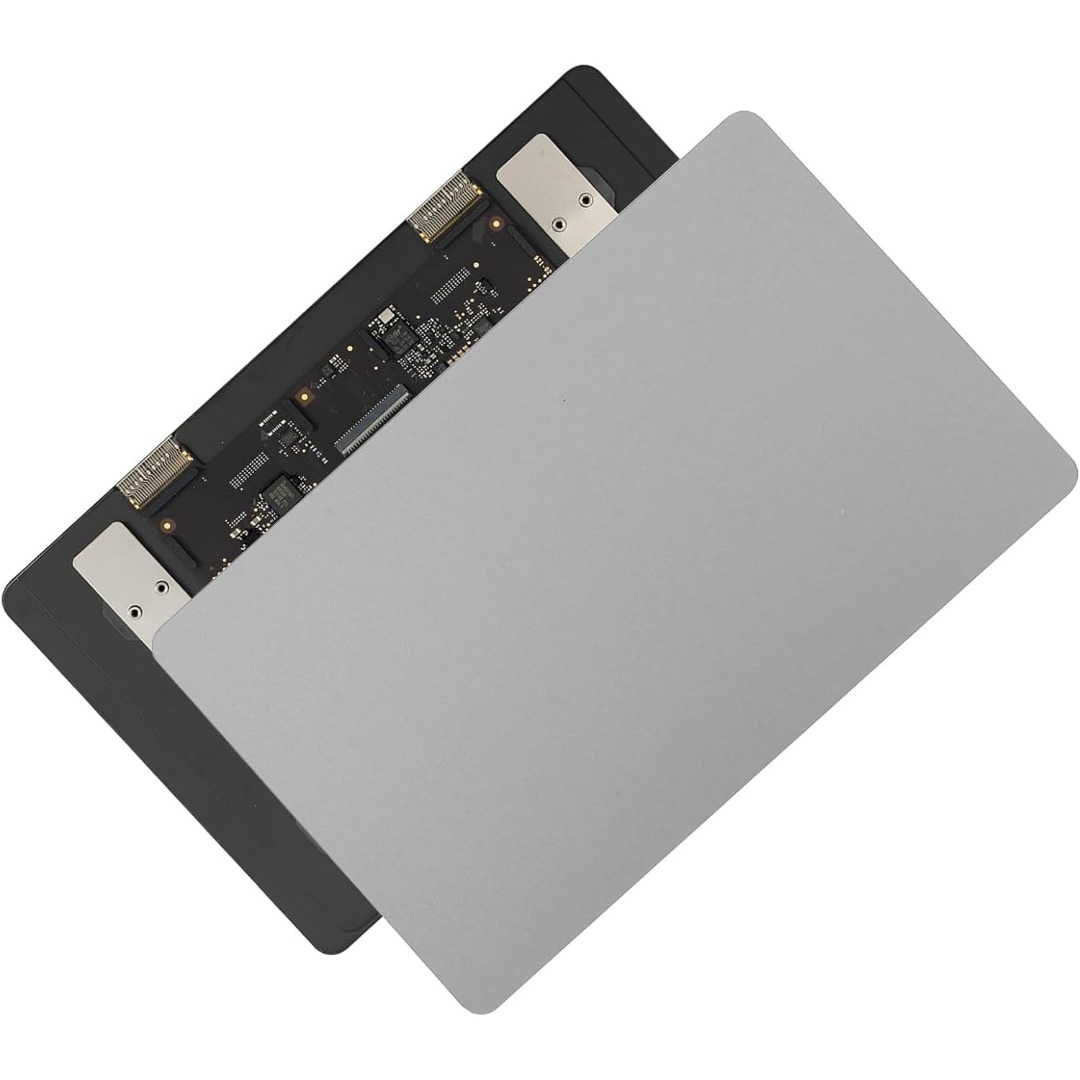
Genuine-spec touchpad flex cable for MacBook Pro 15″ (Model A2941, 2023, Apple M2)—restores full Force Touch functionality, haptic feedback, and precise multi-touch gesture control during trackpad repair or replacement. Compatible With: MacBook Pro 15-inch (2023, Model A2941) with Apple M2 chip (Model Identifier: MacBookPro19,1) Part Type: Touchpad flex cable only — does not include the trackpad housing, Taptic Engine, or mounting hardware. This is the OEM-style ribbon cable that connects the trackpad to the logic board. Function: Transmits: Touch input coordinates Force Touch pressure data Haptic feedback signals to the Taptic Engine Enables full macOS gesture support: Force Click, three-finger lookup, swipe navigation, pinch-to-zoom, and smooth cursor tracking. Touch input coordinates Force Touch pressure data Haptic feedback signals to the Taptic Engine Enables full macOS gesture support: Force Click, three-finger lookup, swipe navigation, pinch-to-zoom, and smooth cursor tracking. OEM-Quality Build: Matches Apple’s original specifications in: Cable length and routing path Connector pitch and ZIF latch design EMI shielding and flex durability Cable length and routing path Connector pitch and ZIF latch design EMI shielding and flex durability Common Use Cases: Replacing a torn, creased, or liquid-damaged original flex cable Completing a trackpad replacement when the original cable is compromised Fixing intermittent trackpad behavior, loss of Force Touch, or complete unresponsiveness Replacing a torn, creased, or liquid-damaged original flex cable Completing a trackpad replacement when the original cable is compromised Fixing intermittent trackpad behavior, loss of Force Touch, or complete unresponsiveness Installation Note: Requires full bottom case removal and battery disconnection. Cable routes under internal components near the right speaker and logic board. Connects via a ZIF (Zero Insertion Force) socket—must be aligned carefully and latched gently. Recommended for experienced or certified technicians only. Requires full bottom case removal and battery disconnection. Cable routes under internal components near the right speaker and logic board. Connects via a ZIF (Zero Insertion Force) socket—must be aligned carefully and latched gently. Recommended for experienced or certified technicians only.

WiWU Pilot Backpack 15.6 inch Travelling Polyester Laptop Business School Travelling Backpack WiWU Pilot Backpack 15.6 inch Travelling Polyester Laptop Business School Travelling Backpack

0G74G Laptop Battery Replacement for Dell Latitude 5300 2-in-1 5310 7300 7400 Series Notebook OG74G 02PFPW 2PFPW 3KF82 8JYHH 11.4V 42Wh 3-Cell About this item Specification: Battery type: Li-ion. Color: Black. Voltage: 11.4V. Capacity: 42Wh/3Cell. New from Manufacturer Replace Part Number: For MXV9V 0G74G 00G74G 2PFPW 3KF82 8JYHH Compatible Models: Replacement for Dell Latitude 5300 E5300 / 5300 2-in-1 / 5310 E5310 / 5310 2-in-1 / 7300 E7300 / 7400 E7400 Series (Important Note: NOT fit for latitude 7400 2-in-1 Series) Note: The Dell laptop models on this product page are compatible with 2 battery models: 0G74G (42Wh 3-Cell 11.4V) , MXV9V(60Wh 4-Cell 7.6V). Please open the back cover of your laptop to check the original battery size and capacity before placing an order. Make sure that the battery model you need is 0G74G (42Wh 3-Cell 11.4V). Note: If the new battery is not recognized during the initial installation, please reinstall and check if the interface is fully connected. Discharge the new battery to 10-20% (not 0%), then charge and cycle 3-4 times to wake up the new battery

A sleek, versatile pre-owned Lenovo ThinkPad L13 Yoga Gen 1 with 13.3" touchscreen, 360° hinge, 10th Gen Core i7, 16GB RAM, and 256GB SSD—ideal for professionals and students who need flexibility, performance, and portability.

Speaker Specifications Feature Value Feature Value Input/Output USB Battery Capacity (mAh) 2000 Maximum Wireless Range (m) 10m-20m Touch Screen No Sound Mode Immersive, Stereo, Live, Standard Category Speakers Use HOME Bluetooth Version 5.1 Input Power (W) 50-99W Voice Control No Frequency Range 100Hz-20KHz Display Screen No Waterproof Yes Support APP No Support Memory Card Yes Playback Function Radio, MP3 Remote Control No Intelligent Personal Assistant None Display Screen No Audio Crossover Full-Range Number of Loudspeaker Enclosures 2 Power Source Battery Channels 1 Speaker Type Portable Communication USB Cabinet Material Plastic Brand Name HONOURSACY Origin Mainland China Function HiFi Sound Quality Function2 IPX6 Waterproof Function3 Support TWS Interconnection Function4 Portable Design Function5 80W High Power Function6 Long Endurance

VSTAR UA150 1500VA UPS | Simulated Sine Wave Output | 230V | 24VDC Battery System | 50/60Hz Auto Sensing | Compact Design | Black Color | Model UPS-UA150 Robust 1500VA Power CapacityThe VSTAR UA150 delivers 1500VA of reliable backup power to safeguard your essential electronics, including PCs, servers, routers, and security systems. Dual Voltage CompatibilitySupports 110/120V or 220/230/240V input, making it ideal for use in a variety of international voltage environments. Stable 230V Output with AVR FunctionalityMaintains a consistent 230VAC output, protecting connected devices from voltage fluctuations and surges. Simulated Sine Wave OutputProvides a simulated sine wave waveform suitable for most common electronics, especially during normal backup operations. Auto-Sensing FrequencyAutomatically detects 50Hz or 60Hz power sources, adapting to your electrical environment without manual adjustments. Compact, Space-Saving DesignMeasuring just 353 x 149.3 x 162 mm, the UA150 fits neatly on or under desks, in server cabinets, or against walls. Reliable 24VDC Battery SystemOperates on a 24VDC internal battery configuration, delivering longer runtimes and better reliability during outages. Universal Output SocketsEquipped with IEC-style or universal output sockets that are compatible with a wide range of devices. Sleek Black FinishA clean and modern black color allows it to blend seamlessly into professional or home environments. Ideal for Home or OfficeProtects critical electronics, telecom gear, and POS systems from data loss and downtime.

WiWU Factory Customize Eco-friendly Laptop Handbag Laptop bag for Macbook Air Pro

WiWU A821CH 8‑in‑1 Stand & Dock – A foldable aluminum laptop stand with a built-in 8‑port USB‑C dock (two USB‑A, two USB‑C, HDMI 4K30, SD/TF, Gigabit Ethernet, PD 100 W).Enhances comfort, cooling, and functionality—perfect for decluttered, professional work setups. Model: WiWU A821CH Design: Sturdy aluminum alloy stand with foldable, portable design, hollow surface for cooling, and silicone pads to prevent slips Dimensions & Weight: Compact when folded (~400 g in aluminum) Docking Hub Ports: 2 × USB-C ports 2 × USB‑A 3.0 ports 1 × HDMI (up to 4K@30 Hz) SD + micro‑SD card slots 1 × RJ‑45 Gigabit Ethernet (1000 Mbps) Docking Hub Ports: 2 × USB-C ports 2 × USB‑A 3.0 ports 1 × HDMI (up to 4K@30 Hz) SD + micro‑SD card slots 1 × RJ‑45 Gigabit Ethernet (1000 Mbps) Power Delivery: USB-C PD 3.0 supports up to 100 W—can charge a laptop while using other ports Connectivity: HDMI supports up to 4K@30 Hz; Ethernet up to Gigabit speed Stand Features: Detachable base—can use stand and hub together or separately, with adjustable ergonomic angles and vents for airflow Durability: Aluminum alloy with frosted texture, scratch-resistant finish, tested to executive standards

A rugged and versatile pre-owned Lenovo ThinkPad T480 with 14" touchscreen, 8th Gen Core i5, 8GB RAM, and 256GB SSD—ideal for professionals who need durability, security, and touch-enabled productivity.

WiWU Durable USB C to Type C PD 60W Fast Charging Cable for Mobile Phone Laptop Tablet

Battery Replacement for A1819 MacBook Pro 13" A1706 Late 2016 Mid 2017 MLH12LL MLH12LL/A MLH12LL/A MPXV2LL MPXV2LL/A MPXV2LL/A Battery Replacement for A1819 MacBook Pro 13″ A1706 Late 2016 Mid 2017 MLH12LL MLH12LL/A MLH12LL/A MPXV2LL MPXV2LL/A MPXV2LL/A 【Technical Details:】 Model Number: A1819; Battery type: Li-ion; Voltage: 11.1V; Capacity: 4300mAh 49.02Wh,Condition: brand new 【Compatible with:】 Mid 2017 MacBook Pro 13-inch Series: MacBook Pro 13 inch Touch A1706(Mid 2017); MacBook Pro 13 inch A1706(EMC 3163) (Mid 2017); MacBook Pro 13-inch MPXV2LL/A or MPXW2LL/A or MPXX2LL/A or MPXY2LL/A 【Compatible with:】MacBook Pro 13 inch Touch A1706(Late 2016); MacBook Pro 13 inch A1706(EMC 3071) (Late 2016); MacBook Pro 13-inch MLH12LL/A or MLVP2LL/A or MNQF2LL/A or MNQG2LL/A 【Compatible with:】2016 2017 MacBook Pro 13″ Four Thunderbolt 3 Ports A1706 model: MacBook Pro 13″ Touch i5 2.9GHz A1706(Late 2016); MacBook Pro 13″ Touch i5 3.1GHz A1706(Late 2016); MacBook Pro 13″ Touch i5 3.1GHz A1706(Mid 2017); MacBook Pro 13″ Touch i5 3.3GHz A1706(Mid 2017); MacBook Pro 13″ Touch i7 3.3GHz A1706(Late 2016); MacBook Pro 13″ Touch i7 3.5GHz A1706(Mid 2017)

Elevate your game with the Logitech G102, featuring a high-precision 8,000 DPI sensor and vibrant Lightsync RGB lighting. Designed with a classic six-button layout and gaming-grade performance, it offers incredible accuracy and responsiveness for both competitive play and daily productivity. The Logitech G102 is engineered for speed, consistency, and comfort. At its core is a gaming-grade sensor that provides adjustable sensitivity, allowing you to tailor your control to your specific playstyle. Whether you are navigating complex spreadsheets or hitting precise headshots, the G102 delivers a seamless experience with a classic design trusted by gamers worldwide. Gaming-Grade 8,000 DPI Sensor: Experience ultra-precise tracking and consistent responsiveness. The sensitivity is fully adjustable from 200 to 8,000 DPI. Lightsync RGB Color Wave: Choose from vibrant animations or customize your own from approximately 16.8 million colors to match your setup’s aesthetic. Mechanical Spring Button Tensioning: The primary left and right buttons feature a metal spring tensioning system, providing crisp, reliable clicks and a premium feel. Classic 6-Button Design: A familiar, comfortable shape that allows you to play or work for hours without fatigue. Each button can be customized via software for specific in-game actions. On-the-Fly DPI Shifting: Cycle through up to five sensitivity settings with the press of a button, allowing you to switch from precision sniping to rapid movement instantly. Resolution: 200 – 8,000 DPI Connection Type: USB 2.0 (Wired) USB Data Format: 16 bits/axis USB Report Rate: 1000Hz (1ms) Microprocessor: 32-bit ARM Cable Length: 2.1 meters Compatibility: Windows 7 or later, macOS 10.13 or later, ChromeOS Logitech G102 Gaming Mouse User Documentation

A high-performance pre-owned Dell Precision 5540 mobile workstation with 15.6" 4K touchscreen, 9th Gen Core i7, 16GB RAM, 256GB SSD, and NVIDIA Quadro T2000 4GB—engineered for creative professionals, engineers, and designers who demand power and precision.

About this item Noise-cancelling microphone reduces room noise for clearer Internet calls Full stereo sound for your music, movies and games Rotating microphone boom can be worn on your left or right side Adjustable headband gives you a customized fit Works with Windows 10 or later, Windows 8, Windows 7, Windows Vista, Mac OS X 10.5 or later, Chrome OS, Linux Kernel 2.6+ and iOS or Android devices

Genuine-spec touchpad flex cable for MacBook Pro 13″ (Model A1502, Mid 2014)—restores full trackpad functionality, including precise cursor control and physical click response. Essential for repairing unresponsive or erratic trackpad behavior. Compatible With: MacBook Pro 13-inch (Mid 2014, Model A1502, Model Identifier MacBookPro11,1) with Intel Core i5/i7 processors and Retina display. Part Type: Touchpad flex cable only — does not include the trackpad housing, button mechanism, or mounting hardware. This is the ribbon cable that connects the trackpad to the logic board. Function: Transmits cursor movement and click signals (left/right physical clicks) Supports standard multi-touch gestures (two-finger scroll, tap-to-click, pinch-to-zoom) ⚠️ Note: This model uses a physical click mechanism—not Force Touch (no haptic feedback or pressure sensitivity). Transmits cursor movement and click signals (left/right physical clicks) Supports standard multi-touch gestures (two-finger scroll, tap-to-click, pinch-to-zoom) ⚠️ Note: This model uses a physical click mechanism—not Force Touch (no haptic feedback or pressure sensitivity). OEM-Quality Build: Matches Apple’s original in: Cable length and routing path Connector type and pin alignment Insulation and flexibility for long-term reliability Cable length and routing path Connector type and pin alignment Insulation and flexibility for long-term reliability Common Use Cases: Replacing a torn, frayed, or corroded original flex cable Fixing: Unresponsive or intermittent trackpad Cursor jumping or drifting Click function failure (left or right) Complete trackpad disconnect Replacing a torn, frayed, or corroded original flex cable Fixing: Unresponsive or intermittent trackpad Cursor jumping or drifting Click function failure (left or right) Complete trackpad disconnect Unresponsive or intermittent trackpad Cursor jumping or drifting Click function failure (left or right) Complete trackpad disconnect Installation Note: Requires bottom case removal and battery disconnect. Connects via a ZIF (Zero Insertion Force) socket on the logic board—do not force. Cable routes under the battery; handle with care to avoid strain. Suitable for intermediate to advanced DIYers or technicians. Requires bottom case removal and battery disconnect. Connects via a ZIF (Zero Insertion Force) socket on the logic board—do not force. Cable routes under the battery; handle with care to avoid strain. Suitable for intermediate to advanced DIYers or technicians.

Genuine-spec touchpad flex cable for MacBook Pro 15″ (Model A1706 – 2017 and A1989 – 2018/2019)—restores full Force Touch functionality, haptic feedback, and precise multi-touch gesture control during trackpad repair or replacement. Compatible With: MacBook Pro 15″ (2017) – Model A1706 (Model Identifier: MacBookPro14,3) MacBook Pro 15″ (2018–2019) – Model A1989 (Model Identifier: MacBookPro15,2) ✅ Note: Apple used the same trackpad assembly and flex cable across both A1706 and A1989 15″ models—making this part interchangeable between them. MacBook Pro 15″ (2017) – Model A1706 (Model Identifier: MacBookPro14,3) MacBook Pro 15″ (2018–2019) – Model A1989 (Model Identifier: MacBookPro15,2) ✅ Note: Apple used the same trackpad assembly and flex cable across both A1706 and A1989 15″ models—making this part interchangeable between them. ✅ Note: Apple used the same trackpad assembly and flex cable across both A1706 and A1989 15″ models—making this part interchangeable between them. Part Type: Touchpad flex cable only — does not include the trackpad housing, Taptic Engine, or mounting hardware. This is the OEM-style ribbon cable connecting the trackpad to the logic board. Function: Transmits: Touch input coordinates Force Touch pressure data Haptic feedback signals to the Taptic Engine Enables full macOS gesture support: Force Click, three-finger lookup, swipe navigation, pinch-to-zoom, and smooth cursor tracking. Touch input coordinates Force Touch pressure data Haptic feedback signals to the Taptic Engine Enables full macOS gesture support: Force Click, three-finger lookup, swipe navigation, pinch-to-zoom, and smooth cursor tracking. OEM-Quality Build: Matches Apple’s original in: Cable length and routing Connector pitch and ZIF latch design EMI shielding and flex durability Cable length and routing Connector pitch and ZIF latch design EMI shielding and flex durability Common Use Cases: Replacing a torn, creased, or liquid-damaged original flex cable Completing a trackpad replacement when the original cable is compromised Fixing intermittent trackpad behavior, loss of Force Touch, or complete unresponsiveness Replacing a torn, creased, or liquid-damaged original flex cable Completing a trackpad replacement when the original cable is compromised Fixing intermittent trackpad behavior, loss of Force Touch, or complete unresponsiveness Installation Note: Requires full bottom case removal and battery disconnection. Cable routes under internal components near the right speaker and logic board. Connects via a ZIF (Zero Insertion Force) socket—must be aligned carefully and latched gently. Recommended for experienced or certified technicians only. Requires full bottom case removal and battery disconnection. Cable routes under internal components near the right speaker and logic board. Connects via a ZIF (Zero Insertion Force) socket—must be aligned carefully and latched gently. Recommended for experienced or certified technicians only.

MacBook Pro Keyboard Replacement /Compatible for Apple MacBook - A1990 15" , A1989 13" MacBook Pro Keyboard Replacement /Compatible for Apple MacBook – A1990 15″ , A1989 13″ New A1989 A1990 Keyboard US Standard Replacement for MacBook Pro 13” 15”A1990 A1989 Keyboard 2018 Year

Genuine-spec touchpad flex cable for MacBook Pro 13″ with Touch Bar (Model A1708, 2016–2017)—restores full Force Touch functionality, haptic feedback, and precise multi-touch gesture control during trackpad repair or replacement. Compatible With: MacBook Pro 13″ (2016) – Model A1708 (Model Identifier: MacBookPro13,1) MacBook Pro 13″ (2017) – Model A1708 (Model Identifier: MacBookPro14,1) (Both years share the same internal trackpad assembly and flex cable.) MacBook Pro 13″ (2016) – Model A1708 (Model Identifier: MacBookPro13,1) MacBook Pro 13″ (2017) – Model A1708 (Model Identifier: MacBookPro14,1) (Both years share the same internal trackpad assembly and flex cable.) Part Type: Touchpad flex cable only — does not include the trackpad housing, Taptic Engine, or mounting hardware. This is the OEM-style ribbon cable that connects the trackpad to the logic board. Function: Transmits: Touch input coordinates Force Touch pressure data Haptic feedback signals to the Taptic Engine Enables full macOS gesture support: Force Click, three-finger lookup, swipe navigation, pinch-to-zoom, and smooth cursor tracking. Touch input coordinates Force Touch pressure data Haptic feedback signals to the Taptic Engine Enables full macOS gesture support: Force Click, three-finger lookup, swipe navigation, pinch-to-zoom, and smooth cursor tracking. OEM-Quality Build: Matches Apple’s original specifications in: Cable length and routing path Connector pitch and ZIF latch design EMI shielding and flex durability Cable length and routing path Connector pitch and ZIF latch design EMI shielding and flex durability Common Use Cases: Replacing a torn, creased, or liquid-damaged original flex cable Completing a trackpad replacement when the original cable is compromised Fixing intermittent trackpad behavior, loss of Force Touch, or complete unresponsiveness Replacing a torn, creased, or liquid-damaged original flex cable Completing a trackpad replacement when the original cable is compromised Fixing intermittent trackpad behavior, loss of Force Touch, or complete unresponsiveness Installation Note: Requires full bottom case removal and battery disconnection. Cable routes under internal components near the right speaker and logic board. Connects via a ZIF (Zero Insertion Force) socket—must be aligned carefully and latched gently. Recommended for experienced or certified technicians only. Requires full bottom case removal and battery disconnection. Cable routes under internal components near the right speaker and logic board. Connects via a ZIF (Zero Insertion Force) socket—must be aligned carefully and latched gently. Recommended for experienced or certified technicians only.

Remax F41 6″ Wireless Clamp Fan – USB‑C rechargeable (4,000 mAh), 4 speeds, 720° rotation, up to 3 hrs runtime.Modular 3‑in‑1 design with detachable grille, washable parts, and night‑light feature. Model: Remax F41 6-inch Wireless Air Circulating Clamp Fan Power & Battery: Rechargeable 4,000 mAh battery; USB-C charging (~3 hours to full charge), offers ~3 hours continuous use at high speeds Operation Modes: 4 fan speeds, 3‑in‑1 usage (desktop, clamp, or hanging), 720° wide-angle rotation Design Features: Detachable, washable grille plus built-in warm night light Care Tips: Recharge every two months if unused; avoid inserting objects into blades
