
Enhance Your Viewing Experience with the HP FHD 27” Monitor | V27i In today’s digital age, having a reliable and clear monitor is essential. The HP FHD 27” Monitor | V27i delivers. Transitioning from your old monitor to the V27i is straightforward, even if you’re not tech-savvy. This 27-inch monitor offers a spacious screen, perfect for work, entertainment, and everyday tasks. Its user-friendly interface ensures anyone can use it without complicated settings. The V27i provides crisp and clear visuals with Full HD resolution, enhancing your viewing experience. With its sleek and minimalist design, it complements any workspace or home setup. The monitor’s energy-efficient design saves power and reduces your environmental impact. In summary, the HP FHD 27” Monitor | V27i offers a simple and impressive solution for your computing needs. Elevate your viewing experience with this accessible and reliable display. you can always check here and if you like to see more options you can always check here! Specifications: HP V27i G5 FHD Monitor (65P64AS) Display size (diagonal) 68.6 cm (27″) Low blue light Yes (TÜV certified) Panel bit depth 8 bit (6 bit + FRC) Pixels per inch (ppi) 82 ppi Resolution (maximum) FHD (1920 x 1080 @ 75 Hz) 1 year warranty

The Apple MacBook Pro 16-inch (2019) is powered by an Intel Core i9 processor, paired with 16GB RAM and a fast 512GB SSD for powerful and reliable performance. Designed for professionals and creatives, it features a premium aluminum build, immersive 16-inch Retina display, and dedicated Radeon Pro graphics for demanding workloads.

The MSI MAG 255PXF 24.5″ 300Hz Gaming Monitor is built for competitive gamers. It delivers ultra-fast refresh rates and smooth visuals for an edge in every game. Firstly with a 24.5-inch Full HD IPS panel, this gaming monitor offers vibrant colors and sharp details. The 300Hz refresh rate ensures ultra-smooth gameplay, reducing motion blur and screen tearing. Every movement is displayed with precision, making it perfect for fast-paced games. Furthermore the MSI MAG 255PXF features a 1ms response time, minimizing ghosting and input lag. This ensures every action is instantly reflected on the screen. Whether you’re playing FPS, racing, or eSports games. Moreover with Adaptive Sync technology, the display eliminates screen tearing and stuttering. This provides a seamless visual experience, even during intense gaming sessions. Also the monitor comes with wide viewing angles, ensuring consistent colors from every perspective. Its high color accuracy makes it suitable for content creation and video editing. The MSI MAG 255PXF 24.5″ 300Hz Gaming Monitor is designed for comfort and flexibility. It has an adjustable stand that allows tilt, swivel, and height adjustments. This ensures the best ergonomic setup for long gaming sessions. With multiple connectivity options, including DisplayPort and HDMI, this monitor is compatible with PCs, consoles, and gaming laptops. Plug and play with ease and enjoy lag-free visuals. Finally the monitor also features anti-flicker and low blue light technology, reducing eye strain. This allows you to game for longer without discomfort. In conclusion, the MSI MAG 255PXF 24.5″ 300Hz Gaming Monitor is the perfect choice for serious gamers. With ultra-fast performance, vibrant visuals, and ergonomic design, it provides a competitive edge in every game. Specifications: Display : 24.5″ Rapid IPS Resolution : 1920×1080 FHD Refresh Rate : 300Hz Response Rate : 0.5ms Speaker : 2W x2


Specifications : Display Diagonal Viewing Size 86.27 cm 34.14 inches Preset Display Area (H x V) 799.80 mm x 344.80 mm 31.49″ x 13.18″ 267773.04 sq-mm (415.01 sq-inches) Panel Type In-Plane switching Technology Display Screen Coating Antiglare with hard-coating 3H Maximum Preset Resolution 3440 x 1440 at 60Hz Viewing Angles 178° vertical / 178° horizontal Pixel Pitch 0.233 mm x 0.233 mm Pixel Per Inch (PPI) 109 Contrast Ratio 1,000 to 1 (typical) Aspect Ratio 21:9 Backlight Technology LED edgelight system Brightness 300 cd/m² (typical) Response time 8 ms for NORMAL mode 5 ms for FAST mode Adjustability Height adjustable (115 mm), Tilt (-5° to 21°) Swivel (-30° to 30°) Pivot (N/A) PbP / PiP PbP (Yes) PiP (Yes) Daisy Chain Availability No Dell Display Manager Compatibility Yes, Easy Arrange and other key features Remote Asset Management Yes, via Dell Command Monitor Specifications – Service / Support Details 3-Year Advanced Exchange Service and Limited Hardware Warranty Color Support Color Gamut (typical): 99.9% sRGB, CIE1976 (90%), CIE1931 (75%) Color Depth: 1.074 Billion colors Color Calibration Accurancy Delta E < 3 (average) Color Calibration with X-rite colorimeter No Built-in Devices USB 3.0 super-speed hub (with 2 x USB 3.0 upstream port) 4 x USB 3.0 downstream ports Security Security lock slot (cable lock sold separately) Anti-theft stand lock slot (to panel) Compliant Standards BFR/PVC-free (Halogen-free) excluding external cables Meets NFPA 99 leakage current requirements Arsenic-Free glass and Mercury-Free for the panel only Product Safety, EMC and Environmental Datasheets Dell Regulatory Compliance Home Page Dell and the Environment Flat Panel Mount Interface VESA (100 mm) Audio Output 1 x Audio line-out Connectivity 2 x HDMI 2.0 (HDCP 2.2) 1 x DP 1.2 (HDCP 2.2) 2 x USB 3.0 Upstream port 2 x USB 3.0 Downstream port (side) 2 x USB 3.0 Downstream port (bottom) 1 x USB Type-C (DisplayPort DP1.2 Alternate Mode, Power Delivery up to 90W (Typical), and USB 2.0) Dimensions & Weight Height with stand (Compressed ~ Extended) 417.0 mm ~ 532.0 mm 16.42″ ~ 20.94″ Width 813.6 mm 32.03″ Depth 226.4 mm 8.91″ Height without stand 363.7 mm 14.32″ Width without stand 813.6 mm 32.03″ Depth without stand 58.4 mm 2.30″ Weight (panel only – for VESA mount) 8.2 kg 18.07 lb Weight (with packaging) 16.0 kg 35.27 lb Power Voltage Required 100 VAC to 240 VAC / 50 Hz or 60 Hz + 3 Hz / 3 A (typical) Power Consumption (Operational) 54 W (typical) 250 W (maximum)** Power Consumption Stand by / Sleep Less than 0.5W **Maximum power consumption with max luminance, and USB active. Environmental Operating Conditions Temperature Range Operating: 0°C to 40°C (32°F to 104°F) Non-operating: –20°C to 60°C (–4°F to 140°F) Humidity Range Operating: 10% to 80% (non-condensing) Non-Operating: 5% to 90% (non-condensing) Altitude Operating: 5,000 m (16,404 ft) max Non-Operating: 12,192 m (40,000 ft) max In The Box Monitor, Stand Riser, Stand Base 1 x Power cable 1 X DP Cable (DP to DP) 1 X USB Type-C Cable (C to C) 1 x HDMI Cable 1 x USB 3.0 upstream cable Quick setup guide Safety, Environmental, and Regulatory Information Factory Calibration Report 1 Year Warranty manufacturer link

Are you seeking a more immersive and intuitive computing experience? Look no further than the ViewSonic 22” IR Touch Monitor. This cutting-edge display redefines interaction with its seamless touch functionality. Let’s start with responsiveness. The IR touch technology ensures swift and accurate touch responses, making navigation a breeze. Whether you’re scrolling through documents or playing interactive games, every touch is effortlessly detected. Additionally, the monitor’s sleek design and compact size make it perfect for any workspace. Its slim bezel and adjustable stand provide versatility, allowing you to customize your viewing angle for maximum comfort. Transitioning to visuals, prepare to be captivated by vibrant colors and sharp details. The Full HD resolution delivers crisp images, whether you’re watching movies, browsing photos, or working on creative projects. Furthermore, the monitor’s anti-glare coating reduces reflections, ensuring clear visibility even in brightly lit environments. Say goodbye to distracting glare and hello to uninterrupted viewing pleasure. Moreover, connectivity options such as HDMI and VGA ensure compatibility with a wide range of devices, from laptops to gaming consoles. Seamlessly switch between tasks or devices with ease, enhancing productivity and convenience. In conclusion, the ViewSonic 22” IR Touch Monitor offers an unparalleled touch experience. With its responsive touch technology, stunning visuals, and versatile design, it’s the perfect addition to any home or office setup. Upgrade your interaction today and discover a new level of computing convenience. Specifications: Display : 22″ Panel Type : TN Resolution : 1920×1080 FHD Response Time : 5ms Refresh Rate : 75Hz

Acer Nitro VG252QXbmiipx Gaming G-SYNC Screen size 31.5 Inches Display resolution maximum 1920 x 1080 Connectivity technology HDMI Aspect ratio 16:9 Specific uses for product Gaming Response time 4 Milliseconds Resolution FHD 1080p Number of HDMI Ports 2 Image brightness 400 cd/m² Voltage 240 Volts

The Lenovo ThinkVision T34w-20 is a 34-inch ultrawide curved monitor designed for productivity and multitasking.Its large screen provides more workspace, making it ideal for office work, content creation, and professional use. The WQHD ultrawide resolution delivers sharp details and clear visuals across the entire screen.The curved design improves viewing comfort and helps keep content within natural sight lines. The monitor includes USB-C connectivity that supports video, data transfer, and device charging through one cable.Additionally, multiple connectivity options allow easy connection to laptops and desktop PCs. An ergonomic stand allows height, tilt, and swivel adjustments for comfortable long working sessions.Eye-care technologies help reduce strain during extended daily use. Specifications: Screen Size: 34″ Curved VA panel Resolution: 3440 × 1440 WQHD ultrawide Connectivity: USB-C, HDMI, DisplayPort, USB hub Ergonomics: Height, tilt, and swivel adjustment Features: Eye-care and multitasking-friendly design

The ViewSonic 22″ 60Hz Monitor offers a perfect blend of style and performance for your daily computing needs. Whether you’re working, watching videos, or browsing the web, this monitor delivers stunning visuals. Featuring a Full HD resolution of 1920×1080 pixels, the ViewSonic 22″ 60Hz Monitor provides sharp and clear images. You’ll enjoy every detail, from vibrant colors to crisp text, making it ideal for both work and entertainment. With a refresh rate of 60Hz, this monitor ensures smooth and fluid motion. Whether you’re watching videos or playing games, you’ll experience less lag and more enjoyment. The ViewSonic 22″ 60Hz Monitor is designed with user comfort in mind. Its flicker-free technology and blue light filter reduce eye strain, allowing you to work or play for longer periods without discomfort. Connectivity is simple with the ViewSonic 22″ 60Hz Monitor. It features VGA and HDMI inputs, making it easy to connect to your computer, laptop, or gaming console. You’ll have a seamless setup for all your devices. This monitor’s sleek and modern design adds a touch of elegance to any workspace. Its slim bezels provide a larger viewing area, giving you an immersive visual experience. In conclusion, the ViewSonic 22″ 60Hz Monitor is a reliable and stylish choice for anyone seeking quality visuals and performance. Upgrade your viewing experience with this exceptional monitor and enjoy clear, vibrant, and comfortable viewing every day. Specifications: Display : 22″ TN Resolution : FHD 1920 x 1080 Refresh Rate : 60Hz Response Rate : 2ms GTG

The HP P24V G5 FHD VA monitor delivers clear and vibrant visuals with its 24‑inch Full HD display. As a result, it makes everyday computing, work tasks, and media viewing more enjoyable with sharp detail and rich colors. In addition, the VA panel provides wide viewing angles, so the image stays consistent even when you move around your desk. Furthermore, this monitor includes fast response times that help reduce motion blur when watching videos or casual gaming. It also offers essential connectivity options, making it easy to connect laptops, desktops, or media players without adapter hassles. Therefore, it fits well in both home and office setups. Overall, the HP P24V G5 strikes a good balance between performance and practicality, giving users dependable display quality at an affordable level. Specifications: 24″ Full HD VA display with wide viewing angles Clear visuals and vibrant colors Fast response for smooth motion Essential connectivity for multiple devices Ideal for everyday work and entertainment use

The Lenovo ThinkVision S27-4e 27″ 100Hz FHD Business Monitor is designed for work, study, and daily tasks. It offers a clean display with smooth motion for a comfortable viewing experience. This monitor is ideal for offices, home setups, and professional environments. With its 27-inch FHD panel, the Lenovo ThinkVision S27-4e 27″ 100Hz FHD Business Monitor delivers sharp and vibrant visuals. Text appears clear, and colors look natural. Therefore, it helps reduce eye strain during long hours of work. The 100Hz refresh rate makes movement on the screen smoother than standard 60Hz monitors. This is especially helpful for scrolling, video playback, and light gaming. As a result, your workflow feels more fluid and responsive. The Lenovo ThinkVision S27-4e 27″ 100Hz FHD Business Monitor also features slim bezels for a modern and clean look. This design allows for a more immersive view and makes it perfect for dual-monitor setups. Its adjustable tilt stand helps you find the right angle for better comfort. Additionally, the monitor uses energy-efficient technology to reduce power usage. This makes it a smart choice for businesses and home offices. Connectivity options include HDMI and VGA for easy pairing with laptops and desktops. You can connect it quickly without any extra adapters. This adds convenience and flexibility to your workspace. In conclusion, the Lenovo ThinkVision S27-4e 27″ 100Hz FHD Business Monitor offers smooth performance, clear visuals, and a professional design. It is a reliable display for productivity and everyday use. Specifications: Display : 27″ IPS Resolution : FHD Refresh Rate : 100Hz Response Time : 4ms GtG

Genuine-spec touchpad flex cable compatible with both MacBook Air A2179 (Intel, 2020) and A2337 (M1, 2020)—restores full Force Touch functionality, haptic feedback, and precise multi-touch gesture control during trackpad repair or replacement. Compatible With: MacBook Air 13″ (2020, Intel) – Model A2179 (Model Identifier: MacBookAir9,1) MacBook Air 13″ (2020, Apple M1) – Model A2337 (Model Identifier: MacBookAir10,1) MacBook Air 13″ (2020, Intel) – Model A2179 (Model Identifier: MacBookAir9,1) MacBook Air 13″ (2020, Apple M1) – Model A2337 (Model Identifier: MacBookAir10,1) ✅ Important Note: Despite different processors (Intel vs. M1), Apple used the same trackpad assembly and flex cable in both A2179 and A2337. This makes the flex cable fully interchangeable between the two models. Part Type: Touchpad flex cable only — does not include the trackpad housing, Taptic Engine, or mounting hardware. This is the OEM-style ribbon cable that connects the trackpad to the logic board. Function: Transmits: Touch input coordinates Force Touch pressure data Haptic feedback signals to the Taptic Engine Enables full macOS gesture support: Force Click, three-finger lookup, swipe navigation, pinch-to-zoom, and smooth cursor tracking. Touch input coordinates Force Touch pressure data Haptic feedback signals to the Taptic Engine Enables full macOS gesture support: Force Click, three-finger lookup, swipe navigation, pinch-to-zoom, and smooth cursor tracking. OEM-Quality Build: Matches Apple’s original specifications in: Cable length and routing path Connector pitch and ZIF latch design EMI shielding and flex durability Cable length and routing path Connector pitch and ZIF latch design EMI shielding and flex durability Common Use Cases: Replacing a torn, creased, or liquid-damaged original flex cable Completing a trackpad replacement when the original cable is compromised Fixing intermittent trackpad behavior, loss of Force Touch, or complete unresponsiveness Replacing a torn, creased, or liquid-damaged original flex cable Completing a trackpad replacement when the original cable is compromised Fixing intermittent trackpad behavior, loss of Force Touch, or complete unresponsiveness Installation Note: Requires full bottom case removal and battery disconnection. Cable routes under the right side of the battery and logic board. Connects via a ZIF (Zero Insertion Force) socket—align carefully and latch gently. Recommended for experienced or certified technicians only. Requires full bottom case removal and battery disconnection. Cable routes under the right side of the battery and logic board. Connects via a ZIF (Zero Insertion Force) socket—align carefully and latch gently. Recommended for experienced or certified technicians only.

The MSI Pro MP241X 24″ monitor delivers clear visuals and reliable performance for work and home use. It is built for everyday tasks, browsing, and media viewing. First, this monitor features a 24-inch Full HD display with vibrant colors and sharp details. As a result, your screen content looks crisp and easy to read. In addition, the MSI Pro MP241X 24″ offers a wide viewing angle for shared viewing. Therefore, multiple people can see clear images from different positions. The sleek and slim design makes this monitor look modern on any desk. Also, it takes up minimal space. Moreover, this monitor supports anti-flicker and reduced blue light technology. So, your eyes feel more comfortable during long sessions. Because it uses HDMI and VGA inputs, it connects easily to many devices. Thus, setup stays simple with laptops and desktops. The MSI Pro MP241X 24″ provides consistent performance for work apps and video watching. This makes everyday computing smooth and enjoyable. Furthermore, the stand offers tilt adjustment for better viewing angles. So, you can find the most comfortable position for your eyes. Compared to lower-resolution screens, this Full HD panel shows clearer details. Therefore, text and graphics look sharper and more accurate. It works well for office tasks, video streaming, and school work. Thus, it fits many daily needs. Installation is fast and beginner-friendly with plug-and-play support. As a result, you can start using it right away. The MSI Pro MP241X 24″ also supports stable refresh performance for smoother visuals. This improves motion during videos and general use. Also, the slim bezels help reduce distraction and provide a clean look. Therefore, your workspace stays neat and focused. In conclusion, this monitor offers clear visuals, comfort features, and easy connectivity. Overall, it is a strong choice for work, school, or entertainment. If you want a reliable and sharp 24″ screen, this model is worth choosing. Specifications: Display: 24-inch VA panel, Full HD (1920×1080), 16:9 aspect ratio. Performance: 75Hz refresh rate, 4ms (GTG) response time, 1000:1/3000:1 contrast Connectivity: HDMI™ 1.4b & D-Sub (VGA) ports for versatile device connection

BATTERY DELL 6MT4T CYDZ 62W 7.6V Laptop Battery Compatible with Dell Latitude 5470 E5470 155570 E5570 3510 M3510 7V69Y, TXF9M, 79VRK, 07V69Y, 0HK6DV, 079VRK, 0TXF9M About this item 6MT4T Voltage: 7.6V, Capacity: 62Wh Compatible Part Number: 7V69Y, TXF9M, 79VRK, 07V69Y, 0HK6DV, 079VRK, 0TXF9M Compatible for Dell Latitude 14 Series 5470 E5470 155570 E5570 Series Compatible for Dell Latitude 15 Series Precision 15 3510 M3510.

Digital Device Laptop Keyboard Compatible for MacBook AIR 13″ A1369 A1466 (MID 2011- MID 2017) US Layout 【Unique】Pls see detail compatible models in description below. 【Safe】Easy for you replace your faulty, cracked or broken keyboard ,seller remind that you should replace the keyboard in the off state. All pictures are taken from the real item, please check carefully before bidding, Replacement and high quality, Replace your faulty, cracked or broken keyboard. Each keyboard is tested before shipping Compatibility: MacBook Air 13″ A1369 Mid 2011: MC965LL/A (1.7 GHz Core i5) Mid 2011: MC966LL/A (1.7 GHz Core i5) Mid 2011: MD226LL/A (1.8 GHz Core i7) Compatibility: MacBook Air 13″ A1466 Mid 2012: MD231LL/A (1.8 GHz Core i5) Mid 2012: MD232LL/A (1.8 GHz Core i5) Mid 2012: MD232LL/A (2.0 GHz Core i7) Mid 2013: MD760LL/A (1.3 GHz Core i5) Mid 2013: MD761LL/A (1.3 GHz Core i5) Mid 2013: MD761LL/A (1.7 GHz Core i7) Early 2014: MD760LL/B (1.4 GHz Core i5) Early 2014: MD761LL/B (1.4 GHz Core i5) Early 2014: MD761LL/B (1.7 GHz Core i7) Compatibility: Early 2015: MJVE2LL/A (1.6 GHz Core i5 or 2.2 GHz Core i7) Early 2015: MJVG2LL/A (1.6 GHz Core i5 or 2.2 GHz Core i7) Identifying Numbers APN #: 661-6059, 661-6635, 661-7480

Philips 27E1N5900R 27-inch 4K monitor delivers ultra-clear visuals and modern connectivity for work and creative tasks. It focuses on high resolution, accurate colors, and USB-C convenience for clean setups. Additionally, it features a 27-inch IPS panel with 4K UHD resolution (3840 × 2160). This provides sharp detail and high pixel density, so it improves precision in design, editing, and multitasking. Moreover, it supports VESA DisplayHDR 400. As a result, it enhances brightness, contrast, and color depth for more lifelike visuals. The monitor includes USB-C connectivity with power delivery up to 65W. Therefore, it allows video, data, and charging through a single cable for a clean workspace. In addition, it uses IPS technology with wide 178° viewing angles. This ensures consistent colors and image quality from different positions. Furthermore, it supports MultiView with Picture-in-Picture and Picture-by-Picture. So it enables dual device viewing for efficient multitasking. It also includes LowBlue Mode and Flicker-Free technology. These features reduce eye strain during long working sessions. Philips 27E1N5900R 27-inch 4K monitor provides sharp visuals, flexible Specifications: 27-inch IPS panel with 3840 × 2160 4K UHD resolution DisplayHDR 400 for improved brightness and contrast USB-C with up to 65W power delivery 4ms GtG response time with wide 178° viewing angles MultiView support with PIP and PBP multitasking

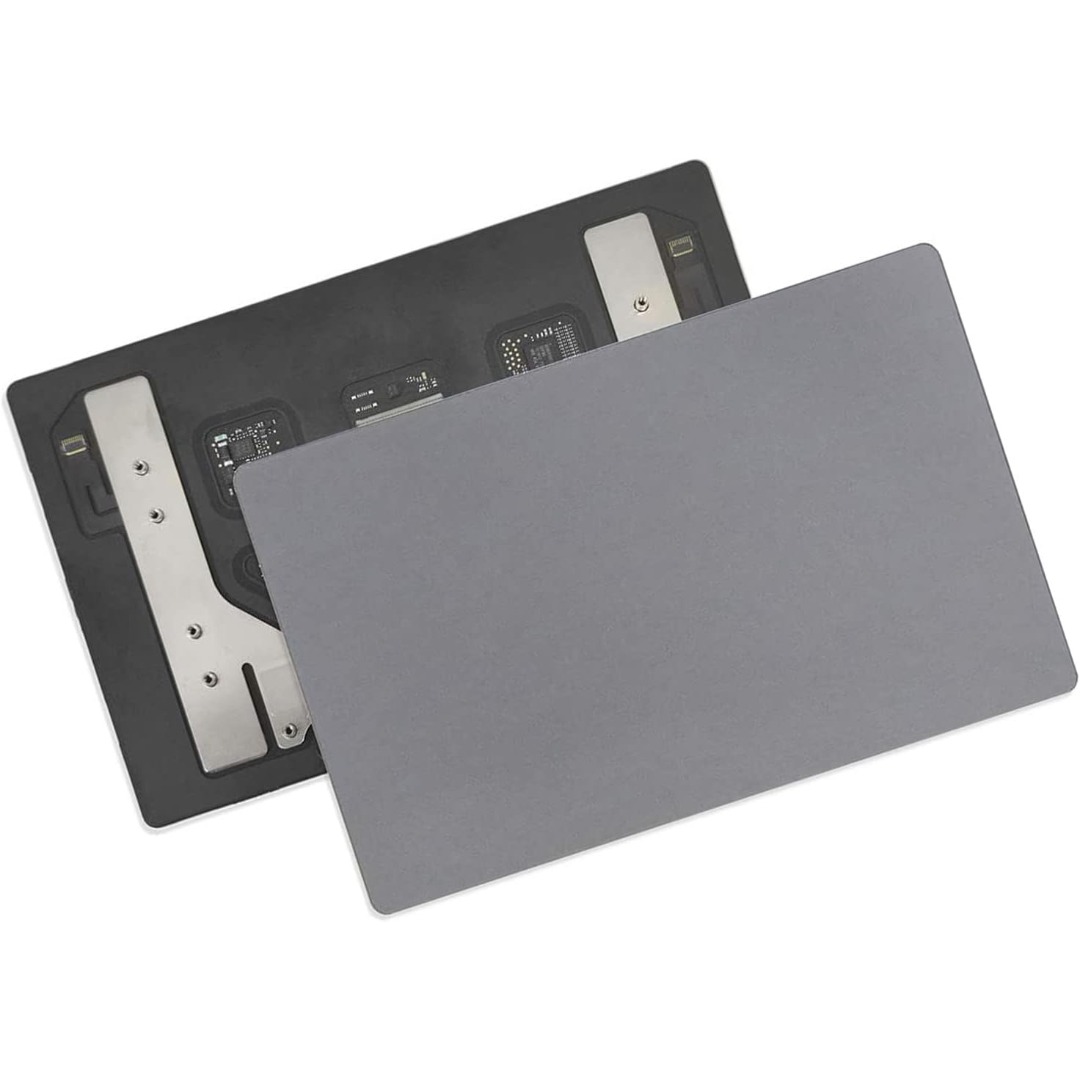
Genuine-spec touchpad flex cable for MacBook Pro 15″ (Model A1707, 2016–2017)—restores full Force Touch functionality, haptic feedback, and precise multi-touch gesture control during trackpad repair or replacement. Compatible With: MacBook Pro 15″ (2016) – Model A1707 (Model Identifier: MacBookPro13,2) MacBook Pro 15″ (2017) – Model A1707 (Model Identifier: MacBookPro14,2) MacBook Pro 15″ (2016) – Model A1707 (Model Identifier: MacBookPro13,2) MacBook Pro 15″ (2017) – Model A1707 (Model Identifier: MacBookPro14,2) Part Type: Touchpad flex cable only — does not include the trackpad housing, Taptic Engine, or mounting hardware. This is the OEM-style ribbon cable that connects the trackpad to the logic board. Function: Transmits: Touch input coordinates Force Touch pressure data Haptic feedback signals to the Taptic Engine Enables full macOS gesture support: Force Click, three-finger lookup, swipe navigation, pinch-to-zoom, and smooth cursor tracking. Touch input coordinates Force Touch pressure data Haptic feedback signals to the Taptic Engine Enables full macOS gesture support: Force Click, three-finger lookup, swipe navigation, pinch-to-zoom, and smooth cursor tracking. OEM-Quality Build: Matches Apple’s original specifications in: Cable length and routing path Connector pitch and ZIF latch design EMI shielding and flex durability Cable length and routing path Connector pitch and ZIF latch design EMI shielding and flex durability Common Use Cases: Replacing a torn, creased, or liquid-damaged original flex cable Completing a trackpad replacement when the original cable is compromised Fixing intermittent trackpad behavior, loss of Force Touch, or complete unresponsiveness Replacing a torn, creased, or liquid-damaged original flex cable Completing a trackpad replacement when the original cable is compromised Fixing intermittent trackpad behavior, loss of Force Touch, or complete unresponsiveness Installation Note: Requires full bottom case removal and battery disconnection. Cable routes under internal components near the right speaker and logic board. Connects via a ZIF (Zero Insertion Force) socket—must be aligned carefully and latched gently. Recommended for experienced or certified technicians only. Requires full bottom case removal and battery disconnection. Cable routes under internal components near the right speaker and logic board. Connects via a ZIF (Zero Insertion Force) socket—must be aligned carefully and latched gently. Recommended for experienced or certified technicians only.

HP Smart Tank 581 All-in-One – A wireless ink tank printer with copy, scan, and high-volume print capabilities.Ideal for home or small offices with ultra-low-cost ink and seamless mobile connectivity.

Mini Slim Wired USB Numeric Digital Keyboard Number Pad (18 Keys) Numeric Keypad for Laptop,18 Key USB Keypad, Numerical Keypad Wired Portable Ultra Slim Mini Numpad External Numbers Keyboard Pad for Laptop PC Computer Desktop Surface pro Notebook

Reliable, secure, and built for productivity—the Lenovo ThinkPad T14 features a 10th Gen Intel Core i5 processor, 16GB RAM, and a fast 256GB SSD in a durable,14-inch business laptop.
