
The ViewSonic TD1630-3 16″ Touch Screen Monitor offers smooth touch control in a compact and modern design. It provides clear HD visuals for work and entertainment. The screen shows bright colors and sharp details. This makes browsing, drawing, and viewing content more enjoyable. Moreover, the ViewSonic TD1630-3 16″ Touch Screen Monitor supports 10-point multi-touch. You can tap, pinch, and swipe with fast response. The touch experience feels natural and smooth. This helps you work faster and more comfortably. In addition, the monitor includes HDMI and VGA connections. These ports make setup quick and simple. You can connect laptops, desktops, and other devices with ease. This gives you strong flexibility for daily use. Furthermore, the ViewSonic TD1630-3 16″ Touch Screen Monitor features a durable stand. You can tilt the screen for better viewing angles. This helps reduce strain during long use. The strong design keeps the monitor stable on your desk. Also, the monitor includes built-in speakers for easy audio playback. You can watch videos, join meetings, or listen to music without extra devices. This makes the monitor more convenient and practical. The compact size of the ViewSonic TD1630-3 16″ Touch Screen Monitor fits small desks and workspaces. It works well in homes, offices, shops, and reception areas. The clean design blends nicely with modern setups. This makes it suitable for many environments. Overall, the ViewSonic TD1630-3 16″ Touch Screen Monitor offers responsive touch control, clear visuals, and simple connectivity. It improves productivity and enhances entertainment. It is ideal for students, professionals, and businesses that need a reliable touch display. Specifications: Display : 16″ TN Resolution : 1366×768 Refresh Rate : 60Hz Response Time : 12ms

Alienware 25 Gaming Monitor: AW2521HFLA Diagonal Viewing Size: 62.2 cm 24.5 Inches Preset Display Area (H x V) 543.744 mm x 302.616 mm 21.41″” x 11.91″” 164545.63 mm2 (255.04 inches2) Alienware 25 Gaming Monitor Panel Type: Fast IPS Display Screen Coating Antiglare with 3H hardness Maximum Preset Resolution 1920 x 1080 at 240Hz Viewing Angle (178° vertical / 178° horizontal) Pixel Pitch 0.283 mm x 0.280 mm Pixel Per Inch (PPI) 90 Contrast Ratio 1000: 1 (typical) Aspect Ratio (16:9) Backlight Technology LED edgelight system Brightness 400 cd/m2 (typical) Response Time(typical) True 1ms (gray to gray, in Extreme Mode) Audio Output No Connectivity Connectivity 2 x HDMI (ver 2.0) 1 x DP 1.2 1 x USB 3.0 upstream port (Rear) 2 x USB 3.0 Downstream port (Rear) 2 x USB 3.0 Downstream port [Front Bottom, one with BC1.2 charging capability at 2A(max)] 1 x Headphone-out jack (Front Bottom) 1 x Audio Line-out jack( Rear)AMD Free-Sync™ YesNVIDIA® G-SYNC® Compatible YesAlienFX™ Lighting Yes Dimensions & Weight Height with stand (Compressed ~ Extended) 421.21 mm ~526.08 mm 16.58″ ~ 20.71″ Width 556.29 mm 21.90″Depth 251.92 mm 9.92″Height without stand 328.24 mm 12.92″Width without stand 556.29mm 21.90″ Depth without stand 72.95 mm 2.87″ Weight (panel only – for VESA mount) 3.55 kg 7.81 lb Weight (with packaging) 11.22 kg 24.71 lb Power Voltage Required 100 VAC to 240 VAC / 50 Hz or 60 Hz + 3 Hz /1.5 A (typical)Power Consumption 0.2 W (Off Mode) 0.3 W (Standby Mode) 20.4 W (On Mode) 72 W (Max) Environmental Temperature Range Operating: 0° to 40°C (32° to 104°F) Non-operating: -20° to 60° (-4° to 140° F)Humidity Range Operating: 10% to 80% (non-condensing) Non-Operating:5% to 90% (non-condensing)Altitude Operating: 5,000 m (16,404 ft) max Non-Operating: 12,192 m (40,000 ft) max Chassis Adjustability Height adjustable stand (130 mm) and Height-markers Tilt (-5° to 21°) Swivel (-20° to 20°) Pivot (-90° to 90°) Built in cable-management Low Blue Light Yes, Comfort View Flicker-free Yes Specifications – Service / Support Details 3-Year Advanced Exchange Service and Premium Panel Exchange Color Support Color Gamut (typical): sRGB 99% Color Depth: 16.78 Million colors Built-in Devices NA Flat Panel Mount Interface VESA (100 mm) Specifications: Alienware 25 Gaming Monitor 240Hz refresh rate ips Panel Type: Fast IPS Color Support Color Gamut (typical): sRGB 99% 1 Year Warranty Manufacturer Link

Laptop Battery Compatible for A31N1519 Battery for ASUS X540S X540L X540SA X540S X540LA-SI302 A540 F540 R540LA About this item Compatible model no. :- a31n1519, asus x540s x540l x540sa x540s x540la-si302 a540 f540 r540la Warranty not covered if defects due to external causes, accidental, physical or liquid damage, cut, burnt, misuse and missing warranty stickers or labels Battery capacity/power capability (mah/wattage) may be different from the reference picture but a backup of the battery will be the same as the original Please match your product with the image provided before placing the order for any help please get in touch with us.

Barcode Reader Wireless 2D S20W Wireless 2D Barcode Scanner | S20-W Name: Wireless 2D Barcode Scanner Model: S20-W Interface: USB Color: Black

90W AC Charger Fit for Acer Aspire Z 24 Z24-890 Z24-880-UR13 Z22-780 Z24-890-UR11 Z24-890-UA91 Z24-890-UR13 Z24-890-UR16 Aspire 7 A715-76-765N A715-76-73L8 Laptop Adapter Power Supply Cord

Are you in the market for a reliable and budget-friendly monitor? Let’s delve into the Lenovo 27″ IPS 75Hz LED Monitor, a promising display that caters to both work and entertainment needs. Beginning with its size, the generous 27-inch screen provides an immersive viewing experience without overwhelming your workspace. The IPS technology ensures vibrant colors and wide viewing angles for optimal visual enjoyment. With a refresh rate of 75Hz, this monitor strikes a balance between smooth performance and affordability. Whether you’re working on spreadsheets, watching videos, or gaming casually, the 75Hz refresh rate ensures fluid on-screen motion. The LED backlighting technology not only contributes to energy efficiency but also enhances contrast, delivering deep blacks and bright whites. This feature is particularly advantageous for photo and video editing tasks, providing a more accurate representation of colors. Connecting peripherals is a breeze with the monitor’s versatile ports, including HDMI and VGA. This compatibility ensures seamless integration with various devices, from laptops to gaming consoles, offering flexibility for different usage scenarios. Lenovo’s commitment to user comfort is evident in the adjustable stand. Tilt and swivel functions allow you to find the optimal viewing angle, reducing eye strain during extended use. In terms of affordability, the Lenovo 27″ IPS 75Hz LED Monitor stands out as a cost-effective option without compromising on performance. It strikes a commendable balance between essential features and budget-conscious pricing. In conclusion, if you’re in search of a dependable 27-inch monitor that delivers on performance and affordability, the Lenovo IPS 75Hz LED Monitor is a worthy contender. Elevate your viewing experience without breaking the bank. Specifications: Display : 27″ IPS Resolution : FHD (1920×1080) Response Rate : Up to 4ms Refresh Rate : 75Hz

The S3 2-in-1 Bluetooth Headset and Speaker is a versatile audio device that seamlessly transitions between personal listening and shared sound experiences. Designed for both convenience and high-quality audio performance, it caters to diverse user needs. Key Features: Dual Functionality: Operate as traditional over-ear headphones for private listening or twist the earcups outward to activate the external speaker mode, allowing you to share music with others. Superior Sound Quality: Equipped with advanced audio technology, the S3 delivers crisp and clear sound in both headphone and speaker modes, ensuring an immersive listening experience. Active Noise Cancellation (ANC): Reduces ambient noise, enabling users to enjoy music without external interruptions. Comfortable Design: Features extra-padded ear cushions and an adjustable headband, providing long-lasting comfort for extended use. Foldable and Portable: The foldable design makes it easy to carry, making it an ideal companion for travel and daily commutes. Multiple Playback Options: Supports Bluetooth 5.0 for wireless streaming, NFC for quick pairing, TF card slot for direct music playback, and FM radio functionality, offering a variety of listening choices. Long Battery Life: Built-in 600mAh rechargeable battery provides up to 14 hours of playback in headphone mode and 6.5 hours in speaker mode, ensuring uninterrupted entertainment. Integrated Controls and Microphone: Built-in controls allow for easy navigation between tracks, volume adjustment, and call management. The integrated microphone ensures clear hands-free communication.

A1990 Logic Board i7-16GB-512GB-4GB Intel 2.6 GHz Six Core i7 (I7-9750H) 16 GB RAM 512 GB SSD AMD Radeon Pro 555X 4GB Intel UHD Graphics 630 Intel 2.6 GHz Six Core i7 (I7-9750H) 16 GB RAM 512 GB SSD AMD Radeon Pro 555X 4GB Intel UHD Graphics 630

The ASUS VG34VQL3A Curved Gaming Monitor, 34″ WQHD delivers immersive gaming and smooth visuals for modern PC players. It is designed for gamers, creators, and anyone who wants a wider view and fast performance. First, this monitor features a 34-inch Ultra-Wide QHD (3440 × 1440) curved display with a 1500R curvature that wraps around your vision and feels more natural. As a result, games, movies, and multitasking feel more engaging. In addition, the ASUS VG34VQL3A supports a high refresh rate up to 180 Hz (OC) and a 1 ms response time (GTG) for smooth motion and minimal blur. This helps you react faster in fast-paced games. This model also uses AMD FreeSync Premium Pro for adaptive sync technology that reduces screen tearing and stuttering in supported games. Therefore, visuals stay smooth and clear with compatible GPUs. The screen covers 125% of the sRGB color gamut and supports DisplayHDR™ 400 with HDR10, giving bright highlights and rich contrast for vivid colors in HDR content. Thus, games and movies look more dynamic. Because the panel uses VA technology, it delivers deep contrast and solid black levels that make details pop in dark scenes. Also, the anti-glare coating helps reduce reflections in bright rooms. The ASUS VG34VQL3A includes built-in features like Picture-in-Picture (PiP), Picture-by-Picture (PbP), ASUS GamePlus, and low blue light modes for added convenience and comfort. This makes it versatile for work and play. Connectivity options include DisplayPort 1.4, HDMI 2.0, and USB 3.2 Gen 2 hub ports to link to PCs, laptops, and peripherals easily. As a result, setup stays flexible for many systems. The ergonomic stand offers height, tilt, and swivel adjustments plus VESA mount support, so you can position the monitor comfortably. This helps reduce neck and eye strain during long sessions. In conclusion, the ASUS VG34VQL3A Curved Gaming Monitor, 34″ WQHD combines speed, clarity, and wide ultrawide visuals. Overall, it is a strong choice for immersive gaming and productivity. Specifications: Display :34″ VA Panel, 1500R Curved, Anti-Glare. Resolution :Ultrawide QHD (3440 x 1440). Refresh Rate : Up to 180Hz (OC) for smooth motion. Response Time : 1ms (GTG) for reduced ghosting. HDR: Display HDR 400 with HDR10 support for enhanced contrast.

The Lenovo ThinkVision S27-4e 27″ 100Hz FHD Business Monitor is designed for work, study, and daily tasks. It offers a clean display with smooth motion for a comfortable viewing experience. This monitor is ideal for offices, home setups, and professional environments. With its 27-inch FHD panel, the Lenovo ThinkVision S27-4e 27″ 100Hz FHD Business Monitor delivers sharp and vibrant visuals. Text appears clear, and colors look natural. Therefore, it helps reduce eye strain during long hours of work. The 100Hz refresh rate makes movement on the screen smoother than standard 60Hz monitors. This is especially helpful for scrolling, video playback, and light gaming. As a result, your workflow feels more fluid and responsive. The Lenovo ThinkVision S27-4e 27″ 100Hz FHD Business Monitor also features slim bezels for a modern and clean look. This design allows for a more immersive view and makes it perfect for dual-monitor setups. Its adjustable tilt stand helps you find the right angle for better comfort. Additionally, the monitor uses energy-efficient technology to reduce power usage. This makes it a smart choice for businesses and home offices. Connectivity options include HDMI and VGA for easy pairing with laptops and desktops. You can connect it quickly without any extra adapters. This adds convenience and flexibility to your workspace. In conclusion, the Lenovo ThinkVision S27-4e 27″ 100Hz FHD Business Monitor offers smooth performance, clear visuals, and a professional design. It is a reliable display for productivity and everyday use. Specifications: Display : 27″ IPS Resolution : FHD Refresh Rate : 100Hz Response Time : 4ms GtG

TP-Link AC1200 Archer C50 Wireless Dual Band Router Support smooth 4K streaming with AC1200 Wi-Fi 4 external antennas provide stable wireless connections and optimal coverage Easy network management at your fingertips with TP-Link Tether Supports IGMP Proxy/Snooping, Bridge, and Tag VLAN to optimize IPTV streaming Supports Access Point mode to create a new Wi-Fi access point TP-Link AC1200 Archer C50 Wireless Dual Band Router Support smooth 4K streaming with AC1200 Wi-Fi 4 external antennas provide stable wireless connections and optimal coverage Easy network management at your fingertips with TP-Link Tether Supports IGMP Proxy/Snooping, Bridge, and Tag VLAN to optimize IPTV streaming Supports Access Point mode to create a new Wi-Fi access point TP-Link Archer C50 – AC1200 Wireless Dual Band Router Wireless Speed: Up to 1200 Mbps (300 Mbps on 2.4GHz + 867 Mbps on 5GHz) Wi-Fi Standard: 802.11ac – 3x faster than wireless N speeds Bands: Dual Band (2.4GHz & 5GHz) for reduced interference and better performance Antenna: 4 External Antennas for strong and stable wireless coverage Ports: 4× LAN, 1× WAN (10/100 Mbps) Advanced Features: Parental Controls, Guest Network, IPv6 Support, Access Control Security: WPA/WPA2 encryption for secure wireless connections Ease of Use: Easy setup with TP-Link Tether App Ideal For: HD streaming, online gaming, and high-speed downloads in homes and small offices

Philips 278B1 27-inch 4K UHD IPS monitor delivers sharp detail and professional-grade clarity for productivity, design, and everyday office work. It focuses on UltraClear 4K resolution, ergonomic adjustability, and eye comfort features. Additionally, it features a 27-inch IPS panel with 4K UHD resolution (3840 × 2160). This provides high pixel density and precise detail, so it improves multitasking and content accuracy. Moreover, it supports a 60Hz refresh rate with a 4ms response time. As a result, it delivers stable and smooth performance for office tasks and media use. The monitor offers a 350 cd/m² brightness level and strong contrast performance. Therefore, it improves visibility and keeps images clear in different lighting conditions. In addition, it includes wide 178° viewing angles using IPS technology. This ensures consistent color and clarity from almost any position. Furthermore, it comes with a fully adjustable ergonomic stand. It supports height, tilt, swivel, and pivot adjustments for better comfort during long working hours. It also includes eye comfort features such as Flicker-Free and LowBlue Mode. So it helps reduce eye strain during extended screen use. Philips 278B1 27-inch 4K UHD IPS monitor provides sharp visuals, flexible ergonomics, and productivity-focused performance for professional environments. Specifications: 27-inch IPS panel with 3840 × 2160 4K UHD resolution 60Hz refresh rate with 4ms response time 350 cd/m² brightness with strong contrast performance Fully adjustable stand with height, tilt, swivel, pivot Flicker-Free and LowBlue Mode for eye comfort

The ViewSonic VP2768A 2K 27″ monitor delivers professional-grade color accuracy for creators. First, it features Pantone validation and factory-calibrated colors for precise visuals. The monitor offers 2560×1440 resolution, 60Hz refresh rate, and ergonomic adjustments. In addition, it supports multiple connectivity options including HDMI, DisplayPort, and USB-C for flexible setups. Moreover, slim bezels and an anti-glare panel provide a comfortable viewing experience. Therefore, designers, photographers, and video editors can work with consistent colors and enhanced productivity. Specifications: 27″ 2K display with Pantone-validated color for accurate visuals 60Hz refresh rate and ergonomic adjustments for comfortable use Multiple connectivity options: HDMI, DisplayPort, USB-C Anti-glare panel and slim bezels for a better viewing experience Factory-calibrated colors enhance workflow for designers and editors

The MSI MAG 275QF 27″ 180Hz Gaming Monitor delivers an immersive experience for competitive and casual gamers. With its high refresh rate, it ensures smooth gameplay. This 27-inch gaming monitor features a Fast IPS panel with a 2560 x 1440 (QHD) resolution. The display offers sharp visuals and vibrant colors, enhancing gaming performance. The wide color gamut ensures lifelike images, making every scene more realistic. With a 180Hz refresh rate and 1ms response time, motion blur is minimized. This allows fast-paced action to remain clear and fluid. It gives gamers an advantage in competitive matches, reducing input lag. The MSI MAG 275QF 27″ 180Hz Gaming Monitor supports Adaptive Sync technology. This feature eliminates screen tearing and stuttering for a smooth experience. Whether playing FPS, racing, or RPG games, visuals stay sharp and fluid. It comes with multiple connectivity options, including DisplayPort and HDMI. This ensures compatibility with gaming PCs, consoles, and other devices. The ergonomic stand allows height, tilt, and swivel adjustments for better comfort. With Eye Care technology, the monitor reduces blue light and flicker. This helps minimize eye strain during long gaming sessions. Gamers can enjoy extended playtime without discomfort. The sleek and modern design of the MSI MAG 275QF 27″ 180Hz Gaming Monitor makes it a great addition to any setup. The ultra-thin bezels provide a more immersive viewing experience, perfect for multi-monitor setups. For gamers looking for speed, clarity, and smooth performance, this monitor is an excellent choice. It enhances both gameplay and overall visual experience. Specifications: Display : 27″ Rapid IPS Resolution : 2560×1440 (WQHD) Refresh Rate : 180Hz Response Rate : 0.5ms

A1932 A2179 A1965 Battery for MacBook Air 13″ Retina (2018 2019, Early 2020) EMC 3184 3302 MRE82 MRE92 MVFH2 MWTJ2 MVH22 MVFM2 MVFK2 MREE2 MREC2 MREA2 MREF2 MUQT2 MUQU2 MacBookAir8,1 8,2 9,1 📄【Specification】Voltage: 11.4V. Capacity: 49.9Wh 4379mAh. Battery Type: Li-Polymer. Condition: Brand new, from high quality materials, top circuit boards and smart chip. 🔋【Replace Part Number】A1965 A1932(EMC 3184) A2179(EMC 3302) 3ICP4/63/119 MacBookAir8,1 MacBookAir8,2 MacBookAir9,1. 💻【Compatible Models】Only fit for MacBook Air 13″ (Model A1932 & Model A2179) Release 2018 2019 2020, fit for MRE82LL/A, MVFH2LL/A, MVFM2LL/A, MVFK2LL/A, MVFJ2LL/A, MVFN2LL/A, MVFL2LL/A, MREE2LL/A, MREC2LL/A, MREA2LL/A, MREF2LL/A, MRE92LL/A, MWTJ2LL/A, MVH22LL/A, MVH52LL/A, MVH42LL/A, MWTL2LL/A, MWTK2LL/A. Please kindly check the model number at the bottom of your laptop (A****). NOT FIT FOR MODEL A2337. 💻【ANTIEE Promise】Each products has undergone rigorous testing to ensure the correct voltage, circuit protection, stable current, low self-discharge and CE / FCC / RoHS Certified for safety. About 500 recharge cycles over the life.

79A High Yield Toner Cartridge CF279A Compatible Replacement for HP 79A Toner Pro MFP M26nw M26a M12w M12a Printer 2-Pack Black

Compact and stylish with a zinc alloy shell, the SatcOp 8‑in‑1 USB‑C Multiport Dock delivers essential ports—Ethernet, HDMI, USB, card readers, and charging—in one portable adapter. Ideal for powering your laptop while expanding connectivity on the go. 🖥️ HDMI Port – Connect to external displays in Full HD or 4K (depending on your host device). 🌐 RJ45 Ethernet Port – Provides stable wired internet access with gigabit-speed support. ⚡ USB-C PD Charging – Power your laptop while using other ports (up to 87W pass-through). 🔌 USB 3.0 & USB 2.0 Ports – Connect flash drives, external storage, keyboards, and mice. 💾 SD & TF Card Readers – Quick access to camera and device storage cards. 🧊 Material – Premium zinc alloy casing for durability and efficient heat dissipation. 💼 Design – Slim, lightweight, and perfect for travel, home, or office setups. 💻 Compatibility – Works with most USB-C laptops, including Windows, macOS, Chrome OS, and select Android tablets.

New A1989 A1990 Keyboard US Standard Replacement for MacBook Pro 13'' 15''A1990 A1989 Keyboard 2018/2019 Year New A1989 A1990 Keyboard US Standard Replacement for MacBook Pro 13” 15”A1990 A1989 Keyboard 2018/2019 Year New A1989 A1990 Keyboard US Standard Replacement for MacBook Pro 13” 15”A1990 A1989 Keyboard 2018/2019 Year We have Perfect after-sales services We share the latest information on laptop spare parts For all our customers. This is NOT an easy job for someone who has no technical skills with Disassembling or Assembling a laptop, So only purchase this item if you know how to install it. Each Keyboard is tested before shipping and working.

Used, original 35 W USB-C charger for Mac — reliable Apple power adapter (dual USB-C) for charging your Mac and other devices. This is an authentic Apple 35 W USB-C power adapter (dual-port) — used but tested. It’s built to charge MacBooks, iPhones, iPads, and other USB-C devices. Though lower wattage than larger Mac adapters, it works well for light use or supplemental charging. Features & Behavior Dual USB-C ports: can charge two devices simultaneously Intelligent power distribution: if both ports are used, the output splits evenly (~17.5 W each) USB Power Delivery support across standard profiles (5V, 9V, 15V, 20V) Accepts input 100-240V AC, so usable worldwide (with correct plug) Compact form factor in one variant, or standard “duckhead” plug style in another Specifications Strengths & Limitations Pros Authentic Apple unit — safer and more reliable than generic chargers Dual ports give flexibility — charge phone + Mac concurrently Portable and suitable for travel (universal voltage) Cons 35 W is low for MacBook Pro under load — might not maintain charging during heavy use When both ports used, power is halved (~17.5 W each) Used condition may include wear, scuffs, or reduced efficiency

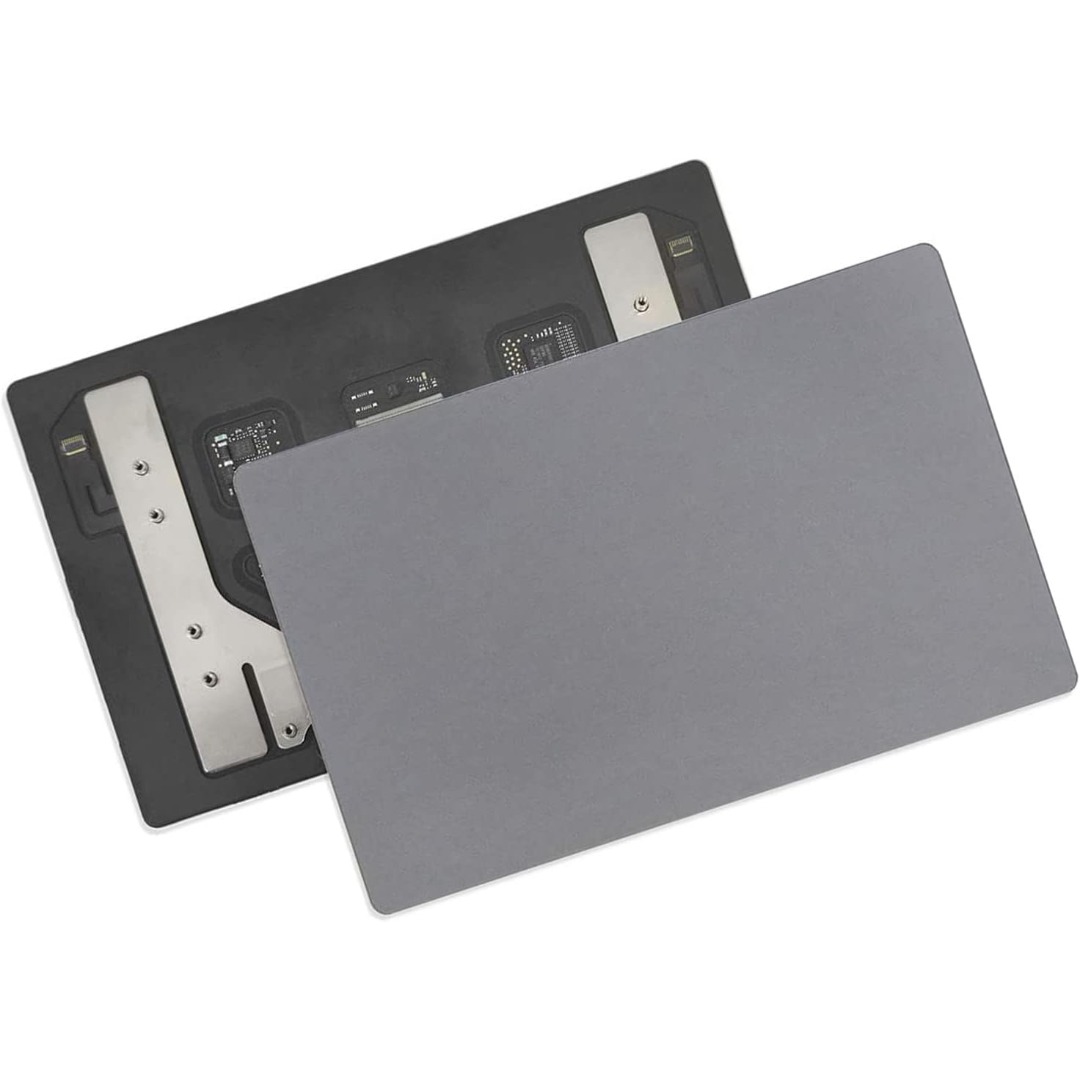
Genuine-spec touchpad flex cable for MacBook Pro 13″ with Touch Bar (Model A1708, 2016–2017)—restores full Force Touch functionality, haptic feedback, and precise multi-touch gesture control during trackpad repair or replacement. Compatible With: MacBook Pro 13″ (2016) – Model A1708 (Model Identifier: MacBookPro13,1) MacBook Pro 13″ (2017) – Model A1708 (Model Identifier: MacBookPro14,1) (Both years share the same internal trackpad assembly and flex cable.) MacBook Pro 13″ (2016) – Model A1708 (Model Identifier: MacBookPro13,1) MacBook Pro 13″ (2017) – Model A1708 (Model Identifier: MacBookPro14,1) (Both years share the same internal trackpad assembly and flex cable.) Part Type: Touchpad flex cable only — does not include the trackpad housing, Taptic Engine, or mounting hardware. This is the OEM-style ribbon cable that connects the trackpad to the logic board. Function: Transmits: Touch input coordinates Force Touch pressure data Haptic feedback signals to the Taptic Engine Enables full macOS gesture support: Force Click, three-finger lookup, swipe navigation, pinch-to-zoom, and smooth cursor tracking. Touch input coordinates Force Touch pressure data Haptic feedback signals to the Taptic Engine Enables full macOS gesture support: Force Click, three-finger lookup, swipe navigation, pinch-to-zoom, and smooth cursor tracking. OEM-Quality Build: Matches Apple’s original specifications in: Cable length and routing path Connector pitch and ZIF latch design EMI shielding and flex durability Cable length and routing path Connector pitch and ZIF latch design EMI shielding and flex durability Common Use Cases: Replacing a torn, creased, or liquid-damaged original flex cable Completing a trackpad replacement when the original cable is compromised Fixing intermittent trackpad behavior, loss of Force Touch, or complete unresponsiveness Replacing a torn, creased, or liquid-damaged original flex cable Completing a trackpad replacement when the original cable is compromised Fixing intermittent trackpad behavior, loss of Force Touch, or complete unresponsiveness Installation Note: Requires full bottom case removal and battery disconnection. Cable routes under internal components near the right speaker and logic board. Connects via a ZIF (Zero Insertion Force) socket—must be aligned carefully and latched gently. Recommended for experienced or certified technicians only. Requires full bottom case removal and battery disconnection. Cable routes under internal components near the right speaker and logic board. Connects via a ZIF (Zero Insertion Force) socket—must be aligned carefully and latched gently. Recommended for experienced or certified technicians only.
