
HyperX Pulsefire Core (4P4F8AA) – RGB gaming mouse with PixArt sensor, 6,200 DPI, and 7 programmable buttons.Lightweight, ergonomic design perfect for gamers seeking precision and durability. Model: HyperX Pulsefire Core (4P4F8AA) Sensor Type: PixArt PAW3327 Optical Sensor DPI Range: 800 – 6,200 DPI (adjustable in software) Polling Rate: 1000 Hz Tracking Speed: Up to 220 IPS Acceleration: 30G Buttons: 7 programmable buttons Switch Type: Durable switches rated for up to 20 million clicks Lighting: Customizable RGB lighting (logo zone) Grip Style: Palm or claw grip Design: Ergonomic, right-handed shape with textured side grips Weight: Approx. 87g (without cable) Cable Length: 1.8 meters (braided USB cable) Software Support: HyperX NGENUITY for DPI, RGB, and button customization Compatibility: Windows 10, 8.1, 8, 7

POUT E3 Angle - Adjustable Angled Ergonomic Laptop Stand Riser - Notebook Computer Holder Compatible w/MacBook Air Pro Dell HP & More 11"-17" Laptops - Foldable & Portable w/ 5 Angles (Silver) POUT E3 Angle – Adjustable Angled Ergonomic Laptop Stand Riser – Notebook Computer Holder Compatible w/MacBook Air Pro Dell HP & More 11″-17″ Laptops – Foldable & Portable w/ 5 Angles (Silver)

Genuine-spec US layout keyboard replacement for MacBook Pro (Model A1398, Late 2011–Mid 2012)—featuring durable scissor-switch keys, backlighting, and OEM-fit design for reliable typing and straightforward installation. Compatible With: MacBook Pro 13″: Late 2011 (Model A1278, but labeled A1398 in some regions) – Model Identifier MacBookPro8,1 MacBook Pro 15″: Early 2011, Late 2011, and Mid 2012 – Model Identifiers MacBookPro8,2 (15″ early/late 2011) and MacBookPro9,1 (15″ mid 2012) *(Note: “A1398” is primarily associated with the 15″ unibody MacBook Pro with Retina display (Mid 2012), which was the first Retina MacBook Pro.)* This keyboard fits the non-Retina 15″ A1398 (Mid 2012) and compatible Late 2011 models. MacBook Pro 13″: Late 2011 (Model A1278, but labeled A1398 in some regions) – Model Identifier MacBookPro8,1 MacBook Pro 15″: Early 2011, Late 2011, and Mid 2012 – Model Identifiers MacBookPro8,2 (15″ early/late 2011) and MacBookPro9,1 (15″ mid 2012) *(Note: “A1398” is primarily associated with the 15″ unibody MacBook Pro with Retina display (Mid 2012), which was the first Retina MacBook Pro.)* This keyboard fits the non-Retina 15″ A1398 (Mid 2012) and compatible Late 2011 models. Layout: Standard US English (QWERTY) with full-size keys, inverted-T arrow keys, and dedicated function row (F1–F12). Keyboard Type: Traditional scissor-switch mechanism—robust, tactile, and serviceable (pre-Butterfly era). Integrated Features: Backlit keys (adjustable brightness via F5/F6) OEM ribbon cable with ZIF connector Matches original key spacing and actuation force Backlit keys (adjustable brightness via F5/F6) OEM ribbon cable with ZIF connector Matches original key spacing and actuation force Build & Fit: Precision-molded plastic frame with exact screw mounts and alignment pegs—ensures secure, rattle-free installation in the top case. Installation Note: Keyboard is secured with screws and minimal adhesive. Requires full top case access and battery disconnect. Recommended for intermediate to advanced users or technicians.

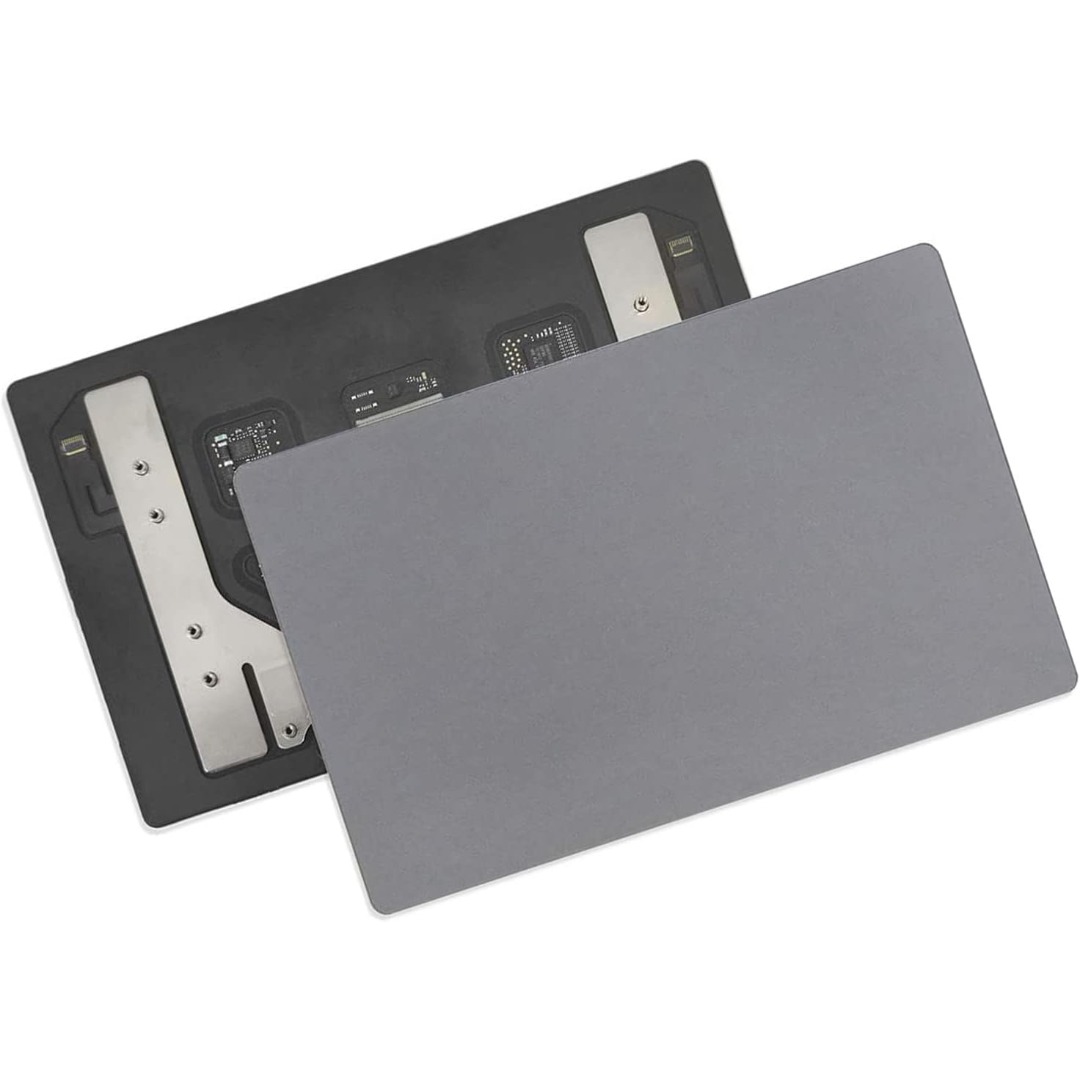
Genuine-spec touchpad flex cable for MacBook Pro 13″ (Model A2289, 2020, Intel)—restores full Force Touch functionality, haptic feedback, and preci multi-touch gesture control. OEM-quality replacement for damaged or faulty original cables. Compatible With: MacBook Pro 13-inch (2020, Four Thunderbolt Ports, Model A2289, Model Identifier MacBookPro16,2) with Intel Core i5/i7 processors. Part Type: Touchpad flex cable only — does not include the trackpad housing, Taptic Engine, or mounting hardware. This is the OEM-style ribbon cable that connects the trackpad to the logic board. Function: Transmits: Touch input coordinates Force Touch pressure data Haptic feedback signals to the Taptic Engine Enables full macOS gesture support: Force Click, three-finger lookup, swipe navigation, pinch-to-zoom, and smooth cursor tracking. Touch input coordinates Force Touch pressure data Haptic feedback signals to the Taptic Engine Enables full macOS gesture support: Force Click, three-finger lookup, swipe navigation, pinch-to-zoom, and smooth cursor tracking. OEM-Quality Build: Matches Apple’s original specifications in: Cable length and routing path Connector pitch and ZIF latch design EMI shielding and flex durability Cable length and routing path Connector pitch and ZIF latch design EMI shielding and flex durability Common Use Cases: Replacing a torn, creased, or liquid-damaged original flex cable Completing a trackpad replacement when the original cable is unusable Fixing: Intermittent or erratic trackpad behavior Loss of Force Touch or haptic feedback Complete trackpad unresponsiveness Replacing a torn, creased, or liquid-damaged original flex cable Completing a trackpad replacement when the original cable is unusable Fixing: Intermittent or erratic trackpad behavior Loss of Force Touch or haptic feedback Complete trackpad unresponsiveness Intermittent or erratic trackpad behavior Loss of Force Touch or haptic feedback Complete trackpad unresponsiveness Installation Note: Requires full bottom case removal and battery disconnection. Cable routes under internal components (speaker, logic board)—must follow original path. Connects via ZIF (Zero Insertion Force) socket—align carefully, never force. Recommended for experienced or certified technicians only. Requires full bottom case removal and battery disconnection. Cable routes under internal components (speaker, logic board)—must follow original path. Connects via ZIF (Zero Insertion Force) socket—align carefully, never force. Recommended for experienced or certified technicians only. Important Compatibility Notes: ✅ Only for A2289 (13″, 4 Thunderbolt ports, 2020, Intel) ❌ Not compatible with: A2251 (2 Thunderbolt ports, 2020) A2338 (M1 MacBook Pro, 2020) Any MacBook Air or 14″/16″ MacBook Pro ✅ Only for A2289 (13″, 4 Thunderbolt ports, 2020, Intel) ❌ Not compatible with: A2251 (2 Thunderbolt ports, 2020) A2338 (M1 MacBook Pro, 2020) Any MacBook Air or 14″/16″ MacBook Pro A2251 (2 Thunderbolt ports, 2020) A2338 (M1 MacBook Pro, 2020) Any MacBook Air or 14″/16″ MacBook Pro

The LG 32UR500K-B 32 Inch Monitor delivers large-screen clarity and detailed visuals for work, entertainment, and everyday computing. Its spacious 32-inch display provides an immersive viewing experience, making it ideal for productivity, content consumption, and multitasking. Moreover, the high-resolution panel ensures sharp images and vibrant colors, allowing users to enjoy clear visuals across various applications. This monitor offers wide viewing angles and accurate color reproduction, making it suitable for office tasks, media editing, and home entertainment. Additionally, the sleek and modern design fits easily into professional or home setups while maximizing desk space efficiency. The large screen size also allows users to work with multiple windows comfortably without constant switching. The LG 32UR500K-B includes multiple connectivity options, making it easy to connect PCs, laptops, and consoles. Furthermore, ergonomic tilt adjustments allow comfortable viewing during long work or entertainment sessions. Therefore, it is perfect for professionals, students, and home users seeking performance and comfort. Finally, it combines large-screen immersion, clarity, and modern design for everyday use. Specifications: 32-inch monitor for work and entertainment High-resolution display for clear visuals Wide viewing angles and accurate colors Multiple connectivity options Sleek and modern design

Acer KA222Qbi The Acer KA222Qbi entry-level series provide a superb user experience and don’t compromise . on quality. With a choice of display size and a ZeroFrame. design it is ideal for use in homes and offices. Whether it’s running productivity apps or playing games this monitor has it all. Viewable Screen Size Acer KA222Qbi 54.6 cm (21.5″) Aspect Ratio 16:9 Response Time 1 ms VRB Backlight Technology LED Horizontal Viewing Angle 178° Vertical Viewing Angle 178° Panel Technology In-plane Switching (IPS) Technology Frequency (Horizontal/Vertical) 30KHz-85KHz/48Hz-75Hz Pixel Pitch 0.25 mm Tilt Angle -5° to 15° Maximum Adjustable Height No Video Maximum Resolution 1920 x 1080 Native Contrast Ratio 1,000:1 Dynamic Contrast Ratio 100,000,000:1 Colour Supported 16.7 Million Colours Colour Depth 8-bit Color Gamut 72% NTSC Dynamic Contrast Ratio 100,000,000:1 Brightness 250 cd/m² Tearing Prevention Technology AMD FreeSync™ (HDMI VRR) Interfaces/Ports Acer KA222Qbi VGA Yes HDMI Yes Power Description Standby Power Consumption (Energy Star) 270 mW Off-Mode Power Consumption (Energy Star) 210 mW Operating Power Consumption (Energy Star) 15.50 W Miscellaneous Environmental Certification MPR II Package Contents 1 x KA222Q Widescreen LCD Monitor 1 x Power Cord(EURO/UK) 1 x VGA Cable Physical Characteristics Colour Black VESA Mount Compatible Yes VESA Mount Standard 100 x 100 Height 295 mm Width 490 mm Depth 65 mm Weight (Approximate) 3.09 kg Weight with Stand (Approximate) 3.44 kg Specifications: Specifications 21.5″ ZeroFrame FreeSync 1ms, IPS 1 year warranty

The Samsung 77-Inch OLED S90F 4K Vision AI Smart TV | QA77S90FAEXTW is a premium entertainment display that combines OLED picture quality with advanced AI-powered features. Designed for movie enthusiasts, gamers, and streaming fans, it delivers stunning visuals with exceptional color accuracy and contrast. In addition, the large 77-inch screen creates a more immersive viewing experience for any home theater setup. The OLED panel features self-illuminating pixels, and it produces deep blacks with remarkable contrast. As a result, dark scenes appear more detailed while bright highlights remain vivid and realistic. Furthermore, the 4K UHD resolution ensures sharp image quality, making every scene look clear and lifelike. Samsung integrates Vision AI technology into this model, and it intelligently enhances picture and sound performance in real time. Therefore, content appears more refined and optimized regardless of the source. In addition, AI upscaling improves lower-resolution content by bringing it closer to 4K quality. HDR support enhances brightness and expands color depth, so viewers can enjoy more realistic visuals with greater dynamic range. Meanwhile, Samsung’s Smart TV platform provides seamless access to popular streaming services, gaming features, and smart home controls. The slim OLED design adds a premium look to any living space, while the advanced processing technology ensures smooth performance across movies, sports, and games. Overall, the Samsung 77-Inch OLED S90F 4K Vision AI Smart TV offers premium picture quality, intelligent features, and an immersive entertainment experience. Specifications: OLED display technology delivers deep blacks and exceptional contrast 77-inch 4K UHD screen provides immersive large-format viewing Vision AI enhances picture and audio quality in real time HDR support improves brightness, contrast, and color accuracy Smart TV platform offers streaming apps and smart home connectivity

lenovo battery L17M3PG1 L17C3PG1 L17M3PG1 Laptop Battery Compatible with Lenovo Legion Y530-15ICH Y7000 2019 1050 Y7000-2019-PG0 Y540-15IRH-PG0 Y540-17IRH-PG0 Y7000P Series Notebook L17M3PG3 11.34V 52.5Wh About this item 【Battery type】Li-ion. Voltage: 11.34V. Capacity: 52.5Wh 4630mAh . 【Replacement For Laptop】Lenovo Legion Y545-PG0 Legion Y530-15ICH Y7000 2019 1050 Y7000-2019-PG0 Y540-15IRH-PG0 Y540-17IRH-PG0 Y7000P Series. 【Compatible Part Number】L17L3PG1 5B10Q82428 L17C3PG1 5B10Q88561 L17M3PG3 5B10Q93417 L17M3PG1 L17M3PG2 5B10W67238 5B10Q80766 【Connector】Before placing your order, Please refer to the picture and check it. Because the products produced by different factories will have differences in size, cable length, interface, etc.

The Lenovo ThinkVision T27-40 27″ FHD monitor delivers clear and sharp visuals that enhance both work and everyday use. Its Full HD panel shows crisp text and vivid images, which makes spreadsheets, web pages, and media easier to view. In addition, the IPS panel provides wide viewing angles so colors remain consistent even when viewed from different sides. Furthermore, this monitor includes quick response performance that helps reduce motion blur during videos and casual gaming. It also offers flexible connectivity options, allowing you to connect laptops, desktops, or media players without extra adapters. Therefore, it fits well in home and office setups alike. Overall, the ThinkVision T27-40 blends sharp display quality and practical features in a reliable 27″ design. Specifications: 27″ Full HD IPS display for clear visuals Wide viewing angles for consistent color Quick response performance for smooth motion Flexible connectivity for multiple devices Reliable design for work and everyday use

Samsung Lebanon 32″ LS32C390EAMXUE The Samsung Lebanon 32″ Introducing the boldest curve ever This , born from years of and the future of monitor technology. Easy on the eyes In tol monitors that have less curve, 1000R fits the human field of view for less eye strain. A clinical study at Seoul National University Hospital shows that the closer to 1000R, the more it limits eye fatigue. Visionary Minimalism Next-generation design. The striking aesthetic is by a backside and premium-quality slim metal stand. The result is a monitor that won’t just catch eyes. but complements any interior, too. What Gamers Want Welcome to your new playground. AMD FreeSync delivers seamless gaming, while 75Hz makes scenes smooth. This flawless imagery comes together with Game Mode and the renowned 1000R curve for Focused Comfort Protect your eyes and do more. The T55’s advanced eye comfort technology reduces eye strain for more comfortable Flicker Free technology continuously removes tiring and irritating screen flicker, while Eye Saver Mode minimizes emitted blue light. Your eyes stay fresh longer. Ready to Entertain Connect to all your favorite devices with a convenient HDMI, DP, and D-Sub triple interface. The built-in 5 Watt speakers make it even easier lost in your favorite movies or TV shows, without plugging in a speaker. Easy on the eyes with 1000R curved screen Minimalist design with the borderless display, fabric-textured backside and slim metal stand Realistic immersion with the renowned 1000R curve and game-related features Running a monitor self-test is a simple and effective way to check the health and functionality of your computer monitor. The purpose of this test is to diagnose any potential issues with the monitor, such as dead pixels, color accuracy, contrast, or brightness problems. Power off both your computer and the monitor. 2Disconnect the signal cable from the back of the computer. 3Power on the monitor. Specifications: Specifications Screen Curvature1000R Active Display Size (HxV) (mm)698.4×392.85 Flat / CurvedCurved Screen Size (Class)32 3 year warranty Manufacturer Link

The MSI Pro MP272 E14C is a 27‑inch FHD monitor built for business and productivity. It delivers clear Full HD visuals with a fast 144 Hz refresh rate. Furthermore, its IPS panel provides wide viewing angles and accurate colors, making work and multimedia more enjoyable. It supports a 1 ms (MPRT) response time, which reduces motion blur in videos and fast‑moving content. In addition, Adaptive‑Sync technology helps smooth gameplay and reduce screen tearing. The monitor also includes HDR Ready support for improved contrast and detail. Moreover, the design features a four‑side slim bezel for a clean look and immersive viewing experience. It offers anti‑glare treatment and built‑in speakers for convenient multimedia use. As a result, the MSI Pro MP272 E14C enhances productivity and comfort whether you work, create, or play. . Specifications: 27‑inch FHD (1920 × 1080) IPS panel with wide viewing angles 144 Hz refresh rate with 1 ms (MPRT) response time Adaptive‑Sync support and HDR Ready for smooth visuals HDMI 2.0 and USB‑C (DP Alt Mode with 15 W PD) connectivity Built‑in speakers, anti‑glare surface, and slim bezel design

The Lenovo ThinkVision T24‑40 24‑inch monitor offers clear and sharp Full HD visuals that improve everyday work and multimedia tasks. As a result, text, spreadsheets, and videos appear crisp and easy to view. In addition, the IPS panel provides wide viewing angles, so colors remain consistent even when you shift your position. Furthermore, this monitor includes features that help reduce eye strain during long sessions, making it suitable for office work, study, or creative tasks. It also offers flexible connectivity options that allow you to connect laptops and desktops without extra adapters. Therefore, it fits well into both professional and home environments. Overall, the Lenovo ThinkVision T24‑40 delivers dependable display quality and practical features, making it a great choice for users seeking a reliable 24‑inch monitor. Specifications: 24″ Full HD IPS display for crisp visuals Wide viewing angles for consistent colors Eye comfort features for long sessions Flexible connectivity for multiple devices Reliable performance for work and home use

Are you in search of a high-quality monitor for work or play? Look no further than the ViewSonic VA3456-MHDJ. With its expansive 34-inch display and smooth 75Hz refresh rate, this monitor delivers an immersive viewing experience like no other. Firstly, let’s delve into the impressive display capabilities of the VA3456-MHDJ. With a spacious 34-inch screen and ultra-wide aspect ratio, you can enjoy stunning visuals with crisp detail and vibrant colors. Whether you’re editing photos, watching movies, or gaming, every image comes to life with remarkable clarity. Moreover, the 75Hz refresh rate ensures smooth and fluid performance, ideal for fast-paced gaming or multimedia content. Say goodbye to motion blur and screen tearing, and enjoy a seamless viewing experience with every frame. Additionally, the VA3456-MHDJ features versatile connectivity options to suit your needs. With HDMI, DisplayPort, and VGA inputs, you can easily connect to a variety of devices, including laptops, desktops, and gaming consoles. Switch between sources effortlessly and enjoy multimedia content from different sources with ease. Furthermore, this monitor is designed with your comfort in mind. The ergonomic stand offers tilt and height adjustment options, allowing you to find the perfect viewing position for extended use. Say goodbye to neck strain and discomfort, and enjoy hours of immersive viewing in total comfort. In conclusion, the ViewSonic VA3456-MHDJ 34″ 75Hz Monitor is the perfect choice for those seeking superior visual quality, smooth performance, and ergonomic design. Elevate your viewing experience and immerse yourself in stunning visuals with this impressive monitor. Specifications: Display : 34″ IPS Resolution : UWQHD 3440 x 1440 Refresh Rate : 75Hz Response Rate : 4ms GTG

The MSI MAG 275QF X24 27″ 240Hz 2K Gaming Monitor offers fast refresh and crisp visuals. Firstly, it features a 27‑inch display with sharp 2560×1440 resolution. Also, the 240 Hz refresh rate guarantees smooth motion in fast games. Moreover, a 1 ms GtG response time delivers quick reaction during intense battles. In addition, it uses an IPS panel for vibrant colors and wide viewing angles. Furthermore, Adaptive‑Sync helps reduce screen tearing and visual stutter. Thus, you get clean and smooth gameplay at all times. Another highlight is the sturdy stand with tilt, height, and swivel adjustments. So, you can find your ideal ergonomic viewing position easily. Also, the monitor includes low‑blue‑light and anti‑flicker tech to protect your eyes. Therefore, long gaming sessions become less tiring and more comfortable. Plus, it offers DisplayPort and HDMI ports for easy multi‑device support. This lets you connect both gaming PC and console without hassle. The MSI MAG 275QF X24 features RGB ambient backlighting to enhance your setup. Hence, it creates an immersive lighting environment behind the screen. Also, the monitor’s slim bezels provide a sleek, modern look. Additionally, its on‑screen display is intuitive and easy to use. Moreover, MSI’s GameSense overlays show real‑time game info like FPS or timers. In short, these features give you an edge in competitive play. Furthermore, Night Vision mode brightens dark in‑game scenes without overexposure. Thus, you can spot enemies clearly even in shadowy maps. Also, the matte screen finish helps cut down glare from room lighting. As a result, you stay focused without distraction. The MSI MAG 275QF X24 delivers top performance at a 240 Hz refresh. To conclude, it is a smart choice for serious gamers seeking speed and quality. Finally, it balances fast gameplay, sharp visuals, and user comfort perfectly. Specifications: Display : 27″ Rapid IPS Resolution : 2560 x 1440 (WQHD) Refresh Rate : 240Hz Response Rate : 0.5ms (GTG)

• Desk Stand LED / LCD / Plasma fits most 17″ to 30″ displays • Articulating stand with Rotation 360°, Swivel ±90° and Tilt angle +85° to 30° • Upright lift distance 10 ” (260mm) • Maximum extension 21 ” (535mm) • Supports load from 2 to 9 kg • Mounting VESA compliance 75×75, 100×100 mm 1 Year Warranty manufacturer link

WiWU ZM‑901 – Sturdy foldable aluminum stand with adjustable angles and silicone pads, weighing just 900 g.Enhances posture, airflow, and workspace ergonomics while staying compact and travel-friendly. Model: WiWU ZM‑901 Material: Metal (aluminum/carbon steel) frame with silicone pads for grip Dimensions (Folded): 260 × 225.5 × 53 mm Package Size: 290 × 250 × 50 mm Net Weight: Approx. 900 g Compatibility: Fits laptops, tablets, and smartphones up to ~17 ” (some listings note 15.6″ limit, but device capacity varies) Features: Adjustable angle configuration, detachable foldable design for portability, silicone surface pads for anti-slip and vibration reduction Build & Design: Durable yet lightweight, crafted to enhance airflow and promote ergonomic posture

Dell 24 Monitor – E2422HN Functional, space-saving design Convenient connectivity: Connect to current and legacy systems via HDMI, VGA and DP ports. Maximize your desktop: Cut clutter with space-saving features like a compact stand and improved cable management that hides cables while complementing any workspace. Clean, simple design: A slim bezel adds a modern look. Adapts to your needs: Make your workspace your own with VESA-compatible mounts and stands. manufacturer link 1 Year Warranty

Used OEM Original Apple Logic Board Working, A1706 Late 2017 Mode 3.3 GHz i7 256gb 16gb RAM Tested using latest industry hardware diagnostic software, Fresh pull from full unit.

Remax F21 Ruiyal Series – Oscillating water‑cooling fan with 4,000 mAh battery, digital display, and 6 wind levels.Portable and stylish small-table fan with 3 oscillation modes and mist spray cooling. Model: Remax F21 Ruiyal Series Water‑Cooling Oscillating Fan (White) Battery & Power: Built‑in 4,000 mAh battery; USB‑C rechargeable (details unspecified) Cooling Method: Water‑cooling spray system with turbine-style fan blades Wind Speed: 6 adjustable speed levels Oscillation: 3 movement modes—approx. 45°, 90°, or 120° Display & Controls: Digital display showing mode, speed, and battery indicators Dimensions & Weight: Compact tabletop size, ~868 g Power Consumption: Around 8W rated power

Logitech C270 HD webcam — 720p USB camera with built-in mic and automatic light correction. Solid pick for video calls, remote work, or basic streaming. This is the Logitech C270 HD Webcam, a budget plug-and-play USB camera suited for everyday video calls. It doesn’t strive for professional streaming quality, but it reliably handles meeting needs, student calls, or backup cam duties. Key Features & Functionality Records video in HD 720p at 30 fps Fixed focus lens (no autofocus) Built-in mono microphone with noise reduction (captures voice clearly in standard environments) Automatic light correction (RightLight / similar tech) to adjust in low or uneven lighting Universal mounting clip: works on laptop lids, monitors, or can sit on a shelf USB 2.0 interface, 1.5 m (≈ 5 ft) cable length Technical Specifications Strengths & Limitations Pros: Reliable and easy to set up: plug and play Good for video calls in decent lighting Noise suppression in mic helps reduce background hiss Affordable alternative if your built-in camera fails Cons: Only 720p — not ideal for high quality streaming Fixed focus — manual adjusting can’t zoom/focus No privacy shutter (you may need stickers or external cover) Color and sharpness aren’t top tier under weak light
