
The SHL-R320 is a high-speed, dual-protocol M.2 SSD external enclosure featuring a durable aluminum casing for excellent heat dissipation. Supporting both NVMe and SATA protocols, it provides an easy, pocket-sized solution to convert internal solid-state drives into ultra-fast portable storage. ✅ Full Specifications: Model: M.2 SSD Hard Drive Enclosure Case (SHL-R320) Interface: USB 3.1 Gen 2 Type-C (Backward compatible with USB 3.0 / USB 2.0) Protocol Support: Dual Protocol — Supports both NVMe PCIe (M-Key / B+M Key) and NGFF SATA (B+M Key) Transmission Speed: NVMe: Up to 10Gbps SATA/NGFF: Up to 6Gbps Transmission Speed: NVMe: Up to 10Gbps SATA/NGFF: Up to 6Gbps Drive Size Compatibility: Supports M.2 SSD sizes 2230 / 2242 / 2260 / 2280 Capacity Support: Supports up to 2TB (and higher depending on drive configurations) Material: Premium Aluminum Alloy shell for enhanced durability and thermal cooling Design: Slim, compact, and lightweight pocket-sized form factor Features: Tool-free/screw installation layout (varies by kit variation) and built-in UASP protocol support for accelerated transmission. Compatibility: Windows 11 / 10 / 7, macOS / iOS, Linux, Android (with OTG support), and Smart TVs Dimensions: Approx. 119 x 38 x 13 mm

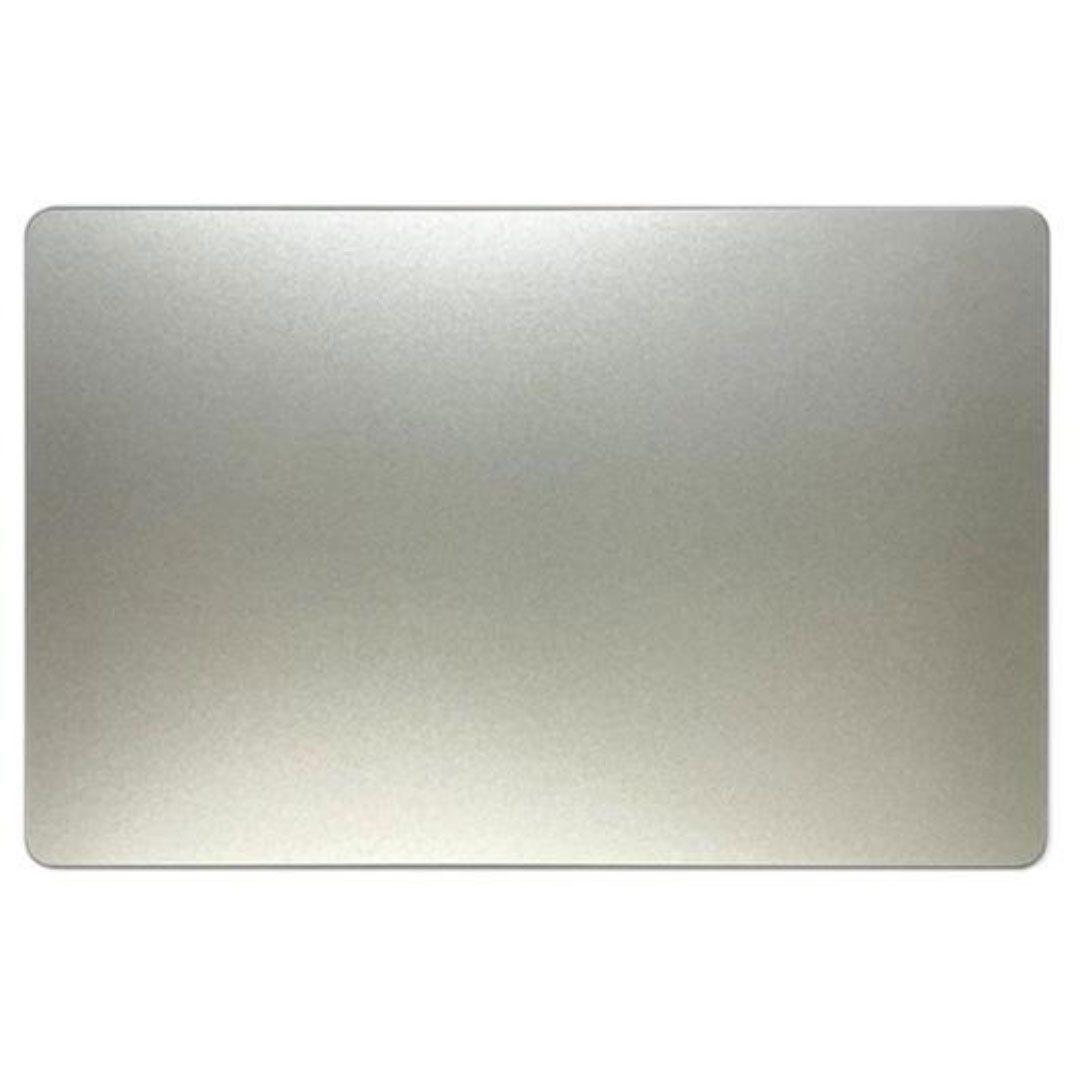
Genuine-spec touchpad flex cable compatible with both MacBook Air A2179 (Intel, 2020) and A2337 (M1, 2020)—restores full Force Touch functionality, haptic feedback, and precise multi-touch gesture control during trackpad repair or replacement. Compatible With: MacBook Air 13″ (2020, Intel) – Model A2179 (Model Identifier: MacBookAir9,1) MacBook Air 13″ (2020, Apple M1) – Model A2337 (Model Identifier: MacBookAir10,1) MacBook Air 13″ (2020, Intel) – Model A2179 (Model Identifier: MacBookAir9,1) MacBook Air 13″ (2020, Apple M1) – Model A2337 (Model Identifier: MacBookAir10,1) ✅ Important Note: Despite different processors (Intel vs. M1), Apple used the same trackpad assembly and flex cable in both A2179 and A2337. This makes the flex cable fully interchangeable between the two models. Part Type: Touchpad flex cable only — does not include the trackpad housing, Taptic Engine, or mounting hardware. This is the OEM-style ribbon cable that connects the trackpad to the logic board. Function: Transmits: Touch input coordinates Force Touch pressure data Haptic feedback signals to the Taptic Engine Enables full macOS gesture support: Force Click, three-finger lookup, swipe navigation, pinch-to-zoom, and smooth cursor tracking. Touch input coordinates Force Touch pressure data Haptic feedback signals to the Taptic Engine Enables full macOS gesture support: Force Click, three-finger lookup, swipe navigation, pinch-to-zoom, and smooth cursor tracking. OEM-Quality Build: Matches Apple’s original specifications in: Cable length and routing path Connector pitch and ZIF latch design EMI shielding and flex durability Cable length and routing path Connector pitch and ZIF latch design EMI shielding and flex durability Common Use Cases: Replacing a torn, creased, or liquid-damaged original flex cable Completing a trackpad replacement when the original cable is compromised Fixing intermittent trackpad behavior, loss of Force Touch, or complete unresponsiveness Replacing a torn, creased, or liquid-damaged original flex cable Completing a trackpad replacement when the original cable is compromised Fixing intermittent trackpad behavior, loss of Force Touch, or complete unresponsiveness Installation Note: Requires full bottom case removal and battery disconnection. Cable routes under the right side of the battery and logic board. Connects via a ZIF (Zero Insertion Force) socket—align carefully and latch gently. Recommended for experienced or certified technicians only. Requires full bottom case removal and battery disconnection. Cable routes under the right side of the battery and logic board. Connects via a ZIF (Zero Insertion Force) socket—align carefully and latch gently. Recommended for experienced or certified technicians only.

A premium pre-owned Lenovo ThinkPad T590 with a 15.6" display, powerful 8th Gen Core i5 processor, 8GB RAM, and fast 256GB SSD—engineered for professionals who need reliability, security, and all-day productivity.

Genuine-spec touchpad flex cable for MacBook Pro 15″ (Model A1707, 2016–2017)—restores full Force Touch functionality, haptic feedback, and precise multi-touch gesture control during trackpad repair or replacement. Compatible With: MacBook Pro 15″ (2016) – Model A1707 (Model Identifier: MacBookPro13,2) MacBook Pro 15″ (2017) – Model A1707 (Model Identifier: MacBookPro14,2) MacBook Pro 15″ (2016) – Model A1707 (Model Identifier: MacBookPro13,2) MacBook Pro 15″ (2017) – Model A1707 (Model Identifier: MacBookPro14,2) Part Type: Touchpad flex cable only — does not include the trackpad housing, Taptic Engine, or mounting hardware. This is the OEM-style ribbon cable that connects the trackpad to the logic board. Function: Transmits: Touch input coordinates Force Touch pressure data Haptic feedback signals to the Taptic Engine Enables full macOS gesture support: Force Click, three-finger lookup, swipe navigation, pinch-to-zoom, and smooth cursor tracking. Touch input coordinates Force Touch pressure data Haptic feedback signals to the Taptic Engine Enables full macOS gesture support: Force Click, three-finger lookup, swipe navigation, pinch-to-zoom, and smooth cursor tracking. OEM-Quality Build: Matches Apple’s original specifications in: Cable length and routing path Connector pitch and ZIF latch design EMI shielding and flex durability Cable length and routing path Connector pitch and ZIF latch design EMI shielding and flex durability Common Use Cases: Replacing a torn, creased, or liquid-damaged original flex cable Completing a trackpad replacement when the original cable is compromised Fixing intermittent trackpad behavior, loss of Force Touch, or complete unresponsiveness Replacing a torn, creased, or liquid-damaged original flex cable Completing a trackpad replacement when the original cable is compromised Fixing intermittent trackpad behavior, loss of Force Touch, or complete unresponsiveness Installation Note: Requires full bottom case removal and battery disconnection. Cable routes under internal components near the right speaker and logic board. Connects via a ZIF (Zero Insertion Force) socket—must be aligned carefully and latched gently. Recommended for experienced or certified technicians only. Requires full bottom case removal and battery disconnection. Cable routes under internal components near the right speaker and logic board. Connects via a ZIF (Zero Insertion Force) socket—must be aligned carefully and latched gently. Recommended for experienced or certified technicians only.

The Genius KM-100SE is a reliable wired keyboard and mouse combo featuring a full-size 104-key layout and USB plug-and-play connection. Ideal for office, business, and everyday home use, it delivers comfortable typing and smooth mouse control with stable performance. The Genius KM-100SE Keyboard & Mouse Combo is a practical and durable solution for users who need dependable performance for daily work. The full-size keyboard offers a comfortable typing experience with a standard layout that’s perfect for productivity, while the wired optical mouse ensures smooth and accurate cursor control. With USB plug-and-play setup, it works instantly with laptops and desktop PCs—no drivers needed. Full-Size 104-Key Keyboard for efficient and comfortable typing Wired USB Connection for stable, lag-free performance Plug & Play Setup – no software or drivers required Comfortable Key Spacing ideal for long office sessions Wired Optical Mouse Included for smooth and accurate tracking Durable Design suitable for daily professional use Ideal for Office & Home – work, study, and general computing Perfect for business offices, schools, home users, and laptop/desktop setups needing a simple, reliable wired keyboard and mouse set. Compatible with most computers supporting USB.

90W AC Charger Replacement for HP EliteDesk 705 G1 G2 G4 705 800 G5 Desktop Mini ProOne 400 G4 G5 23.8-inch All-in-One ProOne 400 G2 G3 G4 G5 460 G2 G3 480 G2 G3 20-inch All-in-One

Genuine-spec battery flex cable for MacBook Pro models A2159 (16", 2019), A1708 (13", 2016–2017), and A2338 (13", 2020 M1)—restores critical communication between the battery and logic board for proper power-on, charging, and macOS battery status. Genuine-spec battery flex cable for MacBook Pro models A2159 (16″, 2019), A1708 (13″, 2016–2017), and A2338 (13″, 2020 M1)—restores critical communication between the battery and logic board for proper power-on, charging, and macOS battery status. Carries SMBus (System Management Bus) signals from the battery to the logic board Enables: Accurate battery percentage and health reporting in macOS Proper charging control (start/stop, thermal throttling) Power-on capability (MacBooks will not boot without this connection) Prevention of “Battery Not Charging” or “Service Battery” errors Accurate battery percentage and health reporting in macOS Proper charging control (start/stop, thermal throttling) Power-on capability (MacBooks will not boot without this connection) Prevention of “Battery Not Charging” or “Service Battery” errors MacBook won’t turn on (even with a good battery) Battery shows “–%”, 0%, or “Not Charging” Random shutdowns under load macOS displays “No Battery Available” Logic board powers fans or lights but no display output Battery flex cable only (with OEM-style connector and strain relief) ❌ Does not include: battery, logic board, or trackpad Requires full bottom case removal and battery disconnection Connects via a ZIF or press-fit socket on the logic board Must be routed precisely to avoid tension or micro-tears Highly recommended for experienced or certified technicians—improper installation can cause permanent power or battery communication failure

HyperX Pulsefire Core (4P4F8AA) – RGB gaming mouse with PixArt sensor, 6,200 DPI, and 7 programmable buttons.Lightweight, ergonomic design perfect for gamers seeking precision and durability. Model: HyperX Pulsefire Core (4P4F8AA) Sensor Type: PixArt PAW3327 Optical Sensor DPI Range: 800 – 6,200 DPI (adjustable in software) Polling Rate: 1000 Hz Tracking Speed: Up to 220 IPS Acceleration: 30G Buttons: 7 programmable buttons Switch Type: Durable switches rated for up to 20 million clicks Lighting: Customizable RGB lighting (logo zone) Grip Style: Palm or claw grip Design: Ergonomic, right-handed shape with textured side grips Weight: Approx. 87g (without cable) Cable Length: 1.8 meters (braided USB cable) Software Support: HyperX NGENUITY for DPI, RGB, and button customization Compatibility: Windows 10, 8.1, 8, 7

Specifications Input/Output USB Sound Mode Game Mode, Standard Mode, 3D Surround Sound Mode, Live Sound Mode, Extra Bass Mode Category Speakers Use HOME Input Power(W) <25 W Voice Control No Waterproof Yes Support APP No Intelligent Personal Assistant None Audio Crossover Full-Range Number of Loudspeaker Enclosure 2 Power Source Battery, USB Channels 2 (2.0) Battery Yes Communication Bluetooth, Wireless Speaker Type Portable Cabinet Material Plastic Brand Name AEVYVKV Origin Mainland China

MLT-D111S MLT-D111L Toner Cartridge Replacement for Samsung 111S MLTD111L for Xpress SL-M2020W SL-M2070FW SL-M2070W M2020 M2024W M2026W M2070 Laser Printer (Black, 1-Pack)

TP-Link AC1200 Archer C50 Wireless Dual Band Router Support smooth 4K streaming with AC1200 Wi-Fi 4 external antennas provide stable wireless connections and optimal coverage Easy network management at your fingertips with TP-Link Tether Supports IGMP Proxy/Snooping, Bridge, and Tag VLAN to optimize IPTV streaming Supports Access Point mode to create a new Wi-Fi access point TP-Link AC1200 Archer C50 Wireless Dual Band Router Support smooth 4K streaming with AC1200 Wi-Fi 4 external antennas provide stable wireless connections and optimal coverage Easy network management at your fingertips with TP-Link Tether Supports IGMP Proxy/Snooping, Bridge, and Tag VLAN to optimize IPTV streaming Supports Access Point mode to create a new Wi-Fi access point TP-Link Archer C50 – AC1200 Wireless Dual Band Router Wireless Speed: Up to 1200 Mbps (300 Mbps on 2.4GHz + 867 Mbps on 5GHz) Wi-Fi Standard: 802.11ac – 3x faster than wireless N speeds Bands: Dual Band (2.4GHz & 5GHz) for reduced interference and better performance Antenna: 4 External Antennas for strong and stable wireless coverage Ports: 4× LAN, 1× WAN (10/100 Mbps) Advanced Features: Parental Controls, Guest Network, IPv6 Support, Access Control Security: WPA/WPA2 encryption for secure wireless connections Ease of Use: Easy setup with TP-Link Tether App Ideal For: HD streaming, online gaming, and high-speed downloads in homes and small offices

Genuine-spec touchpad flex cable for MacBook Pro 15″ (Model A1990, 2018–2019, Intel)—essential for restoring full Force Touch functionality, haptic feedback, and precise multi-touch gesture control during trackpad repair or replacement. Compatible With: MacBook Pro 15-inch (2018 & 2019, Model A1990, Model Identifiers MacBookPro15,2) with Intel Core i7/i9 processors. Part Type: Touchpad flex cable only — does not include the trackpad housing, Taptic Engine, or mounting hardware. This is the OEM-style ribbon cable that connects the trackpad to the logic board. Function: Transmits: Touch input coordinates Force Touch pressure data Haptic feedback signals to the Taptic Engine Enables full macOS gesture support: Force Click, three-finger lookup, swipe navigation, pinch-to-zoom, and smooth cursor tracking. Touch input coordinates Force Touch pressure data Haptic feedback signals to the Taptic Engine Enables full macOS gesture support: Force Click, three-finger lookup, swipe navigation, pinch-to-zoom, and smooth cursor tracking. OEM-Quality Build: Matches Apple’s original specifications in: Cable length and routing path Connector pitch and ZIF latch design EMI shielding and flex durability Cable length and routing path Connector pitch and ZIF latch design EMI shielding and flex durability Common Use Cases: Replacing a torn, creased, or liquid-damaged original flex cable Completing a trackpad replacement when the original cable is unusable Fixing intermittent trackpad behavior, loss of Force Touch, or complete unresponsiveness Replacing a torn, creased, or liquid-damaged original flex cable Completing a trackpad replacement when the original cable is unusable Fixing intermittent trackpad behavior, loss of Force Touch, or complete unresponsiveness Installation Note: Requires full bottom case removal and battery disconnection. Cable routes under internal components near the right speaker and logic board. Connects via a ZIF (Zero Insertion Force) socket—must be aligned carefully and latched gently. Recommended for experienced or certified technicians only. Requires full bottom case removal and battery disconnection. Cable routes under internal components near the right speaker and logic board. Connects via a ZIF (Zero Insertion Force) socket—must be aligned carefully and latched gently. Recommended for experienced or certified technicians only.

The 45W MagSafe 2 Power Adapter features a magnetic DC connector so if someone should trip over it, the cord disconnects harmlessly and your MacBook Air stays put safely. It also helps prevent fraying or weakening of the cables over time. In addition, the magnetic DC helps guide the plug into the system for a quick and secure connection. The 45W MagSafe 2 Power Adapter features a magnetic DC connector so if someone should trip over it, the cord disconnects harmlessly and your MacBook Air stays put safely. It also helps prevent fraying or weakening of the cables over time. In addition, the magnetic DC helps guide the plug into the system for a quick and secure connection. When the connection is secure, an LED located at the head of the DC connector lights up; an amber light lets you know that your notebook is charging, while a green light tells you that you have a full charge. An AC cord is provided with the adapter for maximum cord length, while the AC wall adapter (also provided) gives you an even easier and more compact way to travel. Designed to be the perfect traveling companion, the adapter has a clever design which allows the DC cable to be wound neatly around itself for easy cable storage. This power adapter recharges the lithium polymer battery while the system is off, on, or in sleep mode. It also powers the system if you choose to operate without a battery. Compatible only with MacBook Air featuring MagSafe 2 power port. Knowing which specific Mac model you have is important. If you are running OS X Lion (10.7) or later go to the “” menu at the top left of your screen, choose “About this Mac” then click the “More Info…” button. Your Mac model and generation will be displayed. If you are running an earlier version of OS X, you can enter your serial number here to find out which model you have. Mac Models MacBook Air (13-inch, Early 2015 – 2017) MacBook Air (11-inch, Early 2015)

WIWU Alpha Double Layer Sleeve Bag For 16\14″ Laptop/MacBook Brand: WIWU The corner patent design protects your laptop from bumps and drops in potential accident. SBS water resistance zipper Retractable waterproof TPU handle, firm and scratch resistant (commonly used in car trailer ropes) 2 compartment zipper design, organize your accessories well Water-resistant material

Speaker Specifications Feature Value Feature Value Input/Output USB Battery Capacity (mAh) 2000 Maximum Wireless Range (m) 10m-20m Touch Screen No Sound Mode Immersive, Stereo, Live, Standard Category Speakers Use HOME Bluetooth Version 5.1 Input Power (W) 50-99W Voice Control No Frequency Range 100Hz-20KHz Display Screen No Waterproof Yes Support APP No Support Memory Card Yes Playback Function Radio, MP3 Remote Control No Intelligent Personal Assistant None Display Screen No Audio Crossover Full-Range Number of Loudspeaker Enclosures 2 Power Source Battery Channels 1 Speaker Type Portable Communication USB Cabinet Material Plastic Brand Name HONOURSACY Origin Mainland China Function HiFi Sound Quality Function2 IPX6 Waterproof Function3 Support TWS Interconnection Function4 Portable Design Function5 80W High Power Function6 Long Endurance

The Arzopa A1 is an ultra-slim, lightweight 15.6-inch portable monitor engineered for seamless travel productivity and entertainment. Delivering crisp Full HD imagery on a premium IPS panel with integrated eye care features, it provides a hassle-free plug-and-play experience using dual full-function USB-C and Mini HDMI inputs. Complete with a built-in adjustable kickstand, it is the perfect dual-screen companion for laptops, smartphones, and gaming consoles. ✅ Full Specifications: Model: ARZOPA Type-C Portable Monitor (ARZOPA-A1) Interface / Connection: Multi-Port Input Panel: 2 x USB Type-C Full Function Ports (Supports concurrent video transmission, data, and power delivery) 1 x Mini HDMI Port (Video signal input only) 1 x 3.5mm Headphone / Audio Output Interface Interface / Connection: Multi-Port Input Panel: 2 x USB Type-C Full Function Ports (Supports concurrent video transmission, data, and power delivery) 1 x Mini HDMI Port (Video signal input only) 1 x 3.5mm Headphone / Audio Output Interface Performance / Screen Quality: Panel Type: IPS (In-Plane Switching) display with 178° wide viewing angles Resolution: Full HD 1920 x 1080p Refresh Rate: 60Hz Aspect Ratio: 16:9 Brightness: 300 cd/m² Contrast Ratio: 1200:1 Display Colors: 262K (8-bit) Color Gamut: 45% NTSC / 72% sRGB space coverage Performance / Screen Quality: Panel Type: IPS (In-Plane Switching) display with 178° wide viewing angles Resolution: Full HD 1920 x 1080p Refresh Rate: 60Hz Aspect Ratio: 16:9 Brightness: 300 cd/m² Contrast Ratio: 1200:1 Display Colors: 262K (8-bit) Color Gamut: 45% NTSC / 72% sRGB space coverage Display Technology: Features built-in HDR rendering technology to boost dynamic contrast alongside a Low Blue Light comfort filter to reduce eye fatigue. Audio: Dual built-in stereo speakers (1W x 2 configuration). Material & Build: Premium, durable metal housing constructed out of a sleek aluminum alloy framework. Design & Form Factor: Ultra-thin bezel layout boasting an integrated adjustable smart kickstand for multi-angle landscape deployment. Power Setup: Driverless plug-and-play architecture. Operates without an internal battery; runs on host device power distribution via USB-C or requires an external 5V/3A power input adapter. Compatibility: Fully compatible with MacBooks, Windows PCs/Laptops, Chromebooks, USB-C supported Android smartphones, and modern gaming consoles (Nintendo Switch, Xbox Series X/S, PS4, PS5). Dimensions: Approx. 355.6 x 220.9 x 9.14 mm (Ultra-slim 0.36-inch profile) Weight: Approx. 725 to 735 grams (1.6 lbs lightweight chassis)

BATTERY DELL J60J5 7.6V 55Wh Battery Compatible with Dell Latitude E7470 E7270 7470 7270 451-BBSY 451-BBSX 451-BBSU WYWJ2 R1V85 MC34Y 242WD PDNM2 1W2Y2 GG4FM F1KTM NJJ2H 5F08V P61G001 P26S001 J6OJ5 Laptop Battery About this item SPECIFICATION : Model Name: Standard Rechargeable Li-ion battery Type J60J5 ; Device Type: Notebook battery; Battery Type: Lithium ion; Voltage : 7.6V; Capacity : 55Wh; Cells: 4-cell; Dimensions about 9.37×4.17×0.24in; Weight: About 11OZ / 0.69lb; Condition : 100 % New; Packages includes: 1PC J6OJ5 laptop battery(with free screwdrivers for easy installation) COMPATIBILITY : 7.6V 55 WHr 4-Cell Lithium-Ion battery replace manufacturer part J60J5 J6OJ5 451-BBSX 451-BBSY 451-BBSU R1V85 WYWJ2 MC34Y 0MC34Y 242WD PDNM2 1W2Y2 0F1KTM F1KTM NJJ2H GG4FM 5F08V P61G P61G001 P26S P26S001 battery designed for Dell Latitude E7270 Latitude E7470 7270 7470 Series laptop. SECURITY: ECHEER 55Wh 4-cell J60J5 batteries have passed strict intelligent detection, such as short circuit protection, over-voltage protection, discharge protection, and over-current protection, which is very important for the battery’s use cycle and safety. Also, CE, FCC, and RoHS are certificated. Every one of our replacement notebook batteries is tested to meet OEM specifications.

A1989 Battery Replacement, A1964 Battery for MacBook Pro 13″ A1989 (Mid 2018 2019) A2251(2020 Release) EMC 3214 3358 3348 MR9Q2LL/A MR9R2LL/A MR9T2LL/A MR9U2LL/A MR9V2LL/A MV962LL/A MV9A2LL/A 【Specification】Voltage: 11.41V. Capacity: 58Wh/ 5086mAh. Battery Type: Li-ion. Condition: Brand new, from high quality materials, top circuit boards and smart chip. 【Compatible Part Number】A1964 A1989 A1989(EMC 3214) A1989(EMC 3358) A2251(EMC 3348) 020-02497 616-00419. 【Compatible Laptop Models】MacBook Pro 13-Inch model A1989 (Mid 2018, Mid 2019) , A2251(2020 Release), Order No MR9Q2LL/A MR9R2LL/A MR9T2LL/A MR9U2LL/A MR9V2LL/A MV962LL/A MV972LL/A MV982LL/A MV992LL/A MV9A2LL/A MWP72LL/A MWP82LL/A MWP42LL/A MWP52LL/A MWP62LL/A MR9Q2 MR9R2 MR9T2 MR9U2 MR9V2 MV962 MV972 MV982 MV992 MV9A2 MWP62. 【Note】The tools are included. Double-sided tape is attached to the back of the battery, but NO battery installation instruction. The MBP battery is difficult to disassemble, we suggest you search for related installation videos or find a technician for help.

A31N1319 A41N1308 A41 Battery for Asus X451 X551 X451C X451CA X551C X551CA X551CA-SX024H X551CA-SX029H X551CA-DH21 X551CA-0051A2117U D550 0B110-00250100 About this item Fully compatible with your original battery, brand new from Professional Manufacturer, CE RoHS certified, grade A cells ensure fast charges and low power consumption; Built-in circuit protection ensures safety and stability. Expected operation time: 1.5-3 hours. This may vary depending on the device type and how it is used. Fits models: X451 X551 X451C X451CA X551C X551CA A41 D550 X45li9c X551CA-0051A2117U X551CA-DH21 X551CA-SX024H X551CA-SX029H Compatible Part Numbers 0B110-00250100 A41N1308 A31LJ91 A31N1319 A41N1308 X45LI9C YU12008-13007D YU12125-13002 More Part numbers of compatible batteries and Computers are listed in the Product Description

