
Apple USB-C Charge Cable (1m) , With Apple Warranty This 1-metre charge cable is made with a woven design — with USB-C connectors on both ends — and is ideal for charging, syncing and transferring data between USB-C devices. Pair the USB-C Charge Cable with a compatible USB-C power adapter to conveniently charge your devices from a power point and take advantage of fast-charging capabilities. USB-C power adapters sold separately.

The Apple MacBook Pro 16-inch (2019) is powered by an Intel Core i9 processor, paired with 16GB RAM and a fast 512GB SSD for powerful and reliable performance. Designed for professionals and creatives, it features a premium aluminum build, immersive 16-inch Retina display, and dedicated Radeon Pro graphics for demanding workloads.

Genuine-spec touchpad flex cable for MacBook Pro 16″ (Model A2485, 2021, M1 Pro/Max)—critical for restoring full Force Touch functionality, haptic feedback, and precise multi-touch gesture control during trackpad repairs. Compatible With: MacBook Pro 16-inch (2021, Model A2485) with Apple M1 Pro or M1 Max chip (Model Identifiers: MacBookPro18,1 / MacBookPro18,2). Part Type: Touchpad flex cable only—does not include the trackpad, Taptic Engine, or mounting hardware. This is the OEM-style ribbon cable that connects the trackpad to the logic board. Function: Transmits touch coordinates, Force Touch pressure data, and haptic feedback signals—essential for macOS gestures (e.g., pinch-to-zoom, Force Click, three-finger lookup) and Taptic Engine operation. OEM-Quality Construction: Precisely replicated to Apple’s original specifications—including cable length, connector type, EMI shielding, and flex routing—ensuring signal integrity and long-term reliability. Common Use Cases: Replacing a torn, frayed, or liquid-damaged original flex cable Completing a trackpad replacement when the original cable is compromised Fixing intermittent trackpad behavior, lost Force Touch, or complete unresponsiveness Replacing a torn, frayed, or liquid-damaged original flex cable Completing a trackpad replacement when the original cable is compromised Fixing intermittent trackpad behavior, lost Force Touch, or complete unresponsiveness Installation Note: Requires full disassembly of the bottom case and careful routing around the battery and logic board. Connectors use ZIF (Zero Insertion Force) sockets—must be aligned and latched gently. Recommended for certified or professional repair technicians only.

Genuine-spec touchpad flex cable for MacBook Pro 15″ (Model A2941, 2023, Apple M2)—restores full Force Touch functionality, haptic feedback, and precise multi-touch gesture control during trackpad repair or replacement. Compatible With: MacBook Pro 15-inch (2023, Model A2941) with Apple M2 chip (Model Identifier: MacBookPro19,1) Part Type: Touchpad flex cable only — does not include the trackpad housing, Taptic Engine, or mounting hardware. This is the OEM-style ribbon cable that connects the trackpad to the logic board. Function: Transmits: Touch input coordinates Force Touch pressure data Haptic feedback signals to the Taptic Engine Enables full macOS gesture support: Force Click, three-finger lookup, swipe navigation, pinch-to-zoom, and smooth cursor tracking. Touch input coordinates Force Touch pressure data Haptic feedback signals to the Taptic Engine Enables full macOS gesture support: Force Click, three-finger lookup, swipe navigation, pinch-to-zoom, and smooth cursor tracking. OEM-Quality Build: Matches Apple’s original specifications in: Cable length and routing path Connector pitch and ZIF latch design EMI shielding and flex durability Cable length and routing path Connector pitch and ZIF latch design EMI shielding and flex durability Common Use Cases: Replacing a torn, creased, or liquid-damaged original flex cable Completing a trackpad replacement when the original cable is compromised Fixing intermittent trackpad behavior, loss of Force Touch, or complete unresponsiveness Replacing a torn, creased, or liquid-damaged original flex cable Completing a trackpad replacement when the original cable is compromised Fixing intermittent trackpad behavior, loss of Force Touch, or complete unresponsiveness Installation Note: Requires full bottom case removal and battery disconnection. Cable routes under internal components near the right speaker and logic board. Connects via a ZIF (Zero Insertion Force) socket—must be aligned carefully and latched gently. Recommended for experienced or certified technicians only. Requires full bottom case removal and battery disconnection. Cable routes under internal components near the right speaker and logic board. Connects via a ZIF (Zero Insertion Force) socket—must be aligned carefully and latched gently. Recommended for experienced or certified technicians only.

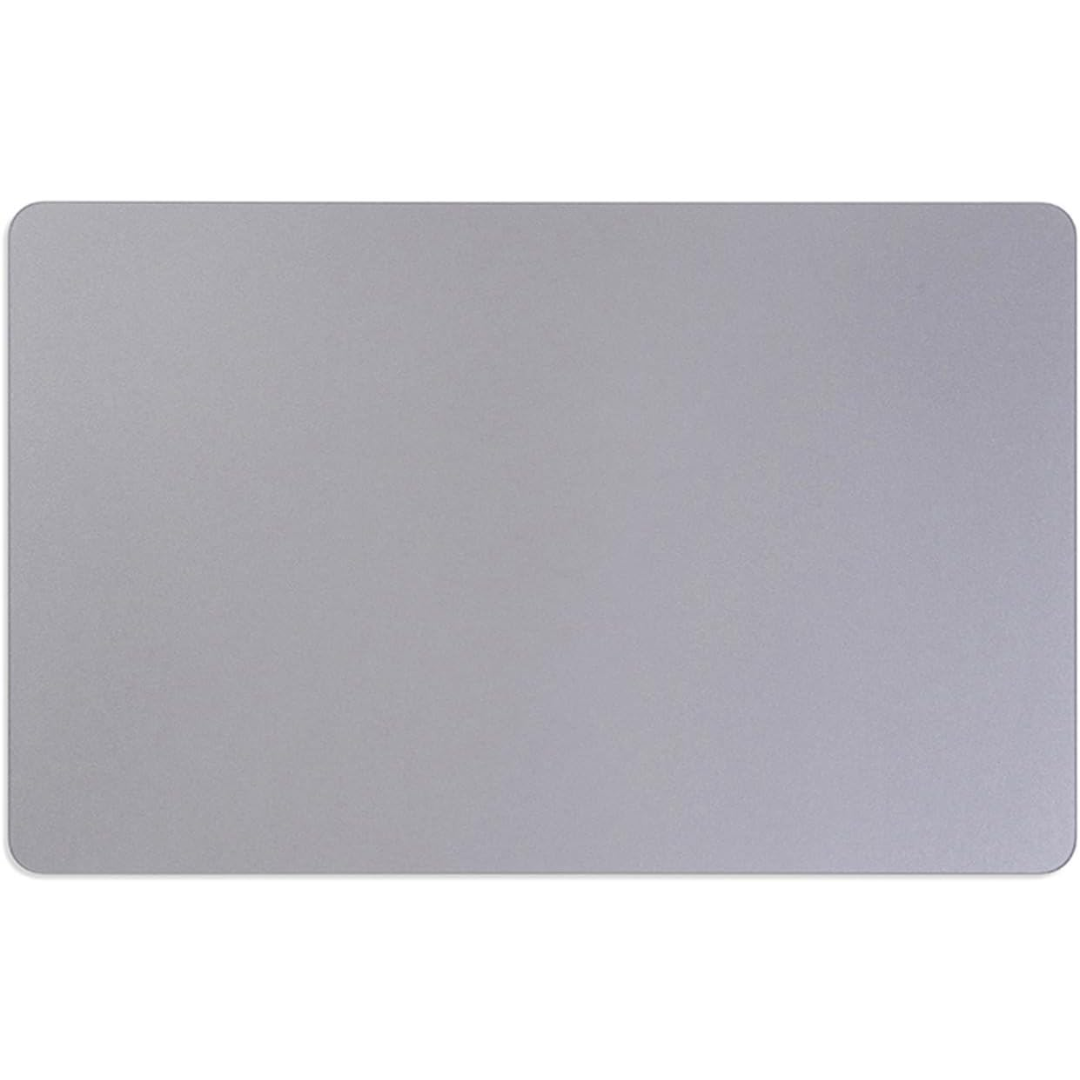
Original replacement touchpad for MacBook Air A2442, available in Silver and Space Gray. Perfect for fixing unresponsive or damaged trackpads and restoring smooth cursor control and gesture functionality. The Original MacBook Air A2442 Touchpad is a genuine replacement part designed to restore full trackpad performance and functionality. If your MacBook Air trackpad is not clicking, not responding, or physically damaged, this original touchpad provides a reliable solution with smooth tracking and accurate gesture support. Available in Silver and Space Gray, it matches the original laptop finish for a clean professional repair. Original / Genuine Touchpad for MacBook Air A2442 Available in Silver and Space Gray Restores smooth cursor control and multi-touch gestures Reliable clicking and accurate tracking performance Perfect for repair and replacement of damaged trackpads High-quality build for long-term use ✔ MacBook Air 13-inch (2021 / 2022) A2442 Compatible with MacBook Air A2442 models only. Please confirm the model number on the bottom cover before purchase to ensure a correct fit.

RK ROYAL KLUDGE RK61 Wireless 60% Mechanical Gaming Keyboard, Ultra-Compact 60 Keys Bluetooth Mechanical Keyboard with Programmable Software (Blue Switch, White) Model: RK ROYAL KLUDGE RK61 Layout: 60% compact layout (61 keys, no number pad or function row) Switch Type: Mechanical switches (Red – Linear, Blue – Clicky, Brown – Tactile) Connectivity: Bluetooth 5.0 (connects up to 3 devices) USB-C Wired Optional 2.4GHz Wireless (on some versions) Connectivity: Bluetooth 5.0 (connects up to 3 devices) USB-C Wired Optional 2.4GHz Wireless (on some versions) Backlight: RGB LED with 18+ lighting modes and effects Battery: 1450mAh rechargeable lithium battery Key Rollover: Full N-Key rollover, anti-ghosting Compatibility: Windows, macOS, Android, iOS Software Support: Key remapping and lighting customization (Windows only) Build Quality: ABS plastic frame, double-shot keycaps Dimensions: Approx. 290 x 100 x 40 mm Weight: ~500g Extras: Hot-swappable switch support (on select versions)

PCE 1500 M8 1500VA 600W PCE UPS SYSTEM M8-1500 1500VA 600W Input Voltage: 220/230/240 VAC, 1Ø2Wires Input Frequency: 50 or 60 Hz +/-10% (auto sensing) Power: 600W Output voltage: 220/230/240VAC+/-1% Output Frequency: 50 or 60 Hz +/-1% Full Protection: Overload, discharge, and overcharge protection PCE UPS SYSTEM M8-1500 1500VA 600W Input Voltage: 220/230/240 VAC, 1Ø2Wires Input Frequency: 50 or 60 Hz +/-10% (auto sensing) Power: 600W Output voltage: 220/230/240VAC+/-1% Output Frequency: 50 or 60 Hz +/-1% Full Protection: Overload, discharge, and overcharge protection

Premium bilingual keyboard replacement for MacBook Pro 13″ (A1278, 2009–2012) — choose US/Arabic or UK/Arabic layout. Features durable scissor-switch keys, OEM fit, and clear dual-language legends for seamless typing in English and Arabic. Compatible With: MacBook Pro 13-inch (Model A1278) from Late 2009, Mid 2010, Early 2011, and Mid 2012 (Model Identifiers: MacBookPro5,5, 6,2, 8,1) Layout Options (select at purchase): US/Arabic: Primary legends in Arabic, secondary (top-left) in US QWERTY — includes @, #, and standard US symbols. UK/Arabic: Primary legends in Arabic, secondary in UK QWERTY — includes £ symbol, taller Enter key, and UK-specific punctuation. Both versions feature full Arabic character set US/Arabic: Primary legends in Arabic, secondary (top-left) in US QWERTY — includes @, #, and standard US symbols. UK/Arabic: Primary legends in Arabic, secondary in UK QWERTY — includes £ symbol, taller Enter key, and UK-specific punctuation. Both versions feature full Arabic character set Keyboard Type: Traditional scissor-switch mechanism—reliable, tactile, and serviceable (pre-Butterfly design). Backlighting: Included on Early 2011 and Mid 2012 models only. Keycaps are translucent for even lighting. (Note: Late 2009 & Mid 2010 A1278 models did not support backlighting—keyboard will still function, but lighting requires compatible hardware.) Build & Fit: Precision-molded frame with correct screw mounts and alignment pegs—ensures flush, secure installation in the original top case with no rattling. Installation: Keyboard is screw-mounted (no adhesive)—one of the most DIY-friendly MacBook keyboards. Requires top case access and battery disconnect. Suitable for intermediate users or professionals.

A1990 Logic Board i7-16GB-512GB-4GB Intel 2.6 GHz Six Core i7 (I7-9750H) 16 GB RAM 512 GB SSD AMD Radeon Pro 555X 4GB Intel UHD Graphics 630 Intel 2.6 GHz Six Core i7 (I7-9750H) 16 GB RAM 512 GB SSD AMD Radeon Pro 555X 4GB Intel UHD Graphics 630

Candc DC-C2 Lavalier Dual Head Mic Buy Online in Qatar, record high quality sounds using this branded duel mic. Candc DC-C2 is a Dual Omnidirectional lavalier microphone, designed for Smartphones, DSLR, Camcorders, Audio recorders PC, etc. PRODUCT DETAILS OF CANDC DC-C2 LAVALIER COLLAR MICROPHONE FOR CANON NIKON DSLR CAMCORDER

Original 13.3-inch Retina LCD display assembly for MacBook Pro A1502 (pulled from a working unit). OEM part, ready to replace cracked or malfunctioning screens with perfect visual quality. This is a genuine Retina display assembly removed from a fully functional MacBook Pro model A1502. It’s ideal as a replacement for a damaged or broken screen, offering original Apple quality without needing aftermarket components. Key Features & Functionality Factory Retina IPS panel with high color accuracy and brightness Integrated LCD, backlight, front glass, display cable and hinges Tested for proper display, backlight, no dead/stuck pixels (unless noted) Designed to match original tolerances, alignment, and thickness Compatible with MacBook Pro A1502 models (various years) Detailed Specifications Important Notes & Considerations Ensure model is A1502 — other MacBook Pro models have different connectors and frames. Even though tested, minor cosmetic marks or micro-scratches may exist. Handle with extreme care — glass is fragile, flex cables delicate. Professional reinstallation recommended for best alignment and function.

VSTAR UA80 800VA UPS | Compact Power Backup | 230V Output | Battery Included | For PCs, Routers, POS & More | Universal Outlet Design | Available in Black | Model UPS-U80 Reliable 800VA Power CapacityThe VSTAR UA80 delivers dependable 800VA of backup power—ideal for protecting home or office equipment from sudden power loss and voltage fluctuations. Compact & Efficient DesignSleek and space-saving, this unit fits easily into tight workspaces or under desks without sacrificing performance. Universal Output SocketEquipped with universal-style outlets, allowing compatibility with a wide variety of plugs and devices including PCs, routers, POS systems, and more. Steady 230V OutputProvides consistent 230V output, helping to keep electronics safe during sags, surges, and outages. Easy OperationPlug-and-play functionality with intuitive indicators for power status and battery mode—no complicated setup required. Backup Battery IncludedShips ready to use with internal battery installed. Offers enough runtime to safely power down or continue short-term tasks during outages. Ideal for Light LoadsPerfect for use with routers, modems, home surveillance systems, basic desktops, and point-of-sale devices. Durable Plastic EnclosureBuilt with sturdy, insulated plastic to ensure safety, lightweight portability, and long-term durability. Trusted VSTAR QualityBacked by VSTAR’s reputation for reliability in affordable UPS power protection.

The TeamGroup CX2 1TB SSD is a reliable 2.5-inch SATA III solid-state drive designed to upgrade laptops and desktops with faster boot times, smoother performance, and quiet operation. Using 3D NAND flash, it delivers consistent speed and improved durability compared to traditional hard drives. ⚡ SATA III Performance: Delivers fast everyday speeds for system boot, app loading, and file transfers compared to HDDs. 💾 1TB Capacity: Ample storage for OS, software, games, and large media files. 🧠 3D NAND Flash: Improves stability, efficiency, and lifespan versus older NAND types. 🔇 Silent & Shock-Resistant: No moving parts, making it quiet and more durable for laptops and mobile use. 🌡️ Low Power Consumption: Helps extend laptop battery life and reduces heat. 🛠️ Easy Upgrade: Standard 2.5″ 7mm design fits most SATA laptops and desktops.

slim, lightweight, and powerful—the Lenovo ThinkPad T490s combines 8th Gen Intel Core i5 performance, 8GB ,16GB RAM, and a fast 256GB SSD in a premium, portable chassis built for mobile professionals.

A capable pre-owned Dell Latitude 5401 with 14" display, 10th Gen Core i7, 16GB RAM, 512GB SSD, and NVIDIA GeForce MX330 2GB—ideal for professionals who need extra graphics power for light creative work or multitasking in a durable business laptop.

The Lenovo ThinkPad T470s features an Intel Core i5 7th Gen processor, 8GB RAM, and a fast 256GB SSD for smooth everyday performance. With a durable business-grade build and non-touch 14″ display, it’s ideal for professionals, students, and productivity tasks.

The Dell OptiPlex 3040 Micro delivers dependable business performance in a compact, energy-efficient design. Featuring an Intel Core i5 6th Gen processor, 8GB DDR3L RAM, and SSD storage options, it is built for smooth multitasking, fast startups, and reliable operation in professional environments.

A lightweight and efficient pre-owned Lenovo ThinkPad T14s Gen 2 with 14" display, AMD Ryzen 5 5650U, 16GB RAM, and 256GB SSD—delivering strong performance, all-day battery life, and premium portability for professionals and students.

Genuine-spec touchpad flex cable for MacBook Pro 15″ (Model A1706 – 2017 and A1989 – 2018/2019)—restores full Force Touch functionality, haptic feedback, and precise multi-touch gesture control during trackpad repair or replacement. Compatible With: MacBook Pro 15″ (2017) – Model A1706 (Model Identifier: MacBookPro14,3) MacBook Pro 15″ (2018–2019) – Model A1989 (Model Identifier: MacBookPro15,2) ✅ Note: Apple used the same trackpad assembly and flex cable across both A1706 and A1989 15″ models—making this part interchangeable between them. MacBook Pro 15″ (2017) – Model A1706 (Model Identifier: MacBookPro14,3) MacBook Pro 15″ (2018–2019) – Model A1989 (Model Identifier: MacBookPro15,2) ✅ Note: Apple used the same trackpad assembly and flex cable across both A1706 and A1989 15″ models—making this part interchangeable between them. ✅ Note: Apple used the same trackpad assembly and flex cable across both A1706 and A1989 15″ models—making this part interchangeable between them. Part Type: Touchpad flex cable only — does not include the trackpad housing, Taptic Engine, or mounting hardware. This is the OEM-style ribbon cable connecting the trackpad to the logic board. Function: Transmits: Touch input coordinates Force Touch pressure data Haptic feedback signals to the Taptic Engine Enables full macOS gesture support: Force Click, three-finger lookup, swipe navigation, pinch-to-zoom, and smooth cursor tracking. Touch input coordinates Force Touch pressure data Haptic feedback signals to the Taptic Engine Enables full macOS gesture support: Force Click, three-finger lookup, swipe navigation, pinch-to-zoom, and smooth cursor tracking. OEM-Quality Build: Matches Apple’s original in: Cable length and routing Connector pitch and ZIF latch design EMI shielding and flex durability Cable length and routing Connector pitch and ZIF latch design EMI shielding and flex durability Common Use Cases: Replacing a torn, creased, or liquid-damaged original flex cable Completing a trackpad replacement when the original cable is compromised Fixing intermittent trackpad behavior, loss of Force Touch, or complete unresponsiveness Replacing a torn, creased, or liquid-damaged original flex cable Completing a trackpad replacement when the original cable is compromised Fixing intermittent trackpad behavior, loss of Force Touch, or complete unresponsiveness Installation Note: Requires full bottom case removal and battery disconnection. Cable routes under internal components near the right speaker and logic board. Connects via a ZIF (Zero Insertion Force) socket—must be aligned carefully and latched gently. Recommended for experienced or certified technicians only. Requires full bottom case removal and battery disconnection. Cable routes under internal components near the right speaker and logic board. Connects via a ZIF (Zero Insertion Force) socket—must be aligned carefully and latched gently. Recommended for experienced or certified technicians only.

Original 13.3-inch LCD display assembly for MacBook Air A1466, pulled from a working unit. OEM, drop-in replacement for cracked or nonfunctional screens—ideal for restoring perfect visuals. This is a genuine Apple LCD display assembly for the MacBook Air model A1466 (mid-2013 to ~2017). It was removed from a working machine (“pulled”) and tested. It’s intended to replace failed, cracked, or damaged screens with an OEM original part. Key Features & Functionality Factory original LCD panel with LED backlight Includes glass, mounting frame, hinges, display cable Calibrated by Apple for color accuracy, brightness, contrast Tested for display quality, backlight uniformity, dead or stuck pixels Fits directly in A1466 models with correct alignment and cable interface Specifications Important Notes & Caveats Must ensure your MacBook is A1466 — wrong model = mismatch in frame, mounting, cable. As a used component, there may be light cosmetic wear or micro-scratches. Always test before full installation (connect the cable, boot, check display and backlight). Be careful handling: glass is fragile and the flex cable is delicate. Alignment and screw placement are critical — incorrect installation can damage the new screen.
