
The LG 27GX790A-B 27″ OLED QHD 480Hz gaming monitor delivers extreme speed and stunning image quality for competitive and professional gamers. Its 27-inch QHD OLED panel produces deep contrast, vibrant colors, and sharp detail, making every scene more immersive. Moreover, OLED technology provides fast pixel response for smooth visuals and minimal motion blur during high-speed gameplay. This monitor is built for esports performance thanks to its ultra-fast 480Hz refresh rate. Additionally, the QHD resolution balances clarity and performance, allowing gamers to enjoy sharp graphics while maintaining high frame rates. The sleek UltraGear design fits modern gaming setups and keeps desks organized while enhancing the overall gaming atmosphere. Connectivity options make it easy to connect PCs and gaming consoles. Furthermore, ergonomic stand adjustments help users maintain comfortable viewing positions during long gaming sessions. Therefore, this monitor suits competitive players and enthusiasts seeking top-tier performance. Finally, it combines OLED picture quality, ultra-fast refresh rate, and gaming-focused features for serious gameplay. Specifications: 27-inch QHD OLED gaming monitor Ultra-fast 480Hz refresh rate Deep contrast and vibrant OLED visuals Designed for competitive gaming setups Multiple connectivity options

WIWU S400 Aluminum Laptop Stand Portable, Adjustable and Foldable - Silver WIWU S400 Aluminum Laptop Stand Portable, Adjustable and Foldable – Silver

RK ROYAL KLUDGE RK61 Wireless 60% Mechanical Gaming Keyboard, Ultra-Compact 60 Keys Bluetooth Mechanical Keyboard with Programmable Software (Blue Switch, White) Model: RK ROYAL KLUDGE RK61 Layout: 60% compact layout (61 keys, no number pad or function row) Switch Type: Mechanical switches (Red – Linear, Blue – Clicky, Brown – Tactile) Connectivity: Bluetooth 5.0 (connects up to 3 devices) USB-C Wired Optional 2.4GHz Wireless (on some versions) Connectivity: Bluetooth 5.0 (connects up to 3 devices) USB-C Wired Optional 2.4GHz Wireless (on some versions) Backlight: RGB LED with 18+ lighting modes and effects Battery: 1450mAh rechargeable lithium battery Key Rollover: Full N-Key rollover, anti-ghosting Compatibility: Windows, macOS, Android, iOS Software Support: Key remapping and lighting customization (Windows only) Build Quality: ABS plastic frame, double-shot keycaps Dimensions: Approx. 290 x 100 x 40 mm Weight: ~500g Extras: Hot-swappable switch support (on select versions)

The MSI G2412F Gaming Monitor delivers smooth gameplay with a 180Hz refresh rate and Full HD resolution. It ensures fast and responsive performance for competitive gaming. Moreover, the Rapid IPS panel provides accurate colors and wide viewing angles. It maintains consistent image quality from different positions. The monitor features a 1ms response time to reduce motion blur in fast scenes. This improves clarity during intense gameplay. It also supports Adaptive Sync technology to eliminate screen tearing and stuttering. This ensures smooth and stable visuals. Additional features include Night Vision for better visibility in dark areas. Anti-flicker and low blue light help reduce eye strain during long sessions. The MSI G2412F Gaming Monitor is a strong choice for users who want speed, clarity, and reliable performance. Specifications: 24″ Full HD Rapid IPS panel with wide viewing angles 180Hz refresh rate for smooth and responsive gaming 1ms (GtG) response time for reduced motion blur Adaptive Sync to eliminate screen tearing Night Vision with anti-flicker and low blue light technology

AOC G2490VX 24″ FreeSync Display Specifications : Model name G2490VX Panel 23.8″ (VA) Pixel Pitch (mm) 0.2745 (H) × 0.2745 (V) Effective Viewing Area (mm) 527.04 (H) × 296.46 (V) Brightness (typical) 350 cd/m² (typical) Contrast Ratio 3500 : 1 (Typical) 80 Million : 1 (DCR) Response Time 1ms (MPRT) Viewing Angle 178° (H) / 178° (V) (CR > 10) Color Gamut sRGB 126% (CIE1931) / DCI -P3 87% (CIE1976) Color Accuracy Delta E < 2 Optimum Resolution 1920 × 1080 @ 144Hz – DisplayPort, HDMI Display Colors 16.7 Million Signal Input HDMI 1.4 × 1, DisplayPort 1.2 × 1 HDCP Version HDMI: 1.4 / DisplayPort: 1.4 USB Hub no Power Supply 100 – 240V ~ 1.5A, 50 / 60Hz Power Consumption (typical) 22W Speakers no Line in & Earphone Earphone Wall-Mount 100mm x 100mm Adjustable Stand Tilt: -5° ~ 23° Product without Stand (mm) 322.9 (H) × 541.2 (W) × 47 (D) Product with Stand (mm) 411 (H) × 541.2 (W) × 199.6 (D) Product without Stand (kg) 2.88 Product with Stand (kg) 3.54 Cabinet Color Black & Red Regulatory Approvals BSMI, KC, KCC, e-Standby, RCM, MEPS, CE, FCC, VCCI, PSE AOC G2490VX 24″ FreeSync *. G2490VX has been upgraded to AMD Freesync Premium version since Jan.1.2021 (manufactured date) Screen tearing and stuttering doesn’t only harm gaming performance, it also destroys immersion. AMD FreeSync Premium addresses this by keeping your monitor’s refresh rate synced with your processor’s. Specifications: Specifications : Panel Size 23.8″ Borderless Brightness 350 cd/m² (typical) 3500 : 1 (Typical) 80 Million : 1 (DCR) 1ms (MPRT) Viewing angle 178° (H) / 178° (V) (CR > 10) sRGB 126% (CIE1931) / DCI -P3 87% (CIE 1976) Color accuracy Delta E < 2 Resolution 1920 × 1080 @ 144Hz – DisplayPort, HDMI 16.7 Million HDR MODE 1 Year Warranty manufacturer link

This 1.8-meter DisplayPort to HDMI cable lets you connect a DisplayPort-enabled PC or laptop to an HDMI monitor, TV, or projector. It delivers clear high-definition video and reliable signal transmission, making it perfect for office work, presentations, and home entertainment. The DisplayPort to HDMI cable (1.8M) is a simple and reliable solution for connecting modern computers and laptops with a DisplayPort output to HDMI displays. Ideal for upgrading your setup, it supports high-quality video output for monitors, HDTVs, and projectors. With plug-and-play functionality and a durable build, it ensures stable performance for both professional and home use. DisplayPort to HDMI Connection for easy compatibility with HDMI screens 1.8M Cable Length ideal for desk and office setups High-Definition Video Output for clear and sharp visuals Plug & Play no drivers required Durable Connectors & Cable Build for long-term reliability Perfect for Work & Entertainment supports monitors, TVs, and projectors Works with devices that have a DisplayPort output and displays with an HDMI input, including monitors, TVs, projectors, and display systems. Ideal for workstations, presentations, and dual-screen setups.

Genuine-spec touchpad flex cable for MacBook Pro 13″ (Model A2289, 2020, Intel)—restores full Force Touch functionality, haptic feedback, and preci multi-touch gesture control. OEM-quality replacement for damaged or faulty original cables. Compatible With: MacBook Pro 13-inch (2020, Four Thunderbolt Ports, Model A2289, Model Identifier MacBookPro16,2) with Intel Core i5/i7 processors. Part Type: Touchpad flex cable only — does not include the trackpad housing, Taptic Engine, or mounting hardware. This is the OEM-style ribbon cable that connects the trackpad to the logic board. Function: Transmits: Touch input coordinates Force Touch pressure data Haptic feedback signals to the Taptic Engine Enables full macOS gesture support: Force Click, three-finger lookup, swipe navigation, pinch-to-zoom, and smooth cursor tracking. Touch input coordinates Force Touch pressure data Haptic feedback signals to the Taptic Engine Enables full macOS gesture support: Force Click, three-finger lookup, swipe navigation, pinch-to-zoom, and smooth cursor tracking. OEM-Quality Build: Matches Apple’s original specifications in: Cable length and routing path Connector pitch and ZIF latch design EMI shielding and flex durability Cable length and routing path Connector pitch and ZIF latch design EMI shielding and flex durability Common Use Cases: Replacing a torn, creased, or liquid-damaged original flex cable Completing a trackpad replacement when the original cable is unusable Fixing: Intermittent or erratic trackpad behavior Loss of Force Touch or haptic feedback Complete trackpad unresponsiveness Replacing a torn, creased, or liquid-damaged original flex cable Completing a trackpad replacement when the original cable is unusable Fixing: Intermittent or erratic trackpad behavior Loss of Force Touch or haptic feedback Complete trackpad unresponsiveness Intermittent or erratic trackpad behavior Loss of Force Touch or haptic feedback Complete trackpad unresponsiveness Installation Note: Requires full bottom case removal and battery disconnection. Cable routes under internal components (speaker, logic board)—must follow original path. Connects via ZIF (Zero Insertion Force) socket—align carefully, never force. Recommended for experienced or certified technicians only. Requires full bottom case removal and battery disconnection. Cable routes under internal components (speaker, logic board)—must follow original path. Connects via ZIF (Zero Insertion Force) socket—align carefully, never force. Recommended for experienced or certified technicians only. Important Compatibility Notes: ✅ Only for A2289 (13″, 4 Thunderbolt ports, 2020, Intel) ❌ Not compatible with: A2251 (2 Thunderbolt ports, 2020) A2338 (M1 MacBook Pro, 2020) Any MacBook Air or 14″/16″ MacBook Pro ✅ Only for A2289 (13″, 4 Thunderbolt ports, 2020, Intel) ❌ Not compatible with: A2251 (2 Thunderbolt ports, 2020) A2338 (M1 MacBook Pro, 2020) Any MacBook Air or 14″/16″ MacBook Pro A2251 (2 Thunderbolt ports, 2020) A2338 (M1 MacBook Pro, 2020) Any MacBook Air or 14″/16″ MacBook Pro

Are you in the market for a reliable and budget-friendly monitor? Let’s delve into the Lenovo 27″ IPS 75Hz LED Monitor, a promising display that caters to both work and entertainment needs. Beginning with its size, the generous 27-inch screen provides an immersive viewing experience without overwhelming your workspace. The IPS technology ensures vibrant colors and wide viewing angles for optimal visual enjoyment. With a refresh rate of 75Hz, this monitor strikes a balance between smooth performance and affordability. Whether you’re working on spreadsheets, watching videos, or gaming casually, the 75Hz refresh rate ensures fluid on-screen motion. The LED backlighting technology not only contributes to energy efficiency but also enhances contrast, delivering deep blacks and bright whites. This feature is particularly advantageous for photo and video editing tasks, providing a more accurate representation of colors. Connecting peripherals is a breeze with the monitor’s versatile ports, including HDMI and VGA. This compatibility ensures seamless integration with various devices, from laptops to gaming consoles, offering flexibility for different usage scenarios. Lenovo’s commitment to user comfort is evident in the adjustable stand. Tilt and swivel functions allow you to find the optimal viewing angle, reducing eye strain during extended use. In terms of affordability, the Lenovo 27″ IPS 75Hz LED Monitor stands out as a cost-effective option without compromising on performance. It strikes a commendable balance between essential features and budget-conscious pricing. In conclusion, if you’re in search of a dependable 27-inch monitor that delivers on performance and affordability, the Lenovo IPS 75Hz LED Monitor is a worthy contender. Elevate your viewing experience without breaking the bank. Specifications: Display : 27″ IPS Resolution : FHD (1920×1080) Response Rate : Up to 4ms Refresh Rate : 75Hz

External Seagate 2TB/4TB HDD Expansion Portable Drive Easily store and access 2TB/4TB of content on the go with Seagate Expansion Portable hard drive This external hard drive for Windows computers makes backup a snap just drag and drop To get set up, connect the portable hard drive to your Windows computer for automatic recognition no software required This USB drive provides plug and play simplicity with the included 18 inch USB 3.0 cable Enjoy long term peace of mind with the included one year limited warranty

The Alienware AW2724HF 27″ 360Hz Gaming Monitor is built for serious gamers who want speed and clarity. It features a 27-inch Full HD Fast IPS display with sharp visuals and wide viewing angles. With a 360Hz refresh rate via DisplayPort and up to 255Hz through HDMI, the monitor delivers smooth motion in fast-paced games. A 0.5ms response time reduces blur, making every action look sharp and clear. The monitor supports AMD FreeSync Premium and VESA Adaptive-Sync, helping eliminate screen tearing for smoother gameplay. It also covers 99% of the sRGB color range and supports HDR10, offering rich and vibrant visuals. It comes with plenty of ports, including two DisplayPort 1.4, one HDMI 1.4, four USB 3.2 Gen 1 ports, and one USB upstream. This gives you flexible options to connect accessories and gaming gear. The stand is fully adjustable with options to tilt, swivel, pivot, and adjust height for better comfort. It also supports VESA mounting, allowing you to set it up the way you want. The design features thin bezels, making it great for multi-monitor setups. It also includes game-enhancing tools like crosshair overlays and display modes to give players an edge. Overall, the Alienware AW2724HF combines high refresh rates, fast response, and rich visuals in a sleek and adjustable design, perfect for competitive and casual gamers alike. Specifications: Display : 27″ Fast IPS Resolution : 1920×1080 FHD Refresh Rate : 360Hz Response Time : 0.5ms

The HUAWEI IdeaHub S2-65 Interactive Display is a 65-inch smart collaboration screen designed for modern meetings and hybrid work. It combines a 4K UHD touchscreen with integrated conferencing tools. Additionally, it supports smooth writing, video meetings, and wireless collaboration in one device. Moreover, it delivers ultra-clear 4K resolution for sharp visuals and accurate detail. Therefore, presentations, documents, and video content appear clear and easy to read. Furthermore, it includes a built-in AI camera and advanced audio system. So, it improves remote meetings with clear voice pickup and intelligent framing of speakers. In addition, it supports wireless projection from laptops and mobile devices. Therefore, users can share content quickly without extra cables. It also includes a digital whiteboard for real-time collaboration. Also, the device runs on Huawei’s smart collaboration platform, which supports cloud meetings and multi-user interaction. Overall, the Huawei IdeaHub S2-65 delivers an all-in-one interactive display solution with strong collaboration tools, clear visuals, and smooth meeting performance for modern workplaces. Specifications: 65-inch 4K UHD interactive touchscreen Built-in AI camera for smart meeting tracking Integrated microphone and speaker system Wireless screen sharing support Digital whiteboard for collaboration

The MSI MAG 273QP QD-OLED X24 is a stunning gaming monitor with sharp visuals and smooth performance. This display brings vibrant colors and deep contrasts to every game and movie. Moreover, its QD-OLED panel delivers lifelike pictures that feel rich and alive. Therefore, it fits well for gamers, creators, and everyday users. First, the screen quality is excellent with bright highlights and deep blacks. Every scene looks clear and detailed, making games more immersive. In addition, the wide color range enhances photos and videos. This means visual content feels more real and exciting on this screen. Also, the display offers consistent colors from different viewing angles. Next, the refresh rate is fast, so motion stays smooth and fluid. This helps with fast games and video content. Furthermore, adaptive sync technology reduces screen tearing for a better experience. As a result, gaming feels responsive and enjoyable without lag or blur. Players will notice sharper movement in games. The design is sleek and modern with thin bezels. Therefore, it looks great on any desk and feels like a premium setup. Also, the stand is adjustable for height and tilt. This makes long sessions more comfortable and easy to position. Meanwhile, the built-in speakers add basic audio without extra devices. Connectivity is strong with multiple ports for peripherals. You can easily connect consoles, PCs, and other gadgets. Moreover, the monitor supports high bandwidth for crisp image output. This makes it ready for current and future hardware demands. Overall, the MSI MAG 273QP QD-OLED X24 delivers top visuals, fluid performance, and practical features. It combines quality display and functionality in one package. For gamers and creators alike, this monitor is a smart choice for sharp graphics and smooth play. Specifications: Display : 27″ QD-OLED Resolution : 2560 x 1440 (WQHD) Refresh Rate : 240Hz Response Rate : 0.03ms (GTG)

A robust Beurotika cash drawer featuring a 450mm metal body, secure 3-position lock, and compatibility with most POS systems—ideal for retail, restaurants, and small businesses. Secure 3-position key lock: Open, locked, and release-to-print modes for controlled access 6 coin slots + 4 bill compartments: Organized layout for efficient cash handling Heavy-duty steel construction: Reinforced frame and smooth slide rails for daily reliability Standard RJ12 interface: Compatible with most POS systems (e.g., Epson, HP, Bixolon, and Beurotika receipt printers) Auto-open trigger: Automatically opens when connected to a compatible receipt printer during transactions Bottom cable entry: Keeps wiring neat and protected

Genuine-spec touchpad flex cable for MacBook Pro 14″ (Model A2442, 2021, M1 Pro/Max)—essential for restoring full Force Touch functionality, haptic feedback, and precise multi-touch gesture control. Compatible With: MacBook Pro 14-inch (2021, Model A2442) with Apple M1 Pro or M1 Max chip (Model Identifiers: MacBookPro18,3 / MacBookPro18,4). Part Type: Touchpad flex cable only—does not include the trackpad, Taptic Engine, or mounting brackets. This is the OEM-style ribbon cable that connects the trackpad to the logic board. Function: Carries touch input, Force Touch pressure data, and haptic feedback signals—critical for macOS trackpad gestures, Force Click, and Taptic Engine responsiveness. OEM-Quality Build: Matches Apple’s original flex circuit in length, connector pitch, shielding, and bend geometry—ensures reliable signal transmission and durability under repeated use. Common Use Cases: Replacing a damaged, torn, or corroded original flex cable Completing a trackpad replacement when the original cable is unusable Fixing intermittent trackpad issues, unresponsiveness, or loss of Force Touch Replacing a damaged, torn, or corroded original flex cable Completing a trackpad replacement when the original cable is unusable Fixing intermittent trackpad issues, unresponsiveness, or loss of Force Touch Installation Note: Requires full bottom case removal and careful routing beneath internal components. Connectors use ZIF (Zero Insertion Force) sockets—must be seated properly without force. Recommended for certified or highly experienced technicians only.

The Lenovo G34w-10 34″ Monitor delivers immersive and smooth visuals for gaming and multimedia.It features a 34-inch WQHD curved display that provides crisp details and vibrant colors. Moreover, its high refresh rate ensures fluid motion in fast-paced games and videos. This monitor uses a VA panel for strong contrast and wide viewing angles. Additionally, the fast response time helps reduce blur and ghosting during competitive gaming. The curved design and anti-glare screen enhance immersion and minimize reflections in bright environments. HDMI and DisplayPort inputs allow easy connection to PCs, laptops, and gaming consoles. Furthermore, tilt adjustment helps you find a comfortable viewing angle during long sessions. Low blue light and flicker-free technologies reduce eye strain over extended use. This display is ideal for gamers, streamers, and home users alike. Therefore, it supports competitive gaming, media streaming, and everyday computing. Finally, it combines immersive visuals, fast performance, and comfort features for daily use. Specifications: Screen Size: 34″ WQHD curved VA panel Resolution: 3440 × 1440 Refresh Rate: High for smooth motion Ports: HDMI + DisplayPort Features: Anti-glare, low blue light, flicker-free eye care

The Alienware AW2524HF 24.5″ 500Hz Gaming Monitor is built for pro gamers who want unmatched speed and clarity. It features a 24.5-inch Full HD display with a Fast IPS panel for accurate colors and wide viewing angles. This monitor offers a blazing 500Hz refresh rate through DisplayPort when overclocked, and up to 240Hz via HDMI, making gameplay ultra-smooth. A 0.5ms response time helps reduce motion blur, so every frame stays sharp and clean. It supports NVIDIA G-SYNC, giving you tear-free and fluid motion across demanding games. You also get support for HDR10 and 99% sRGB color coverage, bringing vivid visuals to every scene. Connectivity options are flexible, including two HDMI 2.0 ports, one DisplayPort 1.4, four USB 3.2 Gen 1 ports, and one USB upstream port. There’s also a built-in USB hub for quick accessory access. The stand is fully adjustable with tilt, swivel, pivot, and height settings, making long sessions more comfortable. You can also use VESA mounting for a custom setup. Extra features like AlienFX lighting and NVIDIA Reflex Latency Analyzer add depth to your gaming experience. These tools help improve reaction time and personalize your setup. Overall, the Alienware AW2524HF delivers unmatched refresh speed, quick response, and stunning visuals. It’s perfect for competitive gamers who want every possible advantage. Specifications: Display : 24.5″ IPS Resolution : FHD 1920 x 1080 Refresh Rate : 500Hz Response Time : 0.5ms

The Lenovo ThinkVision T27-40 27″ FHD monitor delivers clear and sharp visuals that enhance both work and everyday use. Its Full HD panel shows crisp text and vivid images, which makes spreadsheets, web pages, and media easier to view. In addition, the IPS panel provides wide viewing angles so colors remain consistent even when viewed from different sides. Furthermore, this monitor includes quick response performance that helps reduce motion blur during videos and casual gaming. It also offers flexible connectivity options, allowing you to connect laptops, desktops, or media players without extra adapters. Therefore, it fits well in home and office setups alike. Overall, the ThinkVision T27-40 blends sharp display quality and practical features in a reliable 27″ design. Specifications: 27″ Full HD IPS display for clear visuals Wide viewing angles for consistent color Quick response performance for smooth motion Flexible connectivity for multiple devices Reliable design for work and everyday use

The HP P24H G5 24” 75Hz FHD Monitor is a modern display designed for everyday work, entertainment, and productivity. It combines clear visuals, smooth motion, and simple usability in a sleek design. First, this monitor features a 23.8-inch Full HD (1920 × 1080) IPS panel for bright colors and wide viewing angles. As a result, text and images stay sharp for work, videos, and browsing. In addition, the HP P24H G5 24” 75Hz FHD Monitor supports a 75 Hz refresh rate, giving smoother motion for videos and casual gaming. Therefore, motion looks more fluid than on basic 60 Hz screens. This display uses wide 178°/178° viewing angles and anti-glare treatment to help reduce reflections and maintain clarity from many positions. This makes it easier to share content with others. The panel also delivers a typical brightness of 250 nits and a contrast ratio of 1000:1, so whites and blacks stay balanced for clear content. Thus, your work and entertainment stay easy to see. The HP P24H G5 includes built-in dual 2 W speakers for basic audio without extra accessories. This helps when you watch videos or join online meetings. Connectivity options include HDMI 1.4, DisplayPort 1.2, and VGA, so you can connect laptops and desktops easily. This makes setup quick with many devices. The stand supports height adjustment and tilt to help you find a comfortable viewing position for long sessions. Also, it has a 3-sided micro-edge bezel for a modern look and cleaner multi-monitor setups. This monitor is also flicker-free with low blue light mode, helping reduce eye strain during extended use. This makes it suitable for office work and daily use. In conclusion, the HP P24H G5 24” 75Hz FHD Monitor offers clear display, smooth visuals, and flexible connectivity for work and play. Overall, it is a strong choice for home, office, and small business setups. Specifications: Display : 23.8″ IPS Resolution : FHD (1920 x 1080) Refresh Rate : 75 Hz Response Rate : 5ms GtG

Genuine-spec touchpad flex cable for MacBook Pro 13″ with Touch Bar (Model A1708, 2016–2017)—restores full Force Touch functionality, haptic feedback, and precise multi-touch gesture control during trackpad repair or replacement. Compatible With: MacBook Pro 13″ (2016) – Model A1708 (Model Identifier: MacBookPro13,1) MacBook Pro 13″ (2017) – Model A1708 (Model Identifier: MacBookPro14,1) (Both years share the same internal trackpad assembly and flex cable.) MacBook Pro 13″ (2016) – Model A1708 (Model Identifier: MacBookPro13,1) MacBook Pro 13″ (2017) – Model A1708 (Model Identifier: MacBookPro14,1) (Both years share the same internal trackpad assembly and flex cable.) Part Type: Touchpad flex cable only — does not include the trackpad housing, Taptic Engine, or mounting hardware. This is the OEM-style ribbon cable that connects the trackpad to the logic board. Function: Transmits: Touch input coordinates Force Touch pressure data Haptic feedback signals to the Taptic Engine Enables full macOS gesture support: Force Click, three-finger lookup, swipe navigation, pinch-to-zoom, and smooth cursor tracking. Touch input coordinates Force Touch pressure data Haptic feedback signals to the Taptic Engine Enables full macOS gesture support: Force Click, three-finger lookup, swipe navigation, pinch-to-zoom, and smooth cursor tracking. OEM-Quality Build: Matches Apple’s original specifications in: Cable length and routing path Connector pitch and ZIF latch design EMI shielding and flex durability Cable length and routing path Connector pitch and ZIF latch design EMI shielding and flex durability Common Use Cases: Replacing a torn, creased, or liquid-damaged original flex cable Completing a trackpad replacement when the original cable is compromised Fixing intermittent trackpad behavior, loss of Force Touch, or complete unresponsiveness Replacing a torn, creased, or liquid-damaged original flex cable Completing a trackpad replacement when the original cable is compromised Fixing intermittent trackpad behavior, loss of Force Touch, or complete unresponsiveness Installation Note: Requires full bottom case removal and battery disconnection. Cable routes under internal components near the right speaker and logic board. Connects via a ZIF (Zero Insertion Force) socket—must be aligned carefully and latched gently. Recommended for experienced or certified technicians only. Requires full bottom case removal and battery disconnection. Cable routes under internal components near the right speaker and logic board. Connects via a ZIF (Zero Insertion Force) socket—must be aligned carefully and latched gently. Recommended for experienced or certified technicians only.

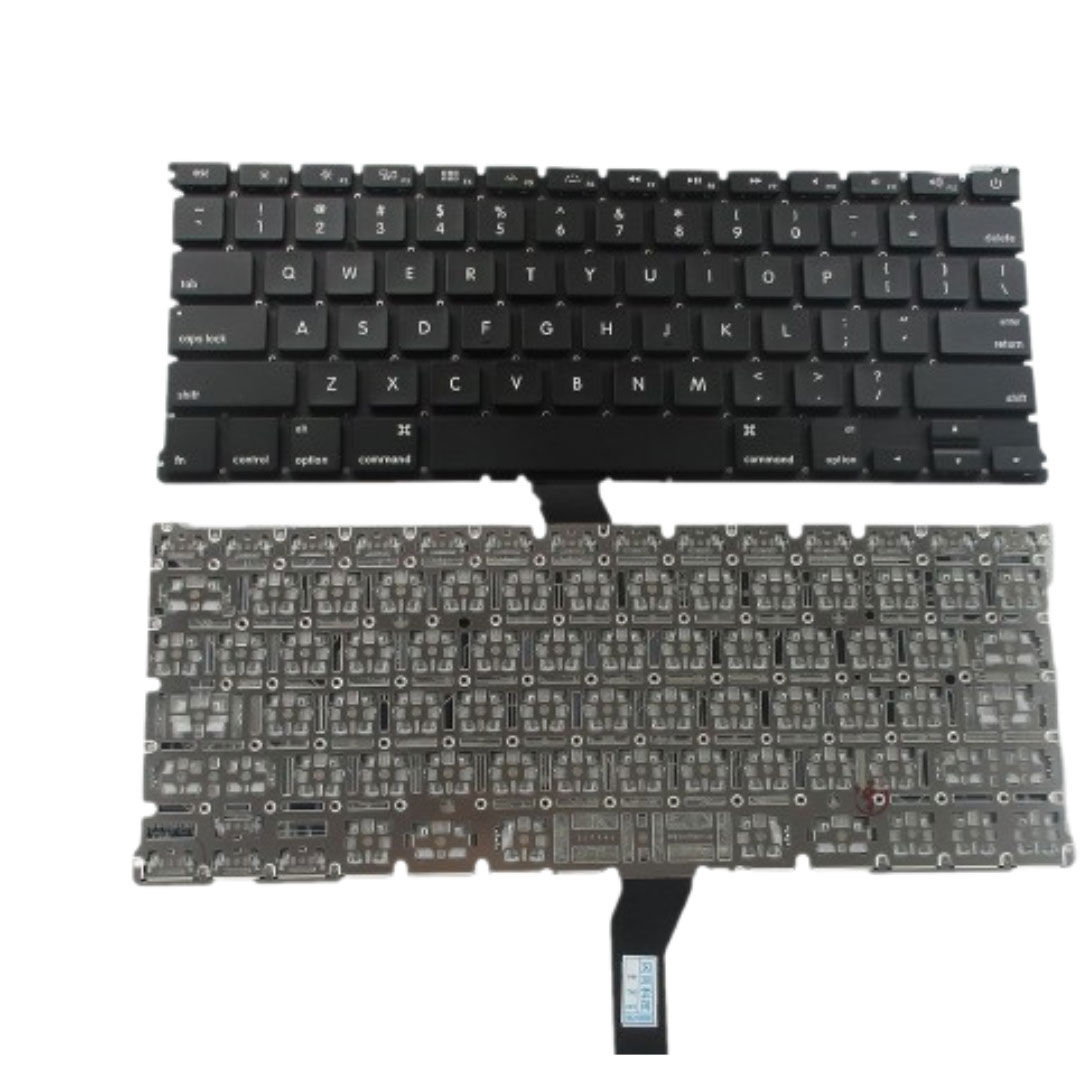
Genuine-spec US layout keyboard replacement for MacBook Pro 15″ (Models A1706 and A1707, 2016–2017)—featuring Apple’s second-generation Butterfly mechanism, backlighting, and full OEM compatibility for professional-grade repairs. Compatible With: MacBook Pro 15″ (2016, Model A1707) MacBook Pro 15″ (2017, Model A1706) Both models include Touch Bar and are powered by Intel Core i7/i9 processors. MacBook Pro 15″ (2016, Model A1707) MacBook Pro 15″ (2017, Model A1706) Both models include Touch Bar and are powered by Intel Core i7/i9 processors. Layout: Standard US English (QWERTY) with full-size keys, inverted-T arrow keys, and dedicated function row (mapped to Touch Bar). Keyboard Type: Apple’s 2nd-generation Butterfly mechanism—thinner profile with reduced travel; known for sensitivity but requires careful handling. Integrated Features: Backlit keys, ambient light sensor support, and original ribbon cable connector matching Apple’s design for direct logic board attachment. Build & Fit: Precision-engineered to align flush with the top case—ensures consistent key height and tactile response when properly installed. Installation Note: The keyboard is glued into the top case and must be carefully removed and re-adhered. Requires full disassembly of display, battery, and internal components. Recommended for experienced technicians only.
