
Apple MacBook Pro 16" A2141 2019 Logic Board i7 2.6GHz 16GB 512GB 4GB VGA Apple MacBook Pro 16″ A2141 2019 Logic Board i7 2.6GHz 16GB 512GB 4GB VGA Intel 2.6 GHz Six Core i7-9th gen 16 GB RAM 512 GB SSD AMD RADEON PRO 5300M 4GB Intel UHD Graphics 630 Intel 2.6 GHz Six Core i7-9th gen 16 GB RAM 512 GB SSD AMD RADEON PRO 5300M 4GB Intel UHD Graphics 630

HP 5 Pro 524pf Monitor Overview The HP 5 Pro 524pf is a 24-inch Full HD monitor designed for daily productivity. It delivers clear visuals and a clean modern design. As a result, it fits offices, students, and home workspaces. 24-Inch Full HD Display This monitor features a 24-inch Full HD resolution. Therefore, text appears sharp and easy to read. Moreover, images look clear and balanced. Because of this, it supports long working sessions without fatigue. In addition, wide viewing angles improve visibility. As a result, content stays clear from different positions. Smooth Performance for Daily Tasks The HP 5 Pro 524pf provides smooth visuals for everyday use. As a result, scrolling and browsing feel natural. Furthermore, the display maintains consistent brightness. This improves overall viewing comfort. Eye Comfort and Anti-Glare Screen This monitor includes eye comfort features. Therefore, it helps reduce eye strain during extended use. In addition, the anti-glare coating limits reflections. As a result, the screen stays clear in bright environments. Connectivity and Easy Setup The HP 5 Pro 524pf includes HDMI connectivity. As a result, it connects easily to laptops and desktops. Moreover, setup is quick and simple. Therefore, users can start working immediately. Sleek Design and Mounting Options The monitor features a slim and modern design. In addition, it supports VESA mounting. As a result, users can customize their workspace layout. Ideal for Work and Home Use This monitor focuses on clarity and reliability. Moreover, it suits office work, studying, and media viewing. In conclusion, the HP 5 Pro 524pf is a practical Full HD monitor for everyday use. Specifications: Display: 23.8-inch diagonal, IPS panel, 16:9 aspect ratio, 93 PPI, anti-glare. Performance: 100Hz refresh rate (50-100Hz range), 5ms GtG response time, 350 nits brightness. Connectivity: HDMI 1.4, DisplayPort 1.2, and a USB hub.

The MagSafe 3 Charging Cable delivers fast, secure, and convenient magnetic charging for compatible MacBook Pro and MacBook Air models—designed by Apple for effortless connection and optimal power delivery. Magnetic, Snap-On Design: Connects effortlessly with a strong magnet and safely detaches if tugged—helping prevent your MacBook from falling if someone trips over the cable. Compatible With: MacBook Pro (14-inch and 16-inch, 2021 and later) and MacBook Air (2022 and later models with MagSafe 3 port). Fast Charging Support: Works with compatible Apple USB-C power adapters (e.g., 67W, 96W) to enable fast charging on supported MacBooks. Reversible Connector: Plug it in either way—no need to check orientation. LED Charging Indicator: Built-in light shows charging status (amber = charging, green = fully charged). Durable Braided Cable: Reinforced for everyday use while maintaining flexibility and a premium feel. Apple-Engineered Precision: Designed to seamlessly integrate with your MacBook for reliable, efficient power delivery and optimal thermal performance. Note: Power adapter sold separately—this listing includes only the MagSafe 3 charging cabl

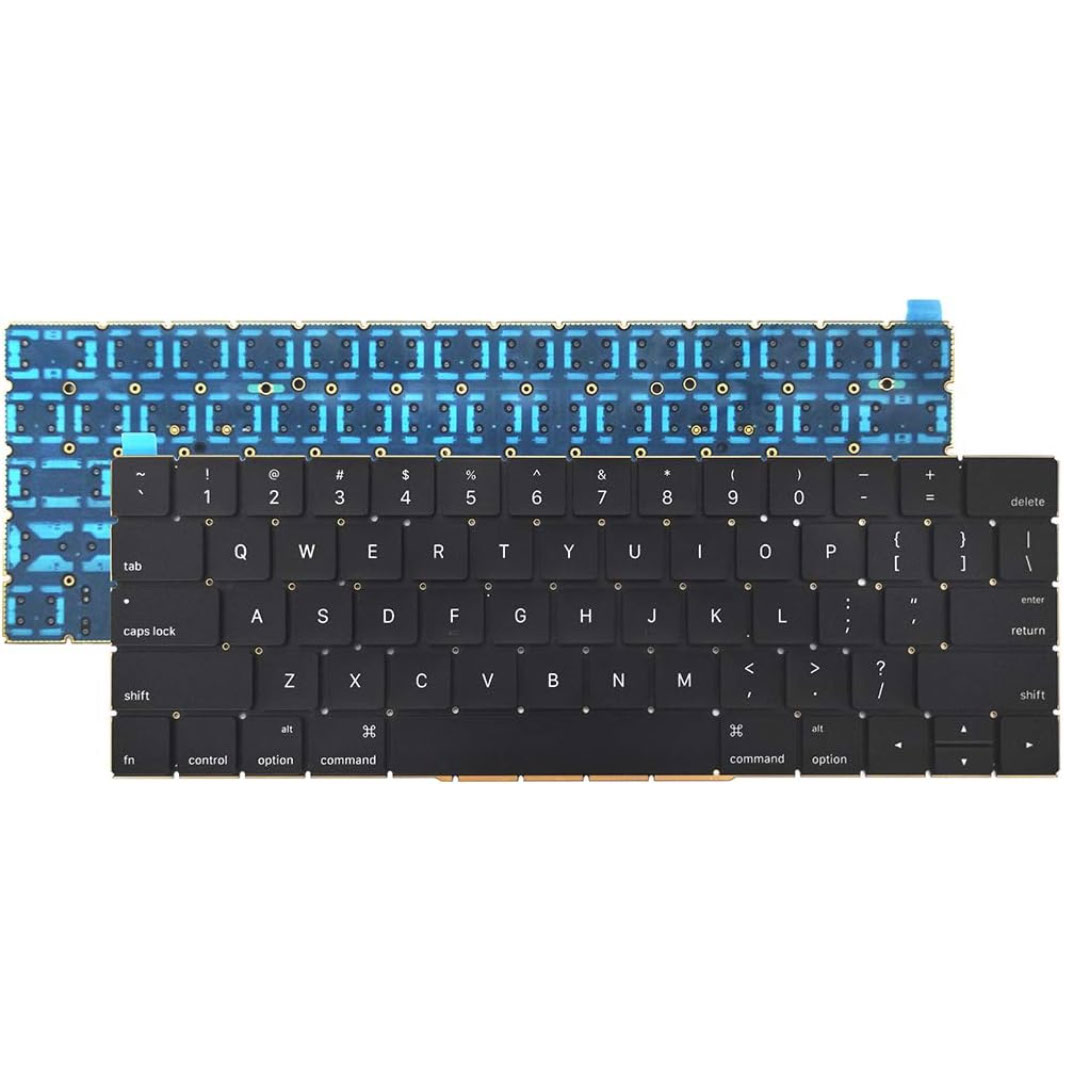
Digital Device Laptop Keyboard Compatible for MacBook AIR 13″ A1369 A1466 (MID 2011- MID 2017) US Layout 【Unique】Pls see detail compatible models in description below. 【Safe】Easy for you replace your faulty, cracked or broken keyboard ,seller remind that you should replace the keyboard in the off state. All pictures are taken from the real item, please check carefully before bidding, Replacement and high quality, Replace your faulty, cracked or broken keyboard. Each keyboard is tested before shipping Compatibility: MacBook Air 13″ A1369 Mid 2011: MC965LL/A (1.7 GHz Core i5) Mid 2011: MC966LL/A (1.7 GHz Core i5) Mid 2011: MD226LL/A (1.8 GHz Core i7) Compatibility: MacBook Air 13″ A1466 Mid 2012: MD231LL/A (1.8 GHz Core i5) Mid 2012: MD232LL/A (1.8 GHz Core i5) Mid 2012: MD232LL/A (2.0 GHz Core i7) Mid 2013: MD760LL/A (1.3 GHz Core i5) Mid 2013: MD761LL/A (1.3 GHz Core i5) Mid 2013: MD761LL/A (1.7 GHz Core i7) Early 2014: MD760LL/B (1.4 GHz Core i5) Early 2014: MD761LL/B (1.4 GHz Core i5) Early 2014: MD761LL/B (1.7 GHz Core i7) Compatibility: Early 2015: MJVE2LL/A (1.6 GHz Core i5 or 2.2 GHz Core i7) Early 2015: MJVG2LL/A (1.6 GHz Core i5 or 2.2 GHz Core i7) Identifying Numbers APN #: 661-6059, 661-6635, 661-7480

The MSI Pro MP161 E2 15.6″ 60Hz Portable Monitor is a lightweight and versatile display for professionals and gamers. It offers a compact design, making it easy to carry anywhere. This portable monitor features a 15.6-inch Full HD display with a resolution of 1920 x 1080. The 60Hz refresh rate ensures smooth visuals for work, entertainment, and gaming. The IPS panel delivers vibrant colors and wide viewing angles. With ultra-slim bezels, the MSI Pro MP161 E2 provides a sleek and modern look. It enhances your workspace without taking up too much space. The anti-glare screen ensures comfortable viewing in different lighting conditions. The portable monitor supports multiple connectivity options, including USB-C and Mini HDMI. This allows easy connection to laptops, tablets, and gaming consoles. Plug-and-play functionality makes setup quick and hassle-free. Weighing only 0.75 kg, the MSI Pro MP161 E2 15.6″ 60Hz Portable Monitor is perfect for travel. Its ultra-slim profile fits easily into bags, making it ideal for remote work or presentations. The built-in stand allows flexible positioning for better comfort. You can adjust the screen angle for the best viewing experience. The durable design ensures long-term reliability. With low blue light technology, this portable monitor reduces eye strain during extended use. It is perfect for professionals who spend hours in front of a screen. In conclusion, the MSI Pro MP161 E2 15.6″ 60Hz Portable Monitor is a great choice for those needing a secondary display. Its lightweight design, excellent visuals, and versatile connectivity make it ideal for work and entertainment. Specifications: Display : 15.6″ IPS Resolution : 1920×1080 FHD Refresh Rate : 60Hz Response Rate : 4ms Speaker : 1.5W x2

WiWU Pilot Backpack 15.6 inch Travelling Polyester Laptop Business School Travelling Backpack WiWU Pilot Backpack 15.6 inch Travelling Polyester Laptop Business School Travelling Backpack

The 60W MagSafe 2 Power Adapter features a magnetic DC connector so if someone should trip over it, the cord disconnects harmlessly and your MacBook Pro stays put safely. It also helps prevent fraying or weakening of the cables over time. In addition, the magnetic DC helps guide the plug into the system for a quick and secure connection. The 60W MagSafe 2 Power Adapter features a magnetic DC connector so if someone should trip over it, the cord disconnects harmlessly and your MacBook Pro stays put safely. It also helps prevent fraying or weakening of the cables over time. In addition, the magnetic DC helps guide the plug into the system for a quick and secure connection. When the connection is secure, an LED located at the head of the DC connector lights up; an amber light lets you know that your notebook is charging, while a green light tells you that you have a full charge. An AC cord is provided with the adapter for maximum cord length, while the AC wall adapter (also provided) gives you an even easier and more compact way to travel. Designed to be the perfect traveling companion, the adapter has a clever design which allows the DC cable to be wound neatly around itself for easy cable storage. Compatible with MacBook Pro with 13-inch Retina display. See this article for more details about choosing the right one. Knowing which specific Mac model you have is important. If you are running OS X Lion (10.7) or later go to the “” menu at the top left of your screen, choose “About this Mac” then click the “More Info…” button. Your Mac model and generation will be displayed. If you are running an earlier version of OS X, you can enter your serial number here to find out which model you have. COMPATIBILITY Mac Models: MacBook Pro (Retina, 13-inch, Late 2012 – 2015)

The MSI MAG 27CQ6F 27″ is a high-performance gaming monitor made for smooth and sharp visuals. It features a 27-inch curved display that enhances your viewing experience. With a 170Hz refresh rate, the MSI MAG 27CQ6F 27 delivers ultra-smooth action in every game. In addition, the 1ms response time ensures fast and clear visuals with no motion blur. This makes it ideal for fast-paced gaming. Moreover, the MSI MAG 27CQ6F 27″ uses a QHD resolution for crisp and detailed images. Thanks to its VA panel technology, colors appear rich and vibrant from all angles. Plus, the MSI MAG 27CQ6F 27 includes anti-flicker and low blue light features for better eye comfort. You can enjoy long hours of gaming without strain. The design of the MSI MAG 27CQ6F 27″ is sleek and modern, fitting perfectly into any setup. It supports tilt adjustment, so you can find the most comfortable viewing angle. Furthermore, its curved screen brings you closer to the action. For smoother gameplay, the MSI MAG 27CQ6F 27 “includes FreeSync support, reducing screen tearing and stuttering. You get a clear and stable picture every time you play. Also, the monitor has multiple ports for easy device connection. Whether you game, stream, or work, the MSI MAG 27CQ6F 27” offers reliable performance. Its fast response, great colors, and smart design make it a great choice. You’ll enjoy every detail and every moment on this monitor. To sum up, the MSI MAG 27CQ6F 27″ is perfect for gamers who want speed, clarity, and comfort in one screen. Specifications: Display : 27″ Rapid VA Resolution : 2560 x 1440 (WQHD) Refresh Rate : 180Hz Response Time : 0.5ms (GtG, Min.) Curvature : Curve 1500R

Genuine-spec touchpad flex cable for MacBook Pro 13″ with Touch Bar (Model A1708, 2016–2017)—restores full Force Touch functionality, haptic feedback, and precise multi-touch gesture control during trackpad repair or replacement. Compatible With: MacBook Pro 13″ (2016) – Model A1708 (Model Identifier: MacBookPro13,1) MacBook Pro 13″ (2017) – Model A1708 (Model Identifier: MacBookPro14,1) (Both years share the same internal trackpad assembly and flex cable.) MacBook Pro 13″ (2016) – Model A1708 (Model Identifier: MacBookPro13,1) MacBook Pro 13″ (2017) – Model A1708 (Model Identifier: MacBookPro14,1) (Both years share the same internal trackpad assembly and flex cable.) Part Type: Touchpad flex cable only — does not include the trackpad housing, Taptic Engine, or mounting hardware. This is the OEM-style ribbon cable that connects the trackpad to the logic board. Function: Transmits: Touch input coordinates Force Touch pressure data Haptic feedback signals to the Taptic Engine Enables full macOS gesture support: Force Click, three-finger lookup, swipe navigation, pinch-to-zoom, and smooth cursor tracking. Touch input coordinates Force Touch pressure data Haptic feedback signals to the Taptic Engine Enables full macOS gesture support: Force Click, three-finger lookup, swipe navigation, pinch-to-zoom, and smooth cursor tracking. OEM-Quality Build: Matches Apple’s original specifications in: Cable length and routing path Connector pitch and ZIF latch design EMI shielding and flex durability Cable length and routing path Connector pitch and ZIF latch design EMI shielding and flex durability Common Use Cases: Replacing a torn, creased, or liquid-damaged original flex cable Completing a trackpad replacement when the original cable is compromised Fixing intermittent trackpad behavior, loss of Force Touch, or complete unresponsiveness Replacing a torn, creased, or liquid-damaged original flex cable Completing a trackpad replacement when the original cable is compromised Fixing intermittent trackpad behavior, loss of Force Touch, or complete unresponsiveness Installation Note: Requires full bottom case removal and battery disconnection. Cable routes under internal components near the right speaker and logic board. Connects via a ZIF (Zero Insertion Force) socket—must be aligned carefully and latched gently. Recommended for experienced or certified technicians only. Requires full bottom case removal and battery disconnection. Cable routes under internal components near the right speaker and logic board. Connects via a ZIF (Zero Insertion Force) socket—must be aligned carefully and latched gently. Recommended for experienced or certified technicians only.

The ACER Nitro ED320QR 32″ Monitor delivers immersive and smooth visuals for gaming, work, and entertainment. It features a 32-inch Quad HD display that shows crisp details and vibrant colors. Moreover, its high refresh rate ensures fluid motion during fast-paced games and videos. This monitor uses a VA panel for strong contrast and wide viewing angles. Additionally, the fast response time reduces blur and ghosting during competitive gaming. The anti-glare screen minimizes reflections in bright rooms. HDMI and DisplayPort inputs allow easy connection to PCs, laptops, and consoles. Furthermore, tilt adjustment helps you find a comfortable viewing angle during long sessions. Low blue light and flicker-free technologies reduce eye strain during extended use. This display is suitable for gamers, professionals, and home users alike. Therefore, it supports gaming, multimedia, and productivity tasks. Finally, it combines sharp visuals, smooth performance, and comfort features for daily use. Specifications: Screen Size: 32″ Quad HD VA panel Resolution: 2560 × 1440 Refresh Rate: High for smooth motion Ports: HDMI + DisplayPort Features: Anti-glare, low blue light, flicker-free eye care

About this item 📱 Versatile Connectivity: Connect effortlessly with Bluetooth 4.2 to your smartphones, iPads, and computers. Also supports U disk, TF card (up to 32G), AUX input, and FM radio for versatile playback options. 📲 🔊 Powerful Sound with Heavy Bass: Enjoy rich, high-volume stereo sound with a powerful 20W output and a built-in heavy subwoofer, delivering an immersive audio experience for your home. 🎶 📻 Built-in FM Radio: Stay tuned to your favorite stations with the built-in FM radio feature, ensuring you never miss out on the latest news, music, and more. 📡 📞 Hands-Free Calling: Equipped with a clear call feature, this speaker allows you to answer phone calls directly through the speaker without lifting your phone. Perfect for multitasking! 🗣️ 📞 Hands-Free Calling: Equipped with a clear call feature, this speaker allows you to answer phone calls directly through the speaker without lifting your phone. Perfect for multitasking! 🗣️

HP E24 G5 FHD Monitor If you’re in the market for an affordable yet high-quality monitor for your everyday computing needs, look no further than the HP E24 G5 FHD Monitor. This versatile monitor is designed to meet your requirements without breaking the bank. The HP E24 G5 features a Full High Definition (FHD) display, ensuring that you’ll enjoy sharp and vivid visuals whether you’re working on documents, streaming content, or engaging in light gaming. With its 24-inch screen size, this monitor strikes a balance between providing adequate screen real estate for multitasking and conserving desk space. It’s an ideal addition to compact workstations. Setting up the E24 G5 is a breeze, thanks to its user-friendly interface and easy connectivity options. You can swiftly connect it to your PC or laptop and start your computing tasks without any hassle. The monitor’s design is both sleek and functional, making it a practical addition to any workspace. Its compact and modern appearance easily complements your existing setup. Whether you’re a student, professional, or home user, the HP E24 G5 delivers reliable performance without straining your budget. It’s a cost-effective choice that doesn’t compromise on quality. Specifications: 23.8″ FHD (1920 x 1080 @ 75 Hz) Flat IPS with Edge-lit 1 HDMI 1.4, 1 DisplayPort™ 1.2 Tilt and Height Adjustable, Pivot, Swivel Stand, VESA Mountable On-screen controls, Anti-glare, HP Eye Ease

The Lenovo ThinkVision T24‑40 24‑inch monitor offers clear and sharp Full HD visuals that improve everyday work and multimedia tasks. As a result, text, spreadsheets, and videos appear crisp and easy to view. In addition, the IPS panel provides wide viewing angles, so colors remain consistent even when you shift your position. Furthermore, this monitor includes features that help reduce eye strain during long sessions, making it suitable for office work, study, or creative tasks. It also offers flexible connectivity options that allow you to connect laptops and desktops without extra adapters. Therefore, it fits well into both professional and home environments. Overall, the Lenovo ThinkVision T24‑40 delivers dependable display quality and practical features, making it a great choice for users seeking a reliable 24‑inch monitor. Specifications: 24″ Full HD IPS display for crisp visuals Wide viewing angles for consistent colors Eye comfort features for long sessions Flexible connectivity for multiple devices Reliable performance for work and home use

2016 Apple 15" MacBook Pro Touch-Bar Logic Board 2.7Ghz i7 16Gb A1707 512GB , With Dual Graphics Radeon Pro 2016 Apple 15″ MacBook Pro Touch-Bar Logic Board 2.7Ghz i7 16Gb A1707 512GB , With Dual Graphics Radeon Pro

The ViewSonic VX2776-SH 27″ FHD 75Hz Monitor delivers clear visuals for work, entertainment, and daily use. Its Full HD resolution shows sharp details in videos, documents, and web browsing. The 27-inch screen gives wide space for multitasking and viewing comfort. This helps improve focus and productivity. Moreover, the ViewSonic VX2776-SH 27″ FHD 75Hz Monitor features a smooth 75 Hz refresh rate. This makes scrolling softer and motion more natural. Videos play smoothly with less blur. As a result, eye comfort improves during long viewing sessions. In addition, the monitor uses an IPS panel for wide viewing angles. Colors stay accurate even when viewed from the side. This helps during shared viewing and team work. The image remains bright and clear from different positions. Furthermore, the ViewSonic VX2776-SH 27″ FHD 75Hz Monitor includes eye comfort features for daily protection. The low blue light mode helps reduce eye strain. The flicker-free design supports longer use without discomfort. These features make it suitable for extended work and entertainment. Also, the monitor offers simple and flexible connectivity. It supports HDMI and VGA for easy device connection. You can connect laptops, desktops, and media players with ease. Switching sources becomes quick and smooth. In addition, the slim and modern design fits well in any space. The thin bezels give a clean and stylish look. The stand allows tilt adjustment for basic comfort. Wall mounting is also supported for flexible setups. Moreover, the large screen makes movies and shows more enjoyable. Text appears clear and easy to read. Daily tasks feel more comfortable and organized. The monitor blends well into both home and office spaces. Overall, the ViewSonic VX2776-SH 27″ FHD 75Hz Monitor delivers clarity, smooth motion, and daily comfort. It improves viewing quality for work, study, and entertainment. This monitor is a strong choice for users who want a large, smooth, and reliable display. Specifications: Display : 27″ IPS Resolution : FHD 1920 x 1080 Refresh Rate : 75Hz Response Time : 5ms

LG 24 inch 75Hz FHD IPS Monitor 24MP400-B is designed for everyday work, study, and casual use. It features a 23.8-inch Full HD IPS display with wide viewing angles. Additionally, it supports AMD FreeSync for smoother visuals. Therefore, it delivers stable performance for office tasks and light entertainment. The LG 24MP400-B offers 1920 × 1080 resolution with a 75Hz refresh rate. Moreover, it includes a 5ms response time and 250 nits brightness for clear image quality. It also provides 1000:1 contrast ratio and 178° viewing angles for consistent visuals. In addition, it supports HDMI and VGA inputs for flexible connectivity. Furthermore, it includes Reader Mode, Flicker Safe, Black Stabilizer, and Dynamic Action Sync. As a result, users get better eye comfort and improved visibility in dark scenes. It also supports VESA mounting for space-saving setups and flexible desk arrangements. manufacturer link Specifications: 23.8-inch Full HD (1920 × 1080) IPS display 75Hz refresh rate with AMD FreeSync support 5ms response time with 250 nits brightness HDMI and VGA connectivity options Flicker Safe and Reader Mode for eye comfort

The Dell OptiPlex 3040 Micro delivers dependable business performance in a compact, energy-efficient design. Featuring an Intel Core i5 6th Gen processor, 8GB DDR3L RAM, and SSD storage options, it is built for smooth multitasking, fast startups, and reliable operation in professional environments.

Remax F27 Fonzyr Desktop Fan – 5 W rechargeable fan with 360° adjustable airflow and multi-installation options.Compact (187×206 mm), lightweight, with fast Type-C charging (~2 h) and built-in 1,200 mAh battery. Model: Remax F27 Fonzyr Series Circulation Desktop Fan Power: 5 W, operates on 5 V/1 A power supply Rotation: 360° adjustable airflow for full-range ventilation Battery: Built-in 1,200 mAh rechargeable battery; Type-C charging, ~2 hours charging time Dimensions & Build: Approx. 187 × 206 mm, lightweight ABS plastic housing (~697 g) Installation: Designed for desktop use, wall mounting, or hanging—ideal for multi-location placement

Genuine-spec touchpad flex cable for MacBook Air 13″ (Model A1534, Early 2015)—essential for restoring full trackpad functionality, including precise cursor control and physical click response, during repair or replacement. Compatible With: MacBook Air 13-inch (Early 2015, Model A1534, Model Identifier MacBookAir7,2). Part Type: Touchpad flex cable only—does not include the trackpad housing, button mechanism, or mounting brackets. This is the ribbon cable that connects the trackpad to the logic board. Function: Carries input signals from the trackpad to the logic board—critical for cursor movement, tap-to-click, and primary/secondary physical click functionality. (Note: This model uses a physical click mechanism, not Force Touch—so no haptic feedback or pressure-sensing.) OEM-Quality Construction: Matches Apple’s original cable in length, connector type, and shielding—ensures reliable signal transmission and long-term durability. Common Use Cases: Replacing a torn, frayed, or damaged original flex cable Completing a trackpad replacement when the original cable is compromised Fixing erratic cursor movement, unresponsive trackpad, or loss of click function Replacing a torn, frayed, or damaged original flex cable Completing a trackpad replacement when the original cable is compromised Fixing erratic cursor movement, unresponsive trackpad, or loss of click function Installation Note: Requires bottom case removal and careful disconnect/reconnect of the ZIF (Zero Insertion Force) connector on the logic board. The cable routes under the battery—handle with care. Suitable for intermediate to advanced DIYers or technicians.

Logitech MK120 Wired USB Keyboard Mouse Desktop Combo Height: 6.10 in (155 mm) Width: 17.72 in (450 mm) Depth: 0.93 in (23.5 mm) Weight: 19.4 oz (550 g) Cable length: 4.9 ft (150 cm) Height: 4.45 in (113 mm) Width: 2.44 in (62 mm) Depth: 1.50 in (38 mm) Weight: 3.17 oz (90 g) Cable length: 70.87 in (180 cm) Spill-resistant design 1Tested under limited conditions (maximum of 60 ml liquid spillage). Do not immerse the keyboard in liquid. Adjustable keyboard height 10-Key Number pad Caps lock indicator light Num lock indicator light Up to 10 million keystrokes (excludes number lock key) Key type: Deep profile Sensor Technology: Optical tracking Number of Buttons: 3 (Left/Right-click, Middle click) Scrolling: line-by-line Scroll Wheel: Yes, optical Mouse plastics: 72% post-consumer recycled material 2Excludes plastic in cable assembly, printed wiring assembly (PWA) and packaging. Keyboard plastics: 54% post-consumer recycled material 3Excludes plastic in cable assembly, printed wiring assembly (PWA) and packaging. Windows® 10,11 or later Two available USB ports
