
Acer KA222Q Widescreen LCD Monitor The entry-level KA2 series provide a superb user experience and don’t compromise on quality. With a choice of display size and a ZeroFrame design it is ideal for use in homes and offices. Whether it’s running productivity apps or playing games this monitor has it all. Specifications: Acer KA222Q Widescreen LCD Monitor 1 Year Warranty

PCE 1500 M8 1500VA 600W PCE UPS SYSTEM M8-1500 1500VA 600W Input Voltage: 220/230/240 VAC, 1Ø2Wires Input Frequency: 50 or 60 Hz +/-10% (auto sensing) Power: 600W Output voltage: 220/230/240VAC+/-1% Output Frequency: 50 or 60 Hz +/-1% Full Protection: Overload, discharge, and overcharge protection PCE UPS SYSTEM M8-1500 1500VA 600W Input Voltage: 220/230/240 VAC, 1Ø2Wires Input Frequency: 50 or 60 Hz +/-10% (auto sensing) Power: 600W Output voltage: 220/230/240VAC+/-1% Output Frequency: 50 or 60 Hz +/-1% Full Protection: Overload, discharge, and overcharge protection

AOC Q27P3CW 27″ QHD monitor with webcam delivers a professional workspace solution with sharp visuals, built-in communication tools, and modern connectivity. It is designed for productivity, remote work, and multitasking environments. Additionally, it features a 27-inch QHD IPS display. This display provides 2560 × 1440 resolution, so it delivers clear detail and accurate colors for work and media. Moreover, it includes a 100Hz refresh rate and 4ms response time. As a result, it ensures smooth visuals and responsive performance during daily tasks. The monitor integrates a 5MP webcam with Windows Hello support. Therefore, it enables secure login and high-quality video calls without extra accessories. In addition, it offers USB-C connectivity with power delivery up to 90W. This allows a single cable to handle display, data, and charging for compatible laptops. Furthermore, it includes built-in dual 5W speakers, USB hub, RJ-45 Ethernet, and multiple display outputs. These features improve workspace efficiency and reduce cable clutter. AOC Q27P3CW 27″ QHD monitor with webcam provides a complete all-in-one display solution for professionals who need clarity, connectivity, and integrated communication tools. Specifications: 27-inch QHD IPS display with 2560 × 1440 resolution 5MP webcam with Windows Hello and built-in microphone USB-C with up to 90W power delivery and data transfer 100Hz refresh rate with 4ms response time Built-in dual 5W speakers, USB hub, and RJ-45 connectivity

256GB SSD Apple Macbook Pro Air 2013 2014 2015 A1502 A1398 A1466 A1465 | Samsung MZ-JPU512T/A06 | 655-1805D ORIGINAL APPLE PART (Apple sources their SSD’s for MacBooks from Samsung) A1502 – A1398 – A1465 – A1466 100% TESTED WORKING Please check compatibility below before you make your purchase: COMPATIBILITY: MacBook Pro Retina Late 2013 – Mid-2015 MacBookPro11,1 (A1502) – ME864LL/A, ME866LL/A, ME867LL/A, MGX72LL/A, MGX92LL/A, & MGXD2LL/A MacBookPro11,2 (A1398) – ME293LL/A & MGXA2LL/A MacBookPro11,3 (A1398) – ME294LL/A, ME874LL/A, MGXC2LL/A, & MGXG2LL/A MacBookPro11,4 (A1398) – MJLQ2LL/A MacBookPro11,5 (A1398) – MJLT2LL/A & MJLU2LL/A MacBookPro12,1 (A1502) – MF839LL/A, MF841LL/A, & MF843LL/A MacBook Air Mid-2013 – Late 2015 MacBookAir6,1 (A1465) – MD711LL/A, MD760LL/A, MD711LL/B, & MF067LL/A MacBookAir6,2 (A1466) – MD760LL/A, MD760LL/B, & MF068LL/A MacBookAir7,1 (A1465) – MJMVM2LL/A MacBookAir7,2 (A1466) – MJVE2LL/A Model Identifier: Samsung Manufacturer Part# MZ-JPU512T/A06

WiWU ZM‑901 – Sturdy foldable aluminum stand with adjustable angles and silicone pads, weighing just 900 g.Enhances posture, airflow, and workspace ergonomics while staying compact and travel-friendly. Model: WiWU ZM‑901 Material: Metal (aluminum/carbon steel) frame with silicone pads for grip Dimensions (Folded): 260 × 225.5 × 53 mm Package Size: 290 × 250 × 50 mm Net Weight: Approx. 900 g Compatibility: Fits laptops, tablets, and smartphones up to ~17 ” (some listings note 15.6″ limit, but device capacity varies) Features: Adjustable angle configuration, detachable foldable design for portability, silicone surface pads for anti-slip and vibration reduction Build & Design: Durable yet lightweight, crafted to enhance airflow and promote ergonomic posture

Dominate the battlefield with the Genius Scorpion M705, featuring a high-precision 7200 DPI sensor and striking 7-color breathing RGB lighting. Built with a durable braided cable and 6 programmable buttons, it’s the ultimate entry-level weapon for gamers seeking speed, style, and reliability. The Genius Scorpion M705 is designed to provide gamers with a competitive edge without compromising on comfort. Equipped with an optical sensor that reaches up to 7200 DPI, it ensures smooth and accurate tracking across various surfaces. Its ergonomic right-handed shape and lightweight build reduce wrist strain during marathon sessions, while the integrated 32K memory allows you to take your custom macros and profiles wherever you go. Adjustable 7200 DPI Sensor: Seamlessly switch between six sensitivity levels (800/1600/2400/3200/4800/7200 DPI) to match your game’s pace, from high-speed movement to pixel-perfect sniping. Dynamic RGB Breathing Effects: Enhance your gaming atmosphere with 7 dazzling LED colors that pulse with a “breathing” effect. You can easily adjust the lighting mode using the DPI + Forward/Backward shortcuts. 6 Programmable Buttons: Fully customize your controls. Assign macros, shortcut keys, or specific in-game commands to the 6 buttons to execute complex actions with a single click. Built-in 32K Memory: Save your settings directly on the mouse. Your custom profiles and button assignments stay with you, even when switching to a different PC. Professional Durability: Features a 1.8-meter braided USB cable that prevents tangling and increases the lifespan of the device, ensuring a stable, low-latency connection. Sensor Type: Optical Resolution: 800 – 7,200 DPI Number of Buttons: 6 (Programmable) Illumination: 7-Color RGB Breathing LED Interface: USB Wired Cable: 1.8m Braided Cable Internal Memory: 32K Dimensions: 120.2 x 72.7 x 39.6 mm Weight: Approx. 120g (including cable) Compatibility: Windows 8, 10, 11 or later What’s in the Box Compatibility: Windows 8, 10, 11 or later What’s in the Box Genius Scorpion M705 Gaming Mouse Multi-language Quick Guide

The Meetion C235 is an economical wired keyboard and mouse combo featuring a full-size 104-key layout and reliable USB connectivity. Designed for business and office use, it offers comfortable typing, smooth mouse control, and plug-and-play compatibility with laptops and desktops. The Meetion C235 Keyboard & Mouse Combo is a practical and cost-effective solution for everyday office and business needs. With a full-size 104-key keyboard, it provides a familiar and comfortable typing experience, making it perfect for work, study, and daily computer use. The included wired mouse ensures precise and smooth control, while the USB plug-and-play setup makes installation quick and effortless on both laptops and desktop PCs. Full-Size 104-Key Keyboard for comfortable and efficient typing Wired USB Connection for stable, lag-free performance Plug & Play – no drivers required Comfortable Key Layout ideal for office and business work Smooth Wired Mouse Included for accurate control Durable Design suitable for long working hours Compatible with Laptop & Desktop PCs Economical Combo Set perfect for home or office setups Ideal for business offices, schools, home setups, and laptop users who need a reliable keyboard and mouse combo for productivity. Works with most computers and laptops supporting USB.

In the world of monitors, the ViewSonic VA2406-h 24″ stands out as a reliable solution, offering clear visuals and straightforward features for an enhanced viewing experience. Transitioning to its key features, the VA2406-h excels in providing crisp and clear visuals. This monitor is designed to deliver sharp images and vibrant colors, ensuring a visually engaging experience for work, entertainment, or everyday tasks. Moreover, this display impresses with its sleek and minimalistic design. The ViewSonic VA2406-h not only complements your workspace but also ensures easy setup, making it an ideal choice for users seeking simplicity. In addition to its functionality, the VA2406-h offers user-friendly controls and versatile connectivity options, ensuring a hassle-free experience. This monitor seamlessly adapts to various settings, providing flexibility for different viewing preferences. Furthermore, ViewSonic’s commitment to user satisfaction is evident in the VA2406-h’s energy-efficient design and eye-care technology. It’s a reliable companion for extended viewing periods without compromising on visual quality. In conclusion, the ViewSonic VA2406-h 24″ redefines visual clarity and simplicity, combining clear visuals, sleek design, and user-friendly features. Elevate your viewing experience effortlessly with the VA2406-h – your clear and straightforward solution for enhanced display quality! Specifications: SuperClear 178°/178° Full HD 1080p Flicker Free Blue Light Filter ViewMode: Game/Movie/Web/Text/Mono Low Energy Consumption VGA: 1 3.5mm Audio Out: 1 HDMI 1.4: 1

The Samsung 75″ QLED Q8F 4K Vision AI Smart TV (2025) | QA75Q8FAAUXTW delivers a premium viewing experience with advanced QLED display technology. It produces bright, sharp, and colorful images, so movies, sports, and games look highly immersive on the large 75-inch screen. QLED technology uses Quantum Dot enhancement to improve color accuracy and brightness performance. As a result, visuals appear more vibrant and balanced in both dark and bright scenes. This helps maintain consistent picture quality across different types of content and lighting conditions. Vision AI enhances picture and sound in real time. It analyzes each scene and automatically adjusts brightness, sharpness, and color for optimal viewing. Therefore, the TV consistently delivers improved visuals without manual tuning. In addition, AI upscaling improves lower-resolution content closer to 4K quality for better clarity and detail. HDR support expands contrast and color depth, making visuals more dynamic and lifelike. Fast motion handling also improves clarity, which enhances sports and action content by reducing blur and improving smoothness. The Smart TV platform provides easy access to streaming apps, gaming features, and smart home controls. It runs smoothly and allows quick switching between apps. In addition, the slim design with thin bezels gives the Samsung 75 QLED Q8F 4K Vision AI Smart TV (2025) | QA75Q8FAAUXTW a modern and premium appearance for large living spaces. Overall, this Samsung QLED TV combines strong brightness performance, AI optimization, and smart connectivity for a powerful home entertainment experience. Specifications: QLED technology delivers bright and vibrant picture quality 75-inch 4K display provides immersive viewing experience Vision AI enhances picture and sound automatically in real time HDR improves contrast, brightness, and color depth Smart TV platform supports apps, streaming, and smart features

L12M4E01 L12L4A02 Battery for Lenovo G50 G50-70 G50-45 Z710 G400s S510p G510s G500s G40-70 G50-30,IdeaPad Z50,IdeaPad S510p Touch,IdeaPad G505s,IdeaPad S410p About this item This battery type: Li-ion; Voltage: 14.8V Capacity: 2600MAH; Cells: 4-cell;color: Black; 100% Brand New.Fit P/N L12L4A02, L12L4E01, L12M4A02, L12M4E01, L12S4A02, L12S4E01 Compatible Models: Relacement battery for lenovo G400s G40-30 G40-45 G405s G40-70 G40-70M G410s G50 G500s G50-30 G50-45 G505s G505s G50-70 G50-70A G50-70M G50-75 G50-80 G510s G510s S410p S410p S435 S510p S510p Z40 Z40-70 Z40-75 Z50 Z50-70 Z70 Z70-70 Z70-80 Z710 Compatible P/N: Lenovo battery L12L4A02 L12L4E01 L12M4A02 L12M4E01 L12S4A02 L12S4E01 121500171 121500172 121500173 121500174 121500175 121500176 90202869 All FTYTEN products are 100% Brand New; Grade A Li-ion battery cells ensure fast charges; Rigorous quality control; Overcharger and Discharger Circuit Protection, CE-/FCC-/RoHS-Certified for safety.

Genuine-spec US layout keyboard replacement for MacBook Pro 15″ (2018–2019, Models A1989/A1990)—designed for reliable typing, full compatibility, and seamless integration with original top case assemblies. Compatible With: MacBook Pro 15-inch (2018 A1989 and 2019 A1990 models) with Touch Bar. Layout: Standard US English (QWERTY) with full-size keys, including inverted-T arrow keys and dedicated function row. Integrated Features: Includes built-in backlighting, scissor-switch mechanism (3rd-gen Butterfly or revised Butterfly mechanism, depending on original model year), and ribbon cable connector matching Apple’s OEM design. Functionality: Supports all native keyboard features, including brightness, volume, media controls, and Touch ID power button (note: Touch ID sensor is not included—this is the keyboard only). Build Quality: Precision-engineered to match Apple’s original fit, feel, and durability—ideal for professional repairs or top case refurbishment. Installation Note: Requires full top case disassembly. Keyboard is adhered to the top case and must be carefully removed and replaced using proper tools and techniques. Recommended for experienced technicians. Model Verification: Ensure your MacBook is A1989 (2018) or A1990 (2019) before purchase—keycaps and connectors differ from other MacBook generations.

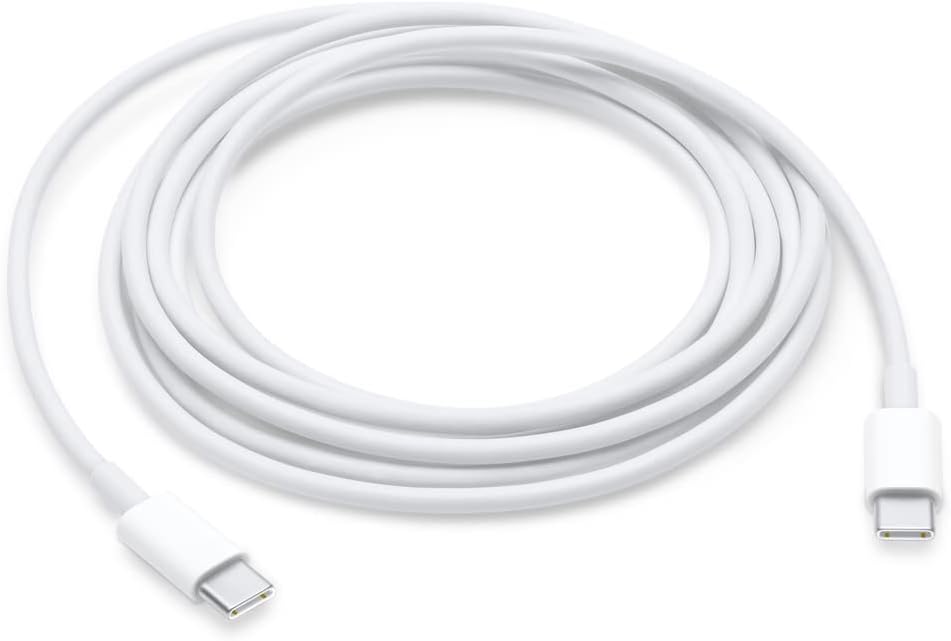
Apple 140W USB-C Power Adapter | MLYU3AM/A

The Apple Magic Mouse (USB-C version) is a sleek, minimalist multi-touch wireless mouse built for Mac users. It offers smooth gesture support, Bluetooth connectivity and a built-in rechargeable battery — a great choice if you prefer a clean desk setup and full compatibility with macOS and iPadOS. General Name: Magic Mouse (USB-C) — part of Apple’s pointing-device lineup. Wireless connectivity: Bluetooth. Rechargeable battery: built-in, no disposable AA cells. Charging / port: USB-C port (bottom of mouse) for pairing and charging. Compatibility: Requires a Mac with macOS 15.1 or later, or an iPad with iPadOS 18.1 or later. Size & Weight Height: ~0.85 inch (2.16 cm) Width: ~2.25 inch (5.71 cm) Depth: ~4.47 inch (11.35 cm) Weight: ~0.22 pound (0.099 kg) (varies slightly by manufacturing) Features Multi-Touch surface: supports gestures such as swiping between pages, scrolling through documents, zooming. Glide / foot design: optimized for smooth movement across desktop surfaces. Rechargeable battery life: about a month or more between charges (typical use) per Apple spec. Used Condition ConsiderationsSince you’re specifying a used unit: Check for wear on the bottom feet / skates — these degrade and affect glide. Verify battery capacity / health (rechargeable batteries age). Confirm the port is functioning (USB-C) and Bluetooth connectivity is stable. Look for signs of excessive surface scratches on the multi-touch top — may impair gestures. Ensure the firmware / Mac recognizes it fully (gestures working). Upgradability / Limitations Not user-upgradable: You cannot replace the internal battery or change internals easily. Design limitation: The USB-C port remains on the bottom of the mouse, meaning you cannot use it while charging unless you flip it. This design is still criticized. Ergonomics: The flat, low-profile design is stylish but may not suit extended-use comfort for some users.

The Riotouch 86″ Interactive Panel is designed to transform educational and professional environments with its cutting-edge features and user-friendly interface. This interactive flat panel offers a seamless blend of performance, connectivity, and intuitive design, making it an ideal choice for classrooms and conference rooms. Featuring a 86-inch 4K UHD display (3840 x 2160 resolution), the panel delivers crisp visuals and vibrant colors. Its 4mm anti-glare tempered glass ensures clear visibility from any angle, reducing eye strain during prolonged use. The panel supports up to 40-point multi-touch and 20-point multi-writing capabilities, allowing multiple users to interact simultaneously. This feature fosters collaborative learning and dynamic presentations, enhancing engagement and productivity. Powered by a quad-core Cortex-A55 processor and equipped with 4GB RAM and 32GB storage, the Riotouch panel ensures smooth performance. Its dual operating system support (Android and Windows) provides versatility, accommodating various software applications and user preferences. Connectivity is robust, with multiple ports including HDMI, USB 3.0, USB-C, VGA, and RJ45, facilitating easy integration with other devices. Built-in Wi-Fi and Bluetooth capabilities enable wireless connections, promoting a clutter-free workspace. The panel comes with integrated 2x15W front-facing speakers, delivering clear audio for multimedia presentations. Additionally, it includes a built-in 13MP 4K camera and microphone, supporting high-quality video conferencing and remote collaboration. Designed with user convenience in mind, the Riotouch panel features intuitive front controls for power, volume, and input selection. Its slim aluminum frame and wall-mountable design ensure it fits seamlessly into any environment. In summary, the Riotouch 86″ Interactive Panel combines high-resolution display, multi-touch interactivity, and versatile connectivity, making it a comprehensive solution for modern collaborative spaces. Specifications: Display : 86″ 4K UHD Touch Memory : 4GB Storage : 32GB OS : Android 11

AOC 24B36X 23.8-inch 144Hz monitor delivers smooth and responsive performance for gaming, work, and daily use. It focuses on fast refresh rate, clear visuals, and reliable IPS panel quality. Additionally, it features a 23.8-inch IPS panel with Full HD resolution (1920 × 1080). This panel provides accurate colors and wide viewing angles, so it ensures consistent image quality from any position. Moreover, it supports a 144Hz refresh rate with 0.5ms MPRT response time. As a result, it delivers smooth motion and reduces blur during fast-paced scenes and gaming. The monitor includes Adaptive Sync technology. Therefore, it reduces screen tearing and stuttering for stable and fluid performance. In addition, it supports HDR10. This improves contrast and color depth, so visuals appear more vivid and detailed. Furthermore, it includes Flicker-Free and Low Blue Light technologies. So it reduces eye strain during long working or gaming sessions. The design also features a slim three-sided frameless layout with HDMI and DisplayPort connectivity for modern setups. AOC 24B36X 23.8-inch 144Hz monitor provides a balanced combination of speed, clarity, and comfort for both gaming and productivity. Specifications: 23.8-inch IPS panel with Full HD 1920 × 1080 resolution 144Hz refresh rate for smooth visual performance 0.5ms MPRT response time for reduced motion blur Adaptive Sync for tear-free and stable visuals HDR10 with Flicker-Free and Low Blue Light features

AOC Q32V3S/WS 31.5-inch QHD monitor delivers sharp visuals and a clean design for productivity, media, and light gaming. It focuses on large-screen clarity, accurate color, and comfortable daily use. Additionally, it features a 31.5-inch IPS panel with QHD resolution (2560 × 1440). This resolution provides fine detail and extra workspace, so it improves multitasking and visual clarity. Moreover, it uses IPS technology. As a result, it delivers consistent colors and wide viewing angles from almost any position. The monitor supports a 4ms GtG response time. Therefore, it keeps motion reasonably smooth for general use and casual entertainment. In addition, it includes Adaptive Sync support. This reduces screen tearing and stuttering, so visuals stay smoother during compatible gaming and video playback. Furthermore, it includes Low Blue Light and Flicker-Free technologies. So it helps reduce eye strain during long working or study sessions. AOC Q32V3S/WS 31.5-inch QHD monitor provides a large, sharp display with comfort-focused features for everyday productivity and entertainment. Check out other option here! Specifications: 31.5-inch IPS panel with QHD 2560 × 1440 resolution Wide viewing angles with consistent color accuracy 4ms GtG response time for smooth visuals Adaptive Sync for reduced tearing and stuttering Low Blue Light and Flicker-Free eye comfort tech

MacBook Pro 13″ Retina A1989 / A2159 (2018-2019) Display Assembly (Silver) MacBook Pro 13″ Touch Bar 2019z A1989 (EMC 3214 MacBookPro15,2) 2.3 GHz A1989 (EMC 3214 MacBookPro15,2) 2.7 GHz MacBook Pro 13″ Touch Bar 2019 A1989 (EMC 3358 MacBookPro15,2) 2.4 GHz A1989 (EMC 3358 MacBookPro15,2) 2.8 Ghz MacBook Pro 13″ Two Thunderbolt Ports 2019 A2159 (EMC 3301 MacBookPro15,4) 1.4 GHz A2159 (EMC 3301 MacBookPro15,4) 1.7 GHz

Sleek, ultra-thin 24-inch Full HD display with micro-edge design, flicker-free technology, and versatile connectivity—ideal for productivity, home office, or multi-display setups. Model: HP V24v G5 Screen Size: 23.8 inches (viewable), 24-inch class Display Type: IPS (In-Plane Switching) panel Resolution: 1920 x 1080 (Full HD) at 60Hz Brightness: 250 cd/m² Contrast Ratio: 1,000:1 (static), 10,000,000:1 (dynamic) Response Time: 7 ms (gray-to-gray) Viewing Angles: 178° horizontal / 178° vertical (excellent color consistency from wide angles) Design Features: 3-sided micro-edge bezel – ideal for seamless multi-monitor setups Ultra-slim profile – modern, minimalist aesthetic Tilt-only stand: -5° to +25° VESA Mount Compatible: 100 x 100 mm (stand removable) 3-sided micro-edge bezel – ideal for seamless multi-monitor setups Ultra-slim profile – modern, minimalist aesthetic Tilt-only stand: -5° to +25° VESA Mount Compatible: 100 x 100 mm (stand removable) Connectivity: 1 x HDMI 1.4 1 x VGA (D-Sub) Audio Line-out (3.5mm) – for use with external speakers/headphones No built-in speakers 1 x HDMI 1.4 1 x VGA (D-Sub) Audio Line-out (3.5mm) – for use with external speakers/headphones No built-in speakers Eye Comfort & Sustainability: Flicker-free backlight HP Eye Ease (TÜV-certified low blue light mode—reduces eye strain without color distortion) ENERGY STAR® certified Made with post-consumer recycled plastics (up to 85% in enclosure) Flicker-free backlight HP Eye Ease (TÜV-certified low blue light mode—reduces eye strain without color distortion) ENERGY STAR® certified Made with post-consumer recycled plastics (up to 85% in enclosure) Ideal For: Home office & remote work Students and professionals Dual/triple monitor productivity setups Everyday computing, web browsing, and document editing Home office & remote work Students and professionals Dual/triple monitor productivity setups Everyday computing, web browsing, and document editing Dimensions (with stand): 21.26 x 7.76 x 15.83 in (540 x 197 x 402 mm) 21.26 x 7.76 x 15.83 in (540 x 197 x 402 mm) Weight: ~7.5 lbs (3.4 kg)

The Alienware AW2725DF 27″ 360Hz OLED Gaming Monitor is built for gamers who demand top performance and rich visuals. It features a 27-inch QHD (2560 x 1440) display, offering clear detail and vibrant colors. This monitor uses a Quantum Dot OLED panel, which delivers deep blacks, bright highlights, and true-to-life colors. With a 360Hz refresh rate and 0.03ms response time, motion is silky smooth and incredibly sharp. It covers 99.3% of the DCI-P3 color range, making every game look vivid and accurate. It also supports HDR with DisplayHDR True Black 400, enhancing contrast and brightness in dark scenes. For connections, it offers two DisplayPort 1.4, one HDMI 2.1, four USB 3.2 Gen 1 ports, and a USB-C port with 15W power delivery. This gives you plenty of options for plugging in accessories and charging devices. The stand supports height, tilt, swivel, and pivot adjustments, so you can game comfortably for hours. It’s also VESA mount compatible, allowing flexible setups to fit your space. Extra features include AlienFX lighting for customization and gaming overlays that offer helpful tools during play. A built-in USB hub and cable management system help keep your desk neat. In short, the Alienware AW2725DF combines a fast OLED panel, ultra-high refresh rate, and stunning color accuracy, making it perfect for competitive and immersive gaming. Specifications: Display : 27″ QD-OLED Resolution : QHD 2560 x 1440 Refresh Rate : 360Hz Response Time : 0.03ms

Genuine-spec touchpad flex cable for MacBook Pro 15″ (Model A1706 – 2017 and A1989 – 2018/2019)—restores full Force Touch functionality, haptic feedback, and precise multi-touch gesture control during trackpad repair or replacement. Compatible With: MacBook Pro 15″ (2017) – Model A1706 (Model Identifier: MacBookPro14,3) MacBook Pro 15″ (2018–2019) – Model A1989 (Model Identifier: MacBookPro15,2) ✅ Note: Apple used the same trackpad assembly and flex cable across both A1706 and A1989 15″ models—making this part interchangeable between them. MacBook Pro 15″ (2017) – Model A1706 (Model Identifier: MacBookPro14,3) MacBook Pro 15″ (2018–2019) – Model A1989 (Model Identifier: MacBookPro15,2) ✅ Note: Apple used the same trackpad assembly and flex cable across both A1706 and A1989 15″ models—making this part interchangeable between them. ✅ Note: Apple used the same trackpad assembly and flex cable across both A1706 and A1989 15″ models—making this part interchangeable between them. Part Type: Touchpad flex cable only — does not include the trackpad housing, Taptic Engine, or mounting hardware. This is the OEM-style ribbon cable connecting the trackpad to the logic board. Function: Transmits: Touch input coordinates Force Touch pressure data Haptic feedback signals to the Taptic Engine Enables full macOS gesture support: Force Click, three-finger lookup, swipe navigation, pinch-to-zoom, and smooth cursor tracking. Touch input coordinates Force Touch pressure data Haptic feedback signals to the Taptic Engine Enables full macOS gesture support: Force Click, three-finger lookup, swipe navigation, pinch-to-zoom, and smooth cursor tracking. OEM-Quality Build: Matches Apple’s original in: Cable length and routing Connector pitch and ZIF latch design EMI shielding and flex durability Cable length and routing Connector pitch and ZIF latch design EMI shielding and flex durability Common Use Cases: Replacing a torn, creased, or liquid-damaged original flex cable Completing a trackpad replacement when the original cable is compromised Fixing intermittent trackpad behavior, loss of Force Touch, or complete unresponsiveness Replacing a torn, creased, or liquid-damaged original flex cable Completing a trackpad replacement when the original cable is compromised Fixing intermittent trackpad behavior, loss of Force Touch, or complete unresponsiveness Installation Note: Requires full bottom case removal and battery disconnection. Cable routes under internal components near the right speaker and logic board. Connects via a ZIF (Zero Insertion Force) socket—must be aligned carefully and latched gently. Recommended for experienced or certified technicians only. Requires full bottom case removal and battery disconnection. Cable routes under internal components near the right speaker and logic board. Connects via a ZIF (Zero Insertion Force) socket—must be aligned carefully and latched gently. Recommended for experienced or certified technicians only.
