
Genuine-spec touchpad flex cable for MacBook Pro 13″ with Touch Bar (Model A1708, 2016–2017)—restores full Force Touch functionality, haptic feedback, and precise multi-touch gesture control during trackpad repair or replacement. Compatible With: MacBook Pro 13″ (2016) – Model A1708 (Model Identifier: MacBookPro13,1) MacBook Pro 13″ (2017) – Model A1708 (Model Identifier: MacBookPro14,1) (Both years share the same internal trackpad assembly and flex cable.) MacBook Pro 13″ (2016) – Model A1708 (Model Identifier: MacBookPro13,1) MacBook Pro 13″ (2017) – Model A1708 (Model Identifier: MacBookPro14,1) (Both years share the same internal trackpad assembly and flex cable.) Part Type: Touchpad flex cable only — does not include the trackpad housing, Taptic Engine, or mounting hardware. This is the OEM-style ribbon cable that connects the trackpad to the logic board. Function: Transmits: Touch input coordinates Force Touch pressure data Haptic feedback signals to the Taptic Engine Enables full macOS gesture support: Force Click, three-finger lookup, swipe navigation, pinch-to-zoom, and smooth cursor tracking. Touch input coordinates Force Touch pressure data Haptic feedback signals to the Taptic Engine Enables full macOS gesture support: Force Click, three-finger lookup, swipe navigation, pinch-to-zoom, and smooth cursor tracking. OEM-Quality Build: Matches Apple’s original specifications in: Cable length and routing path Connector pitch and ZIF latch design EMI shielding and flex durability Cable length and routing path Connector pitch and ZIF latch design EMI shielding and flex durability Common Use Cases: Replacing a torn, creased, or liquid-damaged original flex cable Completing a trackpad replacement when the original cable is compromised Fixing intermittent trackpad behavior, loss of Force Touch, or complete unresponsiveness Replacing a torn, creased, or liquid-damaged original flex cable Completing a trackpad replacement when the original cable is compromised Fixing intermittent trackpad behavior, loss of Force Touch, or complete unresponsiveness Installation Note: Requires full bottom case removal and battery disconnection. Cable routes under internal components near the right speaker and logic board. Connects via a ZIF (Zero Insertion Force) socket—must be aligned carefully and latched gently. Recommended for experienced or certified technicians only. Requires full bottom case removal and battery disconnection. Cable routes under internal components near the right speaker and logic board. Connects via a ZIF (Zero Insertion Force) socket—must be aligned carefully and latched gently. Recommended for experienced or certified technicians only.

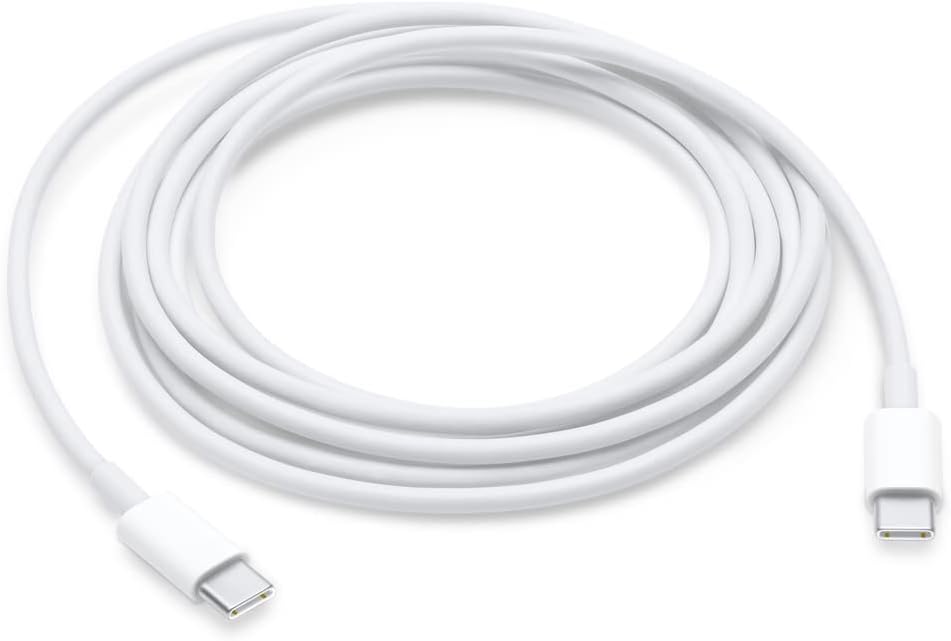
Apple USB-C to Lightning Cable (1m) - With Apple Warranty Apple USB-C to Lightning Cable (1m) – With Apple Warranty Connect your iPhone, iPad or iPod with Lightning connector to your USB-C– or Thunderbolt 3 (USB-C)–enabled Mac for syncing and charging, or to your USB-C–enabled iPad for charging. You can also use this cable with your Apple 18W, 20W, 29W, 30W, 61W, 87W or 96W USB‑C Power Adapter to charge your iOS device and even take advantage of the fast-charging feature on selected iPhone and iPad models.

Apple MacBook Pro 16" A2141 2019 Logic Board i7 2.6GHz 16GB 512GB 4GB VGA Apple MacBook Pro 16″ A2141 2019 Logic Board i7 2.6GHz 16GB 512GB 4GB VGA Intel 2.6 GHz Six Core i7-9th gen 16 GB RAM 512 GB SSD AMD RADEON PRO 5300M 4GB Intel UHD Graphics 630 Intel 2.6 GHz Six Core i7-9th gen 16 GB RAM 512 GB SSD AMD RADEON PRO 5300M 4GB Intel UHD Graphics 630

Genuine-spec touchpad flex cable for MacBook Pro 13″ (Model A1502, Mid 2014)—restores full trackpad functionality, including precise cursor control and physical click response. Essential for repairing unresponsive or erratic trackpad behavior. Compatible With: MacBook Pro 13-inch (Mid 2014, Model A1502, Model Identifier MacBookPro11,1) with Intel Core i5/i7 processors and Retina display. Part Type: Touchpad flex cable only — does not include the trackpad housing, button mechanism, or mounting hardware. This is the ribbon cable that connects the trackpad to the logic board. Function: Transmits cursor movement and click signals (left/right physical clicks) Supports standard multi-touch gestures (two-finger scroll, tap-to-click, pinch-to-zoom) ⚠️ Note: This model uses a physical click mechanism—not Force Touch (no haptic feedback or pressure sensitivity). Transmits cursor movement and click signals (left/right physical clicks) Supports standard multi-touch gestures (two-finger scroll, tap-to-click, pinch-to-zoom) ⚠️ Note: This model uses a physical click mechanism—not Force Touch (no haptic feedback or pressure sensitivity). OEM-Quality Build: Matches Apple’s original in: Cable length and routing path Connector type and pin alignment Insulation and flexibility for long-term reliability Cable length and routing path Connector type and pin alignment Insulation and flexibility for long-term reliability Common Use Cases: Replacing a torn, frayed, or corroded original flex cable Fixing: Unresponsive or intermittent trackpad Cursor jumping or drifting Click function failure (left or right) Complete trackpad disconnect Replacing a torn, frayed, or corroded original flex cable Fixing: Unresponsive or intermittent trackpad Cursor jumping or drifting Click function failure (left or right) Complete trackpad disconnect Unresponsive or intermittent trackpad Cursor jumping or drifting Click function failure (left or right) Complete trackpad disconnect Installation Note: Requires bottom case removal and battery disconnect. Connects via a ZIF (Zero Insertion Force) socket on the logic board—do not force. Cable routes under the battery; handle with care to avoid strain. Suitable for intermediate to advanced DIYers or technicians. Requires bottom case removal and battery disconnect. Connects via a ZIF (Zero Insertion Force) socket on the logic board—do not force. Cable routes under the battery; handle with care to avoid strain. Suitable for intermediate to advanced DIYers or technicians.

The 60W MagSafe 2 Power Adapter features a magnetic DC connector so if someone should trip over it, the cord disconnects harmlessly and your MacBook Pro stays put safely. It also helps prevent fraying or weakening of the cables over time. In addition, the magnetic DC helps guide the plug into the system for a quick and secure connection. The 60W MagSafe 2 Power Adapter features a magnetic DC connector so if someone should trip over it, the cord disconnects harmlessly and your MacBook Pro stays put safely. It also helps prevent fraying or weakening of the cables over time. In addition, the magnetic DC helps guide the plug into the system for a quick and secure connection. When the connection is secure, an LED located at the head of the DC connector lights up; an amber light lets you know that your notebook is charging, while a green light tells you that you have a full charge. An AC cord is provided with the adapter for maximum cord length, while the AC wall adapter (also provided) gives you an even easier and more compact way to travel. Designed to be the perfect traveling companion, the adapter has a clever design which allows the DC cable to be wound neatly around itself for easy cable storage. Compatible with MacBook Pro with 13-inch Retina display. See this article for more details about choosing the right one. Knowing which specific Mac model you have is important. If you are running OS X Lion (10.7) or later go to the “” menu at the top left of your screen, choose “About this Mac” then click the “More Info…” button. Your Mac model and generation will be displayed. If you are running an earlier version of OS X, you can enter your serial number here to find out which model you have. COMPATIBILITY Mac Models: MacBook Pro (Retina, 13-inch, Late 2012 – 2015)

The Cudy WR1200 AC1200 Router offers flexible networking with its 5-in-1 functionality and dual-band WiFi speeds up to 1200Mbps. Ideal for home and office use, it provides stable connectivity, wide coverage, and multiple operating modes to suit different network needs. AC1200 Dual Band WiFi – Combined speeds of up to 1200Mbps (300Mbps on 2.4GHz + 867Mbps on 5GHz) for smooth browsing, streaming, and gaming. 5-in-1 Multi-Mode Functionality – Works as Router, Access Point, Range Extender, WISP, and Client for maximum flexibility. Wide Coverage – High-gain antennas ensure strong and stable WiFi signal throughout your home or office. Fast Ethernet Ports – Reliable wired connections for computers, smart TVs, and other devices. Easy Setup & Management – Simple configuration through an intuitive web interface. Stable Multi-Device Performance – Designed to handle multiple connected devices efficiently. Secure Network – WPA/WPA2 encryption keeps your connection safe and private. 1 × WAN Port 4 × LAN Ports Dual Band WiFi (2.4GHz & 5GHz) Ethernet (RJ45) Wireless Security (WPA/WPA2)

Genuine-spec US layout (QWERTY) keyboard replacement in Midnight Blue for MacBook Air 13.6″ (Model A2681, M2, 2022)—featuring Apple’s Magic Keyboard with scissor-switch mechanism, backlighting, and precise OEM fit. Compatible With: MacBook Air 13.6-inch (2022, Model A2681) with Apple M2 chip – specifically designed for the Midnight color variant. Layout: Standard US English (QWERTY) with wide Enter key, inverted-T arrow keys, and full function row—matches Apple’s original US configuration. Design: Apple’s Magic Keyboard with scissor-switch mechanism—offering quiet, stable keystrokes, 1mm key travel, and enhanced durability over older Butterfly designs. Color: Midnight Blue keycaps—specially matched to the Midnight finish of the A2681 MacBook Air for seamless visual integration. (Note: This keyboard is not recommended for Silver, Space Gray, or Starlight models due to color mismatch.) Features: Integrated backlighting, ambient light sensor compatibility, and OEM-style flex cable connector for direct logic board connection. Precision Fit: Engineered to exact Apple specifications for alignment, key spacing, and mounting—ensures a flush, secure fit within the original top case. Installation Note: The keyboard is factory-glued into the top case. Replacement requires full disassembly and professional-grade re-adhesion. Recommended for experienced technicians only.

Get fully equipped with the Fantech P31 Hero Bundle, featuring a high-performance K515 Shikari RGB Keyboard, a precision VX9 Kanata Gaming Mouse, and a high-traction Vigil MP356 Mousepad. This all-in-one starter kit is designed to deliver a professional gaming experience with stunning RGB aesthetics and reliable durability. The Fantech P31 Hero Bundle is the ultimate “ready-to-play” solution for gamers who want quality peripherals in one cohesive package. Centered around the Shikari K515 membrane keyboard and the lightweight Kanata VX9 mouse, this bundle provides the tactile feedback and tracking precision needed for competitive gaming. Completing the setup is the Vigil MP356 control-type mousepad, ensuring your movements are smooth, stable, and accurate. K515 Shikari RGB Keyboard: A full-sized 104-key membrane keyboard featuring 6-key anti-ghosting and vibrant rainbow RGB illumination. Its floating keycap design is both stylish and easy to clean. Kanata VX9 Gaming Mouse: Lightweight (77g) and ergonomic, the VX9 is equipped with a high-accuracy sensor adjustable from 400 to 3,600 DPI, Huano switches rated for 5 million clicks, and 7 dynamic lighting effects. Vigil MP356 Mousepad: A premium control-surface mousepad (350x300mm) with anti-fray stitched edges and a non-slip rubber base to keep your gear firmly in place during intense matches. Plug & Play Simplicity: No complex drivers needed; simply plug into your USB ports and start gaming immediately across Windows or macOS systems. Integrated Multimedia Controls: Easily manage your volume and media playback directly from the keyboard without tabbing out of your game. Keyboard Model: K515 Shikari (Membrane, 104 Keys, RGB) Mouse Model: Kanata VX9 (Optical, 400–3,600 DPI, 7 Buttons) Mousepad Model: Vigil MP356 (Control Surface, 350 x 300 x 4mm) Interface: USB 2.0 Wired Cable Length: 1.8m (Mouse) / 1.5m (Keyboard) Compatibility: Windows 7/8/10/11, macOS, Linux 1 x K515 Shikari Gaming Keyboard 1 x Kanata VX9 Gaming Mouse 1 x Vigil MP356 Mousepad User Manuals

New BT04XL 14.8V 52WH Notebook Battery for HP EliteBook Folio 9470 9470M 9480m Ultrabook BT04 BA06 HSTNN-IB3Z HSTNN-I10C 687945-001 H4Q47AA 687517-241 HSTNN-DB3Z 687517-171 BA06XL H4Q48AA About this item Battery type: Li-ion; Capacity: 52WH; Voltage: 14.8V; Cells: 6-cell. The battery compatible with P/N.: Spare 687517-171 687517-241 687945-001 696621-001; EliteBook Folio 9470 9470M 9480 9480M Series; fits HSTNN-DB3Z HSTNN-IB3Z HSTNN-I10C 687517-1C1 BT04 BT04XL BA06 BA06XL H4Q47AA H4Q48AA 100% New from Manufacturer. Up to 500 recharge cycles over the life of the battery. Grade A cells ensure fast charges and low power consumption. Grade A cells ensure fast charges and low power consumption; Built-in circuit protection ensures both safety and stability. Brand new from Manufacturer. Up to 500 recharge cycles over the life of the battery. Operation time for standard batteries: Around1.5~3.5 hours, the actual operation time will depend on how much electricity is required by the device and how you use it.

Material: Plastic + Mesh fabric Bluetooth version/chipset: 5.4/ATS2853 Transmission Distance: 12M Working voltage: 18.5V Impedance: 4Ω Speaker power: Tweeter: 50W * 2 Subwoofer: 200W Battery (mAh):30000mAH/18.5V*6000;18650/2000mA*15; 3 in series and 5 in parallel Charging time: about 3 hours Calling: 20 hours Music playback: 12 hours Standby time: 6 months 1.5.4 wireless, fast, stable, and efficient connection, excellent sound quality 2 . Sound Card/Karaoke/wireless speaker, all in one, built-in DSP, multiple EQ settings, support internal monitoring/recording/live streaming function, 433/360° omnidirectional remote control (can work through walls) 3. Efficient speakers and power amplifier for loud sound and high-fidelity music playback 4,30000mAh power bank (18.5V*6000mAh; 18650/2000mA*15; 3 in series and 5 in parallel), colorful lights available in various modes, controllable flashing lights CTN GW: 18.5kg ± 0.2kg Carton size: 50.5 * 44.2 * 39cm

Genuine Apple MagSafe 3 charging cable (2-meter length), originally shipped with MacBook Pro 14"/16" (2021, M1 Pro/Max) and MacBook Pro 16" (2023, M2/M3 Max). Used but fully functional, tested for safe power delivery and data handshake with Apple laptops. Compatibility: MacBook Pro 14″ (2021–2023, M1 Pro/Max, M2 Pro/Max, M3 Pro/Max) MacBook Pro 16″ (2021–2023, M1 Max, M2 Max, M3 Max) Works with Apple 67W, 96W, and 140W USB-C Power Adapters (sold separately) MacBook Pro 14″ (2021–2023, M1 Pro/Max, M2 Pro/Max, M3 Pro/Max) MacBook Pro 16″ (2021–2023, M1 Max, M2 Max, M3 Max) Works with Apple 67W, 96W, and 140W USB-C Power Adapters (sold separately) Connector Type: MagSafe 3 (magnetic, tri-oval tip) on laptop end USB-C on power adapter end MagSafe 3 (magnetic, tri-oval tip) on laptop end USB-C on power adapter end Cable Length: 2 meters (≈6.6 feet) – longer than the standard 1.8m cable, ideal for flexible desk or bedside setups. Condition: Original Apple cable, previously used but fully tested: No fraying, kinks, or exposed wires MagSafe 3 connector intact with strong magnetic hold Charges MacBook at full rated speed (supports up to 140W with compatible adapter) Passes Apple’s authentication handshake (no “Not Supported” warnings) No fraying, kinks, or exposed wires MagSafe 3 connector intact with strong magnetic hold Charges MacBook at full rated speed (supports up to 140W with compatible adapter) Passes Apple’s authentication handshake (no “Not Supported” warnings) What’s Included: MagSafe 3 to USB-C cable only Power adapter NOT included MagSafe 3 to USB-C cable only Power adapter NOT included Why Choose This: Cost-effective alternative to buying new 100% genuine Apple—no third-party risks (overheating, slow charging, compatibility errors) Ideal for backup, travel, or replacing a damaged original cable Cost-effective alternative to buying new 100% genuine Apple—no third-party risks (overheating, slow charging, compatibility errors) Ideal for backup, travel, or replacing a damaged original cable

GAMDIAS Hermes E3 RGB Mechanical Gaming Keyboard Blue Switch with 19 Built-in Lighting Effects Certified Optical Switches and N-Key Rollover & Anti-Ghosting Functionality (Hermes E3 Black) About this item Extreme Gaming RGB Lighting Modes: This wired keyboard has 19 Build-in RGB backlight modes powered by 16.8 million RGB backlighting for gamers and provide comfortable ambient light for typing. It comes with the adjustable brightness and WASD and Arrow Keys Exchange 8 Additional Multimedia Keys. Compact 60 Percent Design for Mobility: The 60% gaming keyboard is a compact 61-key elegant design for both gaming and office typing for computers, PC and desktops. Blue Switches & Full Anti-ghosting: The classic blue switches provide tactile and audible feedback, deliver accurate and responsive key commands. All keys are fully conflict-free, the perfect choice for intense gameplay and fast typing. All key can be reassigned and macros can be created for effortless operation. Ergonomic & Portable design: The 61 key compact keyboard is not only easy to operate and store, but it also boasts its solid front plate and comes in Classic Black or White touch-up to fit flawlessly into all battle stations. Superior Control: Gain complete control using the responsive mechanical switches with a built-in vertical LED perception sensor and anti-ghosting with N-Key rollover.

MIC K9 WIRELESS ( LIGHTNING ) FOR IPHONE BLACK MICROPHONE MIC K9 WIRELESS ( LIGHTNING ) FOR IPHONE BLACK MICROPHONE 20M Connection distance for 360° RADIO Wireless lavalier microphone use 2.4G connection, which is more stable than the Bluetooth microphone, and the transmission distance can reach 65 feet without wires. Built-in omnidirectional condenser microphone, can capture sound in all directions, 360° wide-range recording, no dead ends, and avoid missing recording. Automatic Synchronization of Noise Reduction Mini lapel mic has advanced intelligent noise reduction technology and windshield, which can filter out most of the external noise and wind noise, and clearly present the recording content. It can synchronize the background music and human voice of the mobile phone in real time, reduce video post-processing, and provide professional full-band audio. 10H Working Time The wireless lavalier microphone has a built-in rechargeable battery, which can provide more than 10hours of battery life after about 2 hours of charging. The ultra-low delay of 0.015S ensures the synchronization of audio and video, bringing a better experience to your game live broadcast, and staying away from the trouble of delay.

Genuine-spec touchpad flex cable for MacBook Pro 14″ (Model A2442, 2021, M1 Pro/Max)—essential for restoring full Force Touch functionality, haptic feedback, and precise multi-touch gesture control. Compatible With: MacBook Pro 14-inch (2021, Model A2442) with Apple M1 Pro or M1 Max chip (Model Identifiers: MacBookPro18,3 / MacBookPro18,4). Part Type: Touchpad flex cable only—does not include the trackpad, Taptic Engine, or mounting brackets. This is the OEM-style ribbon cable that connects the trackpad to the logic board. Function: Carries touch input, Force Touch pressure data, and haptic feedback signals—critical for macOS trackpad gestures, Force Click, and Taptic Engine responsiveness. OEM-Quality Build: Matches Apple’s original flex circuit in length, connector pitch, shielding, and bend geometry—ensures reliable signal transmission and durability under repeated use. Common Use Cases: Replacing a damaged, torn, or corroded original flex cable Completing a trackpad replacement when the original cable is unusable Fixing intermittent trackpad issues, unresponsiveness, or loss of Force Touch Replacing a damaged, torn, or corroded original flex cable Completing a trackpad replacement when the original cable is unusable Fixing intermittent trackpad issues, unresponsiveness, or loss of Force Touch Installation Note: Requires full bottom case removal and careful routing beneath internal components. Connectors use ZIF (Zero Insertion Force) sockets—must be seated properly without force. Recommended for certified or highly experienced technicians only.

Product Name WiWU Dual USB Quick Wall Charger 20W Fast Charging For Smart PhoneColorWhiteFeature& Photos

Designed by Apple Deeper, richer bass tones Greater protection from sweat and water Control music and video playback Answer and end calls Works with all devices that have a Lightning connector and support iOS 10 or later, including iPod touch, iPad, and iPhone

Genuine-spec touchpad flex cable for MacBook Pro 15″ (Model A1990, 2018–2019, Intel)—essential for restoring full Force Touch functionality, haptic feedback, and precise multi-touch gesture control during trackpad repair or replacement. Compatible With: MacBook Pro 15-inch (2018 & 2019, Model A1990, Model Identifiers MacBookPro15,2) with Intel Core i7/i9 processors. Part Type: Touchpad flex cable only — does not include the trackpad housing, Taptic Engine, or mounting hardware. This is the OEM-style ribbon cable that connects the trackpad to the logic board. Function: Transmits: Touch input coordinates Force Touch pressure data Haptic feedback signals to the Taptic Engine Enables full macOS gesture support: Force Click, three-finger lookup, swipe navigation, pinch-to-zoom, and smooth cursor tracking. Touch input coordinates Force Touch pressure data Haptic feedback signals to the Taptic Engine Enables full macOS gesture support: Force Click, three-finger lookup, swipe navigation, pinch-to-zoom, and smooth cursor tracking. OEM-Quality Build: Matches Apple’s original specifications in: Cable length and routing path Connector pitch and ZIF latch design EMI shielding and flex durability Cable length and routing path Connector pitch and ZIF latch design EMI shielding and flex durability Common Use Cases: Replacing a torn, creased, or liquid-damaged original flex cable Completing a trackpad replacement when the original cable is unusable Fixing intermittent trackpad behavior, loss of Force Touch, or complete unresponsiveness Replacing a torn, creased, or liquid-damaged original flex cable Completing a trackpad replacement when the original cable is unusable Fixing intermittent trackpad behavior, loss of Force Touch, or complete unresponsiveness Installation Note: Requires full bottom case removal and battery disconnection. Cable routes under internal components near the right speaker and logic board. Connects via a ZIF (Zero Insertion Force) socket—must be aligned carefully and latched gently. Recommended for experienced or certified technicians only. Requires full bottom case removal and battery disconnection. Cable routes under internal components near the right speaker and logic board. Connects via a ZIF (Zero Insertion Force) socket—must be aligned carefully and latched gently. Recommended for experienced or certified technicians only.

The HyperX Pulsefire Haste 2 Core Wireless is an ultra-lightweight, high-performance gaming mouse designed for speed, precision, and long-lasting comfort. Featuring dual-mode wireless connectivity and an operating weight of just 70 grams, it delivers low-latency competitive gaming powered by a single AAA battery. ✅ Full Specifications: Model: HyperX Pulsefire Haste 2 Core Wireless (White Edition / 8R2E7AA) Interface / Connection: Dual Wireless Connection Modes: High-speed 2.4GHz Wireless (via included USB-A nano receiver) Bluetooth 5.2 (Power-efficient mode for casual use and multi-device pairing) Interface / Connection: Dual Wireless Connection Modes: High-speed 2.4GHz Wireless (via included USB-A nano receiver) Bluetooth 5.2 (Power-efficient mode for casual use and multi-device pairing) Performance & Sensor: Sensor Type: HyperX Custom Core Optical Sensor Max Resolution: Up to 12,000 DPI DPI Presets: 400 / 800 / 1600 / 3200 DPI Tracking Speed: 300 IPS Acceleration: 35G Polling Rate: Up to 1,000Hz (1ms response time) Performance & Sensor: Sensor Type: HyperX Custom Core Optical Sensor Max Resolution: Up to 12,000 DPI DPI Presets: 400 / 800 / 1600 / 3200 DPI Tracking Speed: 300 IPS Acceleration: 35G Polling Rate: Up to 1,000Hz (1ms response time) Switches & Durability: Main Left/Right Switches: Tactile TTC Gold Switches Switch Lifespan: Rated for up to 20 million clicks Total Buttons: 6 programmable buttons (including 2 thumb side buttons) Switches & Durability: Main Left/Right Switches: Tactile TTC Gold Switches Switch Lifespan: Rated for up to 20 million clicks Total Buttons: 6 programmable buttons (including 2 thumb side buttons) Material & Build: Durable solid-upper shell with low-friction PTFE skates for seamless gliding across cloth mouse pads Design & Form Factor: Lightweight, symmetrical ergonomic frame suitable for various grip styles (palm, claw, fingertip) Lighting Effects: Customizable onboard LED RGB lighting Battery & Power: Battery Type: User-replaceable, 1x AAA Alkaline Battery Battery Life: Up to 100 hours (on 2.4GHz mode) or up to 200 hours (on Bluetooth mode) Battery & Power: Battery Type: User-replaceable, 1x AAA Alkaline Battery Battery Life: Up to 100 hours (on 2.4GHz mode) or up to 200 hours (on Bluetooth mode) Security & Software: Fully compatible with HyperX NGENUITY software for button remapping, macro recording, and custom RGB profile management Compatibility: PC, Xbox Series X|S, Xbox One, PlayStation 5 (PS5), PlayStation 4 (PS4), and Mac Dimensions: Approx. 124.3 x 66.8 x 38.2 mm Weight: Mouse Only: Approx. 60 grams Operating Weight (with AAA battery): Approx. 70 grams Weight: Mouse Only: Approx. 60 grams Operating Weight (with AAA battery): Approx. 70 grams

Remax F27 Fonzyr Desktop Fan – 5 W rechargeable fan with 360° adjustable airflow and multi-installation options.Compact (187×206 mm), lightweight, with fast Type-C charging (~2 h) and built-in 1,200 mAh battery. Model: Remax F27 Fonzyr Series Circulation Desktop Fan Power: 5 W, operates on 5 V/1 A power supply Rotation: 360° adjustable airflow for full-range ventilation Battery: Built-in 1,200 mAh rechargeable battery; Type-C charging, ~2 hours charging time Dimensions & Build: Approx. 187 × 206 mm, lightweight ABS plastic housing (~697 g) Installation: Designed for desktop use, wall mounting, or hanging—ideal for multi-location placement

