
Genuine-spec touchpad flex cable for MacBook Pro 15″ (Model A1706 – 2017 and A1989 – 2018/2019)—restores full Force Touch functionality, haptic feedback, and precise multi-touch gesture control during trackpad repair or replacement. Compatible With: MacBook Pro 15″ (2017) – Model A1706 (Model Identifier: MacBookPro14,3) MacBook Pro 15″ (2018–2019) – Model A1989 (Model Identifier: MacBookPro15,2) ✅ Note: Apple used the same trackpad assembly and flex cable across both A1706 and A1989 15″ models—making this part interchangeable between them. MacBook Pro 15″ (2017) – Model A1706 (Model Identifier: MacBookPro14,3) MacBook Pro 15″ (2018–2019) – Model A1989 (Model Identifier: MacBookPro15,2) ✅ Note: Apple used the same trackpad assembly and flex cable across both A1706 and A1989 15″ models—making this part interchangeable between them. ✅ Note: Apple used the same trackpad assembly and flex cable across both A1706 and A1989 15″ models—making this part interchangeable between them. Part Type: Touchpad flex cable only — does not include the trackpad housing, Taptic Engine, or mounting hardware. This is the OEM-style ribbon cable connecting the trackpad to the logic board. Function: Transmits: Touch input coordinates Force Touch pressure data Haptic feedback signals to the Taptic Engine Enables full macOS gesture support: Force Click, three-finger lookup, swipe navigation, pinch-to-zoom, and smooth cursor tracking. Touch input coordinates Force Touch pressure data Haptic feedback signals to the Taptic Engine Enables full macOS gesture support: Force Click, three-finger lookup, swipe navigation, pinch-to-zoom, and smooth cursor tracking. OEM-Quality Build: Matches Apple’s original in: Cable length and routing Connector pitch and ZIF latch design EMI shielding and flex durability Cable length and routing Connector pitch and ZIF latch design EMI shielding and flex durability Common Use Cases: Replacing a torn, creased, or liquid-damaged original flex cable Completing a trackpad replacement when the original cable is compromised Fixing intermittent trackpad behavior, loss of Force Touch, or complete unresponsiveness Replacing a torn, creased, or liquid-damaged original flex cable Completing a trackpad replacement when the original cable is compromised Fixing intermittent trackpad behavior, loss of Force Touch, or complete unresponsiveness Installation Note: Requires full bottom case removal and battery disconnection. Cable routes under internal components near the right speaker and logic board. Connects via a ZIF (Zero Insertion Force) socket—must be aligned carefully and latched gently. Recommended for experienced or certified technicians only. Requires full bottom case removal and battery disconnection. Cable routes under internal components near the right speaker and logic board. Connects via a ZIF (Zero Insertion Force) socket—must be aligned carefully and latched gently. Recommended for experienced or certified technicians only.

Maximize your productivity with the Lenovo ThinkPad E14 Gen 1, featuring a powerful 10th Gen Intel Core i7 processor and dedicated AMD Radeon RX 640 graphics. With 16GB RAM and a fast 256GB NVMe SSD, this pre-owned professional laptop is designed to handle both intensive office workloads and light graphical tasks with ease.

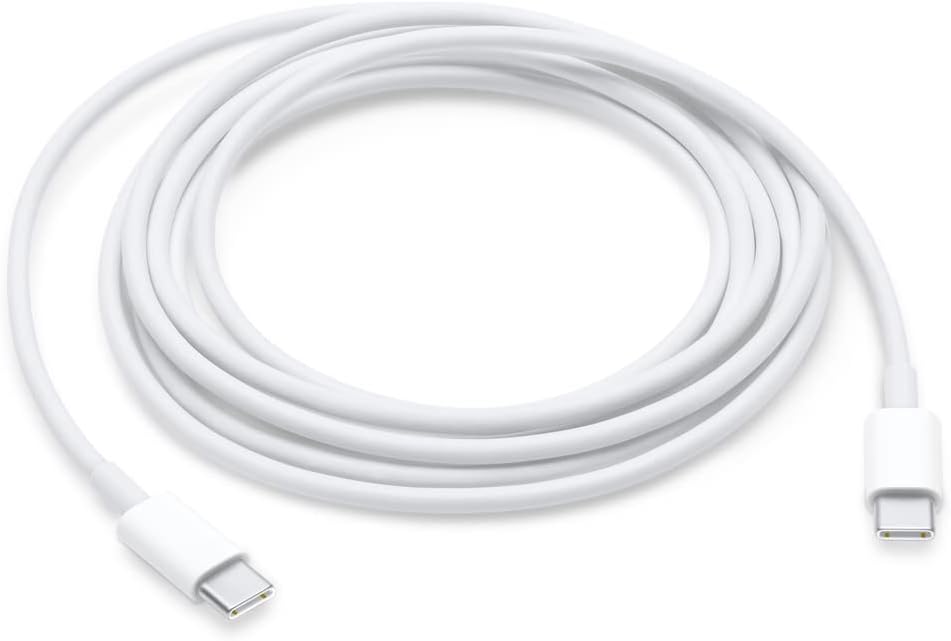
Genuine Apple MagSafe 3 charging cable (2-meter length), originally shipped with MacBook Pro 14"/16" (2021, M1 Pro/Max) and MacBook Pro 16" (2023, M2/M3 Max). Used but fully functional, tested for safe power delivery and data handshake with Apple laptops. Compatibility: MacBook Pro 14″ (2021–2023, M1 Pro/Max, M2 Pro/Max, M3 Pro/Max) MacBook Pro 16″ (2021–2023, M1 Max, M2 Max, M3 Max) Works with Apple 67W, 96W, and 140W USB-C Power Adapters (sold separately) MacBook Pro 14″ (2021–2023, M1 Pro/Max, M2 Pro/Max, M3 Pro/Max) MacBook Pro 16″ (2021–2023, M1 Max, M2 Max, M3 Max) Works with Apple 67W, 96W, and 140W USB-C Power Adapters (sold separately) Connector Type: MagSafe 3 (magnetic, tri-oval tip) on laptop end USB-C on power adapter end MagSafe 3 (magnetic, tri-oval tip) on laptop end USB-C on power adapter end Cable Length: 2 meters (≈6.6 feet) – longer than the standard 1.8m cable, ideal for flexible desk or bedside setups. Condition: Original Apple cable, previously used but fully tested: No fraying, kinks, or exposed wires MagSafe 3 connector intact with strong magnetic hold Charges MacBook at full rated speed (supports up to 140W with compatible adapter) Passes Apple’s authentication handshake (no “Not Supported” warnings) No fraying, kinks, or exposed wires MagSafe 3 connector intact with strong magnetic hold Charges MacBook at full rated speed (supports up to 140W with compatible adapter) Passes Apple’s authentication handshake (no “Not Supported” warnings) What’s Included: MagSafe 3 to USB-C cable only Power adapter NOT included MagSafe 3 to USB-C cable only Power adapter NOT included Why Choose This: Cost-effective alternative to buying new 100% genuine Apple—no third-party risks (overheating, slow charging, compatibility errors) Ideal for backup, travel, or replacing a damaged original cable Cost-effective alternative to buying new 100% genuine Apple—no third-party risks (overheating, slow charging, compatibility errors) Ideal for backup, travel, or replacing a damaged original cable

The Lenovo ThinkPad P50s is a business-class 15.6-inch mobile workstation that pairs a 6th-generation Intel Core i7 dual-core processor with a dedicated NVIDIA Quadro M500M 2 GB graphics card, 16 GB of RAM and a 256 GB SSD. It’s designed for professionals who need workstation capability in a relatively slim and portable form-factor.

SanDisk 1TB Portable SSD - Up to 800MB/s, USB-C, USB 3.2 Gen 2, Updated Firmware - External Solid State Drive - SDSSDE30-1T00-326 SanDisk 1TB Portable SSD – Up to 800MB/s, USB-C, USB 3.2 Gen 2, Updated Firmware – External Solid State Drive – SDSSDE30-1T00-326 About this item Solid state performance with up to 800MB/s read speeds in a portable drive. (Based on internal testing; performance may be lower depending on host device, interface, usage conditions, and other factors. 1 MB = 1,000,000 bytes.) Back up your content and memories on a storage solution that fits seamlessly into your mobile lifestyle. Take it with you on your adventures—up to a two-meter drop, protection means this durable drive can take a beating. (Based on internal testing.) Secure it to your belt loop or backpack for extra peace of mind thanks to the tough rubber hook. From SanDisk, a brand professional photographers trust to take on assignments.

MacBook Pro 13″ Retina A1989 / A2159 (2018-2019) Display Assembly (Silver) MacBook Pro 13″ Touch Bar 2019z A1989 (EMC 3214 MacBookPro15,2) 2.3 GHz A1989 (EMC 3214 MacBookPro15,2) 2.7 GHz MacBook Pro 13″ Touch Bar 2019 A1989 (EMC 3358 MacBookPro15,2) 2.4 GHz A1989 (EMC 3358 MacBookPro15,2) 2.8 Ghz MacBook Pro 13″ Two Thunderbolt Ports 2019 A2159 (EMC 3301 MacBookPro15,4) 1.4 GHz A2159 (EMC 3301 MacBookPro15,4) 1.7 GHz

TP-Link 8 Port Gigabit Ethernet Network Switch | Plug and Play | Desktop or Wall-Mount | Plastic Case Ethernet Splitter | Fanless | Traffic Optimization | Unmanaged (TL-SG1008D),Black About this item PLUG-AND-PLAY – Easy setup with no configuration or no software needed ETHERNET SPLITTER – Connectivity to your router or modem router for additional wired connections (laptop, gaming console, printer, etc) 8 Ports GIGABIT ETHERNET – 8 10/100/1000 Mbps Gigabit auto-negotiation RJ45 ports greatly expand network capacity COST EFFECTIVE – Fanless Quiet Design, Desktop design RELIABLE – IEEE 802.3x flow control provides reliable data transfer UP to 80% Power Saving – Automatically adjusts power consumption according to the link status and cable length AUTO-NEGOTIATION – Supports Auto-MDI/MDIX, eliminating the need for crossover cables

A sleek, versatile pre-owned Lenovo ThinkPad L13 Yoga Gen 1 with 13.3" touchscreen, 360° hinge, 10th Gen Core i7, 16GB RAM, and 256GB SSD—ideal for professionals and students who need flexibility, performance, and portability.

OEM-quality left and right loudspeaker replacement pair for MacBook Pro 15″ (Models A1707 – 2016/2017 and A1990 – 2018/2019)—restores rich, balanced stereo sound with precision acoustic tuning and seamless fit. Compatible With: MacBook Pro 15″ (2016) – Model A1707 (MacBookPro13,2) MacBook Pro 15″ (2017) – Model A1707 (MacBookPro14,2) MacBook Pro 15″ (2018) – Model A1990 (MacBookPro15,2) MacBook Pro 15″ (2019) – Model A1990 (MacBookPro15,2) (Note: Apple used the same speaker assembly across all four years of the 15″ Touch Bar MacBook Pro.) MacBook Pro 15″ (2016) – Model A1707 (MacBookPro13,2) MacBook Pro 15″ (2017) – Model A1707 (MacBookPro14,2) MacBook Pro 15″ (2018) – Model A1990 (MacBookPro15,2) MacBook Pro 15″ (2019) – Model A1990 (MacBookPro15,2) (Note: Apple used the same speaker assembly across all four years of the 15″ Touch Bar MacBook Pro.) Includes: Complete left and right speaker units with pre-attached flex cables and mounting brackets—ready for direct installation. Audio Performance: Engineered to match Apple’s original high-fidelity stereo system—delivers deep bass, clear mids, and crisp highs with wide soundstage and distortion-free playback. OEM Build Quality: Precision-molded housings, correct grille patterns, and exact cable routing ensure secure fit, no rattling, and full compatibility with macOS audio calibration. Common Use Cases: Replaces speakers damaged by liquid spills, physical impact, or wear (e.g., muffled sound, no audio from one side, crackling, or complete failure). Installation Note: Requires full display and logic board access. Speakers are secured with adhesive and screws in tight compartments. Recommended for certified or experienced technicians only. Important: This speaker pair is exclusive to 15″ Touch Bar MacBook Pro models (A1707/A1990). Not compatible with 13″ models (A1708/A1989), 16″ MacBook Pro (A2141), or non-Touch Bar MacBooks. This speaker pair is exclusive to 15″ Touch Bar MacBook Pro models (A1707/A1990). Not compatible with 13″ models (A1708/A1989), 16″ MacBook Pro (A2141), or non-Touch Bar MacBooks. Model Verification: Confirm your device via > About This Mac > Model Identifier (e.g., MacBookPro13,2 or MacBookPro15,2).

Genuine-spec US layout keyboard replacement for MacBook Air 13″ (Model A2337, 2020)—featuring the Magic Keyboard design with scissor-switch mechanism, backlighting, and full OEM compatibility. Compatible With: MacBook Air 13-inch (2020, Model A2337) – includes both M1 and Intel Core i3/i5/i7 variants. Keyboard Type: Apple’s updated Magic Keyboard with scissor-switch mechanism—more reliable and comfortable than earlier Butterfly designs. Layout: Standard US English (QWERTY), including inverted-T arrow keys and full function row. Integrated Features: Backlit keys, ambient light sensor support, and original ribbon cable connector for seamless plug-and-play installation. Build & Fit: Precision-engineered to match Apple’s original dimensions, key spacing, and tactile response—ensures flush mounting within the top case. Installation Note: The keyboard is glued into the top case and requires careful removal and re-adhesion. Full top case disassembly is necessary. Recommended for experienced repair technicians

RK ROYAL KLUDGE RK61 Wireless 60% Mechanical Gaming Keyboard, Ultra-Compact 60 Keys Bluetooth Mechanical Keyboard with Programmable Software (Blue Switch, White) Model: RK ROYAL KLUDGE RK61 Layout: 60% compact layout (61 keys, no number pad or function row) Switch Type: Mechanical switches (Red – Linear, Blue – Clicky, Brown – Tactile) Connectivity: Bluetooth 5.0 (connects up to 3 devices) USB-C Wired Optional 2.4GHz Wireless (on some versions) Connectivity: Bluetooth 5.0 (connects up to 3 devices) USB-C Wired Optional 2.4GHz Wireless (on some versions) Backlight: RGB LED with 18+ lighting modes and effects Battery: 1450mAh rechargeable lithium battery Key Rollover: Full N-Key rollover, anti-ghosting Compatibility: Windows, macOS, Android, iOS Software Support: Key remapping and lighting customization (Windows only) Build Quality: ABS plastic frame, double-shot keycaps Dimensions: Approx. 290 x 100 x 40 mm Weight: ~500g Extras: Hot-swappable switch support (on select versions)

The 60W MagSafe 2 Power Adapter features a magnetic DC connector so if someone should trip over it, the cord disconnects harmlessly and your MacBook Pro stays put safely. It also helps prevent fraying or weakening of the cables over time. In addition, the magnetic DC helps guide the plug into the system for a quick and secure connection. The 60W MagSafe 2 Power Adapter features a magnetic DC connector so if someone should trip over it, the cord disconnects harmlessly and your MacBook Pro stays put safely. It also helps prevent fraying or weakening of the cables over time. In addition, the magnetic DC helps guide the plug into the system for a quick and secure connection. When the connection is secure, an LED located at the head of the DC connector lights up; an amber light lets you know that your notebook is charging, while a green light tells you that you have a full charge. An AC cord is provided with the adapter for maximum cord length, while the AC wall adapter (also provided) gives you an even easier and more compact way to travel. Designed to be the perfect traveling companion, the adapter has a clever design which allows the DC cable to be wound neatly around itself for easy cable storage. Compatible with MacBook Pro with 13-inch Retina display. See this article for more details about choosing the right one. Knowing which specific Mac model you have is important. If you are running OS X Lion (10.7) or later go to the “” menu at the top left of your screen, choose “About this Mac” then click the “More Info…” button. Your Mac model and generation will be displayed. If you are running an earlier version of OS X, you can enter your serial number here to find out which model you have. COMPATIBILITY Mac Models: MacBook Pro (Retina, 13-inch, Late 2012 – 2015)

Late 2019 Apple MacBook Pro with 2.4GHz Intel Core i9 (16 inch, 16GB, 1TB SSD) 4GB AMD Radeon Pro 5500M Space Gray

A premium pre-owned HP EliteOne 800 G2 all-in-one desktop with 23.8-inch display, 6th Gen Core i7, RAM upgrade options, and SSD storage options. Designed for business professionals who need performance, security, and a clean space-saving workstation.

This replacement touchpad for MacBook Air A2179 comes in Rose Gold and is sold without the flex cable. Perfect for restoring smooth trackpad performance, it’s ideal for repair technicians and users replacing a damaged or non-working touchpad. The MacBook Air A2179 Touchpad (Rose Gold) is a high-quality replacement part designed to restore full trackpad functionality to your laptop. Whether your original touchpad is unresponsive, physically damaged, or experiencing tracking issues, this replacement provides a reliable solution. Please note that this unit is without the flex cable, meaning it requires the original flex or a separate replacement flex for installation. Ideal for repair shops and technicians, it ensures smooth navigation and precise control. Compatible with MacBook Air A2179 Rose Gold Color Match for original look and finish Replacement Touchpad Only (without flex cable) Restores Smooth Trackpad Functionality Precision Tracking & Gesture Support (when installed correctly) Ideal for Repairs & Replacements High-Quality Build designed for durability and long use Designed specifically for Apple MacBook Air A2179 models. Recommended for technicians and repair shops or users replacing a faulty touchpad. Ensure compatibility before purchase and note that a flex cable is required for installation.

Genuine Apple MacBook Pro 15" (A1707) LCD display assembly in Space Gray—professionally removed from original units and tested for full functionality. Ideal for high-quality repairs with OEM clarity and color accuracy. Genuine Apple MacBook Pro 15″ (A1707) LCD display assembly in Space Gray—professionally removed from original units and tested for full functionality. Ideal for high-quality repairs with OEM clarity and color accuracy. Model Compatibility: Designed exclusively for MacBook Pro 15-inch (2016–2017 models, A1707). Original Apple Display: Not a third-party or replica—this is an authentic Apple Retina display assembly carefully pulled from verified MacBook Pro units. Retina Display Quality: 15.4-inch LED-backlit screen with 2880 x 1800 resolution, P3 wide color gamut, and True Tone support (if originally equipped) for vibrant, true-to-life visuals. Complete Assembly Included: Comes with LCD panel, front glass, integrated FaceTime HD camera, ambient light sensor, and full bezel—ready for direct installation. Space Gray Finish: Matches the original Space Gray MacBook Pro chassis for seamless aesthetic integration. Professionally Inspected: Each unit is tested for dead pixels, backlight uniformity, discoloration, and physical integrity to ensure reliable performance. “Pulled” Condition: Removed from a genuine, used MacBook Pro—fully functional with OEM performance, but not brand new. No cracks or major blemishes. Ideal for Repair Professionals: Trusted by technicians and refurbishers who require factory-level display quality and compatibility.

Genuine-spec touchpad flex cable for MacBook Air 13″ (Model A1932, 2018–2019)—essential for restoring full Force Touch functionality, haptic feedback, and precise multi-touch gesture control during trackpad repair or replacement. Compatible With: MacBook Air 13-inch (2018 & 2019, Model A1932, Model Identifier MacBookAir8,1) with Intel Core i5/i7 processors. Part Type: Touchpad flex cable only—does not include the trackpad housing, Taptic Engine, or mounting hardware. This is the OEM-style ribbon cable that connects the trackpad to the logic board. Function: Transmits touch input, Force Touch pressure data, and haptic feedback signals—critical for macOS gestures like Force Click, three-finger lookup, pinch-to-zoom, and smooth cursor tracking. OEM-Quality Build: Matches Apple’s original in length, connector pitch, EMI shielding, and flexibility—ensures reliable signal integrity and long-term durability. Common Use Cases: Replacing a torn, creased, or liquid-damaged original flex cable Completing a trackpad replacement when the original cable is unusable Fixing intermittent trackpad behavior, loss of Force Touch, or complete unresponsiveness Replacing a torn, creased, or liquid-damaged original flex cable Completing a trackpad replacement when the original cable is unusable Fixing intermittent trackpad behavior, loss of Force Touch, or complete unresponsiveness Installation Note: Requires full bottom case removal and careful routing beneath the battery. The cable connects via a ZIF (Zero Insertion Force) socket on the logic board—must be properly aligned and latched without force. Recommended for experienced or certified technicians. Important: This is flex cable only—not a complete trackpad assembly. Must be used with the original or compatible A1932 trackpad and Taptic Engine. Not compatible with MacBook Air M1 (A2337/A2338), M2 (A2681/A2941), or any MacBook Pro model. This is flex cable only—not a complete trackpad assembly. Must be used with the original or compatible A1932 trackpad and Taptic Engine. Not compatible with MacBook Air M1 (A2337/A2338), M2 (A2681/A2941), or any MacBook Pro model.

Genuine-spec touchpad flex cable for MacBook Pro 15″ (Model A1707, 2016–2017)—restores full Force Touch functionality, haptic feedback, and precise multi-touch gesture control during trackpad repair or replacement. Compatible With: MacBook Pro 15″ (2016) – Model A1707 (Model Identifier: MacBookPro13,2) MacBook Pro 15″ (2017) – Model A1707 (Model Identifier: MacBookPro14,2) MacBook Pro 15″ (2016) – Model A1707 (Model Identifier: MacBookPro13,2) MacBook Pro 15″ (2017) – Model A1707 (Model Identifier: MacBookPro14,2) Part Type: Touchpad flex cable only — does not include the trackpad housing, Taptic Engine, or mounting hardware. This is the OEM-style ribbon cable that connects the trackpad to the logic board. Function: Transmits: Touch input coordinates Force Touch pressure data Haptic feedback signals to the Taptic Engine Enables full macOS gesture support: Force Click, three-finger lookup, swipe navigation, pinch-to-zoom, and smooth cursor tracking. Touch input coordinates Force Touch pressure data Haptic feedback signals to the Taptic Engine Enables full macOS gesture support: Force Click, three-finger lookup, swipe navigation, pinch-to-zoom, and smooth cursor tracking. OEM-Quality Build: Matches Apple’s original specifications in: Cable length and routing path Connector pitch and ZIF latch design EMI shielding and flex durability Cable length and routing path Connector pitch and ZIF latch design EMI shielding and flex durability Common Use Cases: Replacing a torn, creased, or liquid-damaged original flex cable Completing a trackpad replacement when the original cable is compromised Fixing intermittent trackpad behavior, loss of Force Touch, or complete unresponsiveness Replacing a torn, creased, or liquid-damaged original flex cable Completing a trackpad replacement when the original cable is compromised Fixing intermittent trackpad behavior, loss of Force Touch, or complete unresponsiveness Installation Note: Requires full bottom case removal and battery disconnection. Cable routes under internal components near the right speaker and logic board. Connects via a ZIF (Zero Insertion Force) socket—must be aligned carefully and latched gently. Recommended for experienced or certified technicians only. Requires full bottom case removal and battery disconnection. Cable routes under internal components near the right speaker and logic board. Connects via a ZIF (Zero Insertion Force) socket—must be aligned carefully and latched gently. Recommended for experienced or certified technicians only.

A1989 Battery Replacement, A1964 Battery for MacBook Pro 13″ A1989 (Mid 2018 2019) A2251(2020 Release) EMC 3214 3358 3348 MR9Q2LL/A MR9R2LL/A MR9T2LL/A MR9U2LL/A MR9V2LL/A MV962LL/A MV9A2LL/A 【Specification】Voltage: 11.41V. Capacity: 58Wh/ 5086mAh. Battery Type: Li-ion. Condition: Brand new, from high quality materials, top circuit boards and smart chip. 【Compatible Part Number】A1964 A1989 A1989(EMC 3214) A1989(EMC 3358) A2251(EMC 3348) 020-02497 616-00419. 【Compatible Laptop Models】MacBook Pro 13-Inch model A1989 (Mid 2018, Mid 2019) , A2251(2020 Release), Order No MR9Q2LL/A MR9R2LL/A MR9T2LL/A MR9U2LL/A MR9V2LL/A MV962LL/A MV972LL/A MV982LL/A MV992LL/A MV9A2LL/A MWP72LL/A MWP82LL/A MWP42LL/A MWP52LL/A MWP62LL/A MR9Q2 MR9R2 MR9T2 MR9U2 MR9V2 MV962 MV972 MV982 MV992 MV9A2 MWP62. 【Note】The tools are included. Double-sided tape is attached to the back of the battery, but NO battery installation instruction. The MBP battery is difficult to disassemble, we suggest you search for related installation videos or find a technician for help.

Genuine-spec touchpad flex cable for MacBook Pro 16″ (Model A2485, 2021, M1 Pro/Max)—critical for restoring full Force Touch functionality, haptic feedback, and precise multi-touch gesture control during trackpad repairs. Compatible With: MacBook Pro 16-inch (2021, Model A2485) with Apple M1 Pro or M1 Max chip (Model Identifiers: MacBookPro18,1 / MacBookPro18,2). Part Type: Touchpad flex cable only—does not include the trackpad, Taptic Engine, or mounting hardware. This is the OEM-style ribbon cable that connects the trackpad to the logic board. Function: Transmits touch coordinates, Force Touch pressure data, and haptic feedback signals—essential for macOS gestures (e.g., pinch-to-zoom, Force Click, three-finger lookup) and Taptic Engine operation. OEM-Quality Construction: Precisely replicated to Apple’s original specifications—including cable length, connector type, EMI shielding, and flex routing—ensuring signal integrity and long-term reliability. Common Use Cases: Replacing a torn, frayed, or liquid-damaged original flex cable Completing a trackpad replacement when the original cable is compromised Fixing intermittent trackpad behavior, lost Force Touch, or complete unresponsiveness Replacing a torn, frayed, or liquid-damaged original flex cable Completing a trackpad replacement when the original cable is compromised Fixing intermittent trackpad behavior, lost Force Touch, or complete unresponsiveness Installation Note: Requires full disassembly of the bottom case and careful routing around the battery and logic board. Connectors use ZIF (Zero Insertion Force) sockets—must be aligned and latched gently. Recommended for certified or professional repair technicians only.
