
Apple MacBook Pro 15” (2018) — professional-grade performance for creative power users.• Intel Core i9 • 32 GB RAM • 500 GB SSD • 4 GB Dedicated GraphicsRetina Display | macOS |

Genuine-spec touchpad flex cable for MacBook Pro 16″ (Model A2485, 2021, M1 Pro/Max)—critical for restoring full Force Touch functionality, haptic feedback, and precise multi-touch gesture control during trackpad repairs. Compatible With: MacBook Pro 16-inch (2021, Model A2485) with Apple M1 Pro or M1 Max chip (Model Identifiers: MacBookPro18,1 / MacBookPro18,2). Part Type: Touchpad flex cable only—does not include the trackpad, Taptic Engine, or mounting hardware. This is the OEM-style ribbon cable that connects the trackpad to the logic board. Function: Transmits touch coordinates, Force Touch pressure data, and haptic feedback signals—essential for macOS gestures (e.g., pinch-to-zoom, Force Click, three-finger lookup) and Taptic Engine operation. OEM-Quality Construction: Precisely replicated to Apple’s original specifications—including cable length, connector type, EMI shielding, and flex routing—ensuring signal integrity and long-term reliability. Common Use Cases: Replacing a torn, frayed, or liquid-damaged original flex cable Completing a trackpad replacement when the original cable is compromised Fixing intermittent trackpad behavior, lost Force Touch, or complete unresponsiveness Replacing a torn, frayed, or liquid-damaged original flex cable Completing a trackpad replacement when the original cable is compromised Fixing intermittent trackpad behavior, lost Force Touch, or complete unresponsiveness Installation Note: Requires full disassembly of the bottom case and careful routing around the battery and logic board. Connectors use ZIF (Zero Insertion Force) sockets—must be aligned and latched gently. Recommended for certified or professional repair technicians only.

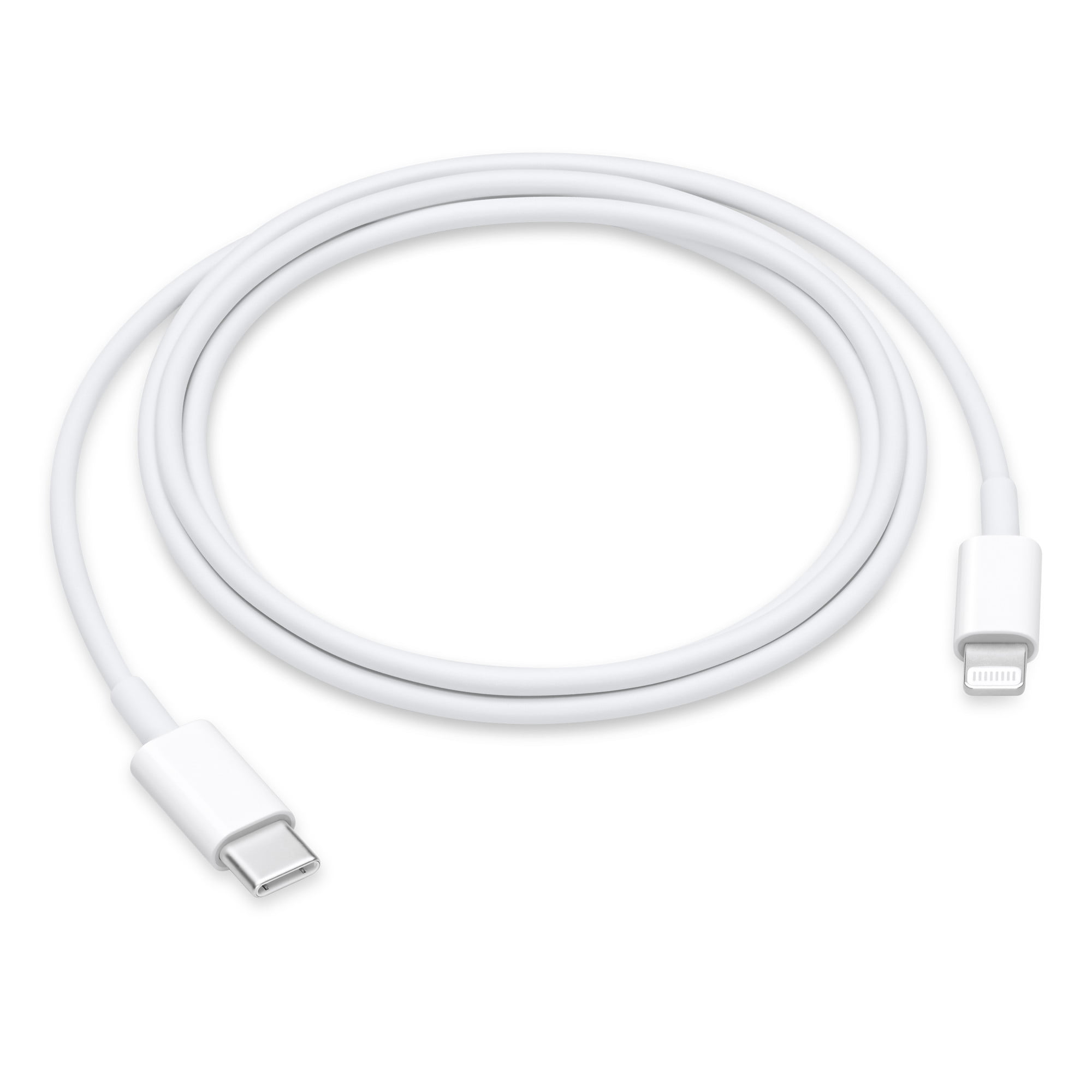
Fast-charging feature available on select iPhone and iPad models.

BATTERY DELL F3YGT 7.6V 60Wh Type F3YGT Battery for Dell Latitude 7480 7490 7280 7290 7380 7390 P73G001 P73G002 P28S001 P28S002 P29S002 DM3WC 2X39G DM6WC 451-BBYE 453-BBCF P28S P73G KG7VF 4-Cell About this item REPLACE BATTERY PART : 7.6V 60 WHr 4-Cell F3YGT battery replace part F3YGT DM3WC 2X39G 0DM3WC 0F3YGT 451-BBYE 453-BBCF KG7VF. (Only replace with type 60Wh battery, NOT fit DJ1J0 42WHr 3-Cell! Please check your original battery to make sure you get the correct replacement battery!) FIT LAPTOP MODELS: For Dell Latitude 12 7000 7280 7290 Latitude 13 7000 7380 7390 Latitude 14 7000 7480 7490 Latitude 7280 7290 7380 7390 7480 7490 E7280 E7290 E7380 E7390 E7480 E7490 P28S P73G P28S001 P28S002 P73G001 P73G002 Series laptop. (NOT fit for Dell Latitude 7390 2-in-1 Series) SPECIFICATION: Model Name: 60Wh Standard Rechargeable Li-ion Battery Type F3YGT; Battery Type: Li-Ion Polymer; Voltage: 7.6V; Capacity: 60Wh; Cells: 4-cell; Size: About 9.37×3.78×0.22inch; Weight: About 10OZ / 0.63lb; Condition: 100% New; Life span: About 300-500 discharge per charge cycles; Packages includes: 1PC F3YGT laptop battery(with two free screwdrivers and user manual for easy installation, battery cable NOT included)

A versatile wireless 2D barcode scanner with desk stand—Beurotika BS104WS supports auto-scan, continuous, and manual modes, with up to 200 scans per second and a 2000mAh rechargeable battery for all-day use. The Beurotika BS104WS is a high-performance wireless 2.4GHz 2D barcode scanner designed for retail, warehouse, logistics, and office environments. It comes with a convenient desktop stand for hands-free operation and features a 32-bit high-speed processor for fast, accurate decoding of 1D and 2D barcodes—including QR Code, Data Matrix, PDF417, and more Three scanning modes: Auto-scan, continuous scan, and manual trigger—ideal for different workflow needs Scanning speed: Up to 200 scans per second for rapid data capture Wireless range: Reliable 2.4GHz connection (via USB dongle) for cord-free mobility Built-in battery: 3.7V 2000mAh lithium-ion battery offering up to 16 hours of continuous use Ergonomic handheld design with desk stand for flexible countertop or portable use Plug-and-play setup via USB receiver—no drivers required for most systems

LENOVO BATTERY L19M4PC0 Compatible for Lenovo Legion 5P-15IMH05 Legion 5-15IMH05 5-15ARH05 Series 5B10W86196 L19M4PC0 5B10W86195 L19M4PC1 5B10W86192 L19C4PC1 5B10W86194 Laptop Battery About this item 【Battery type】Li-ion. Voltage: 15.44V. Capacity: 60Wh 4000mAh . Compatible Models (use “Ctrl+F to find your model quickly”) Fit for Legion 5P-15IMH05 Series Fit for Legion 5P-15IMH05H Series Fit for Legion 5P-15ARH05H Series Fit for Legion 5-15IMH05 Series Fit for Legion 5-15IMH05H Series Fit for Legion 5-15ARH05 Series Fit for Legion 5-15ARH05H Series. .Replacement for Part Number: L19C4PC0 5B10W86196 L19M4PC0 5B10W86195 L19M4PC1 5B10W86192 L19C4PC1 5B10W86194.

Genuine-spec touchpad flex cable for MacBook Pro 15″ (Model A1990, 2018–2019, Intel)—essential for restoring full Force Touch functionality, haptic feedback, and precise multi-touch gesture control during trackpad repair or replacement. Compatible With: MacBook Pro 15-inch (2018 & 2019, Model A1990, Model Identifiers MacBookPro15,2) with Intel Core i7/i9 processors. Part Type: Touchpad flex cable only — does not include the trackpad housing, Taptic Engine, or mounting hardware. This is the OEM-style ribbon cable that connects the trackpad to the logic board. Function: Transmits: Touch input coordinates Force Touch pressure data Haptic feedback signals to the Taptic Engine Enables full macOS gesture support: Force Click, three-finger lookup, swipe navigation, pinch-to-zoom, and smooth cursor tracking. Touch input coordinates Force Touch pressure data Haptic feedback signals to the Taptic Engine Enables full macOS gesture support: Force Click, three-finger lookup, swipe navigation, pinch-to-zoom, and smooth cursor tracking. OEM-Quality Build: Matches Apple’s original specifications in: Cable length and routing path Connector pitch and ZIF latch design EMI shielding and flex durability Cable length and routing path Connector pitch and ZIF latch design EMI shielding and flex durability Common Use Cases: Replacing a torn, creased, or liquid-damaged original flex cable Completing a trackpad replacement when the original cable is unusable Fixing intermittent trackpad behavior, loss of Force Touch, or complete unresponsiveness Replacing a torn, creased, or liquid-damaged original flex cable Completing a trackpad replacement when the original cable is unusable Fixing intermittent trackpad behavior, loss of Force Touch, or complete unresponsiveness Installation Note: Requires full bottom case removal and battery disconnection. Cable routes under internal components near the right speaker and logic board. Connects via a ZIF (Zero Insertion Force) socket—must be aligned carefully and latched gently. Recommended for experienced or certified technicians only. Requires full bottom case removal and battery disconnection. Cable routes under internal components near the right speaker and logic board. Connects via a ZIF (Zero Insertion Force) socket—must be aligned carefully and latched gently. Recommended for experienced or certified technicians only.

WiWU T22 Earbuds – Stylish TWS earbuds with TFT display case, Bluetooth 6.0, ANC (-23 dB), 4 hrs playback, and in-ear detection.Sleek, feature-rich, and comfortable — ideal for mobile users who want touch control and immersive sound. Model: WiWU T22 Display & Controls: Charging case includes vibrant TFT/LCD screen with touch controls for playback, ANC toggle, and battery levels Bluetooth: JL 7003D8 chipset, Bluetooth 6.0 (alias V6 or 5.4) for stable, low-latency connection up to 10 m Noise Reduction: Active Noise Cancellation at –23 dB Battery: Earbuds: 30 mAh each; Charging case: 300 mAh; ~4 hrs music, ~3 hrs talk (at ~80% volume); ~50 hrs standby Charging: USB‑C, ~1 hr to full charge Other Features: In-ear detection (auto play/pause), Hi-Fi audio, ergonomic fit, compact design

Genuine-spec touchpad flex cable compatible with both MacBook Air A2179 (Intel, 2020) and A2337 (M1, 2020)—restores full Force Touch functionality, haptic feedback, and precise multi-touch gesture control during trackpad repair or replacement. Compatible With: MacBook Air 13″ (2020, Intel) – Model A2179 (Model Identifier: MacBookAir9,1) MacBook Air 13″ (2020, Apple M1) – Model A2337 (Model Identifier: MacBookAir10,1) MacBook Air 13″ (2020, Intel) – Model A2179 (Model Identifier: MacBookAir9,1) MacBook Air 13″ (2020, Apple M1) – Model A2337 (Model Identifier: MacBookAir10,1) ✅ Important Note: Despite different processors (Intel vs. M1), Apple used the same trackpad assembly and flex cable in both A2179 and A2337. This makes the flex cable fully interchangeable between the two models. Part Type: Touchpad flex cable only — does not include the trackpad housing, Taptic Engine, or mounting hardware. This is the OEM-style ribbon cable that connects the trackpad to the logic board. Function: Transmits: Touch input coordinates Force Touch pressure data Haptic feedback signals to the Taptic Engine Enables full macOS gesture support: Force Click, three-finger lookup, swipe navigation, pinch-to-zoom, and smooth cursor tracking. Touch input coordinates Force Touch pressure data Haptic feedback signals to the Taptic Engine Enables full macOS gesture support: Force Click, three-finger lookup, swipe navigation, pinch-to-zoom, and smooth cursor tracking. OEM-Quality Build: Matches Apple’s original specifications in: Cable length and routing path Connector pitch and ZIF latch design EMI shielding and flex durability Cable length and routing path Connector pitch and ZIF latch design EMI shielding and flex durability Common Use Cases: Replacing a torn, creased, or liquid-damaged original flex cable Completing a trackpad replacement when the original cable is compromised Fixing intermittent trackpad behavior, loss of Force Touch, or complete unresponsiveness Replacing a torn, creased, or liquid-damaged original flex cable Completing a trackpad replacement when the original cable is compromised Fixing intermittent trackpad behavior, loss of Force Touch, or complete unresponsiveness Installation Note: Requires full bottom case removal and battery disconnection. Cable routes under the right side of the battery and logic board. Connects via a ZIF (Zero Insertion Force) socket—align carefully and latch gently. Recommended for experienced or certified technicians only. Requires full bottom case removal and battery disconnection. Cable routes under the right side of the battery and logic board. Connects via a ZIF (Zero Insertion Force) socket—align carefully and latch gently. Recommended for experienced or certified technicians only.

WiWU WM108 Wimice Dual‑Mode Mouse – Bluetooth 5.0 and 2.4 GHz wireless mouse with 800/1200/1600 DPI, silent clicks, and ergonomic ABS housing.Long battery life (~6 months standby), USB dongle & silent design—ideal for travel, office, and quiet environments. Model: WiWU Wimice WM108 Connection Modes: Bluetooth 5.0 2.4 GHz wireless via USB dongle Connection Modes: Bluetooth 5.0 2.4 GHz wireless via USB dongle DPI Settings: 800 / 1,200 / 1,600 DPI (adjustable) Buttons: 3 standard buttons + clickable scroll wheel (4 keys total) Range: Up to 10 m wireless connectivity Material/Design: Lightweight (67–130 g, depending on source), ergonomic ABS plastic body, magnetic base or “super magnetic absorption” design Operating Range: ≈10 m Silent Clicks: Quiet operation—silent key action Dimensions: Approx. 108 × 64 × 36 mm Weight: 67 g cited by Star Tech and 130 g by others—likely lighter in official spec Compatibility: Windows, macOS, Linux, Android, etc. Plug-and-play, no driver needed

The Cudy WR1300 AC1200 Router delivers fast and stable internet with dual-band WiFi speeds up to 1200Mbps. Designed for home and office use, it features Gigabit ports for high-speed wired connections and reliable coverage for streaming, gaming, and everyday browsing. AC1200 Dual Band WiFi – Combined speeds of up to 1200Mbps (300Mbps on 2.4GHz + 867Mbps on 5GHz) for smooth streaming and online gaming. Gigabit Ethernet Ports – Ultra-fast LAN/WAN ports ensure maximum wired performance for PCs, consoles, and smart TVs. Wide Coverage – Equipped with high-gain antennas to provide strong and stable WiFi signal throughout your home or office. Multiple Operating Modes – Supports Router, Access Point, and Repeater modes for flexible network setup. Easy Setup & Management – Simple web interface for quick installation and control. Secure Connection – Advanced wireless security with WPA/WPA2 encryption to keep your network safe. 1 × Gigabit WAN Port 4 × Gigabit LAN Ports Wi-Fi 2.4GHz & 5GHz Dual Band Ethernet (RJ45) Wireless Security (WPA/WPA2)

A sleek, versatile pre-owned Lenovo ThinkPad L13 Yoga Gen 1 with 13.3" touchscreen, 360° hinge, 10th Gen Core i7, 16GB RAM, and 256GB SSD—ideal for professionals and students who need flexibility, performance, and portability.

OEM-quality trackpad replacement (without flex cable) for MacBook Air 13″ (Model A2179, 2020)—available in Space Gray and Silver finishes—engineered for precise Force Touch performance, smooth multi-touch gestures, and seamless visual integration. Compatible With: MacBook Air 13-inch (2020, Model A2179) with Intel Core i3/i5/i7 processors (non-M1). Part Type: Trackpad only—does not include the flex cable, Taptic Engine, or mounting hardware. Designed for technicians who will reuse the original internal components. Color Options: Space Gray: Matches Space Gray and Midnight finishes Silver: Matches Silver and Starlight finishes (Note: “Z1” typically refers to Apple’s internal regional/part code—this listing covers standard OEM trackpads for A2179.) Space Gray: Matches Space Gray and Midnight finishes Silver: Matches Silver and Starlight finishes (Note: “Z1” typically refers to Apple’s internal regional/part code—this listing covers standard OEM trackpads for A2179.) Force Touch Capable: Fully supports pressure-sensitive input and haptic feedback when paired with the original Taptic Engine and logic board—ensuring full macOS gesture functionality. Precision Build: Mirror-smooth glass surface with exact curvature, texture, and micro-click mechanism matching Apple’s original design for consistent tracking and tactile response. Installation Requirements: Requires full bottom case disassembly and careful transfer of the original flex cable and Taptic Engine. Proper adhesive application is critical for structural integrity and sensor alignment. Recommended for professional or experienced repair technicians only. Important: This is a bare trackpad assembly—not a plug-and-play module. Functionality depends on correct integration with original electronics.

128GB SSD Apple Macbook Pro Air 2013 2014 2015 A1502 A1398 A1466 A1465 | Samsung MZ-JPU512T/A06 | 655-1805D ORIGINAL APPLE PART (Apple sources their SSD’s for MacBooks from Samsung) A1502 – A1398 – A1465 – A1466 100% TESTED WORKING Please check compatibility below before you make your purchase: COMPATIBILITY: MacBook Pro Retina Late 2013 – Mid-2015 MacBookPro11,1 (A1502) – ME864LL/A, ME866LL/A, ME867LL/A, MGX72LL/A, MGX92LL/A, & MGXD2LL/A MacBookPro11,2 (A1398) – ME293LL/A & MGXA2LL/A MacBookPro11,3 (A1398) – ME294LL/A, ME874LL/A, MGXC2LL/A, & MGXG2LL/A MacBookPro11,4 (A1398) – MJLQ2LL/A MacBookPro11,5 (A1398) – MJLT2LL/A & MJLU2LL/A MacBookPro12,1 (A1502) – MF839LL/A, MF841LL/A, & MF843LL/A MacBook Air Mid-2013 – Late 2015 MacBookAir6,1 (A1465) – MD711LL/A, MD760LL/A, MD711LL/B, & MF067LL/A MacBookAir6,2 (A1466) – MD760LL/A, MD760LL/B, & MF068LL/A MacBookAir7,1 (A1465) – MJMVM2LL/A MacBookAir7,2 (A1466) – MJVE2LL/A Model Identifier: Samsung Manufacturer Part# MZ-JPU512T/A06

79A High Yield Toner Cartridge CF279A Compatible Replacement for HP 79A Toner Pro MFP M26nw M26a M12w M12a Printer 2-Pack Black

Genuine-spec UK layout (QWERTY) black keyboard replacement for MacBook Air 13.6″ and 15″ models (2023–2025, M2/M3/M4 chips)—featuring Apple’s Magic Keyboard design with scissor-switch mechanism, backlighting, and precise OEM fit. Compatible With: 13.6″ MacBook Air: A2681 (M2, 2022–2023), A3113 (M3, 2023–2024), A3240 (M4, 2024–2025) 15″ MacBook Air: A2941 (M2, 2023), A3114 (M3, 2023–2024), A3241 (M4, 2024–2025) 13.6″ MacBook Air: A2681 (M2, 2022–2023), A3113 (M3, 2023–2024), A3240 (M4, 2024–2025) 15″ MacBook Air: A2941 (M2, 2023), A3114 (M3, 2023–2024), A3241 (M4, 2024–2025) Keyboard Layout: UK English (QWERTY) with £ symbol, taller Enter key, and standard UK key labeling—matches Apple’s original regional configuration. Design: Apple’s Magic Keyboard with scissor-switch mechanism—offering quiet, responsive typing with 1mm travel and improved reliability. Features: Backlit keys, ambient light sensor support, and original-style flex cable connector for seamless integration with the logic board. Color: Matte black keycaps matching the Space Gray and Midnight MacBook Air finishes (also compatible with Silver/Starlight—keycaps are model-agnostic). Precision Engineering: Manufactured to exact OEM specifications for fit, alignment, and tactile performance—ensures flush mounting within the top case. Installation Note: Keyboard is glued into the top case and requires full disassembly and careful re-adhesion. Recommended for professional technicians only due to complexity and risk of damage.

Genuine-spec US layout keyboard replacement for MacBook Pro (Model A1398, Late 2011–Mid 2012)—featuring durable scissor-switch keys, backlighting, and OEM-fit design for reliable typing and straightforward installation. Compatible With: MacBook Pro 13″: Late 2011 (Model A1278, but labeled A1398 in some regions) – Model Identifier MacBookPro8,1 MacBook Pro 15″: Early 2011, Late 2011, and Mid 2012 – Model Identifiers MacBookPro8,2 (15″ early/late 2011) and MacBookPro9,1 (15″ mid 2012) *(Note: “A1398” is primarily associated with the 15″ unibody MacBook Pro with Retina display (Mid 2012), which was the first Retina MacBook Pro.)* This keyboard fits the non-Retina 15″ A1398 (Mid 2012) and compatible Late 2011 models. MacBook Pro 13″: Late 2011 (Model A1278, but labeled A1398 in some regions) – Model Identifier MacBookPro8,1 MacBook Pro 15″: Early 2011, Late 2011, and Mid 2012 – Model Identifiers MacBookPro8,2 (15″ early/late 2011) and MacBookPro9,1 (15″ mid 2012) *(Note: “A1398” is primarily associated with the 15″ unibody MacBook Pro with Retina display (Mid 2012), which was the first Retina MacBook Pro.)* This keyboard fits the non-Retina 15″ A1398 (Mid 2012) and compatible Late 2011 models. Layout: Standard US English (QWERTY) with full-size keys, inverted-T arrow keys, and dedicated function row (F1–F12). Keyboard Type: Traditional scissor-switch mechanism—robust, tactile, and serviceable (pre-Butterfly era). Integrated Features: Backlit keys (adjustable brightness via F5/F6) OEM ribbon cable with ZIF connector Matches original key spacing and actuation force Backlit keys (adjustable brightness via F5/F6) OEM ribbon cable with ZIF connector Matches original key spacing and actuation force Build & Fit: Precision-molded plastic frame with exact screw mounts and alignment pegs—ensures secure, rattle-free installation in the top case. Installation Note: Keyboard is secured with screws and minimal adhesive. Requires full top case access and battery disconnect. Recommended for intermediate to advanced users or technicians.

Dell 19.5V 4.62A 90 Watt Replacement Laptop Adapter/Charger New Small Pin 4.5 x 3.0 mm for Dell Latitude 3500 3379 3400 3301 3590 3490 7370, RWHHR, 450-AECO (Power Cord Included)

MacBook Pro A1706 / A1708 Display Assembly (Space Gray) Compatibility : MacBook Pro 2017 13″ A1708 (EMC 3164 MacBookPro14,1) 2.3 GHz A1708 (EMC 3164 MacBookPro14,1) 2.5 GHz A1706 (EMC 3163 MacBookPro14,2) 3.1 GHz A1706 (EMC 3163 MacBookPro14,2) 3.3 GHz A1706 (EMC 3163 MacBookPro14,2) 3.5 GHz MacBook Pro 2016 13″ A1706 (EMC 3071 MacBookPro13,2) 2.9 GHz A1706 (EMC 3071 MacBookPro13,2) 3.1 GHz A1706 (EMC 3071 MacBookPro13,2) 3.3 GHz A1708 (EMC 2978 MacBookPro13,1) 2.0 GHz A1708 (EMC 2978 MacBookPro13,1) 2.4 GHz

Professional battery testing flex cable for MacBook Pro 15″ (Model A1990, 2018–2019)—used by technicians to bypass a faulty battery or diagnose power-on issues without permanent battery removal. Enables safe logic board testing and troubleshooting. This is not a replacement battery cable—it’s a diagnostic tool used in repair workflows. It mimics the battery’s presence by providing the necessary SMBus signal and power-enable lines to the logic board, allowing the MacBook to: Power on without a battery installed Test logic board functionality independently Diagnose whether a no-power issue is caused by the battery or logic board MacBook Pro 15″ (2018–2019) Model: A1990 Model Identifiers: MacBookPro15,2 Chip: Intel Core i7/i9 Model: A1990 Model Identifiers: MacBookPro15,2 Chip: Intel Core i7/i9 ⚠️ Not compatible with A1707 (2016–2017), A2159 (16″), or any M1/M2 models. Simulates battery presence via correct SMBus resistance and ID signals Includes power-enable circuitry matching Apple’s safety protocol Pre-terminated with OEM-style connector for A1990 logic board Allows safe bench testing of logic boards during repair Diagnosing “no power, no fan spin, no display” issues Verifying if a logic board powers on without risking a shorted battery Testing after liquid damage or DC-in board replacement Avoiding unnecessary battery replacements during diagnostics Not for permanent installation—intended for temporary diagnostic use only Does not charge or store power—requires connected USB-C power adapter to operate Must be used with a known-good power adapter (87W recommended) Not a consumer part—designed for professional repair shops and technicians
