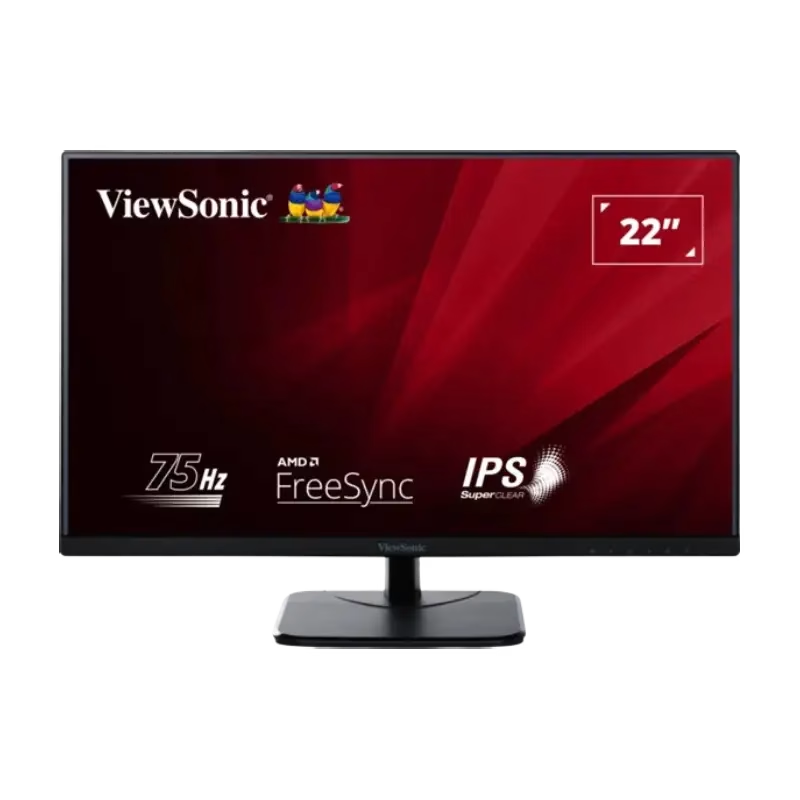

Are you in search of a high-quality monitor to elevate your visual experience? Look no further than the ViewSonic VA2409-MHU 24″ Monitor. With its impressive features and sleek design, it’s the perfect addition to any workspace or entertainment setup. Transitioning to its core, the ViewSonic VA2409-MHU boasts a vibrant 24-inch display that delivers crisp and clear visuals. Whether you’re gaming, watching movies, or working on creative projects, you’ll enjoy an immersive viewing experience. Its sleek and modern design adds a touch of elegance to any environment. With its slim bezels and compact footprint, it fits seamlessly into any workspace, saving valuable desk space while maximizing screen real estate. Moving on to its performance, the ViewSonic VA2409-MHU features a 75Hz refresh rate, ensuring smooth and fluid motion for an enhanced gaming and multimedia experience. Say goodbye to screen tearing and stuttering, and hello to silky-smooth visuals. Furthermore, with Full HD resolution, this monitor delivers stunning clarity and detail, bringing your content to life with vibrant colors and sharp imagery. Whether you’re editing photos, watching videos, or browsing the web, every detail pops with incredible precision. Connectivity is key, and the ViewSonic VA2409-MHU doesn’t disappoint. With a range of ports including HDMI and VGA, you can easily connect to your favorite devices such as laptops, desktops, gaming consoles, and more. Plus, its built-in speakers provide immersive audio without the need for external speakers. In summary, the ViewSonic VA2409-MHU 24″ Monitor offers the perfect blend of performance, style, and affordability. Upgrade your visual experience today with this versatile and feature-packed monitor. Specifications: Display : 24″ IPS Built-In Speaker Resolution : FHD (1920 x 1080) Refresh Rate : 75Hz Response Rate : 3ms(GTG)

Genuine-spec touchpad flex cable compatible with both MacBook Air A2179 (Intel, 2020) and A2337 (M1, 2020)—restores full Force Touch functionality, haptic feedback, and precise multi-touch gesture control during trackpad repair or replacement. Compatible With: MacBook Air 13″ (2020, Intel) – Model A2179 (Model Identifier: MacBookAir9,1) MacBook Air 13″ (2020, Apple M1) – Model A2337 (Model Identifier: MacBookAir10,1) MacBook Air 13″ (2020, Intel) – Model A2179 (Model Identifier: MacBookAir9,1) MacBook Air 13″ (2020, Apple M1) – Model A2337 (Model Identifier: MacBookAir10,1) ✅ Important Note: Despite different processors (Intel vs. M1), Apple used the same trackpad assembly and flex cable in both A2179 and A2337. This makes the flex cable fully interchangeable between the two models. Part Type: Touchpad flex cable only — does not include the trackpad housing, Taptic Engine, or mounting hardware. This is the OEM-style ribbon cable that connects the trackpad to the logic board. Function: Transmits: Touch input coordinates Force Touch pressure data Haptic feedback signals to the Taptic Engine Enables full macOS gesture support: Force Click, three-finger lookup, swipe navigation, pinch-to-zoom, and smooth cursor tracking. Touch input coordinates Force Touch pressure data Haptic feedback signals to the Taptic Engine Enables full macOS gesture support: Force Click, three-finger lookup, swipe navigation, pinch-to-zoom, and smooth cursor tracking. OEM-Quality Build: Matches Apple’s original specifications in: Cable length and routing path Connector pitch and ZIF latch design EMI shielding and flex durability Cable length and routing path Connector pitch and ZIF latch design EMI shielding and flex durability Common Use Cases: Replacing a torn, creased, or liquid-damaged original flex cable Completing a trackpad replacement when the original cable is compromised Fixing intermittent trackpad behavior, loss of Force Touch, or complete unresponsiveness Replacing a torn, creased, or liquid-damaged original flex cable Completing a trackpad replacement when the original cable is compromised Fixing intermittent trackpad behavior, loss of Force Touch, or complete unresponsiveness Installation Note: Requires full bottom case removal and battery disconnection. Cable routes under the right side of the battery and logic board. Connects via a ZIF (Zero Insertion Force) socket—align carefully and latch gently. Recommended for experienced or certified technicians only. Requires full bottom case removal and battery disconnection. Cable routes under the right side of the battery and logic board. Connects via a ZIF (Zero Insertion Force) socket—align carefully and latch gently. Recommended for experienced or certified technicians only.

Introducing the LG MyView Smart Monitor – your all-in-one display solution for work, entertainment, and everything in between. With its innovative features and user-friendly interface, this monitor redefines convenience and efficiency. First and foremost, versatility is the name of the game. Whether you’re working on spreadsheets, streaming your favorite shows, or gaming with friends, the MyView Smart Monitor adapts effortlessly to your needs. Transitioning between tasks is seamless thanks to its intuitive interface and quick response times. Say goodbye to cluttered desktops and hello to a streamlined workflow that maximizes productivity. Moreover, connectivity options abound. From wireless casting to multiple input ports, the MyView Smart Monitor ensures compatibility with a wide range of devices. Whether you’re using a laptop, tablet, or smartphone, connecting is hassle-free. In addition, ergonomic design features such as adjustable stands and eye-care technology prioritize your comfort and well-being during extended use. Say goodbye to eye strain and discomfort – the MyView Smart Monitor has your back. Furthermore, its sleek and modern design adds a touch of sophistication to any space, whether it’s your home office or entertainment center. Elevate your surroundings with a display that not only performs but also complements your aesthetic. In conclusion, the LG MyView Smart Monitor is more than just a display – it’s a versatile companion that enhances every aspect of your digital life. Experience the convenience, efficiency, and style it brings to the table, and unlock a world of possibilities today. Specifications: Display : 27″ IPS Resolution : 1920 x 1080 Refresh Rate : 60Hz Response Rate : 5ms GTG Speaker : 5W x2


A31N1319 A41N1308 A41 Battery for Asus X451 X551 X451C X451CA X551C X551CA X551CA-SX024H X551CA-SX029H X551CA-DH21 X551CA-0051A2117U D550 0B110-00250100 About this item Fully compatible with your original battery, brand new from Professional Manufacturer, CE RoHS certified, grade A cells ensure fast charges and low power consumption; Built-in circuit protection ensures safety and stability. Expected operation time: 1.5-3 hours. This may vary depending on the device type and how it is used. Fits models: X451 X551 X451C X451CA X551C X551CA A41 D550 X45li9c X551CA-0051A2117U X551CA-DH21 X551CA-SX024H X551CA-SX029H Compatible Part Numbers 0B110-00250100 A41N1308 A31LJ91 A31N1319 A41N1308 X45LI9C YU12008-13007D YU12125-13002 More Part numbers of compatible batteries and Computers are listed in the Product Description

Genuine-spec US layout keyboard replacement for MacBook Air 13″ (Model A2338, 2020)—featuring Apple’s reliable Magic Keyboard with scissor-switch mechanism, backlighting, and full OEM fit for seamless repair. Compatible With: MacBook Air 13-inch (2020, Model A2338) – includes both Intel Core i3/i5/i7 and M1 chip variants. Keyboard Type: Apple’s Magic Keyboard with scissor-switch mechanism—offering improved durability, quieter typing, and 1mm key travel compared to older Butterfly keyboards. Layout: Standard US English (QWERTY), with full-size keys, inverted-T arrow keys, and dedicated function row. Integrated Features: Backlit keys for low-light use, ambient light sensor compatibility, and original-style ribbon cable connector for direct logic board connection. Precision Fit: Engineered to match Apple’s exact dimensions and mounting points—ensures flush alignment within the original top case. Installation Note: The keyboard is adhered to the top case and requires careful removal and re-gluing. Full disassembly is needed. Recommended for skilled technicians or professional repair centers.

The Horion Interactive Flat Panel 98″ delivers immersive 4K visuals and interactive features for meeting rooms. It offers a large 98″ UHD 3840×2160 resolution screen with wide 178° viewing angles. Moreover, infrared touch technology supports up to 45 touch points with 1 mm precision. Also, built-in Android 13 provides fast response, smooth operation, and pre‑loaded educational apps. In addition, the panel includes a 48 MP AI camera with auto‑framing for professional video conferencing. Besides that, an 8‑array microphone picks up sound clearly up to 12 m across 180°. Furthermore, audio comes from two 20 W speakers plus a 20 W subwoofer for rich output. Therefore, online meetings feel natural, immersive, and clear. It supports AirPlay, Google Cast, and NFC mirroring for easy content sharing. Also, built-in pens let multiple users write simultaneously on-screen. Moreover, whiteboard tools include handwriting recognition, smart shapes, QR code capture, and cloud saving. It includes a quad-core ARM A73+A53 CPU and Mali G52 MP8 GPU with 8 GB RAM and 128 GB storage. Also, wireless dual-band Wi‑Fi 6, Bluetooth 5.3, NFC, HDMI, DP, Type‑C, USB, VGA, and LAN ports ensure connectivity. Additionally, brightness of around 380–430 cd/m² ensures clear visibility even in bright rooms. When needed, OPS modules provide Windows compatibility and extra storage options. Moreover, the panel supports screen splitting for up to four devices on one view. Importantly, the display includes tempered glass and an expected lifespan over 50,000 hours. Also, it comes with smart accessories like NFC pen security, remote control, cables, wall mount, and warranty. Finally, the Horion 98″ Interactive Flat Panel offers large-scale interactivity, crystal clarity, and conference-ready tools in one platform. Specifications: Display : 98″ Resolution : 4K (3840×2160) Refresh Rate : 60Hz CPU : Octacore Ram : 8GB Memory : 128GB GPU : Mali G52-MP8 OS : Android 13.0 Sensor : Infrared, NFC, Light Sensor

The Samsung QLED 55″ 4K UHD Smart TV Q7 Series QA55Q7FAAU delivers a premium viewing experience with advanced QLED display technology. It produces bright, sharp, and colorful images, so movies, sports, and games look clear and immersive on the 55-inch screen. QLED technology uses Quantum Dot enhancement to improve brightness and color accuracy. As a result, visuals appear more vibrant and balanced across both dark and bright scenes. This helps maintain consistent picture quality in different lighting conditions and content types. Vision AI enhances picture and sound in real time. It analyzes each scene and automatically adjusts brightness, sharpness, and color for optimal results. Therefore, the TV consistently delivers improved visuals without manual tuning. In addition, AI upscaling improves lower-resolution content closer to 4K quality for better clarity and detail. HDR support expands contrast and color depth, making visuals more dynamic and lifelike. Fast motion handling also improves clarity, which enhances sports and action content by reducing blur and improving smoothness. The Smart TV platform provides easy access to streaming apps, gaming features, and smart home controls. It runs smoothly and allows quick switching between applications. In addition, the slim design with thin bezels gives the Samsung QLED 55 4K UHD Smart TV Q7 Series QA55Q7FAAU a modern and premium appearance suitable for any living space. Overall, this Samsung QLED TV combines strong brightness performance, AI optimization, and smart connectivity for a powerful home entertainment experience. Specifications: QLED technology delivers bright and vivid picture quality 55-inch 4K UHD display provides immersive viewing experience Vision AI enhances picture and sound automatically in real time HDR improves contrast, brightness, and color depth Smart TV platform supports apps, streaming, and smart features

Mouschi Field Computer Mouse Pad, Non-Slip Rubber Base and Textured Stitched Edge Mousepads, Mouse Pad Pack for Office and Home Mouschi Field Computer Mouse Pad, Non-Slip Rubber Base and Textured Stitched Edge Mousepads, Mouse Pad Pack for Office and Home Brand: Mouschi Size: Small – 290 X 240 X 3mm Medium – 360 X 300 X 3mm Large – 450 X 400 X 4 mm X-Large – 900 X 420 X 4 mm Color: Black Recommended uses for product: Gaming Material: fabric Mouschi Field Mouse Pad Micro-Weave Fabric: Creates a dense surface for a faster and smoother glide for your mouse. Durable Stitched Anti-Fray Edges: 360° of stitching guards against surface peeling. Staying Power: An anti-skid textured rubber base keeps the mouse pad securely in place even during the most intense gaming sessions. Brand: Mouschi Size: Small – 290 X 240 X 3mm Medium – 360 X 300 X 3mm Large – 450 X 400 X 4 mm X-Large – 900 X 420 X 4 mm Color: Black Recommended uses for product: Gaming Material: fabric

Philips 27E1N1800A is a 27-inch 4K Ultra HD IPS monitor designed for sharp image clarity and wide viewing angles. It delivers a 3840 × 2160 resolution with IPS technology for consistent color performance and detailed visuals. Additionally, it supports HDR for improved brightness and contrast in compatible content. Moreover, Adaptive Sync helps reduce screen tearing for smoother visuals. It also includes Flicker-Free technology and LowBlue Mode to improve eye comfort during long use. Built-in SmartImage optimizes display settings based on content type for better viewing experience. The Philips 27E1N1800A monitor provides crisp 4K IPS clarity for productivity, media, and general everyday use. Specifications: 27-inch IPS panel with 4K Ultra HD 3840 × 2160 resolution HDR support for enhanced contrast and brightness Adaptive Sync for smoother visuals with reduced tearing Flicker-Free technology for reduced eye strain LowBlue Mode for improved viewing comfort

Philips 346B1C 34-inch curved ultrawide monitor delivers wide workspace and efficient multitasking for professional use. It focuses on UltraWide clarity, USB-C docking, and ergonomic comfort for daily productivity. Additionally, it features a 34-inch VA panel with UltraWide QHD resolution (3440 × 1440). This resolution provides more horizontal space, so it improves multitasking and side-by-side workflows. Moreover, it uses a 1500R curved design. As a result, it creates a more immersive viewing experience and keeps content within a natural field of view. The monitor supports up to a 100Hz refresh rate with 4ms response time. Therefore, it delivers smooth visuals for office work, media, and light gaming. In addition, it includes USB-C docking with power delivery up to 90W. This allows video, data, and charging through a single cable, so it simplifies desk setup. Furthermore, it features Adaptive Sync, MultiView (PIP/PBP), and built-in Ethernet. These features improve workflow flexibility and connectivity across multiple devices. It also includes Flicker-Free and LowBlue Mode. So it helps reduce eye strain during long working sessions. Philips 346B1C 34-inch curved ultrawide monitor provides a large immersive display, strong connectivity, and productivity-focused features for modern work environments. Specifications: 34-inch VA panel with 3440 × 1440 UltraWide QHD resolution 100Hz refresh rate with 4ms response time 1500R curved design for immersive viewing USB-C docking with up to 90W power delivery MultiView, Adaptive Sync, and built-in Ethernet connectivity

The Samsung 75″ QLED Q8F 4K Vision AI Smart TV (2025) | QA75Q8FAAUXTW delivers a premium viewing experience with advanced QLED display technology. It produces bright, sharp, and colorful images, so movies, sports, and games look highly immersive on the large 75-inch screen. QLED technology uses Quantum Dot enhancement to improve color accuracy and brightness performance. As a result, visuals appear more vibrant and balanced in both dark and bright scenes. This helps maintain consistent picture quality across different types of content and lighting conditions. Vision AI enhances picture and sound in real time. It analyzes each scene and automatically adjusts brightness, sharpness, and color for optimal viewing. Therefore, the TV consistently delivers improved visuals without manual tuning. In addition, AI upscaling improves lower-resolution content closer to 4K quality for better clarity and detail. HDR support expands contrast and color depth, making visuals more dynamic and lifelike. Fast motion handling also improves clarity, which enhances sports and action content by reducing blur and improving smoothness. The Smart TV platform provides easy access to streaming apps, gaming features, and smart home controls. It runs smoothly and allows quick switching between apps. In addition, the slim design with thin bezels gives the Samsung 75 QLED Q8F 4K Vision AI Smart TV (2025) | QA75Q8FAAUXTW a modern and premium appearance for large living spaces. Overall, this Samsung QLED TV combines strong brightness performance, AI optimization, and smart connectivity for a powerful home entertainment experience. Specifications: QLED technology delivers bright and vibrant picture quality 75-inch 4K display provides immersive viewing experience Vision AI enhances picture and sound automatically in real time HDR improves contrast, brightness, and color depth Smart TV platform supports apps, streaming, and smart features

A well-equipped pre-owned Dell Latitude 5410 with 14" display, 10th Gen Core i5, 16GB RAM, and 512GB SSD—delivering strong performance, security, and portability for business and professional use.

Philips 241V8L6/69 23.6-inch monitor delivers clear and reliable performance for everyday work and home use. It focuses on Full HD clarity, strong contrast, and eye comfort features for long sessions. Additionally, it features a 23.6-inch VA panel with Full HD resolution (1920 × 1080). This panel provides deep contrast and vivid colors, so it improves image quality for documents, browsing, and media. Moreover, it supports a 75Hz refresh rate with Adaptive Sync. As a result, it delivers smoother motion and reduces screen tearing during video playback and light gaming. The monitor includes a 4ms GtG response time. Therefore, it handles motion clearly for everyday tasks and casual entertainment. In addition, it offers a 3000:1 contrast ratio with SmartContrast technology. This enhances dark scenes and improves overall image depth. Furthermore, it includes Flicker-Free technology and LowBlue Mode. So it helps reduce eye strain during long working hours. It also provides HDMI and VGA connectivity with an anti-glare screen surface. This ensures compatibility with modern and older devices while maintaining comfortable viewing. Philips 241V8L6/69 23.6-inch monitor provides balanced performance, solid contrast, and essential comfort features for daily productivity. Specifications: 23.6-inch VA panel with Full HD 1920 × 1080 resolution 75Hz refresh rate with Adaptive Sync support 4ms GtG response time for smooth visuals 3000:1 contrast ratio with SmartContrast Flicker-Free and LowBlue Mode for eye comfort

0G74G Laptop Battery Replacement for Dell Latitude 5300 2-in-1 5310 7300 7400 Series Notebook OG74G 02PFPW 2PFPW 3KF82 8JYHH 11.4V 42Wh 3-Cell About this item Specification: Battery type: Li-ion. Color: Black. Voltage: 11.4V. Capacity: 42Wh/3Cell. New from Manufacturer Replace Part Number: For MXV9V 0G74G 00G74G 2PFPW 3KF82 8JYHH Compatible Models: Replacement for Dell Latitude 5300 E5300 / 5300 2-in-1 / 5310 E5310 / 5310 2-in-1 / 7300 E7300 / 7400 E7400 Series (Important Note: NOT fit for latitude 7400 2-in-1 Series) Note: The Dell laptop models on this product page are compatible with 2 battery models: 0G74G (42Wh 3-Cell 11.4V) , MXV9V(60Wh 4-Cell 7.6V). Please open the back cover of your laptop to check the original battery size and capacity before placing an order. Make sure that the battery model you need is 0G74G (42Wh 3-Cell 11.4V). Note: If the new battery is not recognized during the initial installation, please reinstall and check if the interface is fully connected. Discharge the new battery to 10-20% (not 0%), then charge and cycle 3-4 times to wake up the new battery

The BenQ 32-inch 4K Monitor for MacBook overview for creative professionals is a 32-inch UHD display designed for MacBook users who need a larger workspace with excellent image quality and accurate color performance. It features a 3840 × 2160 resolution that delivers sharp details for photo editing, video production, graphic design, and professional multitasking. The MA320U features a matte display surface that helps reduce reflections and glare, while the MA320UP features a glossy display surface that enhances contrast and visual clarity. Therefore, both models provide a high-quality viewing experience for creative and productivity-focused workflows. The display performance and color accuracy deliver detailed visuals with consistent colors across different applications. Moreover, the IPS panel provides wide viewing angles and comfortable viewing during long working sessions. As a result, users can enjoy reliable image quality for both professional tasks and everyday use. The connectivity and ergonomic design support efficient workstation setups. In addition, USB-C connectivity enables easy connection with MacBook devices, while HDMI and USB ports provide additional compatibility with other equipment. Therefore, the monitor helps create a clean and organized workspace. The workflow compatibility supports macOS and Windows systems for creative work, office applications, and entertainment. Furthermore, the 32-inch 4K screen provides extra space for multitasking while maintaining excellent clarity. Specifications: Display size: 32-inch IPS panel Resolution: 3840 × 2160 (4K UHD) Models: MA320U Matte display and MA320UP Glossy display Connectivity: USB-C, HDMI, and USB ports Warranty: 3 Years

The Lenovo Legion 27‑10 27″ Gaming Monitor delivers smooth competitive gaming and crisp visuals in a versatile display. First, it features a 27″ Full HD (1920×1080) IPS panel that offers sharp detail and balanced color for all your content. In addition, the ultra‑fast 240 Hz refresh rate and 0.5 ms response deliver fluid gameplay and reduce motion blur in fast‑paced titles. Adaptive sync compatibility helps reduce tearing, so your experience stays uninterrupted. Moreover, the brightness and HDR10 support keep images vibrant and engaging in varied lighting conditions. Furthermore, the ergonomic stand adjusts for tilt, height, swivel, and pivot, so you can find a comfortable setup for long sessions. In addition, the slim bezels and sleek black design add a modern look to any desk. Finally, multiple HDMI 2.1 and DisplayPort 1.4 inputs ensure easy connection to PCs and consoles. With the Lenovo Legion 27‑10, you get a gamer‑ready monitor that blends high refresh performance, clarity, and ergonomic flexibility at an accessible level. Specifications: 27″ Full HD (1920×1080) IPS display for sharp, balanced visuals Ultra‑fast 240 Hz refresh rate and 0.5 ms response for fluid gaming Adaptive sync support reduces tearing and stutter Adjustable ergonomic stand with tilt, swivel, height, and pivot Multiple HDMI 2.1 and DisplayPort 1.4 inputs for versatile connectivity

The LG 27GS65F-B 27″ 1ms 180Hz Gaming Monitor delivers smooth and responsive performance for gamers and entertainment enthusiasts. Its large 27-inch screen provides an immersive experience with sharp and vibrant visuals, making games, movies, and work more engaging. Moreover, the fast 180Hz refresh rate ensures fluid motion during intense gaming sessions, giving you a competitive advantage. This monitor features a 1ms response time that reduces motion blur and ghosting, allowing for faster reaction times in fast-paced games. Additionally, the display offers accurate colors and wide viewing angles, making it ideal for gaming, creative work, and streaming. Its sleek and modern design complements any gaming setup or home office. The LG 27GS65F-B includes multiple connectivity options, allowing easy connection to PCs, consoles, and other devices. Furthermore, ergonomic tilt adjustments provide comfort during long gaming sessions. Therefore, it is perfect for competitive and casual gamers alike. Finally, it combines fast performance, vivid visuals, and user-friendly design for an excellent gaming experience. Specifications: Display : 27″ VA Resolution : QHD (2560 x 1440) Refresh Rate : 180Hz Response Rate : 1ms GTG Curvature : 1000R

The ViewSonic TD1630-3 16″ Touch Screen Monitor offers smooth touch control in a compact and modern design. It provides clear HD visuals for work and entertainment. The screen shows bright colors and sharp details. This makes browsing, drawing, and viewing content more enjoyable. Moreover, the ViewSonic TD1630-3 16″ Touch Screen Monitor supports 10-point multi-touch. You can tap, pinch, and swipe with fast response. The touch experience feels natural and smooth. This helps you work faster and more comfortably. In addition, the monitor includes HDMI and VGA connections. These ports make setup quick and simple. You can connect laptops, desktops, and other devices with ease. This gives you strong flexibility for daily use. Furthermore, the ViewSonic TD1630-3 16″ Touch Screen Monitor features a durable stand. You can tilt the screen for better viewing angles. This helps reduce strain during long use. The strong design keeps the monitor stable on your desk. Also, the monitor includes built-in speakers for easy audio playback. You can watch videos, join meetings, or listen to music without extra devices. This makes the monitor more convenient and practical. The compact size of the ViewSonic TD1630-3 16″ Touch Screen Monitor fits small desks and workspaces. It works well in homes, offices, shops, and reception areas. The clean design blends nicely with modern setups. This makes it suitable for many environments. Overall, the ViewSonic TD1630-3 16″ Touch Screen Monitor offers responsive touch control, clear visuals, and simple connectivity. It improves productivity and enhances entertainment. It is ideal for students, professionals, and businesses that need a reliable touch display. Specifications: Display : 16″ TN Resolution : 1366×768 Refresh Rate : 60Hz Response Time : 12ms

Genuine-spec touchpad flex cable for MacBook Pro 15″ (Model A2941, 2023, Apple M2)—restores full Force Touch functionality, haptic feedback, and precise multi-touch gesture control during trackpad repair or replacement. Compatible With: MacBook Pro 15-inch (2023, Model A2941) with Apple M2 chip (Model Identifier: MacBookPro19,1) Part Type: Touchpad flex cable only — does not include the trackpad housing, Taptic Engine, or mounting hardware. This is the OEM-style ribbon cable that connects the trackpad to the logic board. Function: Transmits: Touch input coordinates Force Touch pressure data Haptic feedback signals to the Taptic Engine Enables full macOS gesture support: Force Click, three-finger lookup, swipe navigation, pinch-to-zoom, and smooth cursor tracking. Touch input coordinates Force Touch pressure data Haptic feedback signals to the Taptic Engine Enables full macOS gesture support: Force Click, three-finger lookup, swipe navigation, pinch-to-zoom, and smooth cursor tracking. OEM-Quality Build: Matches Apple’s original specifications in: Cable length and routing path Connector pitch and ZIF latch design EMI shielding and flex durability Cable length and routing path Connector pitch and ZIF latch design EMI shielding and flex durability Common Use Cases: Replacing a torn, creased, or liquid-damaged original flex cable Completing a trackpad replacement when the original cable is compromised Fixing intermittent trackpad behavior, loss of Force Touch, or complete unresponsiveness Replacing a torn, creased, or liquid-damaged original flex cable Completing a trackpad replacement when the original cable is compromised Fixing intermittent trackpad behavior, loss of Force Touch, or complete unresponsiveness Installation Note: Requires full bottom case removal and battery disconnection. Cable routes under internal components near the right speaker and logic board. Connects via a ZIF (Zero Insertion Force) socket—must be aligned carefully and latched gently. Recommended for experienced or certified technicians only. Requires full bottom case removal and battery disconnection. Cable routes under internal components near the right speaker and logic board. Connects via a ZIF (Zero Insertion Force) socket—must be aligned carefully and latched gently. Recommended for experienced or certified technicians only.
