
PCE 900 M8 900VA 480W Output Power: 700VA (M8 700), 900VA (M8 900) Voltage Input Range: 220-240 VAC with 102 wires (M8 700), 140-300 VAC (M8 900) Output Protection: Overload, discharge, and overcharge protection (M8 700), Fault protection (M8 900) Waveform: Simulated Sine Wave LED Indicators: Green lighting (M8 700), Green flashing (M8 900) Frequency: 50 or 60 Hz +/- 10% (auto sensing) (M8 700), 50 or 60 Hz +/- 1% (M8 900) Voltage (backup mode): 12V/9AH x 1 (M8 700), 12V/7AH x 1 (M8 900) Frequency (backup mode): 50 or 60 Hz +/- 1% (M8 700 and M8 900) Transfer time (M8 700): Typical 2 to 6 ms Backup time (M8 900): 10-20min depending on load level Net Weight: 4.3 kg (9.46 lbs) (M8 700), 4.8 kg (10.56 lbs) (M8 900) Output Receptacles: Universal sockets x 2 or German x 2 (M8 700), Universal sockets x 4 (M8 900) Audible Noise: Sounding every 10 seconds (M8 700), Sounding every second (M8 900) Dimensions: 100x278x140 (3.9″x10.8″x5.5″) (M8 700), 130x320x182 (5.07″x12.48″x7.1″) (M8 900) Compatibility: Windows 2000/XP/2003/2008/Vista/7, NOVELL, LINUX, UNIX (M8 700), Optional Interface with power management software (M8 900) Certifications: EN 50091-1-1/EN 69050 (RD), IEC 60950, TUV GC-Mark, EN 50091-2, EN 50022/B, IEC 62040-2, IEC 61000-3-2, IEC 61000-3-3, ISO 9001, ISO 14001 (M8 700 and M8 900)

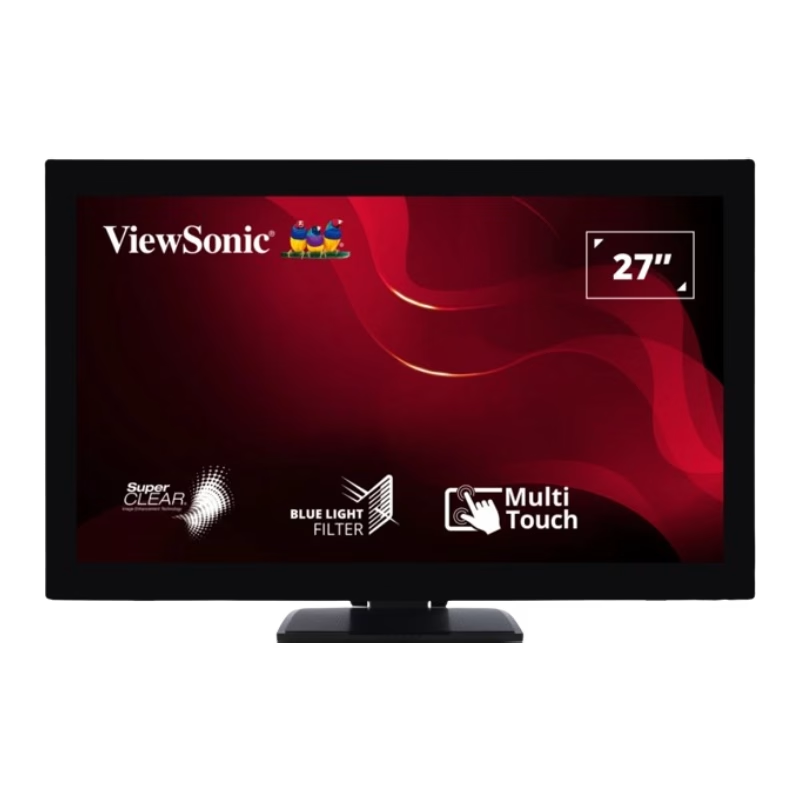
• LCD panel type: IPS technology • Adaptive sync • Backlight type: W-LED system • Panel Size: 27 inch / 68.6 cm • Display Screen Coating: Anti-Glare, 3H, Haze 25% • Effective viewing area: 597.9 (H) x 336.3 (V) • Aspect ratio: 16:9 • Maximum resolution: 1920 x 1080 @ 75 Hz* • Pixel Density: 82 PPI • Response time (typical): 4 ms (GtG)* • Brightness: 250 cd/m² • Contrast ratio (typical): 1000:1 • SmartContrast: Mega Infinity DCR • Pixel pitch: 0.311 x 0.311 mm • Viewing angle: 178º (H) / 178º (V), @ C/R > 10 • Flicker-free • Display colors: 16.7 M • Scanning Frequency: 30 -83 kHz (H) / 56 -76 Hz (V) • LowBlue Mode • EasyRead • sRGB 1 YEAR WARRANTY

Genuine-spec keyboard replacement for MacBook Pro 13″ (Model A2251, 2020) — choose US QWERTY or UK QWERTY (with £ symbol). Features Apple’s reliable Magic Keyboard with scissor-switch mechanism, backlighting, and precise OEM fit. Compatible With: MacBook Pro 13-inch (2020, Two Thunderbolt Ports, Model A2251, Model Identifier MacBookPro16,1) with Intel Core i5/i7 processors. Layout Options (select at purchase): US Layout: Standard QWERTY with wide Enter key, @ above 2, # above 3, and full function row. UK Layout: QWERTY with £ symbol, tall vertical Enter key, @ accessed via right Alt, and UK-specific punctuation. US Layout: Standard QWERTY with wide Enter key, @ above 2, # above 3, and full function row. UK Layout: QWERTY with £ symbol, tall vertical Enter key, @ accessed via right Alt, and UK-specific punctuation. Keyboard Type: Apple’s Magic Keyboard with scissor-switch mechanism—offering improved durability, quieter typing, and 1mm key travel compared to Butterfly keyboards. Integrated Features: Full backlit keys for low-light environments Ambient light sensor support OEM-style flex cable pre-attached for direct connection to the logic board Full backlit keys for low-light environments Ambient light sensor support OEM-style flex cable pre-attached for direct connection to the logic board Precision Build: Engineered to match Apple’s exact dimensions, key spacing, and top-case curvature—ensures seamless visual and functional integration. Installation Note: The keyboard is factory-glued into the top case. Replacement requires full disassembly, careful adhesive removal, and professional re-adhesion. Recommended for experienced or certified repair technicians only.

Genuine-spec touchpad flex cable for MacBook Pro 13″ (Model A2338, 2020, Apple M1)—essential for restoring full Force Touch functionality, haptic feedback, and precise multi-touch gesture control during trackpad repair or replacement. Compatible With: MacBook Pro 13-inch (2020, Model A2338, Model Identifier MacBookPro17,1) with Apple M1 chip (2 Thunderbolt ports). Part Type: Touchpad flex cable only — does not include the trackpad housing, Taptic Engine, or mounting hardware. This is the OEM-style ribbon cable that connects the trackpad to the logic board. Function: Transmits: Touch input coordinates Force Touch pressure data Haptic feedback signals to the Taptic Engine Enables full macOS gesture support: Force Click, three-finger lookup, swipe navigation, pinch-to-zoom, and smooth cursor tracking. Touch input coordinates Force Touch pressure data Haptic feedback signals to the Taptic Engine Enables full macOS gesture support: Force Click, three-finger lookup, swipe navigation, pinch-to-zoom, and smooth cursor tracking. OEM-Quality Build: Matches Apple’s original specifications in: Cable length and routing Connector pitch and ZIF latch design EMI shielding and flex durability Cable length and routing Connector pitch and ZIF latch design EMI shielding and flex durability Common Use Cases: Replacing a torn, creased, or liquid-damaged original flex cable Completing a trackpad replacement when the original cable is compromised Fixing intermittent trackpad behavior, loss of Force Touch, or complete unresponsiveness Replacing a torn, creased, or liquid-damaged original flex cable Completing a trackpad replacement when the original cable is compromised Fixing intermittent trackpad behavior, loss of Force Touch, or complete unresponsiveness Installation Note: Requires full bottom case removal and battery disconnection. Cable routes under internal components near the right speaker and logic board. Connects via a ZIF (Zero Insertion Force) socket—must be aligned carefully and latched gently. Recommended for experienced or certified technicians only. Requires full bottom case removal and battery disconnection. Cable routes under internal components near the right speaker and logic board. Connects via a ZIF (Zero Insertion Force) socket—must be aligned carefully and latched gently. Recommended for experienced or certified technicians only. Important Compatibility Notes: ✅ Only for A2338 (13″, M1, 2020) ❌ Not compatible with: Intel-based A2251 / A2289 (2020) MacBook Air M1 (A2337) Any MacBook Air or 14″/16″ MacBook Pro ✅ Only for A2338 (13″, M1, 2020) ❌ Not compatible with: Intel-based A2251 / A2289 (2020) MacBook Air M1 (A2337) Any MacBook Air or 14″/16″ MacBook Pro Intel-based A2251 / A2289 (2020) MacBook Air M1 (A2337) Any MacBook Air or 14″/16″ MacBook Pro

Reliability meets value in this pre-owned ThinkPad E14 Gen 2. Equipped with the AMD Ryzen 5 4500U 6-core processor, 8GB RAM, and a 512GB NVMe SSD, this laptop is built for students and professionals who need a durable, high-performance machine for everyday multitasking.

WIWU S400 Aluminum Laptop Stand Portable, Adjustable and Foldable - Silver WIWU S400 Aluminum Laptop Stand Portable, Adjustable and Foldable – Silver

Apple Magic Keyboard - A1644 Wireless Bluetooth - UK English Layout Apple Magic Keyboard – A1644 Wireless Bluetooth – UK English Layout

Philips 241V8L6/69 23.6-inch monitor delivers clear and reliable performance for everyday work and home use. It focuses on Full HD clarity, strong contrast, and eye comfort features for long sessions. Additionally, it features a 23.6-inch VA panel with Full HD resolution (1920 × 1080). This panel provides deep contrast and vivid colors, so it improves image quality for documents, browsing, and media. Moreover, it supports a 75Hz refresh rate with Adaptive Sync. As a result, it delivers smoother motion and reduces screen tearing during video playback and light gaming. The monitor includes a 4ms GtG response time. Therefore, it handles motion clearly for everyday tasks and casual entertainment. In addition, it offers a 3000:1 contrast ratio with SmartContrast technology. This enhances dark scenes and improves overall image depth. Furthermore, it includes Flicker-Free technology and LowBlue Mode. So it helps reduce eye strain during long working hours. It also provides HDMI and VGA connectivity with an anti-glare screen surface. This ensures compatibility with modern and older devices while maintaining comfortable viewing. Philips 241V8L6/69 23.6-inch monitor provides balanced performance, solid contrast, and essential comfort features for daily productivity. Specifications: 23.6-inch VA panel with Full HD 1920 × 1080 resolution 75Hz refresh rate with Adaptive Sync support 4ms GtG response time for smooth visuals 3000:1 contrast ratio with SmartContrast Flicker-Free and LowBlue Mode for eye comfort

Philips 24M2N3200FQ is a 23.8-inch Full HD Fast IPS gaming monitor. It delivers a 1920 × 1080 resolution with a 200Hz refresh rate and 1ms (GtG) response time for very smooth motion handling. Additionally, it uses a Fast IPS panel that keeps colors accurate and viewing angles wide. Moreover, it supports Adaptive Sync to reduce screen tearing during fast gameplay. It also includes HDR10 support for improved contrast in compatible content. Low Input Lag and SmartImage Game modes further enhance responsiveness and visual tuning. Furthermore, it features Flicker-Free technology and LowBlue Mode to reduce eye strain during long sessions. It also provides HDMI 2.0 and DisplayPort 1.4 for modern connectivity. The Philips 24M2N3200FQ monitor delivers competitive 200Hz performance with Fast IPS clarity for gaming and everyday use. Specifications: 23.8-inch Fast IPS panel with Full HD 1920 × 1080 resolution 200Hz refresh rate for ultra-smooth gaming motion 1ms (GtG) response time for reduced blur Adaptive Sync and HDR10 support for smoother visuals HDMI 2.0 and DisplayPort 1.4 connectivity options

The Samsung 86″ Interactive E-Board LH86WACW offers a large and clear display for classrooms and meeting rooms. It shows bright images with strong detail. The screen size allows everyone in the room to see clearly. This improves communication and teamwork. Moreover, the Samsung Interactive E-Board LH86WACW supports smooth touch control. You can write, draw, and move items with ease. The touch response feels fast and natural. This helps teachers and teams present ideas more effectively. In addition, the board includes multiple connection options. You can connect laptops, tablets, and other devices quickly. This makes sharing content easier for everyone. The board also supports wireless features for more flexible use. Furthermore, the Samsung 86″ Interactive E-Board LH86WACW includes built-in software tools. These tools allow easy note-taking and smart collaboration. You can save your work and share it instantly. This helps improve learning and workflow. Also, the display uses strong protection glass. It resists scratches and damage during daily use. The durable design makes it ideal for schools and offices. It stays reliable even with heavy use. The sleek design of the Samsung Interactive E-Board LH86WACW looks modern and professional. It fits well in classrooms, conference rooms, and training centers. The slim frame gives the screen a clean and elegant look. This makes every space feel more advanced. Overall, the Samsung 86″ Interactive E-Board LH86WACW offers clear visuals, fast touch control, and smart tools in one device. It helps teams share ideas better and faster. It also makes lessons more interactive and engaging. This board is perfect for education, business, and training environments. Specifications: Display : 86″ IPS Resolution : 3840×2160 Refresh Rate : 60Hz Response Time : 8ms Model : LH86WACW

The ViewSonic VG2409-MHU 24″ FHD 75Hz Monitor delivers clear and smooth visuals for work and daily use. Its Full HD resolution shows sharp text and clean image details. The 24-inch screen gives enough space for multitasking and focused tasks. This makes it perfect for home and office setups. Moreover, the ViewSonic VG2409-MHU 24″ FHD 75Hz Monitor features a smooth 75 Hz refresh rate. This makes scrolling softer and video playback more fluid. Motion feels more natural during daily use. As a result, eye comfort improves during long work sessions. In addition, the monitor uses an IPS panel for wide viewing angles. Colors stay clear and accurate from different positions. This helps when sharing the screen with others. The image stays stable and bright. Furthermore, the ViewSonic VG2409-MHU 24″ FHD 75Hz Monitor includes eye comfort features for daily protection. The low blue light mode helps reduce eye strain. The flicker-free design supports long viewing hours without discomfort. These features make it suitable for extended use. Also, the monitor offers useful built-in speakers for basic audio needs. This removes the need for external speakers in small setups. Sound is clear for videos, meetings, and casual media use. In addition, the monitor includes flexible connection options. It supports HDMI, DisplayPort, and VGA for wide device compatibility. This allows easy setup with PCs, laptops, and media devices. Switching sources becomes fast and simple. Moreover, the slim bezel design gives a clean and modern look. It fits well in professional and home workspaces. The stand supports tilt adjustment for basic comfort. Wall mounting is also supported for clean desk setups. Overall, the ViewSonic VG2409-MHU 24″ FHD 75Hz Monitor offers clarity, comfort, and smooth daily performance. It supports work, study, and entertainment with ease. This monitor is a great choice for users who want simple performance and reliable quality. Specifications: Display : 24″ IPS Resolution : FHD 1920 x 1080 Refresh Rate : 75Hz Response Time : 5ms

TP-Link TL-WR841N Router – 300Mbps Wi-Fi speed with 2 fixed antennas and 4 LAN ports.Ideal for home and small office use with support for multiple modes and secure encryption. Model: TP-Link TL-WR841N Wi-Fi Standard: IEEE 802.11b/g/n Frequency: 2.4GHz only Speed: Up to 300Mbps (Wireless N) Antennas: 2 Fixed 5dBi Omni-directional Antennas Ports: 1x WAN Port (10/100Mbps) 4x LAN Ports (10/100Mbps) Ports: 1x WAN Port (10/100Mbps) 4x LAN Ports (10/100Mbps) Security: WPA/WPA2, SPI Firewall, MAC address filtering Modes: Router, Range Extender, Access Point, WISP Wireless Features: SSID broadcast control, WDS bridging, bandwidth control Management: Web UI, TP-Link Tether App Dimensions: 192 × 134 × 33 mm

Features Stylish and compact Bluetooth speaker, easy to carry. Supports wireless connectivity via Bluetooth. True Wireless Stereo (TWS): Connect two speakers simultaneously. Durable ABS plastic material with a fabric-covered front panel. Built-in microphone for hands-free calls. LED indicator to display working status. Water-resistant with an IPX7 rating. Continuous playback for 8-12 hours (depending on volume). 5-watt speaker delivering Hi-Fi audio quality. On-speaker controls for music playback and volume adjustment. Built-in battery with Type-C charging port for easy recharging. Technical Specifications Bluetooth Version: V5.4 Transmission Distance: 10 meters Rated Power: 5W Driver Unit: 40mm Input: DC5V Battery Capacity: 1200mAh Charging Time: 2 hours Playback Time: 8-12 hours (depending on volume)

The BenQ ZOWIE XL2566K TN 360Hz 24.5″ Gaming Monitor is designed for serious gamers. Its 360Hz refresh rate ensures incredibly smooth and fluid motion, reducing blur and ghosting in fast-paced games. With a 24.5″ TN panel, this gaming monitor delivers vibrant colors and sharp images. The TN technology ensures low response times, making it ideal for competitive gaming where every millisecond counts. Setting up the BenQ ZOWIE XL2566K is simple and straightforward. The adjustable stand allows you to find the perfect viewing angle, ensuring comfort during long gaming sessions. Experience the benefits of DyAc+ Technology, which enhances clarity and reduces motion blur. This feature is perfect for first-person shooters and fast-action games, giving you a clear advantage over your opponents. The BenQ ZOWIE XL2566K offers multiple connectivity options, including HDMI, DisplayPort, and USB. This versatility allows you to connect various devices and switch between them with ease. With its Black eQualizer and Color Vibrance settings, you can customize your gaming experience. These features help you spot enemies in dark areas and adjust color settings to suit your preferences. In conclusion, the BenQ ZOWIE XL2566K TN 360Hz 24.5″ Gaming Monitor is a top choice for gamers seeking an edge in performance. Upgrade to this monitor and enjoy ultra-smooth gameplay and exceptional clarity. Elevate your gaming setup today and dominate the competition. Specifications: Display : 24.5″ TN Resolution : 1920 x 1080 Refresh Rate : 360Hz

Arabic Silicone Keyboard Skin Cover for MacBook Pro 13" A1708 Without Touch bar and MacBook 12" A1534 with Retina Display US Layout (Black) Arabic Silicone Keyboard Skin Cover for MacBook Pro 13″ A1708 Without Touch bar and MacBook 12″ A1534 with Retina Display US Layout (Black) About this item Arabic language silicone keyboard skin, US version, perfect fit for your MacBook 12″ A1534, which was released in 2015 & new MacBook Pro 13-Inch 13″ Model A1708 without/no Touch Bar, which was released in 2016; Do not fit for Europe Version MacBook Handmade Skin – XSKN is the original Manufacturer of these “Keyboard Art Skin” silicone covers. They are durable, thin and soft with a cashmere feel. The keys fit snug over the keyboard, smooth surface treatment, suit for regular laptop user who types a lot and quickly Each XSKN silicone skin is heat molded to ensure, each color is paints taking hand screened using silicone paint which is heat fuses into the silicone keyboard skin to become one, making it Soft, ultra-thin, durable and easy to washable High quality silicone raw material assure no extension with longtime using. Every detail clearly prinited, imported ink keep it looking good, rubber coating help to remain in good condition Aside from being beautiful they protect your keyboard from spills, crumbs, animal hair and dust. Washable, can be cleaned easily

The HP P24V G5 FHD VA monitor delivers clear and vibrant visuals with its 24‑inch Full HD display. As a result, it makes everyday computing, work tasks, and media viewing more enjoyable with sharp detail and rich colors. In addition, the VA panel provides wide viewing angles, so the image stays consistent even when you move around your desk. Furthermore, this monitor includes fast response times that help reduce motion blur when watching videos or casual gaming. It also offers essential connectivity options, making it easy to connect laptops, desktops, or media players without adapter hassles. Therefore, it fits well in both home and office setups. Overall, the HP P24V G5 strikes a good balance between performance and practicality, giving users dependable display quality at an affordable level. Specifications: 24″ Full HD VA display with wide viewing angles Clear visuals and vibrant colors Fast response for smooth motion Essential connectivity for multiple devices Ideal for everyday work and entertainment use

The Samsung Odyssey G3 32″ 180Hz Gaming Monitor delivers smooth gameplay with a high refresh rate. It ensures ultra-fast performance for competitive gaming. The 180Hz refresh rate reduces motion blur, making fast-paced action more fluid. Every frame appears crisp and clear, giving players an edge in fast-action games. With a 1ms response time, this gaming monitor eliminates lag and ghosting. It provides instant reactions, helping gamers stay ahead in intense battles. The quick response ensures accurate movements and smooth transitions between scenes. The Full HD 1920×1080 resolution offers sharp and detailed visuals. Every image appears clear, enhancing the gaming experience. The high contrast ratio improves depth and realism in darker scenes. Whether exploring dark landscapes or engaging in bright battlefields, the visuals remain immersive. The Samsung Odyssey G3 32″ 180Hz Gaming Monitor features AMD FreeSync Premium for tear-free gaming. It synchronizes the monitor’s refresh rate with the graphics card. This reduces screen tearing and stuttering, ensuring smooth gameplay. Even in demanding scenes, the visuals stay seamless. Designed with an ergonomic stand, this monitor offers height adjustment, tilt, and swivel options. Gamers can adjust the screen for maximum comfort during long gaming sessions. The slim bezel design creates a modern and immersive viewing experience. The monitor includes multiple connectivity options, including HDMI and DisplayPort. This ensures compatibility with gaming consoles, PCs, and other devices. The versatile connectivity makes it a great choice for any gaming setup. The Samsung Odyssey G3 32″ 180Hz Gaming Monitor is perfect for gamers seeking speed, clarity, and immersion. Its fast refresh rate, sharp visuals, and ergonomic design make it an excellent choice. Every game feels smoother, sharper, and more immersive. Specifications: Display : 32″ VA Resolution : FHD (1,920 x 1,080) Refresh Rate : 180Hz Response Rate : 1ms

REMAX K10 Ryusic Series Type C One-to-Two Live-Stream Wireless Microphone Lossless Sound Quality: This microphone is equipped with an advanced chip for effective noise reduction, minimizing background noise, and delivering clear, high-fidelity sound. True 2.4GHz Wireless Technology: Operates with a proprietary 2.4GHz transmission protocol that offers stable, real-time audio transmission with ultra-low latency (<20ms), enhancing performance. Long-lasting Battery Life: Powered by an 80mAh polymer battery, the microphone consumes low power and provides up to 6-8 hours of continuous working time. Broad Device Compatibility: Compatible with a variety of devices, including smartphones, tablets, computers, and cameras, offering versatile recording solutions. Portable and Compact Design: Featuring a fingertip-sized form factor, this microphone is designed to be lightweight, compact, and easy to carry, making it ideal for both everyday and professional use. Omnidirectional Pickup: With a 360° omnidirectional microphone pickup, sound is captured evenly from all directions, ensuring comprehensive sound coverage for every recording. Material: ABS Battery Capacity: 80mAh Rated Voltage: 3.7V Charging Time: 1-1.5 hours Charging Port: Type-C Working Time: 6-8 hours Transmission Protocol: 2.4GHz proprietary Latency: Ultra-low latency of <20ms; receiver consumption of <25mA Frequency Response: 20Hz-20kHz Sensitivity: -30dB Signal-to-Noise Ratio: -65dB Transmission Distance: 20 meters Microphone Pickup: 360° omnidirectional

The ViewSonic VG2781-5K 27″ 5K 60Hz Monitor delivers superb detail and sharp visuals for work, design, and media tasks. Its 5K screen shows images with clear definition and high clarity. The 27‑inch size gives you a large workspace for multitasking and creative projects. This helps you stay efficient and organized. Moreover, the ViewSonic VG2781-5K uses an IPS panel that provides accurate colors and wide viewing angles. Colors stay consistent from different angles. In addition, the monitor supports a high color gamut. It covers sRGB 100%, Adobe RGB ~98‑99%, and DCI‑P3 ~99%. This wide coverage helps create vivid, true‑to-life visuals. It is great for photo editing, video editing, and design work. You will enjoy bright and realistic colors. Furthermore, the ViewSonic VG2781-5K 27″ 5K 60Hz Monitor includes useful features for comfort and versatility. It supports HDR400 for enhanced contrast and brightness. Also, the monitor provides versatile connectivity. It includes two HDMI 2.1 ports, one DisplayPort 1.4, and dual USB‑C ports (one with up to 96 W power delivery). It also offers USB‑A, USB‑B, Ethernet (RJ45), and audio out. These options help you connect laptops, desktops, peripherals, or even use the monitor as a dock. The design of the ViewSonic VG2781-5K is modern, with a slim bezel and ergonomic adjustable stand. You can adjust height, tilt, swivel, and pivot to get a comfortable view. This makes it suitable for desks, studios, and professional workspaces. The built‑in speakers add extra convenience for calls and media. Overall, the ViewSonic VG2781-5K 27″ 5K 60Hz Monitor combines high resolution, accurate color, versatile connectivity, and ergonomic design. It improves your work, creative tasks, and daily use. It is ideal for designers, editors, professionals, and anyone who values image quality. Specifications: Display : 27″ IPS Resolution : 5120×2280 Refresh Rate : 60Hz Response Time : 5ms

Genuine-spec touchpad flex cable compatible with both MacBook Air A2179 (Intel, 2020) and A2337 (M1, 2020)—restores full Force Touch functionality, haptic feedback, and precise multi-touch gesture control during trackpad repair or replacement. Compatible With: MacBook Air 13″ (2020, Intel) – Model A2179 (Model Identifier: MacBookAir9,1) MacBook Air 13″ (2020, Apple M1) – Model A2337 (Model Identifier: MacBookAir10,1) MacBook Air 13″ (2020, Intel) – Model A2179 (Model Identifier: MacBookAir9,1) MacBook Air 13″ (2020, Apple M1) – Model A2337 (Model Identifier: MacBookAir10,1) ✅ Important Note: Despite different processors (Intel vs. M1), Apple used the same trackpad assembly and flex cable in both A2179 and A2337. This makes the flex cable fully interchangeable between the two models. Part Type: Touchpad flex cable only — does not include the trackpad housing, Taptic Engine, or mounting hardware. This is the OEM-style ribbon cable that connects the trackpad to the logic board. Function: Transmits: Touch input coordinates Force Touch pressure data Haptic feedback signals to the Taptic Engine Enables full macOS gesture support: Force Click, three-finger lookup, swipe navigation, pinch-to-zoom, and smooth cursor tracking. Touch input coordinates Force Touch pressure data Haptic feedback signals to the Taptic Engine Enables full macOS gesture support: Force Click, three-finger lookup, swipe navigation, pinch-to-zoom, and smooth cursor tracking. OEM-Quality Build: Matches Apple’s original specifications in: Cable length and routing path Connector pitch and ZIF latch design EMI shielding and flex durability Cable length and routing path Connector pitch and ZIF latch design EMI shielding and flex durability Common Use Cases: Replacing a torn, creased, or liquid-damaged original flex cable Completing a trackpad replacement when the original cable is compromised Fixing intermittent trackpad behavior, loss of Force Touch, or complete unresponsiveness Replacing a torn, creased, or liquid-damaged original flex cable Completing a trackpad replacement when the original cable is compromised Fixing intermittent trackpad behavior, loss of Force Touch, or complete unresponsiveness Installation Note: Requires full bottom case removal and battery disconnection. Cable routes under the right side of the battery and logic board. Connects via a ZIF (Zero Insertion Force) socket—align carefully and latch gently. Recommended for experienced or certified technicians only. Requires full bottom case removal and battery disconnection. Cable routes under the right side of the battery and logic board. Connects via a ZIF (Zero Insertion Force) socket—align carefully and latch gently. Recommended for experienced or certified technicians only.
