
The MSI MAG 272F X24 is a 27‑inch FHD gaming monitor made for fast and fluid gameplay. It delivers vibrant Full HD visuals with a rapid 240 Hz refresh rate. Furthermore, its fast 0.5 ms response time helps reduce motion blur and ghosting for clearer action. This monitor uses Adaptive‑Sync technology, which improves smoothness and reduces tearing during high‑speed gaming. In addition, its panel offers wide viewing angles and consistent color performance, helping players see details clearly from different positions. Moreover, the display includes multiple connectivity options such as DisplayPort and HDMI, allowing easy setup with gaming PCs and consoles. Ergonomic adjustments support tilt and height changes for comfortable long sessions. As a result, the MSI MAG 272F X24 enhances both competitive play and casual gaming experiences. Specifications: 27‑inch FHD (1920 × 1080) display with 240 Hz refresh rate 0.5 ms response time for reduced motion blur Adaptive‑Sync for smooth gaming performance Multiple connectivity options including DisplayPort and HDMI Ergonomic tilt and height adjustment for comfortable use

The Samsung 24 inch 120Hz Essential Monitor S3 S32GF delivers smooth visuals with a Full HD display and fast refresh rate. Additionally, the 120Hz panel improves motion clarity, which makes it suitable for daily tasks and light gaming. The slim design also fits easily into modern workspaces. Moreover, the monitor uses a quality panel that provides consistent colors and clear details from different viewing angles. Therefore, it supports both productivity and entertainment use. Eye Saver Mode and flicker free technology also help reduce eye strain during long sessions. Furthermore, connectivity is simple and practical with HDMI and VGA inputs for flexible device support. In addition, the monitor is easy to set up and use for home or office environments. Overall, the Samsung 24 inch 120Hz Essential Monitor S3 S32GF is a reliable everyday display. Specifications: 24 inch Full HD display delivers clear and sharp visuals for daily use 120Hz refresh rate provides smoother motion for videos and light gaming Eye Saver Mode and flicker free technology help reduce eye strain Slim and modern design fits easily into home or office setups HDMI and VGA connectivity allow easy connection to multiple devices

The MSI MAG 244C 24″ FHD 180Hz Curved Gaming Monitor delivers smooth and immersive visuals for gaming, movies, and everyday use. Its Full HD resolution shows clean details in games, videos, and work tasks. The 24-inch curved screen wraps slightly around your view for deeper immersion. This helps you stay focused and engaged while playing or working. Moreover, the MSI MAG 244C 24″ FHD 180Hz Curved Gaming Monitor features a fast 180 Hz refresh rate. This refresh rate makes motion look fluid and responsive. Fast games and action scenes appear more detailed and smooth. This reduces motion blur and improves your reaction time during gameplay. In addition, the monitor offers a 1 ms (MPRT) response time. This helps reduce ghosting and keeps fast visuals clear. Your controls feel responsive and snappy. This makes it easier to compete in shooters and other fast-paced games. Furthermore, the MSI MAG 244C 24″ FHD 180Hz Curved Gaming Monitor uses a VA panel with deep contrast. Blacks appear darker and scenes look richer for games and movies. The panel also supports a wide color gamut for decent color reproduction. This improves visuals for media, gaming, and creative content. Also, the monitor supports adaptive sync technology. This sync helps prevent screen tearing and stuttering when your GPU’s frame rate changes. The curved screen and smooth frame rate combine to deliver a more immersive gaming experience. The design of the MSI MAG 244C 24″ FHD 180Hz Curved Gaming Monitor is clean with slim bezels. It fits well on most desks without taking too much space. The stand allows tilt adjustment so you can set a comfortable viewing angle. Overall, the MSI MAG 244C 24″ FHD 180Hz Curved Gaming Monitor blends speed, clarity, and immersion in one strong display. It improves gaming performance, enhances media enjoyment, and works well for everyday computing. This monitor is ideal for gamers and users who want responsive, smooth visuals without a large screen footprint. Specifications: Display : 24″ VA Resolution : FHD 1920×1080 Refresh Rate : 180Hz Response Time : 1ms Curvature : 1500R

The BenQ Zowie 24″ 144Hz Gaming Monitor is designed for competitive gamers seeking smooth and responsive gameplay. With a 144Hz refresh rate, it reduces motion blur and ensures fluid visuals, giving players a competitive edge. As a result, fast-paced games feel more precise and immersive. Equipped with an optimized response time, this monitor minimizes input lag, allowing accurate control for first-person shooters, MOBAs, and action games. In addition, its 24-inch panel delivers vivid colors and sharp details, enhancing both gaming and multimedia experiences. The ergonomic design includes height, tilt, and swivel adjustments, providing comfortable viewing during long sessions. Furthermore, the monitor features low blue light and flicker-free technology, reducing eye strain over extended playtime. Connectivity is versatile with DisplayPort and HDMI options, making it compatible with PCs and consoles alike. Moreover, the monitor’s minimalist design complements any gaming setup without distractions. Therefore, it suits both professional eSports players and casual gamers who demand performance and reliability. Overall, the BenQ Zowie 24″ 144Hz Gaming Monitor balances speed, visual clarity, and ergonomic comfort, making it a top choice for competitive and everyday gaming. Specifications: Display : 24″ Resolution : FHD Refresh Rate : 144Hz

The Lenovo ThinkVision T34w-20 is a 34-inch ultrawide curved monitor designed for productivity and multitasking.Its large screen provides more workspace, making it ideal for office work, content creation, and professional use. The WQHD ultrawide resolution delivers sharp details and clear visuals across the entire screen.The curved design improves viewing comfort and helps keep content within natural sight lines. The monitor includes USB-C connectivity that supports video, data transfer, and device charging through one cable.Additionally, multiple connectivity options allow easy connection to laptops and desktop PCs. An ergonomic stand allows height, tilt, and swivel adjustments for comfortable long working sessions.Eye-care technologies help reduce strain during extended daily use. Specifications: Screen Size: 34″ Curved VA panel Resolution: 3440 × 1440 WQHD ultrawide Connectivity: USB-C, HDMI, DisplayPort, USB hub Ergonomics: Height, tilt, and swivel adjustment Features: Eye-care and multitasking-friendly design

The Samsung Odyssey G4 25″ 240Hz Gaming Monitor is designed to elevate your gaming experience. With its ultra-fast 240Hz refresh rate, you’ll enjoy incredibly smooth and fluid gameplay. Say goodbye to motion blur and lag. Firstly this monitor features a 25-inch display with Full HD resolution, delivering crisp and detailed visuals. Every game you play will look stunning, with vibrant colors and sharp images. Furthermore the Samsung Odyssey G4 is equipped with NVIDIA G-SYNC compatibility, which ensures tear-free and stutter-free gaming. This feature synchronizes the monitor’s refresh rate with your GPU, providing a seamless gaming experience. Moreover designed with gamers in mind, the Odyssey G4 has a sleek and modern design. Its thin bezels offer a more immersive viewing experience, making it perfect for multi-monitor setups. Also adjustability is a key feature of the Samsung Odyssey G4. You can tilt, swivel, pivot, and adjust the height to find the perfect viewing angle. Comfort during long gaming sessions is guaranteed. The monitor also boasts a rapid 1ms response time, reducing ghosting and motion blur. This ensures that every action is rendered smoothly, giving you a competitive edge in fast-paced games. Connectivity is made easy with multiple ports, including HDMI and DisplayPort. You can easily connect your gaming console, PC, or other devices without hassle. In conclusion, the Samsung Odyssey G4 25″ 240Hz Gaming Monitor offers top-tier performance and stunning visuals. Upgrade your gaming setup today and enjoy a superior gaming experience. With its advanced features and ergonomic design, it’s the perfect choice for serious gamers. Specifications: Display : 25″ IPS Resolution : 1,920 x 1,080 Refresh Rate : 240Hz Response Rate : 1ms GTG

TP-Link 8 Port Gigabit Ethernet Network Switch | Plug and Play | Desktop or Wall-Mount | Plastic Case Ethernet Splitter | Fanless | Traffic Optimization | Unmanaged (TL-SG1008D),Black About this item PLUG-AND-PLAY – Easy setup with no configuration or no software needed ETHERNET SPLITTER – Connectivity to your router or modem router for additional wired connections (laptop, gaming console, printer, etc) 8 Ports GIGABIT ETHERNET – 8 10/100/1000 Mbps Gigabit auto-negotiation RJ45 ports greatly expand network capacity COST EFFECTIVE – Fanless Quiet Design, Desktop design RELIABLE – IEEE 802.3x flow control provides reliable data transfer UP to 80% Power Saving – Automatically adjusts power consumption according to the link status and cable length AUTO-NEGOTIATION – Supports Auto-MDI/MDIX, eliminating the need for crossover cables

A1707 Battery Replacement, A1820 Battery for MacBook Pro 15″ (Late 2016, Mid 2017) Touch Bar EMC 3072 EMC 3162 MLH32 MLH42 MLW72 MLW82 MPTR2 MPTT2 MLH52 MLW92 MPTU2 MPTV2 MPTW2 MPTX2 Specification】Voltage: 11.4V. Capacity: 76Wh 6667mAh. Battery Type: Li-ion. Condition: Brand new, from high quality materials, top circuit boards and smart chip. 【Compatible Part Number】A1820, A1707, A1707(EMC 3072), A1707(EMC 3162), 020-01728, MacBookPro13,3 , MacBookPro14,3. 【Compatible Laptop Models】MacBook Pro 15-Inch (Late 2016) & (Mid 2017) Model A1707 with touch bar, fit for MLH32LL/A MLH42LL/A MLH52LL/A MLW92LL/A MPTU2LL/A MPTV2LL/A MPTR2LL/A MPTT2LL/A MPTW2LL/A MPTX2LL/A MLW72LL/A MLW82LL/A. 【Note】The tools are included. Double-sided tape is attached to the back of the battery or double-sided tape is included in the package. But No battery installation instruction. The MBP battery is difficult to disassemble, we suggest you search for related installation videos on the Internet or find a technician for help.

Genuine-spec touchpad flex cable for MacBook Pro 15″ (Model A1990, 2018–2019, Intel)—essential for restoring full Force Touch functionality, haptic feedback, and precise multi-touch gesture control during trackpad repair or replacement. Compatible With: MacBook Pro 15-inch (2018 & 2019, Model A1990, Model Identifiers MacBookPro15,2) with Intel Core i7/i9 processors. Part Type: Touchpad flex cable only — does not include the trackpad housing, Taptic Engine, or mounting hardware. This is the OEM-style ribbon cable that connects the trackpad to the logic board. Function: Transmits: Touch input coordinates Force Touch pressure data Haptic feedback signals to the Taptic Engine Enables full macOS gesture support: Force Click, three-finger lookup, swipe navigation, pinch-to-zoom, and smooth cursor tracking. Touch input coordinates Force Touch pressure data Haptic feedback signals to the Taptic Engine Enables full macOS gesture support: Force Click, three-finger lookup, swipe navigation, pinch-to-zoom, and smooth cursor tracking. OEM-Quality Build: Matches Apple’s original specifications in: Cable length and routing path Connector pitch and ZIF latch design EMI shielding and flex durability Cable length and routing path Connector pitch and ZIF latch design EMI shielding and flex durability Common Use Cases: Replacing a torn, creased, or liquid-damaged original flex cable Completing a trackpad replacement when the original cable is unusable Fixing intermittent trackpad behavior, loss of Force Touch, or complete unresponsiveness Replacing a torn, creased, or liquid-damaged original flex cable Completing a trackpad replacement when the original cable is unusable Fixing intermittent trackpad behavior, loss of Force Touch, or complete unresponsiveness Installation Note: Requires full bottom case removal and battery disconnection. Cable routes under internal components near the right speaker and logic board. Connects via a ZIF (Zero Insertion Force) socket—must be aligned carefully and latched gently. Recommended for experienced or certified technicians only. Requires full bottom case removal and battery disconnection. Cable routes under internal components near the right speaker and logic board. Connects via a ZIF (Zero Insertion Force) socket—must be aligned carefully and latched gently. Recommended for experienced or certified technicians only.

BenQ RE03A 86 inch Board Essential RE8603A is designed for classrooms, training rooms, and interactive presentations. It features an 86-inch 4K UHD IPS display with precision IR touch technology for smooth writing and collaboration. Additionally, it supports up to 40 touch points. Therefore, it helps teachers and teams work together more efficiently. The BenQ RE8603A delivers 3840 × 2160 resolution with 450 nits brightness and anti-glare coating for clear viewing in bright rooms. Moreover, it uses 9H tempered glass for better durability and safer daily use. It also includes low blue light and flicker-free technology to reduce eye strain. In addition, it runs on Android 11 with 4GB memory and 32GB storage for smooth system performance. Furthermore, it provides 3 HDMI 2.0 ports, DisplayPort, USB-A, USB-C, and USB-B for flexible connectivity. As a result, users can connect laptops, cameras, and classroom devices easily. It also includes front-facing 2 × 20W speakers and built-in management tools for daily educational use. Specifications: 86-inch 4K UHD (3840 × 2160) IPS display Precision IR touch with up to 40 touch points Android 11 with 4GB RAM and 32GB storage 450 nits brightness with anti-glare 9H tempered glass 3 HDMI 2.0, DisplayPort, USB-C, and dual 20W speakers

Its 31.5″ Rapid VA panel features a 1500R curve for immersive visuals. Plus, Dual‑Mode lets you switch between 4K@160 Hz or FHD@320 Hz resolution easily. Also, the monitor offers a fast 0.5 ms GtG response time to reduce blurring. Because of AMD FreeSync Premium, gameplay stays tear‑free and smooth. Moreover, VESA DisplayHDR 400 enhances contrast and color accuracy. It covers 97 % DCI‑P3, 93 % Adobe RGB, and 136 % sRGB for vivid colors. With HDR and AI Vision tech, dark scene details become clear. Also, it supports HDMI CEC, PIP, and PBP for multi‑device setups. Furthermore, ports include DP 1.4a, two HDMI 2.1, and USB‑C with 15 W PD. Also, anti‑flicker and low‑blue‑light tech reduce eye strain over long sessions. Plus, the frameless design gives a sleek look to your setup. The ergonomic stand adjusts tilt and height up to 130 mm. Moreover, headphone‑out jack adds audio convenience. Because of dual‑mode, you choose either crisp 4K or ultra‑fast FHD. Gamers love the 320 Hz FHD mode for competitive play. Also, movie and design work shine in 4K HDR mode. Additionally, AI Dual‑Mode auto‑switches resolution and refresh rate. Furthermore, build quality feels solid with metal stand and VESA mount. Also, cable routing is tidy despite downward ports. Thus, the MSI MAG 321CUPDF suits high‑end gaming and creative workflows. Upgrade today to enjoy ultra‑fast refresh, vivid visuals, and smooth gameplay. Specifications: Display : 31.5″ Rapid VA Resolution : 3840 x 2160 (UHD) / 1920 x 1080 (FHD) Curvature : 1500R Refresh Rate : 160Hz / 320Hz Response Rate : 0.5ms (GTG)

The Apple Magic Mouse (USB-C version) is a sleek, minimalist multi-touch wireless mouse built for Mac users. It offers smooth gesture support, Bluetooth connectivity and a built-in rechargeable battery — a great choice if you prefer a clean desk setup and full compatibility with macOS and iPadOS. General Name: Magic Mouse (USB-C) — part of Apple’s pointing-device lineup. Wireless connectivity: Bluetooth. Rechargeable battery: built-in, no disposable AA cells. Charging / port: USB-C port (bottom of mouse) for pairing and charging. Compatibility: Requires a Mac with macOS 15.1 or later, or an iPad with iPadOS 18.1 or later. Size & Weight Height: ~0.85 inch (2.16 cm) Width: ~2.25 inch (5.71 cm) Depth: ~4.47 inch (11.35 cm) Weight: ~0.22 pound (0.099 kg) (varies slightly by manufacturing) Features Multi-Touch surface: supports gestures such as swiping between pages, scrolling through documents, zooming. Glide / foot design: optimized for smooth movement across desktop surfaces. Rechargeable battery life: about a month or more between charges (typical use) per Apple spec. Used Condition ConsiderationsSince you’re specifying a used unit: Check for wear on the bottom feet / skates — these degrade and affect glide. Verify battery capacity / health (rechargeable batteries age). Confirm the port is functioning (USB-C) and Bluetooth connectivity is stable. Look for signs of excessive surface scratches on the multi-touch top — may impair gestures. Ensure the firmware / Mac recognizes it fully (gestures working). Upgradability / Limitations Not user-upgradable: You cannot replace the internal battery or change internals easily. Design limitation: The USB-C port remains on the bottom of the mouse, meaning you cannot use it while charging unless you flip it. This design is still criticized. Ergonomics: The flat, low-profile design is stylish but may not suit extended-use comfort for some users.

COMPACT AND WIRELESS Enjoy the freedom of wireless with this versatile combo. The compact keyboard is equipped with a number pad ideal for data entry, calculations and navigation, so you can get more work done in less space. The ambidextrous mouse delivers smooth tracking and scrolling, for easy navigation -at home or at work. COMPACT AND WIRELESS Enjoy the freedom of wireless with this versatile combo. The compact keyboard is equipped with a number pad ideal for data entry, calculations and navigation, so you can get more work done in less space. The ambidextrous mouse delivers smooth tracking and scrolling, for easy navigation -at home or at work. Height: 112 mm Width: 381 mm Depth: 17.78 mm Weight: 320 g Height: 107 mm Width: 60 mm Depth: 40 mm Weight: 112 g 10-Key Number pad Music Controls Up to 5 million keystrokes (excludes number lock key) Key type: Deep-profile Spill-resistant 2Tested under limited conditions (maximum of 60 ml liquid spillage). Do not immerse the keyboard in liquid. 2 AAA batteries (Alkaline Batteries) Sensor Technology: Smooth Optical Tracking Number of Buttons: 3 (Left/Right-click, Middle click) Scrolling: line-by-line Scroll Wheel: Yes, optical 2 AA batteries (Alkaline batteries) Windows® 10,11 or later ChromeOS An available USB ports

Acer Nitro VG270bmipx 27 Inch Screen size 27 Inches Display resolution maximum 1920 x 1080 Pixels Brand Acer Special feature AMD FreeSync, Blue Light Filter, Frameless, Tilt Adjustment, Flicker-Free Refresh rate 75 Hz Connectivity technology VGA + HDMI + DP + Audio in/out Aspect ratio 16:9 Specific uses for product Personal, Gaming Response time 1 Milliseconds Colour Black/Red

Genuine-quality replacement A1989 battery testing flex cable—brand new and ready for professional MacBook Pro 15" (2018–2019) battery diagnostics and repairs. Genuine-quality replacement A1989 battery testing flex cable—brand new and ready for professional MacBook Pro 15″ (2018–2019) battery diagnostics and repairs. This is a brand-new A1989 Battery Testing Flex Cable, designed specifically for use in MacBook Pro 15-inch models from 2018 and 2019 (A1989) during battery replacement or diagnostic procedures. The flex cable connects the battery to the logic board’s test points, allowing technicians to verify battery health, voltage, and communication before final reassembly—ensuring safe and accurate repairs. Made with high-quality materials and precise engineering, this flex cable matches OEM specifications for fit, function, and reliability. It’s an essential tool for certified repair shops, independent technicians, and advanced DIYers performing battery servicing on T2-chip MacBook Pro models. Please note: This is not a full battery—it is the small flex cable used during battery testing and installation. Proper handling and ESD-safe practices are recommended during installation. Compatible with: MacBook Pro 15″ (2018, A1989) MacBook Pro 15″ (2019, A1989)

Specifications : Display Diagonal Viewing Size 86.27 cm 34.14 inches Preset Display Area (H x V) 799.80 mm x 344.80 mm 31.49″ x 13.18″ 267773.04 sq-mm (415.01 sq-inches) Panel Type In-Plane switching Technology Display Screen Coating Antiglare with hard-coating 3H Maximum Preset Resolution 3440 x 1440 at 60Hz Viewing Angles 178° vertical / 178° horizontal Pixel Pitch 0.233 mm x 0.233 mm Pixel Per Inch (PPI) 109 Contrast Ratio 1,000 to 1 (typical) Aspect Ratio 21:9 Backlight Technology LED edgelight system Brightness 300 cd/m² (typical) Response time 8 ms for NORMAL mode 5 ms for FAST mode Adjustability Height adjustable (115 mm), Tilt (-5° to 21°) Swivel (-30° to 30°) Pivot (N/A) PbP / PiP PbP (Yes) PiP (Yes) Daisy Chain Availability No Dell Display Manager Compatibility Yes, Easy Arrange and other key features Remote Asset Management Yes, via Dell Command Monitor Specifications – Service / Support Details 3-Year Advanced Exchange Service and Limited Hardware Warranty Color Support Color Gamut (typical): 99.9% sRGB, CIE1976 (90%), CIE1931 (75%) Color Depth: 1.074 Billion colors Color Calibration Accurancy Delta E < 3 (average) Color Calibration with X-rite colorimeter No Built-in Devices USB 3.0 super-speed hub (with 2 x USB 3.0 upstream port) 4 x USB 3.0 downstream ports Security Security lock slot (cable lock sold separately) Anti-theft stand lock slot (to panel) Compliant Standards BFR/PVC-free (Halogen-free) excluding external cables Meets NFPA 99 leakage current requirements Arsenic-Free glass and Mercury-Free for the panel only Product Safety, EMC and Environmental Datasheets Dell Regulatory Compliance Home Page Dell and the Environment Flat Panel Mount Interface VESA (100 mm) Audio Output 1 x Audio line-out Connectivity 2 x HDMI 2.0 (HDCP 2.2) 1 x DP 1.2 (HDCP 2.2) 2 x USB 3.0 Upstream port 2 x USB 3.0 Downstream port (side) 2 x USB 3.0 Downstream port (bottom) 1 x USB Type-C (DisplayPort DP1.2 Alternate Mode, Power Delivery up to 90W (Typical), and USB 2.0) Dimensions & Weight Height with stand (Compressed ~ Extended) 417.0 mm ~ 532.0 mm 16.42″ ~ 20.94″ Width 813.6 mm 32.03″ Depth 226.4 mm 8.91″ Height without stand 363.7 mm 14.32″ Width without stand 813.6 mm 32.03″ Depth without stand 58.4 mm 2.30″ Weight (panel only – for VESA mount) 8.2 kg 18.07 lb Weight (with packaging) 16.0 kg 35.27 lb Power Voltage Required 100 VAC to 240 VAC / 50 Hz or 60 Hz + 3 Hz / 3 A (typical) Power Consumption (Operational) 54 W (typical) 250 W (maximum)** Power Consumption Stand by / Sleep Less than 0.5W **Maximum power consumption with max luminance, and USB active. Environmental Operating Conditions Temperature Range Operating: 0°C to 40°C (32°F to 104°F) Non-operating: –20°C to 60°C (–4°F to 140°F) Humidity Range Operating: 10% to 80% (non-condensing) Non-Operating: 5% to 90% (non-condensing) Altitude Operating: 5,000 m (16,404 ft) max Non-Operating: 12,192 m (40,000 ft) max In The Box Monitor, Stand Riser, Stand Base 1 x Power cable 1 X DP Cable (DP to DP) 1 X USB Type-C Cable (C to C) 1 x HDMI Cable 1 x USB 3.0 upstream cable Quick setup guide Safety, Environmental, and Regulatory Information Factory Calibration Report 1 Year Warranty manufacturer link

The HUAWEI IdeaHub B3 IHB3-65SA is a 65-inch intelligent collaboration device designed for meetings and hybrid workspaces. It combines a 4K interactive display with built-in audio, video, and whiteboard tools for smooth teamwork. Additionally, it supports cloud meetings and wireless sharing for flexible communication. Moreover, it uses a 4K UHD infrared touch screen with low writing latency of about 16 ms. Therefore, users can write and interact smoothly during presentations and discussions. Furthermore, it includes a built-in 4K camera with intelligent tracking. So, it automatically follows speakers and improves video meeting quality. It also integrates multiple microphones and speakers for clear sound pickup and output. In addition, it supports Wi-Fi 6 connectivity and BYOM (Bring Your Own Meeting). Therefore, users can connect their own devices easily and start meetings without extra setup. Also, it runs on Huawei’s collaboration platform with support for cloud meetings, wireless projection, and digital whiteboarding. Overall, the Huawei IdeaHub B3 65-inch delivers an all-in-one meeting solution with smart collaboration tools, strong connectivity, and interactive display performance for modern offices. Specifications: 65-inch 4K UHD infrared touch display Built-in 4K camera with intelligent tracking Low 16 ms writing latency for smooth interaction Wi-Fi 6 support with BYOM connectivity Integrated speakers and multi-microphone system

Genuine-spec keyboard replacement for MacBook Pro 14" & 16" (2021–2025, M1 Pro/Max to M4 Pro/Max)—available in US QWERTY or UK QWERTY (with £ symbol). Features Apple’s Magic Keyboard with scissor-switch mechanism, full backlighting, and precise OEM fit. Genuine-spec keyboard replacement for MacBook Pro 14″ & 16″ (2021–2025, M1 Pro/Max to M4 Pro/Max)—available in US QWERTY or UK QWERTY (with £ symbol). Features Apple’s Magic Keyboard with scissor-switch mechanism, full backlighting, and precise OEM fit. US Layout: Wide Enter key @ above 2, # above 3 Standard inverted-T arrow keys Wide Enter key @ above 2, # above 3 Standard inverted-T arrow keys UK Layout: Tall vertical Enter key £ symbol on key 3 @ accessed via Right Alt + 2 Matches Apple’s official UK regional configuration Tall vertical Enter key £ symbol on key 3 @ accessed via Right Alt + 2 Matches Apple’s official UK regional configuration Keyboard Type: Apple Magic Keyboard with scissor-switch mechanism Backlighting: Full per-key white backlight with ambient light sensor support Function Row: Full-height physical function keys (F1–F12) with macOS shortcut toggling Build Quality: OEM-grade keycaps, consistent actuation force, and precise top-case alignment

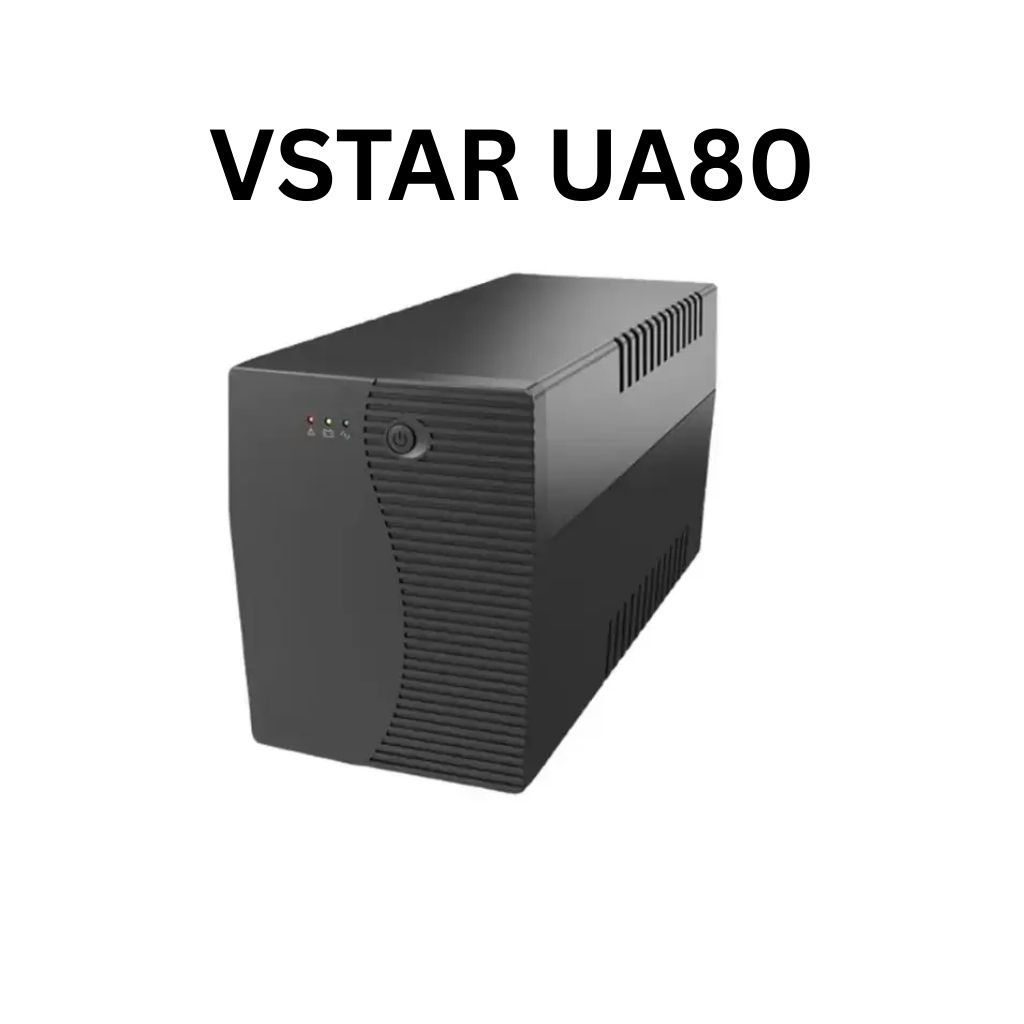
VSTAR UA150 1500VA UPS | Simulated Sine Wave Output | 230V | 24VDC Battery System | 50/60Hz Auto Sensing | Compact Design | Black Color | Model UPS-UA150 Robust 1500VA Power CapacityThe VSTAR UA150 delivers 1500VA of reliable backup power to safeguard your essential electronics, including PCs, servers, routers, and security systems. Dual Voltage CompatibilitySupports 110/120V or 220/230/240V input, making it ideal for use in a variety of international voltage environments. Stable 230V Output with AVR FunctionalityMaintains a consistent 230VAC output, protecting connected devices from voltage fluctuations and surges. Simulated Sine Wave OutputProvides a simulated sine wave waveform suitable for most common electronics, especially during normal backup operations. Auto-Sensing FrequencyAutomatically detects 50Hz or 60Hz power sources, adapting to your electrical environment without manual adjustments. Compact, Space-Saving DesignMeasuring just 353 x 149.3 x 162 mm, the UA150 fits neatly on or under desks, in server cabinets, or against walls. Reliable 24VDC Battery SystemOperates on a 24VDC internal battery configuration, delivering longer runtimes and better reliability during outages. Universal Output SocketsEquipped with IEC-style or universal output sockets that are compatible with a wide range of devices. Sleek Black FinishA clean and modern black color allows it to blend seamlessly into professional or home environments. Ideal for Home or OfficeProtects critical electronics, telecom gear, and POS systems from data loss and downtime.

The Alienware AW2724HF 27″ 360Hz Gaming Monitor is built for serious gamers who want speed and clarity. It features a 27-inch Full HD Fast IPS display with sharp visuals and wide viewing angles. With a 360Hz refresh rate via DisplayPort and up to 255Hz through HDMI, the monitor delivers smooth motion in fast-paced games. A 0.5ms response time reduces blur, making every action look sharp and clear. The monitor supports AMD FreeSync Premium and VESA Adaptive-Sync, helping eliminate screen tearing for smoother gameplay. It also covers 99% of the sRGB color range and supports HDR10, offering rich and vibrant visuals. It comes with plenty of ports, including two DisplayPort 1.4, one HDMI 1.4, four USB 3.2 Gen 1 ports, and one USB upstream. This gives you flexible options to connect accessories and gaming gear. The stand is fully adjustable with options to tilt, swivel, pivot, and adjust height for better comfort. It also supports VESA mounting, allowing you to set it up the way you want. The design features thin bezels, making it great for multi-monitor setups. It also includes game-enhancing tools like crosshair overlays and display modes to give players an edge. Overall, the Alienware AW2724HF combines high refresh rates, fast response, and rich visuals in a sleek and adjustable design, perfect for competitive and casual gamers alike. Specifications: Display : 27″ Fast IPS Resolution : 1920×1080 FHD Refresh Rate : 360Hz Response Time : 0.5ms
