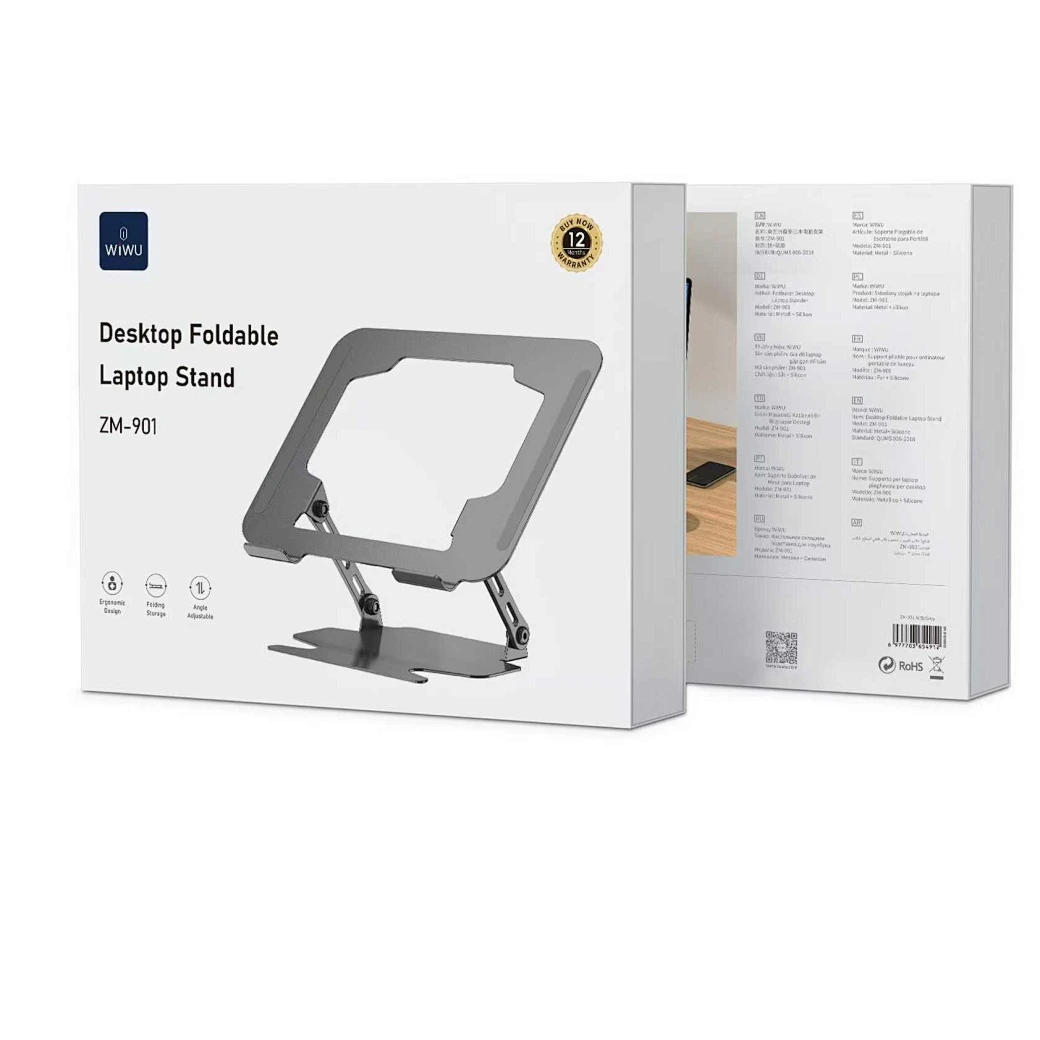

Tabletop Desk Metal Stand for lPad/Tablet/Mobile Phones-Adjustable Multi Angle Long Arm-Device 3.5~10.6 inches- Office, Home, Watching Movie, Drawing, Live Streaming Stand Holder is suitable for tablets and cell phones whose size of 3.5 to 10.6 inches. 【Flexible】- stand mount with long arm can adjust freely in multi angle. Its head can be rotated 360 degrees. That’s stable and durable. 【Many suitable occasions】- Play online recipes, Baking Crafting Demo Video. In bedroom: Enjoy your free time to watch online movies, videos, browsing, YouTube, TikTok etc. In office: Participate in online meeting, and as a desk organizer to clean the office environment. 【Strong design】-Tablet Stand adjustable has a high-end metal extended arm and a clamp clip that can be easily operated with one hand and a charging hole reserved. 【LIVE stream equipment】- Place the tablet and cell phone stand on the desktop and then you can live streaming showing upper body that very convenient to avoid blurring caused by hand-shake..

Logic Board 2.2GHz i7 Integrated Graphics, 16GB Replacement for Apple MacBook Pro 15" Retina A1398 (Mid 2015) Logic Board 2.2GHz i7 Integrated Graphics, 16GB Replacement for Apple MacBook Pro 15″ Retina A1398 (Mid 2015)

Acer Nitro QG241YBII 23.6 Inch Gaming Monitor LED Full Hd Screen Size 23.8 Inches Display Resolution Maximum 1920×1080 Brand Acer Special Feature Full HD Refresh Rate 75 Hz Specifications: Acer Nitro QG241YBII 23.6 Inch Gaming Monitor LED Full Hd Screen Size 23.8 Inches Display Resolution Maximum 1920×1080 Brand Acer Special Feature Full HD Refresh Rate 75 Hz

The LG 32G810SA-W 32″ UHD 4K IPS Smart 144Hz Monitor delivers premium performance for gaming, streaming, and productivity. Its large 32-inch IPS display provides sharp 4K UHD visuals and vibrant color accuracy for immersive viewing. Moreover, the fast 144Hz refresh rate ensures smooth motion during competitive gaming and high-action scenes. This monitor also includes smart features that allow access to streaming apps and entertainment without needing a PC. Additionally, the IPS panel offers wide viewing angles, making it suitable for shared viewing and creative work. The modern white design adds a clean and stylish look to gaming or professional setups. Connectivity options allow easy connection to consoles, PCs, and multimedia devices. Furthermore, ergonomic adjustments help maintain comfortable viewing positions during long sessions. Therefore, this monitor suits gamers, content creators, and home users seeking performance and flexibility. Finally, it combines smart functionality, high refresh rate, and stunning 4K clarity for versatile daily use. Specifications: 32-inch UHD 4K IPS smart gaming monitor 144Hz refresh rate for smooth gameplay Built-in smart features for streaming access Wide viewing angles and vivid colors Modern design with versatile connectivity

The Samsung 34″ Odyssey G55T Curved Gaming Monitor LC34G55TWWMXZN features a 34-inch VA panel with Ultra WQHD resolution (3440 × 1440) and a 21:9 aspect ratio. The ultrawide format provides additional screen space for gaming, multitasking, and content creation. The monitor uses a 1000R curved display designed to match the natural field of view. As a result, the screen wraps more closely around the user compared to traditional flat monitors. In addition, the VA panel delivers a typical 2500:1 contrast ratio for deeper blacks and improved shadow detail. The display supports a maximum refresh rate of 165Hz and a 1ms MPRT response time. Therefore, motion appears smoother during fast-paced gaming. AMD FreeSync Premium support also helps reduce screen tearing and stuttering when paired with compatible graphics hardware. HDR10 support allows compatible content to display a wider brightness range. Also, gaming features such as Black Equalizer, Low Input Lag Mode, and Refresh Rate Optimizer provide additional control over image settings. Connectivity includes one DisplayPort 1.4, one HDMI 2.0 port, and a headphone output. The monitor also supports Picture-by-Picture mode, Eye Saver Mode, and Flicker Free technology. This model focuses on ultrawide gaming performance with a high refresh rate, aggressive 1000R curvature, and Ultra WQHD resolution. Community feedback often highlights the immersive curve and gaming experience, while some users note that the curvature is more aggressive than typical curved monitors. manufacturer link Specifications: 34-inch VA panel with Ultra WQHD (3440 × 1440) resolution 165Hz refresh rate and 1ms MPRT response time 1000R curved display with 21:9 aspect ratio AMD FreeSync Premium support DisplayPort 1.4 and HDMI 2.0 connectivity options

The Lenovo ThinkVision T32h-30 31.5″ 60Hz 2K Business Monitor is built for productivity and comfort. It offers a large and clear display that helps you work more efficiently. This monitor is perfect for offices, creators, and home workspaces. With its 31.5-inch 2K resolution, the Lenovo ThinkVision T32h-30 31.5″ 60Hz 2K Business Monitor delivers sharp details and bright colors. Text looks clean and images appear crisp. Therefore, you can enjoy better clarity during long work sessions. The 60Hz refresh rate ensures smooth motion for daily tasks. It is ideal for spreadsheets, browsing, and video meetings. As a result, your workflow feels more stable and comfortable. The Lenovo ThinkVision T32h-30 31.5″ 60Hz 2K Business Monitor features ultra-thin bezels for a modern design. This also makes multi-monitor setups more seamless and visually appealing. Its ergonomic stand allows tilt, swivel, and height adjustments. You can set the perfect viewing angle and reduce strain. Moreover, it uses low blue light technology to protect your eyes during long hours. The monitor includes USB-C, HDMI, and DisplayPort connections. With USB-C, you can charge your laptop and transfer data with one cable. This helps keep your workspace clean and organized. In summary, the Lenovo ThinkVision T32h-30 31.5″ 60Hz 2K Business Monitor offers clarity, comfort, and strong connectivity. It is an excellent choice for professionals who need space, precision, and modern features. Specifications: Display : 31.5″ IPS Resolution : 2K (2560×1440) Refresh Rate : 60Hz Response Time : 4ms GtG

Dell Latitude 5400 — business-class laptop built for reliability and productivity.• Intel Core i5 8th Gen • 8 GB RAM • 256 GB SSD • 14” FHD TouchscreenWindows | Durable Design | Backlit Keyboard

Acer KA222Q Widescreen LCD Monitor The entry-level KA2 series provide a superb user experience and don’t compromise on quality. With a choice of display size and a ZeroFrame design it is ideal for use in homes and offices. Whether it’s running productivity apps or playing games this monitor has it all. Specifications: Acer KA222Q Widescreen LCD Monitor 1 Year Warranty

The Lenovo Legion Pro 32UD-10 69D0GACBEU is a premium 31.5-inch UHD gaming monitor built for high-end gaming and content creation. It uses a QD-OLED panel with 4K resolution, ultra-fast response time, and advanced HDR support. Additionally, it combines esports-level speed with strong color accuracy and deep contrast. This monitor delivers a 3840 × 2160 UHD resolution with a 240Hz refresh rate for smooth gameplay and detailed visuals. Moreover, it features an extremely fast 0.03ms GtG response time that reduces motion blur during competitive gaming sessions. The Lenovo Legion Pro 32UD-10 also supports AMD FreeSync Premium Pro and VESA Adaptive Sync for tear-free gaming performance. The QD-OLED panel provides 99% sRGB and 99% DCI-P3 color coverage with True 10-bit color depth. Therefore, the monitor delivers rich colors, deep blacks, and strong HDR performance for gaming, streaming, and creative workloads. It also supports DisplayHDR True Black 400 and Dolby Vision technologies for enhanced contrast and brightness handling. The Lenovo Legion Pro 32UD-10 includes HDMI 2.1, DisplayPort 1.4, USB-C, and USB hub connectivity for gaming PCs, consoles, and accessories. Additionally, the ergonomic stand supports height, tilt, swivel, and pivot adjustments for flexible positioning. VESA mount support also allows wall or monitor arm installation. Community feedback highlights the monitor’s excellent image quality, fast OLED response performance, and strong HDR gaming experience. However, some users discussed HDR brightness behavior and Dolby Vision driver quirks in early usage reports. Specifications: 31.5-inch 4K UHD QD-OLED gaming display 240Hz refresh rate for ultra-smooth gameplay 0.03ms GtG response time for minimal motion blur DisplayHDR True Black 400 and Dolby Vision support HDMI 2.1, DisplayPort 1.4, USB-C, and USB hub connectivity

About this item 📱 Versatile Connectivity: Connect effortlessly with Bluetooth 4.2 to your smartphones, iPads, and computers. Also supports U disk, TF card (up to 32G), AUX input, and FM radio for versatile playback options. 📲 🔊 Powerful Sound with Heavy Bass: Enjoy rich, high-volume stereo sound with a powerful 20W output and a built-in heavy subwoofer, delivering an immersive audio experience for your home. 🎶 📻 Built-in FM Radio: Stay tuned to your favorite stations with the built-in FM radio feature, ensuring you never miss out on the latest news, music, and more. 📡 📞 Hands-Free Calling: Equipped with a clear call feature, this speaker allows you to answer phone calls directly through the speaker without lifting your phone. Perfect for multitasking! 🗣️ 📞 Hands-Free Calling: Equipped with a clear call feature, this speaker allows you to answer phone calls directly through the speaker without lifting your phone. Perfect for multitasking! 🗣️

The ViewSonic VA2708-2K-MHD is a 27-inch monitor featuring a SuperClear IPS panel with QHD resolution (2560 × 1440). The higher resolution provides more screen space and sharper image quality compared to standard Full HD displays, making it suitable for office work, content consumption, and everyday productivity. The monitor supports a refresh rate of up to 100Hz. As a result, scrolling, video playback, and general desktop use appear smoother than on traditional 60Hz displays. In addition, the display offers a 1ms MPRT response time to help reduce perceived motion blur. The IPS panel provides wide 178° horizontal and vertical viewing angles. Therefore, colors and brightness remain more consistent when viewed from different positions. ViewSonic includes built-in stereo speakers for basic audio playback. This eliminates the need for external speakers in many office and home environments. Connectivity includes HDMI, DisplayPort, and VGA inputs, allowing compatibility with modern and legacy devices. The monitor also supports VESA wall mounting for flexible installation options. The VA2708-2K-MHD focuses on sharp QHD image quality, smooth 100Hz performance, and versatile connectivity for everyday computing tasks. Specifications: 2K QHD 2560 X 1440 resolution SuperClear® IPS panel 100Hz Variable refresh rate delivers fluid visuals 1ms (MPRT) response time for precision HDR10 Delivers Stellar Contrast and Color Accuracy

Genuine-spec US layout keyboard replacement for MacBook Pro 15″ (2018–2019, Models A1989/A1990)—designed for reliable typing, full compatibility, and seamless integration with original top case assemblies. Compatible With: MacBook Pro 15-inch (2018 A1989 and 2019 A1990 models) with Touch Bar. Layout: Standard US English (QWERTY) with full-size keys, including inverted-T arrow keys and dedicated function row. Integrated Features: Includes built-in backlighting, scissor-switch mechanism (3rd-gen Butterfly or revised Butterfly mechanism, depending on original model year), and ribbon cable connector matching Apple’s OEM design. Functionality: Supports all native keyboard features, including brightness, volume, media controls, and Touch ID power button (note: Touch ID sensor is not included—this is the keyboard only). Build Quality: Precision-engineered to match Apple’s original fit, feel, and durability—ideal for professional repairs or top case refurbishment. Installation Note: Requires full top case disassembly. Keyboard is adhered to the top case and must be carefully removed and replaced using proper tools and techniques. Recommended for experienced technicians. Model Verification: Ensure your MacBook is A1989 (2018) or A1990 (2019) before purchase—keycaps and connectors differ from other MacBook generations.

Specifications : Display Diagonal Viewing Size 86.27 cm 34.14 inches Preset Display Area (H x V) 799.80 mm x 344.80 mm 31.49″ x 13.18″ 267773.04 sq-mm (415.01 sq-inches) Panel Type In-Plane switching Technology Display Screen Coating Antiglare with hard-coating 3H Maximum Preset Resolution 3440 x 1440 at 60Hz Viewing Angles 178° vertical / 178° horizontal Pixel Pitch 0.233 mm x 0.233 mm Pixel Per Inch (PPI) 109 Contrast Ratio 1,000 to 1 (typical) Aspect Ratio 21:9 Backlight Technology LED edgelight system Brightness 300 cd/m² (typical) Response time 8 ms for NORMAL mode 5 ms for FAST mode Adjustability Height adjustable (115 mm), Tilt (-5° to 21°) Swivel (-30° to 30°) Pivot (N/A) PbP / PiP PbP (Yes) PiP (Yes) Daisy Chain Availability No Dell Display Manager Compatibility Yes, Easy Arrange and other key features Remote Asset Management Yes, via Dell Command Monitor Specifications – Service / Support Details 3-Year Advanced Exchange Service and Limited Hardware Warranty Color Support Color Gamut (typical): 99.9% sRGB, CIE1976 (90%), CIE1931 (75%) Color Depth: 1.074 Billion colors Color Calibration Accurancy Delta E < 3 (average) Color Calibration with X-rite colorimeter No Built-in Devices USB 3.0 super-speed hub (with 2 x USB 3.0 upstream port) 4 x USB 3.0 downstream ports Security Security lock slot (cable lock sold separately) Anti-theft stand lock slot (to panel) Compliant Standards BFR/PVC-free (Halogen-free) excluding external cables Meets NFPA 99 leakage current requirements Arsenic-Free glass and Mercury-Free for the panel only Product Safety, EMC and Environmental Datasheets Dell Regulatory Compliance Home Page Dell and the Environment Flat Panel Mount Interface VESA (100 mm) Audio Output 1 x Audio line-out Connectivity 2 x HDMI 2.0 (HDCP 2.2) 1 x DP 1.2 (HDCP 2.2) 2 x USB 3.0 Upstream port 2 x USB 3.0 Downstream port (side) 2 x USB 3.0 Downstream port (bottom) 1 x USB Type-C (DisplayPort DP1.2 Alternate Mode, Power Delivery up to 90W (Typical), and USB 2.0) Dimensions & Weight Height with stand (Compressed ~ Extended) 417.0 mm ~ 532.0 mm 16.42″ ~ 20.94″ Width 813.6 mm 32.03″ Depth 226.4 mm 8.91″ Height without stand 363.7 mm 14.32″ Width without stand 813.6 mm 32.03″ Depth without stand 58.4 mm 2.30″ Weight (panel only – for VESA mount) 8.2 kg 18.07 lb Weight (with packaging) 16.0 kg 35.27 lb Power Voltage Required 100 VAC to 240 VAC / 50 Hz or 60 Hz + 3 Hz / 3 A (typical) Power Consumption (Operational) 54 W (typical) 250 W (maximum)** Power Consumption Stand by / Sleep Less than 0.5W **Maximum power consumption with max luminance, and USB active. Environmental Operating Conditions Temperature Range Operating: 0°C to 40°C (32°F to 104°F) Non-operating: –20°C to 60°C (–4°F to 140°F) Humidity Range Operating: 10% to 80% (non-condensing) Non-Operating: 5% to 90% (non-condensing) Altitude Operating: 5,000 m (16,404 ft) max Non-Operating: 12,192 m (40,000 ft) max In The Box Monitor, Stand Riser, Stand Base 1 x Power cable 1 X DP Cable (DP to DP) 1 X USB Type-C Cable (C to C) 1 x HDMI Cable 1 x USB 3.0 upstream cable Quick setup guide Safety, Environmental, and Regulatory Information Factory Calibration Report 1 Year Warranty manufacturer link

The ViewSonic VG2709-MHU 27″ FHD 75Hz Monitor delivers clear and sharp images for work, study, and daily tasks. Its Full HD resolution shows text and pictures with good clarity. The 27‑inch size gives you enough space to multitask comfortably. This makes work and browsing easier. Moreover, the ViewSonic VG2709‑MHU uses a SuperClear IPS panel for wide viewing angles and consistent color. Colors stay true from the sides without fading or distortion. This helps photos, videos, and graphics look natural and smooth. Even large spreadsheets or documents remain easy to read. In addition, the monitor features a smooth 75 Hz refresh rate. This makes motion feel smoother than standard 60 Hz screens. Scrolling, video playback, and light gaming feel more fluid and comfortable. This reduces motion blur during everyday use. Furthermore, the ViewSonic VG2709-MHU includes eye‑care technology for long hours of work. It offers Flicker‑Free display and a Blue Light Filter to help reduce eye strain. This helps your eyes stay comfortable during long sessions. Also, the monitor offers good connectivity with HDMI, VGA, and USB‑C (with 65W power delivery) ports. This makes it simple to connect laptops, desktops, or other devices quickly. The built-in speakers add convenience for calls, videos, or basic media without extra audio devices. Also the design of the ViewSonic VG2709‑MHU is ergonomic and adjustable. You can tilt, swivel, pivot, and adjust height to find a comfortable view. Overall, the ViewSonic VG2709-MHU 27″ FHD 75Hz Monitor combines clear visuals, smooth performance, eye comfort, and flexible connectivity. It improves productivity, browsing, and light media or gaming. It is a great choice for students, professionals, and everyday users who want a dependable and comfortable display. Specifications: Display : 27″ IPS Resolution : FHD Refresh Rate : 75Hz Response Time : 5ms

Genuine-spec touchpad flex cable for MacBook Pro 13″ (Model A2289, 2020, Intel)—restores full Force Touch functionality, haptic feedback, and preci multi-touch gesture control. OEM-quality replacement for damaged or faulty original cables. Compatible With: MacBook Pro 13-inch (2020, Four Thunderbolt Ports, Model A2289, Model Identifier MacBookPro16,2) with Intel Core i5/i7 processors. Part Type: Touchpad flex cable only — does not include the trackpad housing, Taptic Engine, or mounting hardware. This is the OEM-style ribbon cable that connects the trackpad to the logic board. Function: Transmits: Touch input coordinates Force Touch pressure data Haptic feedback signals to the Taptic Engine Enables full macOS gesture support: Force Click, three-finger lookup, swipe navigation, pinch-to-zoom, and smooth cursor tracking. Touch input coordinates Force Touch pressure data Haptic feedback signals to the Taptic Engine Enables full macOS gesture support: Force Click, three-finger lookup, swipe navigation, pinch-to-zoom, and smooth cursor tracking. OEM-Quality Build: Matches Apple’s original specifications in: Cable length and routing path Connector pitch and ZIF latch design EMI shielding and flex durability Cable length and routing path Connector pitch and ZIF latch design EMI shielding and flex durability Common Use Cases: Replacing a torn, creased, or liquid-damaged original flex cable Completing a trackpad replacement when the original cable is unusable Fixing: Intermittent or erratic trackpad behavior Loss of Force Touch or haptic feedback Complete trackpad unresponsiveness Replacing a torn, creased, or liquid-damaged original flex cable Completing a trackpad replacement when the original cable is unusable Fixing: Intermittent or erratic trackpad behavior Loss of Force Touch or haptic feedback Complete trackpad unresponsiveness Intermittent or erratic trackpad behavior Loss of Force Touch or haptic feedback Complete trackpad unresponsiveness Installation Note: Requires full bottom case removal and battery disconnection. Cable routes under internal components (speaker, logic board)—must follow original path. Connects via ZIF (Zero Insertion Force) socket—align carefully, never force. Recommended for experienced or certified technicians only. Requires full bottom case removal and battery disconnection. Cable routes under internal components (speaker, logic board)—must follow original path. Connects via ZIF (Zero Insertion Force) socket—align carefully, never force. Recommended for experienced or certified technicians only. Important Compatibility Notes: ✅ Only for A2289 (13″, 4 Thunderbolt ports, 2020, Intel) ❌ Not compatible with: A2251 (2 Thunderbolt ports, 2020) A2338 (M1 MacBook Pro, 2020) Any MacBook Air or 14″/16″ MacBook Pro ✅ Only for A2289 (13″, 4 Thunderbolt ports, 2020, Intel) ❌ Not compatible with: A2251 (2 Thunderbolt ports, 2020) A2338 (M1 MacBook Pro, 2020) Any MacBook Air or 14″/16″ MacBook Pro A2251 (2 Thunderbolt ports, 2020) A2338 (M1 MacBook Pro, 2020) Any MacBook Air or 14″/16″ MacBook Pro

A powerful pre-owned Dell Precision 7550 mobile workstation with 15.6" display, 10th Gen Core i7, 16GB RAM, 256GB SSD, and NVIDIA Quadro T2000 4GB—built for engineers, designers, and professionals who need certified performance and reliability.

OEM-quality trackpad replacement (without flex cable) for MacBook Pro 13″ (Models A2251 and A2289, 2020) in Silver finish—engineered for precise Force Touch response, smooth multi-touch gestures, and seamless integration with the original chassis. Compatible With: MacBook Pro 13″ (2020, Two Thunderbolt Ports) – Model A2251 (Intel Core i5/i7) MacBook Pro 13″ (2020, Four Thunderbolt Ports) – Model A2289 (Intel Core i5/i7) (Note: Both models share the same trackpad assembly despite port differences.) MacBook Pro 13″ (2020, Two Thunderbolt Ports) – Model A2251 (Intel Core i5/i7) MacBook Pro 13″ (2020, Four Thunderbolt Ports) – Model A2289 (Intel Core i5/i7) (Note: Both models share the same trackpad assembly despite port differences.) Part Type: Trackpad only—does not include the flex cable, Taptic Engine, or mounting hardware. Designed for technicians who will reuse the original internal components. Finish: Silver—matches the Silver MacBook Pro 13″ top and bottom case for perfect aesthetic continuity. Force Touch Support: Fully compatible with pressure-sensitive input and haptic feedback when paired with the original Taptic Engine and logic board—ensuring full macOS gesture functionality (e.g., Force Click, Lookup, Pressure-sensitive drawing). Precision Build: Features the same glass surface texture, curvature, and micro-click mechanism as Apple’s original—delivering consistent tracking accuracy and tactile feel. Installation Requirements: Requires full bottom case disassembly and careful transfer of the original flex cable and Taptic Engine. Adhesive must be applied precisely to maintain structural rigidity and sensor alignment. Recommended for certified or experienced repair technicians only.

Are you searching for the ultimate gaming monitor to fuel your passion? Look no further than the Samsung Odyssey G65B Gaming Monitor. Crafted with precision and innovation, this monitor sets the standard for gaming excellence. The Samsung Odyssey G65B boasts a stunning curved display that pulls you into the heart of the action. Immerse yourself in every detail with its expansive 65-inch screen, providing a truly immersive gaming experience. With a lightning-fast refresh rate and response time, the Odyssey G65B ensures smooth gameplay without motion blur or input lag. Dominate the competition with precise, fluid movements that give you the edge in every game. Equipped with Quantum Dot technology, this monitor delivers lifelike colors and breathtaking clarity. Experience vibrant visuals that bring your favorite games to life with stunning realism and depth. Say goodbye to screen tearing and stuttering thanks to the Odyssey G65B’s support for NVIDIA G-SYNC and AMD FreeSync technologies. Enjoy tear-free gaming sessions with buttery-smooth gameplay, no matter your graphics card. The Odyssey G65B isn’t just a gaming monitor—it’s a command center for your gaming experience. With features like Picture-by-Picture and Picture-in-Picture, you can multitask like never before, keeping an eye on multiple sources simultaneously. In conclusion, the Samsung Odyssey G65B Gaming Monitor raises the bar for gaming displays. Dive into a world of unparalleled performance, stunning visuals, and immersive gameplay. Upgrade your gaming setup with the Odyssey G65B and experience gaming like never before. Specifications: Display : 32″ Curvature : 1000R Resolution : 2,560 x 1,440 QHD Refresh Rate : 240Hz Response Rate : 1ms(GTG)

Apple MacBook Pro 16” (2019) — professional-grade power and stunning Retina display.• Intel Core i9 • 32 GB RAM • 500 GB SSD • 4 GB Dedicated GraphicsRetina Display | macOS |

Genuine-spec touchpad flex cable for MacBook Pro 13″ (Model A1502, Mid 2014)—restores full trackpad functionality, including precise cursor control and physical click response. Essential for repairing unresponsive or erratic trackpad behavior. Compatible With: MacBook Pro 13-inch (Mid 2014, Model A1502, Model Identifier MacBookPro11,1) with Intel Core i5/i7 processors and Retina display. Part Type: Touchpad flex cable only — does not include the trackpad housing, button mechanism, or mounting hardware. This is the ribbon cable that connects the trackpad to the logic board. Function: Transmits cursor movement and click signals (left/right physical clicks) Supports standard multi-touch gestures (two-finger scroll, tap-to-click, pinch-to-zoom) ⚠️ Note: This model uses a physical click mechanism—not Force Touch (no haptic feedback or pressure sensitivity). Transmits cursor movement and click signals (left/right physical clicks) Supports standard multi-touch gestures (two-finger scroll, tap-to-click, pinch-to-zoom) ⚠️ Note: This model uses a physical click mechanism—not Force Touch (no haptic feedback or pressure sensitivity). OEM-Quality Build: Matches Apple’s original in: Cable length and routing path Connector type and pin alignment Insulation and flexibility for long-term reliability Cable length and routing path Connector type and pin alignment Insulation and flexibility for long-term reliability Common Use Cases: Replacing a torn, frayed, or corroded original flex cable Fixing: Unresponsive or intermittent trackpad Cursor jumping or drifting Click function failure (left or right) Complete trackpad disconnect Replacing a torn, frayed, or corroded original flex cable Fixing: Unresponsive or intermittent trackpad Cursor jumping or drifting Click function failure (left or right) Complete trackpad disconnect Unresponsive or intermittent trackpad Cursor jumping or drifting Click function failure (left or right) Complete trackpad disconnect Installation Note: Requires bottom case removal and battery disconnect. Connects via a ZIF (Zero Insertion Force) socket on the logic board—do not force. Cable routes under the battery; handle with care to avoid strain. Suitable for intermediate to advanced DIYers or technicians. Requires bottom case removal and battery disconnect. Connects via a ZIF (Zero Insertion Force) socket on the logic board—do not force. Cable routes under the battery; handle with care to avoid strain. Suitable for intermediate to advanced DIYers or technicians.
