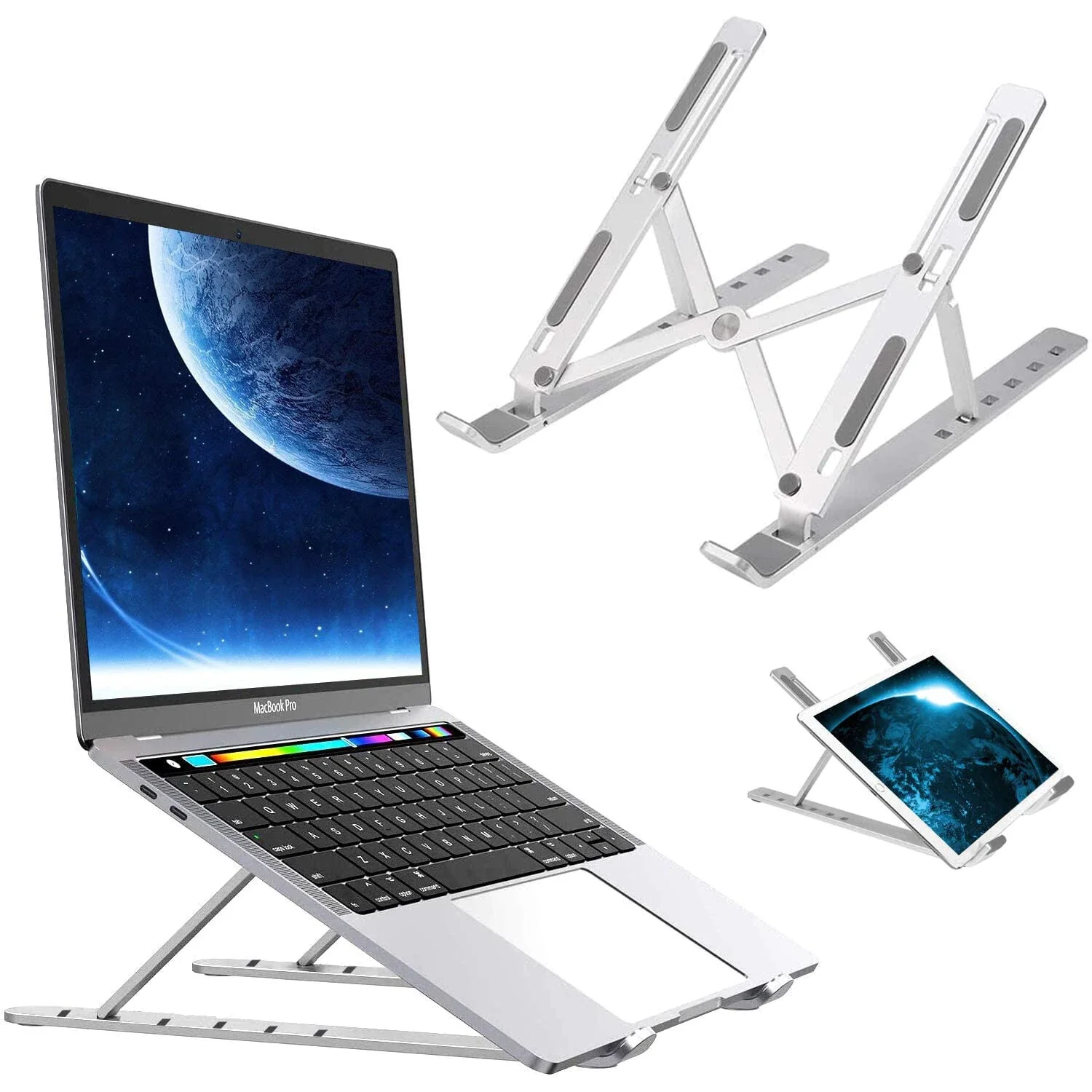
WiWU S500 Foldable Lightweight Plastic Laptop Stand Description WiWU S500 Foldable Lightweight Plastic Laptop Stand Brand: wiwu Material: ABS+Aluminum alloy Foldable Height Adjustment. Laptop stand with foldable technology, light weight, easy to carry Adjustable from 20 to 40 degrees and height adjustable from 3.15 to 5.12 inches. There are 6 corners Compatible with laptops (11 inch-15 inch) Macbook, iMac, ipad, Microsoft Surface PR, Thinkpad, Lenovo, Dell, HP and more. With anti-slip rubber pad

Model: Cozy Classic Case Material: Waterproof 900D polyester+ Micro Fiber+ Faux fur lining Waterproof material Anti-scratch fur lining Durabl& Smooth YKK zipper Patent anti-drop strip inside Net weight: 14inch/560g, 16inch/650g 14 inch: 35.5*25*4.5cm 16 inch: 39.5*27*4.5 WiWU Cozy Classic Laptop Sleeve Protect your investment with the WiWU Cozy Classic, a premium laptop sleeve that balances elegant aesthetics with rugged, everyday protection. Shockproof Security: Engineered with a specialized 360° anti-drop border and reinforced corners to safeguard your device against accidental falls and impacts. Weatherproof Shield: Made from high-density waterproof polyester, ensuring your laptop remains completely dry and safe from spills or rain. Scratch-Free Interior: Features a luxurious, soft faux-fur lining that cushions your device and prevents surface scratches during transport. Travel-Ready Design: Ultra-slim and lightweight with a sturdy, retractable handle, making it easy to carry alone or slip into a larger bag. Extra Storage: Includes a spacious front zippered pocket to neatly organize your charger, mouse, and cables alongside your laptop. Available for: 14″ | 16″ Models

The Lenovo ThinkVision T24d‑30 is a 24″ WUXGA (1920×1200) IPS monitor designed for professional and office use. It delivers crisp detail with a 16:10 aspect ratio and broad viewing angles. The panel features anti‑glare treatment and 300 cd/m² brightness to support long work sessions with reduced eye strain. This monitor includes diverse connectivity with HDMI, DisplayPort, and VGA inputs. It also offers a built‑in USB hub and integrated stereo speakers. Adjustable ergonomics with height, pivot, tilt, and swivel make it easy to position for comfort. The monitor supports VESA mount and includes low blue light and flicker‑free technologies for user comfort. Specifications: 24″ WUXGA (1920×1200) IPS display with 16:10 aspect ratio Anti‑glare panel with 300 cd/m² brightness for clear visuals HDMI, DisplayPort, and VGA inputs for versatile connectivity Built‑in USB hub and integrated stereo speakers Adjustable height, tilt, swivel, and pivot stand with VESA support

Are you in the market for a reliable and budget-friendly monitor? Let’s delve into the Lenovo 27″ IPS 75Hz LED Monitor, a promising display that caters to both work and entertainment needs. Beginning with its size, the generous 27-inch screen provides an immersive viewing experience without overwhelming your workspace. The IPS technology ensures vibrant colors and wide viewing angles for optimal visual enjoyment. With a refresh rate of 75Hz, this monitor strikes a balance between smooth performance and affordability. Whether you’re working on spreadsheets, watching videos, or gaming casually, the 75Hz refresh rate ensures fluid on-screen motion. The LED backlighting technology not only contributes to energy efficiency but also enhances contrast, delivering deep blacks and bright whites. This feature is particularly advantageous for photo and video editing tasks, providing a more accurate representation of colors. Connecting peripherals is a breeze with the monitor’s versatile ports, including HDMI and VGA. This compatibility ensures seamless integration with various devices, from laptops to gaming consoles, offering flexibility for different usage scenarios. Lenovo’s commitment to user comfort is evident in the adjustable stand. Tilt and swivel functions allow you to find the optimal viewing angle, reducing eye strain during extended use. In terms of affordability, the Lenovo 27″ IPS 75Hz LED Monitor stands out as a cost-effective option without compromising on performance. It strikes a commendable balance between essential features and budget-conscious pricing. In conclusion, if you’re in search of a dependable 27-inch monitor that delivers on performance and affordability, the Lenovo IPS 75Hz LED Monitor is a worthy contender. Elevate your viewing experience without breaking the bank. Specifications: Display : 27″ IPS Resolution : FHD (1920×1080) Response Rate : Up to 4ms Refresh Rate : 75Hz

Arabic Keyboard Cover Skin for MacBook Air 13'' (A1369/A1466, NO Touch ID) 2012 -2017 /MacBook Pro 13" 15'' 2013-2015 with or w/out Retina Display Ultra Thin Silicone Keyboard Protector (Black) Arabic Keyboard Cover Skin for MacBook Air 13” (A1369/A1466, NO Touch ID) 2012 -2017 /MacBook Pro 13″ 15” 2013-2015 with or w/out Retina Display Ultra Thin Silicone Keyboard Protector (Black) About this item COMPATIBLE WITH: 2015 and before 2015 version Macbook: 1) MacBook Air 13″ (Models: A1369 and A1466); 2) MacBook Pro 13.3″ (Model: A1278); 3) MacBook Pro 13.3″ with Retina Display (Models: A1502 and A1425, 2013-2012 released); 4) MacBook Pro 15″ with Retina Display (Model: A1398, 2013-2012 released); 5) MacBook Pro 15.4″ Model: A1286 [√] MORE PROTECTION for KEYBOARD: waterproof, dust-proof and dirt-proof design can prevent liquid, dust, cigarette ash, biscuit crumbs falling onto your keyboard to affect your keyboard’s life. [√] ACCURATE KEYS: every key is specially molded, manufactured to the quality available. Flexible, this cover is easy to apply and remove for cleaning [√] SOFT & ULTRA SKIN: ultra thin silicone keyboard cover skin, made it easier for typing. Soft keyboard protector can weaken the sound in typing [XX] ATTENTION!!: NOT FIT FOR: 2020-2016 Released Macbook Pro 13 inch 15 inch with Touch Bar/2020-2018 Released: Macbook Air 13-Inch. You can find the model number on the bottom of the laptop

Are you looking to upgrade your monitor for a better viewing experience? The MSI Pro MP2422C 24″ 100Hz Curved Monitor might be just what you need. This monitor combines sleek design with advanced features, making it perfect for work and entertainment. Firstly, let’s talk about the stunning 24-inch curved display. The curved screen provides a more immersive viewing experience, wrapping around your field of vision. This design reduces eye strain and makes long hours in front of the screen more comfortable. The MSI Pro MP2422C boasts a 100Hz refresh rate. This high refresh rate ensures smooth and fluid visuals, whether you’re watching videos, playing games, or scrolling through web pages. Say goodbye to screen tearing and stuttering with this impressive feature. Moreover, the monitor offers Full HD resolution, delivering crisp and clear images. You can enjoy vibrant colors and sharp details, making everything from spreadsheets to movies look fantastic. The MSI Pro MP2422C truly brings your content to life. The MSI Pro MP2422C is also designed with eye care in mind. It includes blue light reduction and anti-flicker technology. These features help reduce eye fatigue and provide a more comfortable viewing experience, especially during long sessions. Connectivity is a breeze with multiple input options, including HDMI and DisplayPort. You can easily connect your PC, laptop, or other devices without any hassle. The versatile connectivity options make this monitor suitable for various setups. In conclusion, the MSI Pro MP2422C 24″ 100Hz Curved Monitor offers an immersive viewing experience, smooth performance, and eye care features. It’s an excellent choice for anyone looking to enhance their work or entertainment setup. Upgrade to the MSI Pro today and enjoy a superior visual experience! Specifications: Display : 23.6″ VA Resolution : 1920 x 1080 (FHD) Refresh Rate : 100Hz Response Rate : 4ms Curvature : 1500R

Genuine-spec touchpad flex cable for MacBook Pro 13″ with Touch Bar (Model A1708, 2016–2017)—restores full Force Touch functionality, haptic feedback, and precise multi-touch gesture control during trackpad repair or replacement. Compatible With: MacBook Pro 13″ (2016) – Model A1708 (Model Identifier: MacBookPro13,1) MacBook Pro 13″ (2017) – Model A1708 (Model Identifier: MacBookPro14,1) (Both years share the same internal trackpad assembly and flex cable.) MacBook Pro 13″ (2016) – Model A1708 (Model Identifier: MacBookPro13,1) MacBook Pro 13″ (2017) – Model A1708 (Model Identifier: MacBookPro14,1) (Both years share the same internal trackpad assembly and flex cable.) Part Type: Touchpad flex cable only — does not include the trackpad housing, Taptic Engine, or mounting hardware. This is the OEM-style ribbon cable that connects the trackpad to the logic board. Function: Transmits: Touch input coordinates Force Touch pressure data Haptic feedback signals to the Taptic Engine Enables full macOS gesture support: Force Click, three-finger lookup, swipe navigation, pinch-to-zoom, and smooth cursor tracking. Touch input coordinates Force Touch pressure data Haptic feedback signals to the Taptic Engine Enables full macOS gesture support: Force Click, three-finger lookup, swipe navigation, pinch-to-zoom, and smooth cursor tracking. OEM-Quality Build: Matches Apple’s original specifications in: Cable length and routing path Connector pitch and ZIF latch design EMI shielding and flex durability Cable length and routing path Connector pitch and ZIF latch design EMI shielding and flex durability Common Use Cases: Replacing a torn, creased, or liquid-damaged original flex cable Completing a trackpad replacement when the original cable is compromised Fixing intermittent trackpad behavior, loss of Force Touch, or complete unresponsiveness Replacing a torn, creased, or liquid-damaged original flex cable Completing a trackpad replacement when the original cable is compromised Fixing intermittent trackpad behavior, loss of Force Touch, or complete unresponsiveness Installation Note: Requires full bottom case removal and battery disconnection. Cable routes under internal components near the right speaker and logic board. Connects via a ZIF (Zero Insertion Force) socket—must be aligned carefully and latched gently. Recommended for experienced or certified technicians only. Requires full bottom case removal and battery disconnection. Cable routes under internal components near the right speaker and logic board. Connects via a ZIF (Zero Insertion Force) socket—must be aligned carefully and latched gently. Recommended for experienced or certified technicians only.

The ViewSonic VX24G10 24″ FHD 240Hz Gaming Monitor delivers ultra-smooth visuals ideal for gaming and daily use. It displays Full HD resolution with bright colors and crisp detail. The screen uses an IPS panel for wide viewing angles and accurate color. This makes movies, work, and games look clear and vivid. Moreover, the VX24G10 offers a blazing 240 Hz refresh rate. It reduces motion blur and makes fast movements appear fluid. This is especially helpful in competitive games or fast action scenes. The 1 ms response time ensures quick pixel transitions for sharp results. It helps avoid ghosting and lag during gameplay. In addition, the monitor includes modern connectivity options: multiple HDMI ports and DisplayPort. These ports let you connect PCs, laptops, and consoles easily. This flexibility supports many devices without trouble. The monitor also supports adaptive sync (FreeSync / G-Sync), which reduces screen tearing and ensures smooth frame rates. Furthermore, the ViewSonic VX24G10 features eye-friendly technology. Its flicker-free panel and blue-light filter help reduce eye strain during long sessions. The slim bezel design gives a modern look and saves desk space. The stand allows slight tilt adjustment for comfortable viewing angles. Also, the monitor supports HDR10, enhancing contrast and improving dynamic range for richer images. This adds depth to games, movies, and creative work. The combination of IPS quality, fast refresh, and HDR makes the VX24G10 a versatile choice for both gaming and productivity. Overall, the ViewSonic VX24G10 24″ FHD 240Hz Gaming Monitor offers smooth motion, sharp visuals, strong compatibility, and eye care. It is perfect for gamers, creators, and anyone who values performance and comfort. It enhances every task — from gaming to work to watching media. Specifications: Display : 24″ IPS Resolution : 1920×1080 Refresh Rate : 240Hz Response Time : 1ms

The HP Series 7 Pro 27″ 2K 165Hz Gaming Monitor delivers crisp, sharp visuals for games, work, and media. Its 2K resolution shows more detail than FHD. The 27-inch size gives ample space for immersive scenes and multitasking. This helps you see more content and stay productive. Moreover, the HP Series 7 Pro 27″ 2K 165Hz Gaming Monitor features a high 165 Hz refresh rate. This refresh rate makes motion smoother and cleaner on screen. Fast-paced games and action scenes appear smoother and responsive. This reduces blur and improves reaction time. In addition, the monitor offers low response time for precise input. Quick response helps reduce ghosting and keeps fast visuals sharp. It makes your movements feel accurate during gameplay. This enhances gaming performance, especially in competitive titles. Furthermore, the HP Series 7 Pro 27″ 2K 165Hz Gaming Monitor uses a high-quality panel with bright colors and good contrast. Colors stay strong and true under different viewing angles. Also, the monitor supports multiple connection options like HDMI and DisplayPort. This allows easy setup with PCs, laptops, or consoles. The installation is simple, and connections are stable. This makes it ready quickly for gaming or work. The monitor’s design is modern and minimal. The slim bezels offer a sleek look that fits many setups. The stand is stable and supports adjustable viewing angles. The build feels solid, adding long-term durability. Overall, the HP Series 7 Pro 27″ 2K 165Hz Gaming Monitor provides strong performance, sharp visuals, and smooth motion. It improves gaming, creative work, and daily tasks. It fits gamers, designers, and professionals who want quality and speed in one display. Specifications: Display : 27″ IPS Resolution : QHD 2560×1440 Refresh Rate : 165Hz Response Time : 5ms

Genuine-spec touchpad flex cable for MacBook Pro 15″ (Model A1706 – 2017 and A1989 – 2018/2019)—restores full Force Touch functionality, haptic feedback, and precise multi-touch gesture control during trackpad repair or replacement. Compatible With: MacBook Pro 15″ (2017) – Model A1706 (Model Identifier: MacBookPro14,3) MacBook Pro 15″ (2018–2019) – Model A1989 (Model Identifier: MacBookPro15,2) ✅ Note: Apple used the same trackpad assembly and flex cable across both A1706 and A1989 15″ models—making this part interchangeable between them. MacBook Pro 15″ (2017) – Model A1706 (Model Identifier: MacBookPro14,3) MacBook Pro 15″ (2018–2019) – Model A1989 (Model Identifier: MacBookPro15,2) ✅ Note: Apple used the same trackpad assembly and flex cable across both A1706 and A1989 15″ models—making this part interchangeable between them. ✅ Note: Apple used the same trackpad assembly and flex cable across both A1706 and A1989 15″ models—making this part interchangeable between them. Part Type: Touchpad flex cable only — does not include the trackpad housing, Taptic Engine, or mounting hardware. This is the OEM-style ribbon cable connecting the trackpad to the logic board. Function: Transmits: Touch input coordinates Force Touch pressure data Haptic feedback signals to the Taptic Engine Enables full macOS gesture support: Force Click, three-finger lookup, swipe navigation, pinch-to-zoom, and smooth cursor tracking. Touch input coordinates Force Touch pressure data Haptic feedback signals to the Taptic Engine Enables full macOS gesture support: Force Click, three-finger lookup, swipe navigation, pinch-to-zoom, and smooth cursor tracking. OEM-Quality Build: Matches Apple’s original in: Cable length and routing Connector pitch and ZIF latch design EMI shielding and flex durability Cable length and routing Connector pitch and ZIF latch design EMI shielding and flex durability Common Use Cases: Replacing a torn, creased, or liquid-damaged original flex cable Completing a trackpad replacement when the original cable is compromised Fixing intermittent trackpad behavior, loss of Force Touch, or complete unresponsiveness Replacing a torn, creased, or liquid-damaged original flex cable Completing a trackpad replacement when the original cable is compromised Fixing intermittent trackpad behavior, loss of Force Touch, or complete unresponsiveness Installation Note: Requires full bottom case removal and battery disconnection. Cable routes under internal components near the right speaker and logic board. Connects via a ZIF (Zero Insertion Force) socket—must be aligned carefully and latched gently. Recommended for experienced or certified technicians only. Requires full bottom case removal and battery disconnection. Cable routes under internal components near the right speaker and logic board. Connects via a ZIF (Zero Insertion Force) socket—must be aligned carefully and latched gently. Recommended for experienced or certified technicians only.

Logitech MK120 Wired USB Keyboard Mouse Desktop Combo Height: 6.10 in (155 mm) Width: 17.72 in (450 mm) Depth: 0.93 in (23.5 mm) Weight: 19.4 oz (550 g) Cable length: 4.9 ft (150 cm) Height: 4.45 in (113 mm) Width: 2.44 in (62 mm) Depth: 1.50 in (38 mm) Weight: 3.17 oz (90 g) Cable length: 70.87 in (180 cm) Spill-resistant design 1Tested under limited conditions (maximum of 60 ml liquid spillage). Do not immerse the keyboard in liquid. Adjustable keyboard height 10-Key Number pad Caps lock indicator light Num lock indicator light Up to 10 million keystrokes (excludes number lock key) Key type: Deep profile Sensor Technology: Optical tracking Number of Buttons: 3 (Left/Right-click, Middle click) Scrolling: line-by-line Scroll Wheel: Yes, optical Mouse plastics: 72% post-consumer recycled material 2Excludes plastic in cable assembly, printed wiring assembly (PWA) and packaging. Keyboard plastics: 54% post-consumer recycled material 3Excludes plastic in cable assembly, printed wiring assembly (PWA) and packaging. Windows® 10,11 or later Two available USB ports

FAVOURITE WIRELESS COMBO MK270 Wireless Combo brings together the convenience and comfort of a full-sized keyboard with a sculpted, compact mouse. With media keys, a number pad and precise cursor control to make your work a whole lot smoother. Plus, the lag-free wireless makes setup easy and saves space on your desk. No wonder this is the world best selling combo!7Based on independent sales data (in units) including all the models of the MK270 family for wireless combo aggregated from major global markets including Canada, China, France, Germany, Indonesia, Republic of Korea, Russian Federation, Sweden, Taiwan, Turkey, UK, US (Nov'19 - Nov'20 period). Retail channel only. FAVOURITE WIRELESS COMBO MK270 Wireless Combo brings together the convenience and comfort of a full-sized keyboard with a sculpted, compact mouse. With media keys, a number pad and precise cursor control to make your work a whole lot smoother. Plus, the lag-free wireless makes setup easy and saves space on your desk. No wonder this is the world best selling combo!7Based on independent sales data (in units) including all the models of the MK270 family for wireless combo aggregated from major global markets including Canada, China, France, Germany, Indonesia, Republic of Korea, Russian Federation, Sweden, Taiwan, Turkey, UK, US (Nov’19 – Nov’20 period). Retail channel only. Height: 5.87 in (149 mm) Width: 17.36 in (441 mm) Depth: 0.71 in (18 mm) Weight: 17.57 oz (498 g) Height: 3.90 in (99 mm) Width: 2.36 in (60 mm) Depth: 1.54 in (39 mm) Weight: 2.65 oz (75.2 g) Height: 0.74 in (18.7 mm) Width: 0.57 in (14.4 mm) Depth: 0.26 in (6.6 mm) Weight: 0.07 oz (2 g) Spill-resistant design 2Tested under limited conditions (maximum of 60 ml liquid spillage). Do not immerse the keyboard in liquid. Adjustable keyboard height 10-Key Number pad Key type: deep profile Caps lock indicator light On/Off power switch 2 AAA batteries(Alkaline Battery) Battery life: 36 months 3Keyboard battery life calculation based on an estimated two million keystrokes/year in an office environment. User experience may vary. Mouse battery life may vary based on user and computing conditions. Sensor technology: Smooth Optical tracking Number of buttons: 3 (Left/Right-click, Middle click) Scrolling: line-by-line Scroll Wheel: Yes, 2D, optical Connect/Power: On/Off power button 1 AA battery(Alkaline Battery) Battery life: 12 months 4Keyboard battery life calculation based on an estimated two million keystrokes/year in an office environment. User experience may vary. Mouse battery life may vary based on user and computing conditions. Mouse plastics: 49% post-consumer recycled material 5Excludes plastic in printed wiring assembly (PWA), receiver and packaging. Keyboard plastics: 54% post-consumer recycled material 6Excludes plastic in printed wiring assembly (PWA), receiver and packaging. An available USB port ChromeOS Windows 10,11 or later

Acer Nitro VG270bmipx 27 Inch Screen size 27 Inches Display resolution maximum 1920 x 1080 Pixels Brand Acer Special feature AMD FreeSync, Blue Light Filter, Frameless, Tilt Adjustment, Flicker-Free Refresh rate 75 Hz Connectivity technology VGA + HDMI + DP + Audio in/out Aspect ratio 16:9 Specific uses for product Personal, Gaming Response time 1 Milliseconds Colour Black/Red

Original 13.3-inch Retina LCD display (Space Gray) for MacBook Air A2337 (2020), pulled from a working unit. OEM part, ready to replace cracked or faulty screens with perfect fit and optics. This is a genuine Apple Retina display assembly removed from a working MacBook Air (model A2337, 2020). It’s ideal for repairing a damaged or nonfunctional screen on a matching model, delivering original visuals without resorting to aftermarket knockoffs. Key Features & Functionality True OEM Retina panel with factory calibration Integrated display glass, backlight, and flex cable Designed for model A2337 (Late 2020, M1) iFixit+1 Space Gray finish to match original chassis Tested: Display, backlight, no dead pixels (unless noted) Drop-in replacement requiring alignment and cable reconnection Specifications Important Notes & Considerations Must use exact model A2337 — other models are incompatible Slight blemishes or dust might exist due to being a used part Handle with care: screen glass is fragile Professional installation recommended if you’re not experienced

The Lenovo Legion 24-10 23.8″ FHD Gaming Monitor 68C4GAC4EU is built for competitive gaming and smooth visual performance. It features a Full HD resolution with a fast refresh rate designed for esports titles and high-FPS gameplay. Additionally, its compact 23.8-inch size supports focused desk setups. This monitor delivers a 1920 × 1080 IPS display with a 240Hz refresh rate. Moreover, it includes a 0.5ms MPRT response time for reduced motion blur during fast scenes. The Lenovo Legion 24-10 supports 99% sRGB color coverage for consistent and accurate colors. Therefore, it works well for both gaming and general multimedia use. It also features wide 178° viewing angles for stable image quality from different positions. It includes AMD FreeSync Premium support to reduce screen tearing and stuttering. Additionally, it uses adaptive sync technology for smoother frame delivery in supported games. The Lenovo Legion 24-10 23.8″ FHD Gaming Monitor 68C4GAC4EU focuses on speed, responsiveness, and smooth gameplay for competitive users who need consistent high-refresh performance. Specifications: 23.8-inch Full HD (1920 × 1080) IPS display 240Hz refresh rate for smooth gaming performance 0.5ms MPRT response time for reduced motion blur 99% sRGB color gamut for accurate color reproduction AMD FreeSync Premium for tear-free gameplay

PCE 900 M8 900VA 480W Output Power: 700VA (M8 700), 900VA (M8 900) Voltage Input Range: 220-240 VAC with 102 wires (M8 700), 140-300 VAC (M8 900) Output Protection: Overload, discharge, and overcharge protection (M8 700), Fault protection (M8 900) Waveform: Simulated Sine Wave LED Indicators: Green lighting (M8 700), Green flashing (M8 900) Frequency: 50 or 60 Hz +/- 10% (auto sensing) (M8 700), 50 or 60 Hz +/- 1% (M8 900) Voltage (backup mode): 12V/9AH x 1 (M8 700), 12V/7AH x 1 (M8 900) Frequency (backup mode): 50 or 60 Hz +/- 1% (M8 700 and M8 900) Transfer time (M8 700): Typical 2 to 6 ms Backup time (M8 900): 10-20min depending on load level Net Weight: 4.3 kg (9.46 lbs) (M8 700), 4.8 kg (10.56 lbs) (M8 900) Output Receptacles: Universal sockets x 2 or German x 2 (M8 700), Universal sockets x 4 (M8 900) Audible Noise: Sounding every 10 seconds (M8 700), Sounding every second (M8 900) Dimensions: 100x278x140 (3.9″x10.8″x5.5″) (M8 700), 130x320x182 (5.07″x12.48″x7.1″) (M8 900) Compatibility: Windows 2000/XP/2003/2008/Vista/7, NOVELL, LINUX, UNIX (M8 700), Optional Interface with power management software (M8 900) Certifications: EN 50091-1-1/EN 69050 (RD), IEC 60950, TUV GC-Mark, EN 50091-2, EN 50022/B, IEC 62040-2, IEC 61000-3-2, IEC 61000-3-3, ISO 9001, ISO 14001 (M8 700 and M8 900)

The Samsung 22″ 75Hz Essential Monitor is designed to enhance your daily computing tasks with smooth performance and vibrant colors. Whether you’re working, watching videos, or browsing, this monitor delivers clear and crisp visuals. Featuring a 22-inch screen, this monitor provides ample display space for multitasking. With a 75Hz refresh rate, the Samsung 22″ Essential Monitor ensures fluid motion, reducing screen tearing and providing a smooth viewing experience. The Full HD resolution brings sharp details and vivid colors, making your videos and images look more lifelike. Whether for work or entertainment, you’ll enjoy a more immersive visual experience with the Samsung 22″ Essential Monitor. With its slim and sleek design, this monitor complements any workspace. It’s easy to set up, and the compact design saves valuable desk space. The monitor’s slim bezels also give it a modern, streamlined look. The Samsung Essential Monitor comes equipped with Eye Saver Mode and Flicker-Free technology, designed to reduce eye strain during long hours of use. This makes it ideal for both work and extended screen time. In addition, the monitor offers easy connectivity options, including HDMI and VGA ports, allowing you to connect a wide range of devices effortlessly. In conclusion, the Samsung 22″ 75Hz Essential Monitor is the perfect blend of performance, style, and convenience. Upgrade your viewing experience with smooth visuals and vivid colors for everyday use. Specifications: Display : 22″ VA Resolution : FHD (1920×1080) Refresh Rate : 75Hz Response Time : 5ms GTG

A4Tech Wireless Keyboard & Mouse Combo USB | 3000N

WiWU WM108 Wimice Dual‑Mode Mouse – Bluetooth 5.0 and 2.4 GHz wireless mouse with 800/1200/1600 DPI, silent clicks, and ergonomic ABS housing.Long battery life (~6 months standby), USB dongle & silent design—ideal for travel, office, and quiet environments. Model: WiWU Wimice WM108 Connection Modes: Bluetooth 5.0 2.4 GHz wireless via USB dongle Connection Modes: Bluetooth 5.0 2.4 GHz wireless via USB dongle DPI Settings: 800 / 1,200 / 1,600 DPI (adjustable) Buttons: 3 standard buttons + clickable scroll wheel (4 keys total) Range: Up to 10 m wireless connectivity Material/Design: Lightweight (67–130 g, depending on source), ergonomic ABS plastic body, magnetic base or “super magnetic absorption” design Operating Range: ≈10 m Silent Clicks: Quiet operation—silent key action Dimensions: Approx. 108 × 64 × 36 mm Weight: 67 g cited by Star Tech and 130 g by others—likely lighter in official spec Compatibility: Windows, macOS, Linux, Android, etc. Plug-and-play, no driver needed

The Apple MacBook Pro 16-inch (2019) is powered by an Intel Core i9 processor, paired with 16GB RAM and a fast 512GB SSD for powerful and reliable performance. Designed for professionals and creatives, it features a premium aluminum build, immersive 16-inch Retina display, and dedicated Radeon Pro graphics for demanding workloads.
