
Boost your daily productivity with the Lenovo ThinkPad E14 Gen 2, featuring a powerful 11th Gen Intel Core i5 processor. With flexible configurations of up to 16GB RAM and a fast 512GB NVMe SSD, this 14-inch business laptop offers the perfect blend of performance, security, and legendary ThinkPad durability

Digital Device Laptop Keyboard Compatible for MacBook AIR 13″ A1369 A1466 (MID 2011- MID 2017) US Layout 【Unique】Pls see detail compatible models in description below. 【Safe】Easy for you replace your faulty, cracked or broken keyboard ,seller remind that you should replace the keyboard in the off state. All pictures are taken from the real item, please check carefully before bidding, Replacement and high quality, Replace your faulty, cracked or broken keyboard. Each keyboard is tested before shipping Compatibility: MacBook Air 13″ A1369 Mid 2011: MC965LL/A (1.7 GHz Core i5) Mid 2011: MC966LL/A (1.7 GHz Core i5) Mid 2011: MD226LL/A (1.8 GHz Core i7) Compatibility: MacBook Air 13″ A1466 Mid 2012: MD231LL/A (1.8 GHz Core i5) Mid 2012: MD232LL/A (1.8 GHz Core i5) Mid 2012: MD232LL/A (2.0 GHz Core i7) Mid 2013: MD760LL/A (1.3 GHz Core i5) Mid 2013: MD761LL/A (1.3 GHz Core i5) Mid 2013: MD761LL/A (1.7 GHz Core i7) Early 2014: MD760LL/B (1.4 GHz Core i5) Early 2014: MD761LL/B (1.4 GHz Core i5) Early 2014: MD761LL/B (1.7 GHz Core i7) Compatibility: Early 2015: MJVE2LL/A (1.6 GHz Core i5 or 2.2 GHz Core i7) Early 2015: MJVG2LL/A (1.6 GHz Core i5 or 2.2 GHz Core i7) Identifying Numbers APN #: 661-6059, 661-6635, 661-7480

Xiaomi TV Box S (2nd Gen) 4K Ultra HD Streaming Media Player, Google TV Box with 2GB RAM 8GB ROM, 2.4G/5G Dual WiFi, Bluetooth 5.2 & Dolby Atmos & DTS-HD, Dolby Vision, HDR10+ About this item 4K Ultra HD Image Quality: 4K Ultra HD realizes a more detailed and vivid image for you to immerse yourself in. Dolby Vision & HDR10+: A crisper image in any lighting condition. With Dolby Vision and HDR10+, images now feature a higher dynamic range, and have more amazing brightness, contrast and color than before. HDR images also have more detailed shadows and highlights. Dolby Atmos & DTS-HD: Extraordinary audio experience. As revolutionary spatial audio technology, Dolby Atmos brings the ultimate cinema experience into your living room by surrounding you with powerful sound effects, and also, DTS-HD delivers extraordinarily high-quality sound. Powerful Processor: Accelerated experience: The quad-core CPU delivers efficient performance. With high-performance GPU, the TV can now become your new entertainment platform. The 2GB RAM + 8GB ROM combo offers a smoother viewing experience. Google TV: Entertainment you love, with a little help from Google. Google TV brings together movies, shows, and more from across your apps and subscriptions and organizes them just for you. Discover new things to watch with recommendations based on what you watch and what interests you, from across your subscriptions and content available to you. Ok Google: Your TV is more helpful than ever. Ask Google to find movies, stream apps, play music, and control the TV – all with your voice. Even get answers, control smart home devices, and more. Just say “Ok Google” or press the Google Assistant button on the remote to get started. 360° Bluetooth & IR Remote Control: The intuitive button layout and Bluetooth allows you to access your favorite content much quicker from any angle. With the built-in IR, you can also control power and volume on your TV or soundbar, all with a single remote. Wireless Projection: Upgraded viewing angle. Chromecast Built-in makes it easier to project content from smart devices onto the TV, which allows for a wider viewing angle. Mainstream Ports: Enable more possibilities. Abundant options of mainstream ports that allow easy expansion without restrictions. Get up and running in 3 simple steps: 1. Attach Xiaomi TV Box S (2nd Gen) to your TV HDMI port. 2. Connect to the Internet. 3. Start streaming. (Xaomi Quality Trustworthy. “TechFuture US” Store provides 13 months warranty for this product(ASIN: B0BZC43HX8).) Show less

OEM-quality trackpad replacement (without flex cable) for MacBook Pro 14″ (Model A2442, 2021, M1 Pro/Max) in Space Gray finish—engineered for precise Force Touch response, smooth multi-touch gestures, and seamless integration with the original chassis. Compatible With: MacBook Pro 14-inch (2021, Model A2442) with Apple M1 Pro or M1 Max chip. Part Type: Trackpad only—does not include the flex cable, Taptic Engine, or mounting brackets. Designed for professional technicians who will reuse or transfer the original internal components. Finish: Space Gray—matches the Space Gray MacBook Pro 14″ for flawless aesthetic continuity. (Note: Apple uses color-matched trackpads, and Space Gray units require this specific finish.) Force Touch Support: Fully compatible with pressure-sensitive input and haptic feedback when paired with the original Taptic Engine and logic board—ensuring full macOS gesture functionality. Precision Engineering: Features the same glass surface texture, curvature, and micro-click mechanism as Apple’s original—delivering consistent tracking accuracy and tactile feel. Installation Requirements: Requires complete bottom case disassembly and careful transfer of the original flex cable and Taptic Engine. Proper adhesive application is critical to maintain structural integrity and sensor alignment. Recommended for certified or experienced repair technicians only.

Led Desk Lamp REMAX RT-E815 ReSee Series Smart Eye-Caring 1500mAh RT-E815 With Container · Eye-caring lightning · Large-area lighting · 1500mAh · Delayed light-off · Soft lighting · Stepless dimming · Pen/phone holder · With rechargeable battery · Plug and use · A soft hose of 360-degree adjustment.

Professional battery testing flex cable for MacBook Pro 15″ (Model A1990, 2018–2019)—used by technicians to bypass a faulty battery or diagnose power-on issues without permanent battery removal. Enables safe logic board testing and troubleshooting. This is not a replacement battery cable—it’s a diagnostic tool used in repair workflows. It mimics the battery’s presence by providing the necessary SMBus signal and power-enable lines to the logic board, allowing the MacBook to: Power on without a battery installed Test logic board functionality independently Diagnose whether a no-power issue is caused by the battery or logic board MacBook Pro 15″ (2018–2019) Model: A1990 Model Identifiers: MacBookPro15,2 Chip: Intel Core i7/i9 Model: A1990 Model Identifiers: MacBookPro15,2 Chip: Intel Core i7/i9 ⚠️ Not compatible with A1707 (2016–2017), A2159 (16″), or any M1/M2 models. Simulates battery presence via correct SMBus resistance and ID signals Includes power-enable circuitry matching Apple’s safety protocol Pre-terminated with OEM-style connector for A1990 logic board Allows safe bench testing of logic boards during repair Diagnosing “no power, no fan spin, no display” issues Verifying if a logic board powers on without risking a shorted battery Testing after liquid damage or DC-in board replacement Avoiding unnecessary battery replacements during diagnostics Not for permanent installation—intended for temporary diagnostic use only Does not charge or store power—requires connected USB-C power adapter to operate Must be used with a known-good power adapter (87W recommended) Not a consumer part—designed for professional repair shops and technicians

90W AC Charger Replacement for HP EliteDesk 705 G1 G2 G4 705 800 G5 Desktop Mini ProOne 400 G4 G5 23.8-inch All-in-One ProOne 400 G2 G3 G4 G5 460 G2 G3 480 G2 G3 20-inch All-in-One

Foloda Wireless Number Pads, Numeric Keypad Numpad 22 Keys Portable 2.4 GHz Financial Accounting Number Keyboard Extensions 10 Key for Laptop, PC, Desktop, Surface Pro, Notebook

Genuine-spec touchpad flex cable for MacBook Pro 15″ (Model A1706 – 2017 and A1989 – 2018/2019)—restores full Force Touch functionality, haptic feedback, and precise multi-touch gesture control during trackpad repair or replacement. Compatible With: MacBook Pro 15″ (2017) – Model A1706 (Model Identifier: MacBookPro14,3) MacBook Pro 15″ (2018–2019) – Model A1989 (Model Identifier: MacBookPro15,2) ✅ Note: Apple used the same trackpad assembly and flex cable across both A1706 and A1989 15″ models—making this part interchangeable between them. MacBook Pro 15″ (2017) – Model A1706 (Model Identifier: MacBookPro14,3) MacBook Pro 15″ (2018–2019) – Model A1989 (Model Identifier: MacBookPro15,2) ✅ Note: Apple used the same trackpad assembly and flex cable across both A1706 and A1989 15″ models—making this part interchangeable between them. ✅ Note: Apple used the same trackpad assembly and flex cable across both A1706 and A1989 15″ models—making this part interchangeable between them. Part Type: Touchpad flex cable only — does not include the trackpad housing, Taptic Engine, or mounting hardware. This is the OEM-style ribbon cable connecting the trackpad to the logic board. Function: Transmits: Touch input coordinates Force Touch pressure data Haptic feedback signals to the Taptic Engine Enables full macOS gesture support: Force Click, three-finger lookup, swipe navigation, pinch-to-zoom, and smooth cursor tracking. Touch input coordinates Force Touch pressure data Haptic feedback signals to the Taptic Engine Enables full macOS gesture support: Force Click, three-finger lookup, swipe navigation, pinch-to-zoom, and smooth cursor tracking. OEM-Quality Build: Matches Apple’s original in: Cable length and routing Connector pitch and ZIF latch design EMI shielding and flex durability Cable length and routing Connector pitch and ZIF latch design EMI shielding and flex durability Common Use Cases: Replacing a torn, creased, or liquid-damaged original flex cable Completing a trackpad replacement when the original cable is compromised Fixing intermittent trackpad behavior, loss of Force Touch, or complete unresponsiveness Replacing a torn, creased, or liquid-damaged original flex cable Completing a trackpad replacement when the original cable is compromised Fixing intermittent trackpad behavior, loss of Force Touch, or complete unresponsiveness Installation Note: Requires full bottom case removal and battery disconnection. Cable routes under internal components near the right speaker and logic board. Connects via a ZIF (Zero Insertion Force) socket—must be aligned carefully and latched gently. Recommended for experienced or certified technicians only. Requires full bottom case removal and battery disconnection. Cable routes under internal components near the right speaker and logic board. Connects via a ZIF (Zero Insertion Force) socket—must be aligned carefully and latched gently. Recommended for experienced or certified technicians only.

Sleek, ultra-thin 24-inch Full HD display with micro-edge design, flicker-free technology, and versatile connectivity—ideal for productivity, home office, or multi-display setups. Model: HP V24v G5 Screen Size: 23.8 inches (viewable), 24-inch class Display Type: IPS (In-Plane Switching) panel Resolution: 1920 x 1080 (Full HD) at 60Hz Brightness: 250 cd/m² Contrast Ratio: 1,000:1 (static), 10,000,000:1 (dynamic) Response Time: 7 ms (gray-to-gray) Viewing Angles: 178° horizontal / 178° vertical (excellent color consistency from wide angles) Design Features: 3-sided micro-edge bezel – ideal for seamless multi-monitor setups Ultra-slim profile – modern, minimalist aesthetic Tilt-only stand: -5° to +25° VESA Mount Compatible: 100 x 100 mm (stand removable) 3-sided micro-edge bezel – ideal for seamless multi-monitor setups Ultra-slim profile – modern, minimalist aesthetic Tilt-only stand: -5° to +25° VESA Mount Compatible: 100 x 100 mm (stand removable) Connectivity: 1 x HDMI 1.4 1 x VGA (D-Sub) Audio Line-out (3.5mm) – for use with external speakers/headphones No built-in speakers 1 x HDMI 1.4 1 x VGA (D-Sub) Audio Line-out (3.5mm) – for use with external speakers/headphones No built-in speakers Eye Comfort & Sustainability: Flicker-free backlight HP Eye Ease (TÜV-certified low blue light mode—reduces eye strain without color distortion) ENERGY STAR® certified Made with post-consumer recycled plastics (up to 85% in enclosure) Flicker-free backlight HP Eye Ease (TÜV-certified low blue light mode—reduces eye strain without color distortion) ENERGY STAR® certified Made with post-consumer recycled plastics (up to 85% in enclosure) Ideal For: Home office & remote work Students and professionals Dual/triple monitor productivity setups Everyday computing, web browsing, and document editing Home office & remote work Students and professionals Dual/triple monitor productivity setups Everyday computing, web browsing, and document editing Dimensions (with stand): 21.26 x 7.76 x 15.83 in (540 x 197 x 402 mm) 21.26 x 7.76 x 15.83 in (540 x 197 x 402 mm) Weight: ~7.5 lbs (3.4 kg)

WiWU Factory Customize Eco-friendly Laptop Handbag Laptop bag for Macbook Air Pro

New A1989 A1990 Keyboard US Standard Replacement for MacBook Pro 13'' 15''A1990 A1989 Keyboard 2018/2019 Year New A1989 A1990 Keyboard US Standard Replacement for MacBook Pro 13” 15”A1990 A1989 Keyboard 2018/2019 Year New A1989 A1990 Keyboard US Standard Replacement for MacBook Pro 13” 15”A1990 A1989 Keyboard 2018/2019 Year We have Perfect after-sales services We share the latest information on laptop spare parts For all our customers. This is NOT an easy job for someone who has no technical skills with Disassembling or Assembling a laptop, So only purchase this item if you know how to install it. Each Keyboard is tested before shipping and working.

A1707 Battery Replacement, A1820 Battery for MacBook Pro 15″ (Late 2016, Mid 2017) Touch Bar EMC 3072 EMC 3162 MLH32 MLH42 MLW72 MLW82 MPTR2 MPTT2 MLH52 MLW92 MPTU2 MPTV2 MPTW2 MPTX2 Specification】Voltage: 11.4V. Capacity: 76Wh 6667mAh. Battery Type: Li-ion. Condition: Brand new, from high quality materials, top circuit boards and smart chip. 【Compatible Part Number】A1820, A1707, A1707(EMC 3072), A1707(EMC 3162), 020-01728, MacBookPro13,3 , MacBookPro14,3. 【Compatible Laptop Models】MacBook Pro 15-Inch (Late 2016) & (Mid 2017) Model A1707 with touch bar, fit for MLH32LL/A MLH42LL/A MLH52LL/A MLW92LL/A MPTU2LL/A MPTV2LL/A MPTR2LL/A MPTT2LL/A MPTW2LL/A MPTX2LL/A MLW72LL/A MLW82LL/A. 【Note】The tools are included. Double-sided tape is attached to the back of the battery or double-sided tape is included in the package. But No battery installation instruction. The MBP battery is difficult to disassemble, we suggest you search for related installation videos on the Internet or find a technician for help.

MacBook Pro 13″ Retina A1989 / A2159 (2018-2019) Display Assembly (Silver) MacBook Pro 13″ Touch Bar 2019z A1989 (EMC 3214 MacBookPro15,2) 2.3 GHz A1989 (EMC 3214 MacBookPro15,2) 2.7 GHz MacBook Pro 13″ Touch Bar 2019 A1989 (EMC 3358 MacBookPro15,2) 2.4 GHz A1989 (EMC 3358 MacBookPro15,2) 2.8 Ghz MacBook Pro 13″ Two Thunderbolt Ports 2019 A2159 (EMC 3301 MacBookPro15,4) 1.4 GHz A2159 (EMC 3301 MacBookPro15,4) 1.7 GHz

Genuine-spec touchpad flex cable for MacBook Pro 13″ (Model A2289, 2020, Intel)—restores full Force Touch functionality, haptic feedback, and preci multi-touch gesture control. OEM-quality replacement for damaged or faulty original cables. Compatible With: MacBook Pro 13-inch (2020, Four Thunderbolt Ports, Model A2289, Model Identifier MacBookPro16,2) with Intel Core i5/i7 processors. Part Type: Touchpad flex cable only — does not include the trackpad housing, Taptic Engine, or mounting hardware. This is the OEM-style ribbon cable that connects the trackpad to the logic board. Function: Transmits: Touch input coordinates Force Touch pressure data Haptic feedback signals to the Taptic Engine Enables full macOS gesture support: Force Click, three-finger lookup, swipe navigation, pinch-to-zoom, and smooth cursor tracking. Touch input coordinates Force Touch pressure data Haptic feedback signals to the Taptic Engine Enables full macOS gesture support: Force Click, three-finger lookup, swipe navigation, pinch-to-zoom, and smooth cursor tracking. OEM-Quality Build: Matches Apple’s original specifications in: Cable length and routing path Connector pitch and ZIF latch design EMI shielding and flex durability Cable length and routing path Connector pitch and ZIF latch design EMI shielding and flex durability Common Use Cases: Replacing a torn, creased, or liquid-damaged original flex cable Completing a trackpad replacement when the original cable is unusable Fixing: Intermittent or erratic trackpad behavior Loss of Force Touch or haptic feedback Complete trackpad unresponsiveness Replacing a torn, creased, or liquid-damaged original flex cable Completing a trackpad replacement when the original cable is unusable Fixing: Intermittent or erratic trackpad behavior Loss of Force Touch or haptic feedback Complete trackpad unresponsiveness Intermittent or erratic trackpad behavior Loss of Force Touch or haptic feedback Complete trackpad unresponsiveness Installation Note: Requires full bottom case removal and battery disconnection. Cable routes under internal components (speaker, logic board)—must follow original path. Connects via ZIF (Zero Insertion Force) socket—align carefully, never force. Recommended for experienced or certified technicians only. Requires full bottom case removal and battery disconnection. Cable routes under internal components (speaker, logic board)—must follow original path. Connects via ZIF (Zero Insertion Force) socket—align carefully, never force. Recommended for experienced or certified technicians only. Important Compatibility Notes: ✅ Only for A2289 (13″, 4 Thunderbolt ports, 2020, Intel) ❌ Not compatible with: A2251 (2 Thunderbolt ports, 2020) A2338 (M1 MacBook Pro, 2020) Any MacBook Air or 14″/16″ MacBook Pro ✅ Only for A2289 (13″, 4 Thunderbolt ports, 2020, Intel) ❌ Not compatible with: A2251 (2 Thunderbolt ports, 2020) A2338 (M1 MacBook Pro, 2020) Any MacBook Air or 14″/16″ MacBook Pro A2251 (2 Thunderbolt ports, 2020) A2338 (M1 MacBook Pro, 2020) Any MacBook Air or 14″/16″ MacBook Pro

Elevate your game with the Logitech G102, featuring a high-precision 8,000 DPI sensor and vibrant Lightsync RGB lighting. Designed with a classic six-button layout and gaming-grade performance, it offers incredible accuracy and responsiveness for both competitive play and daily productivity. The Logitech G102 is engineered for speed, consistency, and comfort. At its core is a gaming-grade sensor that provides adjustable sensitivity, allowing you to tailor your control to your specific playstyle. Whether you are navigating complex spreadsheets or hitting precise headshots, the G102 delivers a seamless experience with a classic design trusted by gamers worldwide. Gaming-Grade 8,000 DPI Sensor: Experience ultra-precise tracking and consistent responsiveness. The sensitivity is fully adjustable from 200 to 8,000 DPI. Lightsync RGB Color Wave: Choose from vibrant animations or customize your own from approximately 16.8 million colors to match your setup’s aesthetic. Mechanical Spring Button Tensioning: The primary left and right buttons feature a metal spring tensioning system, providing crisp, reliable clicks and a premium feel. Classic 6-Button Design: A familiar, comfortable shape that allows you to play or work for hours without fatigue. Each button can be customized via software for specific in-game actions. On-the-Fly DPI Shifting: Cycle through up to five sensitivity settings with the press of a button, allowing you to switch from precision sniping to rapid movement instantly. Resolution: 200 – 8,000 DPI Connection Type: USB 2.0 (Wired) USB Data Format: 16 bits/axis USB Report Rate: 1000Hz (1ms) Microprocessor: 32-bit ARM Cable Length: 2.1 meters Compatibility: Windows 7 or later, macOS 10.13 or later, ChromeOS Logitech G102 Gaming Mouse User Documentation

Transparent 2.5" USB 3.0 HDD/SSD Enclosure – Supports SATA drives up to 6TB with UASP and tool-free design.Fast, plug-and-play storage case using JMS578 chipset with crystal-clear ABS shell. Transparent 2.5″ USB 3.0 HDD/SSD Enclosure – Supports SATA drives up to 6TB with UASP and tool-free design.Fast, plug-and-play storage case using JMS578 chipset with crystal-clear ABS shell. Model: 2.5″ HDD/SSD Enclosure with JMS578 Chipset Material: Transparent ABS Plastic (durable and lightweight) Interface: USB 3.0 (backward compatible with USB 2.0 & 1.1) Chipset: JMS578 (JMicron) – supports UASP for faster data transfer Drive Compatibility: 2.5″ SATA I/II/III HDD or SSD Supports up to 6TB capacity Fits 7mm or 9.5mm thick drives Drive Compatibility: 2.5″ SATA I/II/III HDD or SSD Supports up to 6TB capacity Fits 7mm or 9.5mm thick drives Data Transfer Rate: Up to 5Gbps via USB 3.0 UASP support enables up to 20% faster transfers (with UASP-enabled OS) Data Transfer Rate: Up to 5Gbps via USB 3.0 UASP support enables up to 20% faster transfers (with UASP-enabled OS) Tool-Free Design: No screws needed – easy slide-in installation Hot Swappable: Plug and play, no drivers needed for most systems LED Indicator: Blue light for power and activity status Operating Systems: Windows 7/8/10/11, macOS, Linux Dimensions: Approx. 125 x 80 x 14 mm Cable Included: USB 3.0 cable (typically 30–50 cm)
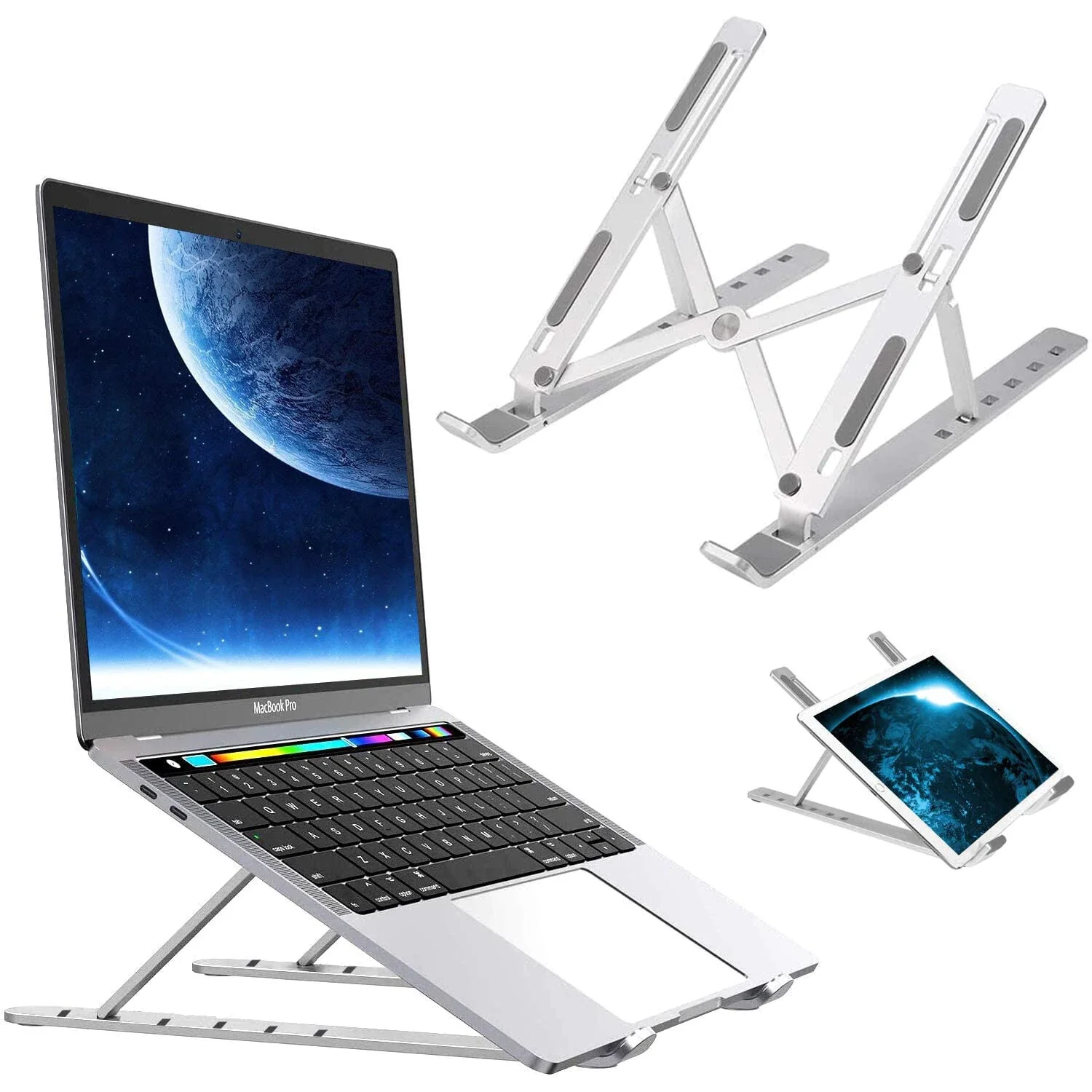
WIWU S400 Aluminum Laptop Stand Portable, Adjustable and Foldable - Silver WIWU S400 Aluminum Laptop Stand Portable, Adjustable and Foldable – Silver

Experience premium mobility and intuitive control with the pre-owned ThinkPad T490s. Featuring a powerful Intel Core i5 8th Gen processor, 16GB RAM, and a 256GB NVMe SSD, this ultra-slim professional laptop stands out with its responsive FHD Touchscreen for a more interactive and efficient workflow.

Experience flagship performance with this pre-owned ThinkPad E14 Gen 2. Driven by an 11th Gen Intel Core i7 processor, 16GB RAM, and a 512GB NVMe SSD, this 14-inch laptop delivers high-speed responsiveness and modern features like Thunderbolt 4 for the ultimate professional setup.
