
The MSI G274F 27″ Gaming Monitor delivers smooth visuals with a 180Hz refresh rate and FHD resolution. It ensures responsive gameplay for fast-paced titles. Moreover, its IPS panel provides accurate colors and wide viewing angles. This allows consistent image quality from different positions. The monitor supports Adaptive Sync to reduce screen tearing and stuttering. This feature enhances fluidity during high-speed gaming sessions. It also includes ergonomic adjustments like tilt, swivel, and height options. Cable management is integrated to keep your desk organized. With low blue light and anti-flicker technology, it minimizes eye strain for long gaming or work sessions. The MSI G274F 27″ Gaming Monitor is ideal for users seeking smooth visuals, accurate colors, and responsive gameplay. Specifications: 27″ FHD IPS panel with accurate colors and wide viewing angles 180Hz refresh rate for fluid and responsive gaming Adaptive Sync support to reduce screen tearing Ergonomic adjustments with tilt, swivel, and height options Low blue light and anti-flicker technology for eye comfort

The ViewSonic VA2708-2K-MHD is a 27-inch monitor featuring a SuperClear IPS panel with QHD resolution (2560 × 1440). The higher resolution provides more screen space and sharper image quality compared to standard Full HD displays, making it suitable for office work, content consumption, and everyday productivity. The monitor supports a refresh rate of up to 100Hz. As a result, scrolling, video playback, and general desktop use appear smoother than on traditional 60Hz displays. In addition, the display offers a 1ms MPRT response time to help reduce perceived motion blur. The IPS panel provides wide 178° horizontal and vertical viewing angles. Therefore, colors and brightness remain more consistent when viewed from different positions. ViewSonic includes built-in stereo speakers for basic audio playback. This eliminates the need for external speakers in many office and home environments. Connectivity includes HDMI, DisplayPort, and VGA inputs, allowing compatibility with modern and legacy devices. The monitor also supports VESA wall mounting for flexible installation options. The VA2708-2K-MHD focuses on sharp QHD image quality, smooth 100Hz performance, and versatile connectivity for everyday computing tasks. Specifications: 2K QHD 2560 X 1440 resolution SuperClear® IPS panel 100Hz Variable refresh rate delivers fluid visuals 1ms (MPRT) response time for precision HDR10 Delivers Stellar Contrast and Color Accuracy

lenovo battery L17M3PG1 L17C3PG1 L17M3PG1 Laptop Battery Compatible with Lenovo Legion Y530-15ICH Y7000 2019 1050 Y7000-2019-PG0 Y540-15IRH-PG0 Y540-17IRH-PG0 Y7000P Series Notebook L17M3PG3 11.34V 52.5Wh About this item 【Battery type】Li-ion. Voltage: 11.34V. Capacity: 52.5Wh 4630mAh . 【Replacement For Laptop】Lenovo Legion Y545-PG0 Legion Y530-15ICH Y7000 2019 1050 Y7000-2019-PG0 Y540-15IRH-PG0 Y540-17IRH-PG0 Y7000P Series. 【Compatible Part Number】L17L3PG1 5B10Q82428 L17C3PG1 5B10Q88561 L17M3PG3 5B10Q93417 L17M3PG1 L17M3PG2 5B10W67238 5B10Q80766 【Connector】Before placing your order, Please refer to the picture and check it. Because the products produced by different factories will have differences in size, cable length, interface, etc.

The Alienware AW2724HF 27″ 360Hz Gaming Monitor is built for serious gamers who want speed and clarity. It features a 27-inch Full HD Fast IPS display with sharp visuals and wide viewing angles. With a 360Hz refresh rate via DisplayPort and up to 255Hz through HDMI, the monitor delivers smooth motion in fast-paced games. A 0.5ms response time reduces blur, making every action look sharp and clear. The monitor supports AMD FreeSync Premium and VESA Adaptive-Sync, helping eliminate screen tearing for smoother gameplay. It also covers 99% of the sRGB color range and supports HDR10, offering rich and vibrant visuals. It comes with plenty of ports, including two DisplayPort 1.4, one HDMI 1.4, four USB 3.2 Gen 1 ports, and one USB upstream. This gives you flexible options to connect accessories and gaming gear. The stand is fully adjustable with options to tilt, swivel, pivot, and adjust height for better comfort. It also supports VESA mounting, allowing you to set it up the way you want. The design features thin bezels, making it great for multi-monitor setups. It also includes game-enhancing tools like crosshair overlays and display modes to give players an edge. Overall, the Alienware AW2724HF combines high refresh rates, fast response, and rich visuals in a sleek and adjustable design, perfect for competitive and casual gamers alike. Specifications: Display : 27″ Fast IPS Resolution : 1920×1080 FHD Refresh Rate : 360Hz Response Time : 0.5ms


The MSI MAG 255XFV 25″ FHD 250Hz Gaming Monitor is built for fast-paced competitive gaming. It features a 24.5-inch Full HD (1920×1080) Rapid VA panel with a 250Hz overclocked refresh rate for ultra-smooth motion. Additionally, it delivers a 0.5ms (GtG) response time, reducing motion blur in fast scenes. The monitor also uses Adaptive-Sync technology to reduce screen tearing and stuttering during gameplay. Therefore, the MSI MAG 255XFV 25″ FHD 250Hz Gaming Monitor is designed for responsiveness, speed, and smooth visual performance in competitive titles. Moreover, it includes MSI gaming features such as AI Vision, Less Blue Light, and Anti-Flicker technology for improved viewing comfort. Specifications: 24.5-inch Full HD (1920×1080) Rapid VA panel 250Hz (OC) refresh rate for ultra-smooth gameplay 0.5ms (GtG) fast response time for reduced blur Adaptive-Sync technology for tear-free visuals MSI AI Vision, Anti-Flicker, and Less Blue Light support

Laptop Accessories US Version Keyboard for MacBook Retina 13 M1 A2338 2020 EMC 3578 Original Computer Replacement Keyboards Laptop Accessories US Version Keyboard for Macbook Retina 13 M1 A2338 2020 EMC 3578

HP M24fwa Monitor Overview The HP M24fwa is a 24-inch Full HD monitor designed for modern workspaces. It combines a slim design with clear visuals. As a result, it suits offices, home use, and study setups. 24-Inch Full HD Display This monitor features a 24-inch Full HD resolution. Therefore, text appears sharp and easy to read. Moreover, images look clear and vibrant. Because of this, it supports long working and browsing sessions. In addition, wide viewing angles keep content visible from different positions. As a result, collaboration becomes easier. Smooth and Comfortable Viewing The HP M24fwa delivers smooth performance for daily tasks. As a result, scrolling and multitasking feel natural. Furthermore, the display maintains balanced brightness. This improves overall viewing comfort. Eye Comfort and Anti-Glare Protection This monitor includes eye comfort features. Therefore, it helps reduce eye strain during extended use. In addition, the anti-glare screen limits reflections. As a result, the display stays clear in bright rooms. Connectivity and Easy Setup The HP M24fwa includes HDMI connectivity. As a result, it connects easily to laptops and desktops. Moreover, setup remains quick and simple. Therefore, users can start working immediately. Slim Design and Mounting Support The monitor features a slim and modern design. In addition, it supports VESA mounting. As a result, users can save desk space and create flexible setups. Ideal for Daily Use This monitor focuses on clarity and reliability. Moreover, it suits office work, studying, and media viewing. In conclusion, it offers a practical and stylish display solution. Specifications: Display: 23.8-inch IPS panel with 178-degree ultra-wide viewing angles. Resolution: FHD (1920 X 1080) at 75Hz refresh rate. Visual Quality: 300 nits brightness, 1000:1 contrast ratio, and 99% sRGB color gamut for accurate, vibrant, and consistent colors. Gaming/Performance: AMD Free Sync technology reduces screen tearing and stuttering

BenQ MOBIUZ EX251 25” FHD 220Hz Gaming Monitor is a high-refresh-rate gaming display designed for smooth gameplay, fast response, and clear Full HD visuals. It targets competitive gamers who need speed and low input delay. The monitor uses a 25-inch IPS panel with a 1920 × 1080 resolution. Therefore, it delivers sharp images and wide viewing angles for gaming and everyday use. In addition, it supports a 220Hz refresh rate and 1ms GTG response time for very smooth motion. Moreover, it includes AMD FreeSync support. As a result, it reduces screen tearing and stuttering during fast gameplay. In addition, it improves visual stability in FPS and action games. The EX251 also uses BenQ MOBIUZ color tuning features. Therefore, it enhances game visuals with adjusted contrast and color profiles for better detail visibility. In addition, it includes eye-care technologies that reduce flicker and blue light for longer gaming comfort. Furthermore, it supports console and PC gaming at 1080p up to high refresh rates depending on connection type. As a result, it works well with modern gaming setups including PlayStation, Xbox, and gaming PCs. Finally, the BenQ MOBIUZ EX251 delivers fast performance, smooth motion, and comfortable long-session gaming in a compact 25-inch form factor. Specifications: Display: 25-inch IPS panel with 1920 × 1080 Full HD resolution Refresh Rate: Up to 220Hz for ultra-smooth gameplay Response Time: 1ms GTG for fast reaction performance Sync: AMD FreeSync support for tear-free gaming Features: Eye-care technology with low blue light and flicker-free design

HP M24f Monitor Overview The HP M24f is a 24-inch Full HD monitor designed for work and everyday use. It offers a slim design and reliable performance. As a result, it suits offices, home setups, and students. 24-Inch Full HD Display This monitor features a 24-inch Full HD resolution. Therefore, text appears sharp and easy to read. Moreover, images look clear and well balanced. Because of this, it supports long working sessions comfortably. In addition, the wide viewing angles improve screen visibility. As a result, content stays clear from different positions. Smooth Visual Performance The HP M24f delivers smooth visuals for daily tasks. As a result, scrolling and browsing feel natural. Furthermore, the display maintains consistent brightness. This improves overall viewing comfort. Eye Comfort and Anti-Glare Screen This monitor includes eye comfort features. Therefore, it helps reduce eye strain. In addition, the anti-glare coating minimizes reflections. As a result, users can work comfortably in bright rooms. Connectivity and Compatibility The HP M24f includes HDMI and VGA ports. As a result, it connects easily to modern and older devices. Moreover, setup is quick and simple. Therefore, users can start working right away. Slim Design and Mounting Options The monitor features a sleek and modern design. In addition, it supports VESA mounting. As a result, users can save desk space and customize layouts. Ideal for Daily Use This monitor focuses on clarity and reliability. Moreover, it suits office work, browsing, and media viewing. In conclusion, the HP M24f offers a balanced and efficient display solution. Specifications: 60.5 cm (23.8) FHD (1920 x 1080) Sustainable; Adaptive Sync; Eyesafe® Certified; IPS panel 1 VGA; 1 HDMI 1.4 (with HDCP support)

BenQ Board Essential Series 65 inch RE6504FV is designed for classrooms, meeting rooms, and interactive collaboration. It features a 65-inch 4K UHD IPS display with precision IR touch technology for smooth writing and presentations. Additionally, it supports up to 40 touch points. Therefore, it helps teams and teachers work together more efficiently. The BenQ RE6504FV delivers 3840 × 2160 resolution with 450 nits brightness and anti-glare coating for clear viewing in bright rooms. Moreover, it uses 9H tempered glass for better durability and safer daily use. It also includes low blue light and flicker-free technology to reduce eye strain. In addition, it runs on Android 14 with 8GB memory and 128GB storage depending on region for smooth system performance. Furthermore, it provides 3 HDMI 2.0 ports, DisplayPort, USB-A, USB-C with 65W PD, and USB-B for flexible connectivity. As a result, users can connect laptops, cameras, and classroom devices easily. It also includes an 8-microphone array, built-in camera, and 2 × 20W speakers for daily educational and business use. Specifications: 65-inch 4K UHD (3840 × 2160) IPS display Precision IR touch with up to 40 touch points Android 14 with 8GB RAM and 128GB storage 450 nits brightness with anti-glare 9H tempered glass USB-C 65W PD, 8-mic array, camera, and dual 20W speakers

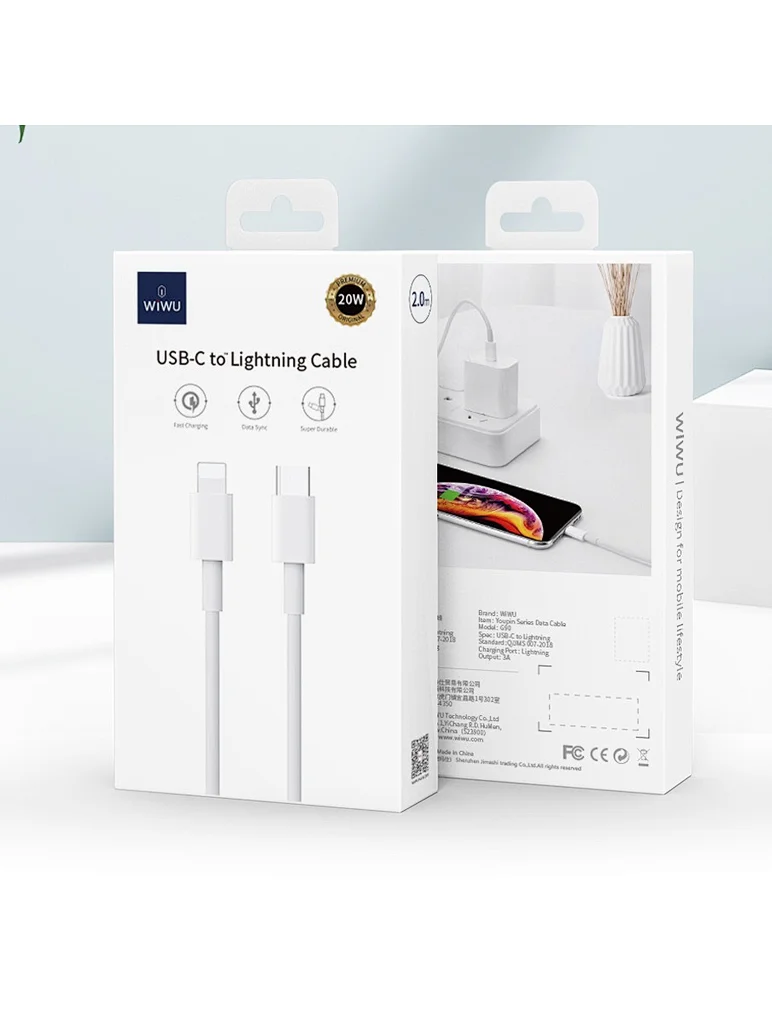
WiWU 20W fast Charger for Mobile Phone with USB C Quick Power Adapter in white Wall charger

Philips 278B1 27-inch 4K UHD IPS monitor delivers sharp detail and professional-grade clarity for productivity, design, and everyday office work. It focuses on UltraClear 4K resolution, ergonomic adjustability, and eye comfort features. Additionally, it features a 27-inch IPS panel with 4K UHD resolution (3840 × 2160). This provides high pixel density and precise detail, so it improves multitasking and content accuracy. Moreover, it supports a 60Hz refresh rate with a 4ms response time. As a result, it delivers stable and smooth performance for office tasks and media use. The monitor offers a 350 cd/m² brightness level and strong contrast performance. Therefore, it improves visibility and keeps images clear in different lighting conditions. In addition, it includes wide 178° viewing angles using IPS technology. This ensures consistent color and clarity from almost any position. Furthermore, it comes with a fully adjustable ergonomic stand. It supports height, tilt, swivel, and pivot adjustments for better comfort during long working hours. It also includes eye comfort features such as Flicker-Free and LowBlue Mode. So it helps reduce eye strain during extended screen use. Philips 278B1 27-inch 4K UHD IPS monitor provides sharp visuals, flexible ergonomics, and productivity-focused performance for professional environments. Specifications: 27-inch IPS panel with 3840 × 2160 4K UHD resolution 60Hz refresh rate with 4ms response time 350 cd/m² brightness with strong contrast performance Fully adjustable stand with height, tilt, swivel, pivot Flicker-Free and LowBlue Mode for eye comfort

WiWU Pioneer Pro Handbag – Stylish, waterproof laptop bag with soft-lined padded interior and reinforced corners.Ideal for 14″ and 15.6″ laptops, offering excellent protection, comfort, and everyday utility. Model: WiWU Pioneer Pro Sizes: Designed for both 14″ and 15.6″ laptops Material: Durable, water-resistant polyester exterior Interior: Faux-fur lining with thick anti-shock padding Protection: 360° corner reinforcement for enhanced drop resistance Compartments: Main padded laptop section Zippered front organizer for cables, mouse, notebook, and accessories Compartments: Main padded laptop section Zippered front organizer for cables, mouse, notebook, and accessories Carry Options: Top retractable waterproof TPU handle Adjustable and removable shoulder strap Luggage trolley strap on the back Carry Options: Top retractable waterproof TPU handle Adjustable and removable shoulder strap Luggage trolley strap on the back Zippers: High-quality YKK zippers for smooth operation Design: Slim profile, minimalist look, available in Black and Gray Suitable for: Business, school, travel, and daily professional use

CS03XL Battery for HP Elitebook 745 755 840 848 850 G3 G4, ZBook 15u G3 G4 Laptop, P/N: HSTNN-UB6S HSTNN-IB6Y 800231-141 800513-001 800231-1C1 CS03046XL About this item Battery type: Li-ion ‖ Capacity: 46Wh ‖ Voltage: 11.4V Replacement Battery for HP Elitebook 745 G4 G3, Elitebook 755 G4 G3, Elitebook 840 G4 G3, Elitebook 848 G4 G3, Elitebook 850 G4 G3, ZBook 15u G4 G3 Mobile Workstation. Compatible P/N: 800231-141, 800513-001, CS03XL, CS03, HSTNN-UB6S, HSTNN-IB6Y, HSTNN-I33C-4, HSTNN-I33C-5, HSTNN-I41C-4, HSTNN-I41C-5. Built-in circuit protection ensures both safety and stability. Overcharger and Discharger Circuit Protection.

BATTERY ACER AC14B8K Battery 4ICP5/57/80 for Acer Aspire R5-571T R5-471T R7-371 R7-371T R3-131T ES1-511 ES1-512 ES1-531 E3-112 Chromebook CB5-571 CB3-531 Swift 3 SF314-51 SF314-52 Nitro 5 AN515-51 Aspire 5 A515-51 About this item Compatible for Acer AC14B8K 4ICP5/57/80 KT0030G.004 KT.0040G.004 3ICP5/57/80 Battery Compatible Models for Acer Chromebook CB5-571 CB5-571-C1DZ CB5-571-C4G4 CB3-531 CB3-531-C4A5, Acer Aspire R3-131T R3-131T- P344 R5-571T R5-571T-59DC R5-571TG R5-431T R5-471T R5-571TG-7229 R5-471T-51UN R5-571T-59DC R7-371T R7-372T, Acer Aspire 5 A515-51 A515-51G, Acer Aspire V3-371 E3-111 E3-112 ES1-111 ES1-131 ES1-511 ES1-731 ES1-711-P1UV E5-771, Acer Nitro 5 AN515-51 AN515-52 AN515-53, Acer Swift 3 SF314-51 SF314-52 SF314-52G, Acer Spin SP111-31 battery AC14B8K Laptop Battery SPECS: Battery Type: Li-polymer, Voltage: 15.2V, Capacity: 3220mAh, Cells: 4 cells, 100% Brand New. Packages include: 1x for Acer Battery AC14B8K with safety box. Safety Control: FLYTEN has its factory so we can control strictly the production. There are professional engineers to ensure batteries’ quality and safety. All our AC14B8K batteries have passed strict intelligent detection, such as short circuit protection, over-voltage protection, discharge protection, and over-current protection, which ensure both safety and stability. CE-/FCC-/RoHS-Certified. Warranty: Rest assured with 60 days Refund and 12 months Warranty. Since Amazon return windows will close after one month, don’t worry about it, you can click on Seller Store in the right corner “ask a question” and contact Seller Us directly! We are always here for you to solve your problems!

The ViewSonic VX2779A-HD-PRO 27″ FHD 240Hz Gaming Monitor delivers ultra-smooth visuals for fast games. It features a 27-inch IPS panel that offers wide viewing angles and rich color. Moreover, the high 240 Hz refresh rate helps motion look fluid and responsive in action titles. This gaming monitor supports Full HD 1920×1080 resolution for crisp images and clear details. Additionally, the 1 ms response time (MPRT) reduces blur and ghosting in fast scenes. Adaptive sync tech like AMD FreeSync and NVIDIA G-SYNC compatibility helps cut screen tearing and stutter. The ViewSonic VX2779A-HD-PRO also includes HDR10 support to boost contrast and color depth for games and videos. Furthermore, anti-glare coating and low blue light help reduce eye strain during long play sessions. Multiple ports make setup easy with two HDMI and one DisplayPort connection. This monitor works well for competitive gaming, esports, and general entertainment. Therefore, it suits both PC gamers and console players. Finally, it combines speed, quality visuals, and versatile connectivity for everyday gaming use. Specifications: 27″ IPS panel with 1920×1080 Full HD resolution 240 Hz refresh rate and 1 ms (MPRT) response time HDR10 support and wide 178° viewing angles Connectivity: 2× HDMI 1.4 + 1× DisplayPort 1.4 Eye-care features: anti-glare, low blue light, and flicker-free

The Logitech G515 Lightspeed TKL Wireless Gaming Keyboard is crafted for serious gamers who demand the best in performance and design. Whether you’re into fast-paced action games or strategic battles, this keyboard delivers precision and speed. Featuring Lightspeed wireless technology, the Logitech G515 offers ultra-fast response times, ensuring every keystroke registers instantly. This means you can enjoy lag-free gaming, giving you the competitive edge you need. The TKL (Tenkeyless) design of the Logitech G515 Lightspeed allows for a more compact setup, giving you extra room for your mouse movements. This makes it perfect for gamers who value space and portability without compromising performance. Customizable RGB lighting lets you personalize your gaming setup. With Logitech G HUB software, you can choose from a wide range of colors and effects, syncing them with your in-game actions for an immersive experience. With a battery life of up to 36 hours on a single charge, you can game uninterrupted. When it’s time to recharge, the USB-C connection ensures fast and efficient charging, so you’re back in action quickly. In conclusion, the Logitech G515 Lightspeed TKL Wireless Gaming Keyboard is the ultimate tool for gamers seeking top performance, customization, and portability. Elevate your gaming setup with the G515 today and experience the difference. Specifications: Switch : Low-profile Key Rechargeable Lithium Polymer Battery Battery Life : 36h Weight : 880g Connection : Wired, Wireless Part Number : 920-012423

The MSI Modern MD342CQP 34″ UWQHD Curved Monitor is a premium ultra-wide display for productivity and immersive work. It has a 34-inch curved screen with UWQHD resolution for sharp, detailed visuals. The 1500R curvature reduces eye strain and improves viewing comfort. Its 21:9 ultra-wide screen gives extra space for multitasking and professional workflows. The IPS panel delivers vibrant, consistent colors across wide angles. It supports 100% sRGB, ideal for design, editing, and creative tasks. Connectivity options include HDMI, DisplayPort, and USB-C for flexible device use. Slim bezels and a modern design make it fit elegantly in any workspace. Flicker-free technology and an anti-glare coating protect your eyes during long sessions. Built-in speakers allow audio playback without extra devices. Tilt and height adjustments provide ergonomic comfort and a customized setup. Multiple windows and apps can stay open to enhance productivity. Fast response time ensures smooth visuals for videos and graphics. This monitor is perfect for professionals, content creators, and anyone needing a high-quality display. It combines style, function, and eye-care technology in one elegant package. Specifications: Display : 34″ VA. Resolution : 3440 x 1440 (UWQHD). Curvature : 1500R. Refresh Rate : 120Hz. Response Time : 1ms (MPRT) / 4ms (GTG). Ergonomics : Tilt, swivel, height adjustment, VESA mount. Audio : 2x 3W speakers, headphone jack.

The Cudy M1200 AC1200 Mesh WiFi System provides seamless whole-home coverage with stable dual-band speeds up to 1200Mbps. Designed to eliminate dead zones, it delivers smooth roaming, strong signal performance, and reliable connectivity for homes and offices. AC1200 Dual Band WiFi – Combined speeds of up to 1200Mbps (300Mbps on 2.4GHz + 867Mbps on 5GHz) for streaming, browsing, and gaming. Whole-Home Mesh Coverage – Multiple units work together to create a single seamless network, eliminating WiFi dead zones. Seamless Roaming – Automatically connects your devices to the strongest signal as you move around your home. Gigabit Ethernet Ports – High-speed wired connections for smart TVs, gaming consoles, and PCs. Easy Setup & Management – Quick installation and control through a user-friendly interface or mobile app. Flexible Expansion – Easily add more mesh units to extend coverage anytime. Stable & Reliable Performance – Designed for multiple connected devices with consistent speed and signal strength. Gigabit Ethernet Ports (WAN/LAN) Dual Band WiFi (2.4GHz & 5GHz) Mesh Networking Technology WiFi Roaming Support Wireless Security (WPA/WPA2)
