
The LG 27MK60TM 27″ Monitor delivers clear and immersive visuals for work, study, and entertainment.It features a large 27-inch Full HD display that shows crisp image detail and smooth video.Moreover, the slim design fits well on desks at home and in office setups. This monitor uses an IPS panel for wide viewing angles and consistent color from many positions.Additionally, anti-glare coating helps reduce reflections in bright lighting.Fast response time helps reduce blur during movies and casual gaming. The LG 27MK60TM also includes HDMI and VGA ports for flexible connectivity.Furthermore, tilt adjustment lets you find a comfortable viewing angle.Low blue light and flicker-safe technology help reduce eye strain over time. This display suits students, professionals, and home users alike.Therefore, it supports productivity, browsing, streaming, and everyday computing.Finally, it combines solid picture quality, reliable performance, and user-friendly features for daily use. Specifications: 27″ Full HD (1920 × 1080) IPS panel HDMI + VGA ports for device connection Anti-glare coating for comfortable viewing Tilt-adjustable stand for ergonomic use Low blue light and flicker-safe eye care

Genuine-spec touchpad flex cable compatible with both MacBook Air A2179 (Intel, 2020) and A2337 (M1, 2020)—restores full Force Touch functionality, haptic feedback, and precise multi-touch gesture control during trackpad repair or replacement. Compatible With: MacBook Air 13″ (2020, Intel) – Model A2179 (Model Identifier: MacBookAir9,1) MacBook Air 13″ (2020, Apple M1) – Model A2337 (Model Identifier: MacBookAir10,1) MacBook Air 13″ (2020, Intel) – Model A2179 (Model Identifier: MacBookAir9,1) MacBook Air 13″ (2020, Apple M1) – Model A2337 (Model Identifier: MacBookAir10,1) ✅ Important Note: Despite different processors (Intel vs. M1), Apple used the same trackpad assembly and flex cable in both A2179 and A2337. This makes the flex cable fully interchangeable between the two models. Part Type: Touchpad flex cable only — does not include the trackpad housing, Taptic Engine, or mounting hardware. This is the OEM-style ribbon cable that connects the trackpad to the logic board. Function: Transmits: Touch input coordinates Force Touch pressure data Haptic feedback signals to the Taptic Engine Enables full macOS gesture support: Force Click, three-finger lookup, swipe navigation, pinch-to-zoom, and smooth cursor tracking. Touch input coordinates Force Touch pressure data Haptic feedback signals to the Taptic Engine Enables full macOS gesture support: Force Click, three-finger lookup, swipe navigation, pinch-to-zoom, and smooth cursor tracking. OEM-Quality Build: Matches Apple’s original specifications in: Cable length and routing path Connector pitch and ZIF latch design EMI shielding and flex durability Cable length and routing path Connector pitch and ZIF latch design EMI shielding and flex durability Common Use Cases: Replacing a torn, creased, or liquid-damaged original flex cable Completing a trackpad replacement when the original cable is compromised Fixing intermittent trackpad behavior, loss of Force Touch, or complete unresponsiveness Replacing a torn, creased, or liquid-damaged original flex cable Completing a trackpad replacement when the original cable is compromised Fixing intermittent trackpad behavior, loss of Force Touch, or complete unresponsiveness Installation Note: Requires full bottom case removal and battery disconnection. Cable routes under the right side of the battery and logic board. Connects via a ZIF (Zero Insertion Force) socket—align carefully and latch gently. Recommended for experienced or certified technicians only. Requires full bottom case removal and battery disconnection. Cable routes under the right side of the battery and logic board. Connects via a ZIF (Zero Insertion Force) socket—align carefully and latch gently. Recommended for experienced or certified technicians only.

Huawei IdeaHub Board 2 86-inch display delivers an immersive teaching and collaboration experience with large 4K visuals. It helps teachers present clearly and engage students effectively. As a result, classrooms benefit from better interaction and visibility. The 86-inch screen features 4K UHD resolution with zero-gap laminated glass. Therefore, it reduces reflection and improves clarity. Moreover, the D-LED backlight and 60Hz refresh rate ensure stable and consistent visuals. It supports up to 20 touch points using infrared multi-touch technology. In addition, smart handwriting recognition and annotation allow natural writing. The low latency writing response improves accuracy during lessons. The system includes a quad-core processor with 4GB RAM and 32GB storage. Consequently, it runs applications smoothly. It supports Android, Windows, iOS, and macOS for flexible integration. It also includes key capabilities such as 4K UHD resolution, multi-touch interaction, smart annotation tools, wide connectivity options, and cross-platform support. Huawei IdeaHub Board 2 86-inch display is built to enhance collaboration and simplify teaching. Specifications: 86-inch 4K UHD display with 3840 × 2160 resolution Supports up to 20 touch points with infrared technology Zero-gap laminated glass with D-LED backlight Low latency writing with smart annotation support Quad-core CPU with 4GB RAM and 32GB storage

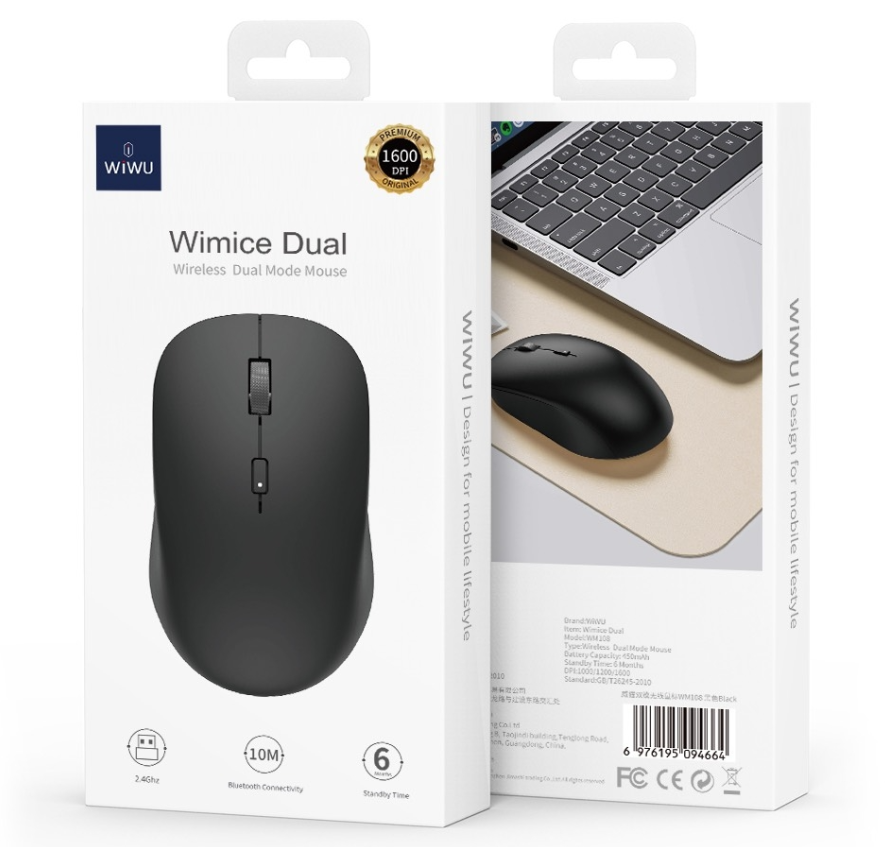
Meetion Usb Computer 2.4GHz Wireless Mouse, Black | R545 Meetion Usb Computer 2.4GHz Wireless Mouse, Black | R545 Comfortable grip feeling. Stable Wireless. 2.4g wireless transmission technology effective working distance up to 10M. Automatic sleep power saving. AA test battery included.

The MSI PRO MP251 E2 24.5″ 120Hz Monitor is designed for smooth performance and vibrant visuals. It offers a fast 120Hz refresh rate, providing a fluid viewing experience for work and entertainment. Whether you’re working on tasks or watching videos, this monitor delivers clear and sharp visuals. With a 24.5-inch Full HD display, the MSI PRO MP251 E2 provides stunning image quality. The high resolution ensures crisp details, making it perfect for productivity and multimedia use. The IPS panel technology enhances color accuracy and wide viewing angles, ensuring consistent colors from any angle. The fast 120Hz refresh rate helps reduce motion blur and provides smoother visuals. This makes it great for video editing, casual gaming, and multitasking. You’ll experience a more responsive display that enhances your workflow. Setting up the MSI PRO MP251 E2 24.5″ 120Hz Monitor is easy. It comes with multiple connectivity options, including HDMI and DisplayPort, allowing you to connect your devices effortlessly. Whether you’re using a PC, laptop, or gaming console, this monitor fits perfectly into your setup. The monitor also features an eye-care design with flicker-free technology and a low blue light mode. This helps reduce eye strain, making it ideal for long hours of work or study. Its slim and modern design blends seamlessly into any workspace, saving desk space while enhancing your setup. The adjustable stand allows you to find the perfect viewing angle for comfort and productivity. Upgrade your display with the MSI PRO MP251 E2 24.5″ 120Hz Monitor and enjoy a smooth and vibrant visual experience. Specifications: Display : 24.5″ IPS Screen : FHD (1920×1080) Refresh Rate : 120Hz Response Rate : 1ms

The Alienware AW2724HF 27″ 360Hz Gaming Monitor is built for serious gamers who want speed and clarity. It features a 27-inch Full HD Fast IPS display with sharp visuals and wide viewing angles. With a 360Hz refresh rate via DisplayPort and up to 255Hz through HDMI, the monitor delivers smooth motion in fast-paced games. A 0.5ms response time reduces blur, making every action look sharp and clear. The monitor supports AMD FreeSync Premium and VESA Adaptive-Sync, helping eliminate screen tearing for smoother gameplay. It also covers 99% of the sRGB color range and supports HDR10, offering rich and vibrant visuals. It comes with plenty of ports, including two DisplayPort 1.4, one HDMI 1.4, four USB 3.2 Gen 1 ports, and one USB upstream. This gives you flexible options to connect accessories and gaming gear. The stand is fully adjustable with options to tilt, swivel, pivot, and adjust height for better comfort. It also supports VESA mounting, allowing you to set it up the way you want. The design features thin bezels, making it great for multi-monitor setups. It also includes game-enhancing tools like crosshair overlays and display modes to give players an edge. Overall, the Alienware AW2724HF combines high refresh rates, fast response, and rich visuals in a sleek and adjustable design, perfect for competitive and casual gamers alike. Specifications: Display : 27″ Fast IPS Resolution : 1920×1080 FHD Refresh Rate : 360Hz Response Time : 0.5ms

Acer Nitro QG241YBII 23.6 Inch Gaming Monitor LED Full Hd Screen Size 23.8 Inches Display Resolution Maximum 1920×1080 Brand Acer Special Feature Full HD Refresh Rate 75 Hz Specifications: Acer Nitro QG241YBII 23.6 Inch Gaming Monitor LED Full Hd Screen Size 23.8 Inches Display Resolution Maximum 1920×1080 Brand Acer Special Feature Full HD Refresh Rate 75 Hz

The Mars Gaming MGC-ERGOPLUS Ergonomic Chair offers strong comfort for long hours of sitting. It supports your back with an ergonomic design. Also, it keeps your posture steady during work or gaming. Because of this support, you feel better throughout the day. The Mars Gaming MGC-ERGOPLUS Ergonomic Chair uses high-quality materials for daily use. The frame stays firm under pressure. In addition, the breathable fabric keeps you cool while you focus. The seat cushion feels soft yet supportive. Therefore, you can sit for long periods without discomfort. This chair includes easy adjustments. For example, you can lift or lower the seat smoothly. You can also tilt the backrest for more comfort. Moreover, the armrests adjust to match your desk height. As a result, you maintain a natural sitting position. This helps reduce stress on your neck and shoulders. The Mars Gaming MGC-ERGOPLUS Ergonomic Chair fits both gaming rooms and offices. Its clean style looks modern and neat. Even more, the strong wheels move softly on different floors. This makes the chair very practical for daily activity. Many people choose this chair for long sessions. The comfort stays consistent even after many hours. Besides that, the ergonomic build helps improve focus and energy. So the chair becomes a useful partner in your tasks. In conclusion, the Mars Gaming MGC-ERGOPLUS Ergonomic Chair offers comfort, strength, and great value. It improves posture and reduces strain. It also adapts easily to your needs. With all these benefits, it becomes a smart choice for gamers and workers. Specifications: Adaptive dynamic lumbar support Mulch Adjustable height between 115-125 cm Folding armrests and adjustable headrest

This is a logic board (motherboard) for the MacBook Pro 15" model A1398 (year 2015) with an Intel Core i7 processor and 16 GB of RAM. It’s the central brain of the laptop—everything else plugs into it. If your MacBook won’t turn on, has hardware faults, or logic-board damage, replacing this can restore full functionality (just make sure you choose the right version). This is a logic board (motherboard) for the MacBook Pro 15″ model A1398 (year 2015) with an Intel Core i7 processor and 16 GB of RAM. It’s the central brain of the laptop—everything else plugs into it. If your MacBook won’t turn on, has hardware faults, or logic-board damage, replacing this can restore full functionality (just make sure you choose the right version). This logic board is a high-quality replacement for the 2015 MacBook Pro 15″ Retina (model A1398). It features: Processor: Intel Core i7 (various speed variants) Memory: 16 GB soldered RAM (non-upgradeable) Graphics: Depending on version, either integrated Intel Iris Pro or dual graphics (Intel + AMD Radeon R9 M370X) Chipset & Board Info: Part numbers like 820-00138-A, 820-00163-A are common for these boards Compatibility / Model IDs: Works with MacBookPro11,4 / MacBookPro11,5 (EMC numbers 2909 / 2910) for 2015 A1398 models Ports & I/O Integrated: USB 3.0, HDMI, Thunderbolt 2, SD card slot, audio jack, etc. (same as original MacBook Pro 2015) Storage Interface: PCIe SSD slot (Apple’s proprietary SSD interface) Power & Connectors: Logic board includes connections for battery, fans, display, keyboard, trackpad, I/O board flex cables, etc. Condition / Variants: These boards are often “used / tested” when sold as replacements. Always check that all ports and soldered chips are intact. Risks & Notes: You must match the correct board variant (integrated vs dual GPU) or you can face compatibility issues or missing graphics functions.

The HP 25X Gaming 25″ Monitor delivers fast, smooth visuals for gaming and everyday use.It features a 25‑inch FHD display that shows crisp images and fluid motion.Moreover, the high refresh rate keeps gameplay smooth and responsive. This gaming monitor uses a panel with wide viewing angles and vibrant color.Additionally, its fast response time helps reduce motion blur during intense action.Anti‑glare coating helps reduce reflections in bright lighting. The HP 25X Gaming Monitor includes HDMI and DisplayPort inputs for easy connection to PCs and consoles.Furthermore, tilt adjustment lets you find a comfortable viewing angle.Low blue light and flicker‑free features help reduce eye strain during long sessions. This display works well for competitive gamers, students, and home users alike.Therefore, it supports gaming, streaming, and everyday computing.Finally, it combines speed, good visuals, and comfort features for daily use. Specifications: 25″ Full HD (1920 × 1080) panel High refresh rate (typically 144 Hz) for smooth motion Fast response time (often 1 ms) for competitive play HDMI + DisplayPort ports for device connection Anti‑glare finish with low blue light & flicker‑free tech

• LCD panel type: IPS technology • Backlight type: W-LED system • Panel Size: 23.8 inch / 60.5 cm • Display Screen Coating: Anti-Glare, 3H, Haze 25% • Effective viewing area: 527 (H) x 296.5 (V) • Aspect ratio: 16:9 • Maximum resolution: 1920 x 1080 @ 75 Hz* • Pixel Density: 93 PPI • Response time (typical): 4 ms (GtG)* • Brightness: 250 cd/m² • Contrast ratio (typical): 3000:1 • SmartContrast: Mega Infinity DCR • Pixel pitch: 0.2745 x 0.2745 mm • Viewing angle: 178º (H) / 178º (V), @ C/R > 10 • Flicker-free • Display colors: 16.7 M • Scanning Frequency: 30 – 85 kHz (H) / 48 – 75 Hz (V) • LowBlue Mode • EasyRead • sRGB • Adaptive sync , CABLE POWER,CABLE HDMI,CABLE VGA 1 YEAR WARRANTY

The Alienware AW2524HF 24.5″ 500Hz Gaming Monitor is built for pro gamers who want unmatched speed and clarity. It features a 24.5-inch Full HD display with a Fast IPS panel for accurate colors and wide viewing angles. This monitor offers a blazing 500Hz refresh rate through DisplayPort when overclocked, and up to 240Hz via HDMI, making gameplay ultra-smooth. A 0.5ms response time helps reduce motion blur, so every frame stays sharp and clean. It supports NVIDIA G-SYNC, giving you tear-free and fluid motion across demanding games. You also get support for HDR10 and 99% sRGB color coverage, bringing vivid visuals to every scene. Connectivity options are flexible, including two HDMI 2.0 ports, one DisplayPort 1.4, four USB 3.2 Gen 1 ports, and one USB upstream port. There’s also a built-in USB hub for quick accessory access. The stand is fully adjustable with tilt, swivel, pivot, and height settings, making long sessions more comfortable. You can also use VESA mounting for a custom setup. Extra features like AlienFX lighting and NVIDIA Reflex Latency Analyzer add depth to your gaming experience. These tools help improve reaction time and personalize your setup. Overall, the Alienware AW2524HF delivers unmatched refresh speed, quick response, and stunning visuals. It’s perfect for competitive gamers who want every possible advantage. Specifications: Display : 24.5″ IPS Resolution : FHD 1920 x 1080 Refresh Rate : 500Hz Response Time : 0.5ms

Compact and stylish with a zinc alloy shell, the SatcOp 8‑in‑1 USB‑C Multiport Dock delivers essential ports—Ethernet, HDMI, USB, card readers, and charging—in one portable adapter. Ideal for powering your laptop while expanding connectivity on the go. 🖥️ HDMI Port – Connect to external displays in Full HD or 4K (depending on your host device). 🌐 RJ45 Ethernet Port – Provides stable wired internet access with gigabit-speed support. ⚡ USB-C PD Charging – Power your laptop while using other ports (up to 87W pass-through). 🔌 USB 3.0 & USB 2.0 Ports – Connect flash drives, external storage, keyboards, and mice. 💾 SD & TF Card Readers – Quick access to camera and device storage cards. 🧊 Material – Premium zinc alloy casing for durability and efficient heat dissipation. 💼 Design – Slim, lightweight, and perfect for travel, home, or office setups. 💻 Compatibility – Works with most USB-C laptops, including Windows, macOS, Chrome OS, and select Android tablets.

*Additional 8$ Delivery Fee Outside Beirut Due to The Packaging Size Step into a new level of gaming comfort with the Noblechairs ICON Gaming Chair. This exceptional chair is designed to provide gamers with unparalleled support during extended gaming sessions. To begin with, the ergonomic design of the ICON Gaming Chair ensures optimal posture, reducing the risk of discomfort and fatigue. Its adjustable features cater to individual preferences, allowing you to customize the chair to suit your unique gaming setup. Transition seamlessly between work and play by utilizing the ICON chair’s versatile features. Whether you’re immersed in a gaming marathon or tackling tasks at your desk, the chair’s adaptability enhances both focus and relaxation. Crafted with premium materials, the Noblechairs ICON exudes durability and style. The luxurious padding and high-quality leather or fabric upholstery provide a plush and inviting seat, elevating the overall gaming experience. The ICON Gaming Chair’s 4D armrests and robust reclining mechanism add a layer of functionality, allowing you to find the perfect position for gaming or taking a well-deserved break. Enjoy maximum flexibility without compromising on stability. Investing in the Noblechairs ICON is not just a choice for gaming; it’s a commitment to your well-being. The chair’s lumbar and neck support cushions promote a healthy sitting posture, enhancing your overall comfort during extended sessions. In summary, the Noblechairs ICON Gaming Chair combines style, comfort, and functionality, making it an ideal choice for gamers seeking a premium seating solution. Elevate your gaming experience to new heights with this exceptional gaming chair. Specifications: Material : High Quality Leather Frame : Steel Armrests : 4D With Maximum Adjustability Backrest : Adjustable Angle 90° to 135° Max Load : Up to 150 kg

TP-Link AC1200 Archer C50 Wireless Dual Band Router Support smooth 4K streaming with AC1200 Wi-Fi 4 external antennas provide stable wireless connections and optimal coverage Easy network management at your fingertips with TP-Link Tether Supports IGMP Proxy/Snooping, Bridge, and Tag VLAN to optimize IPTV streaming Supports Access Point mode to create a new Wi-Fi access point TP-Link AC1200 Archer C50 Wireless Dual Band Router Support smooth 4K streaming with AC1200 Wi-Fi 4 external antennas provide stable wireless connections and optimal coverage Easy network management at your fingertips with TP-Link Tether Supports IGMP Proxy/Snooping, Bridge, and Tag VLAN to optimize IPTV streaming Supports Access Point mode to create a new Wi-Fi access point TP-Link Archer C50 – AC1200 Wireless Dual Band Router Wireless Speed: Up to 1200 Mbps (300 Mbps on 2.4GHz + 867 Mbps on 5GHz) Wi-Fi Standard: 802.11ac – 3x faster than wireless N speeds Bands: Dual Band (2.4GHz & 5GHz) for reduced interference and better performance Antenna: 4 External Antennas for strong and stable wireless coverage Ports: 4× LAN, 1× WAN (10/100 Mbps) Advanced Features: Parental Controls, Guest Network, IPv6 Support, Access Control Security: WPA/WPA2 encryption for secure wireless connections Ease of Use: Easy setup with TP-Link Tether App Ideal For: HD streaming, online gaming, and high-speed downloads in homes and small offices

Genuine-spec touchpad flex cable for MacBook Pro 15″ (Model A1707, 2016–2017)—restores full Force Touch functionality, haptic feedback, and precise multi-touch gesture control during trackpad repair or replacement. Compatible With: MacBook Pro 15″ (2016) – Model A1707 (Model Identifier: MacBookPro13,2) MacBook Pro 15″ (2017) – Model A1707 (Model Identifier: MacBookPro14,2) MacBook Pro 15″ (2016) – Model A1707 (Model Identifier: MacBookPro13,2) MacBook Pro 15″ (2017) – Model A1707 (Model Identifier: MacBookPro14,2) Part Type: Touchpad flex cable only — does not include the trackpad housing, Taptic Engine, or mounting hardware. This is the OEM-style ribbon cable that connects the trackpad to the logic board. Function: Transmits: Touch input coordinates Force Touch pressure data Haptic feedback signals to the Taptic Engine Enables full macOS gesture support: Force Click, three-finger lookup, swipe navigation, pinch-to-zoom, and smooth cursor tracking. Touch input coordinates Force Touch pressure data Haptic feedback signals to the Taptic Engine Enables full macOS gesture support: Force Click, three-finger lookup, swipe navigation, pinch-to-zoom, and smooth cursor tracking. OEM-Quality Build: Matches Apple’s original specifications in: Cable length and routing path Connector pitch and ZIF latch design EMI shielding and flex durability Cable length and routing path Connector pitch and ZIF latch design EMI shielding and flex durability Common Use Cases: Replacing a torn, creased, or liquid-damaged original flex cable Completing a trackpad replacement when the original cable is compromised Fixing intermittent trackpad behavior, loss of Force Touch, or complete unresponsiveness Replacing a torn, creased, or liquid-damaged original flex cable Completing a trackpad replacement when the original cable is compromised Fixing intermittent trackpad behavior, loss of Force Touch, or complete unresponsiveness Installation Note: Requires full bottom case removal and battery disconnection. Cable routes under internal components near the right speaker and logic board. Connects via a ZIF (Zero Insertion Force) socket—must be aligned carefully and latched gently. Recommended for experienced or certified technicians only. Requires full bottom case removal and battery disconnection. Cable routes under internal components near the right speaker and logic board. Connects via a ZIF (Zero Insertion Force) socket—must be aligned carefully and latched gently. Recommended for experienced or certified technicians only.

The Apple Magic Mouse (USB-C version) is a sleek, minimalist multi-touch wireless mouse built for Mac users. It offers smooth gesture support, Bluetooth connectivity and a built-in rechargeable battery — a great choice if you prefer a clean desk setup and full compatibility with macOS and iPadOS. General Name: Magic Mouse (USB-C) — part of Apple’s pointing-device lineup. Wireless connectivity: Bluetooth. Rechargeable battery: built-in, no disposable AA cells. Charging / port: USB-C port (bottom of mouse) for pairing and charging. Compatibility: Requires a Mac with macOS 15.1 or later, or an iPad with iPadOS 18.1 or later. Size & Weight Height: ~0.85 inch (2.16 cm) Width: ~2.25 inch (5.71 cm) Depth: ~4.47 inch (11.35 cm) Weight: ~0.22 pound (0.099 kg) (varies slightly by manufacturing) Features Multi-Touch surface: supports gestures such as swiping between pages, scrolling through documents, zooming. Glide / foot design: optimized for smooth movement across desktop surfaces. Rechargeable battery life: about a month or more between charges (typical use) per Apple spec. Used Condition ConsiderationsSince you’re specifying a used unit: Check for wear on the bottom feet / skates — these degrade and affect glide. Verify battery capacity / health (rechargeable batteries age). Confirm the port is functioning (USB-C) and Bluetooth connectivity is stable. Look for signs of excessive surface scratches on the multi-touch top — may impair gestures. Ensure the firmware / Mac recognizes it fully (gestures working). Upgradability / Limitations Not user-upgradable: You cannot replace the internal battery or change internals easily. Design limitation: The USB-C port remains on the bottom of the mouse, meaning you cannot use it while charging unless you flip it. This design is still criticized. Ergonomics: The flat, low-profile design is stylish but may not suit extended-use comfort for some users.

The Lenovo G27-20 27″ Monitor delivers sharp visuals and smooth performance for gaming, work, and everyday use.It features a 27-inch Full HD display that shows clear images and vibrant colors. Moreover, its fast refresh rate ensures smooth motion for games and videos. This monitor uses a VA panel for strong contrast and wide viewing angles. Additionally, a quick response time helps reduce blur during fast-paced action. The anti-glare screen also helps reduce reflections in bright rooms. HDMI and DisplayPort inputs allow easy connection to PCs, laptops, and consoles. Furthermore, tilt adjustment lets you find a comfortable viewing angle during long sessions. Low blue light and flicker-free technologies help reduce eye strain over extended use. This display is ideal for gamers, students, and office users alike. Therefore, it supports gaming, streaming, and daily productivity tasks. Finally, it combines strong visuals, fast performance, and comfort features for daily use. Specifications: Screen Size: 27″ Full HD VA panel Refresh Rate: Fast, 165 Hz for gaming Response Time: 1 ms MPRT Ports: HDMI + DisplayPort Features: Anti-glare, low blue light, flicker-free eye-care

Searching for a portable monitor to enhance your remote work experience? Look no further than the ViewSonic TD1655. This compact and versatile display is designed to elevate your productivity wherever you go. Firstly, its slim and lightweight design makes it easy to carry, fitting seamlessly into your work or travel bag. Enjoy the convenience of a dual-screen setup, enhancing multitasking capabilities on the fly. The TD1655 boasts a full HD resolution, ensuring crisp and clear visuals for work or entertainment. Its 15.6-inch screen provides ample space without compromising on portability, perfect for presentations or extended work sessions. Connecting your devices is a breeze with the TD1655’s USB-C and HDMI ports. Effortlessly link it to your laptop, tablet, or smartphone, eliminating the need for complicated setups. Transition seamlessly between devices with ease. Adjustable viewing angles offer ergonomic comfort, reducing strain during prolonged use. Whether you’re working on a report or binge-watching your favorite shows, find the perfect angle for a comfortable and immersive experience. The ViewSonic TD1655 isn’t just a monitor; it’s a productivity companion. Its compatibility with various devices, sleek design, and user-friendly features make it an ideal choice for professionals on the move. In conclusion, the ViewSonic TD1655 Portable Monitor is a game-changer for remote work and entertainment. Experience the freedom of a flexible, high-quality display that adapts to your dynamic lifestyle. Upgrade your mobile office setup today! Specifications: Size : 16″ Touch Resolution : 60Hz full HD Ports : 2 USB-C

Are you ready to take your gaming to the next level? Meet the Asus ROG Swift PG278QR monitor, the ultimate gaming companion. With its cutting-edge features and sleek design, it’s the perfect choice for gamers seeking excellence. Firstly, let’s talk about the mesmerizing visuals. With a blazing-fast refresh rate and NVIDIA G-SYNC technology, this monitor delivers smooth, tear-free gameplay that will immerse you in every virtual world. Say goodbye to stuttering and lagging! Moreover, the WQHD resolution ensures crisp, detailed images that bring your games to life. Whether you’re exploring vast open worlds or engaging in intense firefights, every scene will be rendered with stunning clarity and precision. But the Asus ROG Swift PG278QR isn’t just about visuals—it’s also designed for comfort and convenience. The ergonomic stand allows you to adjust the height, tilt, swivel, and pivot for the perfect viewing angle, reducing strain during extended gaming sessions. Furthermore, connectivity options abound with DisplayPort 1.2 and HDMI ports, ensuring compatibility with a wide range of devices. Whether you’re gaming on your PC, console, or streaming media from your favorite device, the Asus ROG Swift PG278QR has you covered. In conclusion, if you’re serious about gaming, the Asus ROG Swift PG278QR monitor is a game-changer. Elevate your gaming experience with stunning visuals, smooth gameplay, and unmatched comfort. Get ready to unlock gaming excellence like never before! Specifications: Display : 27″ TN Resolution : 2k(2560×1440) Refresh Rate : 165Hz Response Rate : 1ms
