
The Samsung Odyssey G8 32″ 240 Hz OLED Gaming Monitor delivers unmatched gaming performance and stunning visuals. It features a 32‑inch OLED display for deep blacks and vibrant colors. Moreover, the Samsung Odyssey G8 32″ 240 Hz OLED Gaming Monitor supports ultra‑fast 240 Hz refresh rate. It ensures ultra‑smooth gameplay and fewer motion artifacts during fast action. Also, the monitor boasts just 0.03 ms response time for minimal blur. In addition, this gaming monitor uses HDR to boost contrast and brightness. Plus, its OLED panel offers wide viewing angles and consistent color from any position. Furthermore, adaptive sync technology keeps frame rates smooth with FreeSync or G‑SYNC. Therefore, gamers experience tear‑free visuals even under heavy load. It includes DisplayPort and multiple HDMI 2.1 ports for high bandwidth input. Also, USB ports and a built‑in USB hub simplify peripheral connections. Moreover, the monitor supports customizable RGB lighting on its stand and rear. Then, ergonomic stand adjusts height, tilt, and swivel for comfortable viewing angles. Also, low‑blue‑light and flicker‑free modes reduce eye strain during long gaming sessions. Furthermore, the sleek, curved display blends well with modern gaming setups. In addition, its slim bezels help create immersive multi‑monitor environments. Because of OLED quality, contrast ratio is effectively infinite for deep image depth. Meanwhile, factory calibration ensures accurate colors right from setup. Also, power consumption remains efficient even in intense HDR modes. Besides that, thermal design keeps the monitor cool and reliable. Thus, you get long‑lasting performance without overheating. With strong build quality, the monitor offers durable daily use. It works perfectly for high‑frame‑rate gaming, fast‑paced esports, and vivid content. Finally, the Samsung Odyssey G8 32″ 240 Hz OLED Gaming Monitor combines speed, clarity, and design. Overall, it stands as a premium choice for competitive and immersive gamers. Specifications: Display : 32″ Resolution : OLED (3,840 x 2,160) Refresh Rate : 240Hz Response Rate : 0.03ms GTG

Step into the world of unparalleled gaming visuals with the AOC 24G4 24″ 180Hz Gaming Monitor. This cutting-edge display is designed to elevate your gaming experience to new heights. Boasting a 180Hz refresh rate, the AOC 24G4 ensures ultra-smooth gameplay, minimizing motion blur and providing a competitive edge. Immerse yourself in fluid graphics for a truly captivating gaming session. Equipped with a 24-inch screen, this gaming monitor strikes the perfect balance between size and clarity. Enjoy crisp details and vibrant colors, enhancing every pixel of your favorite games. Featuring AMD FreeSync technology, the AOC 24G4 synchronizes your monitor’s refresh rate with your graphics card, reducing screen tearing and stuttering. Say goodbye to disruptions and hello to seamless gaming performance. The sleek design of the monitor adds a touch of sophistication to your gaming setup. Its thin bezels create an expansive view, making you feel completely immersed in the action on-screen. Connectivity is a breeze with multiple ports, including HDMI and DisplayPort. Easily hook up your gaming console, PC, or other devices for a hassle-free gaming setup. In summary, the AOC 24G4 24″ 180Hz Gaming Monitor is a game-changer for avid gamers. With its high refresh rate, vivid display, and advanced features, it delivers an immersive gaming experience like no other. Upgrade your setup and take your gaming to the next level today! Specifications: Display : 23.8″ Fast IPS Resolution : 1920 × 1080 (FHD) Refresh Rate : 180Hz Response Time : 1ms

MIC K9 WIRELESS ( LIGHTNING ) FOR IPHONE BLACK MICROPHONE MIC K9 WIRELESS ( LIGHTNING ) FOR IPHONE BLACK MICROPHONE 20M Connection distance for 360° RADIO Wireless lavalier microphone use 2.4G connection, which is more stable than the Bluetooth microphone, and the transmission distance can reach 65 feet without wires. Built-in omnidirectional condenser microphone, can capture sound in all directions, 360° wide-range recording, no dead ends, and avoid missing recording. Automatic Synchronization of Noise Reduction Mini lapel mic has advanced intelligent noise reduction technology and windshield, which can filter out most of the external noise and wind noise, and clearly present the recording content. It can synchronize the background music and human voice of the mobile phone in real time, reduce video post-processing, and provide professional full-band audio. 10H Working Time The wireless lavalier microphone has a built-in rechargeable battery, which can provide more than 10hours of battery life after about 2 hours of charging. The ultra-low delay of 0.015S ensures the synchronization of audio and video, bringing a better experience to your game live broadcast, and staying away from the trouble of delay.

Genuine-spec touchpad flex cable for MacBook Pro 15″ (Model A1706 – 2017 and A1989 – 2018/2019)—restores full Force Touch functionality, haptic feedback, and precise multi-touch gesture control during trackpad repair or replacement. Compatible With: MacBook Pro 15″ (2017) – Model A1706 (Model Identifier: MacBookPro14,3) MacBook Pro 15″ (2018–2019) – Model A1989 (Model Identifier: MacBookPro15,2) ✅ Note: Apple used the same trackpad assembly and flex cable across both A1706 and A1989 15″ models—making this part interchangeable between them. MacBook Pro 15″ (2017) – Model A1706 (Model Identifier: MacBookPro14,3) MacBook Pro 15″ (2018–2019) – Model A1989 (Model Identifier: MacBookPro15,2) ✅ Note: Apple used the same trackpad assembly and flex cable across both A1706 and A1989 15″ models—making this part interchangeable between them. ✅ Note: Apple used the same trackpad assembly and flex cable across both A1706 and A1989 15″ models—making this part interchangeable between them. Part Type: Touchpad flex cable only — does not include the trackpad housing, Taptic Engine, or mounting hardware. This is the OEM-style ribbon cable connecting the trackpad to the logic board. Function: Transmits: Touch input coordinates Force Touch pressure data Haptic feedback signals to the Taptic Engine Enables full macOS gesture support: Force Click, three-finger lookup, swipe navigation, pinch-to-zoom, and smooth cursor tracking. Touch input coordinates Force Touch pressure data Haptic feedback signals to the Taptic Engine Enables full macOS gesture support: Force Click, three-finger lookup, swipe navigation, pinch-to-zoom, and smooth cursor tracking. OEM-Quality Build: Matches Apple’s original in: Cable length and routing Connector pitch and ZIF latch design EMI shielding and flex durability Cable length and routing Connector pitch and ZIF latch design EMI shielding and flex durability Common Use Cases: Replacing a torn, creased, or liquid-damaged original flex cable Completing a trackpad replacement when the original cable is compromised Fixing intermittent trackpad behavior, loss of Force Touch, or complete unresponsiveness Replacing a torn, creased, or liquid-damaged original flex cable Completing a trackpad replacement when the original cable is compromised Fixing intermittent trackpad behavior, loss of Force Touch, or complete unresponsiveness Installation Note: Requires full bottom case removal and battery disconnection. Cable routes under internal components near the right speaker and logic board. Connects via a ZIF (Zero Insertion Force) socket—must be aligned carefully and latched gently. Recommended for experienced or certified technicians only. Requires full bottom case removal and battery disconnection. Cable routes under internal components near the right speaker and logic board. Connects via a ZIF (Zero Insertion Force) socket—must be aligned carefully and latched gently. Recommended for experienced or certified technicians only.

VIEWSONIC MONITOR TD2423 Display Size (in.): 24 Viewable Area (in.): 23.6 Panel Type: VA Technology Resolution: 1920 x 1080 Resolution Type: FHD (Full HD) Static Contrast Ratio: 3,000:1 (typ) Dynamic Contrast Ratio: 20M:1 Light Source: LED VIEWSONIC MONITOR Brightness: 250 cd/m² (typ) Colors: 16.7M Color Space Support: 8 bit (6 bit + Hi-FRC) Aspect Ratio: 16:9 Response Time (Typical GTG): 7ms Response Time (GTG w/OD): 7ms Response Time (Typical Tr+Tf): 25ms Viewing Angles: 178º horizontal, 178º vertical Backlight Life (Hours): 40000 Hrs (Min) Curvature: Flat Refresh Rate (Hz): 75 VIEWSONIC MONITOR Blue Light Filter: Yes Flicker-Free: Yes Color Gamut: NTSC: 72% size (Typ) sRGB: 104% size (Typ) Pixel Size: 0.272 mm (H) x 0.272 mm (V) Touch Screen: IR, 10-point multi-touch Surface Treatment: Glossy, Hard Coating (7H) Cover Glass Thickness: 1.85mm CompatibilityVIEWSONIC MONITOR TD2423 PC Resolution (max): 1920×1080 Mac® Resolution (max): 1920×1080 PC Operating System: Windows 7/8.1/10/11 certified; macOS tested Mac® Resolution (min): 1920×1080 Connector VGA: 1 USB 2.0 Type A: 2 USB 2.0 Type B: 1 3.5mm Audio In: 1 3.5mm Audio Out: 1 HDMI 1.4: 1 DVI-D: 1 Power in: 3-pin Socket (IEC C14 / CEE22) Specifications: VIEWSONIC MONITOR TD2423 Display Size (in.): 24 Viewable Area (in.): 23.6 Panel Type: VA Technology Resolution: 1920 x 1080 Resolution Type: FHD (Full HD) Static Contrast Ratio: 3,000:1 (typ) 1 Year Warranty Manufacturer link

The MSI G244F 24″ 180Hz Gaming Monitor is designed for smooth, fast-paced gaming. With a 180Hz refresh rate, it delivers ultra-smooth visuals for an immersive experience. Say goodbye to screen tearing and lag during intense gameplay. This 24-inch gaming monitor features an IPS panel for vibrant colors and wide viewing angles. Whether you’re gaming or streaming, the visuals are sharp and detailed. The Full HD resolution ensures crisp images, making every detail stand out. The MSI G244F supports a 1ms response time for quick reactions. This reduces motion blur, giving you a competitive edge in fast-action games. It’s perfect for FPS, racing, and esports titles where speed matters. Setting up the monitor is simple with its versatile connectivity options. It includes HDMI and DisplayPort inputs, making it compatible with PCs, consoles, and laptops. The adjustable stand allows you to tilt the screen for the best viewing angle. Additionally, the MSI G244F 24″ 180Hz Gaming Monitor features anti-flicker and blue light reduction technologies. These reduce eye strain, so you can play longer without discomfort. It’s designed to keep you comfortable during long gaming sessions. With its sleek, modern design, this monitor looks great in any gaming setup. The slim bezels offer a more immersive viewing experience, especially in multi-monitor setups. Upgrade your gaming experience with the MSI G244F 24″ 180Hz Gaming Monitor and enjoy fluid, responsive gameplay. Specifications: Display : 23.8” Rapid IPS Resolution : 1920 x 1080 (FHD) Refresh Rate : 180Hz Response Rate : 1ms

Genuine-spec touchpad flex cable for MacBook Pro 15″ (Model A2941, 2023, Apple M2)—restores full Force Touch functionality, haptic feedback, and precise multi-touch gesture control during trackpad repair or replacement. Compatible With: MacBook Pro 15-inch (2023, Model A2941) with Apple M2 chip (Model Identifier: MacBookPro19,1) Part Type: Touchpad flex cable only — does not include the trackpad housing, Taptic Engine, or mounting hardware. This is the OEM-style ribbon cable that connects the trackpad to the logic board. Function: Transmits: Touch input coordinates Force Touch pressure data Haptic feedback signals to the Taptic Engine Enables full macOS gesture support: Force Click, three-finger lookup, swipe navigation, pinch-to-zoom, and smooth cursor tracking. Touch input coordinates Force Touch pressure data Haptic feedback signals to the Taptic Engine Enables full macOS gesture support: Force Click, three-finger lookup, swipe navigation, pinch-to-zoom, and smooth cursor tracking. OEM-Quality Build: Matches Apple’s original specifications in: Cable length and routing path Connector pitch and ZIF latch design EMI shielding and flex durability Cable length and routing path Connector pitch and ZIF latch design EMI shielding and flex durability Common Use Cases: Replacing a torn, creased, or liquid-damaged original flex cable Completing a trackpad replacement when the original cable is compromised Fixing intermittent trackpad behavior, loss of Force Touch, or complete unresponsiveness Replacing a torn, creased, or liquid-damaged original flex cable Completing a trackpad replacement when the original cable is compromised Fixing intermittent trackpad behavior, loss of Force Touch, or complete unresponsiveness Installation Note: Requires full bottom case removal and battery disconnection. Cable routes under internal components near the right speaker and logic board. Connects via a ZIF (Zero Insertion Force) socket—must be aligned carefully and latched gently. Recommended for experienced or certified technicians only. Requires full bottom case removal and battery disconnection. Cable routes under internal components near the right speaker and logic board. Connects via a ZIF (Zero Insertion Force) socket—must be aligned carefully and latched gently. Recommended for experienced or certified technicians only.

Acer KA222Qbi The Acer KA222Qbi entry-level series provide a superb user experience and don’t compromise . on quality. With a choice of display size and a ZeroFrame. design it is ideal for use in homes and offices. Whether it’s running productivity apps or playing games this monitor has it all. Viewable Screen Size Acer KA222Qbi 54.6 cm (21.5″) Aspect Ratio 16:9 Response Time 1 ms VRB Backlight Technology LED Horizontal Viewing Angle 178° Vertical Viewing Angle 178° Panel Technology In-plane Switching (IPS) Technology Frequency (Horizontal/Vertical) 30KHz-85KHz/48Hz-75Hz Pixel Pitch 0.25 mm Tilt Angle -5° to 15° Maximum Adjustable Height No Video Maximum Resolution 1920 x 1080 Native Contrast Ratio 1,000:1 Dynamic Contrast Ratio 100,000,000:1 Colour Supported 16.7 Million Colours Colour Depth 8-bit Color Gamut 72% NTSC Dynamic Contrast Ratio 100,000,000:1 Brightness 250 cd/m² Tearing Prevention Technology AMD FreeSync™ (HDMI VRR) Interfaces/Ports Acer KA222Qbi VGA Yes HDMI Yes Power Description Standby Power Consumption (Energy Star) 270 mW Off-Mode Power Consumption (Energy Star) 210 mW Operating Power Consumption (Energy Star) 15.50 W Miscellaneous Environmental Certification MPR II Package Contents 1 x KA222Q Widescreen LCD Monitor 1 x Power Cord(EURO/UK) 1 x VGA Cable Physical Characteristics Colour Black VESA Mount Compatible Yes VESA Mount Standard 100 x 100 Height 295 mm Width 490 mm Depth 65 mm Weight (Approximate) 3.09 kg Weight with Stand (Approximate) 3.44 kg Specifications: Specifications 21.5″ ZeroFrame FreeSync 1ms, IPS 1 year warranty

The Lenovo ThinkVision T32h-30 31.5″ 60Hz 2K Business Monitor is built for productivity and comfort. It offers a large and clear display that helps you work more efficiently. This monitor is perfect for offices, creators, and home workspaces. With its 31.5-inch 2K resolution, the Lenovo ThinkVision T32h-30 31.5″ 60Hz 2K Business Monitor delivers sharp details and bright colors. Text looks clean and images appear crisp. Therefore, you can enjoy better clarity during long work sessions. The 60Hz refresh rate ensures smooth motion for daily tasks. It is ideal for spreadsheets, browsing, and video meetings. As a result, your workflow feels more stable and comfortable. The Lenovo ThinkVision T32h-30 31.5″ 60Hz 2K Business Monitor features ultra-thin bezels for a modern design. This also makes multi-monitor setups more seamless and visually appealing. Its ergonomic stand allows tilt, swivel, and height adjustments. You can set the perfect viewing angle and reduce strain. Moreover, it uses low blue light technology to protect your eyes during long hours. The monitor includes USB-C, HDMI, and DisplayPort connections. With USB-C, you can charge your laptop and transfer data with one cable. This helps keep your workspace clean and organized. In summary, the Lenovo ThinkVision T32h-30 31.5″ 60Hz 2K Business Monitor offers clarity, comfort, and strong connectivity. It is an excellent choice for professionals who need space, precision, and modern features. Specifications: Display : 31.5″ IPS Resolution : 2K (2560×1440) Refresh Rate : 60Hz Response Time : 4ms GtG

Genuine-spec touchpad flex cable for MacBook Pro 15″ (Model A1990, 2018–2019, Intel)—essential for restoring full Force Touch functionality, haptic feedback, and precise multi-touch gesture control during trackpad repair or replacement. Compatible With: MacBook Pro 15-inch (2018 & 2019, Model A1990, Model Identifiers MacBookPro15,2) with Intel Core i7/i9 processors. Part Type: Touchpad flex cable only — does not include the trackpad housing, Taptic Engine, or mounting hardware. This is the OEM-style ribbon cable that connects the trackpad to the logic board. Function: Transmits: Touch input coordinates Force Touch pressure data Haptic feedback signals to the Taptic Engine Enables full macOS gesture support: Force Click, three-finger lookup, swipe navigation, pinch-to-zoom, and smooth cursor tracking. Touch input coordinates Force Touch pressure data Haptic feedback signals to the Taptic Engine Enables full macOS gesture support: Force Click, three-finger lookup, swipe navigation, pinch-to-zoom, and smooth cursor tracking. OEM-Quality Build: Matches Apple’s original specifications in: Cable length and routing path Connector pitch and ZIF latch design EMI shielding and flex durability Cable length and routing path Connector pitch and ZIF latch design EMI shielding and flex durability Common Use Cases: Replacing a torn, creased, or liquid-damaged original flex cable Completing a trackpad replacement when the original cable is unusable Fixing intermittent trackpad behavior, loss of Force Touch, or complete unresponsiveness Replacing a torn, creased, or liquid-damaged original flex cable Completing a trackpad replacement when the original cable is unusable Fixing intermittent trackpad behavior, loss of Force Touch, or complete unresponsiveness Installation Note: Requires full bottom case removal and battery disconnection. Cable routes under internal components near the right speaker and logic board. Connects via a ZIF (Zero Insertion Force) socket—must be aligned carefully and latched gently. Recommended for experienced or certified technicians only. Requires full bottom case removal and battery disconnection. Cable routes under internal components near the right speaker and logic board. Connects via a ZIF (Zero Insertion Force) socket—must be aligned carefully and latched gently. Recommended for experienced or certified technicians only.

Genuine-spec touchpad flex cable for MacBook Pro 16″ (Model A2141, 2019, Intel)—essential for restoring full Force Touch functionality, haptic feedback, and precise multi-touch gesture control during trackpad repair or replacement. Compatible With: MacBook Pro 16-inch (2019, Model A2141) with Intel Core i7/i9 processors (Model Identifier: MacBookPro16,1) (Note: A2141 is the non-base configuration of the 2019 16″ MacBook Pro—typically higher-end Intel models.) Part Type: Touchpad flex cable only—does not include the trackpad housing, Taptic Engine, or mounting hardware. This is the OEM-style ribbon cable that connects the trackpad to the logic board. Function: Transmits touch coordinates, Force Touch pressure data, and haptic feedback signals—critical for macOS gestures (e.g., Force Click, three-finger lookup, pinch-to-zoom) and Taptic Engine responsiveness. OEM-Quality Construction: Replicated to Apple’s exact specifications—including cable length, connector pitch, EMI shielding, and bend radius—ensuring reliable signal integrity and long-term durability. Common Use Cases: Replacing a torn, creased, or liquid-damaged original flex cable Completing a trackpad replacement when the original cable is compromised Fixing intermittent trackpad behavior, loss of Force Touch, or complete unresponsiveness Replacing a torn, creased, or liquid-damaged original flex cable Completing a trackpad replacement when the original cable is compromised Fixing intermittent trackpad behavior, loss of Force Touch, or complete unresponsiveness Installation Note: Requires full disassembly of the bottom case, speaker removal, and careful routing beneath the battery and logic board. Connectors use ZIF (Zero Insertion Force) sockets—must be aligned and latched gently. Recommended for certified or professional repair technicians only. Important: This is flex cable only—not a complete trackpad assembly. Must be used with the original or compatible A2141 trackpad and Taptic Engine. Not compatible with M1 MacBook Pro 16″ (A2485), 14″ models (A2442), or any MacBook Air. This is flex cable only—not a complete trackpad assembly. Must be used with the original or compatible A2141 trackpad and Taptic Engine. Not compatible with M1 MacBook Pro 16″ (A2485), 14″ models (A2442), or any MacBook Air. Model Verification: Confirm your device is MacBook Pro A2141 (16″, 2019, Intel) via > About This Mac > Model Identifier (should read MacBookPro16,1).

The MSI Pro MP241X 24″ monitor delivers clear visuals and reliable performance for work and home use. It is built for everyday tasks, browsing, and media viewing. First, this monitor features a 24-inch Full HD display with vibrant colors and sharp details. As a result, your screen content looks crisp and easy to read. In addition, the MSI Pro MP241X 24″ offers a wide viewing angle for shared viewing. Therefore, multiple people can see clear images from different positions. The sleek and slim design makes this monitor look modern on any desk. Also, it takes up minimal space. Moreover, this monitor supports anti-flicker and reduced blue light technology. So, your eyes feel more comfortable during long sessions. Because it uses HDMI and VGA inputs, it connects easily to many devices. Thus, setup stays simple with laptops and desktops. The MSI Pro MP241X 24″ provides consistent performance for work apps and video watching. This makes everyday computing smooth and enjoyable. Furthermore, the stand offers tilt adjustment for better viewing angles. So, you can find the most comfortable position for your eyes. Compared to lower-resolution screens, this Full HD panel shows clearer details. Therefore, text and graphics look sharper and more accurate. It works well for office tasks, video streaming, and school work. Thus, it fits many daily needs. Installation is fast and beginner-friendly with plug-and-play support. As a result, you can start using it right away. The MSI Pro MP241X 24″ also supports stable refresh performance for smoother visuals. This improves motion during videos and general use. Also, the slim bezels help reduce distraction and provide a clean look. Therefore, your workspace stays neat and focused. In conclusion, this monitor offers clear visuals, comfort features, and easy connectivity. Overall, it is a strong choice for work, school, or entertainment. If you want a reliable and sharp 24″ screen, this model is worth choosing. Specifications: Display: 24-inch VA panel, Full HD (1920×1080), 16:9 aspect ratio. Performance: 75Hz refresh rate, 4ms (GTG) response time, 1000:1/3000:1 contrast Connectivity: HDMI™ 1.4b & D-Sub (VGA) ports for versatile device connection

Philips 221V8LB/67 22-inch Full HD monitor delivers clear and reliable performance for everyday computing. It focuses on sharp visuals, eye comfort, and simple connectivity for home and office use. Additionally, it features a 21.5-inch VA panel with Full HD resolution (1920 × 1080). This provides clear detail and strong contrast, so it improves readability and general viewing comfort. Moreover, it supports up to a 100Hz refresh rate (overclocked) with smooth visual output. As a result, it reduces flicker and makes scrolling and video playback more fluid. The monitor includes a 4ms response time (GtG). Therefore, it handles everyday motion smoothly for browsing, office work, and media use. In addition, it comes with Adaptive Sync support. This helps reduce screen tearing for more stable visuals during dynamic content. Furthermore, it includes LowBlue Mode and Flicker-Free technology. So it reduces eye strain during long hours of use. It also provides HDMI and VGA connectivity with a slim, tilt-adjustable design. This ensures compatibility with modern and older devices while keeping setup simple. Philips 221V8LB/67 22-inch Full HD monitor delivers reliable performance, comfortable viewing, and essential features for daily productivity. Specifications: 21.5-inch VA panel with Full HD 1920 × 1080 resolution Up to 100Hz refresh rate for smoother visuals 4ms GtG response time for stable motion Adaptive Sync support for reduced tearing LowBlue Mode and Flicker-Free eye comfort technology

The 45W MagSafe 2 Power Adapter features a magnetic DC connector so if someone should trip over it, the cord disconnects harmlessly and your MacBook Air stays put safely. It also helps prevent fraying or weakening of the cables over time. In addition, the magnetic DC helps guide the plug into the system for a quick and secure connection. The 45W MagSafe 2 Power Adapter features a magnetic DC connector so if someone should trip over it, the cord disconnects harmlessly and your MacBook Air stays put safely. It also helps prevent fraying or weakening of the cables over time. In addition, the magnetic DC helps guide the plug into the system for a quick and secure connection. When the connection is secure, an LED located at the head of the DC connector lights up; an amber light lets you know that your notebook is charging, while a green light tells you that you have a full charge. An AC cord is provided with the adapter for maximum cord length, while the AC wall adapter (also provided) gives you an even easier and more compact way to travel. Designed to be the perfect traveling companion, the adapter has a clever design which allows the DC cable to be wound neatly around itself for easy cable storage. This power adapter recharges the lithium polymer battery while the system is off, on, or in sleep mode. It also powers the system if you choose to operate without a battery. Compatible only with MacBook Air featuring MagSafe 2 power port. Knowing which specific Mac model you have is important. If you are running OS X Lion (10.7) or later go to the “” menu at the top left of your screen, choose “About this Mac” then click the “More Info…” button. Your Mac model and generation will be displayed. If you are running an earlier version of OS X, you can enter your serial number here to find out which model you have. Mac Models MacBook Air (13-inch, Early 2015 – 2017) MacBook Air (11-inch, Early 2015)

A capable pre-owned Dell Latitude 5401 with 14" display, 10th Gen Core i7, 16GB RAM, 512GB SSD, and NVIDIA GeForce MX330 2GB—ideal for professionals who need extra graphics power for light creative work or multitasking in a durable business laptop.

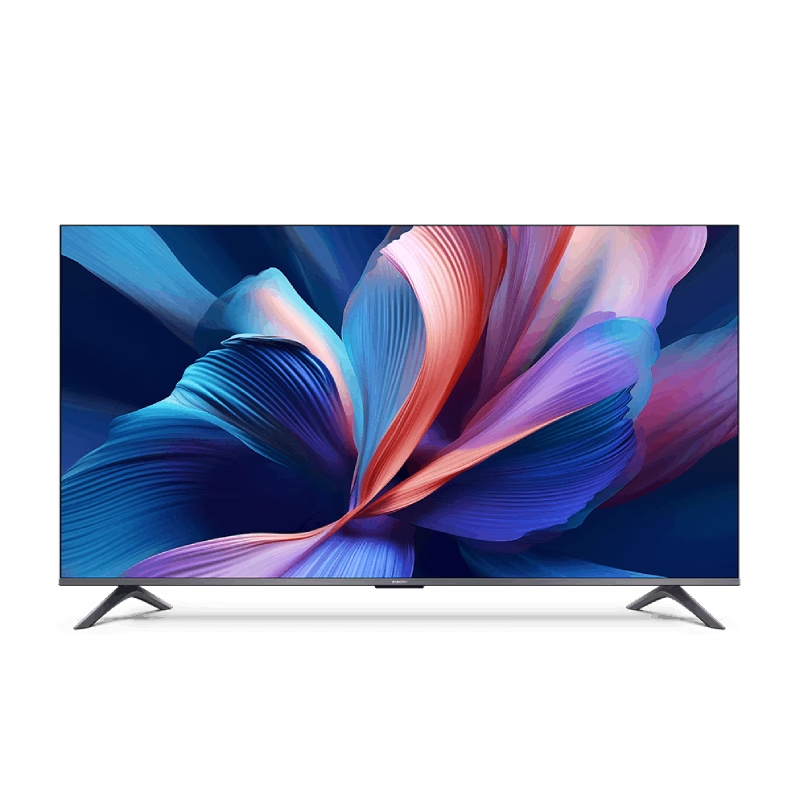
The Samsung 65″ QLED Q6F 4K Smart TV QA65Q6FAAUXTW delivers vibrant picture quality and smart entertainment features in a sleek design. It uses advanced QLED technology to produce bright colors, sharp details, and impressive clarity, making movies, sports, and games more engaging on the 65-inch screen. QLED technology uses Quantum Dot enhancement to improve color accuracy and brightness. As a result, images appear vivid and lifelike across a wide variety of content. Dark scenes retain important details, while bright scenes remain balanced and clear. This creates a more enjoyable viewing experience throughout the day. The 4K UHD resolution provides exceptional image detail and clarity. Therefore, content looks sharper and more refined than standard Full HD. In addition, Samsung processing technology enhances lower-resolution content, helping it appear closer to native 4K quality. HDR support improves contrast and expands the visible color range. This allows brighter highlights and deeper shadows, creating more realistic images. Fast-moving scenes also appear smoother and clearer, making sports events and action-packed content more enjoyable. The Smart TV platform provides access to popular streaming services, apps, and connected home features. It offers a responsive interface that makes navigation simple and convenient. In addition, the slim design and narrow bezels give the Samsung QLED 65 Q6F 4K Smart TV QA65Q6FAAUXTW a modern appearance that fits well in most living spaces. Overall, this Samsung QLED TV combines vivid colors, sharp 4K resolution, and smart functionality for a complete home entertainment experience. Specifications: QLED technology delivers vibrant colors and enhanced brightness 65-inch 4K UHD display provides immersive viewing HDR improves contrast and image realism Smart TV platform supports streaming apps and connected features Slim design complements modern living spaces

The S3 2-in-1 Bluetooth Headset and Speaker is a versatile audio device that seamlessly transitions between personal listening and shared sound experiences. Designed for both convenience and high-quality audio performance, it caters to diverse user needs. Key Features: Dual Functionality: Operate as traditional over-ear headphones for private listening or twist the earcups outward to activate the external speaker mode, allowing you to share music with others. Superior Sound Quality: Equipped with advanced audio technology, the S3 delivers crisp and clear sound in both headphone and speaker modes, ensuring an immersive listening experience. Active Noise Cancellation (ANC): Reduces ambient noise, enabling users to enjoy music without external interruptions. Comfortable Design: Features extra-padded ear cushions and an adjustable headband, providing long-lasting comfort for extended use. Foldable and Portable: The foldable design makes it easy to carry, making it an ideal companion for travel and daily commutes. Multiple Playback Options: Supports Bluetooth 5.0 for wireless streaming, NFC for quick pairing, TF card slot for direct music playback, and FM radio functionality, offering a variety of listening choices. Long Battery Life: Built-in 600mAh rechargeable battery provides up to 14 hours of playback in headphone mode and 6.5 hours in speaker mode, ensuring uninterrupted entertainment. Integrated Controls and Microphone: Built-in controls allow for easy navigation between tracks, volume adjustment, and call management. The integrated microphone ensures clear hands-free communication.

Original 13.3-inch LCD display assembly for MacBook Air A1466, pulled from a working unit. OEM, drop-in replacement for cracked or nonfunctional screens—ideal for restoring perfect visuals. This is a genuine Apple LCD display assembly for the MacBook Air model A1466 (mid-2013 to ~2017). It was removed from a working machine (“pulled”) and tested. It’s intended to replace failed, cracked, or damaged screens with an OEM original part. Key Features & Functionality Factory original LCD panel with LED backlight Includes glass, mounting frame, hinges, display cable Calibrated by Apple for color accuracy, brightness, contrast Tested for display quality, backlight uniformity, dead or stuck pixels Fits directly in A1466 models with correct alignment and cable interface Specifications Important Notes & Caveats Must ensure your MacBook is A1466 — wrong model = mismatch in frame, mounting, cable. As a used component, there may be light cosmetic wear or micro-scratches. Always test before full installation (connect the cable, boot, check display and backlight). Be careful handling: glass is fragile and the flex cable is delicate. Alignment and screw placement are critical — incorrect installation can damage the new screen.

Non-slip, skid-proof rubber feet designed to perfectly fit MacBook Air models A1466, A1369, and A1370—restoring grip, stability, and protection for your laptop’s base. Keep your MacBook Air steady and scratch-free with these high-quality replacement rubber feet, engineered to match the original Apple design for MacBook Air models A1466 (2010–2017), A1369 (11″ 2010–2011), and A1370 (11″ 2011–2015). These skid-proof rubber feet provide excellent traction on desks, tables, and other smooth surfaces, preventing unwanted sliding during typing or use. Made from durable, soft-touch silicone-rubber material, they also help protect your laptop’s bottom case from scratches and reduce vibration noise. Each set includes all necessary feet (typically 5 per MacBook Air model) with pre-applied adhesive for easy, secure installation. The matte black finish blends seamlessly with your MacBook’s original aesthetic. Ideal for restoring worn, missing, or damaged feet—whether due to age, cleaning, or accidental removal—this is a simple, affordable way to maintain your MacBook’s functionality and appearance. Note: Surface must be clean and dry for optimal adhesion. For best results, gently warm the adhesive before applying.

The MSI MAG 272URDF E16 27″ UHD, 160 Hz Flat Rapid IPS, 0.5 ms gaming monitor delivers strong performance and sharp visuals for gamers, creators, and everyday users. It is designed to provide fast refresh rates with crisp 4K resolution for smooth action and detailed images. First, this monitor features a 27-inch Rapid IPS panel with a 3840 × 2160 (UHD) resolution that shows rich detail and vibrant colors. As a result, games and media look clear and immersive. In addition, the MSI MAG 272URDF E16 supports up to 160 Hz refresh rate at 4K for smoother motion and reduced blur compared to standard screens. This high refresh rate helps competitive gameplay feel responsive. The 0.5 ms (GtG) response time helps reduce ghosting and motion blur in fast scenes. Therefore, action appears sharper and more accurate during gaming or videos. This monitor also includes Adaptive-Sync to help eliminate screen tearing with compatible GPUs. So, gameplay and graphics feel more fluid. Moreover, the display supports VESA DisplayHDR 400 for better contrast and dynamic range when HDR content is available. As a result, highlights and shadows look more vivid and realistic. The MSI MAG 272URDF E16 provides wide viewing angles of 178° horizontal and vertical, so colors stay accurate even when viewed from the side. This helps when multiple people watch the screen. For connectivity, it includes 2× HDMI 2.1 and 1× DisplayPort 1.4a, allowing 4K at 160 Hz and support for next-gen consoles and PC graphics cards. Thus, you can switch between devices easily. Also, the monitor offers USB ports and a headphone jack for added convenience. This makes connecting peripherals simple. Compared to standard 60 Hz screens, this MSI model delivers smoother motion, higher refresh rates, and sharper details at 4K. So, both gaming and creative work feel more enjoyable. In conclusion, the MSI MAG 272URDF E16 blends 4K clarity, fast refresh, and quick response for strong overall performance. Overall, it is a great option for gamers, content creators, and anyone who wants a premium 4K gaming display. Specifications: Display: 27″ Rapid IPS, Flat, 16:9 aspect ratio, UHD (3840×2160) Resolution :(3840×2160) UHD Refresh Rate : 160Hz Response Time : Response Time: 0.5ms (GtG) for smooth visuals.
