
TE03XL Battery TE03061XL for HP Omen 15-ax000:15-ax033dx 15-ax210nr 15-ax001ns;HP Pavilion 15-bc000:15-bc008tx and More 849910-850 849570-541 542 543 HSTNN-UB7A TPN-Q173-11.55V 61.6Wh 3-Cell About this item Specifications: – Battery type: Li-ion || Voltage: 11.55VV|| Capacity: 61.6Wh || Cells: 3-cell Compatible Models: – HP Omen 15-ax000:(15-ax000~15-ax099);HP Pavilion 15-BC000 Series (15-bc000~099;15-bc300~399) Replacement Part Number: – HP TE03XL HSTNN-UB7A TPN-Q173 TE03061XL 849910-850 849570-541 849570-542 849570-543 3ICP7/65/80Replacment Part Number: – HP TE03XL HSTNN-UB7A TPN-Q173 TE03061XL 849910-850 849570-541 849570-542 849570-543 3ICP7/65/80 Easy Installation: The replacement process is straightforward and provides our tools.

Genuine-spec touchpad flex cable for MacBook Air 13.6″ (Model A2681, 2022, M2)—essential for restoring full Force Touch functionality, haptic feedback, and multi-touch gesture support when replacing or repairing the trackpad assembly. Compatible With: MacBook Air 13.6-inch (2022, Model A2681) with Apple M2 chip (all colors: Silver, Space Gray, Starlight, Midnight). Part Type: Touchpad flex cable only—does not include the trackpad, Taptic Engine, or mounting hardware. This is the ribbon cable assembly that connects the trackpad to the logic board. Function: Transmits touch input, Force Touch pressure data, and haptic feedback signals between the trackpad and logic board—critical for macOS gesture recognition and Taptic Engine operation. OEM-Quality Construction: Matches Apple’s original flex circuit in length, connector type, shielding, and bend radius—ensures reliable signal integrity and long-term durability. Common Use Cases: Replacing a torn, frayed, or damaged original flex cable Completing a trackpad replacement when the original cable was compromised Repairing unresponsive or erratic trackpad behavior caused by cable failure Replacing a torn, frayed, or damaged original flex cable Completing a trackpad replacement when the original cable was compromised Repairing unresponsive or erratic trackpad behavior caused by cable failure Installation Note: Requires full bottom case disassembly and careful routing under the battery and logic board. Connectors use ZIF (Zero Insertion Force) sockets—do not force. Recommended for experienced or certified technicians only.

Used OEM Original Apple Logic Board Working, 2018 Model 2.7Ghz I7 251gb 16gb (A1989) + Original Touch ID, Tested using latest industry hardware diagnostic software, Fresh pull from fully Working nearly new unit. SPECIFICATION:

BenQ RE8604 86” 4K UHD Interactive Flat Panel is a large interactive display designed for classrooms, meeting rooms, and training environments. It supports touch interaction, built-in Android system, and 4K resolution for collaboration and presentations. It features an 86-inch IPS panel with 3840 × 2160 4K UHD resolution. Therefore, it delivers sharp visuals and wide viewing angles for group use. In addition, it supports up to 40-point multi-touch input for writing and collaboration. Moreover, it runs an Android-based system (EDLA-supported depending on configuration). As a result, users can open apps, use whiteboard tools, and present content directly on the display without an external PC. The display includes anti-glare glass. Therefore, it remains readable in bright environments. In addition, it supports 4K 60Hz output for smooth visuals during presentations and video playback. Furthermore, it includes HDMI, USB, USB-C, LAN, and OPS slot connectivity. As a result, it works with laptops, external PCs, and modular computing systems. It also includes built-in speakers for classroom and meeting audio. Therefore, it supports presentations without extra sound systems. Finally, the BenQ RE8604 delivers a large 4K interactive workspace with multi-touch control and flexible connectivity for education and business use. Specifications: Display: 86-inch IPS panel with 3840×2160 4K UHD resolution Touch: Up to 40-point multi-touch support for collaboration System: Android-based interactive platform (EDLA support depending on model) Connectivity: HDMI, USB, USB-C, LAN, and OPS slot Display: Anti-glare screen with 4K 60Hz smooth output

Genuine-spec touchpad flex cable for MacBook Pro 16″ (Model A2141, 2019, Intel)—essential for restoring full Force Touch functionality, haptic feedback, and precise multi-touch gesture control during trackpad repair or replacement. Compatible With: MacBook Pro 16-inch (2019, Model A2141) with Intel Core i7/i9 processors (Model Identifier: MacBookPro16,1) (Note: A2141 is the non-base configuration of the 2019 16″ MacBook Pro—typically higher-end Intel models.) Part Type: Touchpad flex cable only—does not include the trackpad housing, Taptic Engine, or mounting hardware. This is the OEM-style ribbon cable that connects the trackpad to the logic board. Function: Transmits touch coordinates, Force Touch pressure data, and haptic feedback signals—critical for macOS gestures (e.g., Force Click, three-finger lookup, pinch-to-zoom) and Taptic Engine responsiveness. OEM-Quality Construction: Replicated to Apple’s exact specifications—including cable length, connector pitch, EMI shielding, and bend radius—ensuring reliable signal integrity and long-term durability. Common Use Cases: Replacing a torn, creased, or liquid-damaged original flex cable Completing a trackpad replacement when the original cable is compromised Fixing intermittent trackpad behavior, loss of Force Touch, or complete unresponsiveness Replacing a torn, creased, or liquid-damaged original flex cable Completing a trackpad replacement when the original cable is compromised Fixing intermittent trackpad behavior, loss of Force Touch, or complete unresponsiveness Installation Note: Requires full disassembly of the bottom case, speaker removal, and careful routing beneath the battery and logic board. Connectors use ZIF (Zero Insertion Force) sockets—must be aligned and latched gently. Recommended for certified or professional repair technicians only. Important: This is flex cable only—not a complete trackpad assembly. Must be used with the original or compatible A2141 trackpad and Taptic Engine. Not compatible with M1 MacBook Pro 16″ (A2485), 14″ models (A2442), or any MacBook Air. This is flex cable only—not a complete trackpad assembly. Must be used with the original or compatible A2141 trackpad and Taptic Engine. Not compatible with M1 MacBook Pro 16″ (A2485), 14″ models (A2442), or any MacBook Air. Model Verification: Confirm your device is MacBook Pro A2141 (16″, 2019, Intel) via > About This Mac > Model Identifier (should read MacBookPro16,1).

Genuine-spec touchpad flex cable for MacBook Pro 14″ (Model A2442, 2021, M1 Pro/Max)—essential for restoring full Force Touch functionality, haptic feedback, and precise multi-touch gesture control. Compatible With: MacBook Pro 14-inch (2021, Model A2442) with Apple M1 Pro or M1 Max chip (Model Identifiers: MacBookPro18,3 / MacBookPro18,4). Part Type: Touchpad flex cable only—does not include the trackpad, Taptic Engine, or mounting brackets. This is the OEM-style ribbon cable that connects the trackpad to the logic board. Function: Carries touch input, Force Touch pressure data, and haptic feedback signals—critical for macOS trackpad gestures, Force Click, and Taptic Engine responsiveness. OEM-Quality Build: Matches Apple’s original flex circuit in length, connector pitch, shielding, and bend geometry—ensures reliable signal transmission and durability under repeated use. Common Use Cases: Replacing a damaged, torn, or corroded original flex cable Completing a trackpad replacement when the original cable is unusable Fixing intermittent trackpad issues, unresponsiveness, or loss of Force Touch Replacing a damaged, torn, or corroded original flex cable Completing a trackpad replacement when the original cable is unusable Fixing intermittent trackpad issues, unresponsiveness, or loss of Force Touch Installation Note: Requires full bottom case removal and careful routing beneath internal components. Connectors use ZIF (Zero Insertion Force) sockets—must be seated properly without force. Recommended for certified or highly experienced technicians only.

Genuine-spec touchpad flex cable for MacBook Air 13″ (Model A1932, 2018–2019)—essential for restoring full Force Touch functionality, haptic feedback, and precise multi-touch gesture control during trackpad repair or replacement. Compatible With: MacBook Air 13-inch (2018 & 2019, Model A1932, Model Identifier MacBookAir8,1) with Intel Core i5/i7 processors. Part Type: Touchpad flex cable only—does not include the trackpad housing, Taptic Engine, or mounting hardware. This is the OEM-style ribbon cable that connects the trackpad to the logic board. Function: Transmits touch input, Force Touch pressure data, and haptic feedback signals—critical for macOS gestures like Force Click, three-finger lookup, pinch-to-zoom, and smooth cursor tracking. OEM-Quality Build: Matches Apple’s original in length, connector pitch, EMI shielding, and flexibility—ensures reliable signal integrity and long-term durability. Common Use Cases: Replacing a torn, creased, or liquid-damaged original flex cable Completing a trackpad replacement when the original cable is unusable Fixing intermittent trackpad behavior, loss of Force Touch, or complete unresponsiveness Replacing a torn, creased, or liquid-damaged original flex cable Completing a trackpad replacement when the original cable is unusable Fixing intermittent trackpad behavior, loss of Force Touch, or complete unresponsiveness Installation Note: Requires full bottom case removal and careful routing beneath the battery. The cable connects via a ZIF (Zero Insertion Force) socket on the logic board—must be properly aligned and latched without force. Recommended for experienced or certified technicians. Important: This is flex cable only—not a complete trackpad assembly. Must be used with the original or compatible A1932 trackpad and Taptic Engine. Not compatible with MacBook Air M1 (A2337/A2338), M2 (A2681/A2941), or any MacBook Pro model. This is flex cable only—not a complete trackpad assembly. Must be used with the original or compatible A1932 trackpad and Taptic Engine. Not compatible with MacBook Air M1 (A2337/A2338), M2 (A2681/A2941), or any MacBook Pro model.

Original MacBook Pro 13″ (A2338) Display Assembly in Silver, including LCD, Retina panel, backlight, camera, Wi-Fi antennas, hinges, and aluminum lid. Compatible with M1 MacBook Pro 13″ (2020). Ideal for replacing cracked, damaged, or faulty screens. ✔️ Complete Display Assembly: Includes LCD, digitizer, housing, hinges, webcam, and antenna modules. ✔️ Retina Resolution: 2560 × 1600 native resolution with True Tone support. ✔️ Genuine Fit for A2338: Designed specifically for the MacBook Pro 13″ (A2338) – M1 2020 model. ✔️ Accurate Color & Brightness: 500 nits brightness, P3 wide color gamut, and high contrast. ✔️ Silver Aluminum Finish: OEM-grade aluminum lid matching the original color and texture. ✔️ Plug-and-Play Replacement: No programming required — direct connector compatibility. ✔️ Ideal for Repair: Suitable for replacing damaged, flickering, bleeding, or cracked screens.

Sleek & Portable Design: ASUS ZenScreen 15.6-inch Full HD portable monitor is ideal for life on the road. This sleek external display is lightweight and has a slim profile, so it fits easily in any travel bag..Aspect ratio:16:9.Viewing Angle:178.0 degrees.Response time:5.0 milliseconds Smart Connectivity: ZenScreen MB166C travel monitor uses a single USB Type-C connection for both power and video transmission from your host device. This means you have fewer cables to work with, so you get a neater work area. Work Efficiently In Portrait & Landscape Modes: This 15-inch portable monitor automatically senses its orientation and switches the monitor between landscape and portrait modes via DisplayWidget software. Work In Comfort: User-friendly design with an embedded tripod socket on the rear and foldable sleeve for versatility. Say Goodbye To Strained Eyes: The ASUS ZenScreen 15.6 inch monitor features TÜV Rheinland-certified Flicker-free and Low Blue Light technologies to ensure a comfortable viewing experience. Specifications: (MB166C) – Full HD IPS USB Type-C USB-Powered Eye Care Tripod Mountable Anti-Glare Surface Protective Sleeve 1 year warranty manufacturer link

Are you ready to take your gaming to the next level? Look no further than the Samsung Odyssey G5 32″ Curved Gaming Monitor. This cutting-edge monitor is designed to deliver an immersive gaming experience like no other. Featuring a stunning 32-inch curved display, the Samsung Odyssey G5 brings your games to life with vibrant colors and crystal-clear visuals. Whether you’re exploring virtual worlds or engaging in epic battles, every detail will be rendered with precision and clarity. With a lightning-fast 165Hz refresh rate, this monitor ensures buttery-smooth gameplay with no lag or stuttering. Say goodbye to screen tearing and motion blur, and hello to an ultra-responsive gaming experience. Equipped with AMD FreeSync technology, the Samsung Odyssey G5 syncs the monitor’s refresh rate with your graphics card, eliminating screen tearing and providing silky-smooth gameplay. Transitioning to its design, the Odyssey G5 features a sleek and stylish aesthetic that will complement any gaming setup. Its slim bezels and curved screen create an immersive viewing experience that pulls you into the action. Connectivity is key for gamers, and the Samsung Odyssey G5 doesn’t disappoint. With HDMI and DisplayPort inputs, you can easily connect your gaming PC, console, or other devices for maximum versatility. Furthermore, the Odyssey G5 comes with a range of gaming-centric features, including customizable gaming modes, black equalizer technology, and low input lag. Whether you’re playing fast-paced shooters or strategy games, you can tailor your gaming experience to suit your preferences. In summary, the Samsung Odyssey G5 32″ Curved Gaming Monitor is the ultimate choice for gamers who demand performance, immersion, and style. Upgrade your gaming setup today and experience gaming like never before. Specifications: Display : 32″ VA Curvature : 1000R Resolution : 2,560 x 1,440 Refresh Rate : 165Hz Response Rate : 1ms

A lightweight and efficient pre-owned Lenovo ThinkPad T14s Gen 2 with 14" display, AMD Ryzen 5 5650U, 16GB RAM, and 512GB SSD—featuring integrated AMD Radeon graphics for smooth productivity and all-day battery life in a premium ultraportable.

WIWU S400 Aluminum Laptop Stand Portable, Adjustable and Foldable - Silver WIWU S400 Aluminum Laptop Stand Portable, Adjustable and Foldable – Silver

PCE 900 M8 900VA 480W Output Power: 700VA (M8 700), 900VA (M8 900) Voltage Input Range: 220-240 VAC with 102 wires (M8 700), 140-300 VAC (M8 900) Output Protection: Overload, discharge, and overcharge protection (M8 700), Fault protection (M8 900) Waveform: Simulated Sine Wave LED Indicators: Green lighting (M8 700), Green flashing (M8 900) Frequency: 50 or 60 Hz +/- 10% (auto sensing) (M8 700), 50 or 60 Hz +/- 1% (M8 900) Voltage (backup mode): 12V/9AH x 1 (M8 700), 12V/7AH x 1 (M8 900) Frequency (backup mode): 50 or 60 Hz +/- 1% (M8 700 and M8 900) Transfer time (M8 700): Typical 2 to 6 ms Backup time (M8 900): 10-20min depending on load level Net Weight: 4.3 kg (9.46 lbs) (M8 700), 4.8 kg (10.56 lbs) (M8 900) Output Receptacles: Universal sockets x 2 or German x 2 (M8 700), Universal sockets x 4 (M8 900) Audible Noise: Sounding every 10 seconds (M8 700), Sounding every second (M8 900) Dimensions: 100x278x140 (3.9″x10.8″x5.5″) (M8 700), 130x320x182 (5.07″x12.48″x7.1″) (M8 900) Compatibility: Windows 2000/XP/2003/2008/Vista/7, NOVELL, LINUX, UNIX (M8 700), Optional Interface with power management software (M8 900) Certifications: EN 50091-1-1/EN 69050 (RD), IEC 60950, TUV GC-Mark, EN 50091-2, EN 50022/B, IEC 62040-2, IEC 61000-3-2, IEC 61000-3-3, ISO 9001, ISO 14001 (M8 700 and M8 900)

Genuine-spec touchpad flex cable for MacBook Pro 13″ (Model A2251, 2020, Intel)—essential for restoring full Force Touch functionality, haptic feedback, and precise multi-touch gesture control during trackpad repair or replacement. Compatible With: MacBook Pro 13-inch (2020, Two Thunderbolt Ports, Model A2251, Model Identifier MacBookPro16,1) with Intel Core i5/i7 processors. Part Type: Touchpad flex cable only—does not include the trackpad housing, Taptic Engine, or mounting hardware. This is the OEM-style ribbon cable that connects the trackpad to the logic board. Function: Transmits: Precise touch coordinates Force Touch pressure data Haptic feedback signals to the Taptic Engine Enables full macOS gesture support including Force Click, three-finger lookup, swipe navigation, and inertial scrolling. Precise touch coordinates Force Touch pressure data Haptic feedback signals to the Taptic Engine Enables full macOS gesture support including Force Click, three-finger lookup, swipe navigation, and inertial scrolling. OEM-Quality Build: Matches Apple’s original specifications in: Cable length and routing Connector pitch and ZIF latch design EMI shielding and flex durability Cable length and routing Connector pitch and ZIF latch design EMI shielding and flex durability Common Use Cases: Replacing a torn, creased, or liquid-damaged original flex Completing a trackpad replacement when the original cable is compromised Fixing intermittent trackpad behavior, loss of Force Touch, or complete unresponsiveness Replacing a torn, creased, or liquid-damaged original flex Completing a trackpad replacement when the original cable is compromised Fixing intermittent trackpad behavior, loss of Force Touch, or complete unresponsiveness Installation Note: Requires full bottom case removal and partial disassembly (including battery disconnect). Cable routes under the right speaker and logic board—must be seated in original retention channels. Connects via ZIF (Zero Insertion Force) socket—align carefully and latch gently. Recommended for experienced or certified technicians only. Requires full bottom case removal and partial disassembly (including battery disconnect). Cable routes under the right speaker and logic board—must be seated in original retention channels. Connects via ZIF (Zero Insertion Force) socket—align carefully and latch gently. Recommended for experienced or certified technicians only.

The ASUS ROG Strix XG27ACS-W 27 inch QHD 180Hz 1ms Fast IPS Gaming Monitor is a 27-inch gaming display designed for smooth performance and sharp image quality. It uses a Fast IPS panel that delivers wide viewing angles and accurate colors for gaming and everyday use. It features a QHD (2560×1440) resolution, which provides more detail and screen space compared to Full HD. Therefore, it improves visibility in games and productivity tasks. The ASUS ROG Strix XG27ACS-W 27 inch QHD 180Hz 1ms Fast IPS Gaming Monitor supports a 180Hz refresh rate for smoother motion in fast-paced gameplay. In addition, it includes a 1ms response time to reduce motion blur during rapid actions. It supports adaptive sync technology, which helps reduce screen tearing and stuttering when paired with compatible graphics cards. As a result, gameplay feels smoother and more stable. Moreover, it includes HDR support for improved contrast and brightness in compatible content. The monitor also provides gaming display modes and on-screen settings for quick adjustments. The white design gives it a clean and modern appearance suitable for light or themed setups. Overall, the ASUS ROG Strix XG27ACS-W 27 inch QHD 180Hz 1ms Fast IPS Gaming Monitor is built for responsive gaming, clear visuals, and a premium white aesthetic. Specifications: 27-inch QHD (2560×1440) display 180Hz refresh rate 1ms response time Fast IPS panel White premium design

Introducing the Samsung Odyssey G6 27—a collection of monitors designed to redefine your visual experience and meet the demands of modern users. Embark on a journey of visual excellence with cutting-edge features that distinguish the Samsung Monitor Series. From vibrant displays to advanced technologies, these monitors ensure a superior and immersive viewing experience for users. Beneath their sleek and modern exteriors lies a commitment to seamless functionality. The Samsung Monitor Series is crafted to deliver not only stunning visuals but also user-friendly interfaces, making them an essential tool for both work and entertainment. Delve into the seamless integration of advanced technologies, ensuring these monitors adapt effortlessly to the evolving demands of modern content consumption. Whether you’re working on detailed tasks, streaming high-definition content, or gaming, the Samsung Monitor Series caters to diverse needs. Portability may not be the focus, but these monitors excel in providing flexible setups for various environments. With their slim profiles and versatile designs, the Samsung Monitor Series ensures your viewing experience remains top-tier. In conclusion, elevate your viewing experience with the Samsung Odyssey G6 27. Immerse yourself in cutting-edge features, vibrant displays, and sleek designs. Choose the Samsung Monitor Series for a monitor lineup that seamlessly blends advanced technology with visual brilliance. Specifications: Display : 27″ VA Resolution : 2560×1440 Response Time : 1ms Refresh Rate : 240Mhz Part Number : LS27BG650EMXUE

HP Color Laser 178nw All-in-One Wireless Color Laser Print, Scan & Copy with Built-in Ethernet and Wi-fi Direct, Smallest Color Laser in its Class

The ViewSonic VG2456 24″ FHD 60Hz Monitor delivers clear visuals for office tasks and daily computer use. Its Full HD resolution shows sharp text and clean image details. The 24-inch screen offers enough space for multitasking and focused work. This makes it a strong choice for desks at home or work. Moreover, the ViewSonic VG2456 24″ FHD 60Hz Monitor features a stable 60 Hz refresh rate. This keeps everyday motion smooth and comfortable. Scrolling, typing, and video playback remain steady and easy on the eyes. As a result, long work hours feel more relaxed. In addition, the monitor uses an IPS panel for wide viewing angles. Colors stay accurate even when viewed from the side. This helps during meetings, teamwork, and shared screen moments. The image remains clear from different positions. Furthermore, the ViewSonic VG2456 24″ FHD 60Hz Monitor includes strong eye comfort features. The low blue light mode helps reduce eye strain during long sessions. The flicker-free design supports healthy viewing all day. These features add comfort for daily use. Also, the monitor offers modern connection options. It supports USB-C, HDMI, DisplayPort, and Ethernet connection through one display. This allows single-cable laptop charging and data transfer. Desk setup becomes clean and simple. In addition, the ergonomic stand allows full adjustment. You can change height, tilt, swivel, and rotation easily. Portrait mode is useful for reading and coding. This improves posture and workspace comfort. Moreover, the slim bezel design gives a clean and modern look. It fits smoothly into business and home offices. The professional style keeps your desk looking organized and neat. Overall, the ViewSonic VG2456 24″ FHD 60Hz Monitor delivers comfort, clarity, and stable daily performance. It supports smooth work hours and simple connectivity. This monitor is ideal for office users, students, and professionals who need reliability and ease of use. Specifications: Display : 24″ IPS Resolution : FHD 1920 x 1080 Refresh Rate : 60Hz Response Time : 5ms

The Cudy WR1200 AC1200 Router offers flexible networking with its 5-in-1 functionality and dual-band WiFi speeds up to 1200Mbps. Ideal for home and office use, it provides stable connectivity, wide coverage, and multiple operating modes to suit different network needs. AC1200 Dual Band WiFi – Combined speeds of up to 1200Mbps (300Mbps on 2.4GHz + 867Mbps on 5GHz) for smooth browsing, streaming, and gaming. 5-in-1 Multi-Mode Functionality – Works as Router, Access Point, Range Extender, WISP, and Client for maximum flexibility. Wide Coverage – High-gain antennas ensure strong and stable WiFi signal throughout your home or office. Fast Ethernet Ports – Reliable wired connections for computers, smart TVs, and other devices. Easy Setup & Management – Simple configuration through an intuitive web interface. Stable Multi-Device Performance – Designed to handle multiple connected devices efficiently. Secure Network – WPA/WPA2 encryption keeps your connection safe and private. 1 × WAN Port 4 × LAN Ports Dual Band WiFi (2.4GHz & 5GHz) Ethernet (RJ45) Wireless Security (WPA/WPA2)

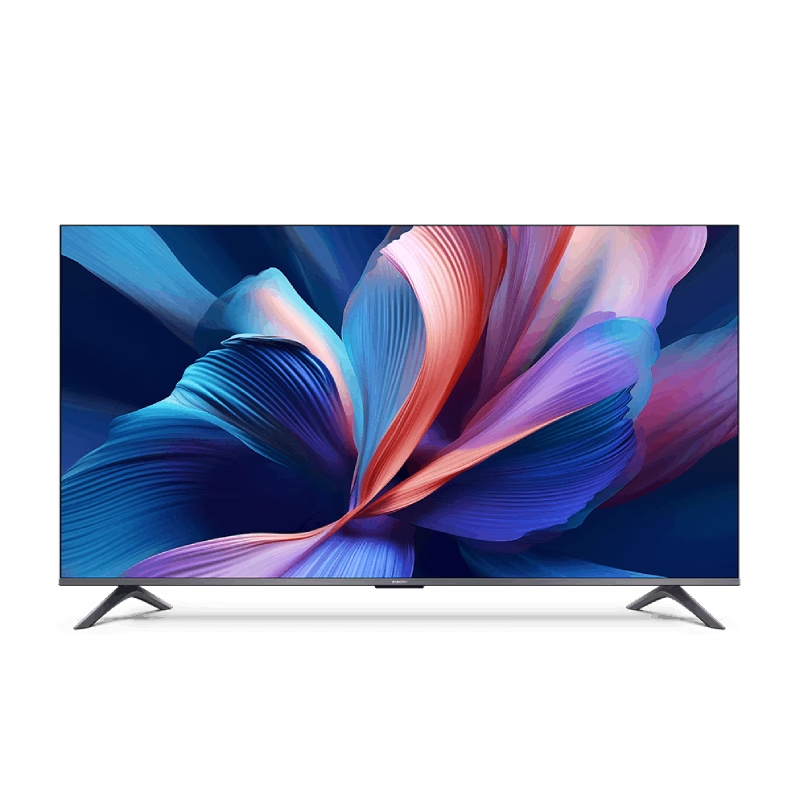
The Samsung Neo QLED 8K QN900F TV delivers ultra-sharp visuals with advanced AI technology. First, it features 8K resolution for exceptional detail and clarity. In addition, the AI upscaling improves lower resolution content for a near 8K experience. Moreover, the glare-free screen reduces reflections for better viewing in bright rooms. Finally, the Neo QLED technology enhances brightness and contrast for lifelike images. The sleek design and smart features make it ideal for premium home entertainment. Specifications: 8K resolution for ultra-detailed and sharp picture quality AI upscaling improves lower resolution content to near 8K Glare-free screen reduces reflections for better visibility Neo QLED technology enhances brightness and contrast Smart TV features for streaming and easy content access
