
Speaker Specifications Feature Value Feature Value Input/Output USB Battery Capacity (mAh) 2000 Maximum Wireless Range (m) 10m-20m Touch Screen No Sound Mode Immersive, Stereo, Live, Standard Category Speakers Use HOME Bluetooth Version 5.1 Input Power (W) 50-99W Voice Control No Frequency Range 100Hz-20KHz Display Screen No Waterproof Yes Support APP No Support Memory Card Yes Playback Function Radio, MP3 Remote Control No Intelligent Personal Assistant None Display Screen No Audio Crossover Full-Range Number of Loudspeaker Enclosures 2 Power Source Battery Channels 1 Speaker Type Portable Communication USB Cabinet Material Plastic Brand Name HONOURSACY Origin Mainland China Function HiFi Sound Quality Function2 IPX6 Waterproof Function3 Support TWS Interconnection Function4 Portable Design Function5 80W High Power Function6 Long Endurance

Apple MacBook Pro 13” (2015) — reliable performance and classic MacBook design.• Intel Core i5 • 8 GB RAM • 128 GB SSD • Retina DisplaymacOS | Backlit Keyboard

The Royal Kludge RK61 is an ultra-compact 60% mechanical gaming keyboard featuring brilliant RGB backlighting and smooth, linear RK Red switches. Equipped with versatile triple-mode connectivity (Bluetooth, 2.4GHz wireless, and USB-C wired), it offers maximum flexibility and a clean, cable-free desktop layout optimized for both competitive gaming and office productivity. ✅ Full Specifications: Model: Royal Kludge RK61 (61 Keys) — Black Edition Interface / Connection: Triple Mode Connection (3C): Wireless 2.4GHz (via included USB dongle) Bluetooth 5.1 (Pairs with up to 3 devices simultaneously) Wired USB Type-C (Detachable cable included) Interface / Connection: Triple Mode Connection (3C): Wireless 2.4GHz (via included USB dongle) Bluetooth 5.1 (Pairs with up to 3 devices simultaneously) Wired USB Type-C (Detachable cable included) Switch Type: RK Red Mechanical Switches (Linear feel, smooth and quiet keystrokes, ideal for fast-paced gaming and quiet office typing) Hot-Swappable PCB: Yes (Supports easy replacement of 3-pin or 5-pin switches without soldering) Layout: Compact 60% Minimalism Layout, 61 Keys (US QWERTY / Arabic-English dual print variants supported) Backlighting: Full dynamic RGB Backlight with 18 customizable lighting modes, 8 monochrome modes, and adjustable brightness/speed Material & Build: Durable ABS polymer housing with high-quality ergonomically curved keycaps to reduce hand fatigue Design & Form Factor: Compact, space-saving design with a built-in 8° ergonomic typing angle for optimal comfort Battery Capacity: 1450mAh rechargeable battery built-in (Up to 13 hours of continuous use with backlighting active, high standby efficiency) Compatibility: Windows, macOS, Android, iOS, Linux, and major gaming consoles Dimensions: Approx. 289 x 103 x 39 mm (11.4 x 4 x 1.6 inches) Weight: Approx. 0.50 kg (1.1 lbs)

Smooth, precise, and completely wireless. The Apple Magic Trackpad brings the best laptop navigation to your desktop. Available in both White and Black, it features a large glass surface, Force Touch technology for deeper control, and a modern USB-C port for easy charging. It connects instantly to your Mac or iPad and keeps running for a month or more on a single charge. Make navigating your computer effortless with the Apple Magic Trackpad (A3120). Designed with a wide, smooth glass surface, it lets you swipe, scroll, and zoom using the same natural hand gestures you use on a laptop. It is the perfect tool to keep your desk clean and your workflow productive. Key Features: Force Touch: Built-in sensors know how hard you press, letting you click deeper to open previews, look up definitions, and reveal hidden menus. Large Glass Surface: The spacious edge-to-edge design gives you plenty of room to scroll through large documents or edit photos comfortably. Updated with USB-C: Now features a universal USB-C port for charging and pairing, matching all your modern cables. Long Battery Life: The built-in rechargeable battery lasts about a month or more before needing a quick recharge. Easy Setup: Pairs automatically with your Mac via Bluetooth right out of the box, with no complicated configuration needed. Sleek Colors: Choose between classic White or premium Black to perfectly match your desktop setup. Specifications at a Glance: Model: A3120 Colors: White / Black Connection: Wireless / Bluetooth / USB-C Surface: Premium Edge-to-Edge Glass Compatibility: Mac and iPad

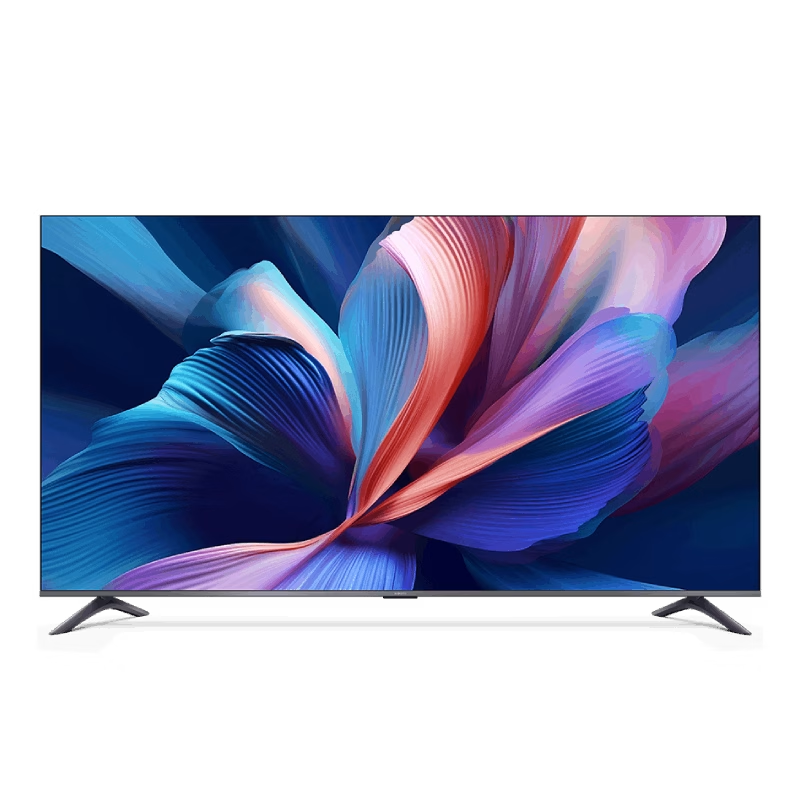
The Samsung 75″ Neo QLED QN70F 4K Vision AI Smart TV QA75QN70FAUXTW delivers a premium viewing experience with advanced Neo QLED technology. It produces bright, sharp, and highly detailed images with strong contrast, so movies, sports, and games look more immersive on the 75-inch screen. Neo QLED technology uses Quantum Mini LEDs to improve brightness control and contrast accuracy. As a result, dark scenes appear deeper while bright scenes stay vivid and balanced. This creates a more realistic picture across different types of content. Vision AI enhances picture and sound in real time. It analyzes each scene and automatically adjusts brightness, sharpness, and color. Therefore, the TV consistently delivers optimized visuals without manual settings. In addition, AI upscaling improves lower-resolution content closer to 4K quality for better clarity and detail. HDR support expands brightness range and color depth, making visuals more dynamic and lifelike. Fast motion handling also improves clarity, which enhances sports and action viewing. The Smart TV platform provides easy access to streaming apps, gaming features, and smart home controls. It runs smoothly and responds quickly when switching between apps. In addition, the slim design with thin bezels gives the Samsung 75 Neo QLED QN70F 4K Vision AI Smart TV QA75QN70FAUXTW a modern and premium look. Overall, this Samsung Neo QLED TV combines strong brightness performance, AI optimization, and smart connectivity for a powerful entertainment experience. Specifications: Neo QLED technology delivers bright and detailed picture quality 75-inch 4K display provides immersive viewing experience Vision AI optimizes picture and sound automatically HDR improves contrast, brightness, and color depth Smart TV platform supports apps, streaming, and smart features

The ViewSonic VP2768A 2K 27″ monitor delivers professional-grade color accuracy for creators. First, it features Pantone validation and factory-calibrated colors for precise visuals. The monitor offers 2560×1440 resolution, 60Hz refresh rate, and ergonomic adjustments. In addition, it supports multiple connectivity options including HDMI, DisplayPort, and USB-C for flexible setups. Moreover, slim bezels and an anti-glare panel provide a comfortable viewing experience. Therefore, designers, photographers, and video editors can work with consistent colors and enhanced productivity. Specifications: 27″ 2K display with Pantone-validated color for accurate visuals 60Hz refresh rate and ergonomic adjustments for comfortable use Multiple connectivity options: HDMI, DisplayPort, USB-C Anti-glare panel and slim bezels for a better viewing experience Factory-calibrated colors enhance workflow for designers and editors

Genuine-spec touchpad flex cable for MacBook Pro 13″ with Touch Bar (Model A1708, 2016–2017)—restores full Force Touch functionality, haptic feedback, and precise multi-touch gesture control during trackpad repair or replacement. Compatible With: MacBook Pro 13″ (2016) – Model A1708 (Model Identifier: MacBookPro13,1) MacBook Pro 13″ (2017) – Model A1708 (Model Identifier: MacBookPro14,1) (Both years share the same internal trackpad assembly and flex cable.) MacBook Pro 13″ (2016) – Model A1708 (Model Identifier: MacBookPro13,1) MacBook Pro 13″ (2017) – Model A1708 (Model Identifier: MacBookPro14,1) (Both years share the same internal trackpad assembly and flex cable.) Part Type: Touchpad flex cable only — does not include the trackpad housing, Taptic Engine, or mounting hardware. This is the OEM-style ribbon cable that connects the trackpad to the logic board. Function: Transmits: Touch input coordinates Force Touch pressure data Haptic feedback signals to the Taptic Engine Enables full macOS gesture support: Force Click, three-finger lookup, swipe navigation, pinch-to-zoom, and smooth cursor tracking. Touch input coordinates Force Touch pressure data Haptic feedback signals to the Taptic Engine Enables full macOS gesture support: Force Click, three-finger lookup, swipe navigation, pinch-to-zoom, and smooth cursor tracking. OEM-Quality Build: Matches Apple’s original specifications in: Cable length and routing path Connector pitch and ZIF latch design EMI shielding and flex durability Cable length and routing path Connector pitch and ZIF latch design EMI shielding and flex durability Common Use Cases: Replacing a torn, creased, or liquid-damaged original flex cable Completing a trackpad replacement when the original cable is compromised Fixing intermittent trackpad behavior, loss of Force Touch, or complete unresponsiveness Replacing a torn, creased, or liquid-damaged original flex cable Completing a trackpad replacement when the original cable is compromised Fixing intermittent trackpad behavior, loss of Force Touch, or complete unresponsiveness Installation Note: Requires full bottom case removal and battery disconnection. Cable routes under internal components near the right speaker and logic board. Connects via a ZIF (Zero Insertion Force) socket—must be aligned carefully and latched gently. Recommended for experienced or certified technicians only. Requires full bottom case removal and battery disconnection. Cable routes under internal components near the right speaker and logic board. Connects via a ZIF (Zero Insertion Force) socket—must be aligned carefully and latched gently. Recommended for experienced or certified technicians only.

Genuine-spec touchpad flex cable for MacBook Pro 13″ (Model A1502, Mid 2014)—restores full trackpad functionality, including precise cursor control and physical click response. Essential for repairing unresponsive or erratic trackpad behavior. Compatible With: MacBook Pro 13-inch (Mid 2014, Model A1502, Model Identifier MacBookPro11,1) with Intel Core i5/i7 processors and Retina display. Part Type: Touchpad flex cable only — does not include the trackpad housing, button mechanism, or mounting hardware. This is the ribbon cable that connects the trackpad to the logic board. Function: Transmits cursor movement and click signals (left/right physical clicks) Supports standard multi-touch gestures (two-finger scroll, tap-to-click, pinch-to-zoom) ⚠️ Note: This model uses a physical click mechanism—not Force Touch (no haptic feedback or pressure sensitivity). Transmits cursor movement and click signals (left/right physical clicks) Supports standard multi-touch gestures (two-finger scroll, tap-to-click, pinch-to-zoom) ⚠️ Note: This model uses a physical click mechanism—not Force Touch (no haptic feedback or pressure sensitivity). OEM-Quality Build: Matches Apple’s original in: Cable length and routing path Connector type and pin alignment Insulation and flexibility for long-term reliability Cable length and routing path Connector type and pin alignment Insulation and flexibility for long-term reliability Common Use Cases: Replacing a torn, frayed, or corroded original flex cable Fixing: Unresponsive or intermittent trackpad Cursor jumping or drifting Click function failure (left or right) Complete trackpad disconnect Replacing a torn, frayed, or corroded original flex cable Fixing: Unresponsive or intermittent trackpad Cursor jumping or drifting Click function failure (left or right) Complete trackpad disconnect Unresponsive or intermittent trackpad Cursor jumping or drifting Click function failure (left or right) Complete trackpad disconnect Installation Note: Requires bottom case removal and battery disconnect. Connects via a ZIF (Zero Insertion Force) socket on the logic board—do not force. Cable routes under the battery; handle with care to avoid strain. Suitable for intermediate to advanced DIYers or technicians. Requires bottom case removal and battery disconnect. Connects via a ZIF (Zero Insertion Force) socket on the logic board—do not force. Cable routes under the battery; handle with care to avoid strain. Suitable for intermediate to advanced DIYers or technicians.

The HUAWEI IdeaHub B3 IHB3-65SA is a 65-inch intelligent collaboration device designed for meetings and hybrid workspaces. It combines a 4K interactive display with built-in audio, video, and whiteboard tools for smooth teamwork. Additionally, it supports cloud meetings and wireless sharing for flexible communication. Moreover, it uses a 4K UHD infrared touch screen with low writing latency of about 16 ms. Therefore, users can write and interact smoothly during presentations and discussions. Furthermore, it includes a built-in 4K camera with intelligent tracking. So, it automatically follows speakers and improves video meeting quality. It also integrates multiple microphones and speakers for clear sound pickup and output. In addition, it supports Wi-Fi 6 connectivity and BYOM (Bring Your Own Meeting). Therefore, users can connect their own devices easily and start meetings without extra setup. Also, it runs on Huawei’s collaboration platform with support for cloud meetings, wireless projection, and digital whiteboarding. Overall, the Huawei IdeaHub B3 65-inch delivers an all-in-one meeting solution with smart collaboration tools, strong connectivity, and interactive display performance for modern offices. Specifications: 65-inch 4K UHD infrared touch display Built-in 4K camera with intelligent tracking Low 16 ms writing latency for smooth interaction Wi-Fi 6 support with BYOM connectivity Integrated speakers and multi-microphone system

Experience entertainment like never before with the ViewSonic 32″ 75Hz Monitor VX3276-MHD-3. This monitor is designed to take your viewing experience to the next level. Featuring a spacious 32-inch display, enjoy crisp and clear visuals with vibrant colors and sharp details. Dive into your favorite movies, shows, and games with immersive clarity and realism. With a refresh rate of 75Hz, this monitor ensures smooth and fluid motion, reducing motion blur for a more enjoyable viewing experience. Say goodbye to choppy visuals and hello to seamless entertainment. Transitioning to design, the VX3276-MHD-3 boasts a sleek and modern design that complements any space. Its ultra-thin bezel provides a larger viewing area, maximizing your screen real estate for an immersive experience. Moreover, the monitor’s versatile connectivity options allow you to easily connect to your favorite devices, whether it’s your gaming console, streaming device, or PC. Enjoy hassle-free entertainment with seamless connectivity. Additionally, the VX3276-MHD-3 is equipped with ViewSonic’s exclusive ViewMode presets, offering optimized settings for different viewing scenarios. Choose from various presets like Game, Movie, and Web to customize your viewing experience. In conclusion, the ViewSonic 32″ 75Hz Monitor VX3276-MHD-3 is the perfect companion for your entertainment needs. With its stunning visuals, smooth performance, and versatile design, it’s sure to enhance your viewing experience. Upgrade your entertainment setup today and immerse yourself in a world of endless entertainment possibilities. Specifications: Display : 32″ IPS Resolution : FHD (1920×1080) Refresh Rate : 75Hz Response Rate : 4ms GTG

Genuine-spec touchpad flex cable compatible with both MacBook Air A2179 (Intel, 2020) and A2337 (M1, 2020)—restores full Force Touch functionality, haptic feedback, and precise multi-touch gesture control during trackpad repair or replacement. Compatible With: MacBook Air 13″ (2020, Intel) – Model A2179 (Model Identifier: MacBookAir9,1) MacBook Air 13″ (2020, Apple M1) – Model A2337 (Model Identifier: MacBookAir10,1) MacBook Air 13″ (2020, Intel) – Model A2179 (Model Identifier: MacBookAir9,1) MacBook Air 13″ (2020, Apple M1) – Model A2337 (Model Identifier: MacBookAir10,1) ✅ Important Note: Despite different processors (Intel vs. M1), Apple used the same trackpad assembly and flex cable in both A2179 and A2337. This makes the flex cable fully interchangeable between the two models. Part Type: Touchpad flex cable only — does not include the trackpad housing, Taptic Engine, or mounting hardware. This is the OEM-style ribbon cable that connects the trackpad to the logic board. Function: Transmits: Touch input coordinates Force Touch pressure data Haptic feedback signals to the Taptic Engine Enables full macOS gesture support: Force Click, three-finger lookup, swipe navigation, pinch-to-zoom, and smooth cursor tracking. Touch input coordinates Force Touch pressure data Haptic feedback signals to the Taptic Engine Enables full macOS gesture support: Force Click, three-finger lookup, swipe navigation, pinch-to-zoom, and smooth cursor tracking. OEM-Quality Build: Matches Apple’s original specifications in: Cable length and routing path Connector pitch and ZIF latch design EMI shielding and flex durability Cable length and routing path Connector pitch and ZIF latch design EMI shielding and flex durability Common Use Cases: Replacing a torn, creased, or liquid-damaged original flex cable Completing a trackpad replacement when the original cable is compromised Fixing intermittent trackpad behavior, loss of Force Touch, or complete unresponsiveness Replacing a torn, creased, or liquid-damaged original flex cable Completing a trackpad replacement when the original cable is compromised Fixing intermittent trackpad behavior, loss of Force Touch, or complete unresponsiveness Installation Note: Requires full bottom case removal and battery disconnection. Cable routes under the right side of the battery and logic board. Connects via a ZIF (Zero Insertion Force) socket—align carefully and latch gently. Recommended for experienced or certified technicians only. Requires full bottom case removal and battery disconnection. Cable routes under the right side of the battery and logic board. Connects via a ZIF (Zero Insertion Force) socket—align carefully and latch gently. Recommended for experienced or certified technicians only.

The Lenovo ThinkVision S27-4e 27″ 100Hz FHD Business Monitor is designed for work, study, and daily tasks. It offers a clean display with smooth motion for a comfortable viewing experience. This monitor is ideal for offices, home setups, and professional environments. With its 27-inch FHD panel, the Lenovo ThinkVision S27-4e 27″ 100Hz FHD Business Monitor delivers sharp and vibrant visuals. Text appears clear, and colors look natural. Therefore, it helps reduce eye strain during long hours of work. The 100Hz refresh rate makes movement on the screen smoother than standard 60Hz monitors. This is especially helpful for scrolling, video playback, and light gaming. As a result, your workflow feels more fluid and responsive. The Lenovo ThinkVision S27-4e 27″ 100Hz FHD Business Monitor also features slim bezels for a modern and clean look. This design allows for a more immersive view and makes it perfect for dual-monitor setups. Its adjustable tilt stand helps you find the right angle for better comfort. Additionally, the monitor uses energy-efficient technology to reduce power usage. This makes it a smart choice for businesses and home offices. Connectivity options include HDMI and VGA for easy pairing with laptops and desktops. You can connect it quickly without any extra adapters. This adds convenience and flexibility to your workspace. In conclusion, the Lenovo ThinkVision S27-4e 27″ 100Hz FHD Business Monitor offers smooth performance, clear visuals, and a professional design. It is a reliable display for productivity and everyday use. Specifications: Display : 27″ IPS Resolution : FHD Refresh Rate : 100Hz Response Time : 4ms GtG

Porodo Gaming Wide PDX523-BK The Porodo Gaming Wide Ultra Curved Monitor has been updated with the capability and clarity you need to game at your best. It is now quicker than ever with a refresh rate of up to 165Hz. The newest Porodo Gaming monitor still features an IPS panel with 2560 x 1440 resolution. and is based upon the former slim cable management stand, offering you a streamlined. visual experience both on screen and on your desk. It is the ideal blend of style and performance. Play games without lagging and entirely get rid of input lag. Play an FPS game. or go on an adventure in a mysterious land while enjoying a variable refresh rate display that works with your graphics card. Specifications Response Time: 6.5ms Contrast Ratio: 3500:1 Surface Treatment: Anti-Glare Active Area: 697.344mm x 392.256mm Pixel Pitch: 0.2724mm x 0.2724mm Maximum Resolution: 2560 x 1440 @165Hz Backlight Type: ELED Aspect Ratio: 16:9 Panel Type: Super Speed VA Panel Size: 31.5” Diagonal The Porodo Gaming Ultra Wide Curved Monitor has been updated with the capability and clarity you need to game at your best. It is now quicker than ever with a refresh rate of up to 165Hz. The newest Porodo Gaming monitor. still features an IPS panel with 2560 x 1440 resolution and is based upon the former slim cable management stand. offering you a streamlined visual experience both on screen and on your desk. It is the ideal blend of style and performance. Play games without lagging and entirely get rid of input lag. Play an FPS game or go on an adventure in a mysterious land while enjoying . a variable refresh rate display that works with your graphics card. The Porodo Gaming Ultra Wide Curved Monitor has been updated with the capability and clarity. you need to game at your best. It is now quicker than ever with a refresh rate of up to 165Hz. The newest Porodo Gaming monitor still features an IPS panel with 2560 x 1440 resolution. and is based upon the former slim cable management stand, offering you a streamlined . visual experience both on screen and on your desk. It is the ideal blend of style and performance. Play games without lagging and entirely get rid of input lag. Play an FPS game. or go on an adventure in a mysterious land while enjoying a variable refresh rate display that works with your graphics card. Specifications: Specifications VA Curved R1500 Panel Type High Dynamic Range Anti-Glare Surface Treatment 31.5” Diagonal Panel Size 16.7M Display Color 16:9 Aspect Ratio 2560 x 1440 @165Hz Maximum Resolution 2-3 Weeks For delivery on order 1 year warranty Manufacturer Link

Genuine-quality replacement A1989 battery testing flex cable—brand new and ready for professional MacBook Pro 15" (2018–2019) battery diagnostics and repairs. Genuine-quality replacement A1989 battery testing flex cable—brand new and ready for professional MacBook Pro 15″ (2018–2019) battery diagnostics and repairs. This is a brand-new A1989 Battery Testing Flex Cable, designed specifically for use in MacBook Pro 15-inch models from 2018 and 2019 (A1989) during battery replacement or diagnostic procedures. The flex cable connects the battery to the logic board’s test points, allowing technicians to verify battery health, voltage, and communication before final reassembly—ensuring safe and accurate repairs. Made with high-quality materials and precise engineering, this flex cable matches OEM specifications for fit, function, and reliability. It’s an essential tool for certified repair shops, independent technicians, and advanced DIYers performing battery servicing on T2-chip MacBook Pro models. Please note: This is not a full battery—it is the small flex cable used during battery testing and installation. Proper handling and ESD-safe practices are recommended during installation. Compatible with: MacBook Pro 15″ (2018, A1989) MacBook Pro 15″ (2019, A1989)

The Gigabyte 25″ 200Hz GS25F2 Gaming Monitor is built for gamers who want smooth and fast gameplay. It features a 25-inch display with Full HD resolution for clear and detailed visuals. This monitor gives you sharp images with excellent color quality. With its ultra-fast 200Hz refresh rate, the Gigabyte 25″ 200Hz GS25F2 Gaming Monitor reduces motion blur and screen tearing. Gamers will enjoy smooth and responsive action in every game they play. It also features a 1ms response time, which helps reduce lag and ghosting during fast movements. As a result, every action appears more accurate and real-time. The Gigabyte 25″ 200Hz GS25F2 Gaming Monitor supports AMD FreeSync for tear-free visuals. This ensures that the screen refresh rate matches the graphics card’s performance. Moreover, the monitor has built-in gaming features like crosshairs and timers to improve your gaming experience. These tools give players an edge during competitive gameplay. The sleek and modern design of this gaming monitor fits perfectly in any gaming setup. It includes a thin bezel for a more immersive viewing experience. Additionally, it has multiple input ports like HDMI and DisplayPort for easy connection to your devices. You can connect it to your PC, console, or laptop quickly. The Gigabyte 25″ 200Hz GS25F2 Gaming Monitor is also designed for long use. It includes low blue light and flicker-free technology to reduce eye strain. In conclusion, this gaming monitor is ideal for gamers who want speed, clarity, and comfort. It’s a great upgrade for serious and casual gamers alike. Specifications: Display : 24.5″ SS IPS Resolution : 1920 x 1080(FHD) Refresh Rate : 200 Hz Response Rate : 1ms (GTG) Speaker : 2x 2W

The Cudy WR1300 AC1200 Router delivers fast and stable internet with dual-band WiFi speeds up to 1200Mbps. Designed for home and office use, it features Gigabit ports for high-speed wired connections and reliable coverage for streaming, gaming, and everyday browsing. AC1200 Dual Band WiFi – Combined speeds of up to 1200Mbps (300Mbps on 2.4GHz + 867Mbps on 5GHz) for smooth streaming and online gaming. Gigabit Ethernet Ports – Ultra-fast LAN/WAN ports ensure maximum wired performance for PCs, consoles, and smart TVs. Wide Coverage – Equipped with high-gain antennas to provide strong and stable WiFi signal throughout your home or office. Multiple Operating Modes – Supports Router, Access Point, and Repeater modes for flexible network setup. Easy Setup & Management – Simple web interface for quick installation and control. Secure Connection – Advanced wireless security with WPA/WPA2 encryption to keep your network safe. 1 × Gigabit WAN Port 4 × Gigabit LAN Ports Wi-Fi 2.4GHz & 5GHz Dual Band Ethernet (RJ45) Wireless Security (WPA/WPA2)

Genuine-spec touchpad flex cable for MacBook Pro 13″ (Model A2251, 2020, Intel)—essential for restoring full Force Touch functionality, haptic feedback, and precise multi-touch gesture control during trackpad repair or replacement. Compatible With: MacBook Pro 13-inch (2020, Two Thunderbolt Ports, Model A2251, Model Identifier MacBookPro16,1) with Intel Core i5/i7 processors. Part Type: Touchpad flex cable only—does not include the trackpad housing, Taptic Engine, or mounting hardware. This is the OEM-style ribbon cable that connects the trackpad to the logic board. Function: Transmits: Precise touch coordinates Force Touch pressure data Haptic feedback signals to the Taptic Engine Enables full macOS gesture support including Force Click, three-finger lookup, swipe navigation, and inertial scrolling. Precise touch coordinates Force Touch pressure data Haptic feedback signals to the Taptic Engine Enables full macOS gesture support including Force Click, three-finger lookup, swipe navigation, and inertial scrolling. OEM-Quality Build: Matches Apple’s original specifications in: Cable length and routing Connector pitch and ZIF latch design EMI shielding and flex durability Cable length and routing Connector pitch and ZIF latch design EMI shielding and flex durability Common Use Cases: Replacing a torn, creased, or liquid-damaged original flex Completing a trackpad replacement when the original cable is compromised Fixing intermittent trackpad behavior, loss of Force Touch, or complete unresponsiveness Replacing a torn, creased, or liquid-damaged original flex Completing a trackpad replacement when the original cable is compromised Fixing intermittent trackpad behavior, loss of Force Touch, or complete unresponsiveness Installation Note: Requires full bottom case removal and partial disassembly (including battery disconnect). Cable routes under the right speaker and logic board—must be seated in original retention channels. Connects via ZIF (Zero Insertion Force) socket—align carefully and latch gently. Recommended for experienced or certified technicians only. Requires full bottom case removal and partial disassembly (including battery disconnect). Cable routes under the right speaker and logic board—must be seated in original retention channels. Connects via ZIF (Zero Insertion Force) socket—align carefully and latch gently. Recommended for experienced or certified technicians only.

The MSI Optix AG321CQR Gaming Monitor delivers immersive visuals with a 31.5″ curved display and QHD resolution. It enhances gaming with a 1500R curve for better field of view. Moreover, it features a 165Hz refresh rate and 1ms response time for smooth motion. This improves clarity in fast-paced gameplay. The VA panel provides high contrast and rich colors. It supports wide viewing angles for consistent image quality. Adaptive Sync with FreeSync Premium reduces screen tearing and stutter. This ensures fluid and stable performance during gaming sessions. It also includes anti-flicker and low blue light features for eye comfort. The adjustable stand allows tilt, swivel, height, and pivot adjustments. The MSI Optix AG321CQR Gaming Monitor is ideal for users who want immersive curved visuals and smooth performance. Specifications: 31.5″ QHD (2560×1440) VA curved panel with 1500R curvature 165Hz refresh rate for smooth gaming performance 1ms (MPRT) response time for reduced motion blur AMD FreeSync Premium for tear-free gameplay Adjustable stand with tilt, swivel, pivot, and height options

Genuine-spec keyboard replacement for MacBook Air 13″ (Model A2179, 2020, Intel) — choose US QWERTY or UK QWERTY (with £ symbol). Features Apple’s reliable scissor-switch mechanism, backlighting, and OEM-fit design for seamless performance and aesthetics. Compatible With: MacBook Air 13-inch (2020, Model A2179, EMC 3597) with Intel Core i3/i5/i7 processors (non-M1). Layout Options (select at purchase): US Layout: Standard QWERTY with wide Enter key, @ above 2, # above 3, and full inverted-T arrow keys. UK Layout: QWERTY with £ symbol, tall vertical Enter key, @ accessed via right Alt, and UK-specific punctuation—matches Apple’s official UK regional configuration. US Layout: Standard QWERTY with wide Enter key, @ above 2, # above 3, and full inverted-T arrow keys. UK Layout: QWERTY with £ symbol, tall vertical Enter key, @ accessed via right Alt, and UK-specific punctuation—matches Apple’s official UK regional configuration. Keyboard Type: Traditional scissor-switch mechanism (not Butterfly, not Magic Keyboard)—robust, tactile, and serviceable, with good key travel and proven durability. Integrated Features: Full backlit keys for low-light use Ambient light sensor compatibility OEM-style ribbon cable pre-attached for direct logic board connection Full backlit keys for low-light use Ambient light sensor compatibility OEM-style ribbon cable pre-attached for direct logic board connection Precision Build: Molded to exact Apple specifications—ensures flush mounting, consistent key alignment, and seamless integration into the original top case. Installation Note: Keyboard is screw-mounted with light adhesive—more accessible than glued Butterfly/Magic keyboards. Requires top case access and battery disconnect. Suitable for intermediate DIYers or professional technicians. Important: This is keyboard only—does not include the top case, battery, trackpad, or logic board. Not compatible with M1 MacBook Air (A2337/A2338) or M2 models (A2681/A2941). This is keyboard only—does not include the top case, battery, trackpad, or logic board. Not compatible with M1 MacBook Air (A2337/A2338) or M2 models (A2681/A2941). Model Verification: Confirm your device is MacBook Air A2179 (13″, Intel, 2020) via > About This Mac > Model Identifier (e.g., MacBookAir9,1).

90W AC Charger Replacement for HP EliteDesk 705 G1 G2 G4 705 800 G5 Desktop Mini ProOne 400 G4 G5 23.8-inch All-in-One ProOne 400 G2 G3 G4 G5 460 G2 G3 480 G2 G3 20-inch All-in-One
