
In today’s fast-paced world, a reliable display is essential for work and play. Our LED Monitor 23.8″ 75Hz is your solution. Firstly, this 23.8-inch LED monitor is designed to meet your needs. Its crisp visuals make your content come to life. Whether you’re watching videos, working on documents, or gaming, the 75Hz refresh rate ensures smooth performance. Moreover, the LED technology provides sharp and vibrant colors, enhancing your viewing experience. Say goodbye to dull screens! Setting up this LED monitor is a breeze. With simple plug-and-play connectivity, you can be up and running in no time. Furthermore, the slim and modern design adds a touch of elegance to your workspace. Its compact size fits any desk, saving valuable space. In addition, the monitor comes with a variety of ports, including HDMI and VGA, for maximum compatibility with your devices. The LED Monitor 23.8″ 75Hz is energy-efficient, which means you save on power bills while reducing your carbon footprint. In conclusion, our 23.8-inch 75Hz LED monitor is a cost-effective solution for anyone seeking a crisp, vivid display. MANUFACTURERS LINK YOU CAN ALSO CHECK HERE

The TP-Link TL-WA855RE N300 Universal Range Extender boosts your existing 2.4GHz Wi-Fi signal up to 300Mbps to eliminate dead zones and extend coverage. With a compact wall-plug design, dual external antennas, and one-touch WPS setup, it’s perfect for home and office use. The TP-Link TL-WA855RE N300 Universal Wireless Range Extender is an easy and affordable solution to extend your Wi-Fi coverage into areas where your router signal is weak or unavailable. It works with almost any wireless router to repeat and strengthen your existing network, providing improved connectivity for streaming, browsing, video calls, and everyday online tasks. Featuring two external antennas for better signal strength, an Ethernet port for wired devices, and a smart signal indicator for optimal placement, it ensures stable coverage across your space. N300 Wi-Fi Speed (Up to 300Mbps) on 2.4GHz Universal Compatibility works with most Wi-Fi routers and access points Boosts Coverage & Removes Dead Zones for stronger wireless signal Two External Antennas improve range and stability One-Touch WPS Setup for quick and simple connection Smart Signal Indicator helps you find the best placement Ethernet Port for wired connection to TVs, PCs, or consoles Compact Wall Plug Design ideal for home or office use Ideal for homes, offices, apartments, and small businesses needing better Wi-Fi coverage. Works with laptops, smartphones, smart TVs, tablets, IP cameras, and other Wi-Fi devices.

WiWU WI‑C052 Converter – Compact aluminum adapter enables OTG and fast PD-style charging (≈27 W) with USB‑C/Lightning on USB‑A ports.Supports high-speed 10 Gbps data transfer, is plug‑and‑play, and works across phones, tablets, and laptops. Functionality: OTG-capable USB-A to USB-C (A→C) Data Transfer: Supports USB 3.2 (up to 10 Gbps) and backward compatible with USB 3.0/2.0 Fast Charging: Supports PD profile fast charging (up to ~27W Apple PD equivalent) without triggering charge pop-ups Build: Durable aluminum-alloy shell with silicone lanyard design for portability and heat dissipation Compatibility: Works with smartphones, tablets, laptops—enabling USB-A peripherals, USB-C or Lightning cables Plug & Play: No drivers required; reversible connector design Portability: Lightweight, compact—easy to carry

WIWU Hali Laptop Handbag - Water resistance 14" / 15.6" Black WIWU Hali Laptop Handbag – Water resistance 14″ / 15.6″ Black Handbag with many storage compartments The handbag has many storage compartments of different sizes so you can take your laptop, tablet, charging cable, notepad your mouse, and keyboard all with you to school, work, or on your trip. So you have the functionality of the bag. But also a stylish design. The advantages of the laptop bag at a glance: Made from sustainable materials Waterproof Inside length 38 cm Inside width 26.5 cm Inside height 2.5 cm
WiWU WI‑C052 Converter – Compact aluminum adapter enables OTG and fast PD-style charging (≈27 W) with USB‑C/Lightning on USB‑A ports.Supports high-speed 10 Gbps data transfer, is plug‑and‑play, and works across phones, tablets, and laptops. Functionality: OTG-capable USB-A to USB-C (A→C) Data Transfer: Supports USB 3.2 (up to 10 Gbps) and backward compatible with USB 3.0/2.0 Fast Charging: Supports PD profile fast charging (up to ~27W Apple PD equivalent) without triggering charge pop-ups Build: Durable aluminum-alloy shell with silicone lanyard design for portability and heat dissipation Compatibility: Works with smartphones, tablets, laptops—enabling USB-A peripherals, USB-C or Lightning cables Plug & Play: No drivers required; reversible connector design Portability: Lightweight, compact—easy to carry

Experience elite performance with the Lenovo ThinkPad E14 Gen 3, powered by the AMD Ryzen 7 5700U 8-core processor. Featuring 16GB RAM, a lightning-fast 512GB NVMe SSD, and a professional 14-inch FHD display, this laptop is engineered for high-level productivity and military-grade durability.

Looking for a top-notch monitor to enhance your computing experience? The MSI Pro MP275Q 27″ 100Hz Monitor is the perfect choice. This monitor offers superior performance and stunning visuals, making it ideal for both work and play. Firstly, the 27-inch screen provides ample space for multitasking. Whether you’re working on multiple documents or enjoying a movie, the large display ensures you have all the room you need. The Full HD resolution delivers sharp and clear images, enhancing every detail. The 100Hz refresh rate is a standout feature of this monitor. It provides smooth and fluid visuals, which is particularly beneficial for gaming and video playback. You won’t experience any stuttering or lag, ensuring a seamless viewing experience. Another advantage of the MSI Pro MP275Q is its wide color gamut. This feature ensures vibrant and accurate colors, making it perfect for tasks that require color precision, such as photo editing or graphic design. Your projects will look exactly as you intend them to. Moreover, the monitor includes advanced eye care technology. It reduces blue light emission and flicker, helping to minimize eye strain during long periods of use. This makes it an excellent choice for professionals who spend hours in front of their screens. Connectivity is also a breeze with the MSI Pro MP275Q. It features multiple input options, including HDMI and DisplayPort, allowing you to connect various devices effortlessly. This flexibility ensures compatibility with your existing setup. In conclusion, the MSI Pro MP275Q 27″ 100Hz Monitor offers a superior viewing experience with its large screen, high refresh rate, vibrant colors, and eye care technology. Upgrade your setup today and enjoy enhanced performance and stunning visuals. Specifications: Display : 27″ IPS Resolution : 2560 x 1440 (WQHD) Refresh Rate : 100Hz Response Rate : 1ms MRPT

NCTS USB Barcode Scanner – High-speed wired scanner for both 1D and 2D barcodes with auto-sensing mode.Plug-and-play solution ideal for retail, inventory, and logistics operations. Model: NCTS 1D/2D Barcode Scanner (USB Wired) Color: Black Scan Type: Image-based CMOS scanner Supported Barcode Types: 1D: Code 128, Code 39, EAN-13, UPC-A, Codabar, ISBN, etc. 2D: QR Code, PDF417, Data Matrix, Aztec, etc. Supported Barcode Types: 1D: Code 128, Code 39, EAN-13, UPC-A, Codabar, ISBN, etc. 2D: QR Code, PDF417, Data Matrix, Aztec, etc. Interface: USB 2.0 (Plug-and-play, no driver required) Scan Speed: Up to 300 scans/second Resolution: ≥ 4mil (0.1mm) Scan Modes: Manual trigger Auto-sensing Continuous mode Scan Modes: Manual trigger Auto-sensing Continuous mode Light Source: White LED illumination + red aiming line Indicators: LED and buzzer for scan confirmation Power Supply: DC 5V (via USB port) Cable Length: ~1.5 meters Build: ABS plastic, ergonomic handheld design Compatibility: Windows, macOS, Linux, Android Applications: POS, inventory, logistics, healthcare, warehouse use

Brand Microsoft Connectivity Technology USB Connector Type USB Compatible Devices Laptops Compatible Phone Models Microsoft Special Feature Travel Mounting Type Wall Mount Total USB Ports 1 Wattage 65 watts Microsoft Surface Power Supply 65W and Power Adapter Non Retail Packaging

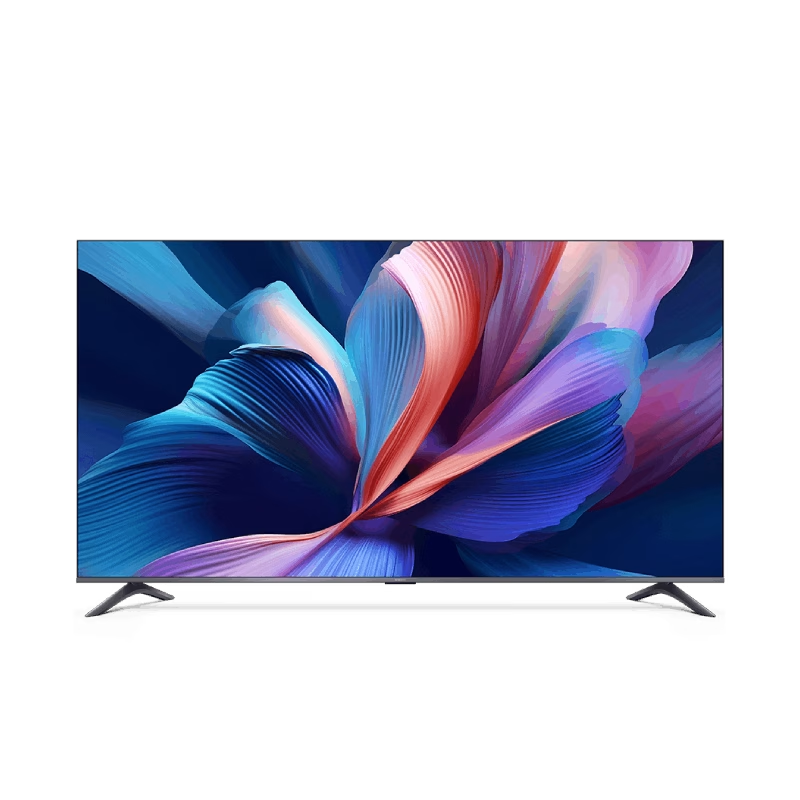
The HUAWEI IdeaHub S2-65 Interactive Display is a 65-inch smart collaboration screen designed for modern meetings and hybrid work. It combines a 4K UHD touchscreen with integrated conferencing tools. Additionally, it supports smooth writing, video meetings, and wireless collaboration in one device. Moreover, it delivers ultra-clear 4K resolution for sharp visuals and accurate detail. Therefore, presentations, documents, and video content appear clear and easy to read. Furthermore, it includes a built-in AI camera and advanced audio system. So, it improves remote meetings with clear voice pickup and intelligent framing of speakers. In addition, it supports wireless projection from laptops and mobile devices. Therefore, users can share content quickly without extra cables. It also includes a digital whiteboard for real-time collaboration. Also, the device runs on Huawei’s smart collaboration platform, which supports cloud meetings and multi-user interaction. Overall, the Huawei IdeaHub S2-65 delivers an all-in-one interactive display solution with strong collaboration tools, clear visuals, and smooth meeting performance for modern workplaces. Specifications: 65-inch 4K UHD interactive touchscreen Built-in AI camera for smart meeting tracking Integrated microphone and speaker system Wireless screen sharing support Digital whiteboard for collaboration

The Lenovo Legion R24e is a 23.8-inch Full HD gaming monitor designed for smooth competitive gameplay and responsive visual performance. It uses an IPS panel with a high refresh rate for improved motion clarity and wide viewing angles. Additionally, its slim NearEdgeless design fits modern gaming and workstation setups. This monitor delivers a 1920 × 1080 resolution with up to 180Hz refresh rate support. Moreover, it features a 0.5ms MPRT response time to reduce motion blur during fast-paced gaming sessions. The Lenovo Legion R24e also supports AMD FreeSync technology for smoother gameplay with reduced screen tearing. The IPS panel provides 99% sRGB color coverage and wide 178-degree viewing angles for accurate and consistent image quality. Therefore, the monitor works well for gaming, streaming, and everyday multimedia tasks. It also includes anti-glare screen treatment for improved viewing comfort. The Lenovo Legion R24e includes HDMI 2.1 TMDS and DisplayPort 1.4 connectivity for gaming PCs and consoles. Additionally, the ergonomic stand supports tilt, swivel, pivot, and height adjustment for flexible positioning. VESA mount compatibility also allows wall or monitor arm installation. Community feedback highlights the monitor’s strong color quality, smooth refresh rate performance, and good value for competitive gaming setups. Specifications: 23.8-inch Full HD IPS gaming display 180Hz refresh rate for smooth gameplay 0.5ms MPRT response time for reduced blur AMD FreeSync support for tear-free visuals Ergonomic stand with height, tilt, swivel, and pivot adjustment

Are you in search of a high-quality monitor for work or play? Look no further than the ViewSonic VA3456-MHDJ. With its expansive 34-inch display and smooth 75Hz refresh rate, this monitor delivers an immersive viewing experience like no other. Firstly, let’s delve into the impressive display capabilities of the VA3456-MHDJ. With a spacious 34-inch screen and ultra-wide aspect ratio, you can enjoy stunning visuals with crisp detail and vibrant colors. Whether you’re editing photos, watching movies, or gaming, every image comes to life with remarkable clarity. Moreover, the 75Hz refresh rate ensures smooth and fluid performance, ideal for fast-paced gaming or multimedia content. Say goodbye to motion blur and screen tearing, and enjoy a seamless viewing experience with every frame. Additionally, the VA3456-MHDJ features versatile connectivity options to suit your needs. With HDMI, DisplayPort, and VGA inputs, you can easily connect to a variety of devices, including laptops, desktops, and gaming consoles. Switch between sources effortlessly and enjoy multimedia content from different sources with ease. Furthermore, this monitor is designed with your comfort in mind. The ergonomic stand offers tilt and height adjustment options, allowing you to find the perfect viewing position for extended use. Say goodbye to neck strain and discomfort, and enjoy hours of immersive viewing in total comfort. In conclusion, the ViewSonic VA3456-MHDJ 34″ 75Hz Monitor is the perfect choice for those seeking superior visual quality, smooth performance, and ergonomic design. Elevate your viewing experience and immerse yourself in stunning visuals with this impressive monitor. Specifications: Display : 34″ IPS Resolution : UWQHD 3440 x 1440 Refresh Rate : 75Hz Response Rate : 4ms GTG

• Table Stand Desk fits most 13” to 27” displays • Articulating stand with Swivel 180° and Tilt angle ±15° • Supports load from 9 to 20 kg • Mounting VESA compliance 50 x 50 mm, 75 x 75 mm & VESA 100 x 100mm • Carton Size: 445 x 130 x 100 mm • Gross Weight: 2.85 kg • Net Weight: 2.55 kg • Color: Black 1 Year Warranty manufacturer link

A reliable pre-owned HP EliteBook 840 G3 with 14" display, 6th Gen Core i5, 8GB RAM, and 256GB SSD—offering solid business performance, security, and durability for everyday professional use.

MLT-D111S MLT-D111L Toner Cartridge Replacement for Samsung 111S MLTD111L for Xpress SL-M2020W SL-M2070FW SL-M2070W M2020 M2024W M2026W M2070 Laser Printer (Black, 1-Pack)

Genuine-spec touchpad flex cable for MacBook Pro 16″ (Model A2141, 2019, Intel)—essential for restoring full Force Touch functionality, haptic feedback, and precise multi-touch gesture control during trackpad repair or replacement. Compatible With: MacBook Pro 16-inch (2019, Model A2141) with Intel Core i7/i9 processors (Model Identifier: MacBookPro16,1) (Note: A2141 is the non-base configuration of the 2019 16″ MacBook Pro—typically higher-end Intel models.) Part Type: Touchpad flex cable only—does not include the trackpad housing, Taptic Engine, or mounting hardware. This is the OEM-style ribbon cable that connects the trackpad to the logic board. Function: Transmits touch coordinates, Force Touch pressure data, and haptic feedback signals—critical for macOS gestures (e.g., Force Click, three-finger lookup, pinch-to-zoom) and Taptic Engine responsiveness. OEM-Quality Construction: Replicated to Apple’s exact specifications—including cable length, connector pitch, EMI shielding, and bend radius—ensuring reliable signal integrity and long-term durability. Common Use Cases: Replacing a torn, creased, or liquid-damaged original flex cable Completing a trackpad replacement when the original cable is compromised Fixing intermittent trackpad behavior, loss of Force Touch, or complete unresponsiveness Replacing a torn, creased, or liquid-damaged original flex cable Completing a trackpad replacement when the original cable is compromised Fixing intermittent trackpad behavior, loss of Force Touch, or complete unresponsiveness Installation Note: Requires full disassembly of the bottom case, speaker removal, and careful routing beneath the battery and logic board. Connectors use ZIF (Zero Insertion Force) sockets—must be aligned and latched gently. Recommended for certified or professional repair technicians only. Important: This is flex cable only—not a complete trackpad assembly. Must be used with the original or compatible A2141 trackpad and Taptic Engine. Not compatible with M1 MacBook Pro 16″ (A2485), 14″ models (A2442), or any MacBook Air. This is flex cable only—not a complete trackpad assembly. Must be used with the original or compatible A2141 trackpad and Taptic Engine. Not compatible with M1 MacBook Pro 16″ (A2485), 14″ models (A2442), or any MacBook Air. Model Verification: Confirm your device is MacBook Pro A2141 (16″, 2019, Intel) via > About This Mac > Model Identifier (should read MacBookPro16,1).

product name : MSI G2712 27″ Gaming monitor IPS Panel – Optimize screen colors and brightness to enhance your viewing experience. 170Hz Refresh Rate – Respond faster with smoother frames. 1ms Response Time – Eliminate screen tearing and choppy frame rates. Wide Color Gamut – Game colors and details will look more realistic and refined. Night Vision – Smart black tuner to brighten your day by bringing out the fine details in dark areas. Frameless design – Enjoy the ultimate gaming experience with super narrow bezels. Anti-Flicker and Less Blue Light – Game even longer and prevent eye strain and fatigue. 178° Wide Viewing Angle – Colors and details will stay sharp at more angles with a 178° wide viewing angle. Visualize your victory with the MSI G2712 Esports gaming monitor. Equipped with a 1920×1080, 170hz Refresh rate, 1ms response time IPS panel, the G2712 will give you the competitive edge you need to take down your opponents. Built with AMD FreeSync Premium technology, the G2712 can match the display’s refresh rate with your GPU for ultra-smooth gameplay. Make sure you can hit your mark with all the latest technologies built-in the MSI Esports Gaming monitors for competitive play. IPS grade panel that produces no image distortion and minimum color shifts when viewed from different angles. Additionally, the IPS grade panel will offer clear images and instantly optimize screen color and brightness to ensure that you enjoy every scene at its best. Equipped with a 170hz refresh rate and 1ms response time IPS panel which has the benefit in fast moving game genres such as first person shooters , fighters, racing sims, real-time strategy, and sports. These type of games require fast and precise movements, which an refresh rate and fast response time monitor will put you ahead of your competition. The MSI Esports Gaming Monitor has more gamut coverage compared to general monitors. Gameplay colors and details will look more realistic and refined, to push immersion to its limits Whether your entire screen is dark, or just a few portions have heavy shadows. Let the world’s first smart black tuner brighten your day by bringing out the fine details in dark areas. With a super narrow bezel, enjoy the best immersion possible in the latest games with a multi-monitor 180 degree setup. Enjoy better continuity between screens while playing games, working, or general computing. Specifications: 27″ (69cm) 597.888(H)x336.312(V) Flat IPS 1920 x 1080 (FHD) 0.3114(H)x0.3114(V) 16:9 250 1year warranty manufacturer link

The Apple Magic Mouse (USB-C version) is a sleek, minimalist multi-touch wireless mouse built for Mac users. It offers smooth gesture support, Bluetooth connectivity and a built-in rechargeable battery — a great choice if you prefer a clean desk setup and full compatibility with macOS and iPadOS. General Name: Magic Mouse (USB-C) — part of Apple’s pointing-device lineup. Wireless connectivity: Bluetooth. Rechargeable battery: built-in, no disposable AA cells. Charging / port: USB-C port (bottom of mouse) for pairing and charging. Compatibility: Requires a Mac with macOS 15.1 or later, or an iPad with iPadOS 18.1 or later. Size & Weight Height: ~0.85 inch (2.16 cm) Width: ~2.25 inch (5.71 cm) Depth: ~4.47 inch (11.35 cm) Weight: ~0.22 pound (0.099 kg) (varies slightly by manufacturing) Features Multi-Touch surface: supports gestures such as swiping between pages, scrolling through documents, zooming. Glide / foot design: optimized for smooth movement across desktop surfaces. Rechargeable battery life: about a month or more between charges (typical use) per Apple spec. Used Condition ConsiderationsSince you’re specifying a used unit: Check for wear on the bottom feet / skates — these degrade and affect glide. Verify battery capacity / health (rechargeable batteries age). Confirm the port is functioning (USB-C) and Bluetooth connectivity is stable. Look for signs of excessive surface scratches on the multi-touch top — may impair gestures. Ensure the firmware / Mac recognizes it fully (gestures working). Upgradability / Limitations Not user-upgradable: You cannot replace the internal battery or change internals easily. Design limitation: The USB-C port remains on the bottom of the mouse, meaning you cannot use it while charging unless you flip it. This design is still criticized. Ergonomics: The flat, low-profile design is stylish but may not suit extended-use comfort for some users.

The 45W MagSafe 2 Power Adapter features a magnetic DC connector so if someone should trip over it, the cord disconnects harmlessly and your MacBook Air stays put safely. It also helps prevent fraying or weakening of the cables over time. In addition, the magnetic DC helps guide the plug into the system for a quick and secure connection. The 45W MagSafe 2 Power Adapter features a magnetic DC connector so if someone should trip over it, the cord disconnects harmlessly and your MacBook Air stays put safely. It also helps prevent fraying or weakening of the cables over time. In addition, the magnetic DC helps guide the plug into the system for a quick and secure connection. When the connection is secure, an LED located at the head of the DC connector lights up; an amber light lets you know that your notebook is charging, while a green light tells you that you have a full charge. An AC cord is provided with the adapter for maximum cord length, while the AC wall adapter (also provided) gives you an even easier and more compact way to travel. Designed to be the perfect traveling companion, the adapter has a clever design which allows the DC cable to be wound neatly around itself for easy cable storage. This power adapter recharges the lithium polymer battery while the system is off, on, or in sleep mode. It also powers the system if you choose to operate without a battery. Compatible only with MacBook Air featuring MagSafe 2 power port. Knowing which specific Mac model you have is important. If you are running OS X Lion (10.7) or later go to the “” menu at the top left of your screen, choose “About this Mac” then click the “More Info…” button. Your Mac model and generation will be displayed. If you are running an earlier version of OS X, you can enter your serial number here to find out which model you have. Mac Models MacBook Air (13-inch, Early 2015 – 2017) MacBook Air (11-inch, Early 2015)

Genuine-spec touchpad flex cable for MacBook Pro 13″ (Model A2251, 2020, Intel)—essential for restoring full Force Touch functionality, haptic feedback, and precise multi-touch gesture control during trackpad repair or replacement. Compatible With: MacBook Pro 13-inch (2020, Two Thunderbolt Ports, Model A2251, Model Identifier MacBookPro16,1) with Intel Core i5/i7 processors. Part Type: Touchpad flex cable only—does not include the trackpad housing, Taptic Engine, or mounting hardware. This is the OEM-style ribbon cable that connects the trackpad to the logic board. Function: Transmits: Precise touch coordinates Force Touch pressure data Haptic feedback signals to the Taptic Engine Enables full macOS gesture support including Force Click, three-finger lookup, swipe navigation, and inertial scrolling. Precise touch coordinates Force Touch pressure data Haptic feedback signals to the Taptic Engine Enables full macOS gesture support including Force Click, three-finger lookup, swipe navigation, and inertial scrolling. OEM-Quality Build: Matches Apple’s original specifications in: Cable length and routing Connector pitch and ZIF latch design EMI shielding and flex durability Cable length and routing Connector pitch and ZIF latch design EMI shielding and flex durability Common Use Cases: Replacing a torn, creased, or liquid-damaged original flex Completing a trackpad replacement when the original cable is compromised Fixing intermittent trackpad behavior, loss of Force Touch, or complete unresponsiveness Replacing a torn, creased, or liquid-damaged original flex Completing a trackpad replacement when the original cable is compromised Fixing intermittent trackpad behavior, loss of Force Touch, or complete unresponsiveness Installation Note: Requires full bottom case removal and partial disassembly (including battery disconnect). Cable routes under the right speaker and logic board—must be seated in original retention channels. Connects via ZIF (Zero Insertion Force) socket—align carefully and latch gently. Recommended for experienced or certified technicians only. Requires full bottom case removal and partial disassembly (including battery disconnect). Cable routes under the right speaker and logic board—must be seated in original retention channels. Connects via ZIF (Zero Insertion Force) socket—align carefully and latch gently. Recommended for experienced or certified technicians only.
