
Apple 140W USB-C Power Adapter | MLYU3AM/A

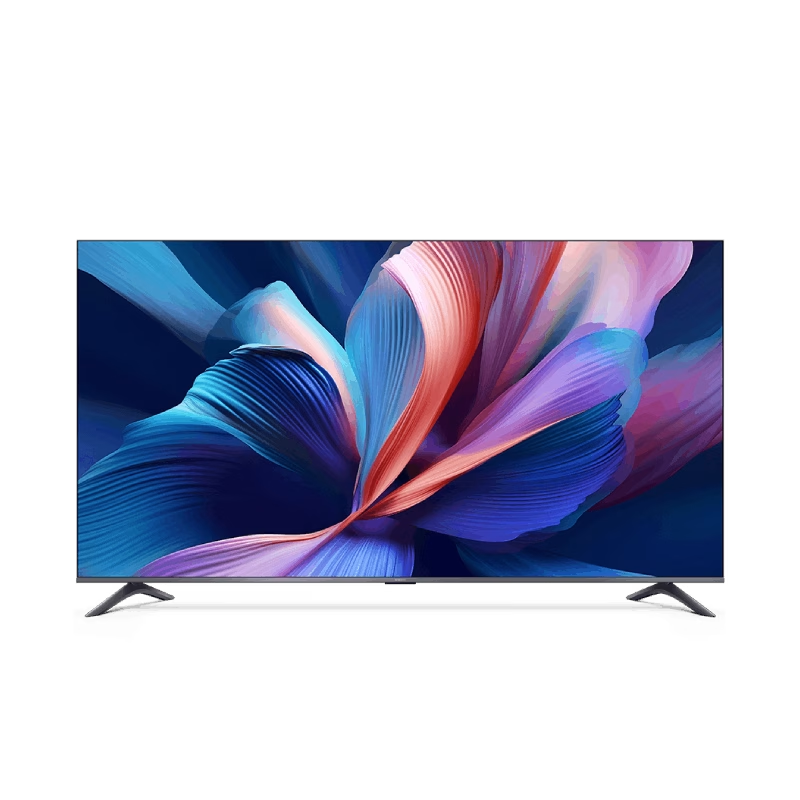
The Samsung Crystal UHD U8000F 43″ 4K Tizen OS Smart TV UA43U8000FUXTW uses a 43-inch LCD panel with 3840 × 2160 resolution. It delivers standard 4K output for everyday viewing, streaming, and console use in smaller rooms. Samsung uses the Crystal Processor 4K for image processing and upscaling. As a result, lower-resolution content converts closer to 4K quality on the display. In addition, the TV supports HDR10 and HDR10+, which improve contrast between bright and dark areas for compatible content. The display runs at a 60 Hz refresh rate. Also, Motion Xcelerator reduces blur during fast motion scenes such as sports and action content. Samsung equips the TV with Tizen OS. Therefore, users access streaming apps, SmartThings integration, and smart features through a responsive interface. Connectivity includes HDMI ports, USB ports, Wi-Fi, Bluetooth, Ethernet LAN, and optical audio output. In addition, the TV supports ALLM for basic console gaming responsiveness. This model focuses on 4K resolution, standard HDR performance, and essential smart TV features without advanced gaming or local dimming technology. Specifications: 43-inch LCD panel with 3840 × 2160 4K UHD resolution Crystal Processor 4K with upscaling support HDR10 and HDR10+ compatibility 60 Hz refresh rate with Motion Xcelerator Tizen OS with HDMI, USB, Wi-Fi, Bluetooth, Ethernet connectivity

Professional Lavalier Microphone Candc DC-C6 Professional Lavalier Microphone Candc DC-C6 Candc DC-C6 Lavalier Microphone for Smartphones, DSLR, Camcorders, Audio recorders, PC etc. Clip microphone to help you get music or sound.One-directional microphone with anti-noise function. type jack can be connected to PC / laptop / wireless microphone transmitter with 3.5mm line-in / mic in. Built-in clip can be easily attached to collar, tie or other clothes-no installation required. Features: Type: microphone Cable length: about 116 cm Sensitivity: -46 ± 2db : one way Operating voltage: DC1.0V-10 VAcurrent consumption

Genuine-spec touchpad flex cable for MacBook Pro 13″ (Model A2289, 2020, Intel)—restores full Force Touch functionality, haptic feedback, and preci multi-touch gesture control. OEM-quality replacement for damaged or faulty original cables. Compatible With: MacBook Pro 13-inch (2020, Four Thunderbolt Ports, Model A2289, Model Identifier MacBookPro16,2) with Intel Core i5/i7 processors. Part Type: Touchpad flex cable only — does not include the trackpad housing, Taptic Engine, or mounting hardware. This is the OEM-style ribbon cable that connects the trackpad to the logic board. Function: Transmits: Touch input coordinates Force Touch pressure data Haptic feedback signals to the Taptic Engine Enables full macOS gesture support: Force Click, three-finger lookup, swipe navigation, pinch-to-zoom, and smooth cursor tracking. Touch input coordinates Force Touch pressure data Haptic feedback signals to the Taptic Engine Enables full macOS gesture support: Force Click, three-finger lookup, swipe navigation, pinch-to-zoom, and smooth cursor tracking. OEM-Quality Build: Matches Apple’s original specifications in: Cable length and routing path Connector pitch and ZIF latch design EMI shielding and flex durability Cable length and routing path Connector pitch and ZIF latch design EMI shielding and flex durability Common Use Cases: Replacing a torn, creased, or liquid-damaged original flex cable Completing a trackpad replacement when the original cable is unusable Fixing: Intermittent or erratic trackpad behavior Loss of Force Touch or haptic feedback Complete trackpad unresponsiveness Replacing a torn, creased, or liquid-damaged original flex cable Completing a trackpad replacement when the original cable is unusable Fixing: Intermittent or erratic trackpad behavior Loss of Force Touch or haptic feedback Complete trackpad unresponsiveness Intermittent or erratic trackpad behavior Loss of Force Touch or haptic feedback Complete trackpad unresponsiveness Installation Note: Requires full bottom case removal and battery disconnection. Cable routes under internal components (speaker, logic board)—must follow original path. Connects via ZIF (Zero Insertion Force) socket—align carefully, never force. Recommended for experienced or certified technicians only. Requires full bottom case removal and battery disconnection. Cable routes under internal components (speaker, logic board)—must follow original path. Connects via ZIF (Zero Insertion Force) socket—align carefully, never force. Recommended for experienced or certified technicians only. Important Compatibility Notes: ✅ Only for A2289 (13″, 4 Thunderbolt ports, 2020, Intel) ❌ Not compatible with: A2251 (2 Thunderbolt ports, 2020) A2338 (M1 MacBook Pro, 2020) Any MacBook Air or 14″/16″ MacBook Pro ✅ Only for A2289 (13″, 4 Thunderbolt ports, 2020, Intel) ❌ Not compatible with: A2251 (2 Thunderbolt ports, 2020) A2338 (M1 MacBook Pro, 2020) Any MacBook Air or 14″/16″ MacBook Pro A2251 (2 Thunderbolt ports, 2020) A2338 (M1 MacBook Pro, 2020) Any MacBook Air or 14″/16″ MacBook Pro

Genuine-spec touchpad flex cable for MacBook Pro 13″ (Model A2338, 2020, Apple M1)—essential for restoring full Force Touch functionality, haptic feedback, and precise multi-touch gesture control during trackpad repair or replacement. Compatible With: MacBook Pro 13-inch (2020, Model A2338, Model Identifier MacBookPro17,1) with Apple M1 chip (2 Thunderbolt ports). Part Type: Touchpad flex cable only — does not include the trackpad housing, Taptic Engine, or mounting hardware. This is the OEM-style ribbon cable that connects the trackpad to the logic board. Function: Transmits: Touch input coordinates Force Touch pressure data Haptic feedback signals to the Taptic Engine Enables full macOS gesture support: Force Click, three-finger lookup, swipe navigation, pinch-to-zoom, and smooth cursor tracking. Touch input coordinates Force Touch pressure data Haptic feedback signals to the Taptic Engine Enables full macOS gesture support: Force Click, three-finger lookup, swipe navigation, pinch-to-zoom, and smooth cursor tracking. OEM-Quality Build: Matches Apple’s original specifications in: Cable length and routing Connector pitch and ZIF latch design EMI shielding and flex durability Cable length and routing Connector pitch and ZIF latch design EMI shielding and flex durability Common Use Cases: Replacing a torn, creased, or liquid-damaged original flex cable Completing a trackpad replacement when the original cable is compromised Fixing intermittent trackpad behavior, loss of Force Touch, or complete unresponsiveness Replacing a torn, creased, or liquid-damaged original flex cable Completing a trackpad replacement when the original cable is compromised Fixing intermittent trackpad behavior, loss of Force Touch, or complete unresponsiveness Installation Note: Requires full bottom case removal and battery disconnection. Cable routes under internal components near the right speaker and logic board. Connects via a ZIF (Zero Insertion Force) socket—must be aligned carefully and latched gently. Recommended for experienced or certified technicians only. Requires full bottom case removal and battery disconnection. Cable routes under internal components near the right speaker and logic board. Connects via a ZIF (Zero Insertion Force) socket—must be aligned carefully and latched gently. Recommended for experienced or certified technicians only. Important Compatibility Notes: ✅ Only for A2338 (13″, M1, 2020) ❌ Not compatible with: Intel-based A2251 / A2289 (2020) MacBook Air M1 (A2337) Any MacBook Air or 14″/16″ MacBook Pro ✅ Only for A2338 (13″, M1, 2020) ❌ Not compatible with: Intel-based A2251 / A2289 (2020) MacBook Air M1 (A2337) Any MacBook Air or 14″/16″ MacBook Pro Intel-based A2251 / A2289 (2020) MacBook Air M1 (A2337) Any MacBook Air or 14″/16″ MacBook Pro

Genuine-spec touchpad flex cable for MacBook Pro 13″ (Model A2251, 2020, Intel)—essential for restoring full Force Touch functionality, haptic feedback, and precise multi-touch gesture control during trackpad repair or replacement. Compatible With: MacBook Pro 13-inch (2020, Two Thunderbolt Ports, Model A2251, Model Identifier MacBookPro16,1) with Intel Core i5/i7 processors. Part Type: Touchpad flex cable only—does not include the trackpad housing, Taptic Engine, or mounting hardware. This is the OEM-style ribbon cable that connects the trackpad to the logic board. Function: Transmits: Precise touch coordinates Force Touch pressure data Haptic feedback signals to the Taptic Engine Enables full macOS gesture support including Force Click, three-finger lookup, swipe navigation, and inertial scrolling. Precise touch coordinates Force Touch pressure data Haptic feedback signals to the Taptic Engine Enables full macOS gesture support including Force Click, three-finger lookup, swipe navigation, and inertial scrolling. OEM-Quality Build: Matches Apple’s original specifications in: Cable length and routing Connector pitch and ZIF latch design EMI shielding and flex durability Cable length and routing Connector pitch and ZIF latch design EMI shielding and flex durability Common Use Cases: Replacing a torn, creased, or liquid-damaged original flex Completing a trackpad replacement when the original cable is compromised Fixing intermittent trackpad behavior, loss of Force Touch, or complete unresponsiveness Replacing a torn, creased, or liquid-damaged original flex Completing a trackpad replacement when the original cable is compromised Fixing intermittent trackpad behavior, loss of Force Touch, or complete unresponsiveness Installation Note: Requires full bottom case removal and partial disassembly (including battery disconnect). Cable routes under the right speaker and logic board—must be seated in original retention channels. Connects via ZIF (Zero Insertion Force) socket—align carefully and latch gently. Recommended for experienced or certified technicians only. Requires full bottom case removal and partial disassembly (including battery disconnect). Cable routes under the right speaker and logic board—must be seated in original retention channels. Connects via ZIF (Zero Insertion Force) socket—align carefully and latch gently. Recommended for experienced or certified technicians only.

The ViewSonic VA2450-H-12 24″ FHD 100Hz Monitor offers smooth visuals for work, entertainment, and gaming. It delivers sharp Full HD clarity with bright colors. The screen shows clean images that make videos and documents look better. This helps you enjoy a more comfortable viewing experience. Moreover, the ViewSonic VA2450-H-12 24″ FHD 100Hz Monitor features a fast 100Hz refresh rate. This reduces motion blur during fast scenes. It makes gaming smoother and more responsive. It also improves scrolling and general use. In addition, the monitor includes HDMI and VGA ports. These connections make setup quick and simple. You can use the monitor with laptops, PCs, and media devices. This offers strong flexibility for daily tasks. Furthermore, the ViewSonic VA2450-H-12 24″ FHD 100Hz Monitor has an eye-care design. It includes flicker-free technology to reduce strain. The blue light filter helps protect your eyes during long sessions. This makes the monitor ideal for work and study. Also, the slim frame design gives the monitor a modern look. It saves space on your desk and improves your workspace. The clean edges make multi-monitor setups easy and seamless. This helps create a professional environment. The stand on the ViewSonic VA2450-H-12 24″ FHD 100Hz Monitor offers stable support. You can tilt the screen for better viewing comfort. This helps you find a position that suits your posture. It improves your daily productivity. Overall, the ViewSonic VA2450-H-12 24″ FHD 100Hz Monitor provides clear visuals, smooth motion, and strong comfort. It works well for gaming, work, streaming, and general use. It is a reliable choice for users who want performance and simplicity. Specifications: Display : 24″ IPS Resolution : 1920×1080 Refresh Rate : 100Hz Response Time : 5ms

Genuine-spec touchpad flex cable for MacBook Pro 13″ with Touch Bar (Model A1708, 2016–2017)—restores full Force Touch functionality, haptic feedback, and precise multi-touch gesture control during trackpad repair or replacement. Compatible With: MacBook Pro 13″ (2016) – Model A1708 (Model Identifier: MacBookPro13,1) MacBook Pro 13″ (2017) – Model A1708 (Model Identifier: MacBookPro14,1) (Both years share the same internal trackpad assembly and flex cable.) MacBook Pro 13″ (2016) – Model A1708 (Model Identifier: MacBookPro13,1) MacBook Pro 13″ (2017) – Model A1708 (Model Identifier: MacBookPro14,1) (Both years share the same internal trackpad assembly and flex cable.) Part Type: Touchpad flex cable only — does not include the trackpad housing, Taptic Engine, or mounting hardware. This is the OEM-style ribbon cable that connects the trackpad to the logic board. Function: Transmits: Touch input coordinates Force Touch pressure data Haptic feedback signals to the Taptic Engine Enables full macOS gesture support: Force Click, three-finger lookup, swipe navigation, pinch-to-zoom, and smooth cursor tracking. Touch input coordinates Force Touch pressure data Haptic feedback signals to the Taptic Engine Enables full macOS gesture support: Force Click, three-finger lookup, swipe navigation, pinch-to-zoom, and smooth cursor tracking. OEM-Quality Build: Matches Apple’s original specifications in: Cable length and routing path Connector pitch and ZIF latch design EMI shielding and flex durability Cable length and routing path Connector pitch and ZIF latch design EMI shielding and flex durability Common Use Cases: Replacing a torn, creased, or liquid-damaged original flex cable Completing a trackpad replacement when the original cable is compromised Fixing intermittent trackpad behavior, loss of Force Touch, or complete unresponsiveness Replacing a torn, creased, or liquid-damaged original flex cable Completing a trackpad replacement when the original cable is compromised Fixing intermittent trackpad behavior, loss of Force Touch, or complete unresponsiveness Installation Note: Requires full bottom case removal and battery disconnection. Cable routes under internal components near the right speaker and logic board. Connects via a ZIF (Zero Insertion Force) socket—must be aligned carefully and latched gently. Recommended for experienced or certified technicians only. Requires full bottom case removal and battery disconnection. Cable routes under internal components near the right speaker and logic board. Connects via a ZIF (Zero Insertion Force) socket—must be aligned carefully and latched gently. Recommended for experienced or certified technicians only.

A robust Beurotika cash drawer featuring a 450mm metal body, secure 3-position lock, and compatibility with most POS systems—ideal for retail, restaurants, and small businesses. Secure 3-position key lock: Open, locked, and release-to-print modes for controlled access 6 coin slots + 4 bill compartments: Organized layout for efficient cash handling Heavy-duty steel construction: Reinforced frame and smooth slide rails for daily reliability Standard RJ12 interface: Compatible with most POS systems (e.g., Epson, HP, Bixolon, and Beurotika receipt printers) Auto-open trigger: Automatically opens when connected to a compatible receipt printer during transactions Bottom cable entry: Keeps wiring neat and protected

Genuine-spec touchpad flex cable for MacBook Pro 14″ (Model A2442, 2021, M1 Pro/Max)—essential for restoring full Force Touch functionality, haptic feedback, and precise multi-touch gesture control. Compatible With: MacBook Pro 14-inch (2021, Model A2442) with Apple M1 Pro or M1 Max chip (Model Identifiers: MacBookPro18,3 / MacBookPro18,4). Part Type: Touchpad flex cable only—does not include the trackpad, Taptic Engine, or mounting brackets. This is the OEM-style ribbon cable that connects the trackpad to the logic board. Function: Carries touch input, Force Touch pressure data, and haptic feedback signals—critical for macOS trackpad gestures, Force Click, and Taptic Engine responsiveness. OEM-Quality Build: Matches Apple’s original flex circuit in length, connector pitch, shielding, and bend geometry—ensures reliable signal transmission and durability under repeated use. Common Use Cases: Replacing a damaged, torn, or corroded original flex cable Completing a trackpad replacement when the original cable is unusable Fixing intermittent trackpad issues, unresponsiveness, or loss of Force Touch Replacing a damaged, torn, or corroded original flex cable Completing a trackpad replacement when the original cable is unusable Fixing intermittent trackpad issues, unresponsiveness, or loss of Force Touch Installation Note: Requires full bottom case removal and careful routing beneath internal components. Connectors use ZIF (Zero Insertion Force) sockets—must be seated properly without force. Recommended for certified or highly experienced technicians only.

Genuine-spec touchpad flex cable for MacBook Pro 13″ (Model A1502, Mid 2014)—restores full trackpad functionality, including precise cursor control and physical click response. Essential for repairing unresponsive or erratic trackpad behavior. Compatible With: MacBook Pro 13-inch (Mid 2014, Model A1502, Model Identifier MacBookPro11,1) with Intel Core i5/i7 processors and Retina display. Part Type: Touchpad flex cable only — does not include the trackpad housing, button mechanism, or mounting hardware. This is the ribbon cable that connects the trackpad to the logic board. Function: Transmits cursor movement and click signals (left/right physical clicks) Supports standard multi-touch gestures (two-finger scroll, tap-to-click, pinch-to-zoom) ⚠️ Note: This model uses a physical click mechanism—not Force Touch (no haptic feedback or pressure sensitivity). Transmits cursor movement and click signals (left/right physical clicks) Supports standard multi-touch gestures (two-finger scroll, tap-to-click, pinch-to-zoom) ⚠️ Note: This model uses a physical click mechanism—not Force Touch (no haptic feedback or pressure sensitivity). OEM-Quality Build: Matches Apple’s original in: Cable length and routing path Connector type and pin alignment Insulation and flexibility for long-term reliability Cable length and routing path Connector type and pin alignment Insulation and flexibility for long-term reliability Common Use Cases: Replacing a torn, frayed, or corroded original flex cable Fixing: Unresponsive or intermittent trackpad Cursor jumping or drifting Click function failure (left or right) Complete trackpad disconnect Replacing a torn, frayed, or corroded original flex cable Fixing: Unresponsive or intermittent trackpad Cursor jumping or drifting Click function failure (left or right) Complete trackpad disconnect Unresponsive or intermittent trackpad Cursor jumping or drifting Click function failure (left or right) Complete trackpad disconnect Installation Note: Requires bottom case removal and battery disconnect. Connects via a ZIF (Zero Insertion Force) socket on the logic board—do not force. Cable routes under the battery; handle with care to avoid strain. Suitable for intermediate to advanced DIYers or technicians. Requires bottom case removal and battery disconnect. Connects via a ZIF (Zero Insertion Force) socket on the logic board—do not force. Cable routes under the battery; handle with care to avoid strain. Suitable for intermediate to advanced DIYers or technicians.

A compact and reliable pre-owned Lenovo ThinkPad L390 with 13.3" display, 8th Gen Core i7, 8GB RAM, and 256GB SSD—ideal for mobile professionals and students who need performance and portability in a durable business laptop.

Philips 271V8LA/71 27-inch Full HD monitor delivers reliable everyday performance for work, study, and light entertainment. It focuses on clear visuals, comfortable viewing, and stable refresh rate for daily use. Additionally, it features a 27-inch VA panel with Full HD resolution (1920 × 1080). This panel provides strong contrast and wide viewing angles, so it improves readability and general image clarity. Moreover, it supports a 75Hz refresh rate with Adaptive Sync. As a result, it delivers smoother motion and reduces screen tearing during video playback and casual gaming. The monitor includes a 4ms response time (GtG). Therefore, it keeps motion reasonably smooth for office tasks, browsing, and multimedia use. In addition, it offers Flicker-Free technology and LowBlue Mode. So it helps reduce eye strain during long working or study sessions. Furthermore, it supports HDMI and VGA connectivity. This ensures compatibility with both modern and older devices, making setup flexible and simple. Philips 271V8LA/71 27-inch Full HD monitor provides a practical balance of clarity, comfort, and smooth everyday performance for home and office use. manufacturer link Specifications: 27-inch VA panel with Full HD 1920 × 1080 resolution 75Hz refresh rate for smoother visuals Adaptive Sync for reduced tearing and stuttering 4ms GtG response time for stable motion Flicker-Free and LowBlue Mode for eye comfort

The Acer V226HQL widescreen LCD monitor offers reliable everyday performance for home and office use. It features a 21.5‑inch display with clear visuals and wide viewing angles, making it suitable for work, school tasks, or streaming content. As a result, you can enjoy crisp text and vibrant colors without strain. In addition, the monitor provides fast response times for smooth motion during videos and light gaming. Furthermore, its slim profile and narrow bezels help maximize screen space while fitting easily into most desk setups. The monitor also includes key connectivity options, so you can connect laptops, desktops, and media players quickly and without extra adapters. Overall, the Acer V226HQL balances essential features with dependable visual performance. Therefore, it is a smart choice for users seeking an affordable and functional widescreen display for everyday computing. Specifications: 21.5‑inch widescreen LCD display for clear visuals Fast response time for smooth motion Slim profile with narrow bezels Essential connectivity for multiple devices Reliable everyday performance for home and office use

The MSI MAG 275F 27″ 180Hz Gaming Monitor delivers an immersive gaming experience. With a fast 180Hz refresh rate, it ensures ultra-smooth gameplay. This makes it perfect for competitive gaming and fast-paced action. The 27-inch IPS display offers stunning visuals with vibrant colors and sharp details. It provides a Full HD resolution, making games look crisp and realistic. Wide viewing angles ensure consistent colors from any position. With a 1ms response time, this monitor reduces motion blur and ghosting. Every movement appears clear and precise. This gives you a competitive edge in fast-action games like shooters and racing games. The MSI MAG 275F supports Adaptive Sync technology, eliminating screen tearing and stuttering. This ensures a fluid gaming experience, even in the most intense moments. You’ll enjoy smooth visuals without lag or interruptions. Designed for long gaming sessions, this monitor features anti-flicker and blue light reduction technology. It helps reduce eye strain, allowing you to play comfortably for hours. The adjustable stand lets you set the perfect viewing angle. Connectivity is simple with multiple ports, including HDMI and DisplayPort. You can easily connect your PC, console, or other gaming devices. This makes the MSI MAG 275F a versatile choice for all gamers. With a sleek, modern design, this monitor enhances any gaming setup. It combines performance with style, making it a must-have for serious gamers. Upgrade your gaming experience with the MSI MAG 275F 27″ 180Hz Gaming Monitor today! Specifications: Display : 27″ Rapid IPS Resolution : 1920 x 1080 (FHD) Refresh Rate : 180Hz Response Rate : 0.5ms

The MSI PRO MP251W E2 25″ FHD 120Hz Monitor delivers crisp, clear visuals for work, entertainment, and casual gaming. It uses a Full HD panel that shows sharp detail in movies, documents, and web browsing. The 25-inch size gives enough screen space without overwhelming your desk. This makes it a practical choice for home and office setups. Moreover, the MSI PRO MP251W E2 features a 120 Hz refresh rate. This smoother refresh makes motion cleaner and reduces blur during video playback and light gaming. Fast animations and scrolling look fluid. This improves comfort during long sessions. In addition, the monitor uses an IPS panel with wide 178° viewing angles. Colors remain stable even if you move side to side. The panel supports 99% sRGB coverage for natural and balanced color reproduction. This makes it useful not only for daily tasks, but also for creative work and media editing. Furthermore, the MSI PRO MP251W E2 includes adaptive sync technology to help prevent screen tearing when frame rates fluctuate. It also features anti-glare coating and built-in speakers, making it convenient for multimedia and everyday use. Also, the design is clean and modern. The thin bezels give a neat, minimal look that fits many setups. The stand allows tilt adjustment for ergonomic comfort. The monitor supports VESA mounting if you want wall mount or alternate stand setup. Overall, the MSI PRO MP251W E2 25″ FHD 120Hz Monitor balances simplicity, performance, and versatility. It delivers smooth visuals, color quality, and ease of use in a compact form factor. This monitor is a great pick for everyday computing, office tasks, media, and light gaming. Specifications: Display : 25″ IPS Resolution : FHD 1920×1080 Refresh Rate : 120Hz Response Time : 1ms

The LG UltraFine 27″ 4K UHD IPS LED Monitor offers stunning picture quality with vibrant colors and sharp details. It is perfect for professionals and creatives who need accurate visuals. With 4K UHD resolution (3840 x 2160), this monitor delivers four times the detail of Full HD screens. The IPS technology ensures wide viewing angles, making images look great from any position. This LG UltraFine 27-inch monitor supports 99% of the sRGB color gamut, providing true-to-life colors. It is ideal for photo editing, video production, and graphic design. The USB-C and DisplayPort connectivity make it easy to connect to laptops, desktops, and other devices. With USB-C charging, you can power your laptop while using the monitor, reducing cable clutter. The LG UltraFine 27″ 4K UHD IPS LED Monitor features a sleek, modern design that fits any workspace. Its adjustable stand allows you to tilt and change the height for comfortable viewing. The anti-glare screen reduces reflections, making it easier to work in bright environments. The 5ms response time ensures smooth visuals, perfect for fast-moving content. This 4K UHD monitor is also great for entertainment. Enjoy watching movies, streaming videos, or playing games with crystal-clear detail. The HDR10 support enhances brightness and contrast for a more immersive experience. The built-in speakers provide decent audio, so you don’t always need external speakers. With Flicker-Free technology and a Blue Light filter, this LG UltraFine monitor reduces eye strain, making it ideal for long work sessions. The VESA compatibility allows for easy wall mounting or monitor arm installation. Whether you are a creative professional or a multitasker, this monitor boosts productivity and enhances visual experience. Specifications: Display : 27″ IPS Resolution : 3840 x 2160 Refresh Rate : 60Hz Response Rate : 5ms

The LG 27U511SA-W 27″ FHD IPS Smart Monitor with Speakers is built for comfortable viewing, entertainment, and everyday productivity. Its 27-inch Full HD IPS display delivers clear visuals and consistent colors, making it suitable for work, streaming, and browsing. Moreover, the IPS panel ensures wide viewing angles so images remain accurate from different positions. This smart monitor allows direct access to streaming apps without requiring a connected PC. Additionally, the built-in speakers provide convenient audio for movies, meetings, and casual gaming without external devices. The slim and modern design fits easily into home or office environments while keeping your workspace clean and organized. Connectivity options allow easy connection to laptops, consoles, and media devices. Furthermore, ergonomic adjustments help users maintain comfortable viewing positions during long sessions. Therefore, the monitor suits home users, students, and professionals seeking versatility and convenience. Finally, it combines smart functionality, quality visuals, and built-in sound for daily entertainment and productivity needs. Specifications: 27-inch Full HD IPS smart monitor Built-in speakers for convenient audio Smart features for direct streaming access Wide viewing angles with accurate colors Modern design with versatile connectivity

WiWU Waterproof Large Capacity Minimalist Backpack Business Laptop Backpack Bags with Multi-Pockets For digital gadgets Minimalist Style Water-resistant material,Polyester Large Capacity Have Stock Size:15.6 inch

HP E24 G5 FHD Monitor If you’re in the market for an affordable yet high-quality monitor for your everyday computing needs, look no further than the HP E24 G5 FHD Monitor. This versatile monitor is designed to meet your requirements without breaking the bank. The HP E24 G5 features a Full High Definition (FHD) display, ensuring that you’ll enjoy sharp and vivid visuals whether you’re working on documents, streaming content, or engaging in light gaming. With its 24-inch screen size, this monitor strikes a balance between providing adequate screen real estate for multitasking and conserving desk space. It’s an ideal addition to compact workstations. Setting up the E24 G5 is a breeze, thanks to its user-friendly interface and easy connectivity options. You can swiftly connect it to your PC or laptop and start your computing tasks without any hassle. The monitor’s design is both sleek and functional, making it a practical addition to any workspace. Its compact and modern appearance easily complements your existing setup. Whether you’re a student, professional, or home user, the HP E24 G5 delivers reliable performance without straining your budget. It’s a cost-effective choice that doesn’t compromise on quality. Specifications: 23.8″ FHD (1920 x 1080 @ 75 Hz) Flat IPS with Edge-lit 1 HDMI 1.4, 1 DisplayPort™ 1.2 Tilt and Height Adjustable, Pivot, Swivel Stand, VESA Mountable On-screen controls, Anti-glare, HP Eye Ease
